Blog

  • What to Look for in a Gaming Laptop

    What to Look for in a Gaming Laptop

    I was sitting at my workbench last Tuesday, cleaning the dust out of a vintage Marantz receiver, when my grandson came in complaining that his brand-new machine had already started creaking at the hinges. It’s the same story every single time I see these modern gaming laptops. Manufacturers are shoving massive, heat-spewing processors into chassis made of nothing but flimsy, recycled-feeling plastic and expecting us to pay a premium for it. They wrap everything in flashing RGB lights to distract you, but all that neon won’t fix a thermal design that’s fundamentally broken.

    I’m not here to read you a spec sheet or parrot the marketing fluff you’ll find on a manufacturer’s website. My goal is to help you cut through the noise and find a machine that actually possesses some mechanical integrity. I’m going to look at the cooling systems, the hinge durability, and the actual build quality to tell you which of these devices are worth your hard-earned money and which ones are just expensive paperweights waiting to fail you.

    Table of Contents

    Nvidia vs Amd Mobile Performance What Actually Matters

    Nvidia vs Amd Mobile Performance What Actually Matters

    When you’re looking at the spec sheet, don’t let the marketing departments confuse you. Most people get caught up in the brand names, but as an engineer, I look at how these chips actually handle a load. The debate over NVIDIA vs AMD mobile performance usually boils down to a trade-off between raw brute force and efficiency. NVIDIA’s dedicated graphics cards are the heavy hitters; they’ll push high frame rates through sheer power, but they come with a cost. They run hot, and if the manufacturer didn’t build a decent cooling system, you’re going to hit a wall of thermal throttling within twenty minutes of playing.

    AMD, on the other hand, often offers a more balanced approach for those who value a bit of mobility. Their integrated solutions are surprisingly capable, but if you’re serious about gaming, you still want a discrete chip. The real trick is finding the sweet spot where you aren’t sacrificing too much gaming laptop portability vs power. I’ve seen plenty of machines that look great on paper but fail in practice because the silicon is choked by a chassis that can’t breathe. Stick to the hardware that prioritizes stability over flashy numbers.

    Thermal Throttling Prevention Dont Let Heat Kill Your Investment

    Thermal Throttling Prevention Dont Let Heat Kill Your Investment

    Look, I’ve spent enough time around heavy machinery to know that heat is the absolute enemy of longevity. In my engineering days, if a system ran too hot, something was going to fail—and these thin, flashy machines are no exception. You can buy the most expensive dedicated graphics cards on the market, but if the manufacturer didn’t design a proper airflow path, that hardware is useless. When the internal temperature spikes, the system forces a slowdown to save itself from melting. That’s thermal throttling, and it’s a thief that steals the performance you actually paid for.

    Don’t let the marketing fool you with those fancy RGB keyboard backlit features or slim profiles. There is an inherent trade-off in the battle of gaming laptop portability vs power. If a machine is too thin, it lacks the physical volume required for adequate heat sinks and fans. Before you swipe your card, I want you to look past the aesthetics and check the vent placement. If the chassis feels cramped and the fans sound like a jet engine idling, you aren’t buying a powerhouse; you’re buying a future paperweight.

    Five Hard Truths About Choosing a Machine That Actually Lasts

    • Check the hinge and chassis before you even look at the specs. I’ve seen too many kids drop a fortune on a high-end GPU only to have the entire screen assembly snap off because the manufacturer used thin, recycled plastic instead of a reinforced magnesium alloy.
    • Stop obsessing over refresh rates and look at the brightness. A 144Hz screen is useless if it’s dim enough that you can’t see anything in a well-lit room; aim for at least 300 nits so you aren’t squinting through a dark fog.
    • Demand a keyboard that doesn’t feel like mush. If the keys have zero tactile feedback and a shallow travel distance, you’re going to be frustrated within a week, and you’ll likely end up wearing out the membrane way faster than a mechanical setup.
    • Don’t trust the “slim and light” marketing. In my experience, if a laptop is paper-thin, it lacks the physical volume required for proper airflow, meaning you’re just paying a premium for a device that will throttle its own performance to keep from melting.
    • Verify the RAM and storage are actually upgradeable. Most modern manufacturers are soldering everything to the motherboard to save a few cents on production, which turns your expensive machine into a brick the moment you need more memory.

    My Final Checklist Before You Open Your Wallet

    Ignore the marketing fluff about “ultra-thin” designs; if there isn’t enough physical space for a proper heat sink and decent airflow, that machine is going to choke on its own heat within six months.

    Check the chassis rigidity like you’re inspecting a piece of industrial machinery—if the keyboard deck flexes when you press it, the internal components are going to suffer from stress fractures sooner or later.

    Don’t get blinded by the GPU model number alone; verify the TGP (Total Graphics Power) rating in the fine print, because a high-end chip throttled by low wattage is just a waste of your hard-earned money.

    The Real Cost of Portability

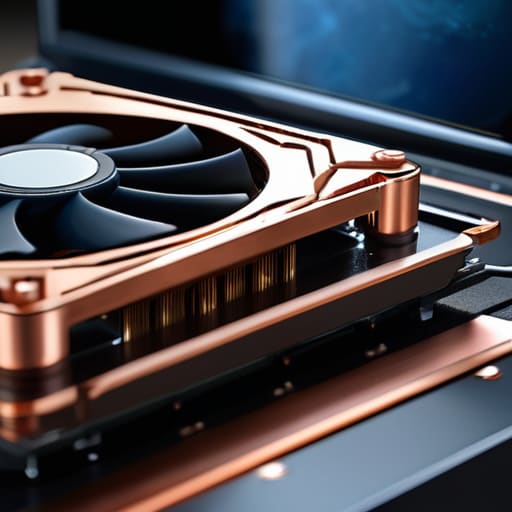
    “Manufacturers love to brag about how thin and light they’ve made these machines, but in my experience, you can’t shrink a high-performance engine without creating a furnace. If they haven’t built in enough copper and airflow to handle the heat, you aren’t buying a gaming laptop—you’re buying a very expensive paperweight that’s going to throttle itself into uselessness the moment things get intense.”

    Roland Delacroix

    The Bottom Line on Your Next Machine
    The Bottom Line on Your Next Machine

    Look, at the end of the day, a gaming laptop isn’t just a collection of fancy numbers on a spec sheet. If you don’t pay attention to the GPU architecture or how that chassis handles heat, you’re just buying a very expensive, very loud space heater. I’ve seen too many folks get blinded by high refresh rates only to realize their machine is thermal throttling within twenty minutes of heavy use. Remember: prioritize a solid cooling solution and a reliable build over flashy RGB lighting and marketing buzzwords. If the hardware can’t maintain its performance under pressure, the rest of those specs are essentially useless. Buy for longevity, not for the hype.

    I know the market feels overwhelming right now, with every manufacturer claiming they’ve built the “ultimate” machine. It’s easy to get lost in the noise, but don’t let them rush your decision. Take your time, read the teardown reports, and if you can, feel the build quality for yourself before you swipe your card. A well-chosen machine should feel like a tool you can rely on for years, not a disposable gadget that ends up in a junk drawer by next Christmas. Invest in quality, and you’ll spend much less time troubleshooting and much more time actually enjoying what you paid for.

    Frequently Asked Questions

    Is it worth spending the extra money on a higher-tier GPU, or am I just paying for marketing hype?

    Look, don’t let the marketing departments convince you that you need a top-of-the-line GPU just to play a few games. If you’re just running standard titles, a mid-range card is more than enough. But, if you’re planning to keep this machine for four or five years, that extra investment in a higher-tier chip isn’t hype—it’s insurance. It gives you the headroom to handle future software without the hardware choking.

    How can I tell if a laptop's cooling system is actually built to last, or if it's just a glorified fan in a plastic shell?

    Don’t just look at the fan speed on a spec sheet; that’s marketing fluff. I want to see the copper. If the manufacturer won’t show you the heat pipe layout or the number of exhaust vents, they’re hiding something. A real cooling system uses heavy-duty heat pipes and substantial heatsinks, not just thin fins. If the chassis feels like it’s going to warp under heat, the thermal management is likely an afterthought.

    Should I be looking at the screen's refresh rate, or is the build quality of the chassis more important for long-term use?

    Look, I get the temptation to chase those high refresh rates for smoother visuals, but don’t lose sight of the foundation. A 240Hz screen won’t mean a thing if the hinge snaps or the chassis warps after six months of heat cycles. If you’re looking for longevity, prioritize the build quality. I’d rather have a solid, well-engineered machine with a standard screen than a flimsy piece of plastic that fails you mid-game.


  • How to Improve Smartwatch Battery Life

    How to Improve Smartwatch Battery Life

    I was sitting at my workbench last Tuesday, cleaning the contacts on a 1974 Marantz receiver, when I looked over at my wrist and saw that blinking, pathetic red icon again. It’s the same story every single day: I charge the thing overnight, and by five in the afternoon, my smartwatch battery is gasping for air like a fish out of water. These tech companies love to throw glossy spec sheets at you, boasting about “optimized power management” and “intelligent background processes,” but all that really means is they’ve built a device that’s constantly tethered to a wall outlet. It’s a ridiculous way to design a tool that’s supposed to be portable.

    I’m not here to sell you on the latest software patch or some magic setting that promises the moon. I’ve spent my career looking at how systems actually fail, and I’m going to tell you the truth about what makes these cells die and what features are just expensive distractions. I’ll show you how to spot the real hardware limitations so you can stop wasting your time and money on gadgets that can’t even make it through a full day of honest work.

    Table of Contents

    The Lie of Battery Life vs Feature Set

    The Lie of Battery Life vs Feature Set.

    Here is the truth that the marketing departments won’t tell you: you can’t have your cake and eat it too. When you’re looking at a spec sheet, they’ll brag about a dozen different sensors, GPS tracking, and a vibrant AMOLED screen. But every single one of those bells and whistles is a thief. There is a direct, punishing trade-off between battery life vs feature set, and most people don’t realize they’re buying a headache until they’re staring at a dead screen by lunchtime.

    I’ve seen it a dozen times in my testing. A manufacturer will tout a “revolutionary” new sensor, but they conveniently forget to mention how much background app battery impact that sensor creates. You end up with a device that is technically impressive but practically useless because it’s constantly tethered to a wall. If you’re constantly relying on smartwatch fast charging technology just to get through a workday, you haven’t bought a tool; you’ve bought a chore. A device that requires constant supervision isn’t an advancement—it’s a design failure.

    Why Lithium Ion Battery Degradation Is Inevitable

    Why Lithium Ion Battery Degradation Is Inevitable

    Look, I’ve seen this story play out a thousand times in the manufacturing plants where I used to work. You can have the most sophisticated circuitry in the world, but you’re still at the mercy of chemistry. These devices rely on lithium-ion cells, and the hard truth is that lithium-ion battery degradation isn’t a defect; it’s a fundamental law of physics. Every time you cycle that charge, you’re causing microscopic structural damage to the battery’s internal components. It’s a slow, inevitable march toward a shorter lifespan that no software update can fix.

    The manufacturers will try to tell you that their new smartwatch fast charging technology is a miracle cure, but it’s a double-edged sword. Pushing high currents into a small cell to shave off twenty minutes of charging time creates heat, and heat is the absolute enemy of longevity. If you’re constantly topping it off at max speed, you’re essentially cooking the chemistry inside. You might get that quick boost today, but you’re paying for it with a device that will feel like a paperweight in two years.

    Five Ways to Stop Killing Your Smartwatch Battery Before Its Time

    • Turn off the “Always-On” display. I don’t care how sleek it looks on your wrist; forcing those pixels to stay lit 24/7 is like leaving a lightbulb running in an empty room. If you want the battery to last, let the screen stay dark until you actually need to look at it.
    • Kill the unnecessary notifications. Every time your wrist buzzes because of a promotional email or a social media “like,” you’re draining a tiny bit of power. Go into your settings and prune the nonsense; you only need to be interrupted for things that actually matter.
    • Stop using GPS for every little stroll. If you’re just walking the dog around the block, you don’t need a high-precision satellite connection tracking your every step. Use the built-in accelerometer for basic movement and save the GPS for when you’re actually training.
    • Don’t let the battery hit zero. I’ve seen too many people let their devices die completely every night. Lithium-ion cells hate being fully depleted. Try to keep it between 20% and 80%—it’s a bit of a chore, but it’ll keep the chemistry stable for much longer.
    • Watch your brightness levels. Most of these manufacturers set the default brightness way too high just to make the screen pop in marketing photos. Dial it down to the lowest comfortable level. If you can read it, it’s bright enough.

    The Bottom Line: What to Look for Before You Buy

    Stop looking at the “up to” numbers on the box; if a watch can’t survive a standard 24-hour cycle with your basic settings turned on, it’s a paperweight.

    Accept that every battery has an expiration date, so don’t get caught up in the hype of a device that has no easy way to swap out the cell once it starts swelling or dying.

    Prioritize simple, reliable hardware over a mountain of sensors that drain your power and force you to live your life tethered to a wall outlet.

    The Real Cost of Convenience

    “Manufacturers will sell you a thousand sensors and a high-resolution screen, but they won’t tell you that every one of those features is just a countdown toward a dead device. I’d rather have a simple tool that works for three days than a high-tech paperweight that needs a nap every six hours.”

    Roland Delacroix

    The Bottom Line on Your Wrist

    The Bottom Line on Your Wrist.

    Look, I’ve spent enough time looking at schematics to know that you can’t have your cake and eat it too. You can have a watch that tracks every single heartbeat and oxygen level in real-time, or you can have a watch that actually stays powered on. If you choose the former, you’re signing up for a cycle of constant charging and inevitable chemical degradation. Don’t let the glossy marketing brochures fool you; a high-performance feature set is almost always a direct trade-off with longevity. Before you drop five hundred dollars on the latest gadget, ask yourself if you really need those extra sensors, or if you’re just paying for expensive plastic and diminishing returns.

    At the end of the day, a piece of technology should serve you, not the other way around. I don’t want to spend my retirement hunting for a charging cable every six hours just because a manufacturer decided to cram too many thirsty processors into a tiny casing. Buy something that fits your actual lifestyle, not the lifestyle they’ve sold you in a commercial. Invest in gear that offers practical utility and a battery that respects your time. If it isn’t reliable, it isn’t a tool—it’s a distraction.

    Frequently Asked Questions

    Is there any actual way to slow down the chemical aging of these batteries, or am I just throwing money away on a device that's destined to die in two years?

    Look, I’m not going to sugarcoat it: you can’t stop the clock, but you can certainly slow it down. Stop letting that thing sit on a charger overnight; keeping it at 100% is like redlining an engine constantly. Aim for the 20% to 80% sweet spot. Also, keep it out of the heat. Heat is the silent killer of cells. Do these things, and you might get three years instead of two.

    Should I be worried about leaving my watch on the charger overnight, or is that just more modern tech-anxiety?

    Look, I get why you’re asking. We’ve been conditioned to treat these gadgets like they’re made of glass. The short answer? You aren’t going to blow anything up, but you aren’t doing your battery any favors either. Modern controllers prevent overcharging, but keeping a cell at 100% voltage all night is like keeping a spring permanently compressed. It creates heat and stress. If you want the thing to last more than two years, take it off the dock once it’s full.

    If I turn off all the "smart" features like the always-on display and heart rate tracking, can I actually get a meaningful boost in runtime?

    Look, you can certainly squeeze a few more hours out of the thing by killing the always-on display and those constant sensor pings, but don’t expect a miracle. It’s like trying to get better mileage out of a gas-guzzling truck by driving ten miles under the limit; you’ll see a difference, but the engine is still fundamentally inefficient. It helps, but it won’t turn a one-day watch into a week-long one.

  • How Smart Scales Monitor Health

    How Smart Scales Monitor Health

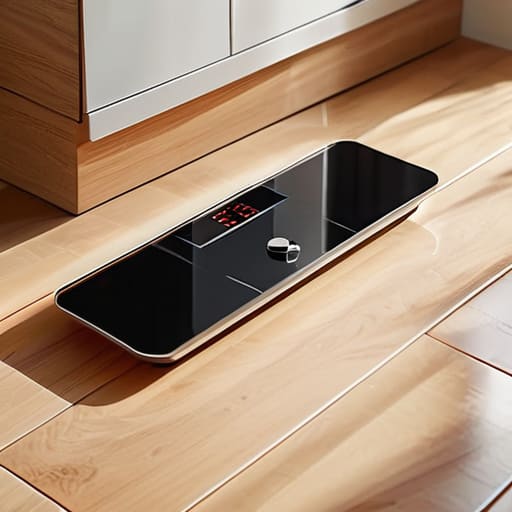
    I spent thirty years in manufacturing, where if a part didn’t meet the spec, it went in the scrap bin. I don’t have much patience for the modern trend of taking a simple, mechanical necessity and burying it under layers of unnecessary software. Take smart scale technology, for instance. Most of these gadgets on the market today are nothing more than glorified pieces of expensive plastic that demand you download a subscription service and sync a dozen apps just to tell you your weight. It’s a complete waste of good engineering when all you really need is a reliable reading that doesn’t fluctuate every time your phone gets a software update.

    I’m not here to sell you on the latest shiny gimmick or some “revolutionary” sensor that promises to map your DNA. My goal is to cut through the marketing fluff and tell you which devices actually have the build quality to last and which ones are destined for a landfill in six months. I’ll show you how to spot real data from mere guesswork so you can stop throwing money at overhyped junk and start investing in tools that actually do their job.

    Table of Contents

    Decoding Bioelectrical Impedance Analysis Without the Nonsense

    Decoding Bioelectrical Impedance Analysis Without the Nonsense

    Now, let’s cut through the marketing jargon. Most of these devices use something called bioelectrical impedance analysis to guess what’s happening inside your body. In plain English, the scale sends a tiny, imperceptible electrical current through your feet. Since fat, muscle, and water all conduct electricity differently, the machine runs a quick calculation to estimate your body composition. It’s not magic, and it’s certainly not a medical-grade scan, but it’s a decent enough proxy if you’re looking for trends over time.

    The problem is that manufacturers love to treat these numbers like gospel. They’ll toss around terms like muscle mass analysis or metabolic tracking to make a $30 piece of glass sound like a laboratory instrument. Look, I’ve spent enough time around precision sensors to know that hydration levels, the time of day, or even how much salt you ate for dinner can throw these readings off. Don’t get hung up on the specific decimal point; instead, focus on whether the numbers are moving in the right direction over several weeks. If the data is wildly inconsistent, it’s just expensive plastic doing math poorly.

    Why Body Fat Percentage Measurement Often Lies to You

    Why Body Fat Percentage Measurement Often Lies to You

    Look, I’ve spent enough time with calipers and manual measurements to know that these little glass pads on your scale are making some pretty bold claims. Most of these devices use bioelectrical impedance analysis to guess your composition, but they aren’t actually “seeing” your fat. They are sending a tiny electrical current through your legs and running a mathematical model based on how fast that current moves. The problem is that water moves electricity just as well as muscle does. If you’re a bit dehydrated or you just finished a workout, that body fat percentage measurement is going to be wildly inaccurate.

    It’s a fundamental flaw in the hardware. These sensors can’t distinguish between a well-hydrated muscle and actual adipose tissue with much precision. You might see a sudden “drop” in fat on your digital wellness monitoring app, but in reality, you’ve just lost a bit of water weight. I’ve seen plenty of folks get discouraged by a fluctuating number, but you have to remember: you aren’t a static mathematical equation. Treat these percentages as a general trend, not a scientific absolute, or you’ll end up chasing ghosts.

    How to Get Actual Data Instead of Random Numbers

    • Stop weighing yourself at different times of the day. If you want a consistent baseline, pick one time—ideally right after you wake up and use the restroom—and stick to it. Variables like hydration or a heavy meal will throw your readings off more than the scale itself.
    • Don’t trust the “Body Fat” number blindly. These scales use electrical currents that are easily fooled by how much water you’ve had. Treat the percentage as a general trend line rather than an absolute scientific truth.
    • Keep your feet clean and dry. I’ve seen plenty of these cheap sensors fail because someone had calloused or damp skin. For the impedance to work, you need good contact with those metal plates, or you’re just guessing.
    • Look for a scale with a solid build, not a flimsy piece of glass that feels like it’ll crack if you step on it too hard. A heavy, stable platform ensures the sensors aren’t being tilted by a cheap, uneven chassis.
    • Avoid the “App Trap.” If a manufacturer requires you to create an account, share your GPS location, and agree to a twenty-page privacy policy just to see your weight, they aren’t selling you a tool—they’re selling your data. Find one that gives you the numbers directly on the display.

    The Bottom Line: What to Look for Before You Buy

    Stop chasing the “smartest” scale on the market; focus on consistency and repeatability rather than a dozen different app-based metrics that change every time you step on the sensor.

    Understand that BIA technology is an estimate, not a medical-grade diagnosis, so use the numbers to track long-term trends instead of obsessing over daily fluctuations.

    Prioritize build quality and a stable platform over fancy Bluetooth features—if the scale feels like a cheap piece of plastic under your feet, the internal sensors are likely cheap, too.

    The Bottom Line on Data

    Most of these smart scales are just glorified bathroom scales wrapped in a fancy app; if you can’t trust the consistency of the hardware, don’t bother trusting the numbers on the screen.

    Roland Delacroix

    The Bottom Line on Smart Scales

    The Bottom Line on Smart Scales trends.

    Look, I’m not telling you to throw your scale out the window, but you need to stop treating those digital percentages like gospel. We’ve established that BIA technology is essentially a series of educated guesses based on electrical resistance, and it’s prone to massive swings based on whether you’ve had a glass of water or a heavy meal. If you’re going to buy one, do it for the trend lines, not the daily numbers. Focus on the direction the weight is moving over weeks and months, rather than getting worked up because the “body fat” reading jumped two percent overnight. A smart scale is just a data point, not a medical diagnosis.

    At the end of the day, don’t let a piece of expensive plastic dictate your self-worth or your motivation. I’ve spent my career looking at precision instruments, and I can tell you that no gadget can replace the reality of how you actually feel in your own skin. Use the tech if it helps you stay disciplined, but keep your eyes on the real metrics: your energy levels, your strength, and your consistency. Buy a tool that simplifies your life, not one that creates a new way to obsess over numbers that aren’t even entirely accurate.

    Frequently Asked Questions

    If these scales are just guessing my body fat based on electrical signals, how much can I actually trust the numbers from one week to the next?

    Look, don’t treat these numbers like gospel truth. If you step on the scale today and then again after a big salty dinner or a heavy workout, the reading will swing wildly. It’s not your body changing overnight; it’s just the hydration levels messing with the electrical signal. Stop obsessing over the daily decimal points. Instead, look at the weekly average. If the trend line is moving in the right direction, you’re doing fine.

    Is there any real difference between a cheap $20 model and a high-end brand, or am I just paying for a fancy app?

    Look, I’ve seen this story a thousand times in manufacturing: you pay for the casing, not the components. A $20 scale is usually just a collection of cheap sensors and a flimsy circuit board that’ll drift out of calibration in six months. A high-end model isn’t just about a pretty app; you’re paying for consistent sensor accuracy and better build quality. If the data changes every time you step on it, the scale is useless.

    Do I really need to sync this thing to my phone every single morning, or is there a way to just see my weight and move on with my life?

    Look, I get it. I don’t want to spend my morning troubleshooting a Bluetooth pairing error just to see a number. The short answer is: no, you don’t. If you just want your weight, look for a scale with a large, backlit LCD. Many high-end models force the app nonsense, but some decent brands still let you step on, read the display, and walk away. Don’t let them sell you a subscription for data you can see with your own eyes.

  • Choosing a Multi Device Wireless Charging Dock

    Choosing a Multi Device Wireless Charging Dock

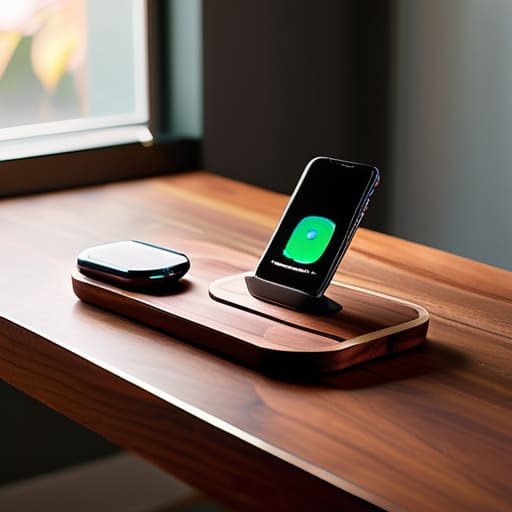
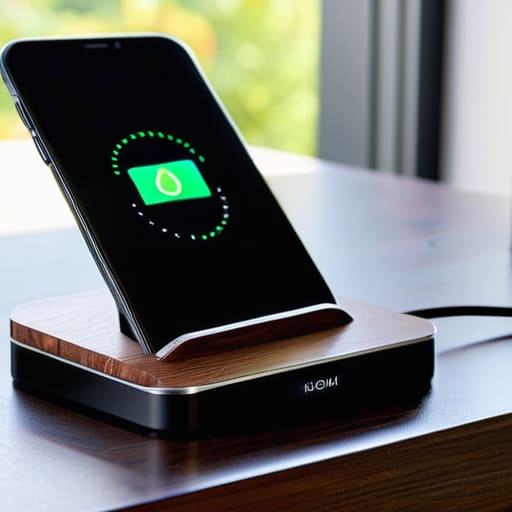
    I was sitting at my workbench last Tuesday, surrounded by the smell of solder and old capacitors, when I realized I’d spent forty minutes wrestling with a piece of junk I bought online. I had tried to use one of those sleek, ultra-thin wireless charging docks that promised to revolutionize my nightstand, but the damn thing wouldn’t even align the coils properly unless I placed the phone with the precision of a surgeon. It’s the same old story: companies are slapping a high price tag on overpriced, flimsy plastic and calling it innovation, when in reality, they’ve just engineered a way to make your life more complicated.

    I’m not here to sell you on the latest marketing buzzwords or tell you that you need a smart-home ecosystem just to juice up your phone. My goal is simple: I want to help you find hardware that actually does its job without failing the moment you look away. I’ve spent the last few weeks putting several models through the ringer to see which ones have the build quality to last and which ones belong in the scrap heap. I’ll give you the straight truth on what’s worth your hard-earned money and what is just expensive clutter.

    Table of Contents

    Why Qi Certified Charging Pads Actually Matter

    Why Qi Certified Charging Pads Actually Matter

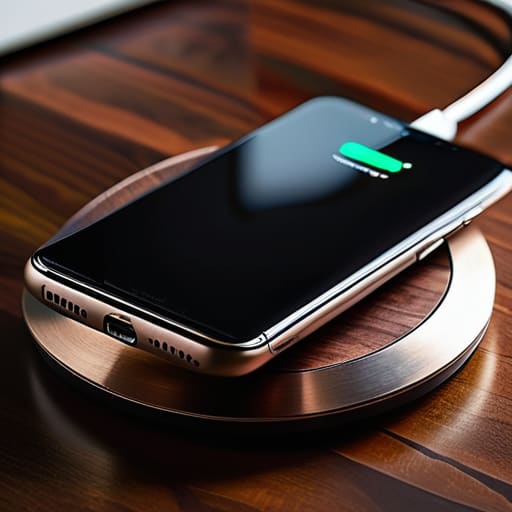
    I’ve seen too many folks walk into a big-box store and pick up the cheapest slab of plastic they can find just because it looks sleek on the shelf. That’s a mistake that’ll cost you more than just a few bucks. When you’re looking at different smartphone charging solutions, you need to look for the label. I’m talking about Qi certified charging pads. That certification isn’t just some marketing fluff; it’s a standard that ensures the device actually communicates with your phone to manage heat and power delivery correctly. Without it, you’re essentially playing Russian roulette with your battery’s lifespan.

    If you don’t get the certification right, you’re going to run into issues with inductive charging efficiency. I’ve tested plenty of these unbranded knock-offs, and half the time, you have to wiggle the phone around just to get a connection. It’s frustrating and, frankly, a waste of time. A proper, certified unit ensures that the energy transfer is stable, so you aren’t just wasting electricity and generating unnecessary heat. If you want a reliable setup, don’t settle for anything that hasn’t been vetted.

    The Truth About Fast Wireless Charging Technology

    The Truth About Fast Wireless Charging Technology.

    Don’t let the marketing departments fool you with those flashy “Super-Fast” labels on the box. When you see a manufacturer promising lightning-fast speeds, I want you to look closer at the heat dissipation. The reality of fast wireless charging technology is that it generates a significant amount of thermal energy. If the dock is nothing more than a thin piece of molded plastic without any internal venting or heat management, that heat is going to bleed directly into your phone’s battery. In my experience, heat is the silent killer of lithium-ion cells, and a cheap dock that runs hot will shorten your device’s lifespan faster than a frayed cable.

    You also need to understand that speed is a collaborative effort between the pad and the phone. You can buy the most expensive hub on the market, but if your smartphone doesn’t support the specific handshake protocols required for high-wattage delivery, you’re just paying for unrealized potential. I’ve seen plenty of guys waste money on high-end smartphone charging solutions only to find out their device is capped at a standard 5W rate. Always check your phone’s technical specs before you commit your hard-earned cash to a high-wattage setup.

    Don't Get Fooled: 5 Things to Check Before You Pull the Trigger

    • Watch out for the weight. If a charging dock feels light and hollow like a cheap toy, it’s going to slide around your nightstand every time you try to set your phone down. Look for something with a weighted base or some decent rubberized grip so it actually stays put.
    • Check your heat dissipation. Wireless charging generates heat—that’s just physics. If the dock is a sealed piece of plastic with no ventilation, you’re going to cook your battery life. I want to see some airflow or a design that doesn’t trap heat against the coils.
    • Verify the adapter requirements. A lot of these companies sell you a “fast charger” but don’t mention that you need to buy a separate, high-wattage wall brick to actually get the speeds promised on the box. Don’t get caught spending another twenty bucks because they omitted the fine print.
    • Mind the alignment. I’ve seen too many “convenient” stands that only work if you place your phone within a millimeter of the sweet spot. If it doesn’t have magnets (like the MagSafe standard) or a very forgiving coil placement, you’ll spend your whole night wondering why your phone isn’t charging.
    • Look for a physical indicator, not just an app. I don’t want to have to unlock my phone and check a software menu just to see if the connection is solid. A simple, reliable LED light that tells you “power is flowing” is much more useful than some flashy touchscreen nonsense.

    The Bottom Line on Your Next Dock

    Don’t let a fancy LED display or a sleek design fool you; if the unit isn’t Qi-certified, you’re likely buying a paperweight that will overheat your battery.

    Ignore the marketing buzzwords about “ultra-fast” speeds unless you’ve verified the wattage matches your specific phone’s requirements—otherwise, you’re just paying for extra heat and zero extra speed.

    Prioritize weight and build material; a dock that feels light and hollow in your hand is almost certainly going to slide off your nightstand every time you try to set your phone down.

    ## The Reliability Test

    “I don’t care how many LED lights they flash or how sleek the design looks on a showroom floor; if the induction coil is housed in cheap, thin plastic that overheats the moment you set your phone down, it’s not a tool—it’s a paperweight.”

    Roland Delacroix

    Bottom Line: Don't Get Swindled

    Bottom Line: Don't Get Swindled wireless docks.

    At the end of the day, choosing a wireless dock shouldn’t feel like a gamble. We’ve covered the essentials: stick to Qi-certified hardware to avoid frying your battery, and don’t let marketing jargon about “ultra-fast” speeds fool you if the unit lacks proper thermal management. Most of these cheap, unbranded pads you see in bargain bins are nothing more than overpriced, flimsy plastic that will likely fail or overheat within a few months. If you want something that actually works, look for a build that feels substantial and a charging standard that is clearly documented. A little bit of research now saves you the headache of buying the same damn thing twice when the cheap version inevitably dies on you.

    I know it’s tempting to just click “buy” on the cheapest option that pops up in your search results, but I’m asking you to slow down. Technology is moving faster than ever, but the laws of physics and good engineering haven’t changed. Invest in a piece of equipment that respects your wallet and your hardware. When you buy something built with actual integrity, you aren’t just buying a charger; you’re buying the peace of mind that comes with knowing your gear is safe. Stop chasing the hype and start looking for reliability you can trust.

    Frequently Asked Questions

    Will these wireless pads actually overheat my phone or kill my battery life over time?

    Look, I get the concern. I’ve seen enough heat-damaged components in my time to know that heat is the enemy of longevity. If you buy a cheap, uncertified piece of junk, yes, it’ll cook your battery. But if you stick to a quality, Qi-certified pad with decent thermal management, you’re fine. It’s not the wireless tech that’s the problem; it’s the shoddy engineering inside the bargain-bin chargers. Buy quality, and your battery will thank you.

    Do I really need to buy a separate high-wattage wall adapter, or can I just use the old brick I have lying around?

    Don’t just grab whatever old brick you find in the junk drawer. I’ve seen enough blown circuits to know that “old” doesn’t always mean “compatible.” If your wireless dock is rated for 15W or 20W and you plug it into an ancient 5W iPhone cube, you’re going to be waiting all day for a charge. Check the output specs on your adapter; if the wattage doesn’t match the dock’s requirements, you’re wasting your time.

    How do I know if a dock is going to work through a thick protective case, or am I going to be constantly taking my phone in and out?

    Here’s the reality: most manufacturers claim “case compatibility,” but that’s marketing fluff. If your case is thicker than 3mm or has a metal plate for a magnetic mount, forget it. You’ll be fighting with heat buildup and intermittent connection all day. Before you shell out your hard-earned cash, check the technical specs for the induction distance. If they don’t list it, assume it won’t work. Don’t settle for a dock that turns your phone into a paperweight.

  • Selecting a Smartwatch for Elderly Users

    Selecting a Smartwatch for Elderly Users

    I spent thirty years in manufacturing, where if a part wasn’t built to spec, it was scrap. Nowadays, I look at the tech market and see a lot of junk that’s more “glitch” than “smart.” When it comes to finding smartwatches for seniors, the problem isn’t a lack of options; it’s that most of these devices are designed by twenty-somethings who think a complicated menu system is a feature rather than a massive headache. You shouldn’t have to fight with a piece of glass on your wrist just to check your heart rate or call for help.

    In this list, I’ve cut through the marketing fluff to bring you five models that actually hold up to scrutiny. I’m not interested in which watch has the prettiest interface or the most social media notifications. Instead, I’m looking at battery life, button tactile feedback, and how reliable the emergency features really are when things go sideways. I’ll show you which of these are solid, dependable tools and which ones are just expensive plastic destined to end up in a junk drawer by next Christmas.

    Table of Contents

    Apple Watch Series 9: The Gold Standard if You Can Handle the Tech

    Apple Watch Series 9: The Gold Standard if You Can Handle the Tech.

    I’ll be the first to admit that I usually roll my eyes at how much these companies charge for a piece of silicon and glass. However, from a purely engineering standpoint, the sensor integration in the Apple Watch is hard to argue with. The fall detection is remarkably responsive, and the way it handles ECG readings is far more consistent than the cheap knock-offs you see flooding the market. If you’re looking for unmatched reliability in health monitoring, this is the one that actually delivers on its promises.

    Samsung Galaxy Watch 6: Solid Hardware for Android Users

    Samsung Galaxy Watch 6: Solid Hardware for Android Users

    If you’ve already settled into the Android camp, the Galaxy Watch 6 is the most logical piece of kit on the table. I’ve spent a lot of time looking at the build quality of these wearables, and Samsung has done a decent job of making something that feels like it won’t shatter the moment you bump it against a doorframe. The interface is snappy, and the blood pressure monitoring features are a significant step up from the generic trackers I’ve tested in the past.
    Fitbit Sense 2: Simple, Effective, and Less Distracting

    Fitbit Sense 2: Simple, Effective, and Less Distracting.

    Sometimes, you don’t need a computer strapped to your wrist; you just need something that tells you how your heart is doing. That’s where the Fitbit Sense 2 comes in. It lacks the flashy, high-resolution bells and whistles of the Apple or Samsung models, but it excels at what it actually does. The interface is straightforward, and the focus on stress management and sleep tracking is handled with a level of simplicity that I find refreshing.

    Garmin Venu 3: Built Like a Tank for the Active Senior

    Now, if you’re the type of person who isn’t ready to sit in a recliner just because you’ve hit a certain age, you need to look at Garmin. I’ve always respected their engineering; they build things to endure. The Venu 3 is designed for people who actually move, and the GPS accuracy is far superior to the consumer-grade junk most companies are peddling. The battery life is also significantly better than the competition, often lasting a full week on a single charge.

    Gabb Watch 3: Safety Without the Overwhelming Noise

    I know what you’re thinking—this is a watch for kids. But hear me out. Sometimes, the best “smartwatch” for a senior who is struggling with cognitive decline or severe tech anxiety is one that has been stripped of all the useless fluff. The Gabb Watch is designed to be simple. It focuses on the essentials: communication and location tracking. There are no social media notifications or complex apps to get lost in, which prevents the user frustration that often leads to these devices being thrown in a drawer.

    The Bottom Line: What to Look for Before You Buy

    Don’t get blinded by the shiny marketing; focus on battery life and button layout, because a device is useless if it’s dead on your wrist or too finicky to operate.

    Prioritize reliability over “smart” gimmicks—you want a watch that accurately detects a fall or a heart spike, not one that spends half its time trying to download a software update.

    If the interface looks like a cluttered mess of tiny icons, put it back on the shelf; you need something straightforward that works the first time, every time.

    The Bottom Line on Wearable Tech

    At the end of the day, a smartwatch shouldn’t be another complicated chore on your to-do list; it should be a reliable tool that stays out of your way until the moment you actually need it to work.

    Roland Delacroix

    The Bottom Line

    Look, I’ve spent enough time looking at schematics to know that more features don’t always mean a better product. When you’re picking out a device for yourself or a parent, don’t get distracted by the flashy marketing or the latest bells and whistles that nobody will ever use. Focus on the fundamentals: a battery that doesn’t die in the middle of the night, a screen you can actually read without a magnifying glass, and a fall detection system that is actually reliable. If the interface is a cluttered mess of icons, walk away. You want a tool that serves you, not a piece of high-tech jewelry that requires a computer science degree just to check the time.

    At the end of the day, technology should be there to provide peace of mind, not to add more stress to your daily routine. We live in an era where everything is designed to be disposable, but choosing the right wearable is about finding something that offers genuine utility and security. Whether you’re looking to keep an eye on your heart rate or just want to ensure help is a button-press away, choose the device that fits your life, not the one that looks best in a commercial. Buy something that works, buy something that lasts, and stop paying extra for the expensive plastic.

    Frequently Asked Questions

    Do I really need to pay extra for a cellular connection, or can I just use the watch with my phone?

    Look, if you’re always going to have your phone in your pocket or sitting on the kitchen counter, save your money. You don’t need the cellular subscription. But if you’re the type who goes for walks or heads to the garden without a phone, that cellular option isn’t just a luxury—it’s your lifeline. If the watch can’t call for help when you’re alone, it’s just a glorified pedometer.

    How long do these batteries actually last before I'm stuck charging another piece of plastic every single night?

    Look, this is where the marketing departments get you. They talk about “all-day battery life,” but that’s code for “you’ll be tethered to a wall by dinner.” If you’re looking at high-end smartwatches with bright, colorful screens, expect to charge them every single night. If you want something that actually lasts, look for specialized senior models or fitness trackers that prioritize efficiency over flashy graphics. Aim for at least five days, or don’t bother.

    If someone actually falls, how reliable is the automatic detection—will it actually call for help or just send a useless notification?

    Look, I’ll give it to you straight: it’s not a magic bullet. Most of these sensors use accelerometers to detect a sudden impact followed by inactivity, but they aren’t foolproof. If you trip slightly or even drop the watch on a nightstand, it might trigger a false alarm. However, if it’s a real fall, the tech is generally reliable at initiating the call. Just don’t trust it blindly; always make sure the cellular connection is solid.

  • Features of Smart Doorbells

    Features of Smart Doorbells

    I was sitting in my workshop last Tuesday, cleaning the contacts on a 1970s Marantz receiver, when my phone started chirping like a frantic bird. It was a notification from my front door. I checked the feed, only to find a “motion alert” triggered by a stray leaf blowing across the driveway. It’s the same story everywhere you look: companies are shoving a dozen useless smart doorbell features down your throat, charging you a monthly subscription just to see a blurry image of a squirrel. Most of these gadgets are built with the structural integrity of a wet paper towel and software that’s more headache than help.

    I’m not here to sell you on some shiny, cloud-connected gimmick that fails the moment your Wi-Fi hiccups. My goal is simple: I want to help you separate the actual security tools from the expensive plastic junk that litters the market. I’ve spent my career looking at how things are actually built, and I’m going to tell you which features actually provide peace of mind and which ones are just marketing fluff designed to empty your wallet.

    Table of Contents

    Dont Buy Into the Gimmicks of Facial Recognition Technology

    Dont Buy Into the Gimmicks of Facial Recognition Technology

    I’ve seen this pattern a dozen times in my career: engineers adding a complex, unproven feature just to pad the spec sheet and justify a higher price tag. Right now, that’s exactly what’s happening with facial recognition technology. Manufacturers will tell you it’s a revolution in home security, but in my experience, it’s often more trouble than it’s worth. These algorithms struggle with changing light or even a simple change in a person’s attire, leading to a constant stream of false positives that’ll drive you mad.

    Instead of paying a premium for a system that tries—and fails—to guess who is standing on your porch, you should be looking at the fundamentals. I’d much rather see a company invest in superior night vision capabilities and a reliable sensor than a buggy AI feature. If the hardware can’t clearly distinguish a shadow from a person in the dark, it doesn’t matter how “smart” the software claims to be. Don’t let the marketing department fool you; a doorbell that accurately detects motion is worth far more than one that tries to name every stranger who walks by your driveway.

    Why Wide Angle Field of View Matters More Than Marketing

    Why Wide Angle Field of View Matters More Than Marketing

    When you’re looking at the spec sheet, every manufacturer will brag about their “ultra-HD” resolution or their fancy color night vision. But let me tell you something from a systems perspective: a high-resolution image of a person’s forehead is useless if you can’t see their hands or what they’re carrying. Most of these companies try to sell you on pixel density, but they neglect the actual geometry of the lens. A wide angle field of view is what actually matters because it eliminates those massive blind spots right beneath the unit.

    I’ve seen too many folks install these things only to realize they can see a clear picture of the street, but they have no idea what’s happening on their own porch. If your lens is too narrow, you’re essentially paying for a high-definition view of nothing. You want a device that captures the entire entryway so that your package detection alerts actually trigger when a delivery driver sets a box down, rather than just seeing them walk past the frame. Don’t let them sell you a narrow window when you need a full view of your property.

    Five Things to Check Before You Hand Over Your Credit Card

    • Check the power source first. I’ve seen too many people buy a sleek-looking battery-operated unit only to realize they’re climbing a ladder every two weeks to recharge it. If you can run a wire to the door, do it. A hardwired connection is reliable; a battery is just another thing that’s going to fail you when you need it most.
    • Look for local storage options. I don’t trust the cloud to keep my data safe or accessible. If a company decides to hike their monthly subscription fees just so you can view your own footage, they’ve sold you a lemon. Find a model that lets you plug in an SD card or connects to a local hub.
    • Test the motion detection sensitivity. There is nothing more annoying than a doorbell that sends a notification to your phone every time a leaf blows across the porch or a car drives by. You want adjustable zones so you can tell the sensor to ignore the sidewalk and focus on your actual entryway.
    • Verify the night vision quality. A camera that looks great at noon is useless at 2:00 AM. Don’t just look at the megapixel count in the brochure; look for infrared capabilities that actually provide a clear image in total darkness. If you can’t see a face in the dark, the camera is nothing more than a paperweight.
    • Demand a physical button that actually works. We live in an era where everything is “smart,” but at the end of the day, a doorbell is a mechanical necessity. If the physical button feels mushy or lacks a tactile click, the build quality is likely subpar, and the internal components won’t last the first winter.

    The Bottom Line: What’s Actually Worth Your Hard-Earned Money

    Prioritize a reliable, wide field of view over fancy software; if you can’t see the person’s hands or the package on the porch, the camera is useless.

    Ignore the facial recognition marketing fluff; a doorbell’s primary job is to alert you when someone is there, not to run a database of your neighbors.

    Check the build quality and connection stability before you buy; if it’s held together by cheap plastic and relies on a finicky Wi-Fi signal, it’s going to fail you when it matters most.

    Focus on the Fundamentals

    I’ve seen enough engineers try to solve problems that don’t exist; stop worrying about whether your doorbell can identify your neighbor’s breed of dog and start worrying about whether the damn thing actually records a clear image when it matters most.

    Roland Delacroix

    The Bottom Line on Your Front Door

    The Bottom Line on Your Front Door.

    At the end of the day, don’t let a glossy marketing brochure do your thinking for you. We’ve looked at how facial recognition is often more of a privacy headache than a security boon, and why a wide field of view is far more critical for seeing a package thief than any fancy AI software. If you want a doorbell that actually serves its purpose, focus on the fundamentals: reliable connectivity, clear optics, and a build quality that won’t crack after one winter. You need a device that performs its primary function without requiring a software update every time you want to see who is standing on your porch. Stop chasing the latest digital bells and whistles and start looking for hardware that actually holds up.

    Investing in home security shouldn’t feel like gambling on the latest tech fad. I’ve spent enough time in engineering to know that complexity is often just a mask for unreliability. When you’re standing there in the hardware store or scrolling through an online shop, ask yourself if that extra feature is going to help you sleep better at night, or if it’s just more expensive plastic designed to pad a manufacturer’s profit margins. Buy something that is built to last, stays connected when it matters, and does exactly what it says on the box. That is how you protect your home without wasting your hard-earned money.

    Frequently Asked Questions

    Is a hardwired connection really necessary, or can I get away with just using batteries?

    Look, if you want a device that actually works when it matters, go hardwired. I’ve seen too many people buy battery-operated models only to find them dead right when a package is being stolen. Batteries are a massive point of failure; they die, they struggle in the cold, and you’ll spend half your life climbing a ladder to swap them. If you have the wiring, use it. Don’t trade reliability for a slightly easier installation.

    How much does a monthly subscription actually cost if I want to save my video clips?

    Here is the truth they don’t put on the box: you aren’t just buying a doorbell; you’re renting it. Most manufacturers charge anywhere from $3 to $10 a month just to let you view recorded footage. It sounds small, but over three years, that’s a significant chunk of change for something you already paid for. Before you pull the trigger, check the fine print. If it requires a monthly fee to see anything useful, it’s just more expensive plastic.

    What's the difference between a standard doorbell and one with two-way audio that actually works without a five-second lag?

    Look, a standard doorbell is a simple mechanical circuit—it does one job and does it reliably. A smart doorbell with two-way audio is a whole different beast of software and networking. The problem is most manufacturers prioritize flashy video over low-latency audio. If you’re staring at a frozen screen while a delivery driver walks away because of a five-second lag, that “smart” feature is useless. You want a system with high-speed processing, not just a cheap chip buried in plastic.

  • Improving Laptop Productivity With a Docking Station

    Improving Laptop Productivity With a Docking Station

    I spent thirty years in manufacturing, where if a connection was loose or a component was flimsy, the whole line ground to a halt. Nowadays, I see people spending a fortune on high-end laptops only to tether them to some cheap, hollow piece of junk that drops the signal the moment you breathe on it. It’s frustrating to watch. Finding the best laptop docking stations shouldn’t feel like a gamble, yet most of what you see on the market today is just overpriced plastic designed to fail the moment you actually need it to perform. You need a solid interface that handles your monitors, peripherals, and power without throwing a fit.

    I’ve sat down with my notepad and run the numbers on several models to see which ones actually hold up under pressure. In this list, I’m cutting through the marketing fluff to show you five specific units that offer real reliability and build quality. I’ll tell you exactly which ones are worth your hard-earned money and which ones you should steer clear of entirely. By the end of this, you’ll know how to build a workstation that actually works as hard as you do.

    Table of Contents

    The Workhorse: CalDigit TS4

    The Workhorse: CalDigit TS4 docking station.

    I’ve spent most of my life looking at connection reliability, and frankly, this is the closest thing to a solid piece of engineering I’ve seen in a long time. Most of these modern docks feel like they were designed by someone who has never actually had to plug in a heavy-duty cable. The TS4, however, feels substantial. It handles a massive amount of data without breaking a sweat, which is exactly what you want when you’re trying to run multiple high-resolution monitors and a dozen peripherals at once.

    The Reliable Standard: Dell WD19S

    The Reliable Standard: Dell WD19S docking station.

    If you’re working in a corporate environment or just want something that doesn’t require a manual to set up, this Dell unit is a practical choice. It’s not trying to be the most beautiful thing on your desk, and it doesn’t need to be. It’s built for functionality over form, which is a philosophy I can get behind. The build quality is sturdy enough to survive being moved around a desk, and the connection to your laptop is secure.

    The Budget-Friendly Fix: Anker 575 USB-C Docking Station

    The Budget-Friendly Fix: Anker 575 USB-C Docking Station

    Now, I’m usually skeptical of anything labeled “budget,” because that’s often code for “disposable plastic.” However, Anker has managed to strike a decent balance here. This isn’t going to give you the heavy-duty, industrial feel of a CalDigit, but it provides a reliable connection for a fraction of the price. It’s a good option if you aren’t running a high-end workstation but still need to connect a couple of monitors and some basic peripherals.

    The Minimalist Choice: Satechi USB-C Multiport Adapter

    Sometimes you don’t need a giant brick sitting on your desk taking up all the room; sometimes you just need a way to bridge the gap between your laptop and your gear. This Satechi adapter is what I’d call a “bridge” rather than a full-blown docking station. It’s compact, and the build quality is surprisingly high for its size. It doesn’t feel like a toy, which is a common problem with these smaller portable adapters.

    The High-Speed Specialist: OWC Thunderbolt Dock

    For those of you who are working with massive files—think video editors or people dealing with huge databases—you need something that doesn’t bottleneck your workflow. This OWC dock is designed specifically for maximum throughput. It utilizes the Thunderbolt connection to its full potential, ensuring that your data moves as fast as your hardware allows. It’s a serious piece of equipment for serious tasks.

    The Bottom Line: Don't Get Fooled by the Box

    Stop looking at the flashy marketing and start looking at the ports; if the connection feels flimsy or the power delivery is inconsistent, it’s just an expensive paperweight.

    Prioritize build quality over brand names—I’d rather have a heavy, well-shielded unit that stays cool than a lightweight piece of plastic that throttles the moment you plug in a monitor.

    Check your compatibility twice before you buy, because there is nothing more frustrating than spending good money on a dock that refuses to talk to your specific laptop.

    ## The Real Test of a Docking Station

    I don’t care how many ports they cram onto the front or how many flashing lights the box has; if that connection drops for even a second while you’re in the middle of a task, it’s nothing more than an expensive paperweight. You’re looking for stability and a solid chassis, not a marketing gimmick.

    Roland Delacroix

    Get It Right the First Time

    Look, I’ve spent enough time looking at circuit boards to know that a docking station isn’t just a glorified power strip. If you choose a model based on a flashy marketing campaign rather than its actual port stability and power delivery specs, you’re going to regret it when your monitors start flickering mid-meeting. Whether you decide to go with a heavy-duty Thunderbolt option for maximum bandwidth or a more modest USB-C hub to save a few bucks, make sure the build quality matches your daily workload. Don’t let a cheap, unbranded unit become the single point of failure for your entire desk setup. Stick to the brands that prioritize reliable connectivity over flashy LED lights and unnecessary gimmicks.

    At the end of the day, your technology should serve you, not the other way around. You shouldn’t have to troubleshoot your hardware every single morning just to get your email open. Invest in a piece of equipment that stays out of your way and does exactly what it was engineered to do. When you find a dock that works consistently, you stop thinking about it, and that is exactly how a tool should function. Buy something that lasts, set it up once, and get back to the work that actually matters.

    Frequently Asked Questions

    Do I really need a dedicated docking station, or can I just use a cheap USB-C hub?

    Look, I’ve seen enough cheap hubs fail under load to know the difference. If you’re just plugging in a mouse and a thumb drive, a basic hub is fine. But if you’re running dual monitors, an external drive, and charging your laptop all at once, those flimsy hubs will overheat and drop your connection. Don’t gamble your workflow on a piece of plastic that can’t handle the power draw. Get a real dock.

    How do I know if a dock is actually going to support my dual monitors without flickering or cutting out?

    Look at the specs, not the marketing fluff. You need to verify the bandwidth. If you’re running dual monitors, check if the dock supports Thunderbolt 4 or at least USB4; standard USB-C often lacks the “pipe” size to push two high-res signals without stuttering. Also, match your monitor’s resolution to the dock’s rated output. If the box says it supports 4K but only on a single screen, don’t expect it to handle two.

    Will this dock actually charge my laptop, or am I going to have to keep my power brick plugged in too?

    That’s the million-dollar question, isn’t it? Here’s the deal: it depends entirely on the dock’s Power Delivery (PD) rating. If the dock provides enough wattage to match your laptop’s requirements, you can ditch that bulky power brick for good. But if you buy a cheap unit with low output, your battery will just drain slower while you work. Check the specs for the “PD” wattage before you buy; don’t settle for anything less than what your machine demands.

  • Safety Considerations for Portable Chargers

    Safety Considerations for Portable Chargers

    I was sitting at my workbench last Tuesday, mid-way through a capacitor replacement on a 1970s Marantz receiver, when I smelled it: that sharp, acrid scent of ozone and melting polymer. A neighbor had dropped by to show off his latest “bargain” power bank he’d picked up from some discount site. The casing was already warping, and the thing was running hot enough to fry an egg. It’s a damn shame, but we’ve reached a point where portable charger safety has become an afterthought in favor of flashy LED displays and bottom-shelf pricing. Most of these devices are nothing more than unregulated lithium cells wrapped in thin, cheap plastic, and they’re a ticking time bomb in your backpack.

    I’m not here to sell you on some high-tech brand name or a gadget that requires a smartphone app just to check its battery level. I’m going to show you how to look past the marketing fluff and identify the actual build quality that matters. We’re going to talk about thermal management, circuit protection, and why you should never trust a bargain-bin battery. My goal is simple: I want to make sure the gear you carry actually works when you need it, without turning your pocket into a fire hazard.

    Table of Contents

    How to Spot Certified Charging Technology That Actually Works

    How to Spot Certified Charging Technology That Actually Works

    When you’re browsing through those endless rows of gadgets online, don’t just look at the capacity numbers or how many USB ports they’ve crammed onto the casing. Most of that is just marketing fluff. I always tell people to look for the marks that actually mean something. You want to see legitimate certifications like UL (Underwriters Laboratories) or CE printed right on the chassis. These aren’t just suggestions; they mean the device has been put through the ringer to ensure certified charging technology is actually managing the voltage correctly. If a manufacturer is too cheap to pay for those third-party tests, they’re likely cutting corners on the internal circuit boards.

    Keep an eye out for dedicated protection circuits designed for preventing battery swelling. A decent unit should have built-in safeguards against overcharging and short-circuiting. If the housing feels like thin, hollow plastic that flexes when you squeeze it, walk away. A quality power bank should feel solid, like a tool, not a toy. If it lacks clear safety documentation, you aren’t just buying a charger; you’re buying a potential fire hazard for your nightstand.

    Spotting Lithium Ion Battery Overheating Before Its Too Late

    Spotting Lithium Ion Battery Overheating Before Its Too Late

    Now, let’s talk about something that actually keeps me up at night: thermal runaway. In my engineering days, we knew that heat was the enemy of any stable system, and that’s especially true with these modern cells. If you’re using a power bank and it starts feeling uncomfortably hot to the touch—not just warm, but actually hot—stop what you’re doing. Don’t just set it down on your bed or a couch; get it onto a hard, non-flammable surface immediately. Lithium ion battery overheating isn’t just a minor inconvenience; it’s a warning sign that the internal chemistry is failing.

    You also need to keep a sharp eye out for physical changes in the casing. If you notice the plastic shell starting to bulge or if the device looks slightly “pregnant,” that is a clear sign of preventing battery swelling has already failed. That swelling is caused by gas buildup inside the cell, and once that happens, the structural integrity is gone. At that point, the device is no longer a tool; it’s a liability. Don’t try to “squeeze” it back into shape or keep using it. Just get it out of your house and dispose of it properly.

    Five Rules to Keep Your Gear from Turning into a Fire Hazard

    • Stop buying unbranded junk from those discount sites. If the charger doesn’t list its specific wattage and input/output specs clearly on the casing, it’s because they’re hiding something. I’ve seen too many of these “mystery” bricks that lack basic thermal cutoff switches.
    • Check your cables like you check your plumbing. A frayed cord or a connector that feels loose in the port is a recipe for a short circuit. If the wire is thin and feels like it’s going to snap if you bend it, toss it in the bin and buy a braided one that actually has some structural integrity.
    • Never charge your power bank under a pillow or in a closed drawer. These devices generate heat while they work; if you don’t give that heat a way to dissipate, you’re essentially building a slow-motion oven. Keep them on a hard, flat surface where the air can actually move.
    • Watch out for the “bulge.” If you notice the casing of your portable charger looks even slightly swollen or distorted, stop using it immediately. That’s a sign the internal cells are off-gassing, and that’s when things go from “annoying” to “dangerous” very quickly.
    • Don’t leave your chargers plugged into the wall indefinitely. Once the battery is full, pull the plug. Leaving cheap circuitry energized 24/7 puts unnecessary stress on the components and increases the chance of a component failure while you’re sleeping.

    Bottom Line: Don't Get Burned by Cheap Hardware

    Stop buying unbranded power banks from gas stations or discount sites; if the casing feels light and hollow, it lacks the thermal management needed to keep a lithium cell stable.

    Always check for UL or ETL certification marks on the casing—it’s the only way to know someone actually tested the circuitry for safety instead of just slapping a logo on it.

    If a charger starts getting hot to the touch or makes a high-pitched whining sound, unplug it immediately and toss it; that’s not “normal operation,” that’s a component failing.

    The Cost of Cutting Corners

    I’ve spent enough time looking at failed components to know that a “bargain” power bank is usually just a fire hazard wrapped in cheap, thin plastic; if you wouldn’t trust the circuit board to run a piece of industrial machinery, don’t trust it to sit in your pocket next to your phone.

    Roland Delacroix

    Don't Let a Cheap Battery Ruin Your Day

    Don't Let a Cheap Battery Ruin Your Day

    At the end of the day, protecting your gear and your home comes down to two things: doing your homework and trusting your gut. I’ve seen enough poorly engineered junk in my time to know that if a charger lacks proper certifications or feels like it was molded from bottom-shelf scrap plastic, you should leave it on the shelf. Keep an eye out for those heat signatures, stick to brands that actually respect their electrical specs, and never, ever ignore a battery that’s swelling or getting suspiciously hot. It’s much easier to spend an extra twenty dollars on a reputable piece of hardware now than to deal with a melted device or a fire hazard later.

    Look, I know the temptation to grab the cheapest option on a massive online marketplace is strong, but I’m telling you, it isn’t worth the risk. Technology should serve you, not become a liability you have to babysit. When you buy something that’s built with integrity, you’re buying peace of mind, and that’s something you can’t put a price tag on. Do yourself a favor: stop chasing the lowest price and start looking for genuine reliability. Your devices—and your wallet—will thank you for it.

    Frequently Asked Questions

    Is it actually dangerous to charge my phone and my power bank at the same time?

    Look, I’ve seen enough thermal runaway incidents in my time to know that heat is the enemy. Charging a phone and a power bank simultaneously isn’t inherently a death sentence, but you’re asking for trouble if you’re doing it through a single, cheap multi-port brick. You’re taxing the circuitry and generating excess heat. If that charger feels hot to the touch, unplug it. Don’t push cheap components to their limit.

    How can I tell if a battery is swelling inside its casing before it becomes a fire hazard?

    You’ve got to look for the subtle signs before things get dangerous. First, check the casing for any bulging or warping—if the plastic looks like it’s being pushed out from the inside, that’s a red flag. Watch for gaps opening up where the device parts should meet tightly, or a screen that looks like it’s lifting off the frame. If the device feels unusually hot or smells sweet and metallic, stop using it immediately.

    Are those cheap, unbranded chargers from gas stations worth the risk, or is the price difference just for the name?

    Look, I’ve seen enough failed components in my time to know that you get what you pay for. Those gas station specials aren’t just “budget friendly”—they’re a gamble. You’re paying for the lack of safety controllers and substandard cells that can’t handle a steady discharge. The price difference isn’t just for a fancy logo; it’s for the engineering that keeps the unit from turning into a fire hazard in your pocket. Skip them.

  • Choosing a Webcam for Streaming and Meetings

    Choosing a Webcam for Streaming and Meetings

    Stop letting these tech companies bully you into thinking you need a three-figure piece of hardware just to get a decent image on screen. I’ve spent forty years looking at mechanical tolerances and system reliability, and if there’s one thing I’ve learned, it’s that marketing fluff rarely equates to actual build quality. Most people go out and buy the most expensive webcam for streaming they can find, only to realize six months later that the mounting bracket is flimsy plastic and the software is a buggy mess that crashes every time you try to adjust the brightness. It’s a racket, plain and simple.

    I’m not here to sell you on the latest shiny gadget or some overhyped sensor that requires a PhD to configure. My goal is to cut through the noise and tell you exactly which models are worth your hard-earned money and which ones are just expensive paperweights. I’ve sat down with my notepad, looked at the actual specs, and tested the hardware to see what holds up under real-world use. By the time you finish reading this, you’ll know how to pick a tool that actually works without wasting a single cent on unnecessary nonsense.

    Table of Contents

    High Definition Video Quality That Doesnt Lie

    High Definition Video Quality That Doesnt Lie

    When you’re looking at spec sheets, don’t let the marketing departments dazzle you with buzzwords. They’ll throw around “4K” like it’s magic, but if the sensor is tiny and cheap, that resolution is nothing but empty pixels. What you actually need to look for is high definition video quality that holds up when you move or change positions. I’ve seen too many people buy a high-priced lens only to realize the image turns into a muddy mess the moment they step away from a bright window.

    You also need to pay attention to how the hardware handles a dim room. Most people don’t realize that low light webcam performance is the real litmus test for a decent sensor. If the camera has to struggle to find light, you’ll end up with digital noise that looks like moving sand across your screen. It’s a common mistake in a beginner’s setup. Stick to a device with a decent aperture and a reliable glass lens; if the hardware can’t handle a little shadow, it’s just more expensive plastic destined for the junk drawer.

    The Truth About Low Light Webcam Performance

    The Truth About Low Light Webcam Performance.

    Most people think they can just plug in a camera and start broadcasting, but they forget one fundamental rule of engineering: sensors need light to function. I’ve seen too many folks try to build the best streaming setup for beginners only to realize their video looks like a grainy, muddy mess the moment the sun goes down. When a sensor is starved for light, it compensates by cranking up the ISO, which introduces digital noise that makes your skin look like sandpaper. If you aren’t careful, you’re just broadcasting a cloud of static.

    To get decent low light webcam performance, you have to look past the marketing fluff and check the sensor size. A larger sensor captures more photons, which is the only way to maintain a clean image without it turning into a pixelated disaster. You can buy all the fancy streaming accessories for creators in the world, but if your hardware can’t handle a dim room, you’re just throwing money down the drain. Don’t let them sell you on “software enhancements” that just blur the image to hide the flaws; look for a camera that handles the physics of light properly.

    Five Things They Don't Tell You in the Marketing Brochure

    • Check the mount before you buy. I’ve seen too many people buy a decent lens only to realize it won’t sit steady on a monitor or a tripod without a specialized rig. If it feels like it’s made of cheap, hollow plastic, it’s going to wobble every time you move your mouse.
    • Don’t trust the “Plug and Play” lie. Manufacturers love that phrase, but half the time you’ll spend an hour fighting with Windows drivers or proprietary software just to get the frame rate to stop stuttering. Look for gear that plays nice with standard operating systems without requiring a PhD to configure.
    • Watch your USB bandwidth. You can buy the most expensive 4K sensor on the market, but if you’re plugging it into a cluttered USB hub shared with a keyboard and a headset, your stream is going to drop frames. Get a dedicated port and keep the data lines clean.
    • Ignore the built-in microphones. I don’t care how many “noise-canceling” features they boast about in the specs; those tiny, internal diaphragms are almost always garbage. If you want to sound like a professional and not like you’re talking through a tin can, budget for a separate mic from day one.
    • Look for manual control options. Modern “smart” webcams try to do the work for you by auto-adjusting exposure and white balance, but they usually get it wrong. You want a device that lets you lock those settings in so your face doesn’t suddenly turn bright white or pitch black mid-sentence.

    The Bottom Line: Don't Get Fooled by the Spec Sheet

    Ignore the marketing fluff about “ultra-high resolution” if the sensor is tiny; a decent 1080p camera with a quality lens will always beat a grainy, overpriced 4K piece of junk.

    Prioritize light management over software filters; you want a camera that can handle your room’s actual lighting without turning your face into a blurry, digital mess.

    Look for build quality and physical controls; if a webcam feels like a cheap toy in your hand, it’s going to fail you when you’re mid-stream and need it to just work.

    The Real Cost of Cheap Glass

    “Most manufacturers will sell you a box full of marketing jargon and high megapixel counts, but if the sensor can’t handle a simple change in lighting without turning your face into a grainy mess, you aren’t buying a tool—you’re buying an expensive paperweight.”

    Roland Delacroix

    The Bottom Line on Your Next Purchase

    The Bottom Line on Your Next Purchase.

    At the end of the day, choosing a webcam isn’t about chasing every flashy marketing buzzword or buying the most expensive unit on the shelf. I’ve seen enough gear fail to know that a high frame rate means nothing if the sensor is garbage in anything less than perfect lighting. You need to prioritize a solid build, reliable connectivity, and a sensor that can actually handle your room’s environment without turning your video into a grainy, digital mess. Don’t let the sales pitch distract you; focus on the technical specifications that actually matter to your specific setup, rather than the pretty packaging. If you get the fundamentals of resolution and light sensitivity right, you won’t be scrambling to replace your hardware six months down the line.

    Investing in your stream shouldn’t feel like gambling with your hard-earned money. My advice is simple: buy for the long haul. Whether you are just starting out or you have been at this for years, aim for reliability over hype. A piece of equipment is only useful if it works every single time you hit that “start” button. Stop settling for flimsy, disposable gadgets and start building a setup that reflects the quality of the content you’re trying to create. You’ve got the knowledge now—go out there and buy something that actually lasts.

    Frequently Asked Questions

    Do I really need a dedicated external microphone, or can I just rely on the one built into the webcam?

    Look, I’ll give it to you straight: if you’re serious about your stream, stop relying on that built-in webcam mic. Those tiny, cheap components are usually buried inside a plastic housing that picks up every hum from your cooling fans and every click of your keyboard. It sounds thin and hollow. If you want your audience to actually listen instead of straining to hear you, get a dedicated external microphone. It’s not an indulgence; it’s basic engineering.

    Is it worth spending an extra hundred bucks for a 4K sensor if I'm only streaming in 1080p?

    Look, I’ve seen this mistake a dozen times. If you’re strictly streaming in 1080p, that extra hundred bucks for a 4K sensor isn’t a magic fix—it’s mostly marketing fluff. However, there is one engineering reality to consider: a 4K sensor allows you to crop the image in software without losing clarity. If you want more flexibility in your framing later, go for it. Otherwise, keep your money and invest in better lighting instead.

    How much does my lighting setup actually matter if I'm buying a high-end camera?

    Look, I’ve seen it a dozen times: someone drops five hundred bucks on a top-tier lens only to sit in a dark room with a single overhead bulb. It’s a waste of good engineering. A high-end sensor is a precision instrument, not a magic wand. If you don’t feed it decent light, all that expensive glass is just going to struggle to make sense of the shadows. Get some basic lighting first; otherwise, you’re just buying expensive plastic.

  • Using Smart Plugs to Manage Household Appliances

    Using Smart Plugs to Manage Household Appliances

    I was sitting in my workshop last Tuesday, staring at a cheap, generic smart plug that had just melted its own casing after trying to run a simple space heater. It’s the same story every time I see these things: companies marketing “innovation” that is really just flimsy, overpriced plastic designed to fail the moment you put a real load on it. People are out there spending good money on smart plugs for appliances thinking they’re upgrading their homes, but most of them are just buying a future headache and a potential fire hazard. If the internal relay can’t handle the amperage, it’s not a smart device—it’s a paperweight.

    I didn’t spend thirty years in systems engineering to watch people get fleeced by bad hardware. In this guide, I’m cutting through the marketing fluff to tell you which units actually have the build quality to survive a real kitchen or laundry room. I’ll show you exactly what to look for in terms of load capacity and connectivity stability so you can stop wasting your hard-earned money. I’m not here to sell you on a lifestyle; I’m here to help you find tools that actually work.

    Table of Contents

    Reliable Wifi Enabled Smart Outlets That Wont Quit

    Reliable Wifi Enabled Smart Outlets That Wont Quit

    If you’re looking to get serious about remote appliance management, you need to look past the cheap, no-name kits sold in bulk online. I’ve seen too many of those flimsy units drop off the network the second a heavy load hits the circuit. For something that actually holds up, I look for hardware that offers robust smart home ecosystem integration. If the device can’t talk to your existing hub without a five-minute struggle, it’s just more electronic clutter. I personally prefer brands that use dedicated chips designed for stability rather than just cutting corners on the silicon.

    When I’m evaluating these, I’m also looking for energy monitoring smart plugs that provide real-time data. It isn’t just about turning things on and off; it’s about seeing exactly how much juice your old refrigerator or space heater is pulling. This is the most practical way of reducing phantom power consumption without having to guess which device is the culprit. If a plug doesn’t give you granular, accurate readings, it’s nothing more than an expensive light switch. Get something with a solid build and a proven track record.

    Remote Appliance Management Without the Technical Headache

    Remote Appliance Management Without the Technical Headache

    The real headache isn’t just turning a lamp on from your phone; it’s the frustration of a system that requires a manual to operate. When I talk about remote appliance management, I’m not interested in gadgets that require you to jump through digital hoops just to kill the power to a coffee maker. You want a setup where the interface is intuitive. If you have to dig through five sub-menus just to set a timer, the engineers who designed the software failed you. A good device should work with a single tap, or better yet, through automated appliance scheduling that you set once and then forget about.

    I’ve seen too many people get caught up in the hype of a massive, complicated smart home ecosystem integration, only to find themselves troubleshooting their lightbulbs at 10:00 PM. Keep it simple. You don’t need a central command center that requires a stable server in another country just to run a toaster. Look for hardware that offers a straightforward app—one that doesn’t crash when you’re trying to check if you left the space heater on. If the software feels like it was built by people who have never actually used a physical switch, put it back on the shelf.

    Five Rules for Not Wasting Your Money on Junk

    • Check the amperage before you buy. Most of these cheap little things are rated for 10 amps, but if you try to plug a space heater or a heavy-duty coffee maker into one, you’re going to melt the casing and potentially start a fire. Get something rated for 15 amps if you actually intend to use it on anything substantial.
    • Look for physical overrides. I can’t stand these modern gadgets that require a smartphone app just to turn the thing on. If the plug doesn’t have a manual button on the side, it’s a paperweight the second your Wi-Fi decides to act up.
    • Avoid the “subscription trap.” If a manufacturer tells you that you need a monthly fee just to access the scheduling features or the energy monitoring data, walk away. You bought the hardware; you shouldn’t have to rent the software.
    • Prioritize local control over “cloud” dependency. I’ve seen too many people lose control of their entire home setup because a company’s server went down halfway across the world. You want a plug that talks directly to your hub, not one that has to check in with a data center in Silicon Valley just to turn on a lamp.
    • Inspect the build quality. If the plastic feels thin and light in your hand, it’s going to fail. I want to see a solid, heavy-duty casing and prongs that actually stay seated in the wall outlet. If it feels like a toy, it’s going to perform like one.

    What to Look for Before You Buy

    Prioritize build quality over fancy apps; if the casing feels like thin, flimsy plastic, it’s going to fail the moment your heavy-duty appliances draw real power.

    Stick to plugs that offer local control or stable protocols so you aren’t left staring at a “device offline” error every time your internet hiccups.

    Always check the amperage rating against your appliance’s requirements—don’t let a manufacturer’s marketing fool you into plugging a high-draw machine into a low-spec outlet.

    ## The Real Test of a Smart Plug

    “I don’t care how many fancy features an app claims to have; if that plug drops its connection the moment your refrigerator kicks on, it’s nothing more than an expensive piece of junk sitting in your wall.”

    Roland Delacroix

    The Bottom Line on Smart Plugs

    The Bottom Line on Smart Plugs.

    Look, I’ve spent enough time looking at circuit boards to know that most of these gadgets are built to be replaced, not repaired. If you take anything away from my testing, let it be this: don’t get distracted by flashy apps or colorful packaging. Focus on the build quality and the stability of the connection. You want a plug that handles the electrical load of a coffee maker or a space heater without getting warm to the touch, and you want one that doesn’t require a software update every time you want to turn on a lamp. Stick to the brands that prioritize reliable connectivity over gimmicks, because a smart plug that stays offline is just a very expensive piece of plastic sitting in your outlet.

    At the end of the day, technology should serve you, not the other way around. You shouldn’t have to spend your Saturday afternoon troubleshooting a device that was supposed to make your life easier. Use these tools to automate the mundane tasks and save a bit of energy, but never let them complicate your home. Buy something that is built to last, set it up once, and then get back to enjoying your life. After all, the best piece of technology is the one you completely forget is even there because it just works.

    Frequently Asked Questions

    Will these smart plugs actually handle the heavy electrical load of my old refrigerator or space heater without melting?

    Listen, this is exactly why I keep my notepad handy. Most people see a “smart plug” and assume it’s a universal solution. It isn’t. If you plug a space heater or an old, compressor-heavy fridge into a cheap, low-amperage plug, you’re asking for a fire hazard. You need to check the wattage rating on the device and compare it to your appliance’s peak draw. Don’t settle for anything less than a heavy-duty, rated unit.

    Do I really need a dedicated hub, or can I just plug these in and expect them to work with my existing router?

    Look, you can certainly just plug them in and connect them to your router, but there’s a catch. Most cheap Wi-Fi plugs will work fine until you add more than a handful of them. Once your router is juggling twenty different devices, the whole system starts to stutter. If you’re planning on automating your whole kitchen or laundry room, get a hub. It offloads the heavy lifting so your internet doesn’t crawl to a halt.

    How do I know if a plug is going to lose its connection every time my neighbor turns on their microwave?

    Look, you can’t predict your neighbor’s bad wiring, but you can choose hardware that handles interference better. Avoid the cheap, generic plugs that only use the 2.4GHz band with a flimsy antenna. You want something with a robust chipset and, if possible, dual-band support. If a plug lacks a solid internal antenna or uses a bottom-tier Wi-Fi module, it’ll drop the signal the second there’s any electrical noise in the air. Don’t settle for junk.