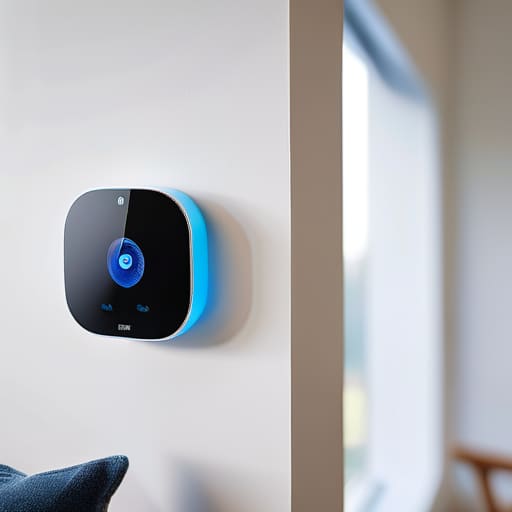
I was sitting in my workshop last Tuesday, trying to calibrate an old Marantz receiver, when my “smart” motion detector decided to trigger a light in the hallway for absolutely no reason. It’s the same story every time: you buy into the marketing hype, thinking you’re upgrading your life, but all you’ve actually done is install a collection of overpriced, glitchy plastic trinkets that require a software update just to tell if a room is empty. Most of these smart home sensors are built with the expectation that you’ll spend your weekends troubleshooting connectivity issues instead of actually enjoying your home.
I’m not here to sell you on a futuristic lifestyle that requires a degree in computer science to operate. My goal is to cut through the noise and tell you which pieces of gear are actually built to last and which ones belong in the scrap heap. I’ve spent enough time with a multimeter and a notepad to know the difference between solid engineering and a clever sales pitch. I’m going to show you exactly how to pick reliable hardware that stays connected, works every single time, and doesn’t turn your house into a digital headache.
Table of Contents
Reliable Wireless Sensor Technology Over Gimmicky Gadgets
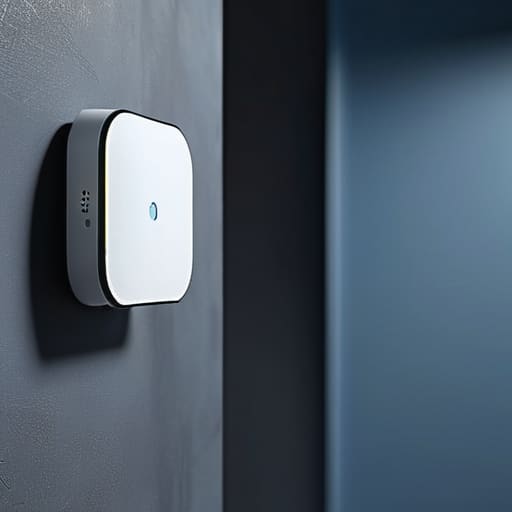
Most people walk into a big-box store and get blinded by the bright packaging, but they aren’t looking at the underlying wireless sensor technology. They see a gadget that promises to turn their house into a spaceship, but they don’t ask how it actually communicates. I’ve seen too many folks struggle with poor iot device connectivity, where a sensor is supposed to trigger an alarm or adjust the heat, but it just sits there dead because the signal can’t penetrate a single drywall partition. If the connection isn’t rock-solid, you aren’t buying a tool; you’re buying a headache.
You need to look for systems that prioritize stability over flashy app features. When I’m evaluating new gear, I look for protocols like Zigbee or Z-Wave rather than just relying on your home’s standard Wi-Fi. Wi-Fi is great for streaming movies, but it’s a crowded, messy way to run a house. If you want real smart home automation security sensors that actually trigger when they are supposed to, you need a dedicated mesh network. Don’t settle for anything that relies solely on a shaky cloud connection to function.
Why Iot Device Connectivity Often Fails Your Home

The problem isn’t usually the sensor itself; it’s the invisible mess of signals fighting for space in your living room. Most people jump into iot device connectivity without realizing they’re building a house of cards. You buy a dozen different gadgets from five different manufacturers, all trying to talk to your router at once, and suddenly your motion detector won’t trigger because your smart fridge is hogging the bandwidth. It’s a fundamental failure of engineering.
I see it all the time: people invest heavily in smart home safety devices, only to find out the “smart” part stops working the moment the Wi-Fi hiccups. If a device relies solely on a cloud server to tell you your basement is flooding, you’ve already lost. You need hardware that communicates locally. If your setup requires a constant, high-speed internet connection just to perform a basic task, it isn’t a tool—it’s a liability. Don’t let a weak signal turn your expensive automation into a collection of useless plastic bricks.
Five Rules for Buying Sensors That Won't Leave You Hanging
- Prioritize Zigbee or Z-Wave over Wi-Fi. If every single sensor in your house is fighting for a spot on your router, you’re asking for a network crash. Use a dedicated protocol that creates its own mesh network; it’s more stable and uses less power.
- Check the physical build quality before you click ‘buy.’ If the casing feels like a cheap toy, it’s going to fail the moment the temperature shifts or a door slams. Look for decent weight and solid seams.
- Look for local control capabilities. I don’t care how many “cloud features” a company promises; if their servers go down, your motion sensor shouldn’t turn into a paperweight. You want gear that works even when the internet is acting up.
- Don’t overlook the battery situation. Some of these modern gadgets use proprietary, non-rechargeable cells that are a nightmare to replace. Stick to standard AA or AAA batteries whenever possible—it’s practical and keeps you from hunting down specialized parts.
- Read the technical specs, not the marketing fluff. Don’t listen to the salesperson talking about “seamless integration”; look for the actual operating range and the frequency band. If they won’t list the technical details, they’re hiding something.
The Bottom Line on Buying Sensors
Prioritize protocols like Zigbee or Z-Wave over standard Wi-Fi; you want devices that talk to each other directly rather than clogging up your router and dropping connection every time the microwave runs.
Look for physical build quality and battery longevity, not fancy app features; if a sensor is made of flimsy, lightweight plastic, it won’t survive a year of actual home use.
Don’t get distracted by “smart” marketing fluff; a sensor’s only job is to trigger an action reliably, so buy the hardware that stays online instead of the one with the prettiest interface.
The Real Cost of Cheap Sensors
I’ve spent enough years on manufacturing floors to know that if a component is built to be cheap, it’s built to fail. These smart sensors aren’t any different; if you’re buying a device that relies on a flimsy plastic housing and a spotty Wi-Fi connection just to tell you a door is open, you aren’t buying security—you’re buying a future headache.
Roland Delacroix
The Bottom Line on Smart Sensors
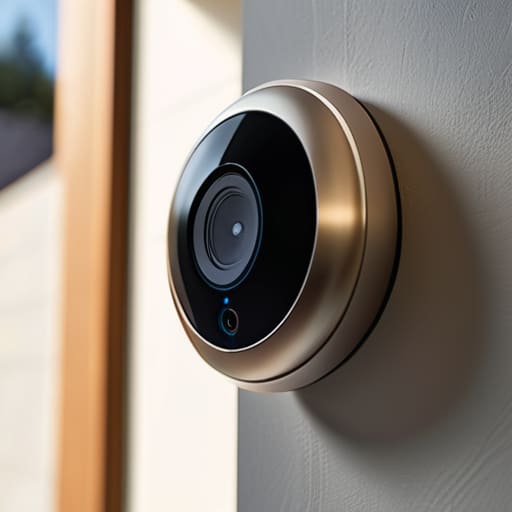
Look, I’m not telling you to avoid smart technology altogether, but I am telling you to stop settling for mediocrity. We’ve covered why you need to prioritize protocols like Zigbee or Z-Wave over those flimsy, Wi-Fi-dependent gadgets that clog up your router and die the moment you look at them sideways. A sensor isn’t doing its job if it requires a firmware update every three days just to tell you a door is open. Stick to the hardware that prioritizes stable connectivity and robust build quality over flashy app interfaces. If the device feels like it’s made of cheap, hollow plastic in your hand, it’s probably going to fail you when you actually need it most. Buy for reliability, not for the marketing hype.
At the end of the day, your home should serve you, not the other way around. You shouldn’t be spending your weekends troubleshooting a motion sensor that refuses to recognize you’re in the room. Technology is meant to be a tool—a silent, dependable part of your daily routine that works in the background without demanding your constant attention. Take my advice: do your homework, read the technical specs, and don’t be afraid to walk away from a product that seems more interested in collecting your data than providing actual utility. Invest in gear that lasts, and you’ll spend much less time fixing things and much more time actually enjoying your home.
Frequently Asked Questions
How do I tell if a sensor is using a reliable protocol like Zigbee or Z-Wave instead of just clogging up my Wi-Fi?
Look at the packaging, not the marketing fluff. If the box screams “Wi-Fi” in big letters, walk away. That sensor is just another mouth to feed on your router, and eventually, your bandwidth will choke. You’re looking for the Zigbee or Z-Wave logos. These use mesh networking, meaning the devices talk to each other to strengthen the signal rather than begging your router for attention. If it doesn’t specify a protocol, it’s probably just expensive plastic.
Is it worth paying a premium for hardwired sensors, or can I actually trust wireless ones to stay connected long-term?
Look, if you’re building for the long haul, hardwired is king. There’s no contest. A physical connection doesn’t suffer from signal interference or battery failure. However, if you aren’t prepared to tear open your drywall, you can trust wireless—but only if you avoid the cheap, Wi-Fi-based junk. Stick to Zigbee or Z-Wave protocols. They’re more stable and won’t choke your router. Just don’t expect them to last forever without a battery swap.
What’s the best way to test the build quality of these things before I commit to a whole house worth of them?
Don’t buy a twelve-pack just because it’s cheaper. That’s how you end up with a house full of junk. Buy exactly two units of the same model. Install one near your router and the other at the furthest, most difficult corner of your house. If the casing feels like a cheap toy or the battery door is flimsy, walk away. If they can’t maintain a signal in your own hallway, they won’t survive a month.
