Blog

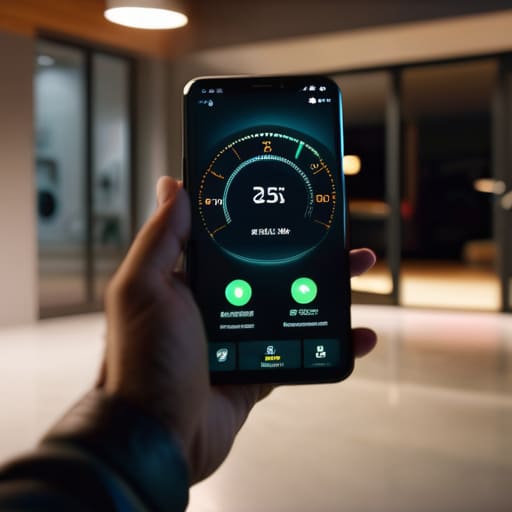
  • Remotely Managing Your Garage With Smart Openers

    Remotely Managing Your Garage With Smart Openers

    I was halfway to the hardware store yesterday when it hit me: I had no idea if I’d actually locked the garage. I spent ten minutes pacing my driveway, staring at that heavy door, wondering if I’d left it wide open after hauling the lawnmower out. It’s the exact kind of modern anxiety that makes me want to throw my phone into a lake. We’re told that smart garage door openers are going to make our lives seamless, but most of the junk on the market today is just overpriced plastic held together by buggy software and a cloud server that crashes the moment your Wi-Fi hiccups.

    I’m not here to sell you on some shiny gadget that requires a firmware update just to let you into your own home. I’ve spent thirty years looking at how machines are actually built, and I know the difference between a reliable tool and a high-tech headache. In this guide, I’m going to cut through the marketing fluff and tell you which smart garage door openers actually offer real security and which ones are just expensive toys destined for your junk drawer.

    Table of Contents

    Real Remote Garage Monitoring vs Expensive Plastic Junk

    Real Remote Garage Monitoring vs Expensive Plastic Junk

    I’ve seen it a dozen times: a company rolls out a shiny new kit, promises the moon with “seamless connectivity,” and then you realize the whole thing is held together by cheap solder and a prayer. Most of these wifi enabled garage door controllers on the market are built to be replaced, not repaired. They rely on a proprietary cloud server that, if it goes down, turns your expensive hardware into a paperweight. If you can’t check your door status without a high-speed connection and a dozen permission pop-ups, it isn’t a tool—it’s a liability.

    When I look at actual remote garage monitoring, I’m looking for hardware that prioritizes local stability over flashy app animations. You want a system that provides clear, reliable data without needing a firmware update every Tuesday just to open the door. Real security means knowing, without a shadow of a doubt, that the latch is engaged. If the device’s primary selling point is how many colorful icons it has on your phone, you’re likely buying expensive plastic instead of a reliable piece of home infrastructure.

    Reliable Wifi Enabled Garage Door Controllers You Can Trust

    Reliable Wifi Enabled Garage Door Controllers You Can Trust

    If you’re looking to upgrade, don’t just grab the first shiny box you see on a big-box retailer’s website. I’ve spent enough time looking at circuit boards to know that most of these gadgets are built to fail the moment the warranty expires. When I look at wifi enabled garage door controllers, I’m looking for two things: local control and hardware that doesn’t rely on a shaky cloud server to function. The Chamberlain MyQ series is the industry standard for a reason—it’s reliable—but even then, I prefer setups that allow for a bit more autonomy.

    You want a system that offers robust garage door security features without making you jump through ten different hoops just to check if the door is shut. I’ve found that the Meross controllers are a solid middle ground for those who want decent smartphone controlled garage doors without paying a premium for a brand name that’s mostly marketing fluff. Just make sure the unit has a decent-sized capacitor and a housing that feels like it can actually withstand the temperature swings in a standard garage. If it feels like a toy in your hand, it’s going to act like one in your ceiling.

    Five Rules for Not Getting Screwed by Smart Garage Tech

    • Check for local control first. If a device requires a constant connection to a server in another country just to open your door, it’s a liability, not a tool. You want something that works even when your internet decides to take a nap.
    • Look at the mounting hardware. If the installation kit is nothing but flimsy, thin-gauge plastic, walk away. I want to see heavy-duty brackets and steel components that can actually handle the vibration of a moving motor.
    • Don’t ignore the power source. A “smart” controller that relies on a tiny, unreliable battery is just another thing for you to maintain. Stick to hardwired options or systems with a solid, dedicated power backup.
    • Demand physical override capability. A smart opener is a convenience, but the mechanical lever and the manual release should always be your primary way in. If the tech fails and you can’t manually operate the door, the system is broken.
    • Read the wiring specs before you buy. If the manual looks like a cryptic coding textbook, it’s designed to make you fail. You should be able to look at the terminal blocks and know exactly where your wires are going without a degree in electrical engineering.

    The Bottom Line on Smart Garage Tech

    Don’t get blinded by flashy apps; if a controller relies on a proprietary cloud server just to move a motor, it’s a liability, not a feature.

    Prioritize hardware with physical override options and local connectivity so you aren’t locked out of your own garage when the internet goes down.

    Look for solid build quality and standardized protocols rather than paying a premium for “smart” branding on a piece of cheap, thin plastic.

    The Reliability Test

    “If you can’t check if your garage is closed without troubleshooting a cloud server or fighting with a buggy app, then it isn’t a tool—it’s just another expensive way to fail at a simple task.”

    Roland Delacroix

    The Bottom Line on Smart Garage Access

    The Bottom Line on Smart Garage Access.

    At the end of the day, don’t let a slick marketing campaign convince you that you need a subscription service just to check if your garage is closed. We’ve looked at the difference between hardware that actually integrates with your existing setup and those flimsy, proprietary gadgets that fall apart the moment your internet hiccups. Stick to the controllers that prioritize local connectivity and robust build quality over fancy app animations. If a device feels like it was made out of cheap, recycled toy plastic, it’s probably going to fail you when it matters most. Remember: reliability is the only metric that counts when it comes to your home’s security.

    I’ve spent enough time in manufacturing to know that true innovation isn’t about adding more bells and whistles; it’s about making a tool do its job without making your life harder. You deserve technology that works for you, not technology that requires you to work for it. Buy something that is built to last, install it once, and then get back to your actual life. Don’t settle for overpriced junk just because it has a shiny logo. Invest in hardware that respects your time and your wallet, and you won’t find yourself staring at a broken sensor in the middle of a rainstorm.

    Frequently Asked Questions

    Do I really need to replace my entire motor, or can I just add a controller to the unit I already have?

    Listen, you don’t need to rip out a perfectly good motor just to get smartphone access. If your current unit still runs smooth and opens the door without a fight, don’t replace it. That’s just throwing money away. Look for a universal smart controller—something like a Meross or a Tailwind—that wires directly into your existing logic board. It’s a simple retrofit that gives you the tech you want without the massive headache of a full installation.

    What happens to my garage door if the internet goes down or the manufacturer's server crashes?

    That’s the million-dollar question, and it’s exactly why I’m skeptical of these “smart” setups. If your internet drops or the manufacturer’s server goes dark, your smartphone becomes a paperweight. You won’t be able to open the door via the app. However, a well-engineered system should still work via your physical remote or the wall button. If a device can’t function without a cloud connection, walk away. Don’t let a server crash lock you out of your own house.

    How much of a security risk is it to have my garage door connected to my home Wi-Fi?

    Look, I get the anxiety. You’re thinking, “I’m handing a digital key to my house to the internet.” It’s a valid concern. If you buy a cheap, no-name controller from a random site, you’re essentially inviting trouble. But if you stick to reputable brands with encrypted connections, the risk is minimal. Just don’t use “password123” for your Wi-Fi. Treat your network security like you’d treat a physical deadbolt: keep it sturdy and don’t leave it unlocked.

  • Best Smart Air Purifiers for Home Use

    Best Smart Air Purifiers for Home Use

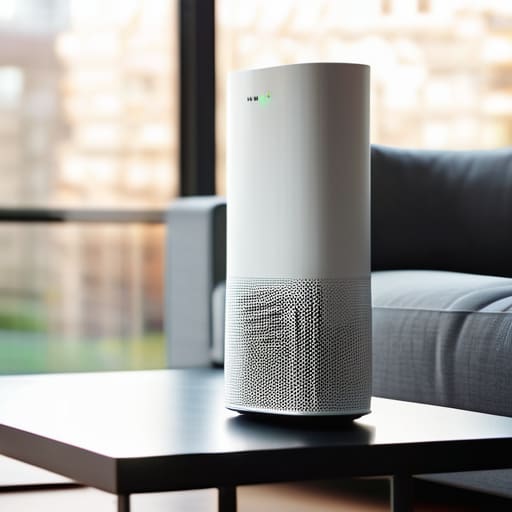
    I was sitting in my workshop last Tuesday, cleaning out some old components, when I realized my lungs felt heavy—that familiar, stale tightness that settles in when the air just isn’t right. I looked over at the sleek, white gadget I’d bought online, a “smart air purifier” that cost more than my first car, and realized it was doing nothing but blinking a useless blue light at me. Most of these devices on the market today are nothing more than expensive plastic shells wrapped in fancy software designed to trick you into thinking you’re buying health. They promise “AI-driven optimization” and “seamless connectivity,” but if a machine can’t even move air effectively without a smartphone app, it’s a failure of engineering.

    I’m not here to sell you on the latest marketing buzzwords or tell you that you need a Wi-Fi connection to breathe. My goal is simple: I want to help you find a machine that actually works based on airflow physics and filter density, not app notifications. I’ve spent the last few weeks tearing into the specs and testing the build quality of the top contenders to see which ones are built to last and which ones are destined for a landfill. I’ll give you the straight truth on what’s worth your hard-earned money and what is just overpriced junk.

    Table of Contents

    Dont Get Fooled by Fancy Iot Enabled Air Purification

    Dont Get Fooled by Fancy Iot Enabled Air Purification

    I see it all the time in the showroom: a sleek, white plastic tower with more blinking LEDs than a cockpit, marketed heavily on its IoT enabled air purification capabilities. The salesmen will tell you that being able to control the fan speed from your smartphone while you’re at the grocery store is a game-changer. Honestly? It’s usually just a way to charge you an extra hundred dollars for a feature you’ll never use. If the machine can’t do its job when you’re standing right in front of it, a fancy app isn’t going to save you.

    Don’t let the marketing jargon distract you from the actual mechanics. I don’t care if the device has seamless smart home ecosystem integration if the motor sounds like a jet engine or the housing feels like a cheap toy. What matters is the hardware underneath. You need to look past the screen and check if it actually has decent HEPA filter technology and a robust enough fan to move air through a heavy-duty medium. If the “smart” features are the only thing they’re bragging about, you’re likely just buying an expensive paperweight.

    What Real Hepa Filter Technology Actually Delivers

    What Real Hepa Filter Technology Actually Delivers

    When you strip away the flashing LED lights and the smartphone apps, you’re left with the actual mechanical workhorse: the filter. I’ve seen too many manufacturers slap a “smart” label on a device that has a pathetic filtration system underneath. If you’re looking at specs, don’t get distracted by the Wi-Fi connectivity; look at the HEPA filter technology being used. A true HEPA filter is rated to capture 99.97% of particles down to 0.3 microns. In my experience, if a company won’t explicitly state their filter grade or certification, they are likely selling you a glorified desk fan with a cheap mesh screen.

    It isn’t just about the mesh, though. To be effective, the unit needs reliable PM2.5 particle detection to know when it actually needs to ramp up the motor. I don’t care if a machine can talk to my lightbulbs; I care if it can sense the fine dust kicked up by a vacuum or a cooking mishap. You want a machine that uses its sensors to drive the fan speed, not one that just sends a useless notification to your phone while the air stays stale.

    Five Things to Check Before You Open Your Wallet

    • Look for a physical manual override. If the only way to change the fan speed is through a buggy smartphone app, you’ve bought a paperweight, not a tool. I want a button I can press that actually does something.
    • Check the filter replacement cost, not just the machine price. Manufacturers love to sell you a sturdy-looking unit only to bleed you dry with proprietary, overpriced filters every three months. Do the math on the long-term maintenance before you commit.
    • Verify the CADR rating (Clean Air Delivery Rate). Don’t let them hide behind marketing buzzwords like “breathe easy” or “ultra-pure.” I want to see the actual cubic feet per minute of air being moved. That’s the only metric that tells me if the motor is actually doing its job.
    • Inspect the build quality of the housing. If the chassis is made of thin, rattling plastic, it’s going to vibrate and create noise that’ll drive you mad. You want something with enough heft to stay stable when the fan kicks into high gear.
    • Avoid “Smart” sensors that require constant Wi-Fi. A sensor that tells you the air is dirty is useful; a sensor that stops working because your router had a hiccup is just bad engineering. If the device can’t function as a standalone machine, walk away.

    My Bottom Line on Buying an Air Purifier

    Stop paying the “smart” premium; a reliable mechanical timer or a simple physical dial is often more dependable than a buggy app that stops working after a software update.

    Prioritize the CADR (Clean Air Delivery Rate) and actual HEPA certification over flashy LED light rings that change color to tell you what you already know.

    Check the filter replacement cost before you pull the trigger, because a high-quality machine is a waste of money if the proprietary filters cost as much as a new unit every six months.

    The Truth About "Smart" Features

    I don’t care if an air purifier can send a notification to your smartphone telling you the air is dusty; I care if the motor is built to run for five years without seizing and if the filter actually catches the particles it claims to. If the only thing “smart” about the machine is its ability to connect to your Wi-Fi, you’re just paying a premium for a glorified paperweight.

    Roland Delacroix

    The Bottom Line

    Prioritize build quality: The Bottom Line.

    At the end of the day, don’t let a glowing LED screen or a flashy smartphone app distract you from what matters. I’ve seen enough “innovative” gadgets fail because they prioritized software over solid mechanics. If you’re shopping for an air purifier, focus your money on the mechanical fundamentals: a high-quality HEPA filter, a motor that won’t burn out in six months, and a chassis that doesn’t feel like a cheap toy. You need a machine that moves air efficiently and stays quiet while doing it, not one that just sends you constant, useless notifications on your phone. Prioritize build quality over connectivity every single time.

    Investing in your home’s air shouldn’t feel like a gamble on the latest tech fad. You deserve equipment that performs its primary function reliably without requiring a constant firmware update just to keep running. When you find that balance between a sturdy build and effective filtration, you’ve found a tool that actually earns its place in your living room. Stop chasing the hype and start looking for reliability you can trust. Buy something that is built to last, so you can spend less time troubleshooting your gadgets and more time actually enjoying your home.

    Frequently Asked Questions

    How often am I actually going to have to replace these filters, and how much is it going to cost me in the long run?

    Here’s the real math on it. Most manufacturers will tell you to swap filters every six months, but that’s often just a way to keep you buying their proprietary plastic. If you’re breathing heavy dust or have pets, expect every four months. If you’re just filtering standard city air, you might stretch it to nine. Just watch the airflow; if the motor starts straining, the filter is shot. Factor in $50 to $80 per swap—don’t let them nickel-and-dime you.

    If the "smart" features stop working or the app crashes, can I still run the machine manually?

    Look, this is exactly what I’m talking about. If a manufacturer builds a machine that requires a smartphone to function, they’ve designed a failure point, not a tool. When I’m testing these units, I look for physical, tactile buttons on the chassis. If the Wi-Fi drops or the app decides to update right when you need clean air, you should still be able to walk over and hit a manual power button. Don’t buy a paperweight.

    Is there a real difference in air quality between a $100 unit and a $500 unit, or am I just paying for a better-looking plastic shell?

    Look, I’ve seen this story a thousand times in manufacturing: you pay for the finish, not the function. At $100, you’re usually getting a small fan and a thin filter that’ll clog in a week. At $500, you’re paying for a higher CADR—that’s Clean Air Delivery Rate—and better sensors. If you have a large room or allergies, that extra money buys actual airflow and longevity, not just a prettier shell.

  • Understanding Oled and Qled Television Differences

    Understanding Oled and Qled Television Differences

    I was sitting in my workshop last Tuesday, cleaning the contacts on a 1970s Marantz receiver, when I realized just how much the industry has changed. Back then, you bought a piece of gear based on the weight of the transformer and the quality of the solder joints. Nowadays, you walk into a showroom and get hit with a wall of glowing screens and a mountain of marketing nonsense. Trying to navigate the oled vs qled tv debate feels less like shopping for a television and more like trying to decode a manual written by a committee of lawyers. One salesperson tells you the brightness is king, while another swears the black levels are everything, leaving you wondering if you’re buying a high-end display or just a glorified piece of plastic.

    I’m not here to recite a spec sheet or feed you the latest buzzwords from a press release. My goal is simple: I want to help you figure out which one of these machines actually deserves a spot in your living room. I’ll be stripping away the jargon to tell you exactly how these panels perform when the lights are down and the movies are on. By the time I’m done, you’ll know exactly where to put your money so you don’t end up with a high-priced headache.

    Table of Contents

    OLED: The Precision Instrument

    OLED: The Precision Instrument display technology.

    OLED, or Organic Light Emitting Diode, is a display technology where every single pixel produces its own light independently. Because there is no bulky backlight sitting behind the panel, each pixel can be turned completely off, which is the primary reason why OLED vs QLED TV debates usually center on black levels.

    In my experience, this isn’t just a technical specification; it’s the difference between watching a movie and actually feeling like you’re in the room. When you’re watching a dark scene—say, a thriller set at night—you don’t want that grey, washed-out haze bleeding into the shadows. With an OLED, those blacks are absolute, providing a level of contrast that makes the image pop without any artificial trickery. It’s the closest thing I’ve seen to the precision of a well-calibrated piece of laboratory equipment.

    QLED: The Workhorse

    QLED: The Workhorse for superior brightness.

    QLED is essentially a traditional LED-LCD television that has been enhanced with a layer of “quantum dots” to improve color accuracy and brightness. Instead of relying on self-emissive pixels, it uses a powerful backlight to push light through these microscopic crystals, making its main selling point superior peak brightness.

    Now, don’t let the fancy name fool you; at its core, this is a high-performance version of hardware we’ve understood for decades. If you have a living room with massive windows and sunlight streaming in all afternoon, an OLED might struggle to fight the glare, but a QLED will cut right through it. I see it as the practical choice for a high-traffic household where you need a reliable, bright display that doesn’t require you to close the heavy curtains just to see what’s happening on the screen.

    OLED vs QLED TV Comparison

    Feature OLED QLED
    Display Technology Self-emissive pixels Quantum dot LED backlight
    Contrast Ratio Infinite (Perfect blacks) High (Improved by local dimming)
    Brightness Level Moderate High
    Viewing Angles Excellent Limited to Moderate
    Risk of Burn-in Possible None
    Price Point Higher Variable (Budget to Premium)
    Best For Dark room cinema Bright living rooms

    Organic Light Emitting Diode vs Quantum Dot Real Tech vs Marketing

    Organic Light Emitting Diode vs Quantum Dot Real Tech vs Marketing

    Look, when you’re staring at a showroom floor, the sales reps will try to bury you in acronyms. They want you to focus on the “magic” of the tech rather than the actual physics of how the light hits your eyes. Understanding the difference between OLED and QLED isn’t just for engineers; it’s about knowing whether you’re paying for actual performance or just a fancy label on a box of cheap components.

    Here’s the reality: OLED is “organic,” meaning each individual pixel creates its own light. When that pixel turns off, it is completely dead, giving you those perfect blacks that make a movie look real. QLED, on the other hand, is just a standard LCD panel with a layer of “Quantum Dots” slapped on top to boost the color. It’s essentially a bright backlight being filtered through a chemical layer to make the colors pop.

    The practical upshot is simple. If you want a cinematic experience in a dark room, OLED is the gold standard because it doesn’t rely on a backlight. QLED is just a brighter version of the old tech we’ve been using for decades.

    Verdict: OLED wins for pure tech; QLED is mostly clever marketing.

    Perfect Black Levels vs Peak Brightness What Actually Matters

    Here’s the thing about these specs: they aren’t just numbers on a box; they dictate whether you’re actually watching a movie or just staring at a glowing rectangle. If you don’t understand the trade-off between light output and shadow depth, you’re going to end up with a screen that looks washed out in the dark or completely illegible in the sun.

    When you sit down in a dim room for a Friday night movie, OLED is king. Because each pixel can turn itself completely off, you get those true, ink-black levels that make a scene feel immersive. A QLED, even a good one, relies on a backlight, which means those dark areas often end up looking like a muddy, glowing grey.

    However, if your TV is sitting in a sun-drenched living room with windows everywhere, OLED will struggle to fight the glare. That’s where QLED earns its keep. These panels can push a massive amount of light, providing the peak brightness needed to make colors pop even in broad daylight.

    If you want a cinematic experience in a controlled room, OLED wins hands down. But for a bright, multipurpose family room? QLED is the practical choice.

    The Bottom Line: Which One Should You Actually Buy?

    If you’re a movie buff who watches in a dim, controlled room, buy the OLED. Those perfect blacks aren’t just a gimmick; they make the picture look real, not like a glowing lightbox.

    If your TV is sitting in a bright living room with windows everywhere, get a QLED. You need that extra punch of brightness to fight the glare, or you’ll spend the whole night squinting.

    Stop overthinking the spec sheets and look at your environment. Don’t pay a premium for high-end contrast if your sunlight is going to wash it all out, and don’t buy a dim panel if you’re trying to watch sports in a sun-drenched room.

    The Bottom Line on Display Tech

    At the end of the day, don’t let the glossy brochures fool you; an OLED is a precision instrument for a dark room, while a QLED is just a bright, heavy-duty workhorse for a sunlit living room. Pick the tool that actually fits your environment, not the one that sounds fanciest in a commercial.

    Roland Delacroix

    The Bottom Line: Don't Get Sold a Bill of Goods

    Look, I’ve spent enough time looking at schematics to know that there is no such thing as a “perfect” piece of hardware; there are only tools that fit your specific needs. If you’re building a dedicated home theater in a dark basement where you can control the lighting, the infinite contrast of an OLED is going to give you the most realistic picture. However, if your TV is sitting in a bright living room with windows everywhere, you’re going to regret an OLED when the glare turns your movie into a mirror. In that case, a QLED with its high peak brightness is the sensible engineering choice that won’t leave you squinting at a dim screen.

    At the end of the day, don’t let the flashy showroom displays or the sales reps talk you into spending an extra thousand dollars on features you’ll never actually use. I always tell my friends: buy for your environment, not for the spec sheet. Technology is supposed to serve you, not the other way around. Take my advice, look at the actual layout of your room, and buy something that lasts. You deserve a setup that works reliably every time you sit down to relax, without the headache of overpriced marketing fluff.

    Frequently Asked Questions

    I heard something about "burn-in" with OLEDs—is that actually a real risk for a normal viewer, or just more marketing scare tactics?

    Look, I’ll give it to you straight: burn-in isn’t a myth, but it isn’t the death sentence the salesmen make it out to be either. If you’re a heavy gamer leaving a static HUD on the screen for ten hours a day, or you leave the news on with that bright ticker running 24/7, you’ve got a problem. But for most people watching movies or shows? You’ll likely replace the TV before you see a ghost image.

    If I'm mostly watching news channels or sports with static logos, which of these is going to last me longer before the picture starts degrading?

    If you’re constantly staring at news tickers or sports scoreboards, steer clear of OLED. Those static logos are the enemy; they cause “burn-in,” where a ghost of that logo stays etched on the screen forever. It’s a fundamental flaw in the organic material. For your setup, get a QLED. It uses inorganic quantum dots that don’t degrade nearly as fast. It’s the more reliable, heavy-duty choice for long-term viewing.

    Does the difference in brightness and color actually matter if I'm just sitting in a dim room at night, or am I paying for specs I'll never use?

    Look, if you’re strictly a night owl watching movies in a darkened room, you’re paying for headroom you don’t need. In a dim environment, those massive QLED brightness numbers are just wasted electricity. You’ll get much more value out of an OLED. The superior contrast and those deep blacks will make your movies look real, whereas high peak brightness is just a solution for a problem you don’t have. Don’t pay for extra light you’ll never use.

  • Comparing Different Tablet Styluses for Digital Art

    Comparing Different Tablet Styluses for Digital Art

    I was sitting at my workbench last Tuesday, trying to sketch out a schematic for a vintage Marantz amplifier, when my finger slipped across the screen of my tablet. I reached for one of those “premium” pens I’d bought online, only to have the tip feel like I was dragging a piece of cheap, hollowed-out chalk across a windowpane. It’s the same story every time: companies slap a high price tag on a piece of junk and call it “precision engineering.” Most of the options out there for a tablet stylus are nothing more than overpriced plastic toys that lag the second you actually try to do something meaningful with them.

    I’m not here to sell you on the latest marketing buzzwords or tell you that you need a thousand-dollar setup to draw a straight line. My goal is simple: I’m going to look at the build quality, the pressure sensitivity, and the actual mechanical reliability of these tools so you don’t have to. I’ve spent my career testing hardware that actually had to last, and I’m bringing that same skepticism to this list. I’ll tell you which ones are worth your hard-earned money and which ones belong in the scrap heap.

    Table of Contents

    Active vs Passive Stylus Technology What Actually Matters

    Active vs Passive Stylus Technology What Actually Matters

    Now, don’t let the marketing departments confuse you with all their jargon. When you’re looking at active vs passive stylus technology, the difference isn’t just about price; it’s about how the device actually communicates with your screen. A passive stylus is essentially just a fancy, rubber-tipped stick. It mimics your finger, which means it lacks any real finesse. If you try to draw a fine line with one, you’re going to end up with a smudge instead of a stroke. It’s fine for tapping a button here or there, but for anything meaningful, it’s just an expensive piece of junk.

    If you’re serious about work or art, you need to look for an active option. These pens have their own power source and internal circuitry that allows for pressure sensitivity and tilt detection. This is where you’ll find stylus palm rejection technology, which is a total game-changer. Without it, you’ll be constantly fighting the screen because your hand keeps triggering accidental inputs. If you’re tired of your device acting like it’s possessed every time you try to write a note, get an active pen that actually understands where your hand ends and the tool begins.

    Capacitive Stylus vs Precision Pen Dont Get Fooled

    Capacitive Stylus vs Precision Pen Dont Get Fooled

    Here is the reality of the situation: most people walk into a shop, see a rubber-tipped stick, and think they’ve found a bargain. That’s a capacitive stylus. It works by mimicking the electrical charge of your fingertip. It’s fine if you just want to tap a button or scroll through a blueprint, but the moment you try to draw a straight line, you’ll realize it’s essentially a glorified finger. There is no nuance, no pressure sensitivity, and certainly no precision. If you’re looking for anything more than a crude pointing device, you’re just buying expensive plastic junk.

    If you actually intend to use your device for work or detailed sketching, you need to look at a precision pen. This is where the real distinction in capacitive stylus vs precision pen comes into play. A precision tool communicates directly with the tablet’s digitizer, allowing for features like stylus palm rejection technology. This means you can actually rest your hand on the screen without the device thinking your palm is a giant, messy finger. It’s the difference between using a crayon and using a fine-tipped drafting pencil. Don’t let the marketing fool you; if it doesn’t have that level of control, it isn’t a tool—it’s a toy.

    Five Things to Check Before You Open Your Wallet

    • Test the pressure sensitivity yourself if you can. If you’re trying to sketch or even just write a note and the line thickness doesn’t change based on how hard you press, you’re looking at a glorified finger replacement, not a tool.
    • Don’t get blinded by the brand name alone. Some of these big-name manufacturers charge a premium just for the logo on the side, but if the tip feels like it’s going to snap off the first time you apply real pressure, it’s not worth the markup.
    • Check the tip replacement availability. In my experience, the nib is the first thing to wear down. If the company doesn’t sell affordable replacement tips, you’ll end up having to buy a whole new pen in six months just to keep using it.
    • Watch out for “phantom touches.” A decent stylus should be precise. If you find the tablet registering marks where you aren’t even touching the screen, the internal sensors are cheap junk and you should send it back immediately.
    • Look for actual ergonomics. I’ve spent enough time with a drafting pen to know that if a stylus is too thin or too light, your hand is going to cramp up after twenty minutes of use. It needs some heft and a grip that actually feels solid.

    The Bottom Line: Don't Buy Into the Hype

    Stop buying those cheap, rubber-tipped “passive” sticks if you actually want to do more than just tap a button; they lack the precision needed for any real work.

    If you’re looking at a high-end active stylus, make sure the manufacturer actually supports pressure sensitivity, otherwise you’re just paying for a fancy piece of plastic that won’t perform.

    Always check the compatibility list twice before pulling the trigger—there is nothing more frustrating than a “universal” tool that doesn’t actually work with your specific hardware.

    The Truth About Precision

    I’ve spent enough time looking at schematics to know that if a stylus can’t maintain a consistent connection without you having to press down like you’re trying to dent the screen, it isn’t a tool—it’s a toy.

    Roland Delacroix

    The Bottom Line

    The Bottom Line: choosing the right stylus.

    At the end of the day, choosing a stylus isn’t about finding the one with the most bells and whistles or the fanciest marketing department behind it. It’s about matching the tool to the task. If you’re just scrolling through emails or signing a digital document once a month, a cheap passive stylus is all you need; don’t let a salesperson convince you otherwise. However, if you’re actually trying to draw, take detailed notes, or do precision work, you need to invest in an active pen with real pressure sensitivity. Anything less is just going to lead to frustration and wasted time. Remember, build quality and latency are the only metrics that truly matter when you’re sitting down to work.

    I’ve seen enough gadgets come and go to know that the “latest and greatest” often falls apart the moment you actually put it to use. Don’t be swayed by the shiny packaging or the high price tag if the hardware feels hollow in your hand. My advice is simple: test the connection, check the tip durability, and make sure it doesn’t feel like a toy. When you find a tool that actually responds to your hand without a second thought, that is a tool worth keeping. Buy something that works, buy it once, and stop chasing every new gimmick that hits the market.

    Frequently Asked Questions

    Do I really need to pay a premium for a brand-name stylus, or will a cheaper third-party one get the job done?

    Here’s the short answer: It depends on what you’re actually doing. If you’re just tapping icons or signing a digital document once a month, save your money and grab a cheap third-party option. But if you’re sketching or doing precise work, that’s where the “expensive plastic” actually earns its keep. Brand-name pens have better pressure sensitivity and won’t lag mid-stroke. Don’t pay a premium for a logo, but don’t pay for junk that fails when you need it.

    How long do these active pens actually last before the battery dies or the nib wears down to nothing?

    Here’s the reality: an active pen is a liability. If it’s rechargeable, you’re looking at a battery that’ll likely lose its capacity after two or three years of daily use. Once that lithium cell goes, the whole unit is scrap. As for the nibs, they’re consumables. Depending on how hard you press, expect to swap them every few months. It’s one more thing to track in your notebook, but that’s the price of precision.

    If I'm just using my tablet for basic notes and signing documents, is an expensive precision pen overkill?

    Look, if you aren’t a digital artist or an architect, don’t let the marketing departments bully you into spending $120 on a “precision” pen. If your goal is just scribbling a grocery list or signing a PDF, a decent capacitive stylus or a mid-range active pen will do the job just fine. Don’t pay a premium for pressure sensitivity and tilt support if you’re never going to use them. Save your money.

  • Converting Existing Blinds to Smart Motorized Shades

    Converting Existing Blinds to Smart Motorized Shades

    I was sitting in my workshop last Tuesday, trying to calibrate an old Marantz receiver, when I looked over at my living room windows and felt a surge of pure irritation. I’d spent a small fortune on a “state-of-the-art” smart blinds motorization setup, and yet, here I was, having to manually reset the brackets for the third time this month because the cheap plastic gears couldn’t handle a simple morning routine. It’s the same old story in this industry: companies are selling you a lifestyle through a smartphone app, but they’re neglecting the mechanical integrity of the actual hardware.

    I’m not here to sell you on the “magic” of a connected home or some fancy marketing brochure. My goal is to strip away the fluff and tell you exactly which systems are built with enough grit to actually last, and which ones are just expensive plastic destined for a landfill. I’ll show you how to spot a motor that won’t jam, how to verify the build quality of the mounting hardware, and how to ensure your investment doesn’t become a high-tech headache.

    Table of Contents

    Automated Shade Control Systems That Wont Fail You

    Automated Shade Control Systems That Wont Fail You

    When you’re looking at automated shade control systems, the first thing you need to do is look past the glossy marketing photos and check the actual drive mechanism. I’ve seen too many manufacturers swap out sturdy metal gears for cheap nylon just to shave a few cents off the production cost. If the gear teeth are plastic, that motor is going to strip the moment it hits a bit of resistance from a heavy fabric. You want a system that feels substantial. I always tell people to prioritize mechanical reliability over fancy app features; a pretty interface doesn’t mean much if the shades are stuck halfway up the window because a gear snapped.

    Another thing people trip over is the power source. You’ll see a lot of debate regarding smart blinds battery vs hardwired setups. If you’re installing these in a room where you can easily run a line, go with hardwired every single time. Batteries are a headache waiting to happen—you don’t want to be climbing a ladder every six months just to swap out cells because the “smart” features drained them. If you must go battery-operated, make sure the motor is efficient enough to actually last a season without needing a recharge.

    Smart Blinds Battery vs Hardwired Choosing Reliability Over Hype

    Smart Blinds Battery vs Hardwired Choosing Reliability Over Hype

    Now, let’s get into the real meat of the decision: how you actually power these things. Most manufacturers will try to sell you on the convenience of battery-powered units because they’re easy to install. Sure, you don’t have to fish wires through your drywall, but you’re essentially trading long-term reliability for a bit of short-term ease. I’ve seen too many people get frustrated when their remote controlled window shades die right in the middle of a heatwave because they forgot to swap a rechargeable pack. If you aren’t planning on doing a full renovation, batteries are fine, but you need to account for that maintenance cycle.

    If you want to do this right the first time, you go with a hardwired setup. It’s more work upfront, but it eliminates the single biggest point of failure in smart blinds battery vs hardwired comparisons. A hardwired system provides a constant, stable power supply that won’t leave your shades hanging halfway up a window when the voltage drops. To me, true reliability means never having to worry about a power source in the middle of a task. If you can run the lines now, do it; your future self will thank you for skipping the constant recharging headache.

    5 Things to Check Before You Buy (Because I’ve Seen Too Much Junk)

    • Check the torque specs, not just the brand name. A motor might look sleek, but if it doesn’t have the raw strength to pull a heavy blackout shade without stuttering, you’re just buying a paperweight that’ll burn out its gears in six months.
    • Demand local control options. I don’t care how “smart” a device is if it stops working the second your internet goes down or the manufacturer’s server crashes. If you can’t control those blinds via a simple bridge or a direct signal, walk away.
    • Look for physical override capability. Technology fails. When the software glitches or the hub decides to take a nap, you shouldn’t be stuck sitting in a dark room. Make sure there’s a way to move those shades manually without needing a technician.
    • Inspect the mounting hardware. Most of these modern companies use flimsy, stamped-metal brackets that feel like they’ll snap under pressure. If the mounting system feels like cheap plastic, the whole unit is going to sag and jam within a year.
    • Verify the noise level (decibels matter). There is nothing more irritating than a motor that sounds like a coffee grinder every time it adjusts. Read the actual noise ratings in the manual; if they don’t list it, they’re probably hiding a loud, vibrating mess.

    The Bottom Line: Don't Get Fooled by the Marketing

    Prioritize hardwired connections whenever the installation allows; batteries are convenient until they die right when you need the shade to close, and I’ve seen too many “smart” setups fail because someone forgot to swap a cell.

    Check the torque and motor housing specs before you buy—if the manufacturer won’t tell you what kind of motor is inside, they’re likely hiding a cheap, plastic gear assembly that’ll strip within a year.

    Keep it simple by choosing systems that offer manual override; if a software update or a Wi-Fi outage leaves you sitting in the dark because you can’t move your own blinds, the technology has failed you.

    ## The Real Cost of Convenience

    “I’ve seen enough cheap motors burn out in six months to know that if a manufacturer won’t tell you the torque specs or the gear material, they aren’t selling you a tool—they’re selling you a disposable gadget that’s destined for a landfill.”

    Roland Delacroix

    Bottom Line: Don't Get Swept Away by the Hype

    Bottom Line: Don't Get Swept Away by the Hype.

    At the end of the day, choosing a smart blind system shouldn’t feel like a gamble. We’ve looked at why you need to prioritize robust motor mechanisms over flashy software gimmicks, and why a hardwired setup is almost always going to beat a battery-operated one when it comes to long-term mechanical reliability. If you’re going to invest your hard-earned money into automating your home, make sure you aren’t just buying a glorified paperweight that requires a firmware update every time you want to block the morning sun. Look for build quality and ease of maintenance above everything else; if the hardware is flimsy, the smartest app in the world won’t save you from a jammed track.

    My advice is simple: buy things that are built to last, not things that are built to be replaced in two years. Technology should serve you, not the other way around, and your window treatments are no exception. Take your time, read the technical specs, and don’t be afraid to walk away from a product if it feels like nothing more than expensive plastic. When you finally find a system that operates smoothly and stays out of your way, you’ll realize that true smart technology isn’t about how many bells and whistles it has, but how reliably it performs its one job.

    Frequently Asked Questions

    If I go with the battery-powered route, how many months am I actually going to spend climbing a ladder to swap them out?

    Look, if you go the battery route, don’t expect a “set it and forget it” experience. Most of these units claim to last a year, but that’s marketing fluff. If you’re running your blinds on a heavy schedule, expect to be hauling that ladder out every six to nine months. I’ve seen too many people get caught off guard when the motor dies mid-cycle. If you hate maintenance, just hardwire them and be done with it.

    Can I integrate these motors into my existing setup, or am I forced to buy into one specific brand's expensive ecosystem?

    Here’s the truth: most manufacturers want to trap you in their own little walled garden, charging you a premium just to stay within their app. It’s a racket. Before you pull the trigger, check for Matter or Zigbee compatibility. If a motor only talks to one specific brand’s proprietary hub, walk away. You want hardware that plays well with others, not a gadget that turns your living room into a single-brand showroom.

    What happens to the blinds if my Wi-Fi goes down—do they just become expensive, stuck pieces of fabric?

    That’s the million-dollar question, isn’t it? If you buy a system that relies entirely on a cloud connection, then yes, you’ve basically bought expensive window dressings. If the Wi-Fi drops, you’re stuck in the dark. Look for systems that support local control—things like Zigbee or Matter that talk directly to a hub in your house. You want a setup where a manual override or a local signal still works when the internet decides to quit.

  • Using a Portable Projector

    Using a Portable Projector

    I was sitting in my workshop last Tuesday, staring at a sleek, palm-sized device I’d picked up on a whim, trying to figure out why it was taking me forty minutes just to get a signal. It’s the same story every time I see these things: manufacturers wrap a mediocre lens in a shiny chassis and call it “revolutionary.” They promise you a cinema in your pocket, but when it comes down to actual portable projector use, you’re usually left wrestling with finicky software and a brightness level that wouldn’t outshine a dying flashlight. I’ve spent thirty years in systems engineering, and if there is one thing I know, it’s that complexity is often just a mask for poor design.

    I’m not here to sell you on the marketing fluff or tell you that every plastic gadget is a life-changer. My goal is to cut through the noise and show you how to actually get a decent image without needing a computer science degree. I’ll be walking you through the practical realities of setup, the gear that actually holds up, and how to avoid wasting your hard-earned money on glorified paperweights. We’re going to focus on reliability and results, not flashy specs that look good on a box but fail in the real world.

    Table of Contents

    Mastering Compact Home Theater Solutions Without the Complexity

    Mastering Compact Home Theater Solutions Without the Complexity

    When you’re looking at these compact home theater solutions, the marketing departments will try to sell you on “cinematic magic.” Forget that. I want to talk about the actual mechanics of setting things up without losing your mind. Most of these little units are built for convenience, but that often means they cut corners on the hardware. If you’re planning on moving the device from the living room to the patio, you need to pay attention to the projector brightness for travel. If the lumen count is too low, you’ll spend your entire evening fighting shadows instead of enjoying the film.

    Another thing people overlook is the power situation. I’ve seen plenty of these gadgets die halfway through a movie because the manufacturer lied about the internal cell capacity. If you aren’t plugged into a wall, you better be checking the portable projector battery life against the actual runtime of the film you’re watching. Don’t be the person sitting in the dark because your “portable” device turned into a paperweight forty minutes into the feature. Keep it simple: check your power, check your light, and don’t buy into the hype.

    Connecting Smartphones to Mini Projectors Without the Headache

    Connecting Smartphones to Mini Projectors Without the Headache

    I’ve seen far too many people get halfway through setting up a movie night only to realize their phone won’t talk to their device. It’s frustrating, and frankly, it’s a design flaw in how these things are marketed. When you’re connecting smartphones to mini projectors, the easiest way isn’t always the most reliable. While manufacturers love to brag about their wireless screen mirroring techniques, I’ve found that relying solely on Wi-Fi is a recipe for lag and dropped connections. If you want a stable image that doesn’t stutter every time someone walks past the router, do yourself a favor and use a physical adapter.

    A simple Lightning-to-HDMI or USB-C to HDMI cable is worth every penny. It eliminates the guesswork and keeps the signal clean. I always keep a couple of these in my toolkit because, in my experience, hardware you can actually touch is much more dependable than software that decides to update right when the film starts. If you are building one of the best outdoor movie setups on a budget, don’t let a bad wireless connection ruin the evening. Stick to the cables, keep it simple, and you won’t be fighting with your settings all night.

    Five Things They Don't Tell You Before You Buy a Portable Projector

    • Stop relying on built-in speakers. Most of these compact units use tiny, paper-thin drivers that sound like a tin can rattling in a windstorm. If you want actual depth, plug in a decent set of external speakers via the auxiliary port. It’s a simple fix that makes a massive difference.
    • Don’t fight the ambient light. I see people trying to project a movie in a living room with the curtains wide open, and it’s a fool’s errand. Even the most expensive portable unit will struggle against sunlight. If you aren’t willing to black out the room, you’re just throwing money away.
    • Check your power requirements before you pack a bag. Some of these gadgets claim to be “portable,” but they require a bulky AC adapter that needs a wall outlet every ten minutes. If you’re planning on using it in a backyard or a tent, make sure it actually has a substantial internal battery, not just a USB port that drains in twenty minutes.
    • Mind the surface you’re projecting on. You don’t need a professional screen, but don’t expect a miracle if you’re aiming at a textured, eggshell-finish wall. A flat, matte white surface is your best friend. If the wall is bumpy, you’re going to spend more time squinting at shadows than enjoying the film.
    • Keep an eye on the cooling vents. These little machines pack a lot of heat into a tiny plastic housing. Don’t shove them into a tight corner or cover them with a cloth to “hide” the wires. If you block the airflow, you’re asking for the internal components to fry, and once that happens, there’s no fixing it.

    Bottom Line: Don't Get Fooled by the Box

    Prioritize lumens and physical connectivity over fancy software; if it doesn’t have a reliable HDMI port, it’s just an expensive paperweight.

    Avoid any device that relies solely on a proprietary app to function—if the software crashes, you’re left staring at a black screen and a wasted afternoon.

    Check the cooling fan specs before buying; a tiny, cheap projector that runs hot will burn itself out in six months, and you’ll be back to square one.

    The Reality of Portable Tech

    “A projector isn’t a piece of magic; it’s a piece of hardware. If you’re spending more time troubleshooting a finicky connection than you are actually watching a film, then you haven’t bought a home theater—you’ve bought a high-priced paperweight.”

    Roland Delacroix

    The Bottom Line on Portable Projection

    The Bottom Line on Portable Projection.

    At the end of the day, using a portable projector shouldn’t feel like a second job. We’ve covered how to avoid the cheap, plastic junk that breaks the moment you try to connect a phone, and how to set up a decent viewing area without needing a degree in electrical engineering. Remember, it’s about the fundamentals: a stable connection, decent brightness for the room you’re in, and a device that actually stays cool under pressure. Don’t let the marketing departments fool you with flashy buzzwords; focus on the build quality and connectivity that actually matter when you’re sitting down to watch a movie.

    Technology is supposed to serve us, not the other way around. I’ve spent enough time in manufacturing to know that if a tool is too complicated to use reliably, it’s a poorly designed tool. When you find that right balance of portability and performance, you’ll realize that you don’t need a massive, permanent installation to enjoy a great picture. Buy something that is built to last, keep your cables organized, and just enjoy the show. You’ve earned the right to sit back and relax without fighting your gear every single night.

    Frequently Asked Questions

    How much actual brightness (lumens) do I need so I'm not sitting in a pitch-black room just to see a picture?

    Look, don’t let the marketing departments fool you with those massive “lumens” numbers on the box. Most of those cheap units are lying to you. If you want to use your projector during the day—even with the curtains drawn—you need at least 2,000 ANSI lumens. Anything less and you’re basically squinting at a shadow. If you’re strictly watching in a pitch-black room, 500 to 800 ANSI lumens will suffice, but aim higher if you can afford it.

    Are these cheap built-in speakers actually worth using, or am I going to need to wire up external speakers immediately?

    Look, I’ll give it to you straight: don’t expect miracles from those tiny, built-in drivers. Most of these portable units are built with thin plastic housings that just can’t move enough air to give you any real depth. You might get through a news program or a casual YouTube clip, but for a movie? You’re going to hear more rattling than resonance. If you value decent audio, budget for a simple set of external speakers right away.

    How do I know if a projector is going to overheat or die on me after six months of regular use?

    Look, don’t trust the glossy marketing; look at the vents. If the chassis is made of thin, lightweight plastic that feels like a toy, it’s going to trap heat. Check the specs for the cooling fan’s decibel rating and airflow design. If it lacks proper ventilation or uses a cheap, integrated LED bulb that can’t be replaced, you’re looking at a paperweight in six months. Buy hardware built to breathe.

  • Staying Hydrated With Smart Water Bottles

    Staying Hydrated With Smart Water Bottles

    I was sitting in my workshop last Tuesday, cleaning the dust off an old Marantz receiver, when I looked at the “smart” gadget my nephew had left on the bench. He’d spent eighty dollars on one of those smart water bottles that glows and pings his phone every time he takes a sip. Honestly, it felt like a joke. In my thirty years as a systems engineer, I learned that if you add a circuit board and a Bluetooth chip to something that’s supposed to just hold liquid, you aren’t making it “smarter”—you’re just making it prone to breaking. Most of these devices are nothing more than overpriced plastic junk designed to fail the moment the battery dies.

    I’m not here to sell you on the latest tech fad or some glossy marketing dream. My goal is to cut through the nonsense and tell you which of these smart water bottles actually offer a reliable service and which ones are just expensive paperweights. I’ve spent the last few weeks putting these units through the ringer, checking the build quality and the actual accuracy of the sensors. By the time I’m done, you’ll know exactly where to put your hard-earned money and where to walk away.

    Table of Contents

    The Truth About Smart Bottle Sensor Technology

    The Truth About Smart Bottle Sensor Technology.

    Most of these gadgets rely on a simple pressure sensor at the bottom of the vessel to estimate how much liquid you’ve consumed. In theory, it sounds fine, but in practice, it’s often a mess of variables. If you tilt the bottle at a weird angle or if there’s a bit of air trapped in the sensor housing, the readings go haywire. I’ve seen plenty of bluetooth enabled water bottles that claim to be precision instruments, only to tell you that you’ve drunk a gallon when you’ve barely finished a glass. It’s a classic case of over-engineering a solution for a problem that doesn’t need it.

    The real issue lies in how these devices interface with your phone. You’re essentially tethering your basic biological needs to hydration monitoring apps that require constant syncing and software updates just to work. If the connection drops or the app glitches, the data becomes useless. I don’t care how many fancy lights flash on the side of the bottle; if the smart bottle sensor technology can’t distinguish between a sip and a spill, you’re just buying an expensive way to feel guilty about not drinking enough water.

    Bluetooth Enabled Water Bottles Gimmick or Essential Tool

    Bluetooth Enabled Water Bottles Gimmick or Essential Tool.

    Now, let’s talk about the connection. Most of these bluetooth enabled water bottles claim they’ll revolutionize your health, but as an engineer, I look at the handshake between the hardware and the software. You’ve got a sensor in the base trying to talk to an app on your phone, and frankly, that’s a lot of failure points. If the Bluetooth pairing drops or the app decides to run a heavy update right when you need a nudge, that expensive piece of kit becomes nothing more than a heavy paperweight.

    That said, it isn’t all smoke and mirrors. If you are someone who genuinely struggles to track your progress, using hydration monitoring apps can provide a level of data that a simple sticker on a jug never could. The real value isn’t in the flashing lights; it’s in the ability to set personalized hydration goals that actually adjust based on your activity. If the tech stays out of your way and just does its job, it’s a tool. If you’re spending more time troubleshooting the connection than actually drinking, it’s just another gadget destined for the junk drawer.

    Don't Get Taken for a Ride: 5 Things to Check Before You Buy

    • Look for a replaceable battery or a long-lasting charge. I’ve seen too many of these gadgets become expensive paperweights the moment the internal cell dies and you can’t swap it out.
    • Check the seal integrity. A smart bottle is still a water bottle first; if the sensors make the lid prone to leaking or if the threads feel flimsy, walk away. I don’t care how many notifications it sends if it ruins my paperwork.
    • Test the app’s simplicity. If you need a PhD and a stable Wi-Fi connection just to see how many ounces you drank, it’s a poorly engineered product. The software should be an afterthought, not a barrier.
    • Prioritize build material over “smart” features. A heavy-duty, vacuum-insulated stainless steel body will serve you far better than a lightweight plastic one, even if the plastic one has more bells and whistles.
    • Avoid proprietary charging cables. If the bottle uses a weird, custom plug that you can’t replace if it breaks, you’re buying a headache. Stick to something standard or, better yet, something that doesn’t need a cord at all.

    My Final Verdict on Smart Hydration

    Don’t let the app fool you; if the bottle’s sensor is cheap, the data is useless. I’d rather have a reliable manual measurement than a digital error telling me I’m hydrated when I’m not.

    Check the build quality before the smart features. A smart bottle is a failure if it leaks or can’t survive a drop, regardless of how many notifications it sends to your phone.

    Ask yourself if you actually need the tech. For most people, a high-quality, insulated stainless steel flask is a better investment than a piece of expensive plastic that requires a firmware update just to hold water.

    The Bottom Line on Hydration Tech

    I’ve spent enough time looking at schematics to know that if a device requires a software update just to hold liquid, you’ve bought a headache, not a tool. If you’re going to spend money on a smart bottle, make sure you’re paying for a reliable sensor, not just a fancy LED light that’ll die the moment the battery fails.

    Roland Delacroix

    The Bottom Line on Smart Hydration

    The Bottom Line on Smart Hydration.

    Look, I’ve spent enough time looking at circuit boards and sensor tolerances to know that not everything with a battery is a breakthrough. If you’re looking for a device that uses high-precision sensors to track every ounce, make sure you aren’t just buying a glorified timer wrapped in cheap, unrecyclable plastic. Most of these gadgets are prone to sensor drift or, worse, a dead battery that turns your expensive bottle into a heavy paperweight. If you decide to pull the trigger, stick to the brands that prioritize build quality and seamless connectivity over flashy app interfaces that will be obsolete in eighteen months.

    At the end of the day, a piece of technology should serve you, not the other way around. If a smart bottle actually helps you build a consistent habit without requiring a daily software update, then it might be worth the extra few bucks. But don’t let the marketing fool you into thinking a Bluetooth connection is a substitute for common sense. My advice? Buy something that feels solid in your hand and actually does what it says on the box. Invest in reliability, because a tool you can’t depend on is just more clutter on your kitchen counter.

    Frequently Asked Questions

    How long is the battery actually going to last before I'm stuck with a regular, "dumb" bottle?

    That’s the million-dollar question, isn’t it? Most of these gadgets claim weeks of life, but in my experience, you’re looking at maybe five to seven days of actual use before you’re hunting for a proprietary charging cable. If the battery dies, you’re left with an expensive, heavy paperweight that doesn’t even tell the time. If you can’t swap the battery out yourself, don’t bother. Once that cell goes, the whole thing is scrap.

    Is the sensor technology accurate enough to actually matter, or is it just guessing based on weight?

    Look, I’ve spent enough time with precision instruments to know that “close enough” isn’t good enough. Most of these bottles rely on a simple load cell at the base to measure weight changes. It’s not magic; it’s just basic physics. While it’s generally reliable for tracking volume, it can get tripped up if you’re moving around or if the sensor isn’t calibrated right. It’s not guessing, but it’s certainly not lab-grade accuracy either.

    What happens to the electronics when I inevitably drop it or need to give it a deep clean?

    Here’s the problem: you’re mixing water and circuit boards. Most of these bottles use a sensor puck tucked into the base. If you drop it on a tile floor, don’t expect much; that thin plastic housing isn’t built like the steel components I used to spec. As for cleaning, avoid the dishwasher. The heat and pressure will kill the seals. Hand-wash only, and keep the electronics side bone-dry, or you’re just left with an expensive paperweight.

  • Guide to Selecting a Tablet Stylus

    Guide to Selecting a Tablet Stylus

    I was sitting at my workbench last Tuesday, trying to sketch out a schematic for a vintage Marantz receiver, when I realized I was about two seconds away from throwing my tablet across the room. I had spent sixty dollars on one of those “premium” digital pens, but the moment I tried to make a precise line, the tip skipped like a stone on a pond. It’s the same old story in this industry: companies wrap a piece of hollow, lightweight plastic in fancy marketing jargon and call it a professional tool. Most of these tablet stylus pens on the market today are nothing more than expensive toys designed to separate fools from their hard-earned money.

    I’m not here to sell you on the latest gadget or read you a spec sheet written by a marketing intern. I’ve spent thirty years in systems engineering, and I know the difference between a tool that works and a piece of junk that’s destined for a landfill. In this guide, I’m going to cut through the noise and tell you which pens actually offer the precision and build quality you need. I’ll show you how to spot the flimsy hardware before you buy it, so you can invest in something that actually performs when you put it to work.

    Table of Contents

    Active vs Passive Styluses What Actually Matters

    Active vs Passive Styluses What Actually Matters

    Most people walk into a shop and see a dozen different sticks and assume they’re all the same. They aren’t. You’ve got your passive styluses, which are essentially just fancy rubber-tipped sticks. They don’t have any internal circuitry, so they work like a finger but with a bit more precision. They’re fine if you just want to tap a button or scroll through a PDF, but if you’re trying to do anything meaningful, you’re going to find them frustratingly limited.

    If you actually want to get work done, you need to look at active vs passive styluses from a functional standpoint. Active pens have their own power source and communicate directly with your tablet’s digitizer. This is where you get the real benefits, like pressure sensitivity levels that let you vary your line weight just like a real pencil. However, there’s a trade-off: you have to worry about stylus battery life and charging. I’ve seen too many folks buy a high-end tool only to realize it’s a paperweight halfway through a project because they forgot to plug it in. Choose based on what you’re actually doing, not just what looks sleek.

    Dont Get Fooled by Fake Pressure Sensitivity Levels

    Dont Get Fooled by Fake Pressure Sensitivity Levels

    If you look at the spec sheets for these new pens, you’ll see numbers that look impressive on paper—4,096 levels of pressure sensitivity, or even 8,192. It sounds like high-end engineering, but here is the truth: most of that is marketing fluff designed to separate you from your hard-earned cash. In my experience, once you get past a basic threshold, the human hand can’t even tell the difference between a mid-range sensor and a professional-grade one. Don’t let a salesperson convince you that a higher number equates to better performance; what matters is the consistency of the response when you actually apply force.

    I’ve seen too many people buy a “professional” tool only to find the software can’t even interpret the data the hardware is sending. If the device lacks reliable palm rejection technology, all those fancy pressure levels are useless because you’ll be fighting the screen just to keep your hand steady. You aren’t looking for a math equation; you’re looking for a tool that feels like an extension of your hand. Focus on how the stroke reacts in real-time rather than chasing inflated numbers that serve no practical purpose.

    Five Things to Check Before You Open Your Wallet

    • Look at the tip, not the box. If the stylus uses a hard plastic nib that feels like it’s going to scratch your screen, put it back. You want something with a bit of “give”—usually a soft rubber or a replaceable felt tip—that mimics the friction of a real pen.
    • Check the charging method. I’ve seen too many gadgets that require a proprietary, flimsy cable that breaks if you look at it wrong. If you can find a stylus that charges via USB-C or attaches magnetically to the tablet, you’re saving yourself a massive headache down the road.
    • Test the latency, not the marketing fluff. Companies love to throw around big numbers to sound impressive, but what matters is the lag between your hand moving and the line appearing on the screen. If there’s a noticeable delay, it’s nothing more than an expensive stick.
    • Don’t ignore the ergonomics. I’ve spent enough time at a drafting table to know that a tool that’s too thin or too light will make your hand cramp after twenty minutes. If it feels like a cheap piece of hollow plastic, it’ll probably be uncomfortable to use for more than a few minutes.
    • Verify the pairing process. If a stylus requires you to jump through five different software hoops or download a bloated app just to get it to work, it’s poorly engineered. A good tool should be “plug and play”—or in this case, “tap and go”—without needing a manual the size of a phone book.

    The Bottom Line: Don't Buy the Hype

    Stop looking at the number of “pressure levels” on the box; unless you’re a professional illustrator, a cheap stylus with decent palm rejection is more useful than an expensive one with fake specs.

    If the pen feels like a hollow piece of plastic in your hand, it’s going to be a headache to use for more than ten minutes—prioritize weight and grip over flashy features.

    Always verify compatibility with your specific tablet model before you pull out your wallet, because a “universal” stylus is often just a polite way of saying “it barely works.”

    The Truth About the Tip

    “I’ve spent enough time looking at blueprints to know that if the connection between the hand and the screen is interrupted by cheap, unresponsive plastic, the whole tool is useless. A stylus isn’t a toy; it’s a precision instrument, and it should act like one.”

    Roland Delacroix

    Bottom Line: Buy for Utility, Not Hype

    Bottom Line: Buy for Utility, Not Hype.

    At the end of the day, don’t let a flashy marketing campaign convince you that you need a thousand-dollar setup just to jot down a few notes or sketch a diagram. We’ve covered the ground here: understand the difference between an active sensor and a glorified piece of rubber, and for heaven’s sake, don’t fall for those inflated pressure sensitivity numbers that manufacturers love to throw around. If the stylus feels like a hollow, lightweight piece of junk in your hand, it’s going to perform like one too. Stick to the basics—look for solid build quality and reliable connectivity over bells and whistles that will likely be obsolete by next year.

    I’ve spent enough years in manufacturing to know that the best tools aren’t the ones with the most features, but the ones that do exactly what they are supposed to do, every single time you pick them up. Technology moves fast, and it’s designed to make you feel like you’re constantly falling behind, but you don’t have to play that game. Find a tool that fits your hand, respects your budget, and actually works when you need it. Once you stop chasing the latest gimmick, you’ll find that reliable hardware is the only thing that actually helps you get the job done.

    Frequently Asked Questions

    Is it worth paying a premium for a brand-name stylus when a generic one seems to do the same thing?

    Look, I’ve seen this a thousand times in manufacturing: the cheapest component usually fails when you need it most. If you’re just tapping icons or scrolling through PDFs, a generic stylus is fine. But if you’re actually drawing or taking notes, buy the brand name. You’re paying for the precision of the sensor and the reliability of the connection. Don’t come crying to me when that five-dollar plastic stick starts lagging mid-sentence.

    How do I know if a stylus is actually compatible with my specific tablet before I pull the trigger on a purchase?

    Look, don’t just trust the marketing fluff on the box. Before you spend a dime, check your tablet’s specific technical manual or the manufacturer’s website. You need to know if your screen uses capacitive technology or a dedicated digitizer layer. If it’s the latter, a generic stylus won’t do squat. I always write down my device’s model number in my notepad first; it saves me the headache of returning junk later.

    Will using a stylus actually protect my screen, or am I just risking scratches from a hard tip?

    Look, I’ve seen enough scratched-up displays in my time to know that a bad tool is worse than no tool at all. If you’re using a cheap, hard plastic tip, you’re essentially dragging a pebble across your glass. That’s a recipe for disaster. However, a high-quality stylus with a soft, engineered nib—or even a fine mesh tip—is designed to distribute pressure safely. Use the right one, and your screen stays pristine.

  • Using a Portable Monitor for Extra Screen Space

    Using a Portable Monitor for Extra Screen Space

    I was sitting at my workbench last Tuesday, surrounded by the heavy, reliable brass components of a 1970s amplifier, when I looked over at the new portable monitor my nephew had brought home. He was complaining about how the screen flickered every time he bumped his laptop, and honestly, it made my blood boil. These days, manufacturers seem more interested in making things thin and “sleek” than making them functional. They pack these devices with flashy marketing jargon, but the moment you actually try to use them for real work, you realize you’ve just bought a glorified piece of expensive plastic that won’t survive a single trip in a backpack.

    I didn’t spend thirty years as a systems engineer to listen to sales pitches, and I’m not going to let you do it either. In this guide, I’m going to cut through the nonsense and tell you which displays actually have the build quality to last and which ones are destined for the junk drawer. I’ll be looking at the connection stability, the chassis integrity, and the actual usability of every portable monitor I test. You aren’t going to get a list of “top trends” here; you’re getting a straightforward assessment of what is worth your hard-earned money.

    Table of Contents

    Ips Panel vs Tn Panel Dont Get Sold Junk

    Ips Panel vs Tn Panel Dont Get Sold Junk

    When you’re looking at spec sheets, the manufacturers love to bury the most important detail in fine print. Most of these companies will try to sell you a cheap unit with a TN panel just to keep the price point low, but I’m telling you now: don’t fall for it. A TN panel might be fast, but the color accuracy is garbage and the viewing angles are pathetic. If you tilt your head even slightly, the whole image shifts and washes out. It’s a frustrating experience that makes any attempt at a mobile workstation setup feel like a chore.

    You want an IPS panel. Period. An IPS panel offers much wider viewing angles and far more consistent color reproduction. If you are setting up lightweight external displays to help with your workflow, you need to see what is actually on the screen without squinting or repositioning your entire desk. It might cost a few extra dollars upfront, but it’s the difference between a tool that aids your productivity and a piece of junk that gives you a headache after twenty minutes. Don’t let them sell you expensive plastic masquerading as a real display.

    Usb C Connectivity Options That Actually Save You Hassle

    Usb C Connectivity Options That Actually Save You Hassle

    Most of these manufacturers love to throw around technical jargon to justify a premium price tag, but when it comes to getting your gear running, I only care about one thing: how many cables I have to wrestle with. If you’re trying to build a mobile workstation setup on the fly, you don’t want to be digging through a bag for a proprietary power brick and a separate HDMI lead. You want a single cable that handles both the data and the juice.

    I’ve spent far too many afternoons troubleshooting why a screen won’t wake up, and usually, it comes down to poor USB-C connectivity options. Look for a unit that supports “DisplayPort Alt Mode” over USB-C. This ensures you get true plug and play external screens that draw power directly from your laptop. If the manual doesn’t explicitly state that it can run on a single cable, put it back on the shelf. It’s just more unnecessary clutter, and in my experience, more points of failure for you to deal with later.

    Five Things to Check Before You Open Your Wallet

    • Check the stand design. Most of these things come with a flimsy “origami” style cover that acts as a stand, but they tip over if you even breathe on them. I’d rather see a solid, integrated kickstand or a sturdy built-in hinge that actually holds its position.
    • Look at the power requirements. Don’t get caught with a screen that requires a dedicated wall outlet just to stay lit. You want something that can draw enough juice through a single cable from your laptop, or you’ll end up with a mess of wires tangling up your desk.
    • Verify the brightness levels. Manufacturers love to hide the “nits” rating in the fine print. If it’s under 300 nits, you aren’t going to see a damn thing if you’re sitting near a window or working in a well-lit cafe.
    • Inspect the build material. If the casing feels like a cheap toy, it’s going to crack the first time it shifts in your laptop bag. Look for aluminum frames or high-density plastics that feel substantial in your hand.
    • Watch out for “Resolution Inflation.” A 4K portable monitor sounds impressive on paper, but on a screen that small, your eyes won’t even tell the difference from 1080p. Save your money and buy a high-quality 1080p panel with good color accuracy instead of paying for pixels you can’t actually use.

    The Bottom Line: Don't Get Fooled by the Spec Sheet

    Stop chasing the lowest price tag; if the panel is a TN type, you’re just buying a screen that looks like garbage the moment you tilt your head.

    Check your ports twice before you hit ‘buy’—if it doesn’t have a reliable USB-C connection that handles both power and video, you’re going to end up with a tangled mess of cables on your desk.

    Look for build quality over flashy branding; a monitor that feels like a toy will likely fail you when you actually need to rely on it for work.

    The Real Test of a Portable Monitor

    I don’t care how many lumens they claim it has on the box; if the chassis feels like a cheap toy and the connection ports wiggle the moment you plug them in, you aren’t buying a tool—you’re buying a headache.

    Roland Delacroix

    The Bottom Line

    The Bottom Line for portable monitor quality.

    Look, I’ve spent enough time with a multimeter and a blueprint to know that if the foundation is weak, the whole system fails. When you’re shopping for a portable monitor, don’t let the marketing department distract you with flashy buzzwords. Stick to what we discussed: demand an IPS panel so you aren’t squinting at a washed-out mess, and ensure the USB-C implementation is robust enough to handle a single-cable setup without overheating. If the build quality feels like a cheap toy and the connections feel flimsy, walk away. You aren’t just buying a screen; you’re buying a reliable tool that needs to perform every time you pull it out of your bag.

    At the end of the day, technology should serve you, not the other way around. I don’t care how many megapixels or “ultra-slim” gimmicks they throw at you; if the device makes your life more complicated or breaks within six months, it’s a failure of engineering. My advice is to stop chasing the latest trend and start looking for durability and simplicity. Invest your hard-earned money in hardware that respects your time and your intelligence. Buy something that actually works, and you won’t find yourself needing to replace it every time a new model hits the shelf.

    Frequently Asked Questions

    How do I know if my laptop's USB-C port actually has enough juice to power the monitor, or am I going to be tethered to a wall outlet all day?

    Check your laptop’s manual or the manufacturer’s spec sheet for “Power Delivery” (PD) support. If it just says “Data Transfer,” you’re in trouble. You’re looking for a port that supports DisplayPort Alt Mode and carries enough wattage to pass through to peripherals. If your laptop’s port is only meant for moving files, it won’t have the juice. Don’t assume it works just because the plug fits; verify the power output first.

    Are these thin, lightweight screens actually durable enough to survive being tossed in a laptop bag, or is the build quality too flimsy for real travel?

    Look, I’ve seen enough “ultrathin” gadgets fail because they lacked structural integrity. Most of these portable monitors are little more than glass sandwiches held together by hope and cheap plastic. If you’re tossing one into a packed bag, a slim profile isn’t your friend—it’s a liability. Unless the manufacturer specifies a reinforced chassis or a high-quality metal frame, don’t trust it. Buy a rugged hard shell case; otherwise, you’re just buying expensive scrap metal.

    If I'm looking at a high resolution like 4K, is it actually worth the extra money, or is it just more marketing fluff that's hard to see on a small screen?

    Look, I’ve spent enough time with a magnifying glass to know when a spec is just window dressing. On a small portable screen, 4K is mostly marketing fluff. The pixels are so packed together that your eyes won’t even tell the difference between 1080p and 4K unless you’re sitting an inch away. Save your cash. Stick to a solid 1080p or 1440p panel; you’ll get better battery life and more money in your pocket.

  • Choosing a Usb C Hub

    Choosing a Usb C Hub

    I was sitting at my workbench last Tuesday, trying to interface a vintage DAC with my new laptop, when a cheap, $15 dongle I’d picked up decided to quit the job entirely. It didn’t just fail; it overheated so badly it nearly scorched my desk. It’s the same story I see every week: manufacturers are stripping ports off perfectly good machines and then selling you a flimsy, glorified piece of plastic to compensate. Most of the advice you’ll find online is just a marketing shell game, but if you’re looking for a real usb c hub guide that focuses on electrical stability rather than flashy RGB lights, you’ve come to the right place.

    I’m not here to sell you on the latest “lifestyle” gadget or some overhyped ecosystem. My goal is to look under the hood and tell you which hubs have the proper thermal management and build quality to actually last more than a month. I’ll walk you through the specs that actually matter—like power delivery and data throughput—so you can stop throwing money down the drain. This is about finding tools that work, plain and simple.

    Table of Contents

    Thunderbolt vs Usb C Compatibility Dont Get Tricked

    Thunderbolt vs Usb C Compatibility Dont Get Tricked

    Now, this is where most people trip up and throw their hard-earned money down the drain. You’ll see these small, rectangular ports on your laptop and assume anything that fits will work perfectly. That’s a dangerous assumption. There is a massive difference between a standard USB-C port and a Thunderbolt port, and if you don’t understand thunderbolt vs usb-c compatibility, you’re going to end up with a hub that can’t drive your high-resolution screen or move files at a decent clip.

    Think of it like this: the port is the doorway, but the protocol is the bandwidth of the hallway behind it. A standard USB-C hub might be fine for a mouse or a thumb drive, but if you’re looking for serious external monitor support via usb-c or high-speed data, a basic hub will choke. If you’ve invested in a high-end machine like a MacBook Pro, you likely have Thunderbolt ports. Buying a cheap, non-Thunderbolt multiport adapter is like putting budget tires on a luxury sedan; it’ll move, but you’ll never get the performance you actually paid for. Don’t let the marketing fool you.

    Usb C Hub Power Delivery Reliable Juice or Total Junk

    Usb C Hub Power Delivery Reliable Juice or Total Junk

    Here is where most people trip up and end up with a dead laptop right when they need it most. When you’re looking at usb-c hub power delivery specs, don’t just look at the big number on the box. If a manufacturer claims 100W delivery, that doesn’t mean your laptop is getting all 100W. The hub itself is a piece of hardware that needs its own electricity to run the ports, the chips, and the cooling. Usually, the hub “steals” about 15W for itself, leaving you with less than advertised. If you’re using a high-drain device like a usb-c hub for macbook pro while running external drives, that power drop is even more significant.

    I’ve seen too many folks buy a cheap, unbranded adapter only to find their battery draining even while plugged in. That’s a recipe for hardware failure. You want a unit that handles the handshake between the charger and your computer without overheating. If the hub feels hot to the touch, it’s struggling to manage the load. Buy a unit with a solid casing—aluminum is your friend here—because heat is the silent killer of reliable electronics.

    Five Things to Check Before You Open Your Wallet

    • Look at the casing material. If it’s lightweight, hollow-feeling plastic, put it back on the shelf. I want to see aluminum or a heavy-duty alloy that can actually dissipate heat when you’re running multiple peripherals.
    • Count the ports, but don’t just look at the number. Make sure they aren’t all crowded together. There’s nothing more frustrating than a hub where a standard thumb drive blocks the port right next to it.
    • Check the data transfer speeds on the spec sheet. If they don’t explicitly state whether it’s USB 3.0, 3.1, or 3.2, they’re hiding something. Don’t buy a hub that turns your high-speed external drive into a snail.
    • Verify the HDMI output resolution. A lot of these cheap units claim to be “4K compatible” but they actually top out at a stuttering 30Hz. You want 60Hz, or you’ll be staring at a laggy screen all day.
    • Read the fine print on the power requirements. If you’re planning to plug in a hard drive and a keyboard, ensure the hub has enough overhead to handle the draw without dropping the connection halfway through a file transfer.

    The Bottom Line: What to Look for Before You Buy

    Check the build quality first; if the casing feels like a cheap toy, the internal circuitry probably is too. Look for aluminum housings that can actually dissipate heat.

    Don’t get blinded by the number of ports. A hub with ten flimsy connections is useless if the data speeds crawl or the connection drops every time you bump your desk.

    Verify the specific power requirements of your peripherals. If you’re plugging in a hard drive and a monitor, make sure the hub’s power delivery can actually handle the load without crashing.

    The Real Cost of Cutting Corners

    “I’ve seen enough cheap components fail in my time to know that a hub isn’t just a bridge between your laptop and your peripherals; it’s a single point of failure. If you buy the cheapest plastic dongle on the market just to save twenty bucks, you’re going to end up losing much more in fried data cables and lost productivity.”

    Roland Delacroix

    The Bottom Line

    The Bottom Line: USB-C hub quality.

    Look, I’ve seen enough cheap components fail in my time to know that a USB-C hub isn’t just a convenience; it’s the backbone of your workstation. If you don’t pay attention to the distinction between Thunderbolt and standard USB-C, or if you ignore the actual wattage being passed through the Power Delivery ports, you’re essentially asking for trouble. Don’t let a shiny marketing campaign fool you into buying a device that can’t handle a steady data stream or, worse, one that overheats and shuts down your peripherals mid-task. Stick to the specs, check the build quality, and make sure the hub is rated for the specific load you intend to put on it. If it feels like a hollow piece of plastic in your hand, it’ll likely act like one on your desk.

    At the end of the day, my goal is to make sure you walk away with a tool that stays out of your way and just does its job. Technology should serve you, not become another source of frustration that requires a troubleshooting manual every single morning. Invest your hard-earned money in reliability over flashiness, and you’ll find that a well-built hub is one of the few things in this modern tech landscape that actually lives up to the hype. Buy it once, buy it right, and then get back to your actual work.

    Frequently Asked Questions

    Will plugging a bunch of peripherals into this hub make my laptop run hotter or drain the battery faster?

    Look, I’ve seen this happen more times than I’d like. If you’re running a dozen peripherals through one tiny hub, yes, you’re going to see some heat. That hub is working overtime to manage data and power, and that energy has to go somewhere. As for the battery, it’s a mathematical certainty: more devices mean more draw. If you aren’t plugged into a wall, don’t expect your laptop to stay topped up for long.

    I’ve seen hubs that claim to support 4K video, but how do I know if it’ll actually work with my specific monitor without flickering?

    Look, “4K support” is a marketing term that’s way too broad for my liking. Most of these cheap hubs claim 4K, but they’re only pushing 30Hz. That’s why your screen flickers or feels laggy—it’s like trying to run a high-speed turbine through a garden hose. You need to check the refresh rate. If it doesn’t explicitly say 4K at 60Hz, walk away. Don’t settle for anything less if you want a stable image.

    If I use a hub with a built-in power adapter, do I still need to plug my original charger into the laptop?

    Look, here’s the short answer: It depends on the hub’s wattage, but don’t take the manufacturer’s word for it. If your laptop needs 90W to run properly and that hub only passes through 45W, you’re going to see that dreaded “slow charger” warning. If you want to be safe and avoid draining your battery while working, plug your original charger directly into the laptop. Don’t trust a single point of failure.