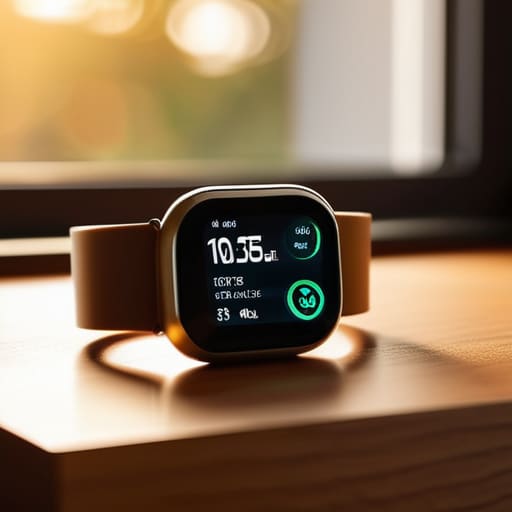
I was sitting at my workbench last Tuesday, cleaning the contacts on a 1974 Marantz receiver, when I looked over at my wrist and saw that blinking, pathetic red icon again. It’s the same story every single day: I charge the thing overnight, and by five in the afternoon, my smartwatch battery is gasping for air like a fish out of water. These tech companies love to throw glossy spec sheets at you, boasting about “optimized power management” and “intelligent background processes,” but all that really means is they’ve built a device that’s constantly tethered to a wall outlet. It’s a ridiculous way to design a tool that’s supposed to be portable.
I’m not here to sell you on the latest software patch or some magic setting that promises the moon. I’ve spent my career looking at how systems actually fail, and I’m going to tell you the truth about what makes these cells die and what features are just expensive distractions. I’ll show you how to spot the real hardware limitations so you can stop wasting your time and money on gadgets that can’t even make it through a full day of honest work.
Table of Contents
The Lie of Battery Life vs Feature Set
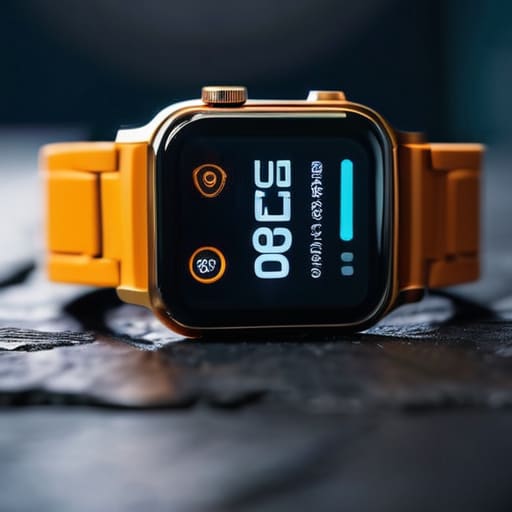
Here is the truth that the marketing departments won’t tell you: you can’t have your cake and eat it too. When you’re looking at a spec sheet, they’ll brag about a dozen different sensors, GPS tracking, and a vibrant AMOLED screen. But every single one of those bells and whistles is a thief. There is a direct, punishing trade-off between battery life vs feature set, and most people don’t realize they’re buying a headache until they’re staring at a dead screen by lunchtime.
I’ve seen it a dozen times in my testing. A manufacturer will tout a “revolutionary” new sensor, but they conveniently forget to mention how much background app battery impact that sensor creates. You end up with a device that is technically impressive but practically useless because it’s constantly tethered to a wall. If you’re constantly relying on smartwatch fast charging technology just to get through a workday, you haven’t bought a tool; you’ve bought a chore. A device that requires constant supervision isn’t an advancement—it’s a design failure.
Why Lithium Ion Battery Degradation Is Inevitable
Look, I’ve seen this story play out a thousand times in the manufacturing plants where I used to work. You can have the most sophisticated circuitry in the world, but you’re still at the mercy of chemistry. These devices rely on lithium-ion cells, and the hard truth is that lithium-ion battery degradation isn’t a defect; it’s a fundamental law of physics. Every time you cycle that charge, you’re causing microscopic structural damage to the battery’s internal components. It’s a slow, inevitable march toward a shorter lifespan that no software update can fix.
The manufacturers will try to tell you that their new smartwatch fast charging technology is a miracle cure, but it’s a double-edged sword. Pushing high currents into a small cell to shave off twenty minutes of charging time creates heat, and heat is the absolute enemy of longevity. If you’re constantly topping it off at max speed, you’re essentially cooking the chemistry inside. You might get that quick boost today, but you’re paying for it with a device that will feel like a paperweight in two years.
Five Ways to Stop Killing Your Smartwatch Battery Before Its Time
- Turn off the “Always-On” display. I don’t care how sleek it looks on your wrist; forcing those pixels to stay lit 24/7 is like leaving a lightbulb running in an empty room. If you want the battery to last, let the screen stay dark until you actually need to look at it.
- Kill the unnecessary notifications. Every time your wrist buzzes because of a promotional email or a social media “like,” you’re draining a tiny bit of power. Go into your settings and prune the nonsense; you only need to be interrupted for things that actually matter.
- Stop using GPS for every little stroll. If you’re just walking the dog around the block, you don’t need a high-precision satellite connection tracking your every step. Use the built-in accelerometer for basic movement and save the GPS for when you’re actually training.
- Don’t let the battery hit zero. I’ve seen too many people let their devices die completely every night. Lithium-ion cells hate being fully depleted. Try to keep it between 20% and 80%—it’s a bit of a chore, but it’ll keep the chemistry stable for much longer.
- Watch your brightness levels. Most of these manufacturers set the default brightness way too high just to make the screen pop in marketing photos. Dial it down to the lowest comfortable level. If you can read it, it’s bright enough.
The Bottom Line: What to Look for Before You Buy
Stop looking at the “up to” numbers on the box; if a watch can’t survive a standard 24-hour cycle with your basic settings turned on, it’s a paperweight.
Accept that every battery has an expiration date, so don’t get caught up in the hype of a device that has no easy way to swap out the cell once it starts swelling or dying.
Prioritize simple, reliable hardware over a mountain of sensors that drain your power and force you to live your life tethered to a wall outlet.
The Real Cost of Convenience
“Manufacturers will sell you a thousand sensors and a high-resolution screen, but they won’t tell you that every one of those features is just a countdown toward a dead device. I’d rather have a simple tool that works for three days than a high-tech paperweight that needs a nap every six hours.”
Roland Delacroix
The Bottom Line on Your Wrist
Look, I’ve spent enough time looking at schematics to know that you can’t have your cake and eat it too. You can have a watch that tracks every single heartbeat and oxygen level in real-time, or you can have a watch that actually stays powered on. If you choose the former, you’re signing up for a cycle of constant charging and inevitable chemical degradation. Don’t let the glossy marketing brochures fool you; a high-performance feature set is almost always a direct trade-off with longevity. Before you drop five hundred dollars on the latest gadget, ask yourself if you really need those extra sensors, or if you’re just paying for expensive plastic and diminishing returns.
At the end of the day, a piece of technology should serve you, not the other way around. I don’t want to spend my retirement hunting for a charging cable every six hours just because a manufacturer decided to cram too many thirsty processors into a tiny casing. Buy something that fits your actual lifestyle, not the lifestyle they’ve sold you in a commercial. Invest in gear that offers practical utility and a battery that respects your time. If it isn’t reliable, it isn’t a tool—it’s a distraction.
Frequently Asked Questions
Is there any actual way to slow down the chemical aging of these batteries, or am I just throwing money away on a device that's destined to die in two years?
Look, I’m not going to sugarcoat it: you can’t stop the clock, but you can certainly slow it down. Stop letting that thing sit on a charger overnight; keeping it at 100% is like redlining an engine constantly. Aim for the 20% to 80% sweet spot. Also, keep it out of the heat. Heat is the silent killer of cells. Do these things, and you might get three years instead of two.
Should I be worried about leaving my watch on the charger overnight, or is that just more modern tech-anxiety?
Look, I get why you’re asking. We’ve been conditioned to treat these gadgets like they’re made of glass. The short answer? You aren’t going to blow anything up, but you aren’t doing your battery any favors either. Modern controllers prevent overcharging, but keeping a cell at 100% voltage all night is like keeping a spring permanently compressed. It creates heat and stress. If you want the thing to last more than two years, take it off the dock once it’s full.
If I turn off all the "smart" features like the always-on display and heart rate tracking, can I actually get a meaningful boost in runtime?
Look, you can certainly squeeze a few more hours out of the thing by killing the always-on display and those constant sensor pings, but don’t expect a miracle. It’s like trying to get better mileage out of a gas-guzzling truck by driving ten miles under the limit; you’ll see a difference, but the engine is still fundamentally inefficient. It helps, but it won’t turn a one-day watch into a week-long one.
