I was sitting at my workbench last Tuesday, trying to cross-reference some old schematics for a 1970s Marantz receiver, when I realized I was fighting my own gear. I had a brand-new tablet in one hand and a standard laptop in the other, and frankly, I couldn’t decide which one was actually going to help me finish the job. It’s the same headache I see everyone running into lately: the endless debate of tablet vs laptop. Most folks walk into a store thinking they want the sleek, lightweight convenience of a tablet, only to realize three weeks later that they can’t actually get any real work done without a proper keyboard and a file system that makes sense.
Look, I’m not here to recite a list of colorful marketing buzzwords or tell you which device has the prettiest screen. I spent thirty years in systems engineering; I care about build quality and utility. In this guide, I’m going to strip away the hype and tell you exactly which machine is a reliable tool and which one is just expensive plastic destined for a junk drawer. I’ll help you decide where to put your hard-earned money so you don’t end up frustrated by a device that fails the moment things get serious.
Table of Contents
The Tablet
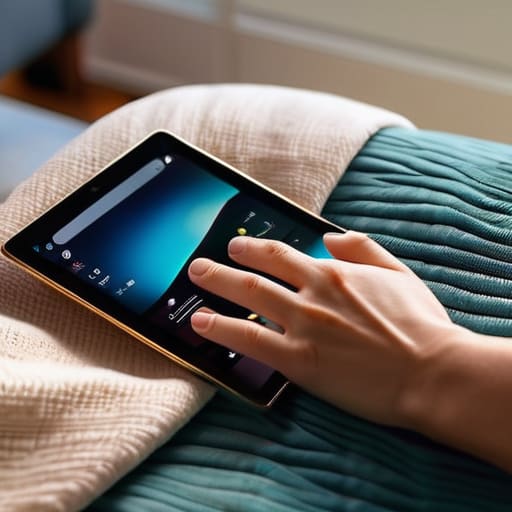
A tablet is essentially a handheld computer centered around a high-resolution touchscreen interface, designed primarily for portable media consumption and light interaction. Instead of relying on a physical keyboard, these devices use capacitive touch sensors to let you navigate through apps, browse the web, or watch videos with just a swipe of your finger. The main selling point is the sheer simplicity and the lack of weight, making them the ultimate device for when you want to sit in a chair and just consume content without any fuss.
In my experience, the problem is that people often mistake convenience for capability. I’ve seen plenty of folks buy a high-end tablet thinking it’ll replace their workstation, only to realize that trying to type a serious email or manage a spreadsheet on a piece of glass is a recipe for frustration. It’s a fine tool for reading the news or showing photos to the grandkids, but if you’re looking for something that can actually handle a heavy workload, you might find yourself reaching for something more substantial.
The Laptop
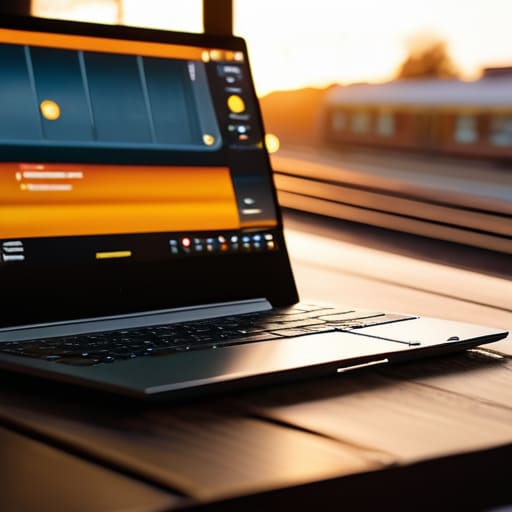
A laptop is a fully integrated portable computer that combines a screen, a physical keyboard, and a precision pointing device into a single, folding chassis. Unlike its lighter counterparts, a laptop is built around the necessity of active input, providing the processing power and the tactile feedback required for real productivity. The core objective of this machine is to give you a complete computing environment that you can fold up and toss into a bag, whether you’re at a desk or on a train.
When I look at a laptop, I look at the build quality and the way the components work together to get a job done. There is a certain reliability in a physical keyboard that a touchscreen simply cannot replicate; you know exactly where your fingers are, and you don’t have to squint at a tiny icon to make a change. If you actually have work to do—real work, not just scrolling through social media—you need a machine that responds to your commands without making you feel like you’re playing a game.
Comparison of Tablet vs Laptop
| Feature | Tablet | Laptop |
|---|---|---|
| Form Factor | Touchscreen/Handheld | Clamshell/Keyboard-based |
| Portability | Extremely High | Moderate |
| Primary Input | Touch & Stylus | Keyboard & Trackpad |
| Performance | Mobile-optimized | Desktop-class |
| Software | App-centric (OS) | Full Desktop Applications |
| Battery Life | Generally Long | Variable |
| Best For | Media & Light Tasks | Productivity & Heavy Workloads |
Hardware Performance Comparison Real Power vs Pretty Displays
Look, don’t let a high-resolution screen fool you. Manufacturers love to throw a bright, colorful display in your face to distract you from the fact that there’s nothing substantial driving the hardware underneath. If you’re buying a device based solely on how pretty the icons look, you’re going to be frustrated the moment you actually try to run a heavy program.
Laptops are built for the long haul; they have the thermal headroom and the dedicated processors to handle multitasking without breaking a sweat. When I’m running diagnostic software or heavy spreadsheets, I need a machine that won’t throttle its speed the second it gets warm. Tablets, on the other hand, are often little more than glorified media players. They use mobile chips designed for efficiency and scrolling, not for sustained, heavy-duty workloads. You might get a snappy feeling for ten minutes, but once you push the limits, that “pretty” device will start to lag.
If you need raw, reliable horsepower to get actual work done, the laptop wins every single time. Don’t trade utility for a shiny screen.
Portability vs Power Finding What Actually Works
Here is the problem with how these things are marketed today: they want you to believe you can have it all, but physics doesn’t care about your marketing budget. When you’re deciding between a tablet and a laptop, you’re essentially making a trade-off between convenience and capability. If you pick something too light, you’ll likely find yourself frustrated when it can’t handle a heavy workload; if you go too heavy, you’ll end up leaving it on your desk because it’s a chore to carry.
A tablet is undeniably easy to toss in a bag, and for reading or checking emails on a plane, it’s hard to beat. But let’s be honest—the moment you try to multitask or manage a complex file system, that “convenience” turns into a massive headache. A laptop, on the other hand, might weigh a few extra pounds, but it provides a stable platform that actually stays out of your way. You get a real keyboard, a decent cooling system, and the ability to actually finish a task without fighting the interface.
If you’re just consuming media, the tablet wins. But if you actually intend to get work done, the laptop is the only reliable choice.
The Bottom Line: Stop Overthinking and Start Choosing
If your daily tasks involve more than just scrolling through news feeds or checking email, buy a laptop; don’t let a sleek tablet screen trick you into thinking you’re actually being productive.
Match the tool to the job, not the marketing hype—a tablet is a luxury for media consumption, but a laptop is a reliable workhorse for anyone who needs to get things done without fighting the interface.
Prioritize build quality and input reliability over “thinness”—I’ve seen enough flimsy, overpriced plastic in my time to know that if you can’t type comfortably or plug in a standard peripheral, the device is more of a headache than a help.
The Bottom Line on Utility
“Stop looking at the glossy advertisements and start looking at the interface. If you’re just consuming content, a tablet is fine; but the moment you need to actually build, organize, or create something substantial, that tablet becomes nothing more than an expensive, glorified paperweight compared to a real laptop.”
Roland Delacroix
The Bottom Line: Stop Guessing and Start Choosing
Look, I’ve seen enough “revolutionary” gadgets come and go to know that there is no such thing as a perfect device—only the right tool for the job you’re actually doing. If you need to crunch heavy spreadsheets, run specialized software, or just want a machine that won’t fail you when you’re halfway through a project, buy a sturdy laptop. Don’t let a sleek marketing campaign convince you otherwise. On the flip side, if your life revolves around consuming media, reading, or light browsing while sitting on the porch, a tablet is a fine choice, provided you aren’t expecting it to replace a real computer. Just remember that once you start pushing a tablet too hard, you’ll find it’s nothing more than expensive plastic that can’t keep up.
At the end of the day, don’t let the tech industry make you feel like you’re behind the curve just because you want something that works reliably. Whether you reach for a keyboard or a touchscreen, make sure your decision is based on your actual daily needs rather than what looks good in a showroom window. Invest your hard-earned money in build quality and utility rather than flashy gimmicks. A tool is only worth what it can actually do for you when you need it most. Buy something that lasts, and you won’t find yourself back in the electronics aisle every twelve months.
Frequently Asked Questions
If I'm mostly just browsing the web and checking emails, is there any real point in spending the extra money on a laptop?
Look, if your world consists of nothing but reading news and clearing out an inbox, a laptop is likely just a way to burn money. For those basic tasks, a tablet with a decent keyboard attachment is more than enough. Don’t let the sales pitch convince you that you need a high-performance processor just to check your email. Save your cash, buy a reliable tablet, and stop paying for power you’ll never actually use.
I've seen those high-end tablets that claim to replace computers, but how do they actually handle multitasking without freezing up?
Look, those marketing brochures love to talk about “computer replacement,” but let’s get real. When you start juggling a spreadsheet, a dozen browser tabs, and a video call, those tablets start sweating. Most of them rely on mobile-first processors that just aren’t built for heavy lifting. They’ll swap apps or freeze the moment the RAM gets crowded. If you need to do more than one thing at once, stick to a laptop with actual thermal management.
Which one of these is going to actually last me five years without the battery dying or the hardware becoming obsolete?
If you’re looking for a five-year stretch, buy the laptop. Period. Tablets are designed for the “now”—they’re thin, they’re sleek, and their batteries start degrading the moment you unbox them. Once the software updates get heavier, that tablet will feel like a paperweight. A decent laptop with a solid processor and replaceable components has the staying power you need. Don’t let a pretty screen trick you into buying something disposable.
