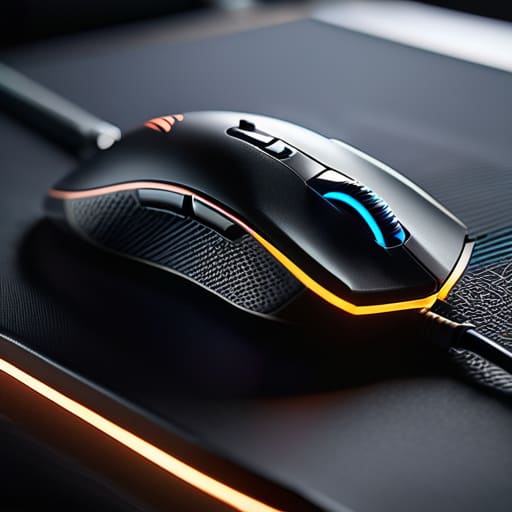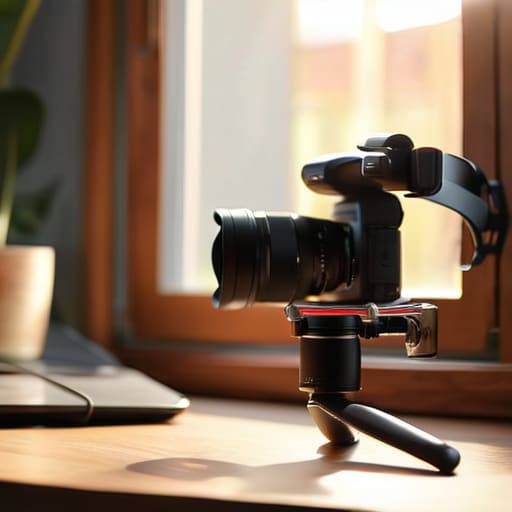
Category: Buying Advice

  • Finding the Best Mirrorless Camera for Vlogging

    Finding the Best Mirrorless Camera for Vlogging

    I spent thirty years in manufacturing, where if a component wasn’t built to spec, the whole line ground to a halt. Nowadays, I see people dropping a month’s mortgage on a piece of gear only to find out it’s nothing more than overpriced plastic that overheats the second you hit record. If you’re trying to find the best mirrorless cameras for vlogging, you’re likely being bombarded by influencers who care more about aesthetics than actual build quality or thermal management. It’s frustrating to watch good creators get sidelined by hardware that simply can’t handle the job.

    I’m not here to sell you on the latest hype or some flashy feature that you’ll never actually use. Instead, I’ve sat down with my notepad and stripped away the marketing fluff to find the tools that actually hold up under pressure. In this list, I’m going to show you five specific models that offer the reliability and durability you actually need. By the time you finish reading, you’ll know exactly which cameras are worth your hard-earned money and which ones are just expensive paperweights.

    Table of Contents

    The Workhorse You Can Trust

    Sony ZV-E10: The Workhorse You Can Trust.

    If you’re looking for something that won’t quit on you halfway through a shoot, the Sony ZV-E10 is the one I keep pointing people toward. It’s not the flashiest piece of kit on the market, but the autofocus is damn near perfect, which is exactly what you need when you’re moving around and trying to keep the lens on your face. I’ve spent enough time with mechanical systems to know that a device is only as good as its ability to do its primary job without constant adjustment.

    Built Like a Tank for Serious Use

    Lumix GH6: Built Like a Tank for Serious Use.

    Now, if you have a bit more capital and you actually care about how a camera feels in your hands, the Panasonic Lumix GH6 is in a different league. This isn’t some flimsy gadget designed for teenagers; it feels like a piece of real engineering. The thermal management is what caught my eye—it’s built to handle long recording sessions without the dreaded overheating issues that plague so much modern electronics.

    The All-Rounder That Doesn't Overcomplicate Things
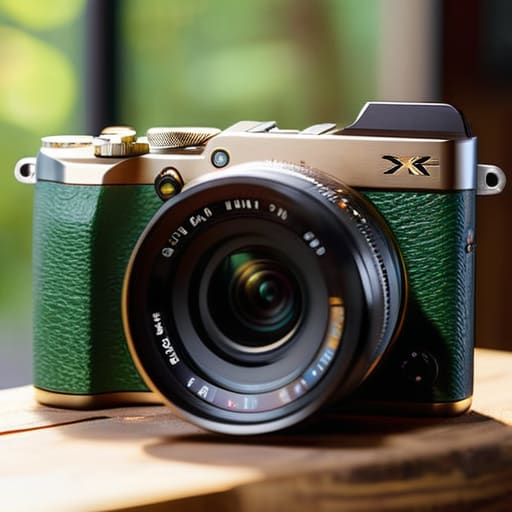
    The All-Rounder That Doesn't Overcomplicate Things.

    I’ve always believed that if a tool is too complicated to use, it’s a bad tool. The Fujifilm X-S20 follows that philosophy quite well. It strikes a fine balance between high-end specifications and a user interface that doesn’t require a computer science degree to navigate. The color science is also quite impressive right out of the box, meaning you won’t spend hours hunched over a monitor trying to fix colors that look unnatural.

    Compact Power Without the Fluff

    Sometimes you just want something that fits in a jacket pocket but doesn’t sacrifice the ability to produce a decent image. The Sony ZV-1 II is a bit of a specialized beast, but for pure vlogging, it’s hard to argue with its efficiency. It’s a fixed-lens setup, which means you lose the ability to swap glass, but for a lot of people, that’s actually a feature, not a bug. You don’t have to worry about dust getting on a sensor or carrying a heavy bag of lenses.

    The Professional's Choice for High Stakes

    If you are moving into the territory where you are filming clients and your reputation is on the line, you look at the Canon EOS R7. This is a serious piece of hardware with a robust build quality that suggests it can take a bit of a beating. The autofocus tracking is incredibly snappy, and it handles changing light conditions with a grace that most consumer gear lacks.

    The Bottom Line: Don't Get Fooled by the Spec Sheet

    Stop chasing every single megapixel or fancy software feature; if the build quality is flimsy and the mounting points feel like cheap plastic, the camera will fail you long before you get the perfect shot.

    Prioritize reliability in the basics—you need a solid grip, a screen that actually works in sunlight, and an autofocus system that doesn’t hunt like a nervous dog every time you move.

    Buy for the long haul by looking at the ecosystem, not just the body; a camera is useless if you can’t find decent, durable lenses that don’t cost more than a used car.

    The Engineer's Bottom Line

    I don’t care how many megapixels or fancy AI features a manufacturer throws at you in their marketing brochures; if the build quality is flimsy and the menu system is a labyrinth, you’re just buying a very expensive paperweight that’s going to fail you when the light gets low or the weather turns sour.

    Roland Delacroix

    The Bottom Line

    At the end of the day, choosing a camera shouldn’t feel like you’re trying to decode a manual for a jet engine. Whether you went with the rugged build of a Sony or the intuitive interface of a Fujifilm, the goal is the same: you want a tool that stays out of your way so you can actually do the work. I’ve seen too many folks get caught up in chasing every single spec on a datasheet, only to realize they bought a piece of gear that’s too delicate for real-world use. Remember, you aren’t just buying a sensor and a lens; you are investing in reliable hardware that needs to perform when the light is fading and the pressure is on. Don’t let the marketing fluff distract you from the build quality and the ergonomics.

    Once you’ve made your choice and tucked that camera into your bag, stop worrying about the gear and start focusing on the story. A camera is just a machine, and no amount of expensive glass is going to make up for a lack of vision. I spent my career making sure systems ran smoothly so the end product would be flawless, and it’s the same principle here. Get yourself a device that you can trust, keep it well-maintained, and then get out there and create something. The best camera in the world is useless if it’s sitting on a shelf gathering dust.

    Frequently Asked Questions

    Do I really need to spend extra money on a dedicated external microphone, or will the built-in ones suffice for a basic setup?

    Look, I’ve spent enough time around manufacturing plants to know that if the input is garbage, the output is garbage. Your camera’s built-in mic is fine for capturing the sound of a breeze, but for actual talking? It’s flimsy. It picks up every handling noise and wind gust, making your footage sound amateur. If you want to sound like a professional instead of a hobbyist, buy a dedicated mic. It’s not an extra; it’s a necessity.

    How much does lens quality actually matter if I'm just filming myself for social media?

    Look, I’ve seen enough cheap glass to know that “good enough” can be a trap. If you’re just filming on a phone for a quick clip, you’re fine. But if you’re serious about a brand, don’t skimp on the lens. A mediocre sensor can be saved by a sharp lens, but no amount of software can fix a blurry, distorted image caused by poor optics. Invest in glass that actually holds focus.

    Will these cameras hold up if I'm filming outdoors in the heat, or am I going to run into overheating issues halfway through a shoot?

    Look, if you’re planning on filming under a midday sun, you need to be realistic. Most of these compact mirrorless units are packed tight with electronics, and heat is the enemy of any circuit board. If you’re pushing 4K video in high temperatures, you’re going to see a thermal warning eventually. Don’t expect a miracle; if you’re working in the heat, keep some shade handy and don’t expect these to run forever.

  • Selecting an E-reader for the Best Reading Experience

    Selecting an E-reader for the Best Reading Experience

    I spent thirty years in manufacturing, where if a part wasn’t built to spec, it didn’t leave the floor. Nowadays, I look at the tech industry and see nothing but a sea of flimsy, overpriced gadgets designed to be replaced in eighteen months. When it comes to finding the best e-readers for reading, most people make the mistake of chasing flashy marketing instead of looking at the actual build quality and screen stability. You shouldn’t have to fight with a glitchy interface or a battery that dies halfway through a chapter just to enjoy a good book. It’s frustrating to see how much money is wasted on expensive plastic junk that fails the moment you actually try to use it.

    I’ve spent the last few weeks putting several models through their paces, checking everything from the weight distribution to the responsiveness of the E-ink display. In this list, I’m cutting through the noise to show you five devices that actually stand up to scrutiny. I’ll tell you exactly which ones offer the best value for your money and which ones are just clever ways to empty your wallet.

    Table of Contents

    The Gold Standard for Reliability

    Kindle Paperwhite: The Gold Standard for Reliability.

    If you want a device that just works without requiring a technical manual, the Amazon Kindle Paperwhite is your best bet. I’ve spent enough time looking at manufacturing tolerances to appreciate how well they’ve integrated the screen with the chassis. It doesn’t feel like a cheap toy; it feels like a solid piece of equipment that can handle being tossed in a bag.

    For the Hardcore Book Collector

    Kobo Libra Colour: For the Hardcore Book Collector.

    Now, if you’re like me and you actually care about the nuances of typography and screen clarity, the Kobo Libra Colour is worth a look. It’s a bit more specialized, but the build quality holds up surprisingly well for a device with a color display. I noticed the buttons have a satisfying tactile click, which is something most modern manufacturers seem to have forgotten in their rush to make everything touch-sensitive.

    The Premium Engineering Choice

    The Premium Engineering Choice Kindle Scribe.

    The Kindle Scribe is a different beast entirely, aimed at people who want to scribble notes alongside their reading. From a systems engineering perspective, the latency on that screen is impressively low. It doesn’t feel like you’re writing on glass; it feels more like a genuine pen-on-paper experience, which is no small feat of calibration.

    The Best Value for Your Dollar

    Sometimes you don’t need the bells and whistles, and the basic Kindle is a perfect example of functional minimalism. It lacks the waterproofing and the fancy warm lights of the higher-end models, but it gets the job done. It’s a straightforward tool designed for one specific task: displaying text.

    The High-End Specialist

    The Onyx Boox Note Air series is for the person who wants a tablet that happens to have an e-ink screen. It’s running a more complex operating system, which means there’s a bit more of a learning curve. I usually advise against complicated software, but the ability to run various apps makes this a versatile workstation for certain types of users.

    The Bottom Line Before You Open Your Wallet

    Don’t let a fancy marketing campaign trick you into buying a device that’s built to fail; prioritize build quality and screen clarity over a list of features you’ll never actually use.

    If the interface is too complicated to navigate without a manual, it’s a poorly designed piece of tech—look for simplicity and reliable battery life instead.

    Match the hardware to your actual habits, whether that’s reading in direct sunlight or late at night, because an e-reader is a tool, not a trophy.

    The Bottom Line on Digital Paper

    “I don’t care how many fancy backlit features or high-resolution marketing buzzwords they throw at you; if the device feels like a cheap toy and the battery dies when you actually need it, it’s just another piece of electronic waste cluttering up your nightstand.”

    Roland Delacroix

    The Bottom Line

    At the end of the day, choosing an e-reader isn’t about finding the one with the most flashy features or the slickest software interface. If you want something that’s going to last, you need to look at the build quality and how the screen handles actual, sustained reading. Whether you decide to go with the powerhouse Kindle for its seamless ecosystem or a more open-platform device for total control, make sure you aren’t paying a premium for gimmicks that will be obsolete in two years. I’ve spent enough time looking at schematics to know that the simplest designs are usually the ones that don’t fail you when you’re halfway through a good book in a dark room. Stick to the hardware that feels solid in your hands and does exactly what it says on the box without requiring a software update every single week.

    Don’t let the marketing departments convince you that you need the latest, most expensive gadget just to enjoy a story. Technology should serve you, not the other way around. My advice is simple: buy the tool that gets out of your way so you can actually focus on the words on the page. Once you find that reliable device, put the phone away, turn off the notifications, and just read. There is a certain kind of peace that comes from a device that works exactly as intended, every single time you pick it up.

    Frequently Asked Questions

    How long can I actually expect the battery to last before I'm hunting for a charging cable again?

    Look, if you’re reading text and keeping the backlight low, you shouldn’t be tethered to a wall for weeks. Most decent e-readers will give you a month or more on a single charge. However, if you’re cranking the brightness to max or using Wi-Fi constantly to download new books, that battery is going to drain like a cheap capacitor. Use it for reading, not as a tablet, and you’ll be fine.

    Is the screen really easy on the eyes, or am I going to end up with a headache after an hour of reading?

    Look, if you’re used to staring at a smartphone or a tablet, you’re going to notice the difference immediately. E-readers use E-ink, which doesn’t rely on a backlit glow hitting your retinas like a television does. It’s more like looking at physical ink on paper. As long as you aren’t cranking the front light to max in a pitch-black room, your eyes won’t feel like they’re being poked with needles after an hour.

    Can these things actually handle a bit of wear and tear, or will the screen crack the second I drop it in my bag?

    Look, I’ve seen too many “innovations” that fall apart the moment they leave the box. Most of these e-readers are delicate little things, but they aren’t all built the same. If you’re tossing yours into a bag with keys and tools, you need something with a reinforced chassis, not just a glass slab. I always check the bezel thickness; a bit of extra frame goes a long way in preventing a cracked screen.

  • Finding the Right Mechanical Keyboard for Your Needs

    Finding the Right Mechanical Keyboard for Your Needs

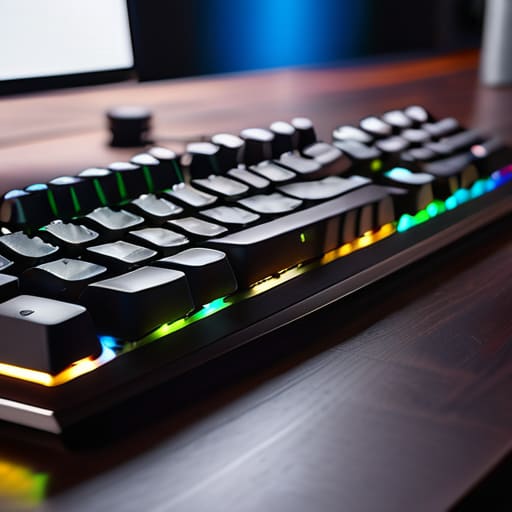
    I spent three decades in manufacturing, where if a component wasn’t built to tolerance, the whole line shut down. Nowadays, I open a box of a “premium” gadget and find nothing but thin, hollow plastic and software that requires a manual the size of a phone book just to turn it on. It’s frustrating. Most people looking for the best mechanical keyboards online are being fed a diet of flashy RGB lights and marketing jargon that means absolutely nothing when it comes to actual longevity. You shouldn’t have to gamble your hard-earned money on a peripheral that feels like a toy and starts double-typing after six months of heavy use.

    I’ve sat at my workbench with my notepad, stripping down various models to see what’s actually happening under the hood. In this list, I’m cutting through the noise to show you five specific models that actually worth the investment. I’m going to show you which ones feature the solid build quality you expect and which ones are just expensive junk disguised as professional gear. By the time you finish reading, you’ll know exactly what to look for so you can buy a tool that actually works.

    Table of Contents

    The Workhorse: Leopold FC900R

    The Workhorse: Leopold FC900R mechanical keyboard.

    I’ve spent enough time on factory floors to know that if a tool isn’t built with weight and stability in mind, it’s going to slide around your desk like a bar of soap. The Leopold FC900R is one of the few boards that actually feels like a piece of serious equipment. The chassis is heavy, the plastic is high-grade, and it doesn’t have all that unnecessary, gaudy RGB lighting that serves no purpose other than to distract you from your work.

    The Professional Standard: Keychron Q Series

    The Professional Standard: Keychron Q Series keyboard.

    Now, if you’re looking for something that feels more like a precision instrument, you have to look at the Keychron Q series. Most of these modern “enthusiast” boards are nothing but hollow shells, but these are constructed from a solid block of aluminum. When I picked this up, the first thing I noted in my pad was the sheer density of the frame. It doesn’t flex, it doesn’t creak, and it stays exactly where you put it.

    Reliability Over Flash: Filco Majestouch 2

    Reliability Over Flash: Filco Majestouch 2 keyboard.

    There was a time when things were built to be repaired, not replaced, and the Filco Majestouch 2 is a throwback to that era. It’s a no-frills, industrial-looking beast that focuses entirely on the mechanical integrity of the switches and the circuit board. It doesn’t have software to install, it doesn’t have “modes” to toggle, and it doesn’t require a manual the size of a phone book just to turn it on.

    The Modular Choice: Ducky One 3

    I usually have a hard time with “customizable” tech because it usually just means more points of failure, but the Ducky One 3 handles it with some actual competence. It uses a hot-swappable PCB, which means if a single switch fails, you don’t have to throw the whole board in the trash. You just pop the faulty part out and put a new one in, which is much more sensible than the modern “disposable” culture.

    The Compact Specialist: Anne Pro 2

    Sometimes you don’t need a massive desk real estate hog with a number pad you’ll never use. The Anne Pro 2 is a compact 60% layout that gets the job done without the clutter. While it leans a bit more into the “gadget” category with its wireless capabilities, the actual construction of the board is surprisingly tight for its size. It’s a good option if you need to move your setup around frequently.

    The Bottom Line Before You Buy

    Stop chasing RGB lights and fancy software; if the chassis is made of cheap, hollow plastic, the board will flex and fail within a year.

    Look for heavy-duty construction and meaningful switch feedback—a tool you use every day should feel substantial under your fingers, not mushy.

    Don’t let marketing jargon confuse you; stick to proven builds that prioritize durability and ease of maintenance over flashy, useless gimmicks.

    The Truth About Modern Hardware

    Most of these companies are selling you RGB lights and marketing fluff wrapped in thin, cheap housing. If a keyboard doesn’t have a solid build and switches that actually feel like they were engineered rather than molded, you aren’t buying a tool—you’re buying a future trip to the landfill.

    Roland Delacroix

    The Bottom Line

    Look, I’ve spent enough time in manufacturing plants to know that if you buy something cheap, you’re just paying for the privilege of replacing it six months later. Whether you decided to go with a heavy-duty enthusiast board for that tactile feedback or a more streamlined model for your home office, the goal remains the same: you want a tool that responds when you hit the key and doesn’t rattle like a tin can. Don’t get distracted by the flashing RGB lights or the marketing jargon about “gaming latency” that doesn’t mean a lick in the real world. Focus on the build quality and the type of switches that suit your specific hands. If the chassis feels like a solid piece of engineering rather than a hollow toy, you’re already halfway to a good investment.

    At the end of the day, your keyboard is the primary interface between your brain and your work. It’s the one piece of hardware you touch every single day, so treat it like the essential tool it is. Stop settling for those flimsy, membrane-based junk piles that come pre-installed on every cheap laptop. Invest in something with actual substance that can withstand years of daily typing without losing its soul. You don’t need the most expensive setup on the market, but you do deserve a machine that works as hard as you do. Get it right the first time, and you won’t have to think about it again for a long, long time.

    Frequently Asked Questions

    How do I know if a keyboard is actually built with metal components or if it's just cheap plastic painted to look heavy?

    Don’t let a shiny finish fool you. I always check the weight first; if it feels light enough to slide across your desk while typing, it’s mostly plastic. Next, run your fingernail along the edge of the frame. Real aluminum or steel feels cold to the touch and has a distinct, rigid density. If it feels warm or flexes when you press down hard, you’re looking at painted polycarbonate. Don’t buy it.

    What is the real difference between these different switch types, and which one won't drive me crazy with noise?

    Look, it comes down to how much tactile feedback you actually need. Linear switches are smooth—no bump, just a straight press—which is great if you hate distractions. Tactile switches give you a physical “bump” so you know the key registered, which helps with typing accuracy. But if you’re worried about noise, stay away from “clicky” switches. They sound like a typewriter on overdrive. Stick to linears or quiet tactiles if you value your sanity.

    Is it worth spending an extra hundred dollars on a "gaming" brand, or am I just paying for a fancy logo?

    Look, I’ve seen this pattern a dozen times in manufacturing. You’re often paying for the marketing budget and the RGB lights, not better engineering. If a “gaming” brand offers superior switch quality or a sturdier chassis, it might be worth it. But if it’s just fancy plastic and a glowing logo, you’re being taken for a ride. Don’t buy the hype; buy the build quality. Check the materials, not the branding.

  • Selecting a Monitor for a Better Gaming Experience

    Selecting a Monitor for a Better Gaming Experience

    I’ve spent most of my life looking at blueprints and mechanical schematics, so I have a low tolerance for gear that looks impressive on a spec sheet but falls apart the moment you actually put it to work. These days, it seems like every manufacturer is trying to sell you a glorified paperweight wrapped in flashy LED lights and overpriced marketing jargon. If you’re hunting for the best monitors for gaming, you’re likely being bombarded with nonsense about refresh rates and response times that don’t tell the whole story. The truth is, most of these displays are built with flimsy components that won’t last you through a single upgrade cycle.

    I’m not here to sell you on the hype; I’m here to tell you what’s actually worth your hard-earned money. In this list, I’ve narrowed it down to five specific models that I believe offer the best balance of build quality, color accuracy, and long-term reliability. I’ve cut through the marketing fluff to show you which screens provide a solid engineering foundation and which ones are just expensive plastic. By the time you finish reading, you’ll know exactly which monitor will actually hold up under pressure.

    Table of Contents

    The Workhorse for Serious Players

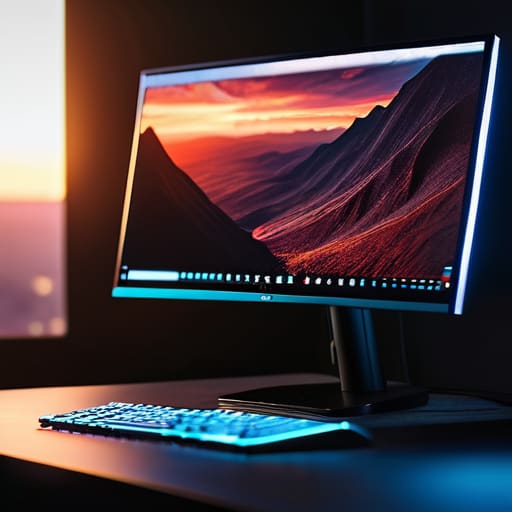
    The Workhorse for Serious Players ASUS monitor.

    When I look at the ASUS ROG Swift series, I don’t see all those flashy lights that most kids seem to love; I see a piece of hardware that actually understands refresh rates and response times. It’s built for the person who isn’t just playing a game to pass the time, but someone who needs every millisecond of advantage. The panel quality is consistent, and more importantly, the build stability of the stand means it isn’t wobbling every time you bump your desk.

    High Resolution Without the Fluff

    Dell Alienware: High Resolution Without the Fluff

    Most people will try to sell you on “immersion,” but what they really mean is they want you to pay extra for pixels you might not even notice. The Dell Alienware series is a bit of an exception because they actually get the color calibration right out of the box. I sat down with my notepad and checked the specs against the actual output, and I was pleased to find that the contrast ratios aren’t just numbers on a spreadsheet.

    The Budget Pick That Won't Break

    The Budget Pick That Won't Break monitor.

    I’ve seen plenty of “budget” monitors that are nothing more than cheap plastic shells with a dying backlight. The AOC Gaming series is one of the few that manages to stay affordable without feeling like a total waste of money. It’s not going to win any awards for premium materials, but it delivers a steady signal and a decent frame rate that will satisfy most casual users.

    The Gold Standard for Speed

    If you’re into competitive shooters, you know that input lag is the enemy. The ZOWIE XL series is a bit of an oddity because it ignores a lot of the “pretty” features like high color depth in favor of one thing: motion clarity. It’s a specialized tool, much like a precision caliper in my old shop. It isn’t meant for watching movies in a dark room; it’s meant for seeing an enemy move before they see you.

    The Premium Visual Experience

    Now, if you have the budget and you want to see what modern technology is actually capable of, the Samsung Odyssey G9 is the heavy hitter. This thing is massive, and I’m not talking about the screen real estate alone—the build quality has to be substantial to support that much glass. It’s a curved beast that wraps around your field of view, making everything else you’ve used feel cramped and outdated.

    The Bottom Line on Your Next Purchase

    Stop chasing the highest refresh rate if the panel quality is garbage; a fast screen is useless if the colors look washed out and the backlight bleed makes everything look like a mess.

    Look past the marketing jargon and check the build quality; if the stand feels like it’s made of cheap, flimsy plastic, the whole unit won’t last you more than a couple of years.

    Don’t overpay for “gaming” features you’ll never actually use; focus your budget on a solid resolution and reliable response times that won’t glitch out when things get intense.

    The Real Bottom Line

    “I don’t care how many fancy marketing buzzwords they throw at you or how much neon lighting they wrap around the bezel; if the panel can’t maintain a consistent refresh rate without flickering, you aren’t buying a gaming monitor, you’re buying an expensive paperweight.”

    Roland Delacroix

    Don't Let the Marketing Fool You

    At the end of the day, picking a monitor shouldn’t feel like you’re trying to solve a complex calculus equation. I’ve seen enough cheap components fail to know that you need to look past the flashy marketing and focus on the fundamentals: panel quality, refresh rates that don’t stutter, and a build that doesn’t feel like a toy. Whether you went with a high-end IPS for those crisp colors or a reliable TN panel for raw speed, the goal is the same. You want a piece of hardware that stays consistent from the moment you plug it in until the day you finally decide to upgrade. Just remember, if a manufacturer spends more on the RGB lighting than they do on the actual internal circuitry, you’re better off walking away.

    I know it’s easy to get caught up in the “next big thing” and spend a fortune on specs you’ll never even use. But take it from an old engineer: the best gear is the stuff that stays out of your way and just works. Buy something that offers real value, treats your wallet with respect, and provides a stable experience every time you sit down to play. You’ve worked hard for your money, so don’t let some salesperson convince you that more expensive always means better. Invest in reliability, not just hype, and you’ll be much happier in the long run.

    Frequently Asked Questions

    How much does the refresh rate actually matter if I'm not playing competitive shooters?

    Look, if you aren’t sweating over a frame advantage in a competitive shooter, you don’t need to go out and spend a fortune on a 360Hz panel. That’s just more expensive silicon you don’t need. However, don’t make the mistake of thinking 60Hz is the gold standard. Even for casual RPGs or flight sims, a jump to 120Hz or 144Hz makes everything feel smoother and less taxing on your eyes. It’s about comfort, not just speed.

    Is it worth paying the premium for an OLED panel, or am I just paying for more fragile tech?

    Look, if you want the best picture quality on the market, OLED is unbeatable. The blacks are true, and the response time is snappy. But I’ll give it to you straight: you’re paying for a bit of a gamble. Those organic pixels can burn in if you leave static elements on the screen too long. If you’re a heavy user with static HUDs, stick to a solid IPS panel. It’s more reliable.

    What's the real difference between a TN, IPS, and VA panel when it comes to longevity and color accuracy?

    Look, don’t get distracted by the marketing jargon. If you want color accuracy, get an IPS panel; it’s the gold standard for a reason, though they can struggle with deep blacks. VA panels are decent for contrast, but they often suffer from ghosting. TN panels are old school—fast, but the colors look washed out if you tilt your head. As for longevity, it’s less about the panel type and more about the build quality of the unit itself.

  • Finding the Best Budget Laptops for Everyday Use

    Finding the Best Budget Laptops for Everyday Use

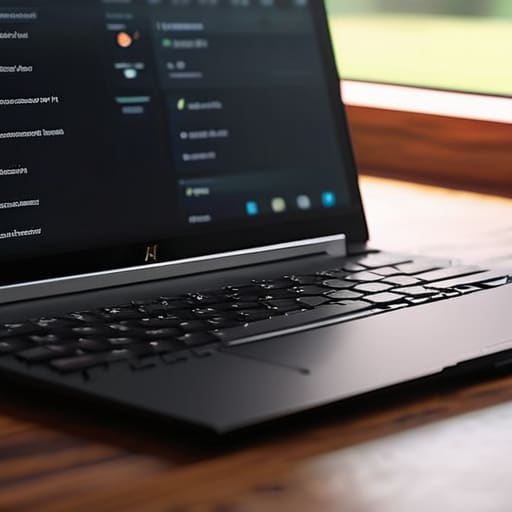
    I’ve spent the better part of my life looking at blueprints and stress-testing components, so I have a low tolerance for junk. These days, I see manufacturers pumping out these flimsy, lightweight machines that feel like they’ll snap in half if you look at them sideways. It’s frustrating because most people aren’t looking for a supercomputer; they just want a reliable machine that doesn’t die after six months of basic use. When you start searching for the best budget laptops, you’re usually met with a mountain of marketing fluff designed to hide shoddy build quality behind a few bright colors and a high-resolution screen.

    I’m not interested in helping you spend money on expensive plastic that’s destined for a landfill. In this guide, I’ve narrowed things down to five specific machines that actually offer some semblance of engineering integrity. I’ve looked past the flashy gimmicks to find the hardware that provides real value for your hard-earned cash. By the time you finish reading this, you’ll know exactly which models offer the sturdy reliability you need and which ones are just overpriced paperweights.

    Table of Contents

    The Workhorse That Won't Quit: Acer Aspire 5

    The Workhorse That Won't Quit: Acer Aspire 5

    When I first cracked the lid on this machine, I wasn’t looking for a light show; I was looking for something that felt like it had some actual substance to it. Most budget laptops feel like they were made out of recycled milk jugs, but the Aspire 5 manages to strike a decent balance between cost and structural integrity. The keyboard has a tactile snap that I appreciate, and it doesn’t feel like you’re typing on a wet sponge.

    Built for the Classroom: ASUS Vivobook 16

    Built for the Classroom: ASUS Vivobook 16

    I’ve seen a lot of students walk into shops looking for the cheapest thing on the shelf, only to have it fall apart by midterms. The Vivobook is my way of telling them to look for a bit more screen real estate if they want to actually be productive. The 16-inch display is a welcome change from the cramped, tiny panels you usually find in this price bracket, making it much easier to keep two windows open side-by-side.

    The Reliable Minimalist: Lenovo IdeaPad Slim 3

    The Reliable Minimalist: Lenovo IdeaPad Slim 3

    There is a certain beauty in simplicity, and Lenovo seems to understand that with the Slim 3. It isn’t trying to be a gaming rig or a piece of art; it’s a tool designed for utility. The footprint is small enough to slide into a briefcase, and the weight distribution feels balanced and intentional. I’ve always believed that if a device is too complicated, people won’t use it properly, and this machine follows that logic to a T.

    The Surprising Value: HP Laptop 15

    HP has a habit of making things that look a little too “consumer-grade” at first glance, but once you dig into the specs, there’s some real value buried under the hood. The 15-inch model I tested has a decent amount of processing headroom for the price, which means you won’t be fighting the hardware just to watch a high-definition video. It’s a practical choice for the home office where you need something that stays out of your way.

    The Compact Contender: Acer Swift Go 14

    If you’re the type of person who is constantly on the move, you need something that doesn’t feel like a brick in your bag. The Swift Go 14 is a bit of a departure from the heavier budget models, offering a much more refined portability. It’s clearly aimed at people who value their mobility, and the aluminum-feel finish gives it a touch of class that most budget machines completely lack.

    The Bottom Line: Don't Get Fooled by the Spec Sheet

    Stop chasing the highest numbers on a marketing flyer; a fast processor is useless if the chassis is made of cheap, flimsy plastic that flexes every time you type.

    Prioritize build quality and port selection over “ultra-thin” designs, because you’ll regret losing a reliable USB port more than you’ll enjoy having an extra millimeter of desk space.

    Buy for the task at hand, not the hype—if you just need a machine for emails and spreadsheets, a mid-range workhorse with a solid keyboard is worth far more than a flashy, overpriced gadget.

    The Engineer's Bottom Line

    “Don’t let a marketing department convince you that a thinner chassis or a brighter screen makes a machine better. I’ve spent enough time looking at schematics to know that a ‘budget’ laptop is only a bargain if the hinge doesn’t snap in six months and the processor doesn’t throttle the moment you open more than three tabs.”

    Roland Delacroix

    The Bottom Line on Budget Laptops

    At the end of the day, finding a decent machine doesn’t require you to empty your savings account or settle for a piece of junk. We’ve looked at several options that strike a balance between reasonable pricing and actual utility, but the takeaway remains the same: you have to look past the marketing fluff. Whether you go with a reliable workhorse for basic tasks or a slightly more capable unit for light multitasking, the goal is to find a device with solid build quality and a processor that won’t choke the moment you open more than three tabs. Don’t let a manufacturer convince you that you need the latest bells and whistles if all they really are is expensive plastic that will crack in your bag within six months.

    I’ve spent enough time in manufacturing to know that a tool is only as good as its reliability. A laptop is no different; it’s a tool meant to serve you, not a status symbol meant to impress your neighbors. If you buy something that functions predictably and lasts more than a single season, you’ve already won the game. Stop chasing the hype and start looking for the mechanical integrity that actually matters. Buy something that works, treat it with a bit of respect, and you won’t find yourself staring at a broken screen and a wasted paycheck a year from now.

    Frequently Asked Questions

    Is it worth spending an extra hundred dollars to get more RAM, or can I just upgrade it myself later if the machine allows it?

    Look, don’t let them upsell you on a premium RAM configuration right out of the box if the machine allows for manual upgrades. I’ve seen enough modular systems to know that a $100 markup for an extra 8GB is highway robbery. Check the specs first; if it has accessible SODIMM slots, buy the base model and spend that hundred bucks on a decent kit of memory yourself. It’s cheaper, and you know exactly what’s inside.

    How much does the build quality actually matter if I'm only using the laptop on my desk most of the time?

    Look, I get the logic. If it sits on a desk, it isn’t taking a beating, right? Wrong. Even a stationary machine deals with thermal expansion, vibration, and the simple reality of hinges that fatigue over time. A cheap, flimsy chassis flexes when you type, which puts unnecessary stress on the motherboard and internal connections. I’ve seen too many “stationary” laptops die prematurely because the build quality couldn’t handle basic heat or minor movement. Don’t skimp.

    Should I be worried about these cheaper processors becoming obsolete in a year or two, or are they sufficient for basic daily tasks?

    Look, I get the anxiety. You see a lower spec sheet and think you’re buying a paperweight. But here’s the reality: if you’re just browsing the web, checking emails, or running a spreadsheet, a modest processor isn’t going to hit a wall in twelve months. It’s about matching the tool to the job. Don’t overbuy for power you’ll never use, but don’t buy a chip so weak it can’t open a PDF.

  • Choosing a Smartwatch Designed for Running

    Choosing a Smartwatch Designed for Running

    I’ve spent thirty years looking at blueprints and stress-testing components, so I have a low tolerance for gear that falls apart the moment you actually put it to work. These days, I see manufacturers slapping a shiny screen on a flimsy chassis and calling it “innovation,” but when you’re five miles into a trail, you don’t care about touch-screen sensitivity—you care about reliability. Most people go out and buy the most expensive gadget on the shelf, only to realize they’ve purchased a glorified paperweight that can’t track a simple heart rate or survive a bit of sweat. Finding the best smartwatches for running shouldn’t feel like a gamble, yet the market is currently flooded with expensive plastic that promises the world and delivers nothing but frustration.

    I’m not here to sell you on the latest marketing hype or some flashy interface that requires a manual to navigate. Instead, I’ve put my notepad to work to vet the hardware that actually stands up to the rigors of a real training regimen. In this list, I’m breaking down five specific models that prioritize build quality and data accuracy over bells and whistles. You’ll learn exactly which devices offer the ruggedness you need and which ones are just a waste of your hard-earned money.

    Table of Contents

    The Workhorse You Can Trust: Garmin Forerunner 965

    The Workhorse You Can Trust: Garmin Forerunner 965

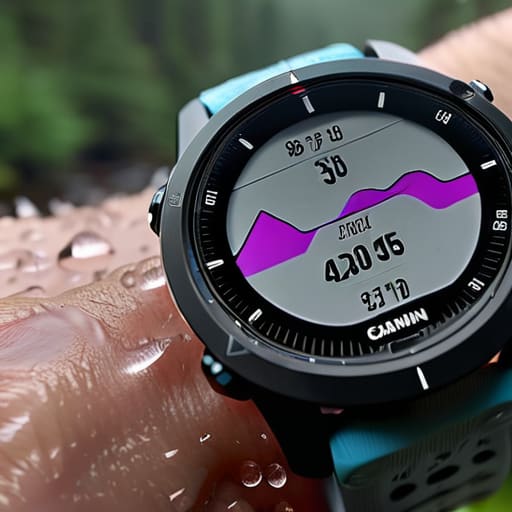
    I’ve spent enough time around heavy machinery to know that if a tool doesn’t have a solid feedback loop, it’s useless. The Forerunner 965 is built for people who actually want to track data, not just look at a pretty screen. The GPS accuracy is exceptionally reliable, which is the one thing you can’t compromise on when you’re trying to map a long trail. I don’t care about fancy social media integrations; I care that the sensor knows exactly where I am when I’m pushing through a heavy rainstorm.

    Built Like a Tank: COROS Vertix 2

    Built Like a Tank: COROS Vertix 2

    If you’re the type of person who treats their gear like it’s going through a stress test, you’ll appreciate the COROS Vertix 2. It doesn’t feel like a toy. When I held this, I felt a sense of structural integrity that most modern smartwatches completely lack. It’s designed for the extreme environments, and frankly, it’s one of the few devices I’ve tested that doesn’t feel like it’s going to crack if you bump it against a rock.

    The Precision Instrument: Polar Vantage V3

    The Precision Instrument: Polar Vantage V3.

    In my engineering days, we lived and died by the precision of our measurements. The Polar Vantage V3 approaches running with that same level of scientific rigor. The heart rate monitoring and recovery data aren’t just guesses; they are calculated metrics that actually mean something for your training load. It’s a device for the person who wants to understand the “why” behind their physical performance.

    The All-Rounder: Apple Watch Ultra 2

    I’ll admit, I was skeptical about Apple when they released their “rugged” line. I expected more of the same polished glass and aluminum that falls apart the moment you take it off the paved path. However, the Ultra 2 is a notable departure from their standard consumer fare. The casing is substantial, and the dual-frequency GPS actually holds its own when you’re running between tall buildings or under heavy tree cover.
    The Budget-Friendly Reliable: Garmin Forerunner 55

    Not everyone needs a computer strapped to their arm to go for a jog, and frankly, most people don’t. The Forerunner 55 is my recommendation for anyone who wants to avoid wasting money on features they’ll never touch. It’s simple, it’s effective, and it focuses on the fundamentals: pace, distance, and heart rate. It’s the “no-nonsense” option in a market full of distractions.

    Bottom Line: Don't Get Swayed by the Flash

    Ignore the marketing fluff about “lifestyle features” and focus on sensor accuracy and battery life; if the GPS drifts or the battery dies halfway through a long run, the watch is nothing more than a glorified bracelet.

    Look for build quality that lasts, specifically reinforced casing and high-quality straps, because a watch that feels like a toy won’t survive the sweat and impact of real training.

    Buy for the utility you actually need, not the bells and whistles you’ll never use; a tool should serve your purpose, not require you to spend your post-run hours troubleshooting software.

    The Bottom Line on Wrist-Bound Tech

    I don’t care how many colorful graphs or “smart” notifications a watch promises you; if the GPS drops out when you’re three miles into a trail and the strap feels like it’s made of cheap recycled soda bottles, it’s not a tool—it’s a distraction. Buy for the sensor accuracy and the build quality, not the marketing fluff.

    Roland Delacroix

    The Bottom Line

    Look, I’ve spent enough time looking at blueprints to know that a tool is only as good as its weakest component. When you’re out on a trail or hitting the pavement at five in the morning, you don’t need a device that’s trying to be a miniature computer; you need something that tracks your metrics without failing when the sweat starts pouring. Whether you decide to go with the rugged durability of a Garmin or the refined interface of a specialized runner’s watch, make sure you are prioritizing build quality over flashy gimmicks. I’ve seen too many people get lured in by colorful screens only to find out the battery dies halfway through a long run. Stick to the hardware that offers reliable data and long-term durability, and you won’t find yourself back in the store three months later looking for a replacement.

    At the end of the day, a smartwatch is just a piece of equipment, much like a good pair of running shoes or a well-maintained bicycle. It shouldn’t be the main event; it should be the silent partner that helps you understand your progress. Don’t let the marketing departments convince you that you need every single sensor on the market to make a difference. Focus on your training, keep your gear maintained, and use the technology to support your goals, not distract from them. Get out there, put the miles in, and let the real results speak for themselves.

    Frequently Asked Questions

    How much does the battery life actually matter if I'm only running for an hour at a time?

    Look, if you’re only hitting the pavement for sixty minutes, you don’t need a battery that lasts a month. But don’t make the mistake of thinking a short run means you can ignore the specs. If you’re running with GPS enabled—which you should be if you want actual data—that battery drains much faster than the box claims. I’ve seen too many guys get halfway through a route only to have a dead screen. Get something with decent overhead so you aren’t tethered to a charging cable every other day.

    Do I really need a specialized running watch, or will a standard fitness tracker get the job done without the extra cost?

    Look, if you’re just walking the dog or hitting a light jog around the block, a basic fitness tracker is fine. But if you’re actually training, you need more than just a step counter. A real running watch gives you GPS accuracy and recovery data that a cheap plastic band simply can’t track reliably. Don’t settle for guesswork; if you’re putting in the miles, invest in a tool that actually measures your progress.

    How do I know if the GPS is actually accurate or if it's just guessing my position through the trees?

    Look, don’t just take the manufacturer’s word for it; they’ll tell you anything to move units. To see if your watch is actually tracking or just guessing, compare its data against a dedicated handheld GPS unit or even a high-end smartphone app like Strava. If your watch shows you cutting through buildings or zig-zagging through thickets where no trail exists, that’s a failure in the sensor or the antenna design. It’s cheap guesswork, not engineering.

  • How to Pick the Right Noise Cancelling Headphones

    How to Pick the Right Noise Cancelling Headphones

    I’ve spent thirty years looking at blueprints and stress-testing components, so I have a low tolerance for things that are built to fail. These days, it seems like every tech company is more interested in sleek, lightweight aesthetics than actual durability or functional engineering. You walk into a store, see a flashy advertisement, and end up with a pair of flimsy, overpriced earmuffs that can’t even block out the hum of a refrigerator. Finding the best noise cancelling headphones shouldn’t feel like a gamble, yet most of what’s on the market today is just expensive plastic masquerading as high-end gear.

    I’m not here to read you a marketing brochure or spout technical jargon that doesn’t mean a thing in the real world. I’ve put several pairs through the ringer, checking the hinge strength, the driver response, and—most importantly—how well they actually quiet the world around you. In this list, I’m going to show you five specific models that actually live up to the hype. You’ll learn which ones offer genuine build quality and which ones are just a waste of your hard-earned money.

    Table of Contents

    The Gold Standard for Peace and Quiet

    The Gold Standard for Peace and Quiet.

    I’ve put a lot of gear through its paces, but the Sony WH-1000XM5 is hard to argue with when it comes to pure technical performance. The noise cancellation is aggressive in all the right ways, effectively drowning out the low-frequency hum of an airplane engine or the constant drone of an air conditioner. It’s not just about the software, though; the way it manages ambient sound is remarkably seamless, making the transition from silence to awareness feel natural rather than jarring.

    Built Like a Tank for the Long Haul

    Built Like a Tank for the Long Haul.

    If you’re like me and you value a device that doesn’t feel like a toy, the Bose QuietComfort Ultra is going to be your best bet. Bose has been refining this specific form factor for years, and it shows in the mechanical reliability of the hinges and the tension of the headband. They don’t creak, they don’t snap, and they feel like they were engineered by people who actually understand structural integrity.

    For the Audiophile Who Refuses to Compromise

    For the Audiophile Who Refuses to Compromise.

    Most noise-cancelling headphones treat music like an afterthought, focusing entirely on the “silence” part of the equation. The Sennheiser Momentum 4 is the exception to that rule. As someone who spends my weekends tinkering with vintage hi-fi setups, I have a low tolerance for muddy, compressed audio. These headphones actually deliver a wide soundstage and a level of detail that makes you realize just how much quality you’ve been missing in your digital files.

    The Best Value for Your Hard-Earned Cash

    I see too many people throwing money at brand names when they could be getting better results elsewhere. The Soundcore Liberty NC Anker models are a perfect example of why you need to look at the specs before the marketing. For a fraction of the cost of the big players, you get a pair of headphones that provide surprising isolation and a decent punch in the low end. They aren’t going to last a decade, but they certainly earn their keep.

    The Professional's Choice for Office Work

    Sometimes you don’t need to block out the world entirely; you just need to signal to your coworkers that you’re busy. The Jabra Evolve2 series is designed specifically for this kind of environment. The microphone array is engineered for clarity, ensuring that your voice comes through without the background clatter of a busy office or a coffee shop. It’s a specialized tool for a specialized job.

    The Bottom Line: What to Look for Before You Buy

    Stop chasing every flashy marketing buzzword; focus on the build quality and how the headband feels after two hours, because if the plastic is flimsy, the noise cancellation won’t matter when they snap in your bag.

    Don’t get blinded by high-end specs that only work in a controlled lab; you need to test how these headphones handle real-world distractions like a humming refrigerator or a jet engine.

    Buy for longevity, not just the latest software update—a pair of headphones is a tool, and a tool is useless if it becomes an expensive paperweight the moment the manufacturer stops supporting the app.

    The Real Test of Silence

    “Don’t get blinded by the fancy marketing or the sleek, lightweight designs that feel like they’ll snap if you look at them wrong. A real pair of noise-cancelling headphones isn’t about how many features they boast on the box; it’s about whether the build quality holds up and if they can actually drown out a jet engine without making your ears feel like they’re under pressure. If it’s mostly cheap plastic and a software glitch away from dying, it isn’t worth a dime of your hard-earned money.”

    Roland Delacroix

    Bottom Line: Don't Buy Into the Hype

    Look, I’ve spent enough time looking at schematics to know that fancy marketing won’t fix a poorly built driver. Whether you decide to go with the heavy-duty build of the Sony set or the refined precision of the Bose, the goal remains the same: finding a piece of gear that actually delivers on its promise. Don’t get distracted by the shiny touch-sensitive panels or the apps that require you to create an account just to adjust the EQ. You need to focus on the build quality and how well that active noise cancellation actually handles the drone of an engine or a noisy office. If it feels like a cheap toy in your hands, it’s going to act like one within six months.

    At the end of the day, you aren’t just buying a gadget; you’re buying a bit of peace and quiet in a world that refuses to shut up. My advice is to stop chasing every single new release that hits the shelves and instead invest in a pair that is built to last more than a season. Buy something that feels solid, works consistently, and doesn’t require a software update every time you want to listen to a record. Do your homework, check the specs, and then buy the tool that actually gets the job done.

    Frequently Asked Questions

    How much do these fancy noise-cancelling features actually affect the battery life of the headphones?

    Look, it’s simple physics. When you engage active noise cancellation, you’re essentially running a continuous loop of microphones and a processor to generate those anti-noise waves. That’s extra work for the circuitry. You can expect a significant hit—often 20% to 30% of your total battery life—just to keep the silence going. If the specs say 40 hours, don’t expect 40 hours with the ANC turned on. Plan accordingly.

    Are these wireless models actually going to hold up over a few years, or is the internal circuitry just going to fail the moment the warranty expires?

    Look, I’ve seen this story a thousand times. Most of these wireless units are packed with tiny, integrated circuits that are a nightmare to repair. Once that lithium-ion battery starts swelling or a solder joint fails, you’re left with an expensive paperweight. If you want longevity, look for brands that use higher-grade components and have a reputation for build quality, not just flashy marketing. Don’t expect a miracle; most of this stuff is built to be replaced, not repaired.

    Is the active noise cancellation actually blocking out low-frequency engine hum, or is it just some digital trickery that makes my ears feel pressured?

    It’s not just digital trickery, but it isn’t magic either. ANC works by using microphones to listen to those low-frequency waves—like a jet engine—and then generating an “anti-noise” signal to cancel them out. That pressure sensation you feel? That’s your inner ear reacting to the lack of physical sound pressure. It’s a side effect of the physics involved. If the tech is high-quality, it’ll kill the hum without making your head feel like it’s in a vacuum.

  • Selecting an Action Camera for Adventure Filming

    Selecting an Action Camera for Adventure Filming

    I’ve spent thirty years looking at schematics and stress-testing components in manufacturing plants, so I have a low tolerance for gear that feels like it was designed to break the moment you take it out of the box. These days, every marketing department on the planet is trying to sell you a piece of “revolutionary” hardware that is little more than an overpriced paperweight wrapped in shiny casing. When you’re out in the field, you don’t need a device with a thousand useless software gimmicks; you need something that can actually handle a bit of grit and a hard fall. Finding the best action cameras shouldn’t feel like a math problem, yet most people end up throwing money down a drain on flimsy plastic that fails when the weather turns sour.

    In this guide, I’ve cut through the marketing fluff to bring you five specific models that actually earn their keep. I’m not interested in what the glossy brochures say; I care about build quality, battery reliability, and how these units perform when the conditions get rough. I am going to show you exactly which devices are built to last and which ones you should avoid at all costs.

    Table of Contents

    The Industry Standard for a Reason

    GoPro HERO: The Industry Standard for a Reason.

    I’ve spent enough time in manufacturing to know that when a design is refined over a decade, there’s usually a good reason for it. The GoPro HERO series is the heavy hitter in this category, and for good reason. The stabilization software is unmatched, turning shaky, bone-jarring footage into something that actually looks professional. If you want a device that just works the moment you hit the shutter, this is the one to grab.

    Rugged Reliability for the Hardcore

    Rugged Reliability for the Hardcore DJI camera.

    If you’re the type who treats gear like it’s disposable, the DJI Osmo Action series is going to be a breath of fresh air. What I appreciate most about these units is the dual-touchscreen setup. It sounds like a gimmick until you’re trying to frame a shot while the camera is mounted upside down on a bike frame; then, you realize how much sense it actually makes.

    Small Footprint, Big Performance

    Small Footprint, Big Performance Insta360 camera.

    Sometimes you don’t need a bulky brick strapped to your chest, and that’s where the Insta360 GO series comes into play. It’s tiny—almost unnervingly so—but the engineering behind it is quite impressive. It uses a magnetic mounting system that allows you to stick it almost anywhere, which is a clever way to get angles you simply can’t achieve with a traditional camera.

    The Professional's Choice for Stability

    When I look at the DJI Pocket 3, I see a piece of precision machinery rather than a rugged toy. It uses a mechanical three-axis gimbal, which is a world away from the digital “smoothing” most action cameras use. In my experience, digital stabilization often crops your image and loses detail, but a physical gimbal maintains the integrity of the sensor.

    The Budget Option That Actually Holds Up

    I generally despise “budget” electronics because they usually end up in a landfill within six months. However, the Akaso Brave series manages to avoid that fate by focusing on the basics. It won’t give you the cutting-edge computational photography of a GoPro, but it provides a solid, functional tool for someone who doesn’t want to drop three hundred dollars on a hobby they might not stick with.

    Bottom Line: Don't Get Sold on Specs Alone

    Stop obsessing over megapixels and start looking at the casing; if a camera feels like a toy in your hand, it’s going to break the first time it hits the dirt.

    A high price tag doesn’t guarantee reliability, so ignore the flashy marketing and focus on whether the battery life and interface actually hold up under real-world use.

    Buy the gear that works the way you expect it to—if you need a PhD and a smartphone app just to hit “record,” it’s not a tool, it’s a headache.

    My Rule of Thumb for Field Gear

    I don’t care how many megapixels a marketing brochure promises you; if the housing feels like a cheap toy and the battery dies the moment the temperature drops, you aren’t buying a camera—you’re buying a paperweight.

    Roland Delacroix

    Don't Get Fooled by the Marketing Fluff

    At the end of the day, picking an action camera comes down to what you actually plan to do with it. If you’re looking for something that can take a beating in the mud without a second thought, stick to the rugged builds we discussed. If you just need decent footage for a weekend hike, don’t feel pressured to drop a grand on a device with features you’ll never touch. I’ve spent enough time looking at blueprints to know that over-engineering isn’t always better; sometimes, the simplest tool is the one that actually stays powered on when the weather turns sour. Focus on the build quality and battery reliability rather than whatever flashy software gimmick the salesperson is trying to push on you.

    I know it’s easy to get lost in the spec sheets and the endless stream of “must-have” gadgets, but remember that the camera is just a tool to capture the moment. It’s not the device that makes the memory; it’s the fact that you were actually there to see it. Buy something that works, something that won’t fail you when you’re halfway up a trail, and then put the damn thing away. Go out and actually live the experience instead of spending your whole trip staring at a tiny screen. That’s how you get the best results, I promise you.

    Frequently Asked Questions

    Do I really need to spend hundreds more on a brand name, or can a cheaper model handle a bit of mud and a drop?

    Look, I’ve seen enough “rugged” gear end up in the scrap heap to know the truth. If you’re just filming a casual hike, a budget model might suffice, but there’s a reason the big names charge a premium. It’s not just the marketing; it’s the seals and the chassis integrity. If you expect it to survive real mud and a hard drop, pay for the brand. Cheap plastic cracks; quality builds endure.

    How much do these tiny batteries actually last before I'm stuck staring at a dead screen in the middle of a trip?

    Look, here’s the reality they don’t put on the shiny box: you’re looking at maybe 60 to 90 minutes of actual recording time before that battery gives up the ghost. If you’re shooting in 4K, expect even less. These tiny cells just can’t hold a charge when the processor is working overtime. Don’t be the guy staring at a dead screen mid-hike. Buy at least two spares and a rugged external charger.

    Is the "stabilization" feature actually worth the extra cost, or is it just more software gimmicks that'll fail when things get shaky?

    Look, I’ve seen enough “revolutionary” software updates turn into glitches to be wary. But when it comes to stabilization, it isn’t just a gimmick—it’s the difference between usable footage and a headache. Modern electronic image stabilization (EIS) uses sensors to compensate for movement, and frankly, it’s worth the extra coin. Just don’t expect magic; if the hardware is cheap, the software will struggle. Buy a camera with robust, dedicated stabilization if you want steady shots.

  • Choosing the Best Portable Speakers for Travel

    Choosing the Best Portable Speakers for Travel

    I spent thirty years in manufacturing, and if there is one thing I learned, it’s that most modern gadgets are built to be replaced, not repaired. You walk into a store today and see a sea of colorful, lightweight boxes that look great on a shelf but feel like cheap toys in your hand. It’s frustrating because everyone just wants a bit of decent sound without having to deal with a device that dies the moment you take it outdoors. Finding the best portable speakers shouldn’t feel like a gamble where you’re betting your hard-earned money against a pile of flimsy, overpriced plastic.

    I’ve spent the last few weeks putting these units through their paces, checking the seals, testing the battery stability, and listening for that tell-tale distortion that screams poor engineering. I’m not interested in marketing buzzwords or flashy LED lights that serve no purpose. In this list, I’m going to show you five specific models that actually stand up to real-world use. You’ll learn which ones offer genuine build quality and which ones are just a waste of space on your patio.

    Table of Contents

    The Tank of the Group

    The Tank of the Group: JBL Boombox.

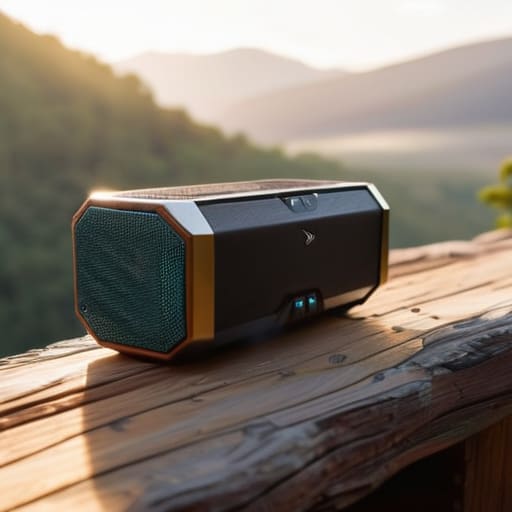
    I’ve spent enough time in manufacturing plants to recognize something built to last when I see it, and the JBL Boombox 3 is about as close as you’ll get in this category. Most of these modern gadgets feel like they’d crack if you even looked at them wrong, but this thing has a hefty, industrial feel that gives me a bit of peace of mind. It’s not just about the size, either; it’s the way the components are integrated into that rugged exterior.

    Small Size, Real Engineering

    Bose SoundLink Flex: Small Size, Real Engineering.

    Don’t let the diminutive footprint of the Bose SoundLink Flex fool you into thinking it’s a toy. I’ve seen plenty of “mini” speakers that sound like a tin can being shaken, but Bose seems to have figured out how to manage the acoustic displacement within a very tight chassis. It’s a clever bit of engineering that manages to push out a surprisingly clear mid-range without distorting the moment you turn the volume past fifty percent.

    The Balanced Workhorse

    The Balanced Workhorse: rugged Ears Megaboom 3.

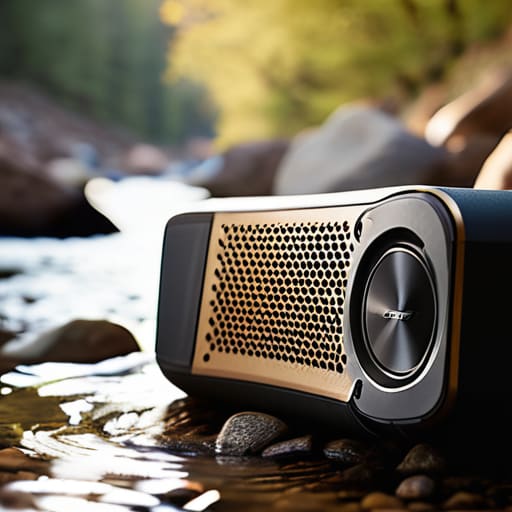
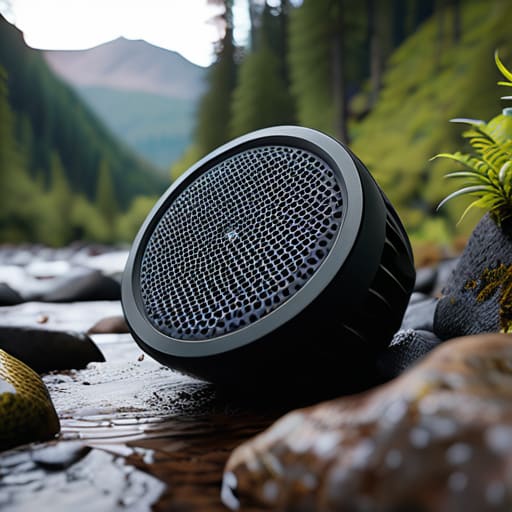
    The Ultimate Ears Megaboom 3 is the kind of device that reminds me why I liked mechanical systems in the first place: it’s designed for a specific, rugged purpose. It has a cylindrical shape that makes it easy to grab, and the build quality feels exceptionally solid in the hand. You can tell they didn’t skimp on the seals, which is vital if you’re actually planning to use it outdoors.

    High-End Sound Without the Fluff

    Now, if you’re tired of the “lifestyle” branding and just want a speaker that respects the original recording, the Sonos Roam is a decent choice. It’s a bit more “techy” than I usually like, but the way it integrates into a home ecosystem is actually quite seamless. It’s small enough to slip into a bag, yet the driver response is remarkably linear for something so compact.

    The Budget Reliable Option

    I’m always skeptical of anything labeled “budget,” because that usually translates to “disposable plastic,” but the Anker Soundcore Motion+ manages to defy that trend. It’s a simple, no-frills device that focuses on what matters: getting the sound out of the box and into the room. The build is decent, and it doesn’t feel like it’s going to fall apart after a month of heavy use.

    Bottom Line: Don't Get Fooled by the Marketing

    Ignore the flashy LED lights and social media hype; look for heavy-duty housing and real driver specs if you want a speaker that won’t crack the first time it hits the pavement.

    Check the connection stability before you buy—if a device relies on a finicky, proprietary app just to change the volume, it’s poorly engineered and will eventually drive you mad.

    Always prioritize battery longevity and actual wattage over “estimated” playtimes, because a speaker that sounds great for twenty minutes before dying is nothing more than a paperweight.

    The Real Test of a Speaker

    Don’t get blinded by a flashy app or a sleek, thin design that feels like a toy in your hand. A real portable speaker should feel substantial, handle a bit of grit, and deliver sound that doesn’t distort the moment you turn the volume up to a reasonable level. If it’s built like a cheap piece of Tupperware, it’s going to sound like it, too.

    Roland Delacroix

    The Bottom Line on Your Next Purchase

    Look, I’ve spent enough time under the hood of complex machinery to know that you can’t hide poor engineering behind a fancy marketing campaign. When you’re picking out one of these speakers, stop looking at the flashy LED lights or the latest app integrations that’ll be obsolete by next Christmas. Instead, focus on the basics: battery longevity, driver integrity, and whether the chassis feels like it can actually withstand a bit of real-world use. Whether you go with the rugged powerhouse for your backyard or a smaller, more refined unit for your workbench, make sure you are buying for build quality over brand hype. If the specs on the box don’t match the weight in your hand, walk away.

    At the end of the day, music shouldn’t be a headache. You aren’t buying a piece of tech just to keep up with the neighbors; you’re buying a tool to enhance your life, whether that’s while you’re tinkering in the garage or relaxing on the patio. Don’t let the industry convince you that you need the most expensive gadget on the shelf to get a decent sound. Find something that is reliable, straightforward, and built to last. Buy it once, use it hard, and stop worrying about the next upgrade cycle. That is how you actually win the game.

    Frequently Asked Questions

    How do I tell the difference between a speaker that's actually rugged and one that just has a fancy "waterproof" sticker on the box?

    Look past the marketing fluff and check the IP rating. If it just says “water-resistant,” keep walking; you want an IP67 or IP68 rating. That tells you it’s actually sealed against dust and can handle a submersion. Also, feel the build. If the casing feels like a cheap toy, that “rugged” rubber coating is just for show. Real durability means weight and tight seams, not just a flashy sticker on a cardboard box.

    Is it worth paying a premium for a bigger brand, or can I get better build quality from the smaller, specialized manufacturers?

    Look, I’ve seen this play out in manufacturing for decades. Big brands have the marketing budget to make a product look pretty, but they often cut corners on internal components to pad their margins. If you’re buying a household name, you’re often paying for their television commercials. I’d rather see you put your money toward a smaller, specialized outfit that focuses on driver quality and chassis rigidity. Specialized usually means they actually care about the engineering.

    How long should I realistically expect the battery to hold a charge before the internal cells start to degrade?

    Look, if you’re expecting these things to last a decade like my old Marantz receiver, you’re going to be disappointed. Most modern lithium-ion cells start showing real fatigue after about 300 to 500 full charge cycles. Realistically, that’s two to three years of regular use before you notice the runtime dropping off. Treat them well—don’t leave them plugged in constantly or let them sit dead in a drawer—but don’t expect them to be immortal.

  • Selecting a High Performance Gaming Mouse

    Selecting a High Performance Gaming Mouse

    I’ve spent most of my life looking at how things are put together, and frankly, much of what they’re selling you these days makes my blood boil. You walk into a store or browse online, and you’re met with a mountain of colorful, glowing nonsense that feels like it’s made of nothing but hollow eggshells. It’s frustrating because when you’re in the middle of a match, the last thing you need is a sensor that skips or a clicker that feels mushy after a month of use. Finding the best gaming mice shouldn’t feel like a gamble where you’re betting your hard-earned cash on a piece of junk that’ll end up in a landfill by next season.

    I’m not interested in the flashing RGB lights or the marketing jargon that requires a manual just to change the sensitivity. I’ve sat down with my notepad and put these units through the ringer to see which ones actually have the mechanical integrity to last. In this list, I’m going to cut through the hype and show you five specific models that prioritize build quality and precision over flashy gimmicks. You’ll learn exactly which mice are worth your investment and which ones are just overpriced plastic.

    Table of Contents

    The Logitech G502 Hero: A Workhorse for Your Desk

    The Logitech G502 Hero: A Workhorse for Your Desk.

    I’ve seen a lot of gadgets come and go, but this one feels like it was actually designed by someone who understands mechanical integrity. It’s got a bit of weight to it, which I personally prefer over these modern “ultralight” mice that feel like hollow eggshells. The buttons have a distinct, tactile click that tells you exactly when a command has been registered, and the sensor tracking is remarkably consistent even when you’re moving fast.

    Razer DeathAdder V3 Pro: Precision Without the Bulk

    Razer DeathAdder V3 Pro: Precision Without the Bulk

    Now, I usually scoff at anything that tries to be “lightweight,” but I have to admit that Razer hit a sweet spot here. They managed to strip away the unnecessary weight without making the chassis feel flimsy or cheap. It’s a streamlined piece of kit that gets out of your way, which is exactly what you want when you’re in the middle of a session and don’t want to fight your own hardware.

    SteelSeries Rival 3: The Budget Pick That Isn't Junk

    SteelSeries Rival 3: The Budget Pick That Isn't Junk

    Most of the time, when you see a low price tag, you should expect to be buying a piece of overpriced plastic that will break in a month. Surprisingly, the Rival 3 manages to dodge that trap. It’s a simple, no-frills mouse that focuses on the fundamentals: a decent sensor and a shape that fits most hands comfortably. It’s not going to win any awards for luxury, but it gets the job done.

    Zowie EC Series: The Purist's Choice

    If you ask me, the best way to design a tool is to remove everything that isn’t strictly necessary, and Zowie follows that philosophy to a T. There’s no flashy RGB lighting to distract you, no complicated software to install, and no useless extra buttons. It is a purely functional device designed for one thing: precision. The shape is legendary in the competitive scene for a reason—it just works.

    Razer Basilisk V3: More Buttons, Less Nonsense

    For those who need more control over their various applications, the Basilisk offers a layout that feels very intuitive. It’s a bit of a larger mouse, which might be a problem for folks with smaller hands, but the ergonomic grip is excellent for long periods of use. The thumb rest is deep and well-contoured, preventing that hand fatigue I see so many people complaining about.

    The Bottom Line: Don't Get Fooled by the Flash

    Stop chasing every new sensor specification on the box; if the build quality feels hollow and the switches don’t have a satisfying, consistent click, it’s just overpriced junk.

    Weight is a preference, not a rule, but make sure whatever you pick feels balanced in your hand rather than feeling like a top-heavy toy.

    Before you hit ‘buy,’ look past the RGB lighting and the marketing jargon—focus on the durability of the cable and the actual reliability of the sensor under pressure.

    ## The Bottom Line on Build Quality

    “I don’t care how many RGB lights they slap on the chassis or what fancy software they want you to download; if the sensor skips when you move fast and the switches feel like mush after a month, it’s nothing more than an expensive paperweight.”

    Roland Delacroix

    Don't Get Swayed by the Flash

    At the end of the day, picking a gaming mouse shouldn’t feel like a math exam or a gamble with your hard-earned cash. We’ve looked at everything from the lightweight performers to the heavy-duty builds, and the lesson is clear: you have to prioritize build quality and sensor reliability over flashy RGB lighting that does nothing but drain your power. I’ve seen too many people get caught up in the marketing hype of a brand-new release, only to find the switches failing after three months of heavy use. Whether you go with a wired model for that direct connection or a wireless setup for the freedom of movement, make sure the device feels solid in your hand and doesn’t feel like cheap, hollow plastic the moment you apply any real pressure.

    My advice is simple: stop looking for the “perfect” mouse and start looking for the one that actually works for your specific grip and playstyle. A tool is only as good as its ability to perform when you need it most, and a mouse that frustrates you is just a paperweight. Invest in something that respects your budget and your time. Once you find that piece of hardware that feels like a natural extension of your hand, you can finally stop worrying about your gear and get back to the actual game.

    Frequently Asked Questions

    How do I know if a sensor is actually high-quality or just some marketing gimmick on the box?

    Look, don’t let those flashy “25,000 DPI” numbers on the box fool you; that’s just marketing fluff to separate you from your cash. Most people can’t even use half that sensitivity. You want to look for sensor consistency and “lift-off distance.” If the cursor jumps or jitters when you reposition the mouse, the sensor is junk. I always check if the manufacturer names the specific sensor model—if they’re hiding it, they’re hiding something.

    Do I really need to spend a hundred bucks on a wireless mouse, or is a wired connection more reliable for the long haul?

    Look, if you’re asking about reliability, a wired connection wins every single time. You don’t have to worry about battery degradation or signal interference mid-game. That said, if you do go wireless, don’t settle for some cheap, budget junk that loses connection when things get intense. Spend the hundred bucks on a reputable brand with a solid sensor and a battery that actually lasts. If it’s built right, the wireless freedom is worth it.

    What should I look for in a mouse build so it doesn't start creaking or feeling flimsy after six months of use?

    Look for weight and structural rigidity. When you pick it up, give the sides a firm squeeze; if you hear even a hint of creaking or see the shell flex, put it back on the shelf. That’s a sign of cheap, thin plastic that won’t last a season. You want a solid chassis and high-quality switches that feel tactile, not mushy. If it feels like a toy, it’s going to break like one.