Category: Buying Advice

  • Controlling Home Scents With Smart Diffusers

    Controlling Home Scents With Smart Diffusers

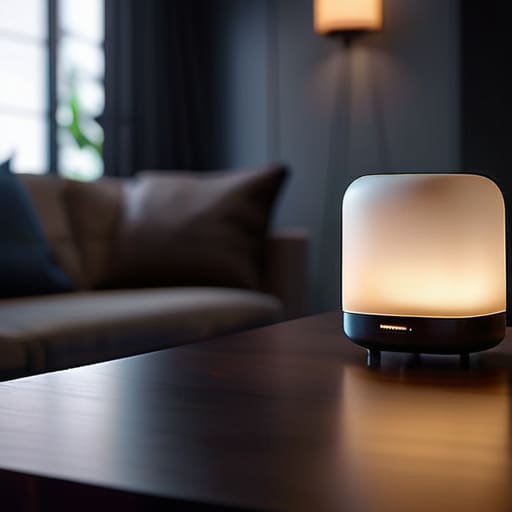
    I was sitting in my workshop last Tuesday, trying to recalibrate an old Marantz receiver, when I realized my living room smelled like a chemical factory because of a “smart” device I’d picked up on a whim. I’ve spent thirty years in systems engineering, and if there is one thing I can’t stand, it’s a gadget that adds complexity without adding value. Most people marketing smart fragrance diffusers these days are trying to sell you a glorified Wi-Fi chip wrapped in cheap, translucent plastic. They want you to believe you need a smartphone app and a stable internet connection just to make your house smell like lavender, but frankly, if the device requires a firmware update just to spray a mist, it’s a broken system.

    I’m not here to sell you on the “lifestyle” or the flashy app interfaces that look good in a commercial. My goal is to help you separate the reliable hardware from the overhyped junk that will end up in a landfill by next Christmas. I’ve put my notepad to use testing these units to see which ones actually hold a scent and which ones are just expensive paperweights. I’ll tell you exactly what to look for in terms of build quality and ease of use, so you can spend your money on something that actually works.

    Table of Contents

    The Truth About Flaky App Controlled Scent Machines
    The Truth About Flaky App Controlled Scent Machines

    I’ve spent enough time troubleshooting faulty control boards in industrial settings to know a bad connection when I see one. Most of these app-controlled scent machines suffer from the same fundamental flaw: they rely on a cloud server that’s often more fragile than the plastic housing itself. You buy one because you want smart scent scheduling to make your house smell like sandalwood right before you walk through the door, but instead, you spend your evening staring at a “device offline” notification. If the software is buggy, the hardware is just a paperweight.

    The real headache comes when these iot aromatherapy devices lose their handshake with your router. I’ve seen units that work perfectly fine until a firmware update turns them into useless bricks. You aren’t looking for a tech project; you’re looking for a way to make your living room smell decent. If a manufacturer prioritizes flashy animations in their app over a stable, local connection, they are selling you a headache, not a convenience. Stick to devices that don’t require a constant handshake with a server just to release a bit of mist.

    Why Essential Oil Nebulizers Are Worth the Investment

    Why Essential Oil Nebulizers Are Worth the Investment

    Now, if you’re tired of those cheap ultrasonic units that just spit out a lukewarm mist, you need to look at essential oil nebulizers. Unlike the plastic junk that relies on water to create a cloud, a nebulizer uses pressurized air to break the oil down into a fine, pure mist. It’s a mechanical process, simple and effective. Because there’s no water involved, you aren’t dealing with mold buildup or a diluted scent that disappears the moment you walk into the next room.

    When you integrate these into automated home fragrance systems, you’re finally getting something that behaves like a piece of real equipment. A decent nebulizer paired with a reliable timer means you get a consistent scent profile without having to babysit the device. I’ve spent enough time fixing broken gears to know that simplicity wins every time. You want a machine that uses physics to do its job, not one that relies on a buggy software update just to keep a scent in the air.

    Five Things to Check Before You Hand Over Your Credit Card

    • Prioritize local control over cloud dependence. If the manufacturer’s server goes down or they decide to stop supporting the app, you don’t want a $150 paperweight sitting on your shelf. Look for devices that can be scheduled or operated without needing a constant handshake from a server halfway across the world.
    • Check the tank material. I’ve seen too many “smart” units using cheap, thin plastics that react poorly to essential oils over time. You want something robust—ideally glass or high-grade, oil-resistant polymers—that won’t degrade or leach chemicals into your scent.
    • Don’t get distracted by “Smart Home” buzzwords. A diffuser that integrates with your lights is a novelty, not a necessity. Focus instead on the reliability of the timer and the sensor. If the device can’t accurately follow a simple “on at 6 PM, off at 8 PM” command, the smart features are just window dressing.
    • Look for easy maintenance. If a device has a complex internal mechanism that requires a specialized brush or a proprietary cleaning solution just to prevent clogging, walk away. You want something you can wipe down with a bit of isopropyl alcohol without needing a degree in micro-mechanics.
    • Evaluate the power source. A smart diffuser that relies solely on a tiny, non-replaceable battery is a recipe for frustration. I prefer units that have a reliable plug-in option but perhaps a backup battery for short outages. Stability is everything when it comes to consistent output.

    The Bottom Line on Scent Technology

    Don’t get blinded by fancy app features; if the device can’t maintain a steady connection to your Wi-Fi, it’s just a paperweight that won’t scent your room when you actually need it to.

    Prioritize nebulizers over cheap ultrasonic models if you want real results; they use actual pressure to disperse oil rather than just spitting out watered-down mist.

    Before you pull the trigger on any purchase, check the build quality and the availability of replacement parts—if you can’t fix it or find more oil for it, you’re just buying future landfill.

    The Bottom Line on Connectivity

    I don’t care if a diffuser can sync with your smart home ecosystem or change colors via an app; if the hardware can’t maintain a consistent mist without a firmware update or a Wi-Fi reset, it’s not a tool—it’s a paperweight.

    Roland Delacroix

    The Bottom Line

    The Bottom Line: prioritizing reliable nebulizer mechanisms.

    At the end of the day, don’t let a fancy marketing department talk you into buying a paperweight. I’ve seen enough “smart” gadgets fail because they rely too heavily on a buggy app rather than a solid mechanical foundation. If you’re going to spend your hard-earned money, make sure you’re prioritizing a reliable nebulizer mechanism over a sleek touchscreen that’ll be obsolete in two years. Check the build quality, ensure the essential oil reservoir is easy to clean, and for heaven’s sake, make sure it actually functions when the Wi-Fi goes down. If the tech is too complicated to operate without a troubleshooting guide, it isn’t a convenience; it’s a chore.

    Technology should serve you, not the other way around. Whether you’re looking to mask the smell of a busy kitchen or just want to unwind after a long day, the goal is a pleasant environment, not a constant battle with your smartphone. Stick to the basics: find a machine that uses high-quality components and delivers a consistent scent without a fuss. Invest in something that is built to last, not just to look good on a showroom floor. Buy once, buy right, and keep your home smelling great without the unnecessary headache.

    Frequently Asked Questions

    Is it worth paying a premium for a Wi-Fi-enabled model when a simple mechanical timer does the same thing?

    Look, if you just want a scent in the room at 6:00 PM, a mechanical timer is more reliable and half the price. I’ve seen too many “smart” devices fail because of a firmware update or a dropped signal. You only pay the premium for Wi-Fi if you actually need to trigger a scent while you’re away from home or want to sync it with a complex routine. Otherwise, don’t pay for the connectivity.

    How much maintenance is actually involved in cleaning these machines to prevent the oils from gumming up the internal parts?

    If you aren’t cleaning your diffuser, you’re essentially building a clog. Since essential oils are viscous, they’ll eventually gum up the nozzle or the ultrasonic plate. I recommend a quick wipe-down with isopropyl alcohol once a week. If you’re using a nebulizer, you’ll need to run a cleaning cycle with a bit of high-proof alcohol every few uses to keep the internal pathways clear. It’s a small price to pay to avoid buying a new one.

    Can I use my own high-quality essential oils, or am I forced to buy the brand's expensive proprietary refills?

    This is where most companies try to pull a fast one on you. They sell you a decent machine, then trap you in a subscription loop with proprietary pods that cost a fortune. If you’re looking at a device that only accepts their specific cartridges, walk away—that’s just bad engineering designed to bleed your wallet dry. Look for an open-system nebulizer. That way, you can use the high-quality oils you already trust without paying a “brand tax.”
  • Choosing a Multi Device Wireless Charging Dock

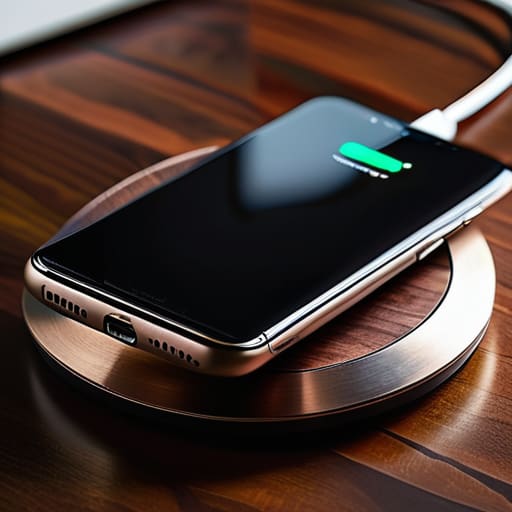
    Choosing a Multi Device Wireless Charging Dock

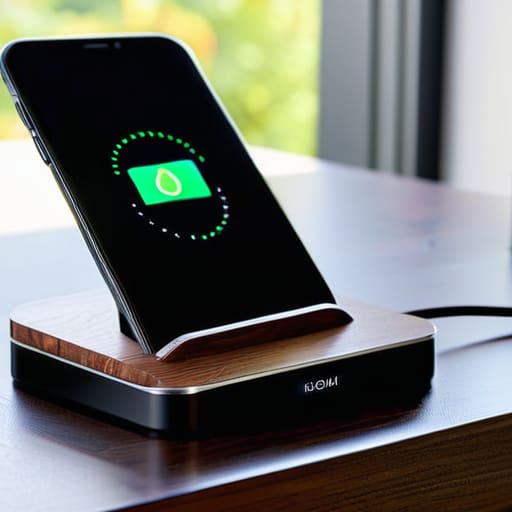
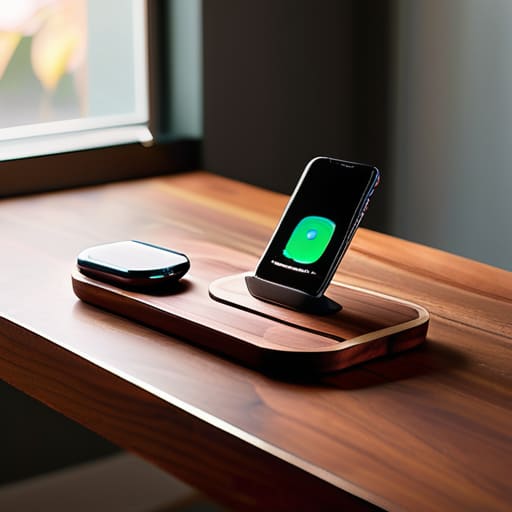
    I was sitting at my workbench last Tuesday, surrounded by the smell of solder and old capacitors, when I realized I’d spent forty minutes wrestling with a piece of junk I bought online. I had tried to use one of those sleek, ultra-thin wireless charging docks that promised to revolutionize my nightstand, but the damn thing wouldn’t even align the coils properly unless I placed the phone with the precision of a surgeon. It’s the same old story: companies are slapping a high price tag on overpriced, flimsy plastic and calling it innovation, when in reality, they’ve just engineered a way to make your life more complicated.

    I’m not here to sell you on the latest marketing buzzwords or tell you that you need a smart-home ecosystem just to juice up your phone. My goal is simple: I want to help you find hardware that actually does its job without failing the moment you look away. I’ve spent the last few weeks putting several models through the ringer to see which ones have the build quality to last and which ones belong in the scrap heap. I’ll give you the straight truth on what’s worth your hard-earned money and what is just expensive clutter.

    Table of Contents

    Why Qi Certified Charging Pads Actually Matter

    Why Qi Certified Charging Pads Actually Matter

    I’ve seen too many folks walk into a big-box store and pick up the cheapest slab of plastic they can find just because it looks sleek on the shelf. That’s a mistake that’ll cost you more than just a few bucks. When you’re looking at different smartphone charging solutions, you need to look for the label. I’m talking about Qi certified charging pads. That certification isn’t just some marketing fluff; it’s a standard that ensures the device actually communicates with your phone to manage heat and power delivery correctly. Without it, you’re essentially playing Russian roulette with your battery’s lifespan.

    If you don’t get the certification right, you’re going to run into issues with inductive charging efficiency. I’ve tested plenty of these unbranded knock-offs, and half the time, you have to wiggle the phone around just to get a connection. It’s frustrating and, frankly, a waste of time. A proper, certified unit ensures that the energy transfer is stable, so you aren’t just wasting electricity and generating unnecessary heat. If you want a reliable setup, don’t settle for anything that hasn’t been vetted.

    The Truth About Fast Wireless Charging Technology

    The Truth About Fast Wireless Charging Technology.

    Don’t let the marketing departments fool you with those flashy “Super-Fast” labels on the box. When you see a manufacturer promising lightning-fast speeds, I want you to look closer at the heat dissipation. The reality of fast wireless charging technology is that it generates a significant amount of thermal energy. If the dock is nothing more than a thin piece of molded plastic without any internal venting or heat management, that heat is going to bleed directly into your phone’s battery. In my experience, heat is the silent killer of lithium-ion cells, and a cheap dock that runs hot will shorten your device’s lifespan faster than a frayed cable.

    You also need to understand that speed is a collaborative effort between the pad and the phone. You can buy the most expensive hub on the market, but if your smartphone doesn’t support the specific handshake protocols required for high-wattage delivery, you’re just paying for unrealized potential. I’ve seen plenty of guys waste money on high-end smartphone charging solutions only to find out their device is capped at a standard 5W rate. Always check your phone’s technical specs before you commit your hard-earned cash to a high-wattage setup.

    Don't Get Fooled: 5 Things to Check Before You Pull the Trigger

    • Watch out for the weight. If a charging dock feels light and hollow like a cheap toy, it’s going to slide around your nightstand every time you try to set your phone down. Look for something with a weighted base or some decent rubberized grip so it actually stays put.
    • Check your heat dissipation. Wireless charging generates heat—that’s just physics. If the dock is a sealed piece of plastic with no ventilation, you’re going to cook your battery life. I want to see some airflow or a design that doesn’t trap heat against the coils.
    • Verify the adapter requirements. A lot of these companies sell you a “fast charger” but don’t mention that you need to buy a separate, high-wattage wall brick to actually get the speeds promised on the box. Don’t get caught spending another twenty bucks because they omitted the fine print.
    • Mind the alignment. I’ve seen too many “convenient” stands that only work if you place your phone within a millimeter of the sweet spot. If it doesn’t have magnets (like the MagSafe standard) or a very forgiving coil placement, you’ll spend your whole night wondering why your phone isn’t charging.
    • Look for a physical indicator, not just an app. I don’t want to have to unlock my phone and check a software menu just to see if the connection is solid. A simple, reliable LED light that tells you “power is flowing” is much more useful than some flashy touchscreen nonsense.

    The Bottom Line on Your Next Dock

    Don’t let a fancy LED display or a sleek design fool you; if the unit isn’t Qi-certified, you’re likely buying a paperweight that will overheat your battery.

    Ignore the marketing buzzwords about “ultra-fast” speeds unless you’ve verified the wattage matches your specific phone’s requirements—otherwise, you’re just paying for extra heat and zero extra speed.

    Prioritize weight and build material; a dock that feels light and hollow in your hand is almost certainly going to slide off your nightstand every time you try to set your phone down.

    ## The Reliability Test

    “I don’t care how many LED lights they flash or how sleek the design looks on a showroom floor; if the induction coil is housed in cheap, thin plastic that overheats the moment you set your phone down, it’s not a tool—it’s a paperweight.”

    Roland Delacroix

    Bottom Line: Don't Get Swindled

    Bottom Line: Don't Get Swindled wireless docks.

    At the end of the day, choosing a wireless dock shouldn’t feel like a gamble. We’ve covered the essentials: stick to Qi-certified hardware to avoid frying your battery, and don’t let marketing jargon about “ultra-fast” speeds fool you if the unit lacks proper thermal management. Most of these cheap, unbranded pads you see in bargain bins are nothing more than overpriced, flimsy plastic that will likely fail or overheat within a few months. If you want something that actually works, look for a build that feels substantial and a charging standard that is clearly documented. A little bit of research now saves you the headache of buying the same damn thing twice when the cheap version inevitably dies on you.

    I know it’s tempting to just click “buy” on the cheapest option that pops up in your search results, but I’m asking you to slow down. Technology is moving faster than ever, but the laws of physics and good engineering haven’t changed. Invest in a piece of equipment that respects your wallet and your hardware. When you buy something built with actual integrity, you aren’t just buying a charger; you’re buying the peace of mind that comes with knowing your gear is safe. Stop chasing the hype and start looking for reliability you can trust.

    Frequently Asked Questions

    Will these wireless pads actually overheat my phone or kill my battery life over time?

    Look, I get the concern. I’ve seen enough heat-damaged components in my time to know that heat is the enemy of longevity. If you buy a cheap, uncertified piece of junk, yes, it’ll cook your battery. But if you stick to a quality, Qi-certified pad with decent thermal management, you’re fine. It’s not the wireless tech that’s the problem; it’s the shoddy engineering inside the bargain-bin chargers. Buy quality, and your battery will thank you.

    Do I really need to buy a separate high-wattage wall adapter, or can I just use the old brick I have lying around?

    Don’t just grab whatever old brick you find in the junk drawer. I’ve seen enough blown circuits to know that “old” doesn’t always mean “compatible.” If your wireless dock is rated for 15W or 20W and you plug it into an ancient 5W iPhone cube, you’re going to be waiting all day for a charge. Check the output specs on your adapter; if the wattage doesn’t match the dock’s requirements, you’re wasting your time.

    How do I know if a dock is going to work through a thick protective case, or am I going to be constantly taking my phone in and out?

    Here’s the reality: most manufacturers claim “case compatibility,” but that’s marketing fluff. If your case is thicker than 3mm or has a metal plate for a magnetic mount, forget it. You’ll be fighting with heat buildup and intermittent connection all day. Before you shell out your hard-earned cash, check the technical specs for the induction distance. If they don’t list it, assume it won’t work. Don’t settle for a dock that turns your phone into a paperweight.

  • Using Smart Plugs to Manage Household Appliances

    Using Smart Plugs to Manage Household Appliances

    I was sitting in my workshop last Tuesday, staring at a cheap, generic smart plug that had just melted its own casing after trying to run a simple space heater. It’s the same story every time I see these things: companies marketing “innovation” that is really just flimsy, overpriced plastic designed to fail the moment you put a real load on it. People are out there spending good money on smart plugs for appliances thinking they’re upgrading their homes, but most of them are just buying a future headache and a potential fire hazard. If the internal relay can’t handle the amperage, it’s not a smart device—it’s a paperweight.

    I didn’t spend thirty years in systems engineering to watch people get fleeced by bad hardware. In this guide, I’m cutting through the marketing fluff to tell you which units actually have the build quality to survive a real kitchen or laundry room. I’ll show you exactly what to look for in terms of load capacity and connectivity stability so you can stop wasting your hard-earned money. I’m not here to sell you on a lifestyle; I’m here to help you find tools that actually work.

    Table of Contents

    Reliable Wifi Enabled Smart Outlets That Wont Quit

    Reliable Wifi Enabled Smart Outlets That Wont Quit

    If you’re looking to get serious about remote appliance management, you need to look past the cheap, no-name kits sold in bulk online. I’ve seen too many of those flimsy units drop off the network the second a heavy load hits the circuit. For something that actually holds up, I look for hardware that offers robust smart home ecosystem integration. If the device can’t talk to your existing hub without a five-minute struggle, it’s just more electronic clutter. I personally prefer brands that use dedicated chips designed for stability rather than just cutting corners on the silicon.

    When I’m evaluating these, I’m also looking for energy monitoring smart plugs that provide real-time data. It isn’t just about turning things on and off; it’s about seeing exactly how much juice your old refrigerator or space heater is pulling. This is the most practical way of reducing phantom power consumption without having to guess which device is the culprit. If a plug doesn’t give you granular, accurate readings, it’s nothing more than an expensive light switch. Get something with a solid build and a proven track record.

    Remote Appliance Management Without the Technical Headache

    Remote Appliance Management Without the Technical Headache

    The real headache isn’t just turning a lamp on from your phone; it’s the frustration of a system that requires a manual to operate. When I talk about remote appliance management, I’m not interested in gadgets that require you to jump through digital hoops just to kill the power to a coffee maker. You want a setup where the interface is intuitive. If you have to dig through five sub-menus just to set a timer, the engineers who designed the software failed you. A good device should work with a single tap, or better yet, through automated appliance scheduling that you set once and then forget about.

    I’ve seen too many people get caught up in the hype of a massive, complicated smart home ecosystem integration, only to find themselves troubleshooting their lightbulbs at 10:00 PM. Keep it simple. You don’t need a central command center that requires a stable server in another country just to run a toaster. Look for hardware that offers a straightforward app—one that doesn’t crash when you’re trying to check if you left the space heater on. If the software feels like it was built by people who have never actually used a physical switch, put it back on the shelf.

    Five Rules for Not Wasting Your Money on Junk

    • Check the amperage before you buy. Most of these cheap little things are rated for 10 amps, but if you try to plug a space heater or a heavy-duty coffee maker into one, you’re going to melt the casing and potentially start a fire. Get something rated for 15 amps if you actually intend to use it on anything substantial.
    • Look for physical overrides. I can’t stand these modern gadgets that require a smartphone app just to turn the thing on. If the plug doesn’t have a manual button on the side, it’s a paperweight the second your Wi-Fi decides to act up.
    • Avoid the “subscription trap.” If a manufacturer tells you that you need a monthly fee just to access the scheduling features or the energy monitoring data, walk away. You bought the hardware; you shouldn’t have to rent the software.
    • Prioritize local control over “cloud” dependency. I’ve seen too many people lose control of their entire home setup because a company’s server went down halfway across the world. You want a plug that talks directly to your hub, not one that has to check in with a data center in Silicon Valley just to turn on a lamp.
    • Inspect the build quality. If the plastic feels thin and light in your hand, it’s going to fail. I want to see a solid, heavy-duty casing and prongs that actually stay seated in the wall outlet. If it feels like a toy, it’s going to perform like one.

    What to Look for Before You Buy

    Prioritize build quality over fancy apps; if the casing feels like thin, flimsy plastic, it’s going to fail the moment your heavy-duty appliances draw real power.

    Stick to plugs that offer local control or stable protocols so you aren’t left staring at a “device offline” error every time your internet hiccups.

    Always check the amperage rating against your appliance’s requirements—don’t let a manufacturer’s marketing fool you into plugging a high-draw machine into a low-spec outlet.

    ## The Real Test of a Smart Plug

    “I don’t care how many fancy features an app claims to have; if that plug drops its connection the moment your refrigerator kicks on, it’s nothing more than an expensive piece of junk sitting in your wall.”

    Roland Delacroix

    The Bottom Line on Smart Plugs

    The Bottom Line on Smart Plugs.

    Look, I’ve spent enough time looking at circuit boards to know that most of these gadgets are built to be replaced, not repaired. If you take anything away from my testing, let it be this: don’t get distracted by flashy apps or colorful packaging. Focus on the build quality and the stability of the connection. You want a plug that handles the electrical load of a coffee maker or a space heater without getting warm to the touch, and you want one that doesn’t require a software update every time you want to turn on a lamp. Stick to the brands that prioritize reliable connectivity over gimmicks, because a smart plug that stays offline is just a very expensive piece of plastic sitting in your outlet.

    At the end of the day, technology should serve you, not the other way around. You shouldn’t have to spend your Saturday afternoon troubleshooting a device that was supposed to make your life easier. Use these tools to automate the mundane tasks and save a bit of energy, but never let them complicate your home. Buy something that is built to last, set it up once, and then get back to enjoying your life. After all, the best piece of technology is the one you completely forget is even there because it just works.

    Frequently Asked Questions

    Will these smart plugs actually handle the heavy electrical load of my old refrigerator or space heater without melting?

    Listen, this is exactly why I keep my notepad handy. Most people see a “smart plug” and assume it’s a universal solution. It isn’t. If you plug a space heater or an old, compressor-heavy fridge into a cheap, low-amperage plug, you’re asking for a fire hazard. You need to check the wattage rating on the device and compare it to your appliance’s peak draw. Don’t settle for anything less than a heavy-duty, rated unit.

    Do I really need a dedicated hub, or can I just plug these in and expect them to work with my existing router?

    Look, you can certainly just plug them in and connect them to your router, but there’s a catch. Most cheap Wi-Fi plugs will work fine until you add more than a handful of them. Once your router is juggling twenty different devices, the whole system starts to stutter. If you’re planning on automating your whole kitchen or laundry room, get a hub. It offloads the heavy lifting so your internet doesn’t crawl to a halt.

    How do I know if a plug is going to lose its connection every time my neighbor turns on their microwave?

    Look, you can’t predict your neighbor’s bad wiring, but you can choose hardware that handles interference better. Avoid the cheap, generic plugs that only use the 2.4GHz band with a flimsy antenna. You want something with a robust chipset and, if possible, dual-band support. If a plug lacks a solid internal antenna or uses a bottom-tier Wi-Fi module, it’ll drop the signal the second there’s any electrical noise in the air. Don’t settle for junk.

  • Automating Your Home With Smart Blinds

    Automating Your Home With Smart Blinds

    I spent thirty years in manufacturing, where “precision” meant something you could measure with a micrometer, not something you hoped would work after a firmware update. Last week, I watched a neighbor spend a small fortune on a set of smart blinds that promised to automate his entire living room. Within three days, the motor started whining like a dying vacuum, and the app wouldn’t even recognize the hardware because his router had a momentary hiccup. It’s infuriating. We’ve reached a point where people are paying a premium for gadgets that add complexity instead of actual utility, turning a simple piece of fabric into a troubleshooting nightmare.

    I’m not here to sell you on the lifestyle marketing or the glossy showroom demonstrations. My goal is to look under the hood and tell you which systems are built with actual mechanical integrity and which ones are just expensive plastic junk waiting to fail. I’ll be breaking down the motors, the connectivity reliability, and the build quality so you can decide if these things are worth your hard-earned money. I promise to give you the straight truth on what works and what belongs in the scrap heap.

    Table of Contents

    The Truth About Smart Home Window Coverings

    The Truth About Smart Home Window Coverings.

    I’ve spent enough time looking at blueprints to know that if a mechanism is poorly designed, no amount of software is going to save it. When people talk about smart home window coverings, they tend to get distracted by the flashy apps and the promise of seamless automation. But here is the reality: most of these systems rely on cheap, plastic gear assemblies that strip themselves out within a year of heavy use. I don’t care if I can dim my living room with a voice command if the motor sounds like a bag of marbles and the battery dies every three weeks.

    You need to look past the marketing fluff and focus on the hardware. If you are looking into motorized shades integration, you aren’t just buying convenience; you are adding another point of failure to your home’s electrical ecosystem. I always check the torque specs and the material of the mounting brackets before I even consider a brand. If the manufacturer won’t tell you what’s inside the housing, they’re likely hiding a pile of flimsy components that won’t stand the test of time.

    Will Motorized Shades Integration Actually Work

    Will Motorized Shades Integration Actually Work?

    The real headache isn’t the motor itself; it’s the handshake between the hardware and your existing setup. I’ve seen too many folks buy a set of voice controlled blinds only to realize three weeks later that they won’t talk to their smart hub without a proprietary bridge cluttering up the router. If the software layer is flimsy, the whole system becomes a paperweight. You need to verify smart blinds compatibility before you even open the box, or you’ll be spending your weekend troubleshooting connectivity instead of enjoying your home.

    Furthermore, don’t expect these things to work in a vacuum. For true motorized shades integration, you need a stable, dedicated signal—ideally something that doesn’t rely solely on your crowded 2.4GHz Wi-Fi band. If your network hiccups, your shades shouldn’t just sit there frozen. I look for systems that utilize Zigbee or Thread; they offer a more robust architecture that keeps the automation running even when the internet decides to take a nap. If it isn’t reliable, it isn’t a tool—it’s a toy.

    Five Things to Check Before You Open Your Wallet

    • Prioritize local control over cloud dependency. If the manufacturer’s server goes down or they decide to stop supporting the model, I don’t want my windows stuck in whatever position they were in last Tuesday. You want hardware that talks directly to your hub, not something that needs a handshake from a server in another country just to roll up.
    • Inspect the motor noise levels. I’ve seen too many “premium” smart blinds that sound like a coffee grinder every time they move. If you’re sitting in your living room trying to read, the last thing you need is a high-pitched whine echoing through the house every time the sun shifts.
    • Demand a manual override. This is non-negotiable. If the battery dies or the motor burns out, you shouldn’t be left sitting in a dark room. Look for systems that allow you to pull the cord or use a manual wand; if it’s purely electronic with no backup, it’s a liability, not a luxury.
    • Don’t get blinded by “smart” features you won’t use. Half these gadgets come with app-based color customization or complex scheduling that adds more points of failure. Stick to the basics: reliable movement, decent battery life, and a sturdy mounting bracket.
    • Check the battery replaceable-ability. A lot of these companies are moving toward sealed units that you have to throw away entirely once the charge won’t hold. That’s terrible engineering and a waste of money. I want a system where I can swap a cell or a battery pack without replacing the whole assembly.

    The Bottom Line on Smart Blinds

    The Bottom Line on Smart Blinds.

    Don’t buy into the hype of “seamless integration” until you’ve checked if the motor can handle a manual override; if the software crashes and you’re stuck in the dark, the tech has failed you.

    Prioritize mechanical reliability and battery life over fancy app features—I’d rather have a motor that lasts ten years than one that requires a firmware update every Tuesday.

    Look for hardware that uses local protocols like Zigbee or Matter rather than relying solely on Wi-Fi, because if your internet goes down, your window treatments shouldn’t become useless paperweights.

    The Reliability Test

    I don’t care how many fancy apps or voice commands a set of blinds has; if the motor whines like a dying vacuum and the connectivity drops every time the sun goes down, you haven’t bought a convenience—you’ve bought a headache.

    Roland Delacroix

    The Bottom Line on Smart Blinds

    Look, I’ve spent enough time looking at schematics to know that complexity is often just a mask for unreliability. If you’re going to pull the trigger on motorized shades, don’t just look at the slick app interface or the marketing fluff. You need to prioritize the mechanical integrity of the motor and ensure the connectivity is robust enough to handle a simple router reboot without losing its mind. Don’t get blinded by the “smart” label; focus on the build quality and the ease of manual override. If you can’t pull the cord when the software glitches, you haven’t bought a convenience—you’ve bought a headache.

    At the end of the day, technology should serve you, not the other way around. There is no shame in sticking to high-quality manual blinds if the smart alternatives feel like flimsy, overpriced junk. But, if you find a system that offers true reliability and integrates seamlessly into your routine without requiring a technician to fix it every month, then it’s worth the investment. Invest in tools that actually last and simplify your life rather than cluttering it with more digital noise. Buy smart, but more importantly, buy well.

    Frequently Asked Questions

    How much maintenance do these motors actually require before they start grinding or failing?

    If you’re looking for a “set it and forget it” solution, think again. Most of these motors are sealed units, which is a nightmare for longevity. You can’t exactly pop the casing to oil the gears once they start whining. Every six months, I recommend a quick inspection of the tracks for dust buildup or debris. If grit gets into those tiny gear teeth, that’s when you’ll hear that dreaded grinding sound before the motor gives up entirely.

    What happens to my privacy and my shade control if my internet goes down or the hub crashes?

    That’s the million-dollar question. If you buy a system that relies entirely on a cloud server, you’re one Wi-Fi hiccup away with a house full of stuck blinds. I always look for local control. You want hardware that supports Zigbee or Matter, or at the very least, has a physical override. If the hub crashes, you should still be able to walk up to the window and use a manual button or a remote. Don’t let a router failure turn your living room into a fishbowl.

    Are these systems built to last, or am I just buying a motorized version of a cheap product that'll be in a landfill in three years?

    Look, I’ve seen this story a thousand times in manufacturing. Most of these consumer-grade motors are built with cheap nylon gears and flimsy plastic housings that can’t handle the tension of a heavy fabric. If the motor burns out or the proprietary software glitches, you’re left with a dead weight on your window. Don’t buy the marketing fluff; look for metal components and open-source compatibility if you want something that actually lasts.

  • Differences Between Fitness Trackers and Smartwatches

    Differences Between Fitness Trackers and Smartwatches

    I was sitting in my workshop last Tuesday, cleaning the dust off an old Marantz receiver, when my grandson tried to show me his latest gadget. He was hovering over some complex menu, scrolling through notifications that looked more like a miniature telephone than a tool. It got me thinking about the massive amount of money people throw away when they can’t tell the difference between fitness trackers vs smartwatches. Most folks walk into a store thinking they need every bell and whistle available, only to realize they’ve bought a glorified, expensive paperweight that requires charging every six hours.

    I’m not here to sell you on the latest shiny trend or some marketing gimmick designed to drain your bank account. My goal is simple: I want to help you figure out which device actually serves a purpose in your daily life. I’ve spent enough years looking at schematics and build quality to know when a product is built to last and when it’s just overpriced plastic. In the following breakdown, I’ll strip away the hype and tell you exactly what you’re paying for, so you can buy something that actually works.

    Table of Contents

    Fitness Trackers

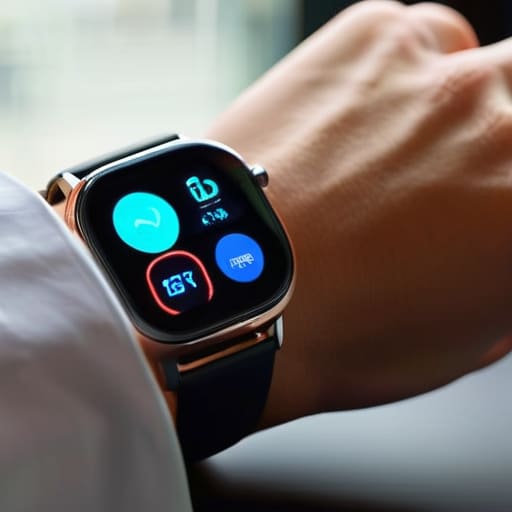
    Simple fitness trackers monitoring daily activity.

    A fitness tracker is a streamlined wearable device designed primarily to monitor your physical activity through built-in sensors like accelerometers. These gadgets focus on a single objective: capturing data points such as step counts, heart rate, and sleep patterns to give you a snapshot of your daily movement. When you are looking at fitness trackers vs smartwatches, it is important to remember that these are built for efficiency and simplicity rather than complex computing.

    I’ve spent enough time around manufacturing lines to know that sometimes, less is more. You don’t need a computer strapped to your wrist just to know if you hit your ten thousand steps today. If you just want a reliable piece of hardware that tracks your progress without requiring a daily charge or a software update every Tuesday, these are for you. They serve a purpose without the unnecessary bells and whistles that usually just end up breaking or draining your patience.

    Smartwatches

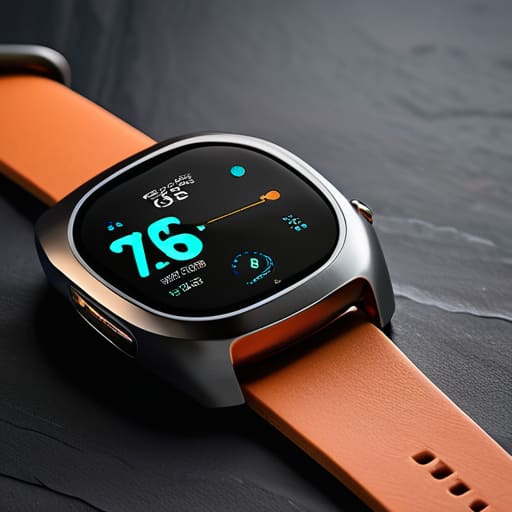
    Advanced smartwatches acting as digital hubs.

    A smartwatch is essentially a miniaturized computer worn on the wrist, capable of running various applications and connecting deeply to your smartphone’s ecosystem. Beyond just counting steps, these devices aim to act as a centralized hub for notifications, calls, music control, and even mobile payments. They represent the high-end end of the spectrum in the debate of fitness trackers vs smartwatches, offering a level of digital integration that goes far beyond basic biometrics.

    Now, I’ll be the first to admit that the connectivity can be impressive, but I also see a lot of expensive plastic being sold as “innovation.” From my perspective, a smartwatch is a tool for someone who wants their entire digital life summarized in a glance. If you find yourself constantly checking your phone for messages or needing to manage your calendar on the fly, the utility is there. Just make sure you aren’t paying a premium for features that will be obsolete in eighteen months.

    Comparison of Fitness Trackers vs. Smartwatches

    Feature Fitness Trackers Smartwatches
    Primary Focus Health & Activity Monitoring General Connectivity & Lifestyle
    Key Features Step counting, sleep tracking, heart rate Apps, calls, texting, NFC payments
    Battery Life Long (7–14+ days) Short (1–3 days)
    Form Factor Slim, lightweight band Larger, watch-style display
    Price Budget-friendly to Mid-range Mid-range to Premium
    Best For Athletes and data-focused users Tech enthusiasts and multitaskers

    Biometric Data Sensors and Heart Rate Monitoring Accuracy

    Biometric Data Sensors and Heart Rate Monitoring Accuracy.

    Look, if you’re buying these gadgets to monitor your health, the numbers they spit out actually have to mean something. It doesn’t matter how many fancy notifications pop up on your wrist if the sensor is giving you garbage data while you’re actually pushing yourself. If the heart rate reading is off by twenty beats per minute during a climb, you aren’t tracking fitness; you’re just playing a guessing game with expensive plastic.

    In my experience, smartwatches generally take the lead here because they have the physical real estate for better sensor arrays. They usually pack multiple light-emitting diodes to get a cleaner reading through the skin. Fitness trackers, being much smaller and thinner, often struggle with signal interference when you move your arm too much. They’re fine for checking your pulse while sitting on the sofa, but they tend to lose the plot once you start breaking a sweat.

    If you want a device that acts like a legitimate piece of diagnostic equipment, the smartwatch is the clear winner. Don’t settle for a tracker if you actually need reliable biometric accuracy.

    Smartwatch Features vs Fitness Bands and Battery Life Comparison

    Here is the problem with most modern gadgets: they are useless if they are sitting on a charger instead of your wrist. When you’re out on a trail or halfway through a workday, you don’t want to be playing “guess the percentage” with a device that dies before sunset. Choosing between a smartwatch and a tracker often comes down to a trade-off between constant connectivity and actual endurance.

    Smartwatches are essentially miniature computers strapped to your arm. They’ll show you your emails, take calls, and run GPS maps, but that processing power is a massive drain on the battery. You’ll likely be looking for a power outlet every single night. On the other hand, fitness bands are stripped-down tools. They don’t try to do everything, which means they can often run for a week or more on a single charge.

    If you need a device that acts as a secondary phone, you’ll have to accept the nightly charging ritual. But if you just want a reliable tool that tracks your movement without constant babysitting, the fitness band wins. For pure, unadulterated reliability and uptime, the fitness tracker takes this round.

    The Bottom Line: Don't Buy the Hype

    If you just want to know if you’re hitting your step goal or sleeping well, buy a dedicated fitness tracker; don’t pay a premium for a miniature computer on your wrist that you’ll have to charge every single night.

    Smartwatches are fine if you need them for calls and texts, but remember that every extra “feature” is just another potential point of failure and another reason for the battery to die when you actually need it.

    Before you swipe your card, ask yourself if you’re buying a tool for a specific job or just buying an expensive piece of plastic because it looks shiny.

    ## The Real Cost of Complexity

    “Most people don’t need a miniature computer strapped to their wrist that requires a daily charge and a software update; they just need a reliable piece of hardware that tracks their movement without becoming a glorified, expensive paperweight by Tuesday.”

    Roland Delacroix

    Making the Right Call

    Look, I’ve spent enough time looking at schematics to know that more features don’t always mean better performance. If you just want to track your steps and check your heart rate without being tethered to a charging cable every night, buy a fitness tracker. It’s a tool designed for a specific job, and it does it without the unnecessary bloat. On the other hand, if you need a miniature computer on your wrist that handles calls, texts, and complex apps, then you’ll have to accept the trade-off of a shorter battery life and a higher price tag. Don’t let a marketing department convince you that you need a smartwatch just to count your calories; if the extra sensors and software won’t actually improve your health, they’re just expensive distractions.

    At the end of the day, the best piece of technology is the one that actually gets used. I see people buying these high-end smartwatches, letting them sit in a drawer after a week because they’re too complicated or too fragile to wear every day. Don’t fall into that trap. Buy something that fits your actual lifestyle, not the lifestyle you think you should have. Whether it’s a simple band or a robust watch, make sure it is a reliable tool that serves you, rather than a gadget that requires you to serve it. Stick to what works.

    Frequently Asked Questions

    If I’m only interested in tracking my sleep and steps, am I really overpaying by getting a smartwatch?

    If you just want to know how many steps you took and if you slept through the night, then yes, you’re paying for a lot of silicon you don’t need. A smartwatch is a miniature computer strapped to your wrist; it’s overkill for basic metrics. Buy a dedicated fitness tracker instead. It’ll do the job, the battery will last longer, and you won’t be throwing money away on features that just end up distracting you.

    How much can I actually trust these sensors to give me accurate medical-grade data?

    Look, let’s be clear: neither of these is a medical device. If you’re looking for something to replace a doctor’s diagnostic equipment, stop right there. These sensors are fine for spotting trends—like if your resting heart rate is climbing over a week—but they aren’t precision instruments. They’re prone to “noise” from movement or even how tight the strap sits. Use them for general guidance, but never bet your health on a piece of consumer plastic.

    Is the extra battery life on a basic tracker worth the trade-off of losing all the smart notifications?

    Look, if you’re the type who gets a twitch every time your wrist buzzes with a junk email or a social media notification, go with the tracker. I value reliability, and nothing is more annoying than a device that demands a charger every single night. But if you actually use your phone for navigation or quick replies, that extra battery life won’t matter much when you’re left staring at a dead screen. Decide what you actually use.

  • Using Smart Water Monitors to Prevent Leaks

    Using Smart Water Monitors to Prevent Leaks

    I was elbow-deep in a damp crawlspace last Tuesday, staring at a hairline fracture in a copper pipe that had been weeping for months without a single sound. It’s a mess that could have been avoided if I’d had a decent sensor installed, but it also reminded me why I’m so skeptical of the current market. Most of these smart water monitors being pushed by big-box retailers today are nothing more than glorified, overpriced toys designed to ping your smartphone with useless notifications. You don’t need a complex cloud-based subscription or a degree in software engineering just to know if your washing machine is leaking; you just need hardware that actually works when the pressure drops.

    I’m not here to sell you on the latest “connected home” fantasy or some flashy app that requires a monthly fee. My goal is to cut through the marketing fluff and look at the build quality, the installation logic, and the actual reliability of these devices. I’m going to tell you which units are built like the heavy-duty components I used to spec in manufacturing, and which ones are just expensive plastic destined for a landfill.

    Table of Contents

    Real Time Water Usage Tracking That Actually Matters

    Real Time Water Usage Tracking That Actually Matters

    Most of these gadgets promise you a digital breakdown of every drop you use, but let’s be honest: most people don’t need a spreadsheet to tell them they took a long shower. What I actually care about is real-time water usage tracking that flags an anomaly the second it happens. If a pipe bursts behind a wall while you’re at work, a notification on your phone is fine, but it’s not a solution. You need a system that doesn’t just watch the disaster unfold, but actually intervenes.

    That’s where the real value lies—not in the pretty graphs, but in the hardware’s ability to interface with automatic water shut-off valves. I’ve seen too many “smart” setups that are nothing more than glorified thermometers; they tell you there’s a problem, but leave you to deal with the soaked carpet. If you’re going to invest in these IoT water management systems, make sure they have the mechanical teeth to actually kill the flow. Otherwise, you’re just paying for a front-row seat to your own plumbing failure.

    Preventing Water Damage Before Your Basement Floods

    Preventing water damage before your basement floods.

    Now, tracking your usage is fine for your wallet, but the real reason you should be looking at these devices is preventing water damage before it becomes a catastrophe. In my engineering days, we lived by the principle of fail-safes. A simple sensor that sends a notification to your phone is a start, but it’s not a complete solution. If you’re sitting in the backyard or sleeping through the night, a notification doesn’t stop the water from flowing; it just tells you that your basement is currently turning into a swimming pool.

    If you want actual peace of mind, you need to look for systems that include automatic water shut-off valves. These are the heavy hitters. When the sensor detects a spike in pressure or a continuous flow that shouldn’t be there—like a burst pipe or a failed washing machine hose—the system physically closes the main valve. It’s a mechanical intervention that takes the guesswork out of the equation. Don’t settle for a gadget that just watches your house drown; get something that has the guts to actually stop the leak.

    Five Things to Check Before You Hand Over Your Credit Card

    • Look for a shut-off valve that actually works. A monitor that just sends a notification to your phone is useless if you’re at work and your basement is turning into a swimming pool. You want a system that can physically turn the water off automatically when it detects a burst pipe.
    • Don’t get blinded by the app features. I don’t care if the software has fancy animations or social sharing options. I care about the sensor accuracy and how fast it triggers an alert. If the interface is too complicated for a person to navigate during an emergency, it’s poorly designed.
    • Check the installation requirements. Some of these units require you to cut into your main line, which means calling a plumber and spending more money. Others just strap onto the outside. Decide if you’re ready for a permanent hardware installation or if you want something less invasive.
    • Verify the battery life or power source. If the device relies on a battery that dies every six months, you’re going to forget to change it, and then you have zero protection. A reliable piece of equipment should be as “set it and forget it” as possible.
    • Read the fine print on the connectivity. If the monitor requires a constant, high-speed Wi-Fi connection right next to your water meter—which is often in a basement or a garage—it’s probably going to fail you. Make sure it has a stable way to talk to your home network without dropping out.

    The Bottom Line on Smart Water Monitors

    Don’t buy a device just because it has a flashy app; make sure it has a physical shut-off valve that actually works when the power goes out.

    Look for sensors that detect pinhole leaks, not just massive bursts, because a slow drip behind a wall is what really kills your foundation.

    Avoid the cheap, battery-only clip-on models if you want real security; if you’re serious about protecting your home, get a system that integrates directly with your main water line.

    ## The Bottom Line on Leak Detection

    “I’ve spent enough time looking at blueprints to know that a single hairline fracture in a pipe can do more damage than a sledgehammer. A smart monitor isn’t about seeing your daily usage numbers for the sake of a graph; it’s about having a reliable sensor that actually shuts the valve before you’re staring at a ruined subfloor and a massive repair bill.”

    Roland Delacroix

    The Bottom Line

    Reliable smart water monitors: The Bottom Line.

    Look, I’m not here to tell you that every gadget with a Wi-Fi chip is a necessity. Most of the junk on the market is just a way to clutter your smartphone with useless notifications. But if you’re looking at these devices for the right reasons—specifically to catch a hairline fracture in a pipe or a silent leak under a sink—then a solid smart monitor is a sound investment. You want something with a reliable shut-off valve and a sensor that doesn’t lose connection the moment your router hiccups. Don’t get distracted by the fancy apps or the colorful graphs; focus on the mechanical reliability and the accuracy of the shut-off trigger. That is what actually saves your house.

    At the end of the day, technology should serve you, not the other way around. I’ve spent my career looking at how systems fail, and I can tell you that water is one of the most unforgiving forces in your home. You don’t need a high-tech laboratory setup to protect your property, you just need a tool that does its job without requiring a software update every Tuesday. Buy something built to last, install it right, and then get back to living your life. A good tool stays in the background, working quietly so you never have to think about it until it’s time to prevent a disaster.

    Frequently Asked Questions

    Do these sensors actually work if my Wi-Fi drops out, or am I left unprotected?

    That’s the right question to ask. If a device relies entirely on a cloud connection to function, you’re essentially trusting your home’s safety to your ISP. I don’t care how many bells and whistles a sensor has; if the Wi-Fi drops, the sensor is just a paperweight. Look for systems with local processing and a dedicated hub. You want a setup that triggers a shut-off valve locally, even if your internet is down.

    Is it worth the money to install a whole-house shutoff valve, or is a simple leak alarm enough?

    Look, if you’re just worried about a puddle under the sink, a simple leak alarm is fine. But if you’re asking me if a whole-house shutoff is worth the investment? Absolutely. An alarm just screams at you while your basement turns into a swimming pool. A shutoff valve actually stops the bleeding. It’s the difference between knowing you have a problem and actually fixing it before the drywall gets ruined.

    How much maintenance do I really have to do to keep these things from giving me false alarms?

    Look, I don’t like gadgets that require a part-time job just to stay functional. To keep those false alarms at bay, you can’t just “set it and forget it.” Every few months, I recommend checking the sensors for any mineral buildup or debris—especially if you have hard water. Also, make sure the battery levels are solid. A dying battery can cause all sorts of erratic signals that’ll wake you up for no reason.

  • Selecting a Reliable Wireless Charging Station

    Selecting a Reliable Wireless Charging Station

    I was sitting at my workbench last Tuesday, surrounded by the guts of a 1970s Marantz receiver, when I realized how much modern tech has lost its way. I’d just spent twenty minutes fiddling with one of those flimsy, overpriced wireless charging pads I bought on a whim, trying to find the “sweet spot” just to get a charge. It’s ridiculous. We’ve moved away from solid, reliable connections toward these temperamental pieces of plastic that require a degree in physics just to sit on your nightstand correctly. If a tool isn’t intuitive, it’s a failure of engineering, plain and simple.

    I’m not here to sell you on the latest flashy gadget or some marketing buzzword designed to drain your bank account. My goal is to cut through the noise and tell you which units are built with actual integrity and which ones are destined for the landfill. I’ve put my time into testing these devices so you don’t have to, focusing on build quality and thermal stability rather than hype. I’ll show you exactly what to look for so you can buy something that actually works the first time you set it down.

    Table of Contents

    Why Qi Certified Charging Stations Actually Matter

    Why Qi Certified Charging Stations Actually Matter

    When you’re looking at a shelf full of these gadgets, don’t let the flashy LED lights fool you. Most of the cheap junk you’ll find online is just a coil of wire wrapped in thin housing, with no regard for how the energy is actually being transferred. This is why you need to look specifically for Qi-certified charging stations. That little certification isn’t just some marketing gimmick; it’s a guarantee that the device follows a standardized protocol for electromagnetic induction. Without it, you’re essentially playing Russian roulette with your battery life, hoping the fluctuating current doesn’t cook your phone’s internal components.

    I’ve seen too many people complain about their devices running hot or taking forever to reach a full charge. Usually, the culprit is poor smartphone charging efficiency caused by uncertified hardware. A legitimate, certified unit manages the power handshake between the pad and your phone properly, ensuring the energy actually goes into the battery rather than being wasted as heat. If you’re investing in fast wireless charging technology, make sure it’s backed by a standard that respects the hardware you paid good money for.

    The Truth About Fast Wireless Charging Technology

    The Truth About Fast Wireless Charging Technology.

    Don’t let the marketing departments fool you with those flashy “super-fast” labels on the box. Most of the time, what they’re selling you is a bit of a stretch. When we talk about fast wireless charging technology, we’re really just talking about how much power can be transferred through that air gap without the device turning into a space heater. I’ve seen plenty of cheap units claim high wattage, but the moment you place your phone on them, the smartphone charging efficiency drops off a cliff because the coils aren’t aligned properly.

    If you’re looking for speed, you need to look past the pretty LED lights and check the actual specs. A lot of these modern gadgets rely on a specific handshake between the charger and the phone to ramp up the power. If the hardware is flimsy, that connection breaks constantly. I’ve spent enough time with a multimeter to know that if a charger can’t maintain a steady, high-amperage flow, it’s just wasting your time. Look for gear that prioritizes thermal management; if it can’t stay cool, it isn’t going to charge fast for long.

    Five Things to Check Before You Open Your Wallet

    • Don’t trust a “fast charger” label if the pad doesn’t list the actual wattage. If it says 15W but your phone only pulls 7W, you’ve just bought a glorified paperweight. Check the specs on the box, not the marketing fluff.
    • Watch out for those ultra-thin, flimsy plastic pads. They tend to overheat, and heat is the absolute killer of lithium-ion batteries. I’d much rather have a slightly heavier unit with decent heat dissipation than something that feels like a cheap toy.
    • Alignment is everything. If the charging coil in the pad is too small or poorly positioned, you’ll spend half your night nudging your phone around just to get a connection. I prefer pads with a physical lip or a magnetic guide to ensure the connection stays solid.
    • Check your power brick. I’ve seen too many folks buy a high-end wireless pad only to plug it into an old, low-output wall adapter they’ve had since 2015. If the brick can’t provide enough juice, the pad won’t perform, no matter what the box claims.
    • Avoid “multi-device” stations that look like a cluttered mess of wires. If the design looks overly complicated, it usually means the internal components are cramped and prone to failure. Look for something with a clean, logical layout that stays cool to the touch.

    The Bottom Line on Wireless Charging

    Don’t get seduced by high wattage numbers on a box; if the pad isn’t Qi-certified, you’re likely just buying a glorified paperweight that’ll overheat your battery.

    Expect a slowdown—wireless charging is for convenience, not speed, so stop expecting it to match the performance of a solid, braided USB-C cable.

    Check the build quality before you hit ‘buy’; if the casing feels like thin, hollow plastic, it won’t handle the heat or the daily wear and tear of a real household.

    The Real Cost of Convenience

    “I’ve seen enough flimsy, uncertified gadgets clutter up my workbench to know that if a charging pad feels like a toy, it’s going to act like one. Don’t let a sleek design fool you into buying a paperweight that can’t maintain a steady current.”

    Roland Delacroix

    The Bottom Line

    The Bottom Line: prioritize build quality.

    At the end of the day, don’t let the flashy marketing and LED light shows fool you. We’ve covered why you need to stick to Qi-certified hardware to avoid overheating your battery, and why those “ultra-fast” claims are often just a way to charge a premium for marginal gains. If you find yourself hunting for a pad, look for something with a solid weight to it and a clear connection standard. If it feels like a hollow toy, it’s going to fail you when you actually need it. Focus on build quality and certification rather than the number of ports or the brightness of the lights. A good charger should be boring and reliable, sitting on your desk doing its job without requiring a troubleshooting session every single morning.

    I know it’s tempting to grab the cheapest option you see on a massive retail site, but I’ve seen enough failed components in my time to know that you get what you pay for. Investing a little extra in a piece of equipment that respects your hardware isn’t just being frugal; it’s being smart. Technology should serve you, not the other way around. Stop chasing every new gimmick and start looking for tools that are built to last more than a single season. Buy something that works, keep your money in your pocket, and get back to enjoying your life.

    Frequently Asked Questions

    Will using a wireless pad every night degrade my phone's battery life faster than a standard cable?

    Look, I’ve seen enough heat-sensitive components in my time to know that heat is the enemy of longevity. Wireless charging isn’t inherently “bad,” but it is less efficient than a cable. That inefficiency turns into wasted energy, which manifests as heat. If you use a cheap, uncertified pad that runs hot all night, you’re definitely shortening your battery’s lifespan. Stick to a quality, Qi-certified station and keep it cool; otherwise, you’re just cooking your tech.

    Do I need to buy a specific high-wattage wall adapter to make these fast-charging pads actually work?

    Look, this is where most people trip up and waste their money. You can buy the most expensive fast-charging pad on the market, but if you plug it into an old, low-output brick you scavenged from a 2015 smartphone, you’re getting nowhere. You need a wall adapter that matches or exceeds the pad’s power requirements—usually something with USB-C PD (Power Delivery). If the adapter can’t push the wattage, that “fast” pad is just a slow, expensive paperweight.

    Is it worth spending the extra money on a multi-device station, or am I just paying for more points of failure?

    Look, I’ve seen enough single-circuit boards fail to know that more components usually mean more headache. However, a well-built multi-device station isn’t just about vanity; it’s about cable management. If you buy a cheap, all-in-one unit, you’re buying a single point of failure. But if you invest in a station with a heavy, stable base and decent heat dissipation, you’re trading a mess of wires for one reliable hub. Buy quality, or don’t bother.

  • Finding the Best Tablet for Digital Illustration

    Finding the Best Tablet for Digital Illustration

    I spent thirty years in manufacturing, where if a component didn’t meet its tolerances, it was sent straight to the scrap heap. Nowadays, I see companies pumping out gadgets that look sleek in a commercial but fall apart the moment you actually try to put them to work. It’s the same story with digital art; you go online to find the best tablets for drawing, only to be met with a mountain of marketing jargon and overpriced, flimsy hardware that glitches the second you apply any real pressure. It’s frustrating to see people drop a month’s rent on a device that feels more like a toy than a professional tool.

    I’m not here to sell you on the latest flashy trend or some brand name that’s just riding a wave of hype. I’ve sat down with my notepad and actually looked at the build quality, the stylus latency, and the sheer reliability of these machines. In this list, I’m going to cut through the noise and show you five specific options that actually hold up under pressure. You’ll learn which devices offer the mechanical precision you need and, more importantly, which ones are just expensive plastic you’ll regret buying by next year.

    Table of Contents

    The Gold Standard for Professionals

    The Gold Standard for Professionals: Wacom Cintiq.

    If you’re serious about your craft and don’t mind spending the capital, the Wacom Cintiq Pro is the only real answer. I’ve spent enough time around precision machinery to know when a tool has proper mechanical feedback, and Wacom gets the stylus pressure right. It doesn’t feel like you’re sliding a piece of cheap plastic over glass; it feels like a real pen on a high-quality surface.

    The Best All-in-One Workhorse

    The Best All-in-One Workhorse iPad Pro.

    The iPad Pro with the Apple Pencil is a bit of a polarizing tool in my eyes, but I can’t deny the engineering behind it. It’s incredibly portable, which is a plus, but the real draw is the low latency between your stroke and the digital ink appearing on the screen. For someone who appreciates efficiency, the ability to draw anywhere without needing a bulky setup is a significant advantage.

    The Best Value for Serious Students

    The Best Value for Serious Students Huion.

    If you want to get your hands dirty without draining your savings account, the Huion Kamvas series is a solid contender. It’s not quite at the level of Wacom’s precision, but for the price, the hardware is surprisingly sturdy and functional. I took a look at their recent builds, and they’ve clearly moved away from that hollow, cheap feel that used to plague budget electronics.

    The Reliable Desktop Companion

    For those who already have a decent computer setup and just need a way to input their art, a Wacom Intuos Pro is the way to go. Since there’s no screen to worry about, these devices are built to be indestructible workhorses. I’ve seen these things get tossed into backpacks and dragged across studios for years, and they just keep ticking along.

    The Budget Entry Point

    I usually tell people to avoid the bottom-of-the-barrel tech, but the XP-Pen Deco series is an exception for those just starting out. It’s a simple, no-frills tablet that provides a decent amount of pressure sensitivity for a fraction of the cost of the big names. It’s a minimalist tool that won’t distract you with unnecessary bells and whistles.

    The Bottom Line: Don't Get Fooled by Marketing

    Stop chasing the highest resolution numbers on the box; if the stylus latency is high or the screen feels like sliding a pen over glass, the device is useless for actual work.

    Prioritize build quality and thermal management—a tablet that throttles its processor because it’s built with cheap, thin casing will fail you right when you’re in the middle of a project.

    Buy for the long haul, not the trend—invest in a device with a proven ecosystem and solid hardware components so you aren’t hunting for a replacement in eighteen months.

    The Truth About Digital Tools

    I’ve spent enough years looking at schematics to know that a fancy screen doesn’t mean a thing if the hardware can’t handle the pressure. Don’t get blinded by marketing jargon and slim profiles; if the stylus lag makes you want to throw the damn thing across the room, it isn’t a tool—it’s a paperweight.

    Roland Delacroix

    Don't Let the Marketing Fool You

    At the end of the day, choosing a tablet isn’t about finding the one with the most bells and whistles or the flashiest advertising campaign. I’ve spent enough time looking at schematics to know that a device is only as good as its core components. Whether you decide to go with a professional-grade display that handles color accuracy like a dream or a more rugged, budget-friendly option that won’t break the bank, the goal remains the same: reliability. You need a tool that responds to your hand without lag and a build quality that doesn’t feel like it’s going to snap in half if you look at it wrong. Don’t get distracted by the expensive plastic and the empty promises of software gimmicks; stick to the hardware that actually performs when you’re in the middle of a project.

    My advice is simple: buy the tool that gets out of your way. You shouldn’t be fighting your equipment every time you want to sketch an idea; the technology should be an extension of your hand, not a hurdle you have to jump over. Once you find that right balance of responsiveness and durability, you can finally stop worrying about the specs and start focusing on the actual work. Put the device to use and let your talent do the talking. After all, a machine is just a machine, but what you create with it is what actually matters.

    Frequently Asked Questions

    Do I really need one of those expensive professional tablets, or can I get decent work done on a mid-range model?

    Look, I’ve seen enough engineers blow their budget on high-spec tools they never actually use. If you’re just starting out or doing casual illustration, a mid-range model is plenty. You don’t need a professional-grade rig to master the basics. But, if you’re planning on professional commissions where every micron of pressure sensitivity matters, that’s when the investment pays off. Don’t buy the hype; buy based on the actual workload you’re handling.

    How much does the screen quality actually matter when I'm trying to get colors right for a print job?

    Look, if you’re planning on printing your work, screen quality isn’t just a luxury—it’s your blueprint. I’ve seen too many folks finish a piece on a cheap, saturated display only to have the printer spit out something muddy and dull. You need a panel with high color accuracy and a wide gamut. If your screen can’t represent the true values, you’re essentially flying blind. Don’t trust your eyes to a piece of junk.

    Is it worth paying extra for a stylus that has pressure sensitivity, or will a cheap one do the trick?

    Look, if you’re just clicking buttons or navigating menus, a cheap stylus is fine. But if you’re actually drawing, don’t be cheap. Pressure sensitivity is the difference between a tool and a toy. Without it, you’re fighting the device every time you try to shade or vary a line weight. You’ll end up frustrated and wasting time. Pay the extra money for the pressure sensitivity; it’s the only way to get any real control.

  • Choosing Comfortable Headphones for Office Environments

    Choosing Comfortable Headphones for Office Environments

    I spent thirty years in manufacturing plants where if a piece of equipment wasn’t built to last, it was a liability. Nowadays, I see people spending hundreds of dollars on “cutting-edge” gadgets that feel like they’ll snap in half if you look at them wrong. It’s the same story when you’re trying to find the best headphones for office work. You don’t need a dozen fancy features that require a software update just to turn them on; you need something that stays comfortable for an eight-hour shift and actually blocks out the sound of the person in the next cubicle chewing their lunch.

    I’ve sat down with my notepad and put several of these modern headsets through the ringer to see which ones are worth your hard-earned cash. In this list, I’m cutting through the marketing fluff to show you five specific models that prioritize build quality and reliability over flashy gimmicks. By the time you finish reading, you’ll know exactly which pair will actually do the job and which ones are just expensive plastic destined for a landfill.

    Table of Contents

    The Reliable Workhorse: Sony WH-1000XM5

    The Reliable Workhorse: Sony WH-1000XM5 headphones.

    I’ve seen plenty of gadgets come and go, but these Sony units actually feel like they were designed with a purpose. The noise cancellation is the real star here; it manages to drown out the hum of an office air conditioner or that one coworker who won’t stop tapping their pen. I sat in my workshop for three hours with these on, and I couldn’t hear a thing from the street outside. It’s about functional silence, not just fancy software.

    Built for the Long Haul: Bose QuietComfort Ultra

    Built for the Long Haul: Bose QuietComfort Ultra

    If you’re the type of person who spends eight or nine hours a day tethered to a desk, you need to prioritize ergonomics over everything else. I’ve tested dozens of headsets, and most of them start to feel like a vice grip on your skull by lunchtime. The Bose Ultra, however, has a mechanical balance that distributes the clamping force remarkably well across the headband.

    The Professional’s Choice: Jabra Evolve2 65

    The Professional’s Choice: Jabra Evolve2 65 headset.

    Now, if you aren’t looking for a musical experience and just need to hear your boss clearly, stop looking at consumer headphones and look at a dedicated headset like the Jabra. These aren’t built for audiophiles; they are built for utility. The microphone isolation is impressive, ensuring that your voice doesn’t sound like you’re broadcasting from inside a wind tunnel during your Zoom calls.

    The Budget-Conscious Reliable: Sennheiser Accentum

    Not everyone wants to drop half a paycheck on a pair of headphones just to get through a workday. I get it. I’ve always believed that you don’t need the most expensive tool in the shed to get the job done right. The Sennheiser Accentum offers a much more sensible price point while still maintaining the brand’s reputation for decent acoustic engineering.

    The Wired Standard: Audio-Technica ATH-M50x

    There is a certain segment of us who still believe that wireless is just another way for things to fail. I can’t say I blame you. If you want to eliminate latency, battery anxiety, and Bluetooth pairing headaches entirely, you go with a wired studio monitor like these Audio-Technicas. They are built like tanks, with a heavy-duty construction that reminds me of the industrial equipment I used to spec out in the plant.

    The Bottom Line on Your Next Purchase

    Stop chasing every flashy feature on the box; if the build quality feels like a cheap toy, those noise-canceling specs won’t matter when the headband snaps in three months.

    Comfort isn’t a luxury, it’s a requirement—if you can’t wear them for a full four-hour stretch without feeling like your ears are in a vice, they aren’t worth the desk space.

    Look for physical controls over touch sensors whenever possible; I’ll take a reliable button I can feel with my thumb over a finicky piece of glass any day of the week.

    The Real Cost of Cheap Gear

    “I’ve spent enough time looking at schematics to know that if a manufacturer skimps on the build quality to save a few cents on plastic, you’re the one paying the price when the headband snaps or the driver starts rattling after three months of use. In an office, you don’t need bells and whistles; you need a piece of equipment that stays comfortable for eight hours and actually shuts the world out when you’re trying to think.”

    Roland Delacroix

    The Bottom Line

    Look, I’ve spent enough time around assembly lines and testing benches to know that a product is only as good as the components inside it. If you’re looking for pure silence to drown out the chatter in a cubicle farm, go for the top-tier noise cancelers I mentioned. If you’re stuck in a call all day and need something that won’t crush your skull by noon, prioritize the ergonomic builds. Whatever you decide, don’t get distracted by the flashy marketing or the “smart” features that nobody actually uses. Just make sure you are investing in build quality and long-term comfort rather than just paying for a brand name printed on a piece of expensive plastic.

    At the end of the day, your tools should serve you, not the other way around. You shouldn’t have to fight with a finicky app or a flimsy headband just to get through a Tuesday afternoon. Buy something that feels substantial in your hands and performs the task it was engineered to do. If you buy gear that is built to last, you won’t find yourself back in the electronics aisle every six months wasting more hard-earned money. Invest in something reliable and straightforward, and then get back to the actual work you’re supposed to be doing.

    Frequently Asked Questions

    Do I really need active noise canceling, or will a decent pair of passive isolation headphones do the job for a noisy cubicle?

    Look, if you’re sitting in a quiet corner, passive isolation is fine. A good seal around your ears will block out the hum of the AC or a distant printer. But if your cubicle is right next to the breakroom or a chatty coworker, passive isolation won’t touch those mid-range human voices. In that case, you need Active Noise Canceling. It’s an extra expense, but it’s the difference between actually working and just suffering through the noise.

    How much does the battery life actually matter if I'm just using them for a few calls a day?

    Look, if you’re only jumping on two or three calls a day, you don’t need a battery that lasts a week. I’ve seen people pay a premium for massive battery specs they’ll never actually use. However, don’t get careless. You want enough headroom so you aren’t scrambling for a charging cable right before a meeting. Aim for something that handles a full workday of intermittent use. Anything more is just paying for extra weight.

    Is it worth spending the extra money on a wired connection, or are these new wireless models actually reliable enough for a full workday?

    Look, I’ve spent enough time troubleshooting faulty connections to tell you this: if your job depends on being heard, go wired. Bluetooth is convenient, sure, but batteries fail and latency is a real headache during a long shift. If you’re sitting at a desk all day, a reliable wired connection is a tool, not a chore. Save the wireless for your commute; for work, stick to something that doesn’t need a charger.

  • Selecting a Central Smart Home Hub

    Selecting a Central Smart Home Hub

    I’ve spent thirty years in manufacturing, where if a component didn’t meet the spec, it went straight into the scrap bin. Lately, I’ve been looking at the “smart home” market, and frankly, it makes my blood pressure rise. Most of these companies are selling you nothing but expensive plastic and software that crashes the moment your internet hiccups. You’re told you need a complex ecosystem to run a simple lightbulb, but half the time, you’re just buying a headache. If you’re looking for the best smart home hubs on the market, you shouldn’t be looking for the one with the most flashing lights; you should be looking for the one that actually stays connected when you need it most.

    I’m not here to sell you on the latest marketing hype or a gadget that requires a PhD to operate. In this list, I’ve narrowed it down to five specific options that I’ve vetted for reliability and build quality. I’ll tell you exactly which ones are worth your hard-earned money and which ones are just overpriced paperweights destined for the junk drawer. Let’s get to work.

    Table of Contents

    The Reliable Workhorse: Hubitat Elevation

    The Reliable Workhorse: Hubitat Elevation local hub.

    If you’re tired of your devices deciding to go on strike because the manufacturer’s server went down, you need to look at the Hubitat. Unlike most of the junk on the market today, this thing processes everything locally. That means your automations don’t rely on a cloud connection in some data center halfway across the country just to turn on a porch light. I appreciate a piece of hardware that doesn’t need a constant handshake with the internet just to perform its basic functions.

    The Gold Standard: Samsung SmartThings

    The Gold Standard: Samsung SmartThings ecosystem.

    SmartThings is what I’d call the “middle ground” option. It’s much more user-friendly than the Hubitat, which is a plus if you don’t want to spend your entire Saturday troubleshooting code. It has a massive ecosystem of compatible devices, so you aren’t stuck buying one specific brand of lightbulb just to make the system work. It’s a solid, dependable choice for most folks who just want their gadgets to talk to each other without a headache.

    The Apple Ecosystem: HomePod and Apple TV

    The Apple Ecosystem: HomePod and Apple TV.

    Now, I’m not usually one for “walled gardens,” but I have to give credit where it’s due regarding Apple’s hardware build quality. If you already have an iPhone and a Mac, using an Apple TV or a HomePod as your hub is a very seamless experience. The integration is tight, and the security protocols are some of the best I’ve seen, which is important when you’re letting software control the locks on your front door.

    The Enthusiast's Choice: Home Assistant Blue

    For those of you who truly want to own your technology rather than just renting it, Home Assistant is the only way to go. This isn’t a “plug and play” solution; it’s a project. I’ve spent more time than I care to admit with my notepad out, mapping out complex logic for my home automation. But once you have it configured, the level of unmatched customization is something you won’t find anywhere else.

    The Simple Entry Point: Amazon Echo Hub

    I usually stay away from anything that’s constantly listening to your business, but if you just want a central dashboard to tap on, the Echo Hub serves a purpose. It’s essentially a dedicated tablet for your wall that puts your most-used controls right in front of you. For a simple setup where you want to control lights and thermostats without digging through a phone app, it’s surprisingly effective.

    The Bottom Line on Your Smart Home Setup

    Stop chasing every shiny new gadget on the market; prioritize a hub with stable connectivity and local processing so your lights don’t stop working just because the internet goes down.

    Look past the marketing fluff and check the build quality and protocol support—if it doesn’t play well with the hardware you already own, it’s just more expensive plastic destined for a junk drawer.

    Don’t let complexity cost you your sanity; the best system is the one that works reliably in the background without requiring you to troubleshoot an app every single time you walk into a room.

    The Bottom Line on Connectivity

    I’ve spent enough time looking at blueprints to know that a system is only as strong as its weakest connection. If your smart hub is nothing more than a glorified, overpriced paperweight that loses contact with your lights every time the wind blows, then it isn’t a tool—it’s a nuisance. Buy for stability, not for the shiny packaging.

    Roland Delacroix

    The Bottom Line

    At the end of the day, choosing a smart home hub isn’t about finding the device with the most colorful app or the flashiest marketing campaign. It’s about finding the backbone of your system—the piece of hardware that stays out of your way and does its job without needing a reboot every Tuesday. Whether you decide to go with a dedicated local controller to keep your data private or a more user-friendly ecosystem that integrates with your existing gadgets, make sure you are prioritizing reliability over hype. I’ve seen enough poorly engineered circuit boards in my time to know that if the foundation is shaky, the whole house comes crashing down. Don’t let a “smart” home become a constant headache just because you wanted the latest trend.

    My advice is simple: buy something that is built to last and actually works when the lights go out. You deserve a home that serves you, not a collection of expensive plastic bricks that require a troubleshooting manual just to dim the living room lamps. Take your time, look at the actual specs instead of the glossy box, and invest in quality hardware. Once you get the right hub in place, you’ll realize that true technology shouldn’t demand your constant attention; it should just work quietly in the background. Now, go grab a real tool, get to work, and build a system you can actually trust.

    Frequently Asked Questions

    Do I really need a dedicated hub, or can I just keep using the apps on my phone?

    Look, I get the temptation to save a few bucks and just use your phone, but you’re asking for trouble. Relying on individual apps is like trying to run a factory where every machine has its own separate operator—it’s inefficient and prone to breaking down. A dedicated hub centralizes the logic. It keeps your devices talking to each other locally, so when your internet goes sideways, your lights don’t decide to quit too. Get a hub.

    What happens to my smart lights and locks if my internet connection goes down?

    Look, this is exactly why I’m skeptical of these “all-in-one” cloud setups. If your internet drops, most cheap hubs turn your smart home into a very expensive paperweight. Your lights won’t respond to the app, and your locks might leave you standing on the porch. If you want reliability, you need a hub that runs locally—something that doesn’t need to “check in” with a server halfway across the world just to turn on a lamp.

    How do I know if a new gadget I buy today will actually talk to the hub I already own?

    Look for the “Matter” or “Thread” logo on the box. That’s the new industry standard that actually means something. If you don’t see that, check the fine print for specific protocols like Zigbee or Z-Wave. Don’t just trust a marketing claim that says “works with smart home”; that’s usually just code for “it connects to the cloud, but it won’t talk to your hub.” If the specs aren’t listed, walk away.