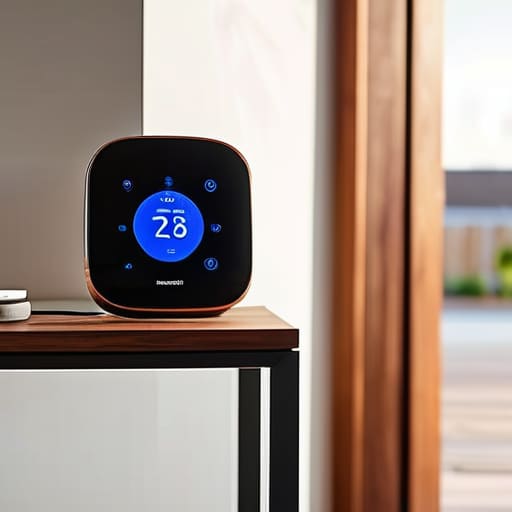
I’ve spent thirty years in manufacturing, where if a component didn’t meet the spec, it went straight into the scrap bin. Lately, I’ve been looking at the “smart home” market, and frankly, it makes my blood pressure rise. Most of these companies are selling you nothing but expensive plastic and software that crashes the moment your internet hiccups. You’re told you need a complex ecosystem to run a simple lightbulb, but half the time, you’re just buying a headache. If you’re looking for the best smart home hubs on the market, you shouldn’t be looking for the one with the most flashing lights; you should be looking for the one that actually stays connected when you need it most.
I’m not here to sell you on the latest marketing hype or a gadget that requires a PhD to operate. In this list, I’ve narrowed it down to five specific options that I’ve vetted for reliability and build quality. I’ll tell you exactly which ones are worth your hard-earned money and which ones are just overpriced paperweights destined for the junk drawer. Let’s get to work.
Table of Contents
- The Reliable Workhorse: Hubitat Elevation
- The Gold Standard: Samsung SmartThings
- The Apple Ecosystem: HomePod and Apple TV
- The Enthusiast's Choice: Home Assistant Blue
- The Simple Entry Point: Amazon Echo Hub
- The Bottom Line on Your Smart Home Setup
- The Bottom Line on Connectivity
- The Bottom Line
- Frequently Asked Questions
The Reliable Workhorse: Hubitat Elevation
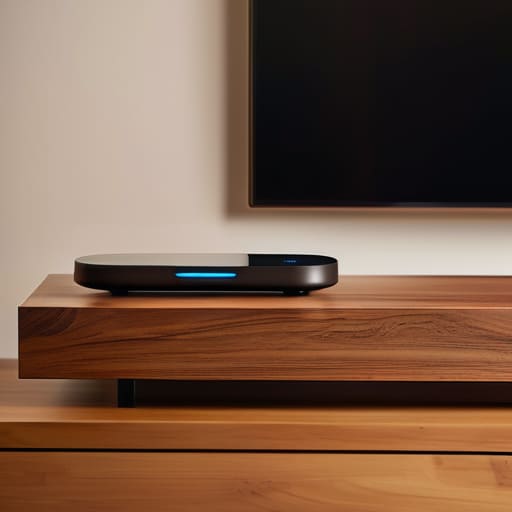
If you’re tired of your devices deciding to go on strike because the manufacturer’s server went down, you need to look at the Hubitat. Unlike most of the junk on the market today, this thing processes everything locally. That means your automations don’t rely on a cloud connection in some data center halfway across the country just to turn on a porch light. I appreciate a piece of hardware that doesn’t need a constant handshake with the internet just to perform its basic functions.
The Gold Standard: Samsung SmartThings

SmartThings is what I’d call the “middle ground” option. It’s much more user-friendly than the Hubitat, which is a plus if you don’t want to spend your entire Saturday troubleshooting code. It has a massive ecosystem of compatible devices, so you aren’t stuck buying one specific brand of lightbulb just to make the system work. It’s a solid, dependable choice for most folks who just want their gadgets to talk to each other without a headache.
The Apple Ecosystem: HomePod and Apple TV

Now, I’m not usually one for “walled gardens,” but I have to give credit where it’s due regarding Apple’s hardware build quality. If you already have an iPhone and a Mac, using an Apple TV or a HomePod as your hub is a very seamless experience. The integration is tight, and the security protocols are some of the best I’ve seen, which is important when you’re letting software control the locks on your front door.
The Enthusiast's Choice: Home Assistant Blue
For those of you who truly want to own your technology rather than just renting it, Home Assistant is the only way to go. This isn’t a “plug and play” solution; it’s a project. I’ve spent more time than I care to admit with my notepad out, mapping out complex logic for my home automation. But once you have it configured, the level of unmatched customization is something you won’t find anywhere else.
The Simple Entry Point: Amazon Echo Hub
I usually stay away from anything that’s constantly listening to your business, but if you just want a central dashboard to tap on, the Echo Hub serves a purpose. It’s essentially a dedicated tablet for your wall that puts your most-used controls right in front of you. For a simple setup where you want to control lights and thermostats without digging through a phone app, it’s surprisingly effective.
The Bottom Line on Your Smart Home Setup
Stop chasing every shiny new gadget on the market; prioritize a hub with stable connectivity and local processing so your lights don’t stop working just because the internet goes down.
Look past the marketing fluff and check the build quality and protocol support—if it doesn’t play well with the hardware you already own, it’s just more expensive plastic destined for a junk drawer.
Don’t let complexity cost you your sanity; the best system is the one that works reliably in the background without requiring you to troubleshoot an app every single time you walk into a room.
The Bottom Line on Connectivity
I’ve spent enough time looking at blueprints to know that a system is only as strong as its weakest connection. If your smart hub is nothing more than a glorified, overpriced paperweight that loses contact with your lights every time the wind blows, then it isn’t a tool—it’s a nuisance. Buy for stability, not for the shiny packaging.
Roland Delacroix
The Bottom Line
At the end of the day, choosing a smart home hub isn’t about finding the device with the most colorful app or the flashiest marketing campaign. It’s about finding the backbone of your system—the piece of hardware that stays out of your way and does its job without needing a reboot every Tuesday. Whether you decide to go with a dedicated local controller to keep your data private or a more user-friendly ecosystem that integrates with your existing gadgets, make sure you are prioritizing reliability over hype. I’ve seen enough poorly engineered circuit boards in my time to know that if the foundation is shaky, the whole house comes crashing down. Don’t let a “smart” home become a constant headache just because you wanted the latest trend.
My advice is simple: buy something that is built to last and actually works when the lights go out. You deserve a home that serves you, not a collection of expensive plastic bricks that require a troubleshooting manual just to dim the living room lamps. Take your time, look at the actual specs instead of the glossy box, and invest in quality hardware. Once you get the right hub in place, you’ll realize that true technology shouldn’t demand your constant attention; it should just work quietly in the background. Now, go grab a real tool, get to work, and build a system you can actually trust.
Frequently Asked Questions
Do I really need a dedicated hub, or can I just keep using the apps on my phone?
Look, I get the temptation to save a few bucks and just use your phone, but you’re asking for trouble. Relying on individual apps is like trying to run a factory where every machine has its own separate operator—it’s inefficient and prone to breaking down. A dedicated hub centralizes the logic. It keeps your devices talking to each other locally, so when your internet goes sideways, your lights don’t decide to quit too. Get a hub.
What happens to my smart lights and locks if my internet connection goes down?
Look, this is exactly why I’m skeptical of these “all-in-one” cloud setups. If your internet drops, most cheap hubs turn your smart home into a very expensive paperweight. Your lights won’t respond to the app, and your locks might leave you standing on the porch. If you want reliability, you need a hub that runs locally—something that doesn’t need to “check in” with a server halfway across the world just to turn on a lamp.
How do I know if a new gadget I buy today will actually talk to the hub I already own?
Look for the “Matter” or “Thread” logo on the box. That’s the new industry standard that actually means something. If you don’t see that, check the fine print for specific protocols like Zigbee or Z-Wave. Don’t just trust a marketing claim that says “works with smart home”; that’s usually just code for “it connects to the cloud, but it won’t talk to your hub.” If the specs aren’t listed, walk away.
