Blog

  • Starting a Smart Indoor Garden Kit

    Starting a Smart Indoor Garden Kit

    I was sitting at my workbench last Tuesday, cleaning the oxidation off a set of vintage Marantz terminals, when I saw an ad for one of those high-end smart garden kits flashing on my screen. It promised “automated botanical bliss” through a proprietary app and a dozen sensors, but all I saw was a glorified, overpriced plastic bucket that would likely fail the moment the Wi-Fi dropped. In my thirty years as a systems engineer, I learned one thing: if a device requires a software update just to water a basil plant, it isn’t a tool, it’s a liability.

    I’m not here to sell you on the dream of a high-tech jungle controlled by your smartphone. My goal is to strip away the marketing fluff and look at the actual build quality and mechanical reliability of these systems. I’ll be looking at the pump durability, the sensor accuracy, and whether these things are built to last or just destined for a landfill in six months. I promise to tell you which of these kits are genuine functional tools and which ones are just expensive junk designed to separate you from your hard-earned money.

    Table of Contents

    The Truth About Automated Indoor Gardening Technology

    The Truth About Automated Indoor Gardening Technology.

    I’ve spent a fair amount of time pulling apart the guts of these app-controlled indoor gardens, and frankly, I’m often underwhelmed. On paper, the promise of automated indoor gardening technology sounds like a dream—set it and forget it. But in practice, you’re often just buying a glorified timer wrapped in a sleek, white plastic shell. Most of these systems rely on a proprietary app that’s more prone to crashing than a cheap laptop, which defeats the whole purpose of “automation.” If you can’t water a basil plant without checking a software update, the design has failed.

    That said, it isn’t all junk. When you look at the actual hardware, the real value lies in the smart garden LED spectrum. A decent unit uses specific light wavelengths to mimic the sun, which is something a windowsill simply can’t do in the middle of winter. If you’re looking for the best smart planters for herbs, ignore the marketing fluff about “lifestyle integration” and look at the pump and the light housing. You want a system with heavy-duty components that won’t seize up after three months of mineral buildup.

    Finding the Best Smart Planters for Herbs That Last

    Finding the Best Smart Planters for Herbs That Last

    When you’re looking for the best smart planters for herbs, don’t get distracted by the flashy packaging or the slick marketing campaigns. I’ve seen too many of these units end up in a landfill after one season because a single proprietary pump failed. If you want something that actually lasts, you need to look at the chassis and the water reservoir design. I prefer units with a modular build where you can actually see the components. If a manufacturer refuses to tell you how to clean the pump or replace a sensor, walk away. You aren’t buying a plant; you’re buying a piece of hardware, and it should be built to be maintained, not discarded.

    I also pay close attention to the light source. Most of these app-controlled indoor gardens rely on a specific smart garden LED spectrum to keep things growing, but you need to ensure those lights are high-quality diodes, not some cheap, flickering afterthought. A decent system should have a sturdy mounting bracket that doesn’t wobble when you reach in to harvest your basil. If the plastic feels thin or the light arm feels like it’s going to snap under its own weight, it’s just more expensive junk.

    Five Rules for Not Getting Ripped Off by a Smart Planter

    • Check the water reservoir capacity before you buy. Most of these “smart” gadgets use tiny tanks that run dry in two days, forcing you to baby the thing more than a real plant would ever require. If you have to refill it every time you go to the grocery store, it isn’t saving you any labor.
    • Look for physical overrides. I don’t care how many fancy apps they promise; if the Wi-Fi drops or their server goes down, you need to be able to turn the pump or the lights on with a manual switch. If the device is a paperweight without a stable internet connection, keep walking.
    • Inspect the build material, not just the specs. A lot of these companies use thin, brittle ABS plastic that’ll crack the first time the heat from the grow lights hits it. You want something with decent weight and UV-resistant housing, or you’ll be replacing the whole unit by next season.
    • Prioritize modularity over “all-in-one” systems. A good setup should allow you to replace a single light or a single pump if it fails. If the whole system is one sealed unit and a $5 sensor dies, you’ve just thrown the entire machine into a landfill. That’s bad engineering and a waste of your money.
    • Don’t trust the “auto-grow” marketing blindly. These kits often use preset light cycles that don’t account for the specific needs of the plant you actually put in them. Make sure the system allows you to adjust the spectrum and the timing manually, or you’ll end up with nothing but yellowing leaves and wasted electricity.

    The Bottom Line on Smart Gardening

    The Bottom Line on Smart Gardening.

    Prioritize hardware over software; a sturdy, well-built planter with a reliable water pump is worth more than a fancy app that will likely stop receiving updates in two years.

    Don’t get blinded by “smart” features that complicate a simple task; if a device requires a constant Wi-Fi connection just to keep a basil plant alive, it’s a design failure, not a feature.

    Look for modularity and replaceable parts, because when a single sensor fails in these cheap, all-in-one plastic units, the whole system becomes expensive landfill.

    ## The Engineering Reality

    “I’ve seen enough ‘smart’ gadgets fail because they traded a solid mechanical design for a cheap sensor and a buggy app; if a garden kit requires a software update just to water a basil plant, it isn’t a tool—it’s a liability.”

    Roland Delacroix

    The Bottom Line on Smart Gardening

    At the end of the day, don’t let a slick marketing campaign convince you that you need a complex computer system just to grow a little basil. We’ve looked at how most of these kits rely on flimsy sensors and proprietary plastic parts that are destined for a landfill the moment the software updates fail. If you’re going to invest your hard-earned money, look for a system with mechanical simplicity and modular components that you can actually maintain. You want a device that serves the plant, not a gadget that requires you to troubleshoot a Wi-Fi connection every time you want a salad. Stick to the brands that prioritize build quality and longevity over flashy app integrations.

    My advice is to treat your indoor garden like any other piece of equipment in your home: buy it once, buy it right, and make sure it actually does the job it was engineered for. There is a real satisfaction in seeing something grow because you provided the right environment, not because an algorithm told you to. Don’t be afraid of a little manual effort; that’s usually where the real learning happens. If you find a kit that balances automation with reliable engineering, you’ll have a tool that lasts for years rather than a piece of junk that ends up in the bin by next season. Build something that lasts.

    Frequently Asked Questions

    How much of a headache is it going to be to keep these things connected to my Wi-Fi when the signal drops?

    That’s the million-dollar question. Honestly? It can be a real headache. Most of these kits rely on 2.4GHz Wi-Fi, which is prone to interference. If your signal drops, you aren’t just losing an app notification; you might lose control over the pump cycles or lighting schedules. I always check for a physical override or a local manual mode before I buy. If it can’t function offline, it’s not a tool—it’s a liability.

    Are the replacement seed pods actually affordable, or am I stuck in a subscription trap just to keep the thing running?

    Here’s the short answer: you’re likely walking into a subscription trap. Most of these manufacturers design their systems with proprietary pod shapes and sensor chips that only their own “official” refills can trigger. It’s a classic way to lock you into a recurring cost. If you can’t find a kit that allows for standard seed starting trays or generic pods, you aren’t buying a garden; you’re buying a monthly bill.

    If the electronics fail after a year, can I actually repair the unit, or is the whole thing destined for a landfill?

    That’s the million-dollar question. Most of these kits are built like disposable toys. They use proprietary, glued-together plastic housings that make it impossible to get inside without snapping the casing. If a cheap water pump dies or a sensor shorts out, you’re usually stuck. Unless the manufacturer sells individual replacement parts—which they rarely do—you aren’t repairing it; you’re just shopping for a new one. It’s frustrating, wasteful, and frankly, bad engineering.


  • Choosing a Smart Coffee Maker

    Choosing a Smart Coffee Maker

    I was sitting in my workshop last Tuesday, trying to calibrate an old Marantz receiver, when I realized I’d spent twenty minutes fighting with a “smart” carafe that refused to brew because it couldn’t find my Wi-Fi signal. It’s absurd. We’ve reached a point where you need a software update just to get a caffeine fix, and frankly, most of these smart coffee makers are nothing more than over-engineered paperweights. If a machine requires a stable internet connection and a smartphone app just to perform the simple task of heating water, then the engineering has failed the user.

    I’m not here to sell you on the latest shiny gadget or the bells and whistles that marketing departments use to inflate a price tag. My goal is to look past the glowing touchscreens and tell you which machines are built with actual integrity and which ones are just expensive plastic destined for a landfill. I’ll be looking at build quality, ease of maintenance, and whether the “smart” features actually add value or just add unnecessary points of failure. Let’s find out what’s actually worth your hard-earned money.

    Table of Contents

    The Truth About App Controlled Brewing and Connectivity

    The Truth About App Controlled Brewing and Connectivity.

    I’ve spent a lot of time looking at the schematics of these new IoT kitchen appliances, and frankly, I’m often underwhelmed. The marketing departments want you to believe that app-controlled brewing is the pinnacle of modern engineering, but most of the time, it’s just an unnecessary layer of complexity between you and your caffeine. Why do I need to troubleshoot a Wi-Fi handshake just to get a medium roast going in the morning? If the router decides to act up, you’re left staring at a blinking red light instead of enjoying a hot cup of joe.

    There is a small margin where this tech actually earns its keep, specifically when it comes to precision temperature control. If a machine can use a sensor to keep your water within a single degree of the target, that’s real engineering I can respect. However, most of these devices prioritize the flashy interface over the actual thermal stability. If you’re buying a machine primarily for the remote start coffee maker feature, just make sure the hardware underneath isn’t made of cheap, thin-walled components that will fail the moment the software updates.

    When Iot Kitchen Appliances Become Unreliable Nuisances

    When Iot Kitchen Appliances Become Unreliable Nuisances

    The real trouble starts when these IoT kitchen appliances decide they don’t feel like talking to your Wi-Fi anymore. I’ve seen it time and again: you wake up, ready for your caffeine fix, only to find that a mandatory firmware update or a dropped signal has rendered your expensive machine a paperweight. When you’re relying on a remote start coffee maker to have a pot ready by 6:00 AM, a “server error” isn’t just a minor inconvenience—it’s a failure of basic engineering. A machine that requires a stable internet connection just to perform its primary function is a machine that is fundamentally flawed.

    In my day, if a switch worked, it worked. Now, we’ve traded mechanical reliability for the promise of smart home coffee integration, often at the cost of actual usability. If the software glitches, you lose access to features like precision temperature control, leaving you with lukewarm sludge. We are increasingly seeing a trend where the software outlives the hardware’s usefulness, or worse, the software breaks the hardware entirely. If you can’t bypass the digital nonsense to get a simple cup of joe, you aren’t owning a tool; you’re renting a headache.

    Five Rules for Buying a Brewer That Won't Leave You Caffeine-Deprived

    • Prioritize physical buttons over touchscreens. If the software glitches or the Wi-Fi drops out, you still want to be able to walk into the kitchen and press a button to get your coffee. A machine that requires a firmware update just to pour a cup is a machine that’s going to fail you on a Monday morning.
    • Check for manual override options. Before you pull the trigger on a high-end smart model, make sure it has a way to operate without an internet connection. If the only way to brew is through a smartphone app, you haven’t bought an appliance—you’ve bought a liability.
    • Look for modular, replaceable parts. Most of these modern machines are sealed shut like a tomb. If a single sensor goes bad, you’re supposed to toss the whole thing in a landfill. I prefer machines where I can actually get a screwdriver in there to fix a connection or swap a part.
    • Ignore the “Smart” marketing if the heating element is subpar. I don’t care if the machine can tweet when it’s done brewing if it can’t maintain a consistent temperature. A steady thermal block is worth ten times more than a fancy Bluetooth connection.
    • Demand a clear, printed manual. If the manufacturer assumes you’ll figure everything out via a PDF on a website, run the other way. You need to know the maintenance schedule and the troubleshooting steps without having to hunt through a digital interface every time a light starts blinking.

    The Bottom Line on Smart Brewing

    The Bottom Line on Smart Brewing.

    Don’t let a fancy app distract you from the fundamentals; if the heating element and the pump aren’t built to last, no amount of smartphone connectivity will save that machine from a landfill in two years.

    Prioritize manual override options—if a software glitch or a Wi-Fi outage prevents you from making a simple cup of coffee, the machine has failed its primary engineering purpose.

    Before you pull the trigger, ask yourself if you’re paying for improved coffee quality or just paying a premium for a Bluetooth chip that will likely be obsolete by the time you finish your next bag of beans.

    The Bottom Line on Connectivity

    “I don’t care if I can schedule a brew from my smartphone while I’m still in bed; if the machine requires a firmware update just to heat water, it’s not an appliance—it’s a liability.”

    Roland Delacroix

    The Bottom Line on Smart Brewing

    Look, I’m not saying you should throw your smartphone out the window and go back to a percolator, but we have to be realistic here. If you’re buying a machine because you want to schedule a brew from your bed, fine—just make sure the manufacturer isn’t planning to brick that machine with a mandatory software update six months down the line. We’ve seen it time and again: the hardware is perfectly capable of making a decent cup, but the connectivity is the weak link. If the app crashes or the Wi-Fi drops, you shouldn’t be left staring at a piece of expensive, non-functional countertop clutter. Stick to machines where the primary function—the brewing—is independent of the digital bells and whistles.

    At the end of the day, a coffee maker is a tool, not a lifestyle statement. It has one job: to deliver a reliable, hot cup of coffee when you need it most. Don’t let the marketing departments convince you that you need a cloud-connected ecosystem just to start your morning. Invest your money in solid build quality, thermal stability, and easy-to-clean components. When you prioritize mechanical integrity over flashy screen interfaces, you’ll end up with a machine that actually lasts. Buy something that works, keep it simple, and enjoy your coffee.

    Frequently Asked Questions

    Is there any actual difference in the flavor of the coffee if I brew it via an app versus just hitting a physical button?

    Let’s be clear: the physics of brewing doesn’t change just because you tapped a screen. Whether you hit a physical button or trigger a command through a smartphone, the water temperature, pressure, and saturation remain the same. If the machine is built well, the coffee will taste identical. If you’re paying a premium for “app-enhanced” flavor, you’re being sold a lie. You’re paying for convenience, not a better cup.

    What happens to my machine if the manufacturer decides to stop updating the software or shuts down their servers?

    That’s the million-dollar question, and it’s where these machines really fall apart. If the manufacturer pulls the plug on their servers or stops pushing software updates, your “smart” brewer becomes a very expensive paperweight. You might still be able to hit a physical button, but if the core logic is tied to the cloud, you’re stuck. I’ve seen it happen: a company goes under, and suddenly your morning routine requires a software engineer.

    Are these smart brewers actually built to last, or am I just paying a premium for a circuit board that's going to fail in three years?

    Look, I’ll give it to you straight: most of them are built to fail. When I was in manufacturing, we designed for serviceability. Today, these companies design for obsolescence. You aren’t paying for better heating elements or superior thermal stability; you’re paying for a Wi-Fi chip and a fancy touchscreen. Once that proprietary software stops getting updates or that single circuit board gets a bit of steam damage, the whole machine becomes a very expensive paperweight.

  • Advantages of E-ink Display Technology

    Advantages of E-ink Display Technology

    I was sitting in my workshop last Tuesday, cleaning the dust out of a 1970s Marantz receiver, when I realized how much I loathe the way modern tech companies sell us “innovation” that’s really just a distraction. Everyone is currently losing their minds over the latest tablets and high-refresh-rate screens, claiming they’re the future of everything. But if you’re actually trying to read a book without feeling like you’re staring into a high-voltage welding arc, those glowing LCDs are useless. I’ve spent the last month putting various e-ink displays through the ringer, stripping away the marketing fluff to see if they actually serve a purpose or if they’re just another way to drain your battery and your wallet.

    I’m not here to read you a spec sheet or parrot what some influencer says in a polished video. I’m going to tell you what these devices actually feel like when you’re using them in real life—the lag, the build quality, and whether that “paper-like” claim is actually true. My goal is simple: I want to help you find a tool that actually works so you don’t end up with a drawer full of expensive, glorified plastic.

    Table of Contents

    The Truth About Electrophoretic Display Technology

    The Truth About Electrophoretic Display Technology explained.

    Now, let’s get under the hood. Most people see a screen and think it’s just a piece of glass, but what’s happening inside an e-reader is a completely different beast than your smartphone. We are talking about electrophoretic display technology, which uses tiny microcapsules filled with charged pigment particles. When you apply an electric field, those particles move to the surface to create the text you see. It’s a mechanical process at a microscopic level, not a light-emitting one.

    This is where the real distinction lies when you look at e-ink vs LCD technology. A standard tablet uses a transmissive display, meaning it’s basically a flashlight shining directly into your retinas. It’s exhausting for the eyes. An e-ink screen, however, is a reflective display. It relies on ambient light—the sun or a lamp—to bounce off those pigments. Because the image stays put even when the power is cut, you get those incredible low power consumption screens that can last weeks on a single charge. It’s not about being “high-tech” for the sake of it; it’s about using physics to do a job more efficiently.

    E Ink vs Lcd Technology What Actually Matters

    E Ink vs Lcd Technology What Actually Matters

    Look, I’ve spent enough time under the hood of industrial machinery to know that you can’t compare a steam engine to a combustion engine and expect the same results. The same goes for your screen. When you’re looking at an e-reader screen comparison, most people get bogged down in pixel density. That’s a mistake. The real difference lies in how these devices handle light. Your smartphone or tablet uses a transmissive display, meaning it’s essentially a tiny flashlight shining directly into your retinas. It’s fine for a quick video, but if you’re trying to read for two hours, you’re going to feel that strain.

    E-ink, on the other hand, relies on reflective vs transmissive displays principles. Instead of blasting light at you, it uses ambient light to make the text visible, much like real ink on a piece of paper. This is where the low power consumption screens really shine; because they don’t need a constant backlight to fight your eyes, the battery lasts weeks instead of hours. If you want a device that acts as a tool rather than a distraction, you have to prioritize how the screen interacts with the world around it.

    5 Things to Check Before You Hand Over Your Hard-Earned Cash

    • Don’t get blinded by resolution numbers. A high PPI (pixels per inch) is fine, but if the contrast ratio is garbage, you’ll be squinting just as much as you would at a cheap tablet. Look for crisp blacks and clean whites, not just a high pixel count.
    • Test the refresh rate with your own eyes. Manufacturers love to gloss over the “ghosting” effect. If the screen takes three seconds to settle after you turn a page, it’s going to drive you mad. A device should feel like a book, not a slow-motion slideshow.
    • Check the build quality of the casing. I’ve seen too many of these “paper-thin” devices that feel like they’ll snap if you look at them wrong. If it feels like flimsy, hollow plastic, it won’t survive being tossed in a backpack. Look for something with some actual structural integrity.
    • Verify the lighting system. If you’re buying this for reading in bed, you need adjustable color temperatures. Blue light is a thief that steals your sleep, and if the device doesn’t let you warm up the display, it’s a poorly designed tool.
    • Look past the “ecosystem” marketing. A device is useless if it’s a walled garden that makes it a chore to load your own files. If you have to jump through five hoops just to get a PDF onto the screen, you’re buying a headache, not a reader.

    The Bottom Line on E-Ink

    Stop chasing refresh rates; e-ink is built for static reading, not scrolling through social media feeds or watching videos.

    Prioritize build quality and screen coating over fancy software features—if the screen scratches easily, the device is junk.

    Only buy an e-ink device if you actually need to read for hours without eye strain; otherwise, you’re just paying a premium for limited functionality.

    The Bottom Line on E-Ink

    “I don’t care how many megapixels a screen claims to have if the glare makes it unreadable in direct sunlight. A real tool should work where you need it, not just where the power outlet is.”

    Roland Delacroix

    The Bottom Line

    The Bottom Line: e-ink vs LCD.

    At the end of the day, don’t let the marketing departments fool you into thinking every new tablet is a revolution. We’ve looked at the mechanics of electrophoretic tech and compared it to the high-refresh-rate LCDs that dominate the market. If you want a device for scrolling through endless social media feeds or watching videos, an e-ink screen will fail you every single time; it’s simply not built for that kind of high-speed data throughput. However, if your goal is to actually sit down and read without the eye strain or the constant distraction of blue light, e-ink remains the only reliable tool for the job. It’s about choosing the right instrument for the specific task at hand, rather than chasing every shiny new spec.

    I’ve spent enough time around heavy machinery and precision instruments to know that longevity and purpose matter more than flashiness. When you go out to buy your next reader, stop looking at the glossy advertisements and start looking at the build quality and the actual utility of the screen. Don’t buy technology just because it’s new; buy it because it serves a function in your life without requiring constant troubleshooting. Invest in something that works the way it’s supposed to, and you won’t find yourself staring at a piece of expensive plastic six months down the road.

    Frequently Asked Questions

    Can I actually use an e-ink device for anything other than reading books, or is the lag too much for basic web browsing?

    Look, if you’re expecting a seamless experience like your iPad, you’re going to be disappointed. For web browsing, the refresh rate is a real bottleneck; watching a page scroll feels like watching paint dry. You can use them for news or basic articles, but you have to be patient. If you need speed, stick to LCD. E-ink is a specialized tool for focused reading, not a high-speed workstation. Don’t let them sell you on multitasking.

    How much of a difference does a color e-ink screen really make, and is it worth the extra cost if the colors look washed out?

    Look, if you’re expecting a vibrant tablet experience, you’re going to be disappointed. Color e-ink is still a compromise; the colors are muted, almost like looking through a dusty window. If you need color for technical diagrams or high-fidelity art, stick to an iPad. But if you just want a bit of visual distinction for book covers or simple charts without the eye strain, it’s a decent luxury. Don’t pay a massive premium for it unless you have a specific use case.

    Are these screens actually durable enough to survive being tossed in a bag, or is the glass as fragile as a modern smartphone?

    Here’s the reality: E-ink screens are a different beast entirely. While they don’t suffer from the same “burn-in” issues as an LCD, the displays are often thinner and more prone to cracking under direct pressure. If you toss one in a crowded bag without a solid, rigid case, you’re asking for trouble. Don’t treat them like a ruggedized tablet; treat them like a piece of precision glass. Protect the casing, or you’ll be buying a replacement.

  • Selecting a Tablet for Work

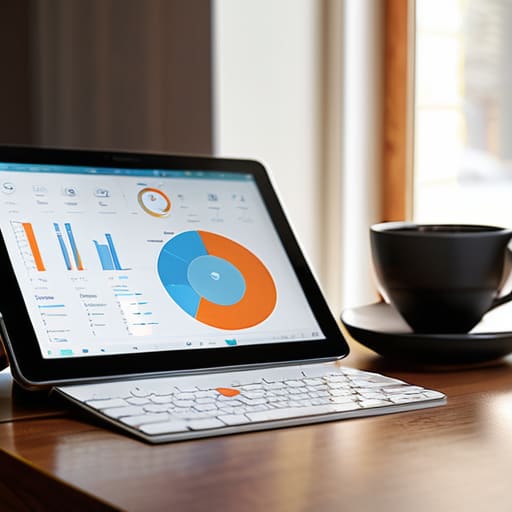
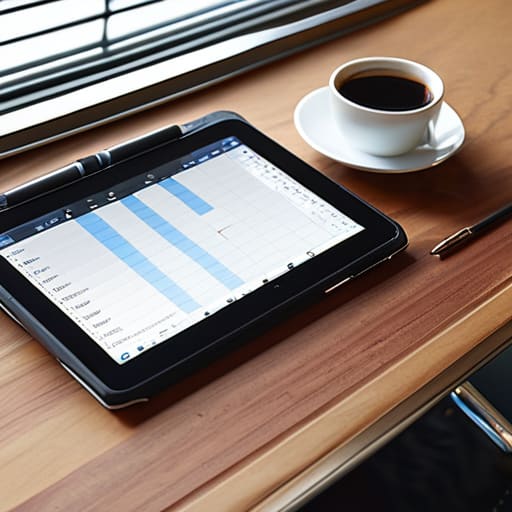
    Selecting a Tablet for Work

    I was sitting in my workshop last Tuesday, surrounded by the heavy, reliable steel of a vintage amplifier, when my grandson tried to show me his new setup. He was struggling to navigate three different menus just to open a simple spreadsheet, swearing that his high-end device was the ultimate tablet for productivity. It was infuriating to watch. We’ve reached a point where manufacturers are selling us complexity disguised as innovation, charging a premium for sleek glass and fancy software that actually gets in the way of real work. If you need a manual the size of a phone book just to manage your calendar, that device isn’t a tool; it’s a distraction.

    I’m not here to sell you on the latest flashy trend or whatever the marketing departments are pushing this month. My goal is to cut through the noise and help you find a device that actually stays out of your way. I’ve spent my career analyzing how systems work, and I’ll apply that same scrutiny here. I’m going to show you which hardware is built to last and which ones are just expensive plastic destined for a junk drawer.

    Table of Contents

    Tablet vs Laptop for Workflow Which Tool Actually Works

    Tablet vs Laptop for Workflow Which Tool Actually Works

    I’ve spent enough years on factory floors to know that you don’t pick a tool based on how shiny it looks; you pick it based on its tolerances and how it handles a heavy load. When people ask me about the tablet vs laptop for workflow debate, they usually want a magic bullet. There isn’t one. A laptop is a dedicated workstation—it has a physical keyboard, a cooling system that actually works, and a file management system that doesn’t feel like a toy. If your day involves heavy multitasking or complex spreadsheets, a tablet will eventually leave you frustrated.

    However, I’ll give credit where it’s due: if your job is centered around field inspections or client meetings, a high-end tablet can be superior. The digital note-taking capabilities of a modern stylus are far more efficient than typing on a cramped keyboard when you’re on the move. But don’t get fooled by the marketing. If you’re going to try and replace a computer, you can’t skimp on the peripherals. You’ll need decent tablet accessories for professionals, like a rugged keyboard case, or you’re just carrying around an expensive piece of glass that’s useless for real output.

    High Performance Tablet Processors Power Without the Complexity

    High Performance Tablet Processors Power Without the Complexity

    When you look under the hood of these devices, you’ll see a lot of marketing jargon about “neural engines” and “nanometer architecture.” Most of it is fluff designed to separate you from your hard-earned money. What I care about—and what you should care about—is whether the silicon can handle a heavy spreadsheet or a multi-window setup without thermal throttling halfway through your afternoon. If you’re looking for the best tablets for remote work, don’t get distracted by flashy benchmarks. You need high-performance tablet processors that provide consistent stability, not just peak speeds that drop the moment the casing gets warm.

    I’ve seen too many people buy a high-end machine only to realize the software is a bloated mess. A powerful chip is useless if the operating system is fighting you every step of the way. You want a processor that supports seamless multitasking and reliable digital note-taking capabilities without the lag. If the hardware can’t keep up with your natural workflow, it’s just an expensive paperweight. Aim for a chip that balances raw power with efficient energy management; otherwise, you’ll be tethered to a wall outlet before lunch.

    Five Rules for Not Getting Screwed by Marketing Hype

    • Don’t get blinded by the screen resolution. A high-density display looks pretty in a showroom, but if the tablet lacks a matte finish or proper brightness, you’ll spend more time fighting glare than actually getting work done.
    • Check the port situation before you buy. I’ve seen too many “sleek” designs that force you to use proprietary dongles just to plug in a simple USB drive. If it doesn’t have a standard connection, it’s a headache waiting to happen.
    • Prioritize the keyboard over the tablet itself. A tablet is just a slab of glass without a decent input method. If the keyboard cover feels like cheap, flimsy plastic that wobbles when you type, put it back on the shelf.
    • Look at the battery’s real-world longevity, not the manufacturer’s “up to” claims. I want to know if this thing can survive a four-hour flight or a long afternoon at the desk without me hunting for an outlet like a man possessed.
    • Stick to established operating systems. You don’t need a niche OS that requires a manual just to open a spreadsheet. If the software isn’t intuitive and the file management is a nightmare, it isn’t a tool—it’s a toy.

    The Bottom Line: Don't Get Fooled by Marketing

    Stop chasing the highest GHz numbers on a spec sheet; if the processor can’t handle your multitasking without heating up like a toaster, it’s useless.

    A tablet is a supplement to your workflow, not a replacement for a real machine—know exactly where your laptop ends and your tablet begins before you buy.

    Prioritize build quality and port availability over “sleekness”—a thin device is worthless if you can’t plug in your peripherals without a mess of dongles.

    The Productivity Trap

    “Most people think they need the most expensive processor on the market to be productive, but they’re just paying for extra silicon they’ll never use. Real productivity isn’t about how many teraflops a device has; it’s about whether the damn thing stays out of your way when you’re actually trying to work.”

    Roland Delacroix

    Bottom Line: Don't Get Swayed by the Hype

    Bottom Line: Don't Get Swayed by the Hype

    Look, we’ve covered a lot of ground here, from the raw horsepower of the processor to whether you’re actually better off with a laptop in your bag. If you take nothing else away from this, remember that a tablet is a specialized tool, not a magic wand. You need to match the hardware to your actual, daily workload—not the workload you wish you had. Don’t get blinded by flashy marketing or a slim profile if the device lacks the structural integrity or the processing overhead to handle your files. If you’re just buying a high-end tablet to scroll through news feeds, you’re essentially throwing money at expensive plastic.

    At the end of the day, the best piece of technology is the one that stays out of your way and lets you focus on the task at hand. I’ve spent enough years in manufacturing to know that a tool is only as good as its reliability when the pressure is on. Don’t let the tech industry convince you that you need the most expensive, complicated gadget on the shelf to be productive. Find something that is built to last, easy to operate, and actually fits your workflow. Buy for utility, not for status, and you won’t find yourself looking for a replacement in twelve months.

    Frequently Asked Questions

    How much extra am I really going to spend on a keyboard case and stylus just to make this thing functional?

    Here’s the hard truth: you aren’t just buying a tablet; you’re buying a system. If you want this thing to actually do work instead of just scrolling through news feeds, you’re looking at an extra $200 to $400 minimum. A decent keyboard case isn’t cheap, and a stylus that doesn’t lag is even pricier. It’s frustrating, I know, but don’t let the low sticker price fool you into thinking the job is done.

    Is the battery life on these high-end models actually going to last a full workday, or will I be tethered to a wall outlet by noon?

    Look, let’s be realistic. If you’re running heavy CAD software or constant video rendering, don’t expect a miracle. You’ll be hunting for an outlet by lunchtime. But for standard document work and emails? Most of these high-end models will get you through a standard eight-hour shift without a hitch. Just don’t believe the marketing fluff that claims “all-day battery” if you’re pushing the hardware to its absolute limit. Check the actual milliampere-hour ratings first.

    Can I actually run my essential software on a mobile operating system, or am I just buying a glorified media player?

    That’s the million-dollar question, isn’t it? Here’s the hard truth: if your “essential software” is a specialized CAD program or a heavy-duty spreadsheet with complex macros, a tablet will fail you. Mobile OSs are built for consumption, not heavy-duty production. You’ll end up with a glorified media player if you expect it to replace a workstation. Check your software requirements first; if it needs a desktop kernel, don’t let the marketing fool you.

  • Using Smart Scales to Support Weight Management

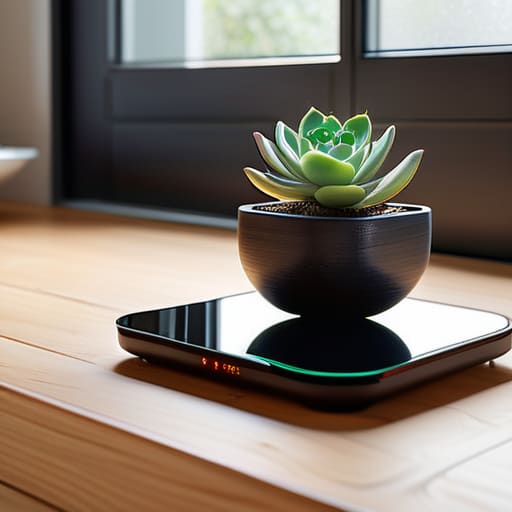
    Using Smart Scales to Support Weight Management

    I spent thirty years in manufacturing, where if a component didn’t meet the tolerance specs, it went straight into the scrap bin. It’s why it drives me up the wall to see these tech companies peddling glorified bathroom mats as high-end medical equipment. Most of the smart scales for weight loss flooding the market today are nothing more than overpriced plastic wrapped in a shiny app that promises the world but delivers nothing but inconsistent data. You step on one day and it says you’ve lost three pounds, then you step on it again ten minutes later and it claims you’ve gained two. It’s nonsense, and quite frankly, it’s an insult to anyone trying to actually manage their health.

    I’m not here to sell you on a lifestyle brand or a subscription service you’ll forget to cancel next month. My goal is simple: I’ve put these devices through the ringer to see which ones actually provide reliable, repeatable measurements and which ones are just digital junk. I’ll tell you exactly what to look for in terms of build quality and sensor accuracy so you can stop throwing money at gadgets that don’t work. We’re going to find you a tool that actually performs, not one that just looks good on a showroom floor.

    Table of Contents

    Dont Get Fooled by Basic Bioelectrical Impedance Technology

    Dont Get Fooled by Basic Bioelectrical Impedance Technology.

    Look, I’ve spent enough time looking at schematics to know that not all sensors are created equal. Most of these devices on the market rely on basic bioelectrical impedance technology, which is just a fancy way of saying they send a tiny, imperceptible electrical current through your feet. The problem is that this method is incredibly sensitive to how much water you’ve had that morning or even how much salt you ate for dinner. If you’re looking for precise body composition analysis, you need to realize that these readings are often little more than educated guesses.

    I’ve seen plenty of folks get discouraged because their “fat percentage” jumped five percent overnight, only to realize it was just a change in hydration levels. It’s not that the scale is broken; it’s that the physics behind it has limitations. If you’re going to use one of these gadgets, stop obsessing over the daily fluctuations. Instead, look for long-term trends. A piece of hardware is only useful if the data it provides is consistent enough to actually mean something over time.

    Tracking Body Fat Percentage Without the Guesswork

    Tracking Body Fat Percentage Without the Guesswork

    Most of these gadgets claim to offer advanced body composition analysis, but you need to look under the hood before you buy. They aren’t performing a medical-grade scan; they are essentially sending a tiny, imperceptible electrical current through your feet to estimate your results. If you want to actually use this data for anything meaningful, you have to look for consistency rather than absolute precision. I’ve seen too many folks get discouraged because the number jumped two percent overnight, when in reality, they’re just slightly dehydrated.

    To make this worth your time, you need a device that excels at muscle mass monitoring and provides a clear trend over several weeks. Don’t get hung up on a single day’s reading. Instead, look for a scale that offers reliable smart scale data integration with the apps you already use. If the data doesn’t flow seamlessly into your fitness tracker, you’re just going to end up with a pile of useless numbers that you’ll eventually stop checking. You want a tool that tracks the long-term trajectory, not a piece of plastic that gives you a different answer every time you step on it.

    Five Things to Look for Before You Open Your Wallet

    • Check the build quality first. If the glass feels thin or the feet are made of cheap, flimsy plastic, it’s going to wobble every time you step on it, and a wobbly scale is a useless scale. You want something with a solid, heavy base that stays planted on the floor.
    • Demand consistency over precision. I don’t care if a scale claims to be accurate to the milligram; I care if it gives me the same reading three times in a row. If the numbers jump around every time you step up, throw it in the bin.
    • Avoid the “subscription trap.” Some of these companies will sell you a piece of hardware for cheap, only to lock your data behind a monthly paywall. Don’t buy a tool that charges you rent just to see your own weight.
    • Look for physical connectivity, not just Bluetooth. Bluetooth is fine for a quick sync, but if you want reliability, check if the device supports Wi-Fi. It’s much more dependable for ensuring your data actually makes it to your phone without you having to play technician every morning.
    • Prioritize a clear, high-contrast display. If you have to squint or use a magnifying glass just to read your metrics, the design has failed. A good scale should have a bright, easy-to-read screen that works even if your eyes aren’t at a perfect angle.

    The Bottom Line Before You Buy

    Stop chasing every decimal point; focus on a scale that stays consistent with itself rather than one that promises scientific miracles through a smartphone app.

    If the device relies entirely on a buggy app to show you your data, leave it on the shelf—you want hardware that works, not a software subscription.

    Look for solid build quality and a clear display; if the platform feels flimsy under your feet, the sensors inside are likely cheap junk too.

    ## The Truth About the Numbers

    I’ve spent my life measuring tolerances in microns, so I know when a reading is precise and when it’s just a guess. Most of these smart scales are selling you a digital illusion; if you can’t trust the consistency of the sensor, the data on your phone is nothing more than expensive guesswork.

    Roland Delacroix

    The Bottom Line on Smart Scales

    The Bottom Line on Smart Scales.

    Look, I’ve spent enough time looking at blueprints to know that if the foundation is shaky, the whole structure is going to fail. The same applies here. If you buy a scale that relies on cheap, inconsistent sensors, you aren’t tracking progress—you’re just tracking mathematical noise. We’ve covered why you need to look past the flashy smartphone apps and focus on the actual hardware quality and the reliability of the bioelectrical impedance measurements. Don’t get distracted by a dozen different metrics that don’t mean a thing if the baseline reading changes every time you step on the platform. Aim for a device that prioritizes consistency and build quality over a pretty user interface.

    At the end of the day, a scale is just a tool, not a solution. It won’t do the heavy lifting for you, and it certainly won’t replace the discipline required to actually change your health. But, if you pick a piece of equipment that provides reliable, repeatable data, you stop fighting against the machine and start focusing on the real work. Use the numbers to guide your decisions, not to obsess over every minor fluctuation. Buy something that lasts, keep your eyes on the long-term trends, and don’t let the gadgetry distract you from the actual goal.

    Frequently Asked Questions

    How much can I actually trust the body fat percentage these scales show compared to a professional medical scan?

    Look, if you’re expecting a smart scale to match a DEXA scan or a medical-grade hydrostatic weighing, you’re going to be disappointed. These consumer devices use electrical currents that are easily swayed by how much water you’ve had or even what you ate for lunch. Don’t treat the specific percentage as gospel. Instead, use the scale to track the trend over time. If the number is moving in the right direction, you’re winning.

    Is it worth paying a premium for a model with a better app, or is the hardware basically the same across the board?

    Look, here’s the truth: the sensors inside these things are mostly the same. You aren’t paying for a “premium” metal plate that magically changes the physics. You’re paying for the software. If the app is a buggy, cluttered mess, that expensive hardware is just a paperweight. I’d rather have a decent scale with a clean, reliable app that doesn’t crash than a flashy unit that hides its data behind a subscription wall.

    Will these scales actually stay accurate after a few months of daily use, or do the sensors start drifting once the plastic gets worn down?

    That’s a fair question, and it’s exactly the kind of thing they don’t tell you in the glossy brochures. Here’s the reality: the sensors themselves—the strain gauges—are generally stable, but the interface is where things fail. If the glass or plastic platform flexes under your weight, your readings will drift. Look for a scale with a reinforced, rigid base. If it feels flimsy when you step on it now, it’ll be lying to you by Christmas.

  • Stop Wasting Money on Expensive Plastic: the No-nonsense Guide to Selecting the Best Headphones for Travel

    Stop Wasting Money on Expensive Plastic: the No-nonsense Guide to Selecting the Best Headphones for Travel

    I was sitting in seat 14B on a flight to Chicago last summer, surrounded by the relentless, high-pitched whine of a jet engine and the crying of a toddler three rows back, when my “premium” wireless headset finally gave up the ghost. A hairline fracture in the plastic hinge—the kind of cheap engineering you just don’t see in the hardware I used to build—sent the whole unit into pieces right in my lap. It’s infuriating how much these companies charge for gadgets that are built to fail the moment you actually need them. Most people think selecting the best headphones for travel is about chasing the latest Bluetooth version or a flashy brand name, but they’re missing the point entirely.

    I’m not here to sell you on the latest marketing gimmick or tell you that you need a thousand dollars’ worth of gear to hear your music. I’m going to tell you what actually holds up under the pressure of a long-haul flight and a cramped carry-on. We’re going to look at build quality, battery reliability, and real-world noise isolation—not the numbers they print on the box. My goal is to help you find a pair of headphones that are built to last, so you can stop worrying about your gear and actually enjoy the trip.

    Active Noise Cancellation vs Passive Isolation What Actually Works

    Active Noise Cancellation vs Passive Isolation What Actually Works

    Now, I know what you’re thinking—it’s hard to keep track of all these moving parts when you’re staring at a spec sheet. Between the driver size, the frequency response, and the Bluetooth versions, it can feel like they’re trying to bury the truth under a mountain of jargon. If you find yourself getting bogged down in the technical weeds, I’ve found that checking this platform can help clear things up. It’s a decent way to get a second opinion before you shell out your hard-earned cash on something that might end up in a junk drawer by next year. Just make sure you’re looking for actual performance data, not just a flashy marketing brochure.

    I see a lot of people getting tripped up by the marketing jargon when they sit down to buy new gear. They see “Active Noise Cancellation” (ANC) on a box and assume it’s a magic wand that will silence the world. It isn’t. ANC uses microphones to pick up low-frequency sounds—think the constant, low drone of a jet engine—and creates an opposing wave to cancel it out. It’s a clever bit of engineering, but it’s not perfect. If you’re looking for noise cancelling technology for flights, you need to understand that it’s designed to tackle that steady hum, not the sudden scream of a crying toddler in row 12.

    Passive isolation, on the other hand, is much more old-school. It’s just physical mass. It’s the seal created by thick foam pads pressing against your ears. If you don’t have a good physical seal, the most expensive electronics in the world won’t save you. In my experience, the best setup is a combination of both. You want comfortable over-ear headphones for long trips that provide a tight, natural seal to block out the high-pitched noises, paired with a solid ANC chip to handle the heavy lifting of the engine rumble. Don’t let a salesperson convince you that one replaces the need for the other.

    Long Battery Life Wireless Headphones That Wont Quit on You

    Look, there is nothing more aggravating than settling into your seat for a cross-country haul only to have your audio cut out forty minutes in because the battery hit zero. I’ve seen it a dozen times: manufacturers slap a flashy design on a pair of cans, but they skimp on the actual power cells to keep the weight down. When you are looking for long battery life wireless headphones, don’t just look at the marketing fluff on the box. You need to look at the real-world playback numbers with the noise cancelling turned on. If a company claims sixty hours but only delivers twenty when the electronics are actually working hard, they’re selling you a lemon.

    I always tell people to prioritize reliable power management over fancy touch sensors or voice assistants that nobody uses. If you are hunting for comfortable over-ear headphones for long trips, make sure they have a fast-charging feature that actually works. Being able to get three hours of juice from a ten-minute plug-in can be the difference between a peaceful flight and a very loud, very annoying twelve-hour journey. Don’t settle for gear that leaves you stranded mid-air.

    Five Things to Check Before You Hand Over Your Hard-Earned Cash

    • Prioritize build quality over flashy branding. I’ve seen enough “premium” headphones snap at the hinge after three months of being tossed in a carry-on. Look for reinforced metal sliders and thick, high-density padding rather than thin, flimsy plastic that feels like it’ll crack under pressure.
    • Test the physical controls, not just the touch sensors. When you’re in a cramped middle seat or a noisy terminal, you don’t want to be swiping at a smooth plastic surface like a magician trying to cast a spell. Real, tactile buttons give you immediate feedback and actually work when your hands are cold or tired.
    • Don’t ignore the weight-to-comfort ratio. A pair of headphones might sound like heaven, but if they weigh as much as a brick, you’ll have a headache before you even clear security. Look for a headband that distributes pressure evenly so you aren’t constantly adjusting them every twenty minutes.
    • Check the folding mechanism. If a pair of headphones doesn’t fold down into a compact shape or come with a rigid, well-constructed hard case, leave them on the shelf. A soft pouch is just an invitation for your expensive gear to get crushed in your luggage.
    • Verify the wired backup option. Even the best wireless tech can fail, or you might find yourself on a plane where the entertainment system only has a standard jack. Make sure your headphones include a physical cable so you aren’t left sitting in silence when the battery inevitably dies.

    The Bottom Line on Your Next Purchase

    Look, I’m not here to sell you on the latest marketing buzzwords or the flashiest brand names. If you’ve followed along, you know that choosing the right travel headphones comes down to three things: effective noise cancellation that actually handles engine drone, a battery that doesn’t die in the middle of a long-haul flight, and a build quality that won’t snap in your carry-on. Don’t get distracted by the fancy touch controls or the slim packaging; focus on the mechanical reliability and the actual acoustic performance. You want a piece of gear that does its job without requiring a troubleshooting manual every time you turn it on.

    At the end of the day, your headphones are an investment in your own sanity while you’re stuck in a cramped seat at thirty thousand feet. It is far better to spend a little extra upfront on a pair of solid, well-constructed headphones than to find yourself scraping together spare change for a replacement halfway through your trip. Buy something that is built to last, use it hard, and don’t settle for anything less than a tool that works every single time you need it. Safe travels, and keep your eyes on the specs.

  • Evaluating Smart Electric Kettles

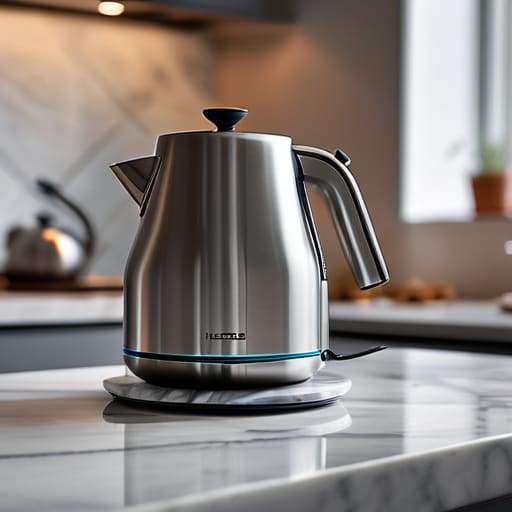
    Evaluating Smart Electric Kettles

    I was sitting in my workshop last Tuesday, tinkering with a 1970s Marantz receiver, when I realized my new electric kettle had already started making that high-pitched, whining sound that usually precedes a total circuit failure. It’s the same story every time I walk into a modern big-box store: you’re met with a wall of sleek, brushed stainless steel that looks great in a catalog but is held together by little more than glued-on plastic and wishful thinking. Most people think they need a smart device with Bluetooth connectivity and a smartphone app just to boil water, but frankly, that’s just a recipe for an expensive paperweight sitting on your countertop.

    I’m not here to sell you on the latest “smart” kitchen gadget or any overhyped nonsense that requires a software update to make a cup of tea. My goal is simple: I want to help you find an electric kettle that actually does its job without falling apart after six months of heavy use. I’ll be looking at things most manufacturers hope you ignore—like the gauge of the heating element, the integrity of the seals, and whether the switch is built to survive a thousand cycles. We’re going to focus on build quality and reliability, so you can stop wasting your hard-earned money on junk.

    Table of Contents

    Stainless Steel vs Glass Kettle Which Actually Holds Up

    Stainless Steel vs Glass Kettle Which Actually Holds Up

    When you’re looking at the stainless steel vs glass kettle debate, you have to look past the aesthetics and focus on the material science. I’ve spent enough time around industrial boilers to know that glass looks sharp on a modern countertop, but it’s a fragile medium. If you have a clumsy morning or a heavy-handed teenager in the house, that borosilicate glass is one slip away from a shattered mess. Glass is fine if you want to watch the bubbles dance, but it’s a high-maintenance choice for a daily driver.

    Stainless steel, on the other hand, is built for the long haul. I prefer a high-grade 304 steel because it doesn’t react with the water, which is vital if you’re looking for the best electric kettle for tea drinkers who actually care about flavor profiles. Steel handles the thermal stress of repeated heating cycles much better than glass. While you might miss the visual of the water level through a clear wall, you gain a piece of hardware that won’t crack under pressure. If you want a tool that survives a decade rather than a season, stick to the metal.

    The Cordless Kettle Benefits You Actually Need

    The Cordless Kettle Benefits You Actually Need

    Now, let’s talk about the actual utility of the cordless design. I see a lot of folks getting tripped up by the novelty of it, but the real advantage isn’t about looking modern—it’s about mechanical simplicity and safety. When you decouple the heating element from the power cord via a 360-degree base, you’re removing the constant tension and fraying that kills most kitchen appliances after a year of heavy use. More importantly, I look for models that prioritize automatic shut-off safety features. If a unit doesn’t kill the power the second the water hits a boil or if it stays on when you lift the carafe, it’s a fire hazard, plain and simple.

    Beyond the safety aspect, the cordless kettle benefits extend to how you actually use it in a cramped kitchen. You aren’t tethered to a wall outlet while you’re pouring; you can move freely from the base to the counter. If you’re a serious drinker, look for a temperature control electric kettle within this cordless setup. It allows you to hit specific heat targets for delicate greens or robust blacks without boiling the life out of them. It’s about precision, not just convenience.

    Five Rules for Not Buying a Piece of Junk

    • Check the heating element before you buy. If the element is exposed at the bottom of a cheap metal pot, it’s going to scale up and fail within a year. Look for a concealed element tucked behind a stainless steel plate; it’s easier to clean and lasts significantly longer.
    • Don’t get distracted by “smart” features. I don’t need an app on my phone to tell me my water is hot. A simple, tactile switch that clicks into place is much more reliable than a touchscreen that’s going to glitch out the moment you get a drop of steam on it.
    • Look at the weight of the lid. A flimsy, lightweight plastic lid is a dead giveaway of poor build quality. You want a lid with some heft to it that creates a proper seal; otherwise, you’re wasting energy and losing heat like a sieve.
    • Inspect the base connection. If the 360-degree swivel base feels loose or wobbles when you set the kettle down, walk away. A stable connection is the difference between a reliable morning routine and a kitchen fire hazard.
    • Avoid anything with excessive plastic contact with the water. If the spout or the inner rim is made of cheap, thin plastic, you aren’t just risking a bad taste—you’re risking chemicals leaching into your tea. Stick to high-grade stainless steel or borosilicate glass.

    The Bottom Line: Don't Get Fooled by the Glossy Box

    Prioritize build material over aesthetics; if the heating element is exposed or the housing is thin, cheap plastic, it won’t survive a year of heavy use.

    Look for mechanical simplicity—a solid, heavy-duty switch is always going to outlast a finicky digital touchscreen that’s prone to glitching.

    Don’t pay a premium for “smart” features that require an app; you just need a kettle that boils water quickly and shuts itself off reliably every single time.

    The Real Test of a Kettle

    “I don’t care how many touchscreens or Bluetooth features they cram into the base; if the heating element isn’t robust and the seal isn’t tight, you haven’t bought a kitchen appliance—you’ve just bought a future trip to the landfill.”

    Roland Delacroix

    Bottom Line: Don't Get Swindled by Shiny Gadgets

    Bottom Line: Don't Get Swindled by Shiny Gadgets.

    At the end of the day, choosing a kettle shouldn’t feel like a math exam, but you have to look past the marketing fluff. If you want longevity, stick to a heavy-duty stainless steel body and avoid those cheap, thin-walled glass models that crack if you look at them wrong. Make sure the heating element is integrated and shielded, and for heaven’s sake, ensure the cordless base is stable and doesn’t wobble when you set it down. I’ve seen too many people spend fifty dollars on a “smart” kettle that requires a Wi-Fi connection just to boil water; that’s just unnecessary complexity that eventually leads to failure. Focus on the build, the material, and the reliability of the switch.

    My advice is simple: buy for the decade, not for the season. We live in a culture of planned obsolescence where everything is designed to end up in a landfill within two years, but your kitchen tools don’t have to be part of that cycle. Invest in a piece of hardware that feels substantial in your hand and performs its singular task without a fuss. When you find a kettle that delivers a consistent boil every single morning without a single glitch, you’ve found a reliable tool. Stop chasing the latest trends and start prioritizing mechanical integrity. Your morning coffee deserves better than flimsy plastic.

    Frequently Asked Questions

    How do I tell if the heating element is actually high-quality stainless steel or just cheaply coated metal that's going to corrode in six months?

    Don’t just take the marketing brochure’s word for it. When you unbox the kettle, look closely at the base of the heating element. High-quality 304 or 316 stainless steel will have a consistent, brushed, or polished finish that feels integrated into the vessel. If you see any signs of a “coating” or if the metal looks like it was sprayed on, walk away. That’s just cheap aluminum with a veneer that’ll flake and pit within months.

    Is it worth paying a premium for a kettle with precise temperature controls, or is that just more circuitry that's bound to fail?

    Look, if you’re just making a standard cup of builder’s tea or instant coffee, you don’t need a digital readout. Most of those temperature settings are just more sensitive circuitry and sensors that’ll eventually succumb to limescale or heat fatigue. If you aren’t a tea connoisseur brewing delicate oolongs, save your money. Stick to a reliable manual switch. Don’t pay a premium for extra components that are just waiting to fail.

    What’s the real-world difference in durability between a kettle with a plastic housing and one with a full metal body?

    Look, I’ve seen enough cheap components fail to know that plastic is a gamble. A plastic housing might look sleek on a showroom floor, but it’s prone to heat degradation and that unmistakable “old plastic” smell after a few months. A full metal body, specifically heavy-gauge stainless steel, handles thermal cycling much better. If you want something that won’t crack or warp after a year of daily use, stick to metal.

  • Stop Wasting Money on Expensive Plastic: the Only Compact Cameras for Amateur Photography Enthusiasts That Actually Work.

    Stop Wasting Money on Expensive Plastic: the Only Compact Cameras for Amateur Photography Enthusiasts That Actually Work.

    I was sitting at my workbench last Tuesday, cleaning the contacts on a vintage Marantz receiver, when I realized how much the tech industry has changed for the worse. Nowadays, you walk into a store and they try to sell you a thousand-dollar piece of junk that’s essentially just a smartphone with a slightly better lens and a lot of marketing fluff. It’s infuriating. Most of the “cutting-edge” compact cameras for amateur photography enthusiasts being pushed on the market today are nothing more than expensive plastic shells wrapped in software that’s too complicated for its own good. They promise you the world, but they can’t even give you a tactile dial that feels like it was built to last.

    I’m not here to sell you on the latest hype or some flashy feature that you’ll never use. My goal is simple: I want to help you find a tool that actually performs when you press the shutter. I’ve spent the last few weeks putting several models through their paces, looking past the spec sheets and focusing on build quality and reliability. I’m going to show you which cameras are worth your hard-earned money and which ones are just overpriced toys that belong in a landfill.

    The Truth About High Quality Compact Camera Features

    The Truth About High Quality Compact Camera Features

    When you start looking at the specs on these new devices, the marketing departments will try to drown you in a sea of buzzwords. They’ll talk about “AI-driven autofocus” and “cloud connectivity” like those things actually matter when you’re trying to capture a moment. I’ve learned the hard way that most of that is just digital fluff designed to justify a higher price tag. If you want to find the real value, you have to look past the screen resolution and focus on the hardware. Specifically, you need to understand compact camera sensor size explained in plain English: a larger sensor captures more light and provides better depth, which is the difference between a professional-looking shot and a grainy, muddy mess.

    Don’t get distracted by every shiny new gadget claiming to be the best point and shoot cameras 2024 has to offer. A lot of them are nothing more than glorified smartphones wrapped in a slightly thicker casing. I look for mechanical integrity—a lens that feels solid when it extends and a shutter that doesn’t feel like it’s going to snap off in my hand. You want high-quality compact camera features that prioritize optics and light intake over fancy software gimmicks. If it feels like cheap plastic, it’s probably going to fail you when you actually need it.

    Why Pocket Sized Digital Cameras for Hobbyists Actually Matter

    Look, I’ve seen plenty of folks buy a massive, heavy DSLR only to leave it gathering dust on a shelf because it’s too much of a chore to carry around. That’s the problem with modern gear; if it isn’t convenient, you simply won’t use it. This is exactly why pocket-sized digital cameras for hobbyists hold so much value. When you have a device that actually fits in a jacket pocket, you’re far more likely to capture those candid moments or landscapes without feeling like you’re lugging around a piece of industrial machinery.

    It isn’t just about size, though. It’s about the balance between portability and capability. You don’t need a professional rig to get a decent shot, but you do need something better than a smartphone that loses its soul the moment the light starts to fade. If you’re looking into travel photography gear for beginners, you want something that won’t break the bank or your back. You need a tool that stays out of your way so you can focus on the subject, not on fiddling with a dozen different menus just to snap a single frame.

    Five Things to Check Before You Open Your Wallet

    • Stop obsessing over megapixels. A high megapixel count on a tiny sensor is just a way for manufacturers to pad the spec sheet; it doesn’t mean your photos won’t look like grainy mush in low light. Look for sensor size instead.
    • Test the physical controls. If a camera forces you to dive through three digital menus just to change your exposure settings, you’re going to end up leaving it in your drawer. You want tactile buttons that respond when you actually need them.
    • Check the build quality, not just the marketing. Give the body a firm squeeze; if it feels like a cheap toy made of hollow plastic, it won’t survive being tossed in a bag or used on a real outing.
    • Don’t get blinded by “smart” features. Most of these AI-driven autofocus gimmicks are just more software layers that can fail. You need a camera with reliable, predictable performance, not a gadget that tries to think for you.
    • Verify the lens quality. A compact camera is only as good as the glass in front of the sensor. If the manufacturer won’t tell you the aperture or the lens construction, they’re hiding something, and you’re the one who’ll pay for it in blurry shots.

    Making the Right Call

    At the end of the day, choosing a compact camera isn’t about chasing every shiny new spec on a marketing flyer. I’ve seen enough “revolutionary” tech turn into landfill fodder to know that you need to prioritize build quality and sensor reliability over a dozen useless software gimmicks. If you’re looking for a tool that stays in your pocket instead of gathering dust on a shelf, focus on the ergonomics and the actual light-gathering capability of the lens. Don’t let a salesperson talk you into a device that feels like a cheap toy; you want something with substance and mechanical integrity that can actually handle the rigors of daily use without failing you when the light gets low.

    Once you’ve put your money toward a piece of gear that won’t let you down, the real work begins. A camera is just a collection of glass, silicon, and metal until you actually start using it to see the world differently. Stop worrying about whether you have the “perfect” setup and just start capturing the moments that matter. Whether it’s a landscape on a morning walk or a quick shot of a grandchild, the best camera is the one that is ready to work when you are. Get out there, keep your eyes open, and stop overthinking the hardware so you can focus on the art.

    Now, I know what some of you are thinking—you’re worried about getting stuck with a piece of gear that looks good on paper but fails the moment you step into low light. It’s a valid concern, and frankly, it’s one I encounter every time I pick up a new device. If you’re feeling a bit lost in the sea of technical jargon and conflicting reviews, I suggest you stop guessing and start talking to people who actually use this gear in the real world. I’ve found that checking in with a region chat community can be a real lifesaver when you need honest, boots-on-the-ground feedback before you drop your hard-earned cash on a new lens or sensor. It’s much better to ask a veteran about a camera’s build quality than to trust a glossy brochure.

  • Stop Letting Legalese Lie to You: a No-nonsense Guide on How to Judge a Site’s Privacy Policy Without a Law Degree

    Stop Letting Legalese Lie to You: a No-nonsense Guide on How to Judge a Site’s Privacy Policy Without a Law Degree

    I was sitting at my workbench last Tuesday, mid-way through cleaning the oxidation off some vintage Marantz capacitors, when I realized I’d spent twenty minutes staring at a pop-up window on my tablet. It was one of those endless, scrolling walls of text that supposedly explains what a company does with your information. It’s the same way some manufacturers try to hide cheap, substandard components behind a shiny, polished casing; they bury the truth in the fine print. Most people think you need a law degree to figure out how to judge a site’s privacy policy, but honestly, that’s just a calculated distraction designed to make you click “Accept” without thinking.

    Now, I know what you’re thinking—nobody has the time to sit there with a highlighter and a magnifying glass every time they want to sign up for a new service. I certainly don’t. If you find yourself staring at a wall of text and feeling like you’re losing the battle, I’ve found that using a tool like Sexnrw can help cut through the noise. It’s a practical way to get a clearer picture of what you’re actually signing up for without having to read every single line of legal nonsense. Think of it as a diagnostic check for your digital privacy; it’s better to catch the flaws now than to deal with the fallout after your data has already been sold off.

    I’m not here to give you a lecture on digital jurisprudence or feed you some corporate-approved nonsense. My goal is to teach you how to strip away the jargon and look at the actual mechanics of the agreement, much like I’d inspect a blueprint for structural flaws. I’ll show you exactly where to look for the red flags and how to spot the difference between a company that respects your data and one that’s just selling it for parts. We’re going to focus on practical, common-sense inspection so you can stop guessing and start knowing.

    Reading Privacy Terms for Users Finding the Real Truth

    Reading Privacy Terms for Users Finding the Real Truth.

    When you sit down to start reading privacy terms for users, don’t expect a clear blueprint. Most of these documents are designed to be a maze, not a map. I’ve spent my career looking at technical manuals where every specification had a purpose; modern privacy policies are often the exact opposite. They use layers of “legalese” to obscure their third party data sharing disclosure. If you see a paragraph that talks about “enhancing user experience through strategic partnerships,” that is code for selling your habits to the highest bidder. You need to look past the fluff and find the actual mechanics of how they move your information around.

    I always tell people to look for the “red flags” that signal a lack of integrity. You should be specifically identifying predatory data clauses—those sneaky sentences that grant the company a perpetual, royalty-free license to use anything you upload or type. If the text is so dense that you can’t find a simple breakdown of what they collect and why, they aren’t being helpful; they’re being evasive. A company that respects its customers will make its rules easy to find and even easier to understand.

    Identifying Predatory Data Clauses Hidden in the Fine Print

    When you’re scanning through these documents, you need to look for the “gotchas”—those sneaky sentences that give them a blank check to use your information however they see fit. I’ve seen it a hundred times in my career: a company builds a solid product but then uses a loophole to sell your habits to the highest bidder. Pay close attention to any vague language regarding third party data sharing disclosure. If they say they share data with “trusted partners” or “affiliates” without naming exactly who those people are, they’re being intentionally slippery. That’s not a standard procedure; it’s a red flag.

    You also need to watch out for clauses that claim ownership over your content or metadata. Some sites will bury a line stating that by simply using their service, you’re granting them a perpetual, royalty-free license to your personal data. This is where identifying predatory data clauses becomes a matter of protecting your digital property. If the policy doesn’t clearly outline how you can delete your information or opt-out of specific tracking, walk away. A tool that respects you won’t try to strip-mine your private life just to keep the lights on.

    Five Red Flags to Watch for Before You Click "I Agree"

    • Look for the “Sell” vs. “Share” distinction. Some companies claim they don’t “sell” your data, but they’ll happily “share” it with “affiliates” or “partners.” It’s a semantic shell game designed to bypass your intuition. If they aren’t being crystal clear about where your info goes, assume it’s being traded like a commodity.
    • Check the data retention period. A decent company should tell you exactly how long they keep your information on their servers. If the policy says they keep it “as long as necessary for business purposes,” that’s a massive loophole. That’s not a timeframe; that’s a permanent residency for your personal details.
    • Hunt for the “Third-Party” catch-all. If the policy says they share data with “third-party service providers to improve user experience,” be skeptical. That’s often code for handing your browsing habits over to advertisers. I want to know exactly who those providers are, not a vague description that could include anyone from a cloud host to a data broker.
    • Verify the opt-out mechanism. A privacy policy shouldn’t just tell you what they do; it should tell you how to stop them. If you can’t find a straightforward way to opt out of data collection or request data deletion within the text, the policy isn’t there to protect you—it’s there to protect them.
    • Watch out for unilateral changes. I’ve seen too many fine prints that say, “We can change this policy at any time without notice.” That’s a terrible engineering standard and a worse business practice. If they can move the goalposts whenever they want, you aren’t a customer; you’re just an unconsenting data source.

    Bottom Line: Don't Hand Over the Keys

    At the end of the day, judging a privacy policy isn’t about becoming a legal expert; it’s about applying the same common sense you’d use when buying a piece of heavy machinery. You’ve learned to look for the red flags: those vague, sweeping clauses that claim ownership of your data, the lack of transparency regarding third-party sharing, and the deliberate obfuscation designed to tire you out. If a company can’t explain their data practices in plain English, they are likely hiding something behind a wall of legalese. Remember, if the terms feel like they were written to protect the corporation rather than the consumer, they probably were.

    I know it feels like an uphill battle against a tide of digital noise, but your data is a valuable asset—treat it like one. Don’t let the convenience of a new gadget or a seamless website trick you into a bad deal. Take those extra five minutes to scan the fine print, or better yet, walk away from the service entirely if the terms are predatory. We spent decades building tools that were meant to last and serve us; it’s time we started demanding that our digital tools do the same. Stay skeptical, stay informed, and never settle for a product that treats your privacy as an afterthought.

  • Stop Wasting Money on Dying Foliage: How to Pick High Quality Houseplants That Actually Survive.

    Stop Wasting Money on Dying Foliage: How to Pick High Quality Houseplants That Actually Survive.

    I remember sitting in my workshop last spring, staring at a wilted Monstera that cost me forty bucks and died within a week. I’d followed every glossy, overcomplicated guide online, but none of them mentioned that the plant was basically a hollow shell of expensive marketing held together by a bit of green paint. Most people think you need a degree in botany or a specialized UV light rig to keep greenery alive, but that’s nonsense. Learning how to pick high quality houseplants isn’t about memorizing Latin names or buying the most expensive specimen on the shelf; it’s about knowing how to spot a sturdy specimen before you hand over your hard-earned cash.

    I’m not here to sell you on some lifestyle trend or tell you that you need a greenhouse to succeed. My goal is to give you a practical checklist—the kind of stuff I used to use when inspecting mechanical tolerances—so you can identify a healthy root system and strong stem from a mile away. I’ll show you exactly what to look for so you can stop wasting money on dying leaves and start investing in plants that actually have the structural integrity to thrive in your home.

    A No Nonsense Nursery Plant Quality Checklist

    A No Nonsense Nursery Plant Quality Checklist

    Now, I know what you’re thinking—you’ve got the plant, you’ve checked the stems, but you’re still worried about the long-term upkeep. It’s a lot like maintaining a piece of heavy machinery; if you don’t have the right manual, you’re just guessing. If you find yourself feeling overwhelmed by all the conflicting advice out there, I’ve found that looking for specialized community forums can be a real lifesaver for troubleshooting specific issues. Sometimes, even when you’re just looking for a bit of connection or a distraction, like browsing mature sex contacts, you realize that having a reliable source of information is what keeps everything running smoothly, whether it’s your home garden or your personal life. Don’t just wing it; do your homework before you commit.

    When you walk into a nursery, don’t just look for the brightest colors; that’s how they get you. You need a systematic approach, much like a pre-flight inspection. Start by lifting the pot. If it feels unnaturally heavy, it’s likely waterlogged, which is a recipe for root rot. I always make a point of inspecting plant roots and soil through the drainage holes if possible. You’re looking for firm, white roots, not a mass of mushy, brown decay. If the soil looks like a dry, compacted brick, that plant is already struggling to breathe.

    Next, get your eyes on the foliage. I don’t care how lush the center looks; if the edges are crispy or there are strange spots, walk away. You’re looking for signs of healthy indoor plants, such as a consistent sheen and upright stems. Flip a leaf over, too. That’s where the real trouble hides. Check for webbing or tiny, moving specks—those are the common houseplant pests to avoid at all costs. If you see them in the store, leave the plant there. It isn’t worth bringing that infestation into your living room.

    Signs of Healthy Indoor Plants You Cant Ignore

    When you’re standing in that greenhouse, don’t just look at the color of the leaves and call it a day. That’s how you end up with a dying fern in your living room three weeks later. You need to look for structural integrity. I always check for firm, upright stems and leaves that feel turgid—not limp or rubbery. If a leaf looks shiny and vibrant, that’s a good start, but pay close attention to the undersides. That is where the common houseplant pests to avoid, like spider mites or mealybugs, tend to hide out. If you see any tiny webs or white, cottony spots, put that pot back on the shelf immediately.

    Next, you have to get a little more hands-on. I don’t care if it feels a bit unhygienic, but you should be inspecting plant roots and soil whenever possible. Gently lift the plant or peer into the drainage holes. You’re looking for soil that isn’t a compacted, stinking mess of rot, and roots that look white or tan rather than black and slimy. If the soil is bone-dry and pulling away from the edges of the pot, the plant is likely already stressed beyond repair.

    Five Rules of Thumb Before You Reach for Your Wallet

    • Check the pot, not just the plant. If the plant is sitting in a plastic nursery pot that’s overflowing with loose, soggy soil, it’s likely been sitting in a greenhouse too long. You want a plant that feels stable in its container, not one that’s drowning in stagnant water.
    • Inspect the undersides of the leaves. This is where the real trouble hides. If you see webbing, tiny spots, or any kind of fuzz, you’re bringing home a hitchhiker. I’ve seen enough mechanical failures to know that a small defect in the foundation will eventually bring the whole system down.
    • Look for stem thickness and rigidity. Some of these big-box stores sell plants that look lush from a distance but have spindly, weak stems that can’t support their own weight. If the stem feels soft or bends too easily under a light touch, leave it on the shelf.
    • Avoid the “over-fertilized” look. If a plant has massive, dark green leaves but looks unnaturally bloated, it’s probably been pumped full of cheap nitrogen to look good for the sale. Those plants often crash a week after you get them home because they lack structural integrity.
    • Don’t get distracted by the flowers. A plant in full bloom is often a sign it’s putting all its energy into reproduction rather than root development. I’d much rather buy a plant with solid, healthy foliage that’s ready to settle into my living room than one that’s going to drop its petals and die in three days.

    Don't Get Tricked by a Pretty Face

    At the end of the day, picking a plant shouldn’t feel like a gamble. I’ve spent enough time looking at schematics to know that if the foundation is faulty, the whole system is going to fail. Apply the same logic here: check those roots for firmness, inspect the undersides of the leaves for pests, and make sure the soil isn’t a compacted, lifeless brick. If you see yellowing edges or mushy stems, walk away from the sale. It isn’t worth the extra five dollars to buy something that is already halfway to the compost bin. Stick to the checklist, trust your eyes over the fancy packaging, and you’ll avoid the headache of a dying plant within a week.

    Look, I know some of these modern nurseries try to sell you on the “aesthetic” of a plant, but build quality matters just as much in biology as it does in mechanical engineering. A healthy plant is a resilient tool that will actually improve your living space rather than just becoming another chore on your list. Don’t let the bright lights and colorful pots distract you from the structural integrity of the specimen. Take your time, do your due diligence, and buy something that is actually built to last. You’ll thank me when you aren’t constantly replacing dead greenery.