Blog

  • Stop Wasting Money on Expensive Plastic: How to Pick the Best Vacuum Cleaner That Actually Works.

    Stop Wasting Money on Expensive Plastic: How to Pick the Best Vacuum Cleaner That Actually Works.

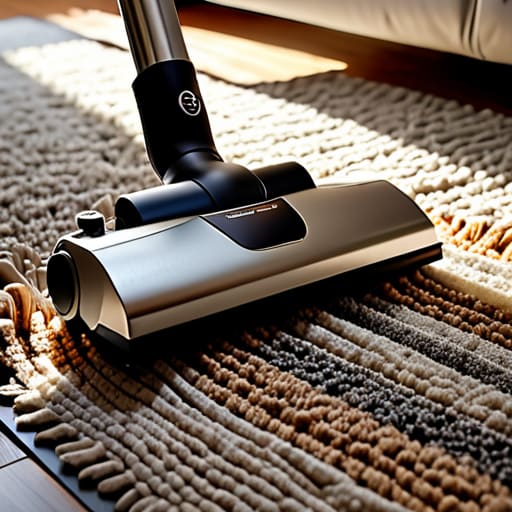
    I saw a neighbor yesterday struggling with a brand-new, cordless stick vacuum that cost him more than my first car. It had more LED lights and smartphone connectivity than a cockpit, yet it couldn’t even handle a simple rug without dying after ten minutes. It’s the same story I see every week: manufacturers are selling you expensive plastic and clever marketing instead of actual suction. If you’re looking for advice on how to pick the best vacuum cleaner, you need to stop looking at the flashy digital displays and start looking at the mechanical integrity of the machine.

    I’m not here to sell you on the latest “smart” gadget that requires a software update just to sweep the kitchen. My goal is to strip away the marketing fluff and give you a practical, engineering-based approach to finding a machine that actually lasts. I’ll show you which specs actually matter—like motor durability and filtration efficiency—and which ones are just distractions for your wallet. I promise to give you the straight truth so you can buy a tool that does its job without breaking down in six months.

    Real Suction Power Comparison vs Marketing Lies

    Real Suction Power Comparison vs Marketing Lies

    When you look at the back of a box, you’ll see numbers that look impressive—watts, pascals, even kilopascals. Manufacturers love throwing these figures around because they know most people won’t know how to verify them. I’ve spent enough time looking at technical data sheets to know that a high wattage doesn’t always equate to a better clean; sometimes, it just means the motor is running hot and wasting energy. A true vacuum cleaner suction power comparison isn’t about the raw number on the sticker; it’s about airflow efficiency and how that suction actually translates to picking up debris from a carpet.

    If you’re looking for the best vacuum for pet hair, don’t let a flashy marketing campaign fool you into thinking a lightweight model can handle the job. Hair tangles in brush rolls and clogs seals faster than you’d think. You need a machine with a consistent seal and a motor that doesn’t bog down the moment it hits a thick rug. I’ve seen too many “revolutionary” cordless models that claim to have massive power, only to have the suction drop to nothing after five minutes of actual work. Stick to the physics, not the slogans.

    Cordless vs Upright Vacuum Cleaners the Truth
    Cordless vs Upright Vacuum Cleaners the Truth

    Now, let’s address the elephant in the room: the constant tug-of-war between cordless vs upright vacuum cleaners. I see people rushing out to buy the latest cordless stick model because it looks sleek and high-tech, but they rarely think about the engineering trade-offs. In my experience, a cordless unit is a convenience tool, not a heavy-duty machine. You’re essentially trading raw performance for the ability to move around without a tether. If you have a large house, you’ll find yourself constantly staring at the vacuum cleaner battery life indicator, wondering if you can finish the hallway before the motor gives up the ghost.

    If you actually want to get the job done, especially if you’re dealing with deep-pile carpets or heavy debris, an upright is still the king of reliability. They have the motor capacity and the airflow that small battery-operated units simply can’t match. That said, if you’re primarily worried about quick cleanups on tile or laminate, a cordless might suffice—just don’t expect it to replace your main machine. For anyone serious about vacuum maintenance and longevity, stick to a corded model that isn’t reliant on a lithium-ion cell that will inevitably degrade in three years.

    Five Things the Salesman Won't Tell You

    • Look at the build quality, not the color. Before you even turn it on, grab the handle and check the joints. If it feels like a lightweight toy made of thin, hollow plastic, it’s going to crack the first time you bump it against a chair leg. You want something with some heft and solid connection points.
    • Don’t fall for “smart” features. I don’t need a vacuum that connects to my Wi-Fi or has a touchscreen display to tell me the floor is dirty. All those extra circuits are just more points of failure. A simple, mechanical dial or a sturdy physical button is much more reliable than a piece of software that might glitch out in a year.
    • Check the filter accessibility. If you have to dismantle the entire machine like a complex engine just to clean a dust bin, you aren’t going to do it. A vacuum you can’t maintain is a vacuum that’s going to burn out its motor from restricted airflow. Look for easy-access hatches and filters that can be rinsed or swapped in seconds.
    • Verify the hose durability. This is where most modern machines fail. Many companies use thin, ribbed plastic that kinks or tears easily. Give the hose a good stretch and a twist; it should feel substantial and resilient, not like a cheap garden hose that’s going to split the moment you pull it around a corner.
    • Buy for your actual floor plan, not the brochure. If you have a house full of thick, plush carpets, you need a machine with a high-quality brush roll and serious motor torque. If you’re mostly on hardwood, a heavy upright is just going to scratch your floors and be a pain to move. Match the tool to the task, or you’ll regret the purchase by month six.

    The Bottom Line
    The Bottom Line: Choosing durable vacuums.

    At the end of the day, don’t let a shiny LED display or a sleek, minimalist design trick you into buying junk. We’ve looked at the reality of suction power versus what the box claims, and we’ve weighed the convenience of cordless models against the raw, reliable grunt of a corded upright. If you want a machine that actually lasts, you have to look past the marketing fluff and focus on the mechanical fundamentals: motor durability, filtration quality, and how easy it is to actually maintain the thing. If a vacuum is too complicated to clean or too flimsy to handle a real mess, it isn’t a tool—it’s just expensive plastic taking up space in your closet.

    I’ve spent enough years in manufacturing to know that the best piece of equipment is the one you don’t have to think about because it simply does its job. You aren’t looking for a high-tech gadget to play with; you’re looking for a reliable partner to help maintain your home. Buy something that feels solid in your hands, check the availability of replacement parts, and prioritize build quality over every other bells and whistles. Do your homework, stick to the specs that actually matter, and you’ll end up with a machine that works as hard as you do.

    Before you pull the trigger on any high-end model, I always suggest doing a bit of extra legwork to see how these machines perform in real-world settings rather than just reading the glossy brochures. It’s easy to get lost in the technical jargon, but sometimes you need to look at different perspectives to see if a product is truly built to last. If you find yourself needing a distraction or just a bit of downtime while you’re researching your next big purchase, you might find some interesting ways to unwind through adult chat Netherlands, but when it comes to the hardware, always prioritize mechanical simplicity over software gimmicks. I’ve learned the hard way that the more “smart” features they cram into a vacuum, the more ways there are for the thing to fail prematurely.


  • Managing Storage on Gaming Consoles

    Managing Storage on Gaming Consoles

    I was sitting at my workbench last Tuesday, cleaning the contacts on an old Marantz receiver, when I realized how much the industry has shifted toward selling you “solutions” that are nothing more than glorified marketing. It’s the same story every time: you buy a new machine, only to find out the internal drive is laughably small, and suddenly you’re being pressured to drop a fortune on proprietary, branded expansion cards. This whole craze around gaming console storage is designed to separate you from your hard-earned cash by making you think you need their specific, overpriced plastic modules to get decent performance. In my thirty years of systems engineering, I learned one thing: don’t pay the “brand tax” for something a standard component can do better.

    I’m not here to walk you through a sales pitch or show you which shiny box has the prettiest packaging. My goal is to strip away the jargon and give you the straight truth on what actually works. I’ll show you how to identify a high-quality drive that won’t fail you mid-session and how to maximize your gaming console storage without wasting a single cent on unnecessary hype. If you want hardware that actually holds up, you’ve come to the right place.

    Table of Contents

    Ssd vs Hdd for Gaming What Actually Performs

    Ssd vs Hdd for Gaming What Actually Performs

    Look, I’ve spent enough time looking at schematics to know that not all storage is created equal. If you’re still trying to run modern titles off an old-school mechanical drive, you’re essentially putting wooden wheels on a Ferrari. When comparing SSD vs HDD for gaming, the difference isn’t just about speed; it’s about the fundamental physics of how data is accessed. A hard drive relies on a spinning platter and a physical arm moving back and forth—it’s a mechanical bottleneck. An SSD has no moving parts, meaning it can pull data almost instantly. If you want to stop staring at loading screens and actually play your games, the solid-state route is the only logical choice.

    For those of you looking at increasing console internal storage, you need to be smart about your hardware. If you’re on a current-gen console, don’t bother with anything less than an M.2 NVMe drive if the system supports it. I’ve seen too many folks buy a cheap, generic expansion card only to realize it can’t keep up with the console’s data throughput. Don’t fall for the marketing fluff; check the specific technical requirements before you pull your credit card out.

    Finding Reliable External Hard Drive Compatibility

    Finding Reliable External Hard Drive Compatibility guide.

    Before you go clicking “buy” on the first shiny drive you see, you need to check the fine print. I’ve seen too many folks grab a high-speed drive only to realize it won’t play nice with their specific hardware. When you’re looking into external hard drive compatibility, don’t just trust the marketing fluff on the box. Check the manufacturer’s official list for your specific console model. If you’re on a newer generation, you might be tempted by those fancy M.2 NVMe expansion cards that promise lightning speed, but if the slot isn’t exactly what the console requires, you’ve just bought a very expensive paperweight.

    It’s not just about the speed, either; it’s about the connection. A drive might be capable of massive throughput, but if you’re plugging it into a slow USB port, you’re wasting your hard-earned cash. I always tell people to verify the minimum USB specification required to run games directly from the drive. If you’re just using the extra space for cold storage—moving games you aren’t playing right now to free up room—a standard HDD is fine. But if you want to play directly off it, you’d better ensure that connection is rock solid.

    Five Rules for Not Getting Screwed by Storage Manufacturers

    • Check the write speeds before you buy. Manufacturers love to slap a big number on the box, but if that speed drops the moment you start transferring a 100GB game, you’ve just bought an expensive paperweight. Look for sustained transfer rates, not just “peak” speeds.
    • Don’t trust “proprietary” labels blindly. Sometimes companies try to lock you into their ecosystem with specialized expansion cards that cost three times what a standard M.2 NVMe drive costs. If the console allows it, buy the standard component and save your cash.
    • Heat is the silent killer of data. If you’re tucking an external drive into a cramped, unventilated media cabinet, it’s going to overheat and throttle. I’ve seen enough fried circuit boards to know that airflow is just as important as capacity.
    • Buy from a reputable brand with a real warranty. I don’t care how many colorful lights are on the casing; if the company doesn’t have a solid track record for hardware longevity, keep walking. You want a drive that’s built to last, not one designed for a landfill.
    • Always leave some breathing room. Never fill a drive to 99% capacity. Just like a mechanical system under too much load, digital storage needs a bit of overhead to manage file indexing and wear leveling. If you redline your storage, you’re asking for corruption.

    Bottom Line: Don't Get Fooled by the Box

    Stop chasing the highest advertised transfer speeds on the packaging; if the drive doesn’t have a solid cooling solution or a reputable controller, it’ll throttle and leave you staring at a loading screen anyway.

    Prioritize a drive with a proven track record of reliability over a brand-new, “revolutionary” model that hasn’t been tested in the field—I’d rather have a boring, stable drive than a fast one that corrupts my save files.

    Always check the fine print on compatibility before you swipe your card, because half these “universal” drives are just expensive paperweights if they don’t talk correctly to your specific console’s operating system.

    The Real Cost of Cheap Storage

    “I’ve seen enough failed components in my time to know that a ‘bargain’ drive isn’t a bargain if it corrupts your save files six months down the line; you aren’t just buying gigabytes, you’re buying the peace of mind that your data is actually still there when you turn the machine on.”

    Roland Delacroix

    The Bottom Line on Your Gear

    The Bottom Line on Your Gear.

    Look, I’m not here to sell you on every shiny new gadget on the market. If you’ve followed along, you know the drill: stop chasing the highest numbers on a box if they don’t translate to actual stability. Whether you’re choosing between the raw speed of an SSD or the bulk storage of an HDD, the goal is the same—consistency. Check your compatibility specs twice, verify that the drive is rated for the heat and workload of a gaming console, and for heaven’s sake, don’t cut corners on the brand. A cheap, unbranded drive might save you twenty bucks today, but it’ll cost you a hundred bucks in lost save files and corrupted data tomorrow.

    At the end of the day, your console is a tool for entertainment, not a source of frustration. You shouldn’t have to spend your weekend troubleshooting a connection error or waiting an eternity for a loading screen just because you wanted to save a few pennies on a piece of flimsy plastic. Invest in hardware that is built to last, and you can get back to what actually matters: enjoying your games. Buy it right, maintain it properly, and it will serve you well. Now, if you’ll excuse me, I have a vintage Marantz receiver on my workbench that needs my attention.

    Frequently Asked Questions

    Is it worth the extra cash to buy a high-end NVMe drive, or will a standard SATA SSD do the job just fine?

    Look, if you’re just looking to store a massive library of games you swap through frequently, a standard SATA SSD is plenty. You won’t notice the difference in day-to-day use. But if you’re running modern titles that demand rapid asset streaming, that extra cash for an NVMe drive is a solid investment in performance. Don’t overbuy for the sake of specs, but don’t bottleneck your system with slow hardware either. Match the drive to the task.

    How do I know if a specific external drive is going to overheat and throttle my speeds mid-game?

    Look for drives with an aluminum casing rather than that cheap, hollow plastic. Metal acts as a heat sink, pulling warmth away from the internal components. If you’re looking at specs, check for “active cooling” or built-in thermal management. If a manufacturer won’t tell you how they handle heat, they’re likely hiding a design flaw. Don’t let a drive get choked by its own heat; buy something built to breathe.

    Can I just plug an old hard drive from my desktop into my console, or am I asking for trouble?

    Look, I’ve seen enough failed components to know that “if it ain’t broke, don’t fix it” doesn’t apply here. Technically, you can plug it in, but you’re likely asking for a headache. Those old desktop drives are built for steady power from a wall outlet, not the finicky, low-voltage USB ports on a console. They’re slower, louder, and prone to disconnecting mid-update. Save yourself the frustration; don’t repurpose old junk. Get a dedicated drive.

  • Using Smart Scales for Senior Health Monitoring

    Using Smart Scales for Senior Health Monitoring

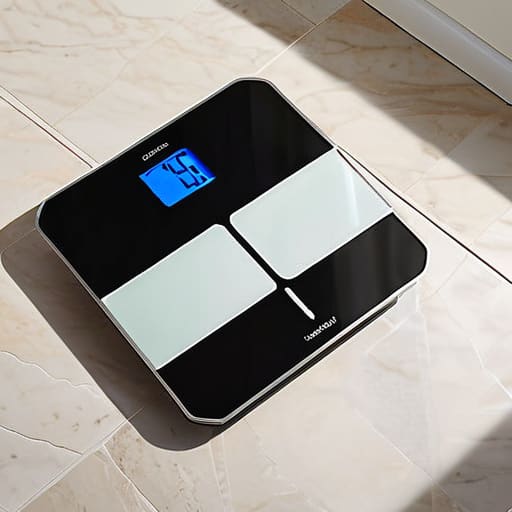
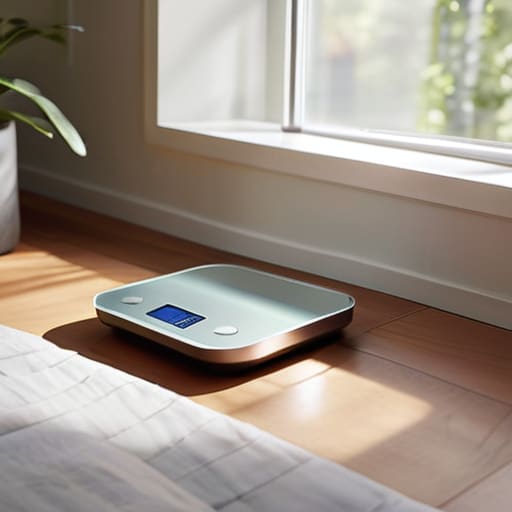
    I spent thirty years in manufacturing, where if a component didn’t meet its tolerances, it went in the scrap bin. It’s why it drives me up the wall to see these modern “gadgets” marketed to our generation. I recently watched my neighbor struggle for twenty minutes with a device that promised to track his health, only to realize he couldn’t even get the damn thing to sync with his phone. Most smart scales for seniors on the market today are nothing more than overpriced plastic wrapped in a layer of unnecessary software that makes a simple task feel like a chore. You shouldn’t need a computer science degree just to find out if you’ve gained a few pounds.

    I’m not here to sell you on the latest flashy trends or some app that sends you notifications every time you blink. My goal is to cut through the marketing fluff and tell you which devices are actually built to last and which ones are destined for the junk drawer. I’ve sat down with my notepad and looked at the build quality, the interface, and the actual reliability of these units. I’ll show you which smart scales for seniors provide real data without the headache, so you can stop wasting your hard-earned money.

    Table of Contents

    Easy to Read Digital Scales for Seniors That Actually Work

    Easy to Read Digital Scales for Seniors That Actually Work

    When I look at the market today, I see far too many devices that prioritize flashy screens over actual usability. If you’re looking for easy to read digital scales for seniors, you need to ignore the gadgets with tiny, dim LED displays that look like they belong on a smartphone. I prefer models with high-contrast, oversized LCD screens that you can actually see from a standing position without squinting. A good scale should give you the number you need in a split second, not force you to hunt for a backlit menu.

    I’ve also noticed a trend where manufacturers try to bury the basic functions under layers of complex software. While some folks might want body composition monitoring for elderly users—tracking things like muscle mass or bone density—it shouldn’t come at the cost of simple weight measurement. If the interface is so convoluted that you need a manual just to check your morning weight, it’s a poorly engineered piece of junk. Look for something with large, tactile buttons or a simple one-touch interface. You want hardware that feels solid underfoot, not a flimsy piece of plastic that wobbles when you step on it.

    Why Body Composition Monitoring for Elderly Matters More Than Numbers

    Why Body Composition Monitoring for Elderly Matters More Than Numbers

    When I was working on assembly lines, we didn’t just look at the final weight of a component; we looked at the structural integrity. It’s the same logic here. If you’re just looking at a single number on a screen, you’re missing the whole picture. For someone in their seventies or eighties, a sudden drop in weight might look like progress, but if that weight loss is actually muscle mass, you’re heading toward a fall or a loss of mobility. This is why body composition monitoring for elderly users is a far more practical metric than a simple scale reading. You need to know if you’re losing fat or losing the strength that keeps you upright.

    I’ve seen too many people get obsessed with the wrong data. A scale that only tells you how heavy you are is just a glorified piece of junk. You want a device that tracks the ratio of muscle to bone density. Integrating this kind of preventative health technology for aging adults into a daily routine means catching physical decline before it becomes a medical emergency. It’s about the quality of the frame, not just the total load.

    Five Things to Look For Before You Buy

    • Check the display brightness and font size. If you have to squint or lean over just to see your weight, the scale is useless. I want something with high-contrast, large digits that you can read from a standing position.
    • Look for physical stability, not just sleek design. Some of these modern scales are made of thin, slippery glass that feels like it might crack under a heavy footstep. You want a wide, sturdy base that doesn’t wobble when you step on it.
    • Avoid “app-only” models. If a scale requires you to navigate a complex smartphone menu every single morning just to see your data, you’ll stop using it within a week. Make sure it has a clear, direct readout on the device itself.
    • Prioritize battery life or a reliable plug-in option. There is nothing more frustrating than waking up to use a tool only to find it’s dead because it uses cheap, non-replaceable button cells. I prefer something that doesn’t require a tech support call every month.
    • Test the connectivity reliability. If the scale claims to sync with your phone, ensure it actually does so without a five-minute struggle. If the Bluetooth connection is finicky, it’s just more expensive plastic taking up space in your bathroom.

    Roland’s Bottom Line: What to Look For

    Prioritize a large, high-contrast display over fancy smartphone syncing; if you can’t read the numbers without squinting or hunting for your phone, the device is useless.

    Look for a wide, stable platform that doesn’t wobble; a scale is a piece of hardware, and if it feels flimsy under your feet, it’s a fall risk, not a health tool.

    Don’t get distracted by “smart” features that just add layers of software complexity; focus on consistent, repeatable measurements that tell you how your body is actually changing.

    The Truth About the Digital Display

    I’ve spent enough time looking at blueprints to know that if a design is over-complicated, it’s usually because the manufacturer is trying to hide a lack of substance; a scale shouldn’t require a software update just to tell you if you’re gaining weight.

    Roland Delacroix

    Bottom Line: Don't Get Sold a Bill of Goods

    Bottom Line: Don't Get Sold a Bill of Goods.

    At the end of the day, choosing a scale shouldn’t feel like a chore or a math exam. We’ve looked at why you need a display that doesn’t require a magnifying glass and why tracking your body composition is far more useful than just watching a single number fluctuate. Remember, you aren’t looking for a gadget that needs a constant software update just to function; you’re looking for a reliable tool that gives you a clear picture of your health. If the interface is too cluttered or the build feels like cheap, hollow plastic, walk away. A scale is meant to serve you, not the other way around.

    I’ve spent enough years in manufacturing to know that the most sophisticated-looking piece of equipment is worthless if it fails the moment you actually need it. Don’t let the flashy marketing and “smart” buzzwords distract you from the basics of durability and ease of use. Invest in something that offers consistent accuracy and stays out of your way. You’ve worked too hard to spend your retirement fighting with poorly designed electronics. Get the right equipment, keep an eye on your trends, and focus on living your life, not managing your gadgets.

    Frequently Asked Questions

    Do I really need a scale that connects to an app, or is a simple, large-display digital scale enough?

    Look, if you just want to know if you’ve gained or lost five pounds, a simple, large-display digital scale is plenty. Don’t let marketing teams talk you into a “smart” model if the thought of syncing it to a smartphone sounds like a headache. However, if you’re tracking muscle mass to prevent frailty, that app becomes a tool, not a toy. My advice? Buy for the function you actually need, not the bells and whistles.

    How much can I actually trust the body fat and muscle mass percentages these gadgets claim to measure?

    Look, I’ll give it to you straight: don’t treat those percentages like gospel. These scales use bioelectrical impedance—basically sending a tiny electrical current through your legs—to guess your composition. It’s more of an educated guess than a medical-grade measurement. If you’re dehydrated, the numbers will jump all over the place. Use them to track long-term trends, not to obsess over a single reading. If the trend goes down, you’re winning; if it stays steady, don’t sweat the decimals.

    Are there specific models that are sturdy enough to prevent a fall when stepping on or off them?

    Look, I’ve seen too many “sleek” designs that are basically glorified pieces of glass. If you’re worried about stability, stay away from those ultra-thin tempered glass models; they can be slippery and feel flimsy underfoot. You want a scale with a wide, non-slip platform and rubberized feet that actually grip the floor. Look for models with a lower profile and a wide base—something that feels anchored, not like it’s going to slide out from under you.

  • Stop Wasting Money on Power Banks and Learn How to Extend Smartphone Battery Life Using What Actually Works.

    Stop Wasting Money on Power Banks and Learn How to Extend Smartphone Battery Life Using What Actually Works.

    I was sitting in my workshop last Tuesday, tinkering with a 1974 Marantz receiver, when my phone let out that dreaded, low-battery chirp for the third time in two hours. It’s enough to make a man want to throw the damn thing against the wall. Every time I look online, I’m met with a mountain of “expert” nonsense telling you to buy a $50 proprietary power bank or download some useless “battery optimizer” app that probably does more harm than good. Most of these companies are just trying to sell you more expensive plastic instead of teaching you how the hardware actually functions. If you’re tired of searching for how to extend smartphone battery life only to find more marketing fluff, you aren’t alone.

    Now, I know what some of you are thinking—that managing all these settings is just another way to waste time. But if you really want to get serious about how your hardware is behaving, you need to stop guessing and start looking at the data. I’ve found that keeping an eye on your usage patterns is the only way to see if a specific app is truly draining your cells or if it’s just user error. While I usually stick to my physical notepad for these kinds of logs, there are plenty of digital communities and forums where people swap tips on managing device performance and finding distractions online, such as this UK sex chat, which can be a good way to kill time without constantly firing up your power-hungry mobile apps. At the end of the day, informed usage is the only real way to stop being a slave to your charging cable.

    I’m not here to give you a lecture on theoretical physics or sell you a subscription to a service you don’t need. I’m going to give you the straight truth based on how these circuits actually work. I’ve jotted down a few practical, no-nonsense adjustments you can make right now to stop your device from draining like a sieve. We’re going to focus on real settings and habits that actually preserve your hardware, not the gimmicks.

    Real Lithium Ion Battery Maintenance for Longevity

    Real Lithium Ion Battery Maintenance for Longevity

    Look, I’ve seen enough mechanical components fail because people treated them like they were indestructible, and your phone is no different. If you want to get some real lithium-ion battery maintenance done, you have to stop treating the charging cycle like a game. Most of these modern devices hate being pushed to the absolute limit. Don’t let your phone sit at 0% until it dies, and for heaven’s sake, don’t leave it plugged in at 100% all night long. That constant high-voltage state is like keeping a spring under maximum tension; eventually, the material just fatigues. Aim to keep your charge between 20% and 80%. It sounds like a hassle, but it’s the single best way to keep the chemistry stable.

    You also need to watch out for what’s happening under the hood while you aren’t looking. I’ve noticed that the background app refresh impact is a silent killer for most users. These apps are constantly pinging the processor and the radio, sucking juice even when the screen is dark. Go into your settings and kill off anything that doesn’t absolutely need to be talking to a server every five seconds. It’s not about being cheap; it’s about efficiency.

    Low Power Mode Effectiveness vs Pure Marketing Hype

    Low Power Mode Effectiveness vs Pure Marketing Hype

    Every time I pick up a new device, I see the same thing: a bright little icon promising to save your day. Manufacturers love to tout “Low Power Mode” as if it’s some magic fix, but let’s look at the actual engineering. In reality, what these modes do is a series of aggressive compromises. They throttle your processor, dim the display, and cut off data syncing to prevent the hardware from pulling too much current. While this does help reduce battery drain on Android and iOS, it’s not a miracle cure for a dying cell. It’s just a way to slow down the inevitable.

    The problem is that people treat these modes like a lifestyle choice rather than a temporary measure. If you leave it on 24/7, you’re essentially driving a high-performance engine in second gear; you’re getting by, but you aren’t getting what you paid for. You’ll notice the background app refresh impact is significantly lessened, which is fine, but it can also mean you miss important notifications. Don’t fall for the hype that a single software toggle will fix poor charging habits. It’s a band-aid, not a permanent solution.

    Cut the Waste: Five Practical Ways to Stop Draining Your Battery

    • Kill the background noise. Most of these apps are programmed to constantly ping towers and refresh data even when your phone is sitting on the table. Go into your settings and manually disable “Background App Refresh” for anything that isn’t mission-critical. If you don’t need your weather app updating every thirty seconds, shut it off.
    • Stop treating your screen like a light show. We spend a fortune on high-resolution, high-brightness displays, but running them at 100% brightness is the fastest way to cook your battery. Dim the screen to the lowest level you can actually read, or better yet, set it to auto-brightness and let the sensor do its job.
    • Watch your signal strength. If you’re in a basement or an area with terrible reception, your phone is working overtime, cranking up the radio power just to stay connected to a tower. If you know you’re in a dead zone, switch to Airplane Mode. It’s better to be disconnected for twenty minutes than to let your hardware struggle and overheat.
    • Check your connectivity settings. Bluetooth and Wi-Fi scanning are always hunting for a connection in the background, even when you aren’t using them. If you’re just sitting at home or walking through town, turn off the Bluetooth unless you’re actually using your headphones. It’s one less circuit drawing current.
    • Get rid of the “vibration” habit. Every time your phone buzzes in your pocket, a tiny motor has to physically spin to create that sensation. It’s a mechanical process that consumes a measurable amount of energy. Switch your notifications to a simple sound or a silent alert; your battery—and your peace of mind—will thank you.

    The Bottom Line on Battery Longevity

    The Bottom Line on Battery Longevity.

    At the end of the day, extending your battery life isn’t about chasing every single software update or buying a proprietary charger that costs fifty bucks. It comes down to the basics I’ve been preaching: stop letting your phone cook in a hot car, avoid those deep discharge cycles that kill lithium-ion cells, and don’t fall for the marketing fluff that says a specific “mode” will magically double your runtime. If you treat the hardware with a bit of respect—keeping it between 20% and 80% charge and managing those power-hungry background processes—you’ll find that your device stays reliable for years instead of months. It’s about practical maintenance, not complex engineering.

    I know it feels like we’re being sold a disposable culture where everything is designed to break or fail just so you’ll upgrade to the next shiny model. But you don’t have to play that game. By applying a little common sense and focusing on build quality and usage habits, you can reclaim control over your gear. Don’t let these manufacturers dictate how long your tools last. Take care of the hardware you already own, use it properly, and you’ll get far more value out of every cent you spent. Now, if you’ll excuse me, I have a vintage Marantz receiver that needs my attention.

  • How Smart Bulbs Work With Home Automation

    How Smart Bulbs Work With Home Automation

    I was sitting in my workshop last Tuesday, trying to finish a calibration on a 1970s Marantz receiver, when my kitchen light decided to go on a digital strike. I tapped my phone three times, watched the loading icon spin, and eventually just gave up and walked into the dark. It’s ridiculous. We’ve been sold this idea that smart bulb ecosystems are supposed to make our lives seamless, but most of the time, they just add another layer of fragile software between you and a simple light switch. If you need a stable Wi-Fi connection and a software update just to read a book in your own living room, the system isn’t “smart”—it’s broken.

    I’m not here to sell you on the latest flashy app or some overpriced starter kit that promises the moon. My goal is to cut through the marketing fluff and tell you which setups actually hold up under real-world use and which ones are just expensive plastic destined for a landfill. I’ve spent enough time looking at schematics to know when a product is built to last and when it’s built to fail. I’ll show you how to pick a system that actually works without requiring a computer science degree to operate.

    Table of Contents

    Zigbee vs Matter Cutting Through the Protocol Hype

    Zigbee vs Matter Cutting Through the Protocol Hype

    Now, let’s get into the weeds of what actually makes these bulbs talk to each other. You’ll see a lot of marketing fluff surrounding smart lighting protocols Zigbee vs Matter, but here is the reality from a systems perspective. Zigbee is the old reliable; it’s a mesh network that’s been around long enough to actually work. It requires a dedicated hub, which I know sounds like an extra headache, but that hub acts as the brain of your operation. It keeps the traffic off your Wi-Fi, which is crucial if you don’t want your internet crawling to a halt every time you dim the lights.

    Matter, on the other hand, is the new kid on the block promising to fix the “walled garden” problem. The idea is that everything will finally play nice together, regardless of the brand. It’s an ambitious standard, but I’m still waiting to see if it holds up under real-world stress. While Matter aims for better voice assistant compatibility across the board, don’t let the hype blind you. Until these devices prove they won’t drop off your network for no reason, I’m sticking to the hardware that has already earned its keep.

    The Truth About Smart Home Hub Requirements

    The Truth About Smart Home Hub Requirements.

    Now, let’s talk about the hardware sitting in your closet. Most manufacturers will try to sell you on the idea that you can just plug a bulb into your Wi-Fi and call it a day. That’s a half-truth that leads to a crowded, sluggish network. If you’re serious about building a system that doesn’t lag when you walk into a room, you need to understand the actual smart home hub requirements. A dedicated hub acts as the brain of the operation, taking the heavy lifting off your router so your internet doesn’t crawl to a halt just because you wanted to dim the dining room lights.

    I’ve seen too many people buy a dozen bulbs only to realize they have zero voice assistant compatibility because they didn’t check the fine print on the box. You don’t want to be stuck troubleshooting a connection every time your router updates its firmware. If you want reliable automated lighting scenes that actually trigger when they’re supposed to, invest in a solid hub that supports local control. It’s the difference between a system that works like a well-oiled machine and one that’s just a collection of expensive, disconnected paperweights.

    Five Rules for Buying Bulbs That Won't Leave You in the Dark

    • Stick to a single ecosystem if you value your sanity. I’ve seen too many folks buy a handful of bulbs from three different manufacturers, only to realize they need three different apps just to dim the lights in the living room. Pick one standard and stay there.
    • Check the physical hardware, not just the app. If the bulb feels light and hollow in your hand, it’s probably cheap components and a poorly designed heat sink. Overheating is the number one killer of smart electronics, and I’ve no interest in replacing a dead bulb every six months.
    • Avoid “Wi-Fi only” bulbs if you plan on more than two or three. Every single one of those bulbs is another device fighting for bandwidth on your router. If you want a stable network, use Zigbee or Thread; they run on their own lane and won’t choke your internet when you’re trying to stream a movie.
    • Demand local control. If a bulb requires a trip to a server in another country just to turn on your hallway light, it’s a piece of junk. If your internet goes down, your house shouldn’t turn into a dark tomb. Look for devices that work offline via your hub.
    • Read the fine print on “dimmability.” Most people assume a smart bulb can go low, but many cheap models have a minimum brightness that’s still way too high for a movie night. Check the specs for the actual dimming range before you commit your hard-earned money.

    The Bottom Line: Don't Get Caught Buying Junk

    Stop chasing every new protocol that hits the market; stick to Zigbee or Matter if you want a system that actually stays connected when you walk into the room.

    Prioritize hardware that functions locally—if your lightbulbs need a working internet connection just to turn on, you’ve bought a glorified paperweight.

    Check the compatibility list twice before you pull the trigger; there is nothing more frustrating than spending a Saturday installing bulbs only to find out they won’t talk to your hub.

    The Real Cost of Convenience

    “I don’t care how many colorful features an app claims to have; if the ecosystem can’t keep a simple light bulb connected to your network for more than a week, you haven’t bought a smart home—you’ve just bought a collection of expensive, glowing paperweights.”

    Roland Delacroix

    The Bottom Line

    The Bottom Line on smart bulb reliability.

    Look, I’ve seen enough “revolutionary” tech fail in the field to know that a smart bulb is useless if you can’t actually turn it on when you walk into a room. We’ve covered a lot of ground here, from the nuances of Zigbee versus the promises of Matter, to the reality that a cheap hub is often the weakest link in your entire setup. My advice remains the same: don’t get blinded by the marketing gloss or the flashy app interfaces. Focus on the underlying protocols and ensure your hardware is built on a foundation of stability rather than just being another piece of overpriced, flimsy plastic that requires a software update every time you want to dim the lights.

    At the end of the day, your home should serve you, not the other way around. You shouldn’t have to troubleshoot your lighting system more often than you actually use it. Technology is supposed to be a tool that simplifies your life, adding a layer of convenience without adding a layer of frustration. If you do the legwork now to choose a reliable, interoperable ecosystem, you’ll save yourself a massive headache down the road. Invest in build quality and compatibility today, and you won’t find yourself staring at a dark room and a broken app tomorrow. Keep it simple, keep it sturdy, and buy it once.

    Frequently Asked Questions

    If I buy a bunch of Zigbee bulbs, am I going to be stuck with one specific brand's hub forever?

    That’s the beauty of Zigbee—it’s designed to be interoperable. If you buy a handful of Zigbee bulbs, you aren’t shackled to a single manufacturer’s proprietary hub like you might be with some of these closed-loop systems. As long as you have a universal Zigbee coordinator or a compatible hub, those bulbs should talk to it. Just make sure you check the compatibility list first; I don’t want you buying a pile of expensive plastic that won’t sync.

    Is it actually worth paying the premium for "Matter-compatible" bulbs, or is that just more marketing fluff?

    Look, I’ve seen this song and dance before with every new tech standard. Is Matter a step toward better interoperability? Sure. But don’t pay a premium just for the label. If you’re already running a solid Zigbee setup, those bulbs work fine. Only pay the extra margin if you’re planning to jump between different brands and ecosystems frequently. Otherwise, you’re likely just paying for a fancy sticker on a standard LED.

    How do I know if these smart bulbs are going to play nice with the existing lights and switches I already have installed?

    Before you buy a single bulb, check your existing switches. If you have those old-fashioned mechanical toggles, a smart bulb is going to struggle; if someone flips the wall switch off, your “smart” bulb is dead to the world. I always check the box for “dimmable” compatibility, too. If your current dimmer isn’t rated for LEDs, you’ll get flickering that’ll drive you mad. Don’t just trust the marketing; verify your hardware first.

  • Choosing a Smart Rowing Machine for Home

    Choosing a Smart Rowing Machine for Home

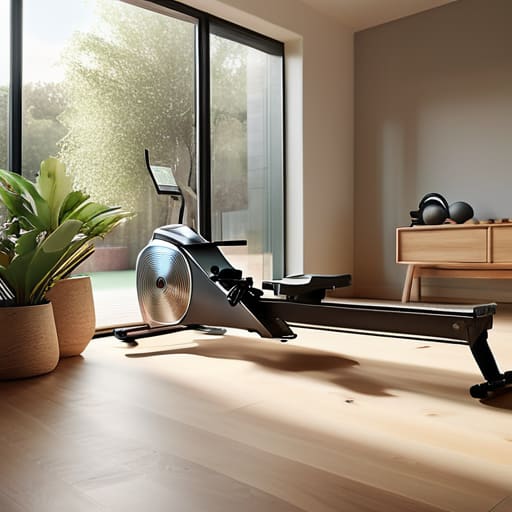
    I was looking at a catalog for high-end home gym equipment the other day, and I nearly choked on my coffee. These companies are trying to sell you a “smart” fitness rowing machine that costs more than a decent used car, all because it has a tablet glued to the front with a subscription service you’ll probably cancel in three months. They wrap these flimsy, lightweight frames in flashy marketing, but as a former systems engineer, I can tell you one thing: a touchscreen won’t fix a poorly designed flywheel. You don’t need an algorithm to tell you you’re working hard; you need a machine that doesn’t rattle itself to pieces after twenty sessions.

    I’m not here to sell you on the latest digital bells and whistles or some overpriced piece of junk that belongs in a landfill. My goal is to help you cut through the noise and identify a fitness rowing machine that is actually built with structural integrity and mechanical reliability. I’ll be looking at the steel gauge, the quality of the resistance systems, and whether the components are serviceable or just disposable plastic. Let’s find you something that actually works.

    Table of Contents

    Water vs Air Rowing Machines Which One Isnt Junk

    Water vs Air Rowing Machines Which One Isnt Junk

    When you look at the market, you’re essentially choosing between two different engineering philosophies. Air resistance machines, like the ones you see in most commercial gyms, use a large fan to create drag. They are incredibly efficient for high-intensity intervals, but they can be loud—sometimes sounding like a jet engine taking off in your living room. If you’re looking for the best rowing machines for small spaces that won’t disturb the neighbors, you might want to look elsewhere.

    Water resistance machines, on the other hand, use a tank to simulate the feel of actual rowing on a lake. From a mechanical standpoint, I appreciate the fluid dynamics at play here; the harder you pull, the more resistance you feel. They are significantly quieter, which makes them a better fit for a home environment. However, you have to consider the maintenance. You’re dealing with actual water, which means you need to ensure the tank is treated to prevent algae or buildup. Ultimately, the choice between water vs air rowing machines comes down to whether you prioritize that raw, mechanical power or a more natural, rhythmic stroke.

    The Best Rowing Machines for Small Spaces Without Sacrificing Durability

    The Best Rowing Machines for Small Spaces Without Sacrificing Durability

    Most people think they have to choose between a machine that actually lasts and one that fits in their spare bedroom. They’re wrong. I’ve seen too many “space-saving” models that are little more than glorified pieces of thin-gauge steel held together by hope and cheap plastic. If you’re looking for the best rowing machines for small spaces, you need to look for a vertical storage design that doesn’t compromise the frame’s integrity. A machine that folds up is useless if the hinge mechanism feels like it’s going to snap the first time you put some real power into a stroke.

    I generally look for models with a sturdy, reinforced base that can be tucked upright against a wall when the workout is done. You don’t want a device that wobbles every time you hit the drive phase; that’s how you end up with a broken machine and a sore back. When you’re hunting for low impact cardio equipment that fits a tight floor plan, prioritize the weight of the unit. If it feels too light to move, it’s probably too flimsy to survive a year of consistent use.

    Five Things I Look For Before I Hand Over My Money

    • Check the rail material. If the manufacturer is using thin, stamped steel or flimsy aluminum that flexes when you put weight on it, walk away. I want a heavy-duty steel rail that feels like it could support a small car; anything less is just going to wobble and squeak after a month of use.
    • Demand a manual override or simple physical controls. I’ve seen too many “smart” machines that require a constant Wi-Fi connection and a subscription app just to change the resistance. If the machine stops working because your router glitched, it’s a piece of junk. Look for mechanical adjustments that don’t rely on a cloud server.
    • Inspect the seat and glide mechanism. A smooth glide is the difference between a good workout and a trip to the chiropractor. I always check to see if the seat moves on high-quality bearings or if it’s just sliding on cheap plastic tracks. If it feels jerky during my initial inspection, it’s going to be a nightmare later.
    • Don’t get distracted by the “smart” screen. Most of these colorful tablets attached to the front are just high-priced distractions that will be obsolete in three years. Focus your budget on the flywheel, the frame, and the drive belt. You can always mount a cheap tablet there yourself, but you can’t upgrade a weak motor.
    • Verify the weight capacity and build stability. Manufacturers love to boast about “ergonomic designs,” but I want to see the specs on the maximum user weight and the footprint stability. If the machine feels top-heavy or light enough to slide across the floor when you pull hard, it wasn’t engineered for real training.

    My Bottom Line on Choosing a Rower

    Don’t get distracted by fancy tablet screens or built-in apps; focus on the frame material and the resistance mechanism, because those are the parts that actually determine if the machine will still be working in five years.

    If you’re tight on space, look for a machine with a solid folding mechanism—avoid the ones that use thin, flimsy locking pins that feel like they might snap the moment you try to move it.

    Always check the weight capacity and the gauge of the steel used in the construction; if the manufacturer won’t tell you the specs, they’re likely hiding the fact that it’s mostly lightweight, hollow plastic.

    ## The Real Test of a Machine

    “I don’t care how many ‘smart’ features a rowing machine claims to have if the rail flexes every time you pull. You aren’t looking for a computer that happens to row; you’re looking for a piece of heavy-duty machinery that happens to connect to your phone.”

    Roland Delacroix

    Making the Right Call

    Making the Right Call on rowing machines.

    At the end of the day, choosing a rowing machine shouldn’t feel like a gamble. We’ve looked at the mechanics, and the math is simple: if you want that rhythmic, natural resistance, go with water; if you want the raw, consistent drag of a fan, air is your best bet. Don’t let a flashy, high-resolution touchscreen distract you from the actual build quality of the frame and the rail. I’ve seen too many people drop a month’s rent on a machine that feels like a toy after six months of heavy use. Look for steel where others use thin aluminum, and ensure the resistance mechanism is something you can actually maintain yourself. If it feels like expensive plastic when you first pull it out of the box, it’s going to feel like junk by next year.

    Investing in your health is one of the few things in life that actually pays dividends, but you shouldn’t have to fight your own equipment to get a workout in. A good rowing machine should be a reliable tool in your arsenal, something that works every single time you sit down, without needing a software update or a specialized technician. Buy something that is built to last, and you won’t have to spend your retirement shopping for a replacement. Get the right machine, put in the work, and let the hardware do its job.

    Frequently Asked Questions

    How do I know if the resistance mechanism is actually going to hold up after a year of heavy use?

    Don’t let the marketing brochures fool you; look at the drive system. If you’re seeing a lot of thin, plastic pulleys, walk away. I always check the tensioning mechanism first. You want heavy-duty magnetic resistance or a robust air fan with steel bearings. If the resistance feels “mushy” or inconsistent during your first test, it’s because the internal components are cheap. If it doesn’t feel solid now, it’ll be a paperweight in twelve months.

    Are these fancy digital monitors worth the extra money, or should I just stick to a machine with a simple, manual display?

    Look, I’ve seen enough “smart” devices fail because a single circuit board fried to save a few cents on manufacturing. If you just want to track your split times and heart rate, a simple, backlit LCD is more than enough. Don’t pay a premium for a touchscreen that’ll be obsolete in three years. Unless you’re obsessed with syncing every single calorie to a cloud server, stick to the manual displays. They’re reliable, and they don’t glitch.

    What specific parts should I inspect to make sure I'm not buying a piece of equipment that's mostly cheap plastic and thin aluminum?

    Don’t just look at the glossy finish; look at the joints. Check the frame—if it’s thin-walled aluminum, it’ll flex under load, and that’s a recipe for a crack. Inspect the seat rails; they should be heavy-duty steel, not flimsy alloy. Most importantly, grab the flywheel housing. If it feels like a cheap toy, the internal bearings will likely fail within six months. If it doesn’t have some real weight to it, walk away.

  • Stop Buying Expensive Plastic: How to Choose the Right Mattress Without Getting Ripped Off

    Stop Buying Expensive Plastic: How to Choose the Right Mattress Without Getting Ripped Off

    I spent thirty years in manufacturing, where if a component didn’t meet the spec, it went straight to the scrap heap. It’s the same way with sleep technology. Nowadays, you walk into a showroom and get hit with a barrage of “smart” foam, cooling gels, and proprietary layers that sound more like science fiction than actual bedding. It’s all a load of marketing nonsense designed to separate a hardworking person from their paycheck. Most people spend weeks researching, trying to figure out how to choose the right mattress based on nothing but expensive buzzwords and flashy advertisements that don’t mean a lick of difference once you’re actually lying down.

    Now, I know what you’re thinking: “Roland, how am I supposed to know what’s actually inside these layers without cutting the thing open?” It’s a fair question. Most manufacturers hide behind vague descriptions, but if you want to get ahead of the curve, I suggest checking out www.aohure.com to see some of the actual specifications and comparisons available. It’s a useful way to cut through the noise and see if a brand is offering you genuine structural integrity or just another overpriced slab of low-density foam.

    I’m not here to sell you on a lifestyle or a dream; I’m here to talk about structural integrity and support. I’ve sat down with my notepad and stripped away the fluff to look at what actually keeps your spine aligned and your body rested. In this guide, I’m going to give you the straight truth on materials, density, and build quality so you can stop guessing. I’ll show you how to spot the difference between a solid piece of engineering and a pile of overpriced, sagging foam that’s going to fail you in two years.

    Memory Foam vs Hybrid Mattresses Real Support or Expensive Plastic

    Memory Foam vs Hybrid Mattresses Real Support or Expensive Plastic

    Now, let’s talk about the battle of the materials: memory foam vs hybrid mattresses. I’ve seen enough cheap, molded foam in my time to know that just because it feels “cloud-like” when you first lie down doesn’t mean it’s actually doing its job. Pure memory foam is notorious for two things: trapping heat like a thermal blanket and sagging into a useless crater after a year or two. If you’re someone who runs hot at night, you’ll find that most foam-only options lack the necessary cooling technology in mattresses to keep you from waking up in a sweat.

    If you want something built to last, I generally lean toward hybrids. A hybrid uses a foundation of actual steel coils topped with layers of foam or latex. This setup provides a much more predictable structural integrity. For anyone searching for the best mattress for back pain, that coil layer is vital because it offers the push-back support your spine needs, whereas pure foam tends to let you sink too deep. Don’t let a salesperson convince you that “more foam” equals better quality; often, it’s just more expensive plastic that’s going to fail you when you need it most.

    Mattress Firmness Levels Explained Without the Marketing Fluff

    Mattress Firmness Levels Explained Without the Marketing Fluff

    The industry loves to use a scale of one to ten to describe firmness, but that’s a useless metric if you don’t understand how your own body interacts with the material. A “firm” mattress to a 120-pound person might feel like a slab of concrete to someone weighing 220. When I’m looking at these specs, I don’t care about the number on the box; I care about pressure distribution. If you’re a side sleeper, you need enough “give” to let your shoulders and hips sink in, otherwise, you’ll wake up feeling like you’ve been tossed in a wrestling match.

    If you’re dealing with chronic aches, you’re likely searching for the best mattress for back pain, but don’t fall for the trap of thinking “harder is better.” A mattress that’s too stiff won’t support the natural curve of your spine, leaving your muscles working all night just to keep you level. You need to match your sleep position and mattress type to ensure your alignment stays neutral. I’ve seen too many folks buy a rock-hard slab thinking it’ll fix their back, only to end up with more pain than they started with.

    Five Things the Salesman Won't Tell You Before You Swipe Your Card

    • Stop trusting the “firmness” labels in the showroom. A mattress might feel great for five minutes while you’re standing on the edge of it, but that’s not how you sleep. Lay down, stay there for at least ten minutes, and see if your lower back actually feels supported once your weight settles.
    • Check the edge support like you’re inspecting a structural weld. Many of these modern foam beds are useless at the perimeter; you’ll feel like you’re sliding off the bed the second you sit down to put your socks on. If the edges collapse under a little pressure, the whole unit is poorly engineered.
    • Don’t get blinded by “cooling technology” marketing. Most of those fancy gel infusions are just thin layers of chemical-laden foam that won’t do a damn thing after a month. If you run hot, look for a hybrid design with actual airflow through coils, not just more expensive, heat-trapping plastic.
    • Inspect the foundation, not just the top layer. You can buy the most expensive mattress on the market, but if you’re putting it on a cheap, slatted frame that lacks structural integrity, you’re throwing money down the drain. A good mattress needs a stable, solid base to prevent sagging.
    • Read the fine print on the warranty—specifically the “sagging” clause. Some companies will promise you a lifetime guarantee, but then they’ll claim the mattress is fine as long as there isn’t a visible 1.5-inch indentation. If the warranty doesn’t clearly define what constitutes a defect, walk away.

    Don't Get Sold a Bill of Goods

    Don't Get Sold a Bill of Goods.

    Look, choosing a mattress shouldn’t feel like you’re trying to decode a blueprint for a spacecraft. We’ve covered the essentials: stop letting marketing departments scare you with “proprietary” foam blends and start looking at the actual construction. Whether you decide on a hybrid for that structural integrity or a high-density foam for pressure relief, the goal is the same. You need to prioritize support over softness and durability over a fancy showroom presentation. If a salesperson can’t explain the layer composition without using buzzwords, walk away. Remember, you aren’t just buying a slab of material; you’re investing in a piece of equipment that has to perform for the next decade without sagging like a cheap lawn chair. Buy for the long haul, not the sales pitch.

    At the end of the day, your bed is the most important tool in your home for maintaining your health. If you’re waking up with a stiff back or feeling like you’re sinking into a swamp, the hardware has failed you. Don’t be afraid to test things out, ask the hard questions about warranty and build quality, and most importantly, trust your own physical feedback over a glossy brochure. You’ve worked hard for your money; don’t let it disappear into a pile of overpriced, low-grade fluff. Get it right the first time, and you’ll sleep better knowing you made a sensible, engineered decision.

  • Stop Paying for Expensive Plastic: the Brutal Truth About the Difference Between Wireless and Wired Headphones

    Stop Paying for Expensive Plastic: the Brutal Truth About the Difference Between Wireless and Wired Headphones

    I was sitting at my workbench last Tuesday, tinkering with a 1974 Marantz receiver, when my grandson walked in wearing these bulky, white plastic earbud things. He was complaining that they wouldn’t connect to his phone, and he’d been staring at a “pairing mode” screen for ten minutes. It hit me right then how much we’ve traded away for the sake of convenience. Everyone talks about the “magic” of Bluetooth, but nobody wants to talk about the actual difference between wireless and wired headphones when it comes to long-term reliability and signal integrity. Most of these wireless gadgets are just glorified, disposable batteries wrapped in shiny casing, designed to fail the moment the software updates or the lithium cells give up the ghost.

    I’m not here to sell you on the latest trend or some overpriced lifestyle brand. My goal is simple: I want to help you figure out which setup actually earns its place in your life without requiring a tech support ticket every other week. I’m going to break down the build quality, the signal loss, and the real-world longevity of both options so you can stop throwing money at expensive plastic junk. We’re going to look at what actually lasts.

    Bluetooth vs Aux Connection Cutting Through the Marketing Hype

    Bluetooth vs Aux Connection Cutting Through the Marketing Hype

    Now, if you’re planning on going the wired route, don’t just throw your money away on a cheap adapter thinking it won’t matter. I’ve seen enough poorly shielded cables to know that a bad connection will ruin even the best set of drivers you can buy. If you want to make sure you’re getting the right gear for your specific setup, I’ve found that checking out resources like schwanzm dchen can give you a better idea of what’s actually worth the investment. It’s better to do a little bit of due diligence now than to realize you’ve bought a piece of junk after you’ve already unboxed it. Always look for build quality over brand names; a heavy-duty braided cable will outlast a flimsy plastic one every single time.

    When you look at the spec sheets, companies love to talk about “seamless integration” and “cutting-edge codecs,” but let’s look at the actual mechanics of a bluetooth vs aux connection. Bluetooth is essentially a tiny, compressed data stream being sent through the air. Every time that signal is compressed to fit through the wireless pipe, you lose a bit of the nuance. If you’re sitting down to listen to a high-fidelity record on my restored Marantz, you’ll notice the headphone sound quality differences immediately. An Aux connection, on the other hand, is a direct, analog path. It doesn’t care about compression; it just carries the signal exactly as it was recorded.

    Then there is the matter of reliability. With wireless gear, you are constantly playing a game of math with the wireless headphone battery life. You’ll be halfway through a task only to have the device die on you. Even worse is the lag. In my experience, an audio latency comparison reveals that Bluetooth often stutters or lags during video playback, whereas a physical wire is instantaneous. If you want something that works the moment you plug it in, don’t let the marketing fool you.

    Why Wired Headphones for Audiophiles Still Win the Reliability Test

    Why Wired Headphones for Audiophiles Still Win the Reliability Test

    Look, I’ve spent enough time at a workbench to know that every extra component added to a device is just another potential point of failure. When you’re looking at wired headphones for audiophiles, you’re looking at a closed, predictable circuit. There’s no internal battery to degrade after two years of heavy use, and no complex software updates that suddenly decide your device isn’t compatible anymore. It’s a simple, physical connection that does exactly what it’s supposed to do: transmit a signal.

    When we talk about headphone sound quality differences, the physics are on the side of the wire. Bluetooth relies on compression—taking a beautiful, complex audio signal and squeezing it down into a tiny data packet just so it can travel through the air. It’s efficient, sure, but it’s not accurate. If you want to hear the actual texture of a cello string or the subtle decay of a cymbal, you can’t afford to lose data to a wireless codec. To me, if you aren’t getting the full signal, you aren’t really listening to the music; you’re just listening to a convenient approximation of it.

    Five Things to Check Before You Open Your Wallet

    • Look at the build quality, not the box art. If a pair of wireless headphones feels like it’s made of cheap, hollow plastic, it’s going to crack at the hinge within a year. I’d rather have a heavy, well-constructed wired pair that lasts a decade than a flimsy Bluetooth set that ends up in a landfill by next Christmas.
    • Don’t forget the battery math. When you buy wireless, you aren’t just buying headphones; you’re buying a chemical battery with a shelf life. Once that lithium-ion cell degrades, your expensive gadget becomes a paperweight. If you want something that works every time you plug it in, stick to the wire.
    • Check the jack and the port. If you go wireless, make sure the charging port is something standard and durable. If you go wired, ensure the cable is thick and reinforced at the strain relief points—that’s where the internal copper always snaps first.
    • Beware of “proprietary” nonsense. Some companies make it so you can only charge their headphones with their specific, overpriced cables. That’s bad engineering. A real tool should be compatible with the standard gear you already have in your toolbox.
    • Test the latency if you’re a video watcher. If you’re using Bluetooth for movies or gaming, there’s often a lag between the picture and the sound. It’s a nuisance that no amount of “high-fidelity” marketing can fix. If you want the sound to hit your ears the exact millisecond it leaves the screen, you need a physical connection.

    The Bottom Line

    The Bottom Line: Wired vs wireless headphones.

    At the end of the day, you have to decide what you’re actually paying for. If you want the convenience of tossing a pair of buds into your pocket for a commute, wireless is going to be your go-to, even if you have to deal with the inevitable battery degradation and software updates. But if you’re looking for a piece of equipment that offers consistent, high-fidelity sound without the unnecessary headache of charging cycles, you can’t beat a solid wired connection. I’ve seen enough “cutting-edge” gadgets end up in a junk drawer because their internal lithium batteries died after two years, whereas a well-built pair of wired headphones can last a lifetime if you treat them right.

    Don’t let the flashy advertisements convince you that “new” always means “better.” Technology moves fast, but the laws of physics and signal integrity don’t change just because a marketing team says so. My advice? Buy based on your actual needs, not the latest trend. Whether you choose the freedom of Bluetooth or the uncompromising reliability of a copper wire, make sure you’re buying something built with integrity. Invest in quality, avoid the cheap plastic junk, and you won’t find yourself hunting for a replacement every time a firmware update fails.

  • How to Select a Smart Lock for Your Home

    How to Select a Smart Lock for Your Home

    I was standing on my front porch last Tuesday, juggling two bags of groceries and a leaking carton of milk, staring blankly at my smartphone screen. I was trying to trigger my smart lock through an app that decided, quite inconveniently, that it needed a firmware update right that second. It’s a ridiculous situation. We’ve reached a point where we are being sold “convenience” that actually adds three extra steps to a simple task. If you can’t get into your own house without a stable Wi-Fi connection and a software patch, you haven’t bought a security upgrade; you’ve bought a headache.

    I’m not here to sell you on the flashy marketing or the colorful app interfaces that look great in a showroom. My goal is to help you separate the heavy-duty hardware from the overpriced plastic junk that fails the moment the weather turns cold. I’m going to walk you through what actually matters: bolt throw, motor torque, and whether the device can survive a bit of real-world wear and tear. We’re going to look at these tools through the lens of mechanical reliability, ensuring you spend your hard-earned money on something that actually works.

    Table of Contents

    Biometric Door Locks True Reliability or High Tech Gimmicks

    Biometric Door Locks True Reliability or High Tech Gimmicks

    I’ve spent a good portion of my retirement tinkering with vintage receivers where a physical switch meant something. Now, I see manufacturers pushing biometric door locks as the ultimate convenience, claiming your fingerprint is the only key you’ll ever need. On paper, it sounds efficient. In practice? It’s a gamble. I’ve seen enough sensor failures in my engineering days to know that a fingerprint scanner is only as good as the moisture level on your skin. If you’ve been working in the garden or it’s a humid July morning, that high-tech sensor might decide you aren’t the owner.

    The real issue is the dependency on software. When you opt for these systems, you aren’t just buying a deadbolt; you’re buying into a complex ecosystem of sensors and processors. While the promise of seamless smart home automation integration is tempting, I worry about the long-term durability of the components. If the motherboard in a standard mechanical lock fails, you use a key. If the logic board in a biometric unit fries, you’re potentially locked out of your own home. To me, reliability should never be sacrificed for novelty.

    Wifi Enabled Deadbolts Does Constant Connectivity Compromise Your Safety

    Wifi Enabled Deadbolts Does Constant Connectivity Compromise Your Safety

    Then there are the wifi enabled deadbolts. On paper, the idea of managing your home’s perimeter from a smartphone sounds like progress, but as an engineer, I look at the attack surface. Every time you connect a piece of hardware to your local network, you’re adding a potential point of failure. While the remote access security features are convenient for letting a contractor in while you’re at the hardware store, you have to ask yourself if that convenience is worth the risk of a digital breach.

    I’ve seen too many manufacturers prioritize flashy apps over the actual mechanical integrity of the bolt. If the software glitches or your router decides to reboot, you don’t want to be standing on your porch staring at a dead screen. If you’re looking into smart home automation integration, make sure you aren’t sacrificing physical reliability for the sake of a notification on your phone. A lock’s primary job is to stay shut, not to send you a status report every five minutes.

    Don't Get Burned: 5 Things to Check Before You Buy

    • Look for a physical key backup. I don’t care how many fancy fingerprint sensors a lock has; if the battery dies or the software glitches, you need a mechanical way to get into your own home without calling a locksmith.
    • Prioritize local protocols over Wi-Fi. If a lock relies entirely on your home internet to function, you’re just inviting a headache. Look for Z-Wave or Zigbee compatibility—they’re more stable and won’t bog down your router.
    • Check the bolt’s material and throw. Don’t just look at the sleek exterior. You want a solid brass or hardened steel bolt that actually moves smoothly. If the deadbolt feels flimsy or “mushy” when you test it, it’s going to fail within a year.
    • Demand a clear battery indicator. A smart lock that leaves you guessing when the power is low is a liability. You want a device that gives you a direct, unmistakable warning well before it goes dark.
    • Read the manual—specifically the installation section. If the setup requires a specialized technician or a complex series of software updates just to turn a latch, it’s over-engineered nonsense. A good tool should be intuitive.

    The Bottom Line on Smart Locks

    Don’t trade mechanical reliability for a fancy sensor; if a lock’s primary function depends on a stable internet connection or a fingerprint scan that fails when your hands are wet, it’s a liability, not an upgrade.

    Prioritize physical override options above all else. I don’t care how “smart” a device claims to be—if it doesn’t have a way to be opened with a standard key during a power failure or software glitch, leave it on the shelf.

    Look past the marketing jargon and inspect the build quality. You want heavy-duty metal and solid deadbolts, not a lightweight housing that feels like it was designed to be replaced in eighteen months.

    The Real Test of a Lock

    A door lock’s job is to stay shut when you need it to, not to demand a firmware update or a stable Wi-Fi signal just to let you inside your own home.

    Roland Delacroix

    The Bottom Line on Smart Security

    The Bottom Line on Smart Security.

    At the end of the day, choosing a smart lock shouldn’t feel like a gamble with your home’s security. We’ve looked at the biometric scanners that can fail if your hands are even slightly damp, and the Wi-Fi deadbolts that seem to spend more time fighting your router than securing your door. If you’re going to invest your hard-earned money, you need to prioritize mechanical integrity over flashy software features. A smart lock is ultimately a door lock first and a gadget second. If the motor is flimsy or the connection is unreliable, all the app notifications in the world won’t help you when you’re standing on your porch in the rain, unable to get inside. Always look for a model that offers a solid manual override—because when the electronics inevitably fail, you need a real key to save the day.

    Don’t let the marketing departments convince you that “smart” is synonymous with “better.” Real security is about predictability and durability, not how many bells and whistles a manufacturer can cram into a plastic housing. I’ve spent my career looking at how parts wear down over time, and I can tell you that simplicity is the ultimate form of reliability. Buy something that feels heavy in your hand, something that uses proven hardware, and something that doesn’t require a software update just to function. Use technology to make your life easier, but never let it become a point of failure for your family’s safety. Stick to the basics, do your homework, and buy tools that are built to last.

    Frequently Asked Questions

    If the batteries die or the electronics fail, can I still use a traditional physical key to get inside?

    That’s the most important question you can ask. Before you buy, look at the cylinder. If there isn’t a standard keyway hidden behind a small flap or integrated into the design, walk away. I don’t care how many fancy features it has; if the circuit board fries or the batteries leak, you shouldn’t be locked out of your own home. Always ensure there is a mechanical override. If it lacks one, it’s a liability, not a tool.

    How much of a headache is it going to be to install this on an older door that wasn't built for modern hardware?

    If you’re dealing with an old door, prepare for a bit of a headache. Most of these modern kits assume your bore hole is perfectly centered and your strike plate aligns to the millimeter. On vintage wood, you’ll likely find the holes are slightly off or the door is warped. You’ll probably end up needing a drill, some wood filler, and a fair amount of patience to make the hardware sit flush.

    Are these things actually built to withstand heavy use, or is the casing going to crack after a year of being bumped?

    Look, if you’re asking that, you already know the problem. Most of these consumer-grade locks are made of zinc alloys or cheap polymers that feel hollow in your hand. If you’ve got kids slamming doors or a high-traffic household, a flimsy plastic casing isn’t going to cut it. I always check the weight and the metal composition first. If it feels like a toy, it’ll crack within a year of real-world use.

  • Automating Holiday Decorations With Smart Plugs

    Automating Holiday Decorations With Smart Plugs

    I was out on my porch last December, shivering in the wind, staring at a perfectly good string of LEDs that refused to turn on despite my best efforts with a smartphone app. It’s the same old story: you spend fifty bucks on some “cutting-edge” tech, only to find out it’s nothing more than overpriced plastic that loses its connection the moment a cloud passes by. Most people think they need a complex home automation system to handle their seasonal decor, but honestly, half the smart plugs for holiday lights on the market today are built so poorly they aren’t worth the electricity they consume.

    I’m not here to sell you on the latest flashy gimmick or some subscription-based lighting ecosystem. My goal is to cut through the marketing fluff and tell you which units are actually built to last through a frost. I’ve spent the last few weeks putting various models through their paces—testing connection stability, build quality, and ease of use—so you don’t have to. I’ll show you exactly what to look for so you can set your timers once and actually trust them to work when the sun goes down.

    Table of Contents

    Reliable Outdoor Smart Plugs for Decorations That Withstand the Cold

    Reliable Outdoor Smart Plugs for Decorations That Withstand the Cold

    When you’re looking at outdoor smart plugs for decorations, the first thing I check isn’t the fancy app interface—it’s the IP rating. Most of these cheap plastic units you find at big-box retailers are built for a sunny patio, not a freezing December night. If you want something that won’t crack or short out when the temperature drops below zero, you need to look for heavy-duty housing. I’ve seen too many people struggle with automated Christmas light timers that fail mid-December because the internal components couldn’t handle the thermal contraction.

    I generally recommend brands that prioritize weatherproofing and physical durability over flashy features. You want a unit that offers reliable scheduling holiday lighting via app without dropping the Wi-Fi signal every time a snowstorm rolls through. If the connection is flimsy, the whole point of the automation is lost. Stick to models with a solid build quality; it’s better to spend a few extra dollars now than to be out there in the snow with a flashlight trying to reset a dead plug in the middle of Christmas Eve.

    Ditch the Manual Labor With Automated Christmas Light Timers

    Ditch the Manual Labor With Automated Christmas Light Timers.

    I remember the days when setting up the yard meant trekking out to the garage every single evening to flip a mechanical timer, only to realize I’d forgotten to turn them off before bed. It was a chore, and frankly, it was inefficient. By using automated Christmas light timers, you’re not just being lazy—you’re being precise. Modern systems allow for scheduling holiday lighting via app, meaning you can set a routine that matches the sunset. You don’t want your display running at full blast at 3:00 AM when nobody is watching; that’s just a waste of electricity and money.

    The real beauty of this setup is the reliability of the schedule. When you integrate these into your existing ecosystem, you get true smart home holiday integration. I prefer being able to check my phone from the couch to ensure the porch lights are actually on, rather than guessing. If you choose a model that supports voice controlled festive lights, you can even adjust the brightness or timing without even getting up from your chair. It turns a tedious seasonal task into a set-it-and-forget-it operation.

    Five Things to Check Before You Plug Anything In

    • Check the IP rating before you even take the box out of the trash. If you’re putting these outside, “water-resistant” isn’t good enough; you want something rated for actual outdoor exposure so a little sleet doesn’t short out your whole display.
    • Don’t get caught in a “walled garden.” I’ve seen too many people buy a cheap plug only to realize it only works with one specific brand of hub. Make sure it plays nice with whatever system you already have, or you’ll be stuck juggling five different apps just to turn on your reindeer.
    • Look at the amperage, not just the plug shape. Most people assume a smart plug can handle any load, but if you’re running heavy-duty commercial grade LED strands, you need to ensure the internal relay isn’t going to melt under the continuous draw.
    • Test the signal strength while you’re still in the driveway. There is nothing more frustrating than setting up a beautiful display only to find out your home’s Wi-Fi can’t penetrate the brickwork or the siding well enough to actually trigger the timer.
    • Avoid the “cheap plastic” trap. If the casing feels thin and hollow in your hand, it’s going to crack the first time the temperature drops below freezing. Invest in a unit with a solid, heavy-duty build that feels like it was engineered, not just molded.

    The Bottom Line: What to Look For Before You Buy

    Stop chasing the cheapest plastic option on the market; if the plug isn’t rated for outdoor use with a proper weather seal, the first frost will turn it into a useless brick.

    Prioritize connection stability over fancy app features—you want a plug that stays connected to your Wi-Fi reliably, not one that requires a troubleshooting session every time you want to turn the lights on.

    Check the amperage ratings against your total load to ensure you aren’t overloading a single outlet, because a blown fuse is a lot harder to fix in a snowstorm than it is to prevent in the first place.

    The Real Test of a Smart Plug

    “I don’t care how many fancy features an app claims to have; if that plug can’t handle a frost heave or a sudden downpour without dropping off your Wi-Fi, it’s nothing more than an expensive piece of junk sitting in your bushes.”

    Roland Delacroix

    Get It Right the First Time

    Get It Right the First Time with quality.

    Look, I’ve spent enough time looking at schematics to know that if you start this season with a cheap, unrated plug, you’re going to spend your entire December troubleshooting instead of enjoying your coffee. We’ve covered the essentials: you need an outdoor-rated unit that won’t crack when the temperature drops below freezing, and you need a reliable connection that won’t drop out the moment a heavy snow hits. Don’t get distracted by flashy apps or unnecessary features that promise the moon; focus on build quality and connectivity stability. If the hardware isn’t solid, the software doesn’t matter. Stick to the brands that prioritize weatherproofing and consistent signal strength so you aren’t climbing a ladder in a blizzard just to reset a blown circuit.

    At the end of the day, technology should serve you, not the other way around. The whole point of automating your holiday display is to reclaim your time and enjoy the glow of the lights without the headache of manual timers or tangled extension cords. Invest a little more upfront in gear that is built to last, and I promise you’ll find that the peace of mind is worth every extra cent. Buy something that actually works as advertised, set it once, and then get back to enjoying the season with your family.

    Frequently Asked Questions

    Will these smart plugs actually hold up under heavy snow and ice, or is the weatherproofing just marketing fluff?

    Look, I’ve seen enough “weatherproof” gear fail the moment a real frost hits to know you have to be careful. If the box just says “water-resistant,” walk away. You need an official IP64 rating or higher. That’s the engineering standard that actually means it can handle snow and ice without shorting out. Don’t trust a fancy marketing slogan; check the spec sheet for that IP rating before you plug anything in.

    Do I need a dedicated hub to keep these things running, or can I just connect them straight to my Wi-Fi?

    Look, if you’re only plugging in a few strands of lights, you can probably get away with straight Wi-Fi. It’s simpler and keeps the clutter down. But if you’re planning to automate the whole yard, don’t be a hero. Wi-Fi gets crowded, and every extra device is another thing that can drop the signal. A dedicated hub takes the heavy lifting off your router, making the whole system much more stable.

    How much power can these plugs actually handle before the internal components start to overheat or fail?

    Look, don’t just glance at the box and assume it’s fine. Most of these units are rated for 15 amps, but that’s a theoretical maximum, not a suggestion. If you’re daisy-chaining heavy-duty LED strands, you’re likely safe, but if you try to run old-school incandescent bulbs or a massive inflatable lawn reindeer, you’re pushing it. I always recommend staying under 80% of the rated capacity. If the plug feels warm to the touch, you’ve gone too far.