Author: Roland Delacroix

  • Choosing a Fitness Tracker for Health Goals

    Choosing a Fitness Tracker for Health Goals

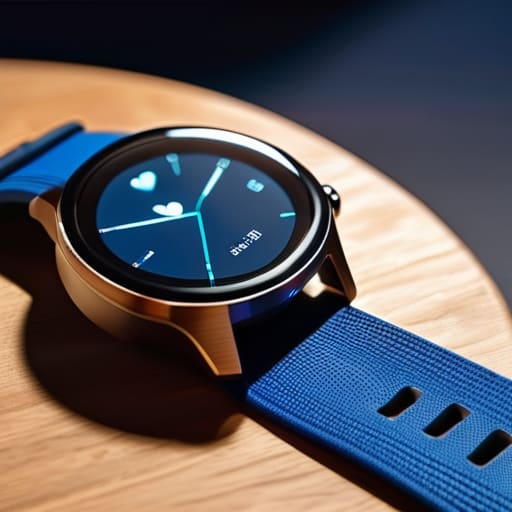
    I was sitting at my workbench last Tuesday, cleaning the contact points on a 1970s Marantz receiver, when my nephew tried to show me his new “smart” watch. He spent twenty minutes scrolling through menus and syncing apps just to tell me he’d walked three thousand steps. It’s absurd. Most people buying a fitness tracker these days aren’t looking for a precision instrument; they’re being sold a glorified piece of expensive plastic that requires a software update every time you want to check your pulse. We’ve moved away from tools that simply work, and instead, we’ve embraced gadgets that demand constant attention just to perform basic functions.

    I’m not here to sell you on the latest shiny toy or some data-driven fantasy that promises to revolutionize your life. My goal is much simpler: I want to help you find a device that actually holds up to scrutiny. I’ve spent my career looking at how things are built, and I’m going to apply that same skepticism here. I’ll show you which trackers provide reliable, straightforward data and which ones are just overhyped junk designed to drain your wallet and your patience.

    Table of Contents

    The Truth About Wearable Fitness Technology

    The Truth About Wearable Fitness Technology analysis.

    Look, I’ve spent my career looking at schematics and stress-testing components, so I tend to look at these gadgets a bit differently than the marketing folks do. Most people see a shiny new gadget; I see a collection of sensors trying to make sense of your biology. The reality of wearable fitness technology is that it’s a bit of a mixed bag. On one hand, you have these impressive little machines capable of high-level biometric data tracking that would have been impossible a decade ago. On the other hand, a lot of this gear is built with the expectation that you’ll replace it in eighteen months when the casing cracks or the software becomes obsolete.

    The problem isn’t the science—it’s the execution. You’ll see companies touting advanced smartwatch health features, but if the sensor accuracy fluctuates every time you break a sweat, the data is useless. I don’t care how many colorful graphs an app shows me on my phone if the underlying hardware can’t provide a consistent reading. You need to look past the flashy interface and ask yourself if the device is actually built to endure daily use, or if it’s just another piece of expensive plastic destined for a junk drawer.

    Why Most Activity Monitoring Devices Fail You

    Why Most Activity Monitoring Devices Fail You

    The problem isn’t that the sensors don’t work; it’s that the engineers behind these gadgets often prioritize flashy software over actual hardware durability. I’ve seen too many people buy into the hype of smartwatch health features only to realize the device is a glorified paperweight after six months. Most of these activity monitoring devices are built with cheap, lightweight plastics that can’t handle a bit of sweat or a sudden rainstorm. If a piece of equipment isn’t rugged enough to survive a day of actual labor, it has no business claiming to track your health.

    Then there is the issue of data integrity. Many manufacturers promise high-end biometric data tracking, but once you get them on your wrist, the numbers start jumping around like a faulty needle on an old analog gauge. They claim to offer real-time physiological monitoring, but half the time, the algorithm is just making an educated guess. You aren’t paying for precision; you’re paying for a polished interface that masks mediocre engineering. If you can’t trust the reading, the whole device is nothing more than expensive junk.

    Five Things to Check Before You Open Your Wallet

    • Look for physical buttons over touchscreens. When you’re out for a walk or your hands are sweaty, a capacitive touchscreen is a nightmare to navigate; a tactile button actually gives you feedback.
    • Demand battery longevity that makes sense. If a device needs to be tethered to a wall charger every single night, it’s not a tool—it’s a chore that you’ll eventually stop wearing.
    • Check the sensor housing for build quality. I’ve seen too many of these flimsy things where the plastic casing around the heart rate sensor is so thin it cracks within a month of regular use.
    • Ignore the “AI-driven” marketing fluff. If the manufacturer can’t explain exactly how they’re measuring your metrics without using buzzwords, they’re likely just selling you a glorified pedometer with a high markup.
    • Verify the data sync reliability. A tracker is useless if the software is a buggy mess that fails to upload your stats to your phone; if the connection is unreliable, the data is worthless.

    My Bottom Line on Buying a Tracker

    Stop chasing the fancy touchscreen gimmicks and look at the sensor quality; if the device can’t provide consistent data, it’s just a glorified bracelet.

    Prioritize battery life and build durability over app features, because a tracker is useless if it’s sitting on a charger half the time or breaks after a week of real use.

    Don’t let marketing jargon fool you—if you can’t understand the data without a PhD, you’re better off sticking to a simple, reliable tool that does exactly what it says on the box.

    The Reliability Gap

    I’ve spent my career looking at tolerances and build quality, and frankly, most of these trackers are built like toys. If a device can’t survive a week of real-world use without needing a software update or a proprietary charger, it isn’t a tool—it’s just another piece of expensive plastic cluttering up your nightstand.

    Roland Delacroix

    The Bottom Line

    The Bottom Line: reliable tracker fundamentals.

    Look, I’ve spent enough time looking at schematics to know when a product is built to last and when it’s just designed to end up in a landfill in eighteen months. If you’re shopping for a tracker, stop looking at the flashy color displays and start looking at the sensor accuracy and the battery life. You don’t need a device that requires a software update every time you want to go for a walk, nor do you need one that breaks the moment you sweat through a shirt. Focus on the fundamentals: reliable data, a sturdy build, and a simple interface that doesn’t require a PhD to navigate. If it can’t do the basic job of tracking your movement without constant troubleshooting, it isn’t a tool—it’s a distraction.

    At the end of the day, remember that no piece of silicon or cheap plastic can actually do the heavy lifting for you. A fitness tracker is meant to be a gauge, much like a pressure gauge on an old steam engine; it tells you what’s happening under the hood, but it doesn’t drive the machine. Use the data to stay informed, but don’t let the numbers dictate your worth or your progress. Find a device that stays out of your way so you can focus on the actual work of staying healthy. Buy something that works, keep it simple, and get back to moving.

    Frequently Asked Questions

    How much of this data is actually accurate, or am I just looking at glorified guesswork?

    Look, I’ll give it to you straight: most of it is glorified guesswork. These sensors use light to estimate blood flow, and they aren’t perfect. If you’re looking for medical-grade precision, put the tracker away and see a doctor. For most consumer gadgets, you’re looking at trends rather than hard facts. Use them to see if you’re moving more than yesterday, but don’t bet your health on a decimal point.

    Are these things built to last, or will the battery and strap fail after six months of regular use?

    Look, I’ve seen this pattern a thousand times in manufacturing. Most of these trackers are built with planned obsolescence in mind. The silicone straps are cheap enough to snap or irritate your skin within months, and those lithium-ion batteries? They’re non-replaceable. Once the capacity drops, you’re left with a paperweight. If you want something that lasts, look for reinforced materials and avoid anything where the battery is permanently sealed behind a glued-shut chassis.

    Do I really need a subscription service just to see the basic numbers I've already paid for?

    No, and frankly, it’s a racket. When you buy a piece of hardware, you should own the data it collects. Period. I’ve seen too many companies build decent sensors into a device, only to lock your own heart rate or sleep trends behind a monthly paywall. It’s poor engineering and even worse business. If you’re paying upfront, you shouldn’t have to rent your own information. Look for devices that offer local data storage without the recurring fees.

  • How Noise Cancelling Technology Works

    How Noise Cancelling Technology Works

    I was sitting in my workshop last Tuesday, trying to solder a delicate connection on a 1974 Marantz receiver, when my grandson walked in with those new, oversized headphones he’d bought online. He claimed they used the latest noise cancelling technology to “delete the world,” but as soon as I turned on my shop vacuum, he was jumping out of his skin. The damn things didn’t block the roar of the motor; they just made it sound like a high-pitched, digital whine that clearly hurt his ears. It’s the same story I see every week: companies slapping a high-tech label on a piece of cheap, lightweight plastic and charging you a premium for the privilege of being disappointed.

    I’m not here to sell you on the marketing fluff or the shiny, touchscreen nonsense that breaks the moment you look at it sideways. My goal is simple: I want to show you which devices actually have the mechanical integrity to do what they promise and which ones are just overpriced toys. I’ve spent enough time with a voltmeter and a schematic to know the difference between real engineering and clever advertising. I’ll tell you exactly what to look for so you can stop wasting your hard-earned money on gear that fails when you actually need it.

    Table of Contents

    Anc vs Passive Isolation What Actually Blocks the Sound

    Anc vs Passive Isolation What Actually Blocks the Sound

    Look, I’ve spent enough time with a soldering iron in my hand to know the difference between a real fix and a band-aid. When you’re shopping for headphones, you need to understand that there are two completely different ways to get some peace and quiet. First, you’ve got passive isolation. This isn’t some fancy digital trick; it’s just physics. It’s the physical barrier created by the seal of the ear pads against your head. If the seal is poor, or if you’re wearing glasses with thick frames, that barrier is broken. I always tell people: if the build quality of the cushion feels flimsy, you’re going to hear everything.

    Then there’s the electronic side of things. Active noise cancellation relies on the destructive interference principle, where internal microphones listen to the world around you and generate an opposing sound wave to cancel it out. While it’s impressive, it isn’t magic. It’s great for that low, steady drone of an airplane engine, but it often struggles with sudden, sharp sounds. You have to realize that ANC vs passive isolation isn’t an “either-or” situation; you need a solid physical seal just to give the electronics a fighting chance.

    The Destructive Interference Principle Science or Just Marketing

    The Destructive Interference Principle Science or Just Marketing.

    Now, let’s get under the hood. The marketing folks love to throw around big terms, but they’re really just talking about the destructive interference principle. In simple terms, the headphones use tiny microphones to listen to the world around you. They then create a sound wave that is the exact mathematical opposite of the noise coming in. When these two waves meet, they cancel each other out. It sounds like magic, but it’s just physics—the same kind of wave mechanics I used to deal with in fluid dynamics back in my engineering days.

    However, don’t let the science fool you into thinking these gadgets are perfect. This process relies heavily on microphone array technology to accurately sample the environment. If the microphones are cheap or poorly placed, the “anti-noise” won’t line up correctly, and you’ll end up with a weird, pressurized feeling in your ears. Most of these devices struggle with sudden, sharp sounds like a dog barking or a door slamming. They are great at smoothing out a steady drone, but they aren’t a magic shield against the chaos of real life.

    Five Things to Check Before You Hand Over Your Hard-Earned Cash

    • Don’t trust the marketing jargon. If a box says “industry-leading silence” but doesn’t list the decibel reduction range, they’re hiding something. I always look for actual frequency response charts to see if the tech actually handles low-end hum or if it’s just a gimmick.
    • Test the seal, not just the software. You can have the most advanced processor in the world, but if the ear cushions are made of cheap, thin foam that doesn’t create a physical airtight seal around your ear, you’re just buying expensive plastic. Passive isolation is your first line of defense.
    • Watch out for the “cabin pressure” feeling. Some of these active systems work so aggressively that they create a weird pressure sensation in your inner ear. It’s uncomfortable and, frankly, a sign of poor tuning. If you feel like you’re diving deep underwater, put them down and find another pair.
    • Check the battery life under load. Manufacturers love to brag about how many hours the headphones last with ANC turned off. That’s a useless number. I want to know how long they hold up when the noise-cancelling circuitry is actually running full tilt.
    • Prioritize build quality over app features. I don’t care if a pair of headphones has a fancy equalizer in a smartphone app if the hinge is made of brittle plastic that’s going to snap in six months. Look for metal reinforcements and sturdy, replaceable pads. A tool is no good if it breaks before you’ve even mastered it.

    The Bottom Line on Noise Cancelling

    The Bottom Line on Noise Cancelling.

    Don’t expect ANC to silence the world; it’s designed for constant, low-frequency hums like airplane engines, not the sudden clatter of a dropped wrench or a barking dog.

    Prioritize physical build quality and a good seal around your ears—if the passive isolation is poor, even the most expensive electronics won’t save your eardrums.

    Stop paying the “marketing tax” on high-end brands that promise total silence; if the headphones feel like cheap, flimsy plastic, the internal tech won’t last long enough to matter.

    The Truth About the Silence

    “Don’t let a marketing department fool you into thinking a chip and a software update can replace a well-built seal. Active noise cancelling is a fine tool for steady hums, but if the physical construction is flimsy, you’re just paying a premium to listen to a digital version of nothing.”

    Roland Delacroix

    The Bottom Line on Noise Cancelling

    Look, I’ve spent enough time with a multimeter and a schematic to know when a company is selling you a miracle and when they’re just selling you a gimmick. We’ve established that Active Noise Cancelling isn’t magic; it’s a specific tool designed to tackle low-frequency hums, while physical, passive isolation is what actually handles the high-pitched chatter of a busy cafe. If you buy a pair of headphones that relies solely on software to do the heavy lifting without a decent, well-engineered seal around your ears, you are essentially throwing your hard-earned money into a void. Don’t get distracted by the flashy marketing jargon in the glossy brochures. Focus on the build quality and the actual physical fit, because if the hardware can’t create a proper seal, the most advanced processor in the world won’t save you from the noise.

    At the end of the day, technology should serve you, not the other way around. You shouldn’t have to struggle with a complicated app or a finicky interface just to get some peace and quiet while you’re reading the paper or working in the garage. My advice is simple: buy for durability, test for comfort, and always prioritize substance over hype. A good tool—whether it’s a vintage Marantz receiver or a modern pair of ANC headphones—is one that performs its job reliably every single time you pick it up. Invest in gear that is built to last, and you’ll find that you spend much less time troubleshooting and much more time actually enjoying your life.

    Frequently Asked Questions

    If these headphones use microphones to "listen" to the room, aren't they just letting more noise in?

    That’s a fair question, and it’s exactly the kind of skepticism I like to see. You aren’t wrong—the microphones are letting sound in, but only to process it. Think of it like a noise-canceling signal in a control loop. The mic picks up the ambient frequency, the processor calculates the exact opposite wave, and the driver plays that “anti-noise” through the speaker. It’s not letting the noise into your ears; it’s using it to build a shield.

    Will using active noise cancelling all day actually mess with my hearing or cause ear pressure?

    Look, I’ve heard this concern a dozen times. First off, ANC isn’t “attacking” your eardrums with sound; it’s using anti-phase waves to cancel noise. It won’t damage your hearing. However, that “clogged” sensation? That’s real. It’s your brain reacting to the lack of low-frequency pressure it expects. If the pressure makes you feel woozy or gives you a headache, don’t force it. Just take them off for a bit. Your ears aren’t machines.

    Is there a point where the battery life is going to die on me right when I actually need the quiet?

    That’s the million-dollar question, isn’t it? Here’s the reality: ANC is an active process. It requires constant power to run those internal processors. If your battery hits zero, you aren’t just losing the “silence”—you’re often left with dead weight. I always tell people to check the passive isolation first. If the headphones don’t physically seal your ears well, you’re relying entirely on a battery that will eventually fail you when you need it most.

  • Finding the Right Mechanical Keyboard for Your Needs

    Finding the Right Mechanical Keyboard for Your Needs

    I spent three decades in manufacturing, where if a component wasn’t built to tolerance, the whole line shut down. Nowadays, I open a box of a “premium” gadget and find nothing but thin, hollow plastic and software that requires a manual the size of a phone book just to turn it on. It’s frustrating. Most people looking for the best mechanical keyboards online are being fed a diet of flashy RGB lights and marketing jargon that means absolutely nothing when it comes to actual longevity. You shouldn’t have to gamble your hard-earned money on a peripheral that feels like a toy and starts double-typing after six months of heavy use.

    I’ve sat at my workbench with my notepad, stripping down various models to see what’s actually happening under the hood. In this list, I’m cutting through the noise to show you five specific models that actually worth the investment. I’m going to show you which ones feature the solid build quality you expect and which ones are just expensive junk disguised as professional gear. By the time you finish reading, you’ll know exactly what to look for so you can buy a tool that actually works.

    Table of Contents

    The Workhorse: Leopold FC900R

    The Workhorse: Leopold FC900R mechanical keyboard.

    I’ve spent enough time on factory floors to know that if a tool isn’t built with weight and stability in mind, it’s going to slide around your desk like a bar of soap. The Leopold FC900R is one of the few boards that actually feels like a piece of serious equipment. The chassis is heavy, the plastic is high-grade, and it doesn’t have all that unnecessary, gaudy RGB lighting that serves no purpose other than to distract you from your work.

    The Professional Standard: Keychron Q Series

    The Professional Standard: Keychron Q Series keyboard.

    Now, if you’re looking for something that feels more like a precision instrument, you have to look at the Keychron Q series. Most of these modern “enthusiast” boards are nothing but hollow shells, but these are constructed from a solid block of aluminum. When I picked this up, the first thing I noted in my pad was the sheer density of the frame. It doesn’t flex, it doesn’t creak, and it stays exactly where you put it.

    Reliability Over Flash: Filco Majestouch 2

    Reliability Over Flash: Filco Majestouch 2 keyboard.

    There was a time when things were built to be repaired, not replaced, and the Filco Majestouch 2 is a throwback to that era. It’s a no-frills, industrial-looking beast that focuses entirely on the mechanical integrity of the switches and the circuit board. It doesn’t have software to install, it doesn’t have “modes” to toggle, and it doesn’t require a manual the size of a phone book just to turn it on.

    The Modular Choice: Ducky One 3

    I usually have a hard time with “customizable” tech because it usually just means more points of failure, but the Ducky One 3 handles it with some actual competence. It uses a hot-swappable PCB, which means if a single switch fails, you don’t have to throw the whole board in the trash. You just pop the faulty part out and put a new one in, which is much more sensible than the modern “disposable” culture.

    The Compact Specialist: Anne Pro 2

    Sometimes you don’t need a massive desk real estate hog with a number pad you’ll never use. The Anne Pro 2 is a compact 60% layout that gets the job done without the clutter. While it leans a bit more into the “gadget” category with its wireless capabilities, the actual construction of the board is surprisingly tight for its size. It’s a good option if you need to move your setup around frequently.

    The Bottom Line Before You Buy

    Stop chasing RGB lights and fancy software; if the chassis is made of cheap, hollow plastic, the board will flex and fail within a year.

    Look for heavy-duty construction and meaningful switch feedback—a tool you use every day should feel substantial under your fingers, not mushy.

    Don’t let marketing jargon confuse you; stick to proven builds that prioritize durability and ease of maintenance over flashy, useless gimmicks.

    The Truth About Modern Hardware

    Most of these companies are selling you RGB lights and marketing fluff wrapped in thin, cheap housing. If a keyboard doesn’t have a solid build and switches that actually feel like they were engineered rather than molded, you aren’t buying a tool—you’re buying a future trip to the landfill.

    Roland Delacroix

    The Bottom Line

    Look, I’ve spent enough time in manufacturing plants to know that if you buy something cheap, you’re just paying for the privilege of replacing it six months later. Whether you decided to go with a heavy-duty enthusiast board for that tactile feedback or a more streamlined model for your home office, the goal remains the same: you want a tool that responds when you hit the key and doesn’t rattle like a tin can. Don’t get distracted by the flashing RGB lights or the marketing jargon about “gaming latency” that doesn’t mean a lick in the real world. Focus on the build quality and the type of switches that suit your specific hands. If the chassis feels like a solid piece of engineering rather than a hollow toy, you’re already halfway to a good investment.

    At the end of the day, your keyboard is the primary interface between your brain and your work. It’s the one piece of hardware you touch every single day, so treat it like the essential tool it is. Stop settling for those flimsy, membrane-based junk piles that come pre-installed on every cheap laptop. Invest in something with actual substance that can withstand years of daily typing without losing its soul. You don’t need the most expensive setup on the market, but you do deserve a machine that works as hard as you do. Get it right the first time, and you won’t have to think about it again for a long, long time.

    Frequently Asked Questions

    How do I know if a keyboard is actually built with metal components or if it's just cheap plastic painted to look heavy?

    Don’t let a shiny finish fool you. I always check the weight first; if it feels light enough to slide across your desk while typing, it’s mostly plastic. Next, run your fingernail along the edge of the frame. Real aluminum or steel feels cold to the touch and has a distinct, rigid density. If it feels warm or flexes when you press down hard, you’re looking at painted polycarbonate. Don’t buy it.

    What is the real difference between these different switch types, and which one won't drive me crazy with noise?

    Look, it comes down to how much tactile feedback you actually need. Linear switches are smooth—no bump, just a straight press—which is great if you hate distractions. Tactile switches give you a physical “bump” so you know the key registered, which helps with typing accuracy. But if you’re worried about noise, stay away from “clicky” switches. They sound like a typewriter on overdrive. Stick to linears or quiet tactiles if you value your sanity.

    Is it worth spending an extra hundred dollars on a "gaming" brand, or am I just paying for a fancy logo?

    Look, I’ve seen this pattern a dozen times in manufacturing. You’re often paying for the marketing budget and the RGB lights, not better engineering. If a “gaming” brand offers superior switch quality or a sturdier chassis, it might be worth it. But if it’s just fancy plastic and a glowing logo, you’re being taken for a ride. Don’t buy the hype; buy the build quality. Check the materials, not the branding.

  • How Smart Scales Track Body Data

    How Smart Scales Track Body Data

    I was sitting at my workbench last Tuesday, cleaning the contacts on an old Marantz receiver, when I realized how much the world has changed for the worse. I looked over at the new “smart scale” my daughter bought me—a sleek, glass slab that claims to know everything about my body composition—and I just shook my head. Most of these smart scales on the market today are nothing more than glorified, overpriced paperweights wrapped in a shiny app that crashes if you look at it sideways. They promise you a roadmap to health, but half the time, they can’t even give you a consistent reading from one minute to the next.

    I’m not here to sell you on the latest digital gimmick or some lifestyle fantasy. My goal is to cut through the marketing fluff and tell you which of these devices actually have the build quality to last and the sensor accuracy worth your time. I’ve spent my career looking at how things are put together, and I’m going to apply that same scrutiny here. I’ll show you how to spot the expensive plastic and find the few tools that actually provide reliable data without making you jump through a dozen software hoops just to see a number.

    Table of Contents

    The Truth About Smart Scale Accuracy and Reliability

    The Truth About Smart Scale Accuracy and Reliability.

    Here’s the truth: most of these gadgets use bioelectrical impedance analysis to guess what’s happening inside your body, and they aren’t perfect. They send a tiny electrical current through your feet to estimate things like your body fat percentage tracking or muscle mass monitoring. Now, as an engineer, I can tell you that a measurement is only as good as the consistency of the test. If you step on the scale with damp feet one day and bone-dry feet the next, you’re going to get two different numbers. That isn’t a “health trend”—it’s just bad data.

    You need to stop obsessing over the specific number and start looking for consistency over time. I’ve seen plenty of these flimsy devices give wildly different readings just because you moved your foot an inch to the left. If a manufacturer can’t guarantee stable smart scale accuracy, then the data they’re feeding into your phone is essentially useless. Don’t let a shiny interface fool you; if the hardware can’t provide a reliable baseline, you’re just paying for a glorified bathroom scale that tells tall tales.

    Why Bioelectrical Impedance Analysis Matters for Real Data

    Why Bioelectrical Impedance Analysis Matters for Real Data

    Now, most of these gadgets use a process called bioelectrical impedance analysis to guess what’s going on inside your body. It sounds fancy, but here is the plain truth: the scale sends a tiny, imperceptible electrical current through your legs to measure resistance. Since water conducts electricity better than fat does, the machine uses that resistance to calculate your body composition. It’s not magic, and it’s certainly not a medical-grade scan, but it’s the mechanism that allows for body fat percentage tracking without needing a lab technician.

    The real value isn’t in a single reading—I wouldn’t trust any single number a consumer device spits out—but in the long-term trends. If you are serious about muscle mass monitoring, you need a device that stays consistent so you can see if your efforts in the gym are actually paying off. If the sensor quality is cheap, the data will jump around like a scratched record, making it impossible to tell if you’ve actually gained muscle or if the scale just had a bad day. Focus on the trend, not the daily number.

    Five Things to Check Before You Hand Over Your Cash

    • Check the build quality first. If the platform is made of thin, flimsy plastic that flexes when you step on it, the sensors are going to give you garbage readings. Look for a heavy-duty tempered glass or a solid metal base that feels like it can actually withstand a few years of daily use.
    • Don’t get blinded by the app features. A lot of these companies try to sell you on fancy “AI coaching” or subscription services. That’s just a way to keep your money flowing. You want a scale that provides clear, consistent data without forcing you to pay a monthly fee just to see your own weight.
    • Verify the sensor placement. If you’re looking for body fat percentages, you need a scale with decent electrode spacing. If the contact points are too small or poorly positioned, the electrical signal won’t travel through your body correctly, and you’ll end up with numbers that are more guesswork than science.
    • Test for consistency, not just accuracy. I don’t care if the scale says you weigh exactly 185.4 lbs; I care if it says the same thing three times in a row. Step on it, step off, and step on again. If the numbers are jumping around like a nervous teenager, put it back on the shelf.
    • Make sure it works with the hardware you already own. There’s no sense in buying a high-end scale if it won’t sync with the health app on your phone. Read the fine print on compatibility before you buy, or you’ll end up with a piece of tech that’s nothing more than a glorified, overpriced bathroom scale.

    My Bottom Line on Buying a Smart Scale

    Don’t get distracted by flashy apps or colorful displays; if the scale can’t consistently give you the same reading three times in a row, it’s a piece of junk.

    Understand that BIA technology is an estimation, not a medical-grade measurement, so look for brands that prioritize consistency over “revolutionary” new features.

    Stick to hardware that feels solid under your feet—if the platform is flimsy or the sensors feel cheap, the data it spits out won’t be worth the effort.

    The Bottom Line on Digital Data

    I don’t care how many colorful graphs your smartphone app spits out; if the sensor on the platform can’t give me a consistent reading three times in a row, it isn’t a tool—it’s a toy.

    Roland Delacroix

    The Bottom Line on Smart Scales

    The Bottom Line on Smart Scales.

    At the end of the day, don’t let the flashy marketing fool you. We’ve covered why you need to look past the sleek glass finish and actually scrutinize the BIA technology and the consistency of the sensor readings. A scale that gives you a different body fat percentage every time you step on it isn’t a health tool; it’s a source of frustration. If the manufacturer is forcing you into a buggy, subscription-based app just to see your own weight, they aren’t selling you a piece of engineering—they’re selling you expensive plastic designed to drain your wallet. Stick to the brands that prioritize sensor stability and data transparency over fancy interface animations.

    My advice is simple: buy for the hardware, not the hype. You want a device that feels solid underfoot and provides data you can actually trust to make informed decisions about your health. Technology should serve you, not the other way around. Use these tools to track your progress, but remember that no gadget replaces the fundamentals of a good diet and consistent movement. Invest in equipment that is built to last, and stop chasing every shiny new gimmick that hits the shelf. Get the right tool, use it properly, and get back to the real work of staying healthy.

    Frequently Asked Questions

    If I step on the scale at different times of the day, am I going to get a completely different set of numbers?

    Short answer: Yes, you absolutely will. If you step on that scale right after a heavy meal or a workout, those numbers are going to be a mess. Your body weight fluctuates constantly based on hydration, salt intake, and even when you last used the restroom. My advice? Stop chasing the daily fluctuations. Pick one time—ideally first thing in the morning, before coffee, after using the bathroom—and stick to it. Consistency is the only way to see real trends.

    Do these fancy body fat percentages actually mean anything, or is the sensor just guessing?

    Look, I’ll give it to you straight: those body fat percentages aren’t gospel. The sensor sends a tiny electrical current through you, and based on how fast it moves, it makes an educated guess. It’s not a medical-grade DEXA scan. If you’re looking for a perfect number, you’re chasing a ghost. Use the percentage to track trends over time, but don’t treat it like an absolute truth. It’s a direction, not a destination.

    Is it worth spending a hundred bucks on a brand name, or can I get the same reliability from a cheaper model?

    Look, you don’t need to drop a hundred bucks just for a logo, but don’t fall for the $15 bargain bin models either. In my experience, the cheap ones use subpar sensors that drift every time you step on them. I’d rather pay a bit more for a reputable brand that uses consistent components. You’re paying for the engineering and the calibration, not just the marketing. Buy mid-range; avoid the bottom-tier junk.

  • Finding the Right Gaming Headset

    Finding the Right Gaming Headset

    I’ve spent most of my life looking at schematics and stress-testing components, so I have a natural allergy to anything that feels like it was built to fail. These days, I see kids—and frankly, a lot of adults—dropping a small fortune on gear that’s essentially just flimsy, overpriced plastic held together by hope and marketing. When you’re looking for the best gaming headsets, you shouldn’t have to worry about a hinge snapping or a wire fraying after three months of use. A headset is a tool, and like any tool, it needs to be reliable, comfortable, and capable of doing its one job: delivering clear audio without constant software headaches.

    In this guide, I’ve narrowed things down to five specific models that actually meet my standards for build quality and sound reproduction. I’m not here to sell you on flashy RGB lights or features you’ll never use; I’m here to show you which ones are worth your hard-earned money. By the time you finish reading, you’ll know exactly which headsets offer real durability and which ones are just expensive junk masquerading as high-end tech.

    Table of Contents

    Built Like a Tank: SteelSeries Arctis Nova Pro

    Built Like a Tank: SteelSeries Arctis Nova Pro.

    I’ve spent enough time in manufacturing plants to recognize when a company is using cheap, injection-molded plastic to save a buck. Most modern headsets feel like they’ll snap if you look at them wrong, but the Arctis Nova Pro actually feels like a piece of engineered hardware. The headband tension is dialed in just right, and the materials don’t give off that hollow, cheap sound when you pick them up.

    The Reliable Workhorse: HyperX Cloud II

    The Reliable Workhorse: HyperX Cloud II headset.

    If you ask me, the best piece of technology is often the one that doesn’t try to reinvent the wheel. The HyperX Cloud II is a perfect example of functional design. It’s a straightforward, over-ear headset that focuses on two things: comfort and durability. The aluminum frame is solid, providing a level of structural integrity that most “pro” gaming gear lacks these days.

    Wireless Without the Headache: Logitech G Pro X Lightspeed

    Wireless Without the Headache: Logitech G Pro X Lightspeed

    Wireless tech has come a long way, but I’m still skeptical of anything that relies on a finicky connection. I put the Logitech G Pro X through its paces, and the Lightspeed wireless connection is remarkably stable. There’s no noticeable latency, which is the death knell for any serious gaming setup. It’s a relief to see a company prioritize signal reliability over flashy RGB lights.

    Pure Audio Fidelity: Beyerdynamic MMX 300

    Now, if you actually care about how sound is produced—the way I do when I’m tinkering with my vintage hi-fi gear—you look at Beyerdynamic. This isn’t a “gaming” headset in the traditional sense; it’s a professional-grade studio headphone that happens to have a microphone attached. The drivers are high-quality, providing a frequency response that is far more balanced than the muddy mess you get from most consumer brands.

    The Budget-Friendly Realist: Razer BlackShark V2

    Usually, when I see a low price tag, I assume I’m buying a piece of junk. I was prepared to write off the BlackShark V2, but I have to admit, it’s a decent bit of engineering for the cost. It’s lightweight—almost too much so—but the way they’ve managed to keep the structural integrity intact for such a low price is impressive.

    The Bottom Line: Don't Get Fooled by the Box Art

    Stop chasing every flashy RGB light and “pro-gamer” gimmick; focus on the weight of the build and the quality of the headband if you want something that won’t snap in six months.

    Prioritize a solid, wired connection or a proven wireless protocol over unproven tech—reliability in audio delivery is worth more than any software suite.

    If the manufacturer won’t tell you what materials are used in the ear cushions or the frame, they’re likely hiding cheap, sweat-prone plastic behind a high price tag.

    The Real Test of a Headset

    I don’t care how many fancy RGB lights or “surround sound” marketing buzzwords they slap on the box; if the headband is made of cheap plastic and the wiring feels thin, that headset is nothing more than expensive landfill waiting to happen.

    Roland Delacroix

    The Bottom Line

    At the end of the day, choosing a headset isn’t about chasing every flashy RGB light or a marketing gimmick that promises “spatial immersion” through a software update. It’s about finding a piece of hardware that does its job without falling apart. Whether you went with a high-end wired model for that absolute signal clarity or a reliable wireless set to cut the cord, the goal remains the same: you want something that stays comfortable on your head and keeps the audio consistent. Don’t let the glossy packaging fool you; look for the sturdy build quality and the reliable connections we discussed. If it feels like a toy in your hands, it’s going to act like one within six months.

    I know the tech industry wants you to feel like you’re constantly falling behind, like you need the newest, most expensive model every single year just to stay relevant. But that’s a lie designed to empty your wallet. A good tool—even one meant for gaming—should serve you, not the other way around. Buy something that works, treat it with a bit of respect, and stop worrying about the hype. Once you have a headset that actually holds up under pressure, you can finally stop worrying about the gear and just get back to the game.

    Frequently Asked Questions

    Are wireless headsets actually reliable, or am I just going to deal with constant battery failure and signal dropouts?

    Look, I’ll give it to you straight: wireless isn’t a magic trick, and it isn’t perfect. If you buy the cheap, off-brand stuff, you’re going to deal with signal dropouts and a battery that dies halfway through a session. But if you invest in a solid unit with a high-quality proprietary dongle, the connection is stable. Just keep one thing in mind—batteries are consumables. Eventually, they’ll degrade. Plan for that.

    Is it worth paying a premium for "surround sound" software, or should I just stick to a solid pair of stereo drivers?

    Look, I’ve spent enough time with a soldering iron to know that you can’t fix bad physics with clever code. Most of that “surround sound” software is just digital trickery trying to mask a lack of actual acoustic separation. If you invest in a solid pair of stereo drivers with decent imaging, you’re getting a cleaner, more reliable signal. Don’t pay a premium for a software subscription just to simulate something a well-built headset does naturally.

    How can I tell if a headset is built with actual metal components versus just being cheap, thin plastic that's going to snap at the hinge?

    Don’t just look at the marketing specs; you have to get your hands on it. First, check the weight. If it feels like a toy, it’s likely hollow plastic. Next, find the stress points—the hinges and the headband. Give them a gentle, firm twist. If you hear any creaking or see the material flexing too much, put it back on the shelf. Real metal components won’t budge, and they won’t snap when you’re adjusting them.

  • Comparing Noise Cancelling Earbuds and Headphones

    Comparing Noise Cancelling Earbuds and Headphones

    I was sitting in my workshop the other day, trying to tune a vintage Marantz receiver, when my grandson came in asking if I should buy a pair of those tiny, wireless buds or go with the big over-ear models. It’s the same question I see everywhere lately: noise cancelling earbuds vs headphones. Most of the marketing fluff out there makes it sound like it’s all about “lifestyle” and “seamless integration,” but they never talk about the actual build quality or how long that battery is actually going to last before the internal components give up the ghost.

    Look, I’m not here to sell you on the latest trend or some shiny piece of tech that’s designed to be obsolete in eighteen months. I’ve spent my career looking at how things are actually built, and I’m going to apply that same scrutiny here. In this guide, I’m going to strip away the jargon and tell you which option provides genuine silence and which one is just expensive plastic designed to fail. I’ll show you what’s worth your hard-earned money and what you should leave on the shelf.

    Table of Contents

    Noise Cancelling Earbuds

    Portable Noise Cancelling Earbuds for travel.

    Noise cancelling earbuds are small, in-ear devices designed to seal the ear canal and use internal microphones to counteract ambient sound. Their main selling point is unmatched portability, allowing you to carry a high-tech audio solution in your pocket without any extra bulk. They rely on active noise cancellation (ANC) to neutralize low-frequency hums, making them a compact powerhouse for modern life.

    I’ve spent plenty of time looking at the schematics of these little things, and frankly, it’s a miracle they work at all given how little surface area they have. But I’ll give them this: when you’re commuting on a crowded train or trying to focus in a noisy coffee shop, they are a lifesaver. You don’t need to carry a heavy bag just to get a moment of peace. Just don’t expect them to replace a serious piece of engineering if you’re looking for deep, resonant sound.

    Noise Cancelling Headphones

    High-fidelity over-ear noise cancelling headphones.

    Noise cancelling headphones are larger, over-ear or on-ear devices that use a combination of physical padding and electronic cancellation to block out the environment. Their primary advantage is superior acoustic isolation and a much more robust driver system compared to their smaller counterparts. By creating a physical seal around your ears, they provide a much more stable foundation for high-fidelity audio playback.

    In my experience, there is no substitute for the sheer build quality and soundstage you get with a proper pair of headphones. When I’m sitting in my workshop working on a vintage amplifier, I want something that feels substantial on my head, not something that feels like it’s going to snap if I look at it wrong. If you actually care about the integrity of the music and want to block out the world entirely, these are the tools you should be reaching for.

    Noise Cancelling Comparison

    Feature Earbuds Headphones
    Portability High (Pocket-sized) Low (Bulkier)
    Noise Isolation Passive + ANC Superior Passive + ANC
    Battery Life Short (4-8 hours) Long (20-40 hours)
    Comfort Best for active use Best for long sessions
    Soundstage Narrow/Intimate Wide/Immersive
    Price Range Generally Lower Generally Higher
    Best For Commuting & Gym Deep Focus & Travel

    Real Commuter Audio Solutions That Actually Work

    Real Commuter Audio Solutions That Actually Work

    If you’re spending forty minutes a day on a train or a bus, your audio gear isn’t a luxury—it’s a survival tool. You aren’t looking for “audiophile perfection” in a controlled room; you’re trying to block out the screech of metal on metal and the person shouting on their cell phone two rows back. If your gear can’t handle a chaotic environment, it’s just an expensive paperweight.

    Earbuds are the obvious choice for convenience, and they certainly win on portability. You can slide them into a pocket and forget about them, which is great for a quick trip. However, they often struggle with low-frequency drone because they can’t create a complete physical seal against the chaotic air pressure of a moving vehicle.

    On the other hand, over-ear headphones provide a much more robust physical barrier. They wrap around your ears, creating a natural passive isolation that works alongside the electronic noise cancelling. While they take up more room in your bag, they are far more effective at killing the roar of a subway engine.

    For the daily commuter, the winner is clearly over-ear headphones. They offer the reliability and isolation you actually need to stay sane.

    The Truth About in Ear vs Over Ear Comfort

    Look, you can have the best frequency response in the world, but if the damn thing hurts after twenty minutes, it’s nothing more than an expensive paperweight. I’ve spent enough time in the workshop to know that ergonomics are everything. If a device doesn’t fit the human body correctly, all those technical specs on the box don’t mean a lick of difference when you’re actually trying to use it.

    When it comes to earbuds, you’re dealing with pressure points inside your ear canal. If you get a bad seal, they’ll either fall out or feel like someone is poking you with a needle. On the other hand, over-ear headphones distribute that weight around your head, but they aren’t perfect. If the clamping force is too high or the pads are cheap synthetic leather, you’ll end up with sweaty ears and a headache before the afternoon is out.

    For long-term wear, I’m giving the win to over-ear headphones. They just don’t mess with your internal anatomy as much, provided you buy something built with decent materials rather than cheap, flimsy plastic.

    The Bottom Line: Don't Buy the Hype

    If you’re looking for true silence on a plane or a train, go with over-ear headphones; earbuds just can’t compete with the physical seal and driver size.

    Don’t prioritize “smart features” or app connectivity over build quality—if the hinge or the ear pads feel flimsy in your hand, they won’t last six months.

    Choose your gear based on your actual environment, not what’s trending; earbuds are for the gym and quick errands, while headphones are for when you actually want to hear your music.

    The Bottom Line on Sound Isolation

    “If you’re looking for a way to actually shut the world out during a flight, don’t get distracted by the marketing for tiny earbuds; sometimes a well-built pair of over-ear headphones is the only thing that provides real, physical isolation instead of just a digital illusion.”

    Roland Delacroix

    The Bottom Line: Making the Right Call

    Look, I’m not here to sell you on the latest trend or the flashiest marketing campaign. If you’re looking for a way to shut out the roar of a jet engine or a crowded subway, you need to go with over-ear headphones; the physics of passive isolation just can’t be beat by a tiny piece of silicone in your ear canal. On the other hand, if you just need something lightweight for a quick walk or a gym session without feeling like you’re wearing a helmet, earbuds will do the job fine. Just don’t expect them to provide the same sustained reliability or acoustic depth as a properly engineered pair of full-sized cans.

    At the end of the day, stop worrying about which brand has the most followers on social media and start looking at the build quality. Whether you choose the portability of earbuds or the heavy-duty performance of headphones, make sure you are buying a tool that serves your specific lifestyle rather than a gadget that’s designed to be replaced in eighteen months. Invest in something that feels solid in your hands and actually delivers what the box promises. A good piece of gear should make your life easier, not add another complicated headache to your daily routine.

    Frequently Asked Questions

    If I'm using these for long flights, will the battery on the earbuds actually hold up, or am I going to be hunting for a charging cable halfway through the trip?

    If you’re planning a long-haul flight, don’t trust the earbuds. Most of them will tap out well before you touch down, leaving you with nothing but a pair of useless plastic pebbles in your ears. I’ve seen the specs, and while the marketing claims are optimistic, reality is different. Stick to over-ear headphones for travel. They have the actual capacity to last the whole trip without you hunting for a damn charging cable.

    Is the noise cancellation on these cheap earbuds actually blocking out engine drone, or is it just playing white noise to trick my ears?

    Look, I’ve seen this trick a thousand times. Most of those cheap earbuds aren’t actually “canceling” anything; they’re just pumping in a steady stream of white noise to mask the engine drone. It’s a psychological trick, not engineering. Real Active Noise Cancellation requires high-quality microphones and a processor capable of generating an inverted wave to physically counteract the sound. If the price tag is too low, you’re just buying a glorified earplug with a soundtrack.

    For someone who values durability, are these over-ear models built with actual metal hinges, or is it all just flimsy plastic that's going to snap in a year?

    Look, I’ve seen enough cheap consumer junk to know exactly what you’re worried about. Most of the mid-range stuff you see on shelves today is almost entirely plastic—even the parts that look like metal are usually just painted polymer. If you want real longevity, you have to look for reinforced steel or aluminum hinges. If the spec sheet doesn’t explicitly mention metal components, assume it’s going to snap the moment you toss it in a bag.

  • Best Gaming Headsets for Clear Communication

    Best Gaming Headsets for Clear Communication

    I was sitting at my workbench last Tuesday, tinkering with a 1970s Marantz receiver, when I saw an ad for a new “pro-grade” gaming headset. It was glowing with RGB lights and promised “spatial immersion” for three hundred dollars. I nearly laughed out loud. In my thirty years as a systems engineer, I learned one thing: if a company spends more on the flashing lights than they do on the actual driver housing and wiring, you’re being sold expensive plastic. Most of these modern gaming headset options on the market today are designed to look good in a social media thumbnail, but they fall apart the moment you actually put them under a bit of daily stress.

    I’m not here to sell you on the latest flashy gimmick or some software-heavy nonsense that requires a constant internet connection just to adjust the volume. My goal is to cut through the marketing fluff and look at the build quality and actual acoustic reliability. I’ll be breaking down which models are built with components that last and which ones are destined for the junk drawer by next Christmas. I promise you straightforward, honest advice based on how these things are actually engineered, not how they’re advertised.

    Table of Contents

    Why Driver Size and Frequency Response Actually Matter

    Why Driver Size and Frequency Response Actually Matter

    Most manufacturers will try to sell you on fancy RGB lights or “pro-grade” marketing jargon, but if you want to know what’s actually happening inside the earcups, you need to look at the drivers. In my years of engineering, I learned that the driver is the heart of the machine. A larger driver—usually measured in millimeters—typically allows for better air displacement. This means you get punchier, more controlled bass without that muddy, distorted sound that plagues cheap, flimsy units. When you’re looking at driver size and frequency response, don’t just look for the highest numbers; look for a balanced range that doesn’t sacrifice clarity just to boost the low end.

    It isn’t just about volume, either. The frequency response tells you the spectrum of sound the hardware can actually reproduce. If a company won’t list the specific range, they’re likely hiding a product that sounds like it’s coming through a tin can. You want a wide, flat response so you can hear everything from the subtle footsteps of an enemy to the roar of an explosion. A well-tuned driver ensures a consistent, immersive soundstage that makes the difference between being distracted by noise and actually being in the game.

    The Truth About Ergonomic Headset Design and Long Term Comfort

    The Truth About Ergonomic Headset Design and Long Term Comfort

    Most manufacturers will try to sell you on fancy RGB lighting or software-driven surround sound gaming experience, but they’re usually just masking poor physical construction. I’ve seen too many people drop a hundred dollars on a piece of gear only to find that after two hours, the clamping force feels like a vice grip on their skull. If the headband doesn’t distribute weight evenly, you aren’t going to enjoy your downtime; you’re just going to end up with a headache. You need to look for high-density memory foam and a frame that actually has some structural integrity rather than just being held together by cheap tension clips.

    I also can’t stress enough how much the weight distribution matters when you’re deciding between wireless vs wired gaming audio. A wireless unit carries the extra burden of a battery, which can make the unit top-heavy if the engineers weren’t careful. If the center of gravity is off, that headset is going to slide or pull on your neck constantly. Don’t be fooled by “soft-touch” plastics that feel nice for five minutes; look for properly balanced weight distribution and breathable ear cushions that won’t turn your ears into a sauna.

    Five Things to Check Before You Pull the Trigger

    • Look at the cable, not just the wireless specs. I’ve seen too many “high-end” headsets where the cord feels like a piece of cheap twine; if it’s thin and flimsy, it’s going to fray at the jack within six months.
    • Demand physical controls. If a company tells you that you have to navigate three different software menus on your PC just to adjust the volume, walk away. I want a tactile dial or a slider that I can feel without looking.
    • Check the weight distribution, not just the total ounces. A headset might be light, but if all that mass is concentrated on the top of your head rather than the earcups, you’ll be nursing a headache before your first match is even over.
    • Don’t fall for the “7.1 Surround Sound” marketing trap. Most of that is just cheap software processing that muddies the audio; you’re better off with a solid stereo driver that actually provides a clean, accurate soundstage.
    • Inspect the hinge construction. If the adjustment sliders are made of thin, brittle plastic instead of reinforced metal or high-density polymer, that’s where the headset will snap the first time you toss it on your desk.

    Roland’s Bottom Line: Don't Get Fooled by the Box

    Ignore the flashy marketing about “7.1 Surround Sound” if the headset feels like it’s made of cheap, hollow plastic; a solid build and decent drivers will always beat a gimmick.

    Prioritize physical comfort and driver quality over software bells and whistles, because no amount of RGB lighting will make a heavy, poorly balanced headset feel better after two hours.

    Look for hardware that offers plug-and-play simplicity; if you need a PhD and a dozen drivers just to hear your game, the engineering has failed.

    The Real Test of a Good Headset

    I don’t care how many RGB lights they slap on the side or what kind of marketing jargon they use to describe the ‘spatial immersion’; if the headband feels like cheap tin and the drivers rattle after a month of use, you aren’t buying a piece of gear—you’re buying a future trip to the landfill.

    Roland Delacroix

    Don't Get Swept Up in the Hype

    Don't Get Swept Up in the Hype.

    At the end of the day, choosing a headset isn’t about which box has the most flashing RGB lights or the loudest marketing campaign. It’s about understanding the mechanics of what you’re putting on your head. You need to look past the flashy packaging and focus on the actual build quality—the driver size that delivers clear audio without distortion, and an ergonomic design that doesn’t leave you with a headache after an hour of use. If a company can’t tell you the specifics of their frequency response or the materials used in the headband, they’re likely just selling you expensive plastic wrapped in clever branding.

    I’ve spent enough years in manufacturing to know that if something is built poorly, it doesn’t matter how many features it claims to have; it’s going to fail you when you need it most. Don’t let the industry trick you into thinking that “new” always means “better.” Take your time, do your homework, and look for the hardware that prioritizes reliability over gimmicks. When you finally find that piece of gear that works the second you plug it in and stays comfortable through a long session, you’ll know you didn’t just buy a gadget—you bought a tool that actually earns its keep.

    Frequently Asked Questions

    Is a wireless connection actually reliable enough for serious gaming, or am I going to deal with lag and battery failure?

    Look, if you’re playing competitive shooters, stay away from standard Bluetooth. The latency will drive you mad. You need a headset with a dedicated 2.4GHz USB dongle; that’s the only way to get near-instant response times. As for the battery, that’s where the “expensive plastic” problem kicks in. Don’t buy something that can’t be charged while you’re using it, or you’ll be stuck with a very expensive headband halfway through a session.

    How much of that "7.1 Surround Sound" marketing is just software gimmicks instead of actual hardware capability?

    Most of it is pure marketing fluff. Real surround sound requires multiple physical drivers positioned around your ears, but most “7.1” headsets are just standard stereo units using software tricks to mess with your timing and volume. They use digital signal processing to trick your brain into thinking a sound is behind you. It’s clever, sure, but it’s a software gimmick, not a hardware reality. If you want true spatial accuracy, don’t rely on a marketing sticker.

    Are these braided cables actually more durable, or are they just a way for companies to charge more for the same old wire?

    Look, I’ve seen enough thin, rubberized cables fray and snap after six months to know a good thing when I see it. A braided sleeve isn’t just marketing fluff; it provides much-needed structural reinforcement against kinking and tension. It protects the internal copper from the constant tugging and twisting that kills cheap gear. If the price jump is reasonable, go for the braid. It’s a mechanical safeguard, not just an aesthetic choice.

  • Choosing an Electric Toothbrush

    Choosing an Electric Toothbrush

    I was sitting at my workbench last Tuesday, stripping down an old amplifier, when I realized most modern consumer tech is following the same path as these overpriced electric toothbrushes. You walk into a store and see these sleek, glowing gadgets that look more like spaceships than dental tools, all boasting about Bluetooth connectivity and smartphone apps. Let me tell you something: I don’t need my toothbrush to send a notification to my phone to tell me I missed a spot. Most of these companies are just selling you expensive plastic and software gimmicks that will be obsolete in two years, while the actual motor inside is built to fail.

    I’m not here to sell you on the latest digital bells and whistles or the marketing fluff designed to drain your wallet. My goal is to strip away the nonsense and look at the mechanical reality of what you’re actually buying. I’ve spent enough time looking at schematics and build tolerances to know the difference between a tool that performs and a toy that just looks pretty on a bathroom counter. I’m going to show you which models actually have the motor strength to get the job done and, more importantly, which ones are actually built to last.

    Table of Contents

    Oscillating vs Sonic Technology What Actually Cleans Your Teeth

    Oscillating vs Sonic Technology What Actually Cleans Your Teeth

    When you look at the market today, you’re essentially choosing between two different mechanical approaches: oscillation and sonic vibration. Most of the high-end models use an oscillating-rotating head—think of it like a tiny, high-speed scrub brush that physically knocks debris loose. On the other hand, sonic technology uses high-frequency vibrations to create fluid dynamics that push cleaning agents between your teeth. In my experience, the oscillating vs sonic toothbrush technology debate isn’t about which is “better” in a vacuum, but which mechanical action suits your specific dental needs.

    If you have a heavy build to your enamel, that physical scrubbing action can feel much more substantial. However, if you find yourself dealing with recession or irritation, you might find that the sonic models are a bit more forgiving. For those seeking the best electric toothbrush for sensitive gums, the gentler, high-speed vibration of a sonic brush often prevents that “sandpaper” sensation. Just remember, regardless of the movement, if the motor feels flimsy or the vibrations feel uneven, you’re just buying an expensive paperweight.

    Improving Plaque Removal Efficiency Without the Expensive Gimmicks

    Improving Plaque Removal Efficiency Without the Expensive Gimmicks

    I’ve seen enough marketing brochures to know that a Bluetooth connection doesn’t clean a single tooth. Manufacturers love to push smart toothbrush app integration, claiming that seeing a little blue light on your smartphone will somehow make you a better brusher. In my experience, that’s just more software prone to crashing and more data being sold behind your back. If you want to focus on improving plaque removal efficiency, you don’t need a digital coach; you need a motor that doesn’t stall when you apply a bit of pressure.

    Instead of chasing high-tech bells and whistles, look at the fundamentals of the hardware. A solid pressure sensor is worth ten times more than a fancy touchscreen. If the device doesn’t tell you when you’re pressing too hard, you’re going to end up with receding gums before the year is out. I also tell people to prioritize rechargeable toothbrush maintenance—ensure the battery is a high-quality lithium-ion unit that won’t lose its charge after six months of sitting on the vanity. Stick to the mechanics, and you’ll get your money’s worth.

    Five Things to Check Before You Pull the Trigger

    • Forget the Bluetooth nonsense. If a toothbrush requires a smartphone app just to track your brushing, you’re paying for software that will be obsolete in three years. You need a motor that works, not a data connection.
    • Look at the battery type. I always check if it uses a replaceable lithium-ion cell or if it’s a sealed unit. If it’s sealed and the battery dies after two years, the whole thing is headed straight for the landfill.
    • Don’t get blinded by “smart” pressure sensors. A simple light that turns red when you press too hard is plenty. You don’t need a digital readout telling you your technique is poor; you just need a visual warning so you don’t wreck your gums.
    • Check the cost of the replacement heads. I’ve seen plenty of “bargain” handles that end up costing a fortune because the proprietary replacement heads are priced like fine jewelry. Do the math on the long-term upkeep.
    • Inspect the build quality around the charging base. If the connection looks flimsy or uses a proprietary plug that feels like it’ll snap if you look at it wrong, walk away. A solid, induction-based charger is much more reliable.

    The Bottom Line: Don't Get Swindled

    Stop paying a premium for Bluetooth connectivity and smartphone apps; a toothbrush’s job is to clean your teeth, not to send you notifications on your phone.

    Prioritize battery longevity and build quality over fancy LED displays; if the motor dies in six months, the whole unit is just expensive landfill.

    Choose the movement type—sonic or oscillating—that fits your manual dexterity and comfort, rather than chasing whatever brand has the loudest marketing campaign.

    The Truth About Modern Oral Care

    I don’t care if the box promises Bluetooth connectivity or a personalized coaching app on your smartphone; if the motor isn’t consistent and the battery doesn’t hold a charge for more than a week, you’ve just bought an expensive paperweight for your bathroom sink.

    Roland Delacroix

    The Bottom Line on Your Daily Routine

    The Bottom Line on Your Daily Routine.

    At the end of the day, choosing an electric toothbrush shouldn’t feel like a math exam or a trip to a high-tech showroom. We’ve looked at the mechanics of oscillating versus sonic motors, and we’ve stripped away the nonsense of Bluetooth connectivity and smartphone apps that nobody actually uses. My advice remains the same: focus on the build quality of the motor and the durability of the battery. If a device relies on a flimsy touch-sensitive panel instead of a solid, tactile button, it’s likely designed to fail the moment you drop it on a tile floor. You want a tool that provides consistent pressure and reliable cleaning, not a piece of expensive plastic junk that requires a software update just to brush your molars.

    Don’t let the marketing departments convince you that you need a “smart” lifestyle to have healthy gums. Real engineering is about simplicity and reliability. When you go to the store, ignore the flashing LED lights and the glossy packaging; look for the device that feels heavy in your hand and has a motor that sounds like it’s built to last. Investing in a solid, dependable tool isn’t just about saving money in the long run—it’s about having the peace of mind that your morning routine is handled by something that actually works. Stop chasing the hype and start buying for the long haul.

    Frequently Asked Questions

    Is it worth paying a premium for a brush with a Bluetooth app, or is that just more unnecessary software to deal with?

    Let’s be clear: you’re paying for a gimmick. I’ve spent enough time debugging faulty software to know that adding a Bluetooth connection to a toothbrush is just adding another point of failure. You don’t need a smartphone notification to tell you that you’ve brushed your teeth. Save your money. A solid motor and a reliable battery will do more for your dental health than any useless app ever could.

    How often do I really need to replace the brush heads before the bristles lose their structural integrity?

    Look, don’t wait until the bristles look like a frayed broomstick. By then, you’ve already lost the mechanical advantage. I usually swap mine out every three months. If you’re a heavy brusher or if you notice the bristles spreading outward, change it sooner. Once those bristles lose their tension and structural integrity, they’re just massaging your gums instead of actually scrubbing away debris. It’s simple physics: no tension, no cleaning power.

    Can I just use my old manual toothbrushing technique with these electric models, or do I need to change how I actually hold it?

    Listen, if you try to scrub like you’re cleaning a grease stain off a workshop floor, you’re going to do more harm than good. These motors do the heavy lifting for you. You don’t need to apply pressure; you just need to guide the brush head along the tooth line, one at a time. Let the technology work. Just hold it lightly, move it slowly, and stop trying to manhandle the thing.

  • Selecting a Monitor for a Better Gaming Experience

    Selecting a Monitor for a Better Gaming Experience

    I’ve spent most of my life looking at blueprints and mechanical schematics, so I have a low tolerance for gear that looks impressive on a spec sheet but falls apart the moment you actually put it to work. These days, it seems like every manufacturer is trying to sell you a glorified paperweight wrapped in flashy LED lights and overpriced marketing jargon. If you’re hunting for the best monitors for gaming, you’re likely being bombarded with nonsense about refresh rates and response times that don’t tell the whole story. The truth is, most of these displays are built with flimsy components that won’t last you through a single upgrade cycle.

    I’m not here to sell you on the hype; I’m here to tell you what’s actually worth your hard-earned money. In this list, I’ve narrowed it down to five specific models that I believe offer the best balance of build quality, color accuracy, and long-term reliability. I’ve cut through the marketing fluff to show you which screens provide a solid engineering foundation and which ones are just expensive plastic. By the time you finish reading, you’ll know exactly which monitor will actually hold up under pressure.

    Table of Contents

    The Workhorse for Serious Players

    The Workhorse for Serious Players ASUS monitor.

    When I look at the ASUS ROG Swift series, I don’t see all those flashy lights that most kids seem to love; I see a piece of hardware that actually understands refresh rates and response times. It’s built for the person who isn’t just playing a game to pass the time, but someone who needs every millisecond of advantage. The panel quality is consistent, and more importantly, the build stability of the stand means it isn’t wobbling every time you bump your desk.

    High Resolution Without the Fluff

    Dell Alienware: High Resolution Without the Fluff

    Most people will try to sell you on “immersion,” but what they really mean is they want you to pay extra for pixels you might not even notice. The Dell Alienware series is a bit of an exception because they actually get the color calibration right out of the box. I sat down with my notepad and checked the specs against the actual output, and I was pleased to find that the contrast ratios aren’t just numbers on a spreadsheet.

    The Budget Pick That Won't Break

    The Budget Pick That Won't Break monitor.

    I’ve seen plenty of “budget” monitors that are nothing more than cheap plastic shells with a dying backlight. The AOC Gaming series is one of the few that manages to stay affordable without feeling like a total waste of money. It’s not going to win any awards for premium materials, but it delivers a steady signal and a decent frame rate that will satisfy most casual users.

    The Gold Standard for Speed

    If you’re into competitive shooters, you know that input lag is the enemy. The ZOWIE XL series is a bit of an oddity because it ignores a lot of the “pretty” features like high color depth in favor of one thing: motion clarity. It’s a specialized tool, much like a precision caliper in my old shop. It isn’t meant for watching movies in a dark room; it’s meant for seeing an enemy move before they see you.

    The Premium Visual Experience

    Now, if you have the budget and you want to see what modern technology is actually capable of, the Samsung Odyssey G9 is the heavy hitter. This thing is massive, and I’m not talking about the screen real estate alone—the build quality has to be substantial to support that much glass. It’s a curved beast that wraps around your field of view, making everything else you’ve used feel cramped and outdated.

    The Bottom Line on Your Next Purchase

    Stop chasing the highest refresh rate if the panel quality is garbage; a fast screen is useless if the colors look washed out and the backlight bleed makes everything look like a mess.

    Look past the marketing jargon and check the build quality; if the stand feels like it’s made of cheap, flimsy plastic, the whole unit won’t last you more than a couple of years.

    Don’t overpay for “gaming” features you’ll never actually use; focus your budget on a solid resolution and reliable response times that won’t glitch out when things get intense.

    The Real Bottom Line

    “I don’t care how many fancy marketing buzzwords they throw at you or how much neon lighting they wrap around the bezel; if the panel can’t maintain a consistent refresh rate without flickering, you aren’t buying a gaming monitor, you’re buying an expensive paperweight.”

    Roland Delacroix

    Don't Let the Marketing Fool You

    At the end of the day, picking a monitor shouldn’t feel like you’re trying to solve a complex calculus equation. I’ve seen enough cheap components fail to know that you need to look past the flashy marketing and focus on the fundamentals: panel quality, refresh rates that don’t stutter, and a build that doesn’t feel like a toy. Whether you went with a high-end IPS for those crisp colors or a reliable TN panel for raw speed, the goal is the same. You want a piece of hardware that stays consistent from the moment you plug it in until the day you finally decide to upgrade. Just remember, if a manufacturer spends more on the RGB lighting than they do on the actual internal circuitry, you’re better off walking away.

    I know it’s easy to get caught up in the “next big thing” and spend a fortune on specs you’ll never even use. But take it from an old engineer: the best gear is the stuff that stays out of your way and just works. Buy something that offers real value, treats your wallet with respect, and provides a stable experience every time you sit down to play. You’ve worked hard for your money, so don’t let some salesperson convince you that more expensive always means better. Invest in reliability, not just hype, and you’ll be much happier in the long run.

    Frequently Asked Questions

    How much does the refresh rate actually matter if I'm not playing competitive shooters?

    Look, if you aren’t sweating over a frame advantage in a competitive shooter, you don’t need to go out and spend a fortune on a 360Hz panel. That’s just more expensive silicon you don’t need. However, don’t make the mistake of thinking 60Hz is the gold standard. Even for casual RPGs or flight sims, a jump to 120Hz or 144Hz makes everything feel smoother and less taxing on your eyes. It’s about comfort, not just speed.

    Is it worth paying the premium for an OLED panel, or am I just paying for more fragile tech?

    Look, if you want the best picture quality on the market, OLED is unbeatable. The blacks are true, and the response time is snappy. But I’ll give it to you straight: you’re paying for a bit of a gamble. Those organic pixels can burn in if you leave static elements on the screen too long. If you’re a heavy user with static HUDs, stick to a solid IPS panel. It’s more reliable.

    What's the real difference between a TN, IPS, and VA panel when it comes to longevity and color accuracy?

    Look, don’t get distracted by the marketing jargon. If you want color accuracy, get an IPS panel; it’s the gold standard for a reason, though they can struggle with deep blacks. VA panels are decent for contrast, but they often suffer from ghosting. TN panels are old school—fast, but the colors look washed out if you tilt your head. As for longevity, it’s less about the panel type and more about the build quality of the unit itself.

  • Understanding Ssd and Hdd Differences

    Understanding Ssd and Hdd Differences

    I was sitting at my workbench last Tuesday, tinkering with an old workstation, when my grandson asked me why his laptop felt like it was running through molasses. It’s the same old story: people spend a fortune on fancy processors only to choke the life out of the machine with sluggish storage. When you’re staring down the barrel of the ssd vs hdd debate, it’s easy to get lost in a sea of marketing jargon and colorful spec sheets that don’t mean a lick of difference in the real world. Most folks don’t realize they’re buying a bottleneck instead of a component, and frankly, it drives me up the wall.

    I’m not here to sell you on the latest trend or read you a list of numbers from a brochure. I’ve spent thirty years looking at how things are actually built, and I know when a piece of hardware is a workhorse and when it’s just expensive plastic destined for a landfill. In this guide, I’m going to strip away the hype and tell you exactly which one you need for your specific setup. I’ll give you the straight truth on reliability, speed, and cost, so you can stop wasting money on tech that fails you when you need it most.

    Table of Contents

    The Hard Disk Drive (HDD)

    The Hard Disk Drive (HDD) internal components.

    A hard disk drive is a traditional storage device that uses spinning magnetic platters and a moving actuator arm to read and write data. It relies on mechanical parts to function, which allows it to offer a significant amount of storage capacity at a relatively low cost per gigabyte.

    In my years on the manufacturing floor, I learned to respect anything with moving parts, but I also learned they eventually wear out. An HDD is fine if you just need a massive digital warehouse to dump your family photos or old backups where speed isn’t the priority. However, if you try to run a modern operating system off one of these spinning disks, you’re going to spend half your life staring at a loading bar. They are reliable for bulk storage, but they are fundamentally limited by the laws of physics.

    The Solid State Drive (SSD)

    The Solid State Drive (SSD) flash memory.

    An SSD is a newer type of storage that uses flash memory chips to hold data, completely eliminating the need for any moving components. Because there are no mechanical parts to physically move, the primary advantage of an ssd vs hdd comparison is the sheer, blistering speed of data access.

    I don’t care how many fancy marketing terms they throw at you; the real benefit is that your computer actually feels responsive. When I swapped the old mechanical drive in my home workstation for a solid-state unit, it felt like I’d bought a brand-new machine. There is no waiting for a disk to spin up to speed or a needle to find a sector. It’s just instant. If you want a machine that gets to work the moment you hit the power button, this is the only way to go.

    Comparison of Storage Technologies

    Feature SSD HDD
    Technology Flash memory (no moving parts) Magnetic platters (spinning disks)
    Speed Extremely fast (high IOPS) Slower (mechanical latency)
    Durability High (shock resistant) Low (vulnerable to physical movement)
    Noise Silent Audible clicking/spinning
    Price Higher cost per GB Lower cost per GB
    Best For OS boot drives and gaming Bulk data storage and backups

    Mechanical vs Flash Storage Why Your Old Drive Is Failing

    Mechanical vs Flash Storage Why Your Old Drive Is Failing

    If you’ve ever sat there staring at a loading bar that hasn’t moved in five minutes, you know exactly why this matters. It isn’t just about speed; it’s about the fundamental physics of how your data is stored. When you’re deciding between an SSD and an HDD, you aren’t just choosing a spec sheet—you’re choosing between a device with moving parts and one that is essentially a solid block of silicon.

    An HDD is a mechanical beast. It uses a spinning platter and a tiny actuator arm that has to physically move to find your files. It’s much like the old record players I restore; if you bump the table while the needle is down, you’re in trouble. This makes them incredibly vulnerable to physical shock and vibration. On the other hand, an SSD uses flash memory. There are no arms to swing and no disks to crash. It’s silent, it’s instant, and it doesn’t care if your laptop gets bumped on the desk.

    When it comes to sheer reliability and durability, the SSD wins by a landslide. Unless you’re looking for cheap, bulk storage for files you’ll never touch again, don’t trust your active data to a spinning disk.

    Read and Write Speeds Comparison Measuring Real World Performance

    Look, it doesn’t matter how much storage you have if it takes an eternity to actually access your files. If you’re sitting there staring at a loading bar, that’s not technology working for you; that’s you working for your technology. When we talk about read and write speeds, we aren’t just talking about numbers on a spec sheet—we’re talking about your daily productivity and how much of your life you waste waiting on a machine.

    The difference here is night and day. An HDD relies on a physical arm moving across a spinning platter, much like a record player. That mechanical movement creates a bottleneck that no amount of software can fix. An SSD, however, uses flash memory with zero moving parts, allowing it to access data almost instantly. In a real-world test, booting up an OS or launching a heavy application on an SSD feels like flipping a light switch, whereas an HDD feels like trying to start a cold engine in mid-winter.

    For pure speed and responsiveness, there is no contest. The SSD wins this round, hands down.

    The Bottom Line: What You Actually Need to Know

    If you’re running an operating system or any modern software, an SSD isn’t a luxury—it’s a necessity. Don’t settle for a slow, spinning hard drive as your main boot drive unless you enjoy watching a loading bar for ten minutes.

    Use HDDs for what they’re actually good for: mass storage. If you have terabytes of old family photos or movies that you just need to sit on a shelf, a high-capacity hard drive is still the most cost-effective way to go.

    Stop prioritizing capacity over reliability. I’ve seen too many people buy a massive, cheap hard drive only to lose everything when it inevitably fails. Buy a quality SSD for your important work, and use a mechanical drive only for the stuff you don’t mind losing if the hardware gives out.

    The Hard Truth About Moving Parts

    I’ve spent enough time with a screwdriver in my hand to know that any device with a spinning platter is just a ticking clock waiting to fail; if you want your data to actually stay where you put it, stop betting on mechanical parts and get yourself a solid-state drive.

    Roland Delacroix

    The Bottom Line: Making the Right Call

    Look, I’ve spent enough time around assembly lines to know that you can’t cheat physics. If you need a massive amount of storage for cheap—like a digital graveyard for old photos or movies you rarely watch—an HDD is still a sensible, cost-effective tool. But if you’re talking about the drive that actually runs your operating system and your daily programs, don’t even bother with the spinning platters. The mechanical parts in an old-school drive are a point of failure waiting to happen, especially if you move your machine around. For anything involving your active work or your boot drive, an SSD is the only logical choice to ensure your system doesn’t feel like it’s running through molasses.

    At the end of the day, my advice is simple: buy for the task, not the marketing hype. Don’t let a salesperson talk you into a high-capacity hard drive when what you really need is the instant responsiveness of flash storage. Invest in quality hardware that does its job without requiring constant babysitting. I’ve seen enough “cutting edge” gear end up in the scrap heap to know that reliability is king. Get the SSD for your speed, keep the HDD for your archives, and stop wasting your hard-earned money on setups that are destined to frustrate you.

    Frequently Asked Questions

    If I'm just storing old photos and movies, is there any real reason to spend the extra money on an SSD?

    If you’re just archiving old photos and movies to sit on a shelf, then no, don’t go throwing money at an SSD. For long-term, cold storage where you aren’t accessing files every single day, a high-quality HDD is still the smarter play. You get much more capacity for every dollar spent. Just make sure you keep those drives powered up occasionally to prevent bit rot, and don’t treat them like rugged travel gear.

    I've heard SSDs can wear out after a certain amount of use; how long are they actually going to last me compared to a traditional hard drive?

    Look, I get the concern. You hear about “write cycles” and think your data is on borrowed time. Here’s the reality: unless you’re running a massive server farm or constantly re-writing terabytes of data every single day, a modern SSD will likely outlive the computer it’s sitting in. An HDD might fail because a physical arm crashes into a platter, but an SSD fails silently through wear. For most folks, the SSD wins on longevity.

    Can I just swap my old mechanical drive for an SSD in my current laptop, or am I going to need to buy a whole new machine?

    In most cases, you can absolutely swap them out without buying a new machine. Most laptops from the last decade use a standard SATA connection, meaning an SSD will plug right into the same slot where your old, clunky hard drive sits. Just check your manual or pop the back cover off to confirm. It’s the single best way to breathe life into an old laptop—it’s much cheaper than buying new hardware.