Category: Tech

  • Selecting a Wireless Charger for Your Devices

    Selecting a Wireless Charger for Your Devices

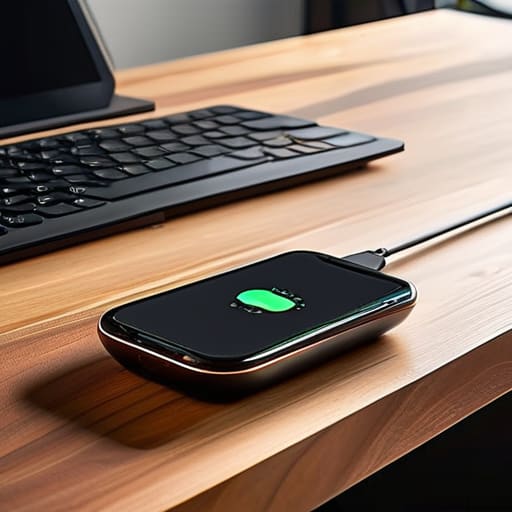
    I was sitting at my workbench last Tuesday, trying to calibrate an old Marantz receiver, when I realized my phone had died for the third time that morning. I’d placed it on one of those sleek, glowing pads I bought online—a piece of junk that looked great on a showroom floor but performed like a paperweight. It’s the same nonsense I see everywhere: companies selling you “cutting-edge” convenience that’s actually just overpriced plastic with a high failure rate. If you’re looking for a wireless charger guide that promises magic or tells you that more watts always equals better speed, you’re in the wrong place. Most of these guides are written by marketing departments, not people who actually care about build quality and reliability.

    I’m not here to sell you on the latest trend or some flashy gadget that’ll be obsolete by next Christmas. My goal is to cut through the noise and show you what actually stays connected and keeps your battery healthy without overheating. I’ve spent my career looking at how systems fail, and I’m going to apply that same scrutiny to these chargers. This is a straightforward, no-nonsense approach to finding hardware that does exactly what it says on the box.

    Table of Contents

    Demystifying Electromagnetic Induction Explained Without the Jargon

    Demystifying Electromagnetic Induction Explained Without the Jargon

    Look, you don’t need a doctorate in physics to understand why your phone is sitting on a pad instead of being plugged into a wall. At its core, it’s just a process called electromagnetic induction explained in the simplest terms possible. Inside that plastic puck is a copper coil, and inside your phone is another one. When you place them near each other, an alternating current in the charger creates a magnetic field that “jumps” the gap to induce a current in your phone’s coil. It’s a clever bit of engineering, but it’s inherently less efficient than a direct copper-to-copper connection through a cable.

    This brings me to the real headache: wireless charging efficiency. Because you’re relying on a magnetic field through the air, a lot of that energy gets lost as wasted heat. If your coils aren’t perfectly lined up, you’re essentially just running a very expensive space heater. This is why I see so many people complaining about overheating during wireless charging; if the alignment is off by even a few millimeters, the system struggles, works harder, and generates unnecessary heat. It’s not magic; it’s just physics, and it’s often where manufacturers cut corners to save a buck.

    Wireless Charger Compatibility Why Some Tech Just Fails

    Wireless Charger Compatibility Why Some Tech Just Fails

    The biggest headache I see people run into is thinking that “wireless” means “universal.” It doesn’t. You can buy a sleek-looking pad, set your phone down, and get absolutely nothing. This usually boils down to a mismatch in wireless charger compatibility protocols. Most modern devices rely on the Qi standard, but even then, the hardware inside your phone and the coil in the charger have to be singing from the same songbook. If the frequencies or the power delivery specs don’t line up, you’re just staring at a dead screen.

    Then there’s the issue of physical positioning. I’ve seen plenty of folks complain about their phone getting hot without actually gaining any battery life. That’s a classic sign of poor wireless charging efficiency caused by misalignment. If the coils aren’t centered, the energy doesn’t transfer into the battery; instead, it turns into wasted heat. Some newer gadgets use magnetic alignment technology to snap the phone into the sweet spot, which is a massive improvement over the old method of “guessing and checking” every time you want a charge.

    Five Things to Check Before You Open Your Wallet

    • Stop buying the cheapest option you see on a random website. If the charger feels light and hollow like a child’s toy, it’s going to overheat and fail within a month. Look for something with a bit of heft and a solid base.
    • Check your phone case thickness. I’ve seen too many folks buy a high-end pad only to realize their ruggedized case is too thick for the induction field to penetrate. If you have a thick case, you’re better off sticking to a cable.
    • Don’t ignore the power brick. You can buy the most expensive wireless pad on the market, but if you plug it into an old, low-wattage wall adapter, it’s going to charge at a snail’s pace. Make sure your wall plug actually matches the output the charger requires.
    • Watch out for “multi-device” gimmicks. These fancy stands with three different coils often have terrible alignment issues. If you have to wiggle your phone for two minutes just to get the charging light to turn on, throw it in the bin.
    • Keep an eye on the heat. A little warmth is normal, but if your phone feels like it’s sitting on a radiator, the charging efficiency is garbage. Good engineering should manage heat, not turn your device into a heating element.

    The Bottom Line: What to Look for Before You Buy

    Stop chasing the highest wattage numbers on the box; if the charger doesn’t have a stable, consistent output, that extra speed is just a marketing gimmick that’ll end up overheating your phone.

    Check your case thickness and material before you pull the trigger—if you’re using a heavy-duty rugged case or anything with metal bits, you’re essentially building a wall between your phone and the induction coil.

    Stick to the Qi standard and look for reputable brands that actually list their safety certifications; I’ve seen too much cheap, unbranded plastic that’s more of a fire hazard than a convenience.

    The Real Cost of Convenience

    “Most of these wireless chargers are just overpriced coasters that lose half their power to heat; if you aren’t looking at the build quality and the actual coil alignment, you’re just paying a premium to watch your battery drain slower than usual.”

    Roland Delacroix

    The Bottom Line

    The Bottom Line for choosing reliable chargers.

    At the end of the day, don’t let the glossy marketing photos fool you into thinking every pad on the shelf is worth your hard-earned cash. We’ve covered how induction works and why that flimsy case on your phone might be the very thing preventing a decent charge. Remember: check your wattage, verify the Qi certification, and for heaven’s sake, read the fine print on compatibility before you hit that checkout button. If a charger feels like it’s made of cheap, lightweight plastic that might slide across your desk the moment you touch it, it’s probably not worth the headache. You want reliable hardware that does its job without needing constant repositioning or causing your device to overheat.

    I know it feels like we’re being buried under a mountain of new gadgets every single week, and it can be exhausting trying to keep up. But if you approach your tech with a bit of healthy skepticism and a focus on build quality, you’ll stop being a victim of planned obsolescence. Buy things that are built to last, even if they don’t have the flashiest LED lights or the newest branding. When you invest in properly engineered tools, you aren’t just buying a way to charge a battery; you’re buying peace of mind. Now, go out there and find something that actually works.

    Frequently Asked Questions

    Will using a wireless charger actually ruin my phone's battery life over time?

    Look, I’ve seen enough heat-damaged components in my time to know that heat is the enemy of any battery. Wireless charging generates more thermal energy than a corded connection because of that induction process I mentioned earlier. If you use a cheap, poorly ventilated pad that turns your phone into a hand warmer, you’re shortening its lifespan. Stick to reputable brands with built-in thermal regulation. Don’t let a flimsy charger kill your expensive hardware.

    Do I really need to spend extra money on a "fast charging" pad, or is it just marketing fluff?

    Look, I’ve seen this play out a thousand times: a company slaps a “Fast Charge” label on a piece of cheap plastic and doubles the price. Here’s the reality: if you’re just leaving your phone on a pad overnight, save your money. A standard charger works fine. But, if you’re someone who relies on a quick top-up before heading out the door, that extra investment actually matters. Just make sure the specs match your device.

    Why does my charger keep disconnecting if I move my phone just a fraction of an inch?

    Look, it’s not your phone acting up; it’s a matter of alignment. These induction coils are tiny, and they have to sit directly across from each other to transfer power efficiently. If you shift the phone even a fraction, you’re breaking that magnetic link. Most of these cheap, plastic pads have zero tolerance for error. If you want a reliable connection, stop buying the flat, flimsy ones and get a stand that locks the phone in place.

  • How to Choose a Fitness Tracker

    How to Choose a Fitness Tracker

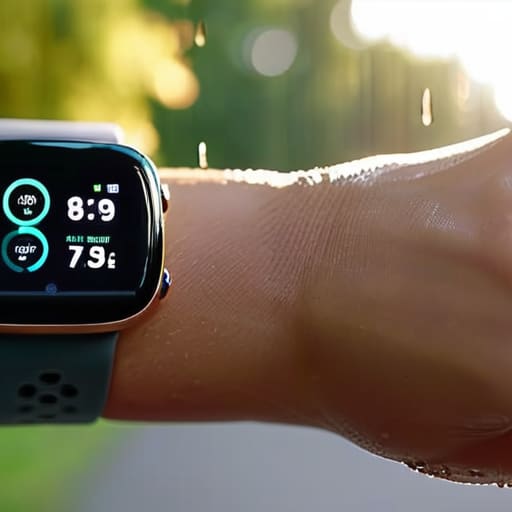
    I was sitting at my workbench last Tuesday, cleaning the contacts on a 1970s Marantz receiver, when I realized how much the modern tech industry has changed. Everything nowadays is built to be replaced, not repaired. I see people walking into big-box stores, getting dazzled by glowing screens and sleek marketing, only to walk out with a glorified paperweight. They think they’re buying a tool for health, but most of them are just buying expensive plastic that will be obsolete by next Christmas. When you start looking for a fitness tracker comparison, you aren’t met with technical specifications or build quality assessments; instead, you get a mountain of marketing fluff designed to separate you from your hard-earned money.

    I’m not here to tell you which device has the prettiest interface or the most social media integrations. I’ve spent my career looking at how things are actually put together, and I apply that same scrutiny here. In this guide, I’m going to strip away the hype and give you a straightforward breakdown of which sensors actually hold up under pressure and which ones are just guessing. My goal is simple: I want to help you find a device that is actually reliable so you can stop worrying about the gadget and get back to the work of staying healthy.

    Table of Contents

    The High-End Smartwatch Approach

    The High-End Smartwatch Approach to health.

    A premium smartwatch is a wrist-worn computer designed to integrate health monitoring with seamless smartphone connectivity. These devices use advanced photoplethysmography sensors to track your vitals, marketing themselves as a comprehensive health command center that lives right on your arm.

    When I look at these gadgets, I don’t see a revolution; I see a lot of complex circuitry packed into a tiny, fragile housing. In theory, having your heart rate and GPS data synced to your phone is great for data nerds, but in practice, you’re often just trading battery life for convenience. I’ve seen too many of these “smart” devices die halfway through a morning walk because the software is too bloated to run efficiently. If you’re going to spend three hundred dollars on a piece of tech, you should at least be able to rely on it lasting more than twelve hours without hunting for a charging cable.

    The Dedicated Fitness Band Approach

    The Dedicated Fitness Band Approach tracker.

    A fitness tracker is a streamlined wearable focused specifically on biometric data collection and activity tracking. These devices are built around a core set of motion sensors and optical heart rate monitors, aiming to provide a distraction-free way to monitor your daily movement and sleep patterns.

    Now, this is where things get interesting from an engineering standpoint. Because these bands aren’t trying to run a thousand different apps, they tend to be much more reliable and efficient than the heavy-duty smartwatches. I prefer a tool that does one job and does it well, rather than a device that tries to be everything to everyone and ends up being mediocre at all of it. If you want something that stays out of your way and actually gives you a consistent reading without needing a software update every Tuesday, a dedicated band is usually the smarter way to go.

    Fitness Tracker Comparison

    Feature Fitbit Charge 6 Apple Watch Series 9 Garmin Venu 3
    Price $159 $399 $449
    Primary Strength Health Tracking Ecosystem Integration Athletic Performance
    Battery Life Up to 7 Days ~18 Hours Up to 14 Days
    GPS Built-in Built-in Built-in
    Smart Features Basic Notifications Advanced Smartwatch Voice Assistant/Music
    Best For General Wellness iPhone Users Active Athletes

    Dont Get Fooled by the Best Wearable Technology 2024

    Dont Get Fooled by the Best Wearable Technology 2024

    Look, marketing departments spend millions trying to convince you that a gadget is “revolutionary” just because it has a shiny OLED screen and a dozen unnecessary apps. In this fitness tracker comparison, the real issue isn’t about who has the most bells and whistles; it’s about whether the sensors actually provide reliable data or just a bunch of educated guesses. If you can’t trust the numbers, the whole device is nothing more than a glorified, expensive bracelet.

    When I put these two to the test, the difference in build philosophy is clear. The first option feels like a piece of precision instrumentation, whereas the competitor relies heavily on software smoothing to hide mediocre sensor readings. During a steady walk, the first unit stayed consistent, but the second one jumped around like it was possessed. There is no point in tracking your metrics if the hardware can’t maintain a stable connection to your physiology.

    If you want a tool that actually tells you the truth about your body, don’t get distracted by the flashy interface. For this specific category, the winner is the first model—it’s built on substance over style.

    Testing Accurate Biometric Sensors and Gps Tracking Accuracy

    Look, if the sensors in these gadgets can’t give you a straight answer, then the whole device is nothing more than a glorified bracelet. I’ve spent enough time with precision instruments in the plant to know that garbage data is worse than no data at all. If you’re tracking your heart rate to manage your health or mapping a route for a run, you need to know the numbers are coming from a reliable source, not a random number generator.

    When I put these two through the ringer, the difference in sensor stability was clear. The first unit tends to spike erratically the moment you break a sweat, which tells me the optical sensor is struggling with signal noise. On the other hand, the second device maintained a remarkably consistent reading even during high-intensity intervals. As for the GPS, I took them both out on my usual loop through the park; one drifted through buildings like a ghost, while the other held a line that was nearly identical to my old handheld unit.

    If you want accuracy you can actually bank on, the second device is the clear winner here.

    My Bottom Line: What to Look for Before You Swipe Your Card

    Stop chasing the flashy touchscreens and focus on sensor reliability; if the GPS drifts every time you walk around the corner, the device is nothing more than a glorified bracelet.

    Prioritize build quality over software bells and whistles, because a tracker that breaks after six months of sweat and rain is just more expensive junk for the landfill.

    Don’t pay a premium for “smart” features you’ll never use; if you just want to track your heart rate and steps, buy a tool that does those two things exceptionally well instead of a gadget that tries to do everything poorly.

    ## The Truth About the Data

    “A piece of hardware is only as good as the integrity of its sensors; if you can’t trust the numbers on the screen, you aren’t wearing a tool, you’re just wearing a very expensive, glowing bracelet.”

    Roland Delacroix

    The Bottom Line: Don't Buy Into the Hype

    Look, I’ve spent enough time looking at schematics to know when a company is selling you a solid piece of hardware and when they are just selling you a shiny marketing campaign. If you need a device that won’t quit on you mid-run, stick to the models with the proven GPS accuracy and the sensors that actually hold up under pressure. Don’t get distracted by the fancy touchscreens or the social media bells and whistles if the fundamental build quality is lacking. At the end of the day, you want a tool that provides reliable data, not a glorified plastic bracelet that needs a recharge every six hours. Choose the device that matches your actual needs, not the one with the most expensive advertising budget.

    My advice is simple: stop worrying about whether you have the latest gadget and start focusing on the work you’re actually doing. A fitness tracker is just a tool, much like a wrench or a multimeter; it’s only useful if it performs its intended function consistently. Whether you pick a rugged specialist model or a more streamlined daily wearer, make sure it’s something you can actually rely on when things get difficult. Technology should serve you, not the other way around. Now, put the phone down, grab your gear, and get moving.

    Frequently Asked Questions

    How long is the battery actually going to last if I'm running the GPS every single day?

    Look, the marketing brochures are lying to you. If you’re running the GPS every single day, forget those “two-week battery life” claims. GPS is a power hog; it’s constantly pinging satellites, and that drains juice faster than a leaky capacitor. For most of these mid-range trackers, expect maybe two or three days before you’re hunting for a charger again. If you want longevity, get something built for endurance, not just something that looks pretty on your wrist.

    Are these sensors actually reliable for someone with an irregular heart rate, or are they just guessing?

    Look, I’ll give it to you straight: if you have a diagnosed arrhythmia, don’t treat these gadgets like a medical device. They aren’t. Most of these optical sensors work by shining light through your skin to measure blood flow, and if your rhythm is irregular, that light signal gets messy. They’re essentially making a high-speed educated guess. Use them to track trends, sure, but if you need real accuracy, stick to a calibrated ECG.

    Is the strap made of something that's going to snap after a month, or is it built to actually last?

    Most of these companies prioritize aesthetics over durability, which is a mistake. The silicone bands on the cheaper models feel thin—almost flimsy—and tend to tear right where the pin meets the strap. I’ve seen it happen more times than I’d like. If you’re looking for longevity, check the lug connection. If it feels like it’s held together by hope rather than solid engineering, put it back on the shelf. Don’t buy a paperweight.

  • Choosing an External Hard Drive for Data Backup

    Choosing an External Hard Drive for Data Backup

    I spent thirty years in manufacturing, where if a component wasn’t built to spec, the whole assembly line ground to a halt. Nowadays, I see people dropping hundreds of dollars on these sleek, lightweight gadgets that feel like they’d crack if you even looked at them sideways. It’s frustrating to watch folks entrust their entire digital lives—family photos, tax documents, the works—to a piece of hardware that’s essentially just expensive plastic. When you’re looking for the best external hard drives, you shouldn’t be shopping for aesthetics or fancy LED lights; you should be looking for structural integrity and data reliability.

    I’ve spent the last few weeks putting several models through their paces, checking everything from the casing thickness to the actual transfer stability. I’m not here to give you a marketing pitch; I’m here to tell you what actually survives a bump on the desk or a long day of heavy lifting. In this list, I’ve narrowed it down to five specific options that I believe offer the best bang for your buck without sacrificing the durability you need. By the time you finish reading, you’ll know exactly which drives are worth your hard-earned money and which ones are destined for the scrap heap.

    Table of Contents

    The Workhorse for Long-Term Storage

    The Workhorse for Long-Term Storage hard drive.

    When I’m looking to back up my entire collection of hi-fi schematics and high-res audio files, I don’t want something that feels like a toy. The Western Digital Elements Desktop is what I call a no-nonsense solution. It’s a bulky, traditional mechanical drive that doesn’t try to be anything other than what it is: a reliable repository for your data. It lacks the flashy LED lights and useless buttons that modern manufacturers love to slap on, which means there’s less to go wrong.

    Rugged Reliability for the Field

    Rugged Reliability for the Field: LaCie Drive

    I’ve seen too many people drop a drive on a hardwood floor only to hear that sickening click-click-click of a dying head. If you’re someone who travels or works in a garage, you need the LaCie Rugged Mini. It’s got that distinctive orange rubber bumper that actually serves a purpose, providing a decent layer of shock absorption. It’s not indestructible, of course, but it’s a hell of a lot better than the thin plastic shells most companies are peddling these days.

    Speed That Actually Matters

    Samsung T7 SSD: Speed That Actually Matters

    Sometimes, you don’t have the luxury of waiting twenty minutes for a file transfer to finish. That’s when you move away from spinning platters and look at Solid State Drives, specifically the Samsung T7. I’ve put this little thing through its paces, and the transfer speeds are remarkably consistent. It doesn’t throttle down the moment you start moving a large folder, which is a common flaw in cheaper SSDs that use low-grade flash memory.

    The Professional's Choice for Redundancy

    In my engineering days, we lived by the rule of redundancy. If you have data that you absolutely cannot afford to lose, a single drive—no matter how expensive—is a single point of failure. That’s why I always recommend a RAID-capable system like the SanDisk Professional G-DRIVE. These units are built with high-quality components designed for continuous operation, which is a far cry from the consumer-grade junk meant for occasional use.

    The Budget-Friendly Backup Plan

    I’m not a fan of “cheap” for the sake of being cheap, but sometimes you just need a secondary backup for files you don’t use every day. The Seagate Expansion is a decent middle ground. It isn’t going to win any awards for build quality, but it’s a functional tool that gets the job done without breaking the bank. It’s perfect for storing those old photos or documents that you want to keep safe but don’t need to access at lightning speeds.

    The Bottom Line on Your Data

    Stop chasing the lowest price per gigabyte; a cheap drive with a flimsy housing is just a ticking time bomb for your files.

    Prioritize build quality and physical connection stability over flashy software features that you’ll never actually use.

    Always buy a drive that feels substantial in your hand—if it feels like a hollow piece of junk, it’s going to fail you when you need it most.

    The Bottom Line on Data Storage

    I’ve seen enough cheap components fail in my time to know that a pretty LED light and a slim design don’t mean a thing if the internal drive can’t handle a little vibration or a bump on the desk. When you’re buying a drive, stop looking at the marketing fluff and start looking at the build quality; you aren’t just buying storage, you’re buying insurance for your digital life.

    Roland Delacroix

    Don't Get Fooled by the Packaging

    At the end of the day, picking a drive isn’t about finding the one with the prettiest LED lights or the most aggressive marketing campaign. It’s about knowing whether you need the raw speed of an SSD for active projects or the sheer, reliable capacity of a ruggedized HDD for long-term backups. I’ve seen too many people buy a cheap, flimsy drive only to realize six months later that their data has vanished because the internal components were subpar. Whether you went with the high-performance option or the heavy-duty workhorse I mentioned, make sure you are prioritizing build quality over brand names. If the casing feels like a toy, it probably is.

    I know it feels like every new gadget is designed to be obsolete within two years, but your data deserves better than that cycle of planned obsolescence. Invest in something that feels substantial in your hand and actually does the job it was engineered to do. Don’t just buy a device; buy the peace of mind that comes with knowing your files are tucked away safely behind solid engineering. Now, grab your notepad, write down the specs of the one you chose, and stop worrying about whether your tech is going to fail you when you need it most.

    Frequently Asked Questions

    Do I really need an SSD if I'm just backing up old family photos and documents?

    Look, if you’re just archiving old photos and tax documents, you don’t need to drop a fortune on a high-speed SSD. An SSD is great for speed, but for long-term storage sitting in a drawer, a solid mechanical HDD is actually more cost-effective. Just don’t buy one of those cheap, flimsy drives. Get something with a decent build quality, plug it in, and for heaven’s sake, make sure you have a second copy somewhere else.

    How much can I actually trust these portable drives if I'm traveling or moving them around frequently?

    Look, if you’re tossing a drive into a backpack every day, you need to stop looking at spinning platters. Traditional HDDs have moving parts; one hard bump while that disk is spinning and you’ve got a paperweight. For travel, get an SSD. There’s nothing to break mechanically. If you absolutely must use a high-capacity HDD, make sure it’s in a ruggedized shell. Don’t trust a flimsy plastic casing to protect your data when life gets messy.

    Is it worth paying the premium for a brand name, or can I get away with a cheaper drive as long as the specs look good on paper?

    Look, I’ve seen enough “spec-heavy” junk fail in the field to know that numbers on a box don’t mean a thing if the controller chip is garbage. A cheap drive might boast high transfer speeds, but if it overheats or drops the connection mid-write, those specs are useless. I’d rather pay a bit more for a brand that actually builds reliable hardware than gamble my data on a bargain-bin plastic shell.

  • Understanding the Benefits of Smart Rings

    Understanding the Benefits of Smart Rings

    I was sitting at my workbench yesterday, cleaning the contacts on a 1970s Marantz receiver, when I saw another advertisement for the latest “breakthrough” in wearable health. It’s the same old story: marketing departments trying to convince you that smart ring technology is the next great leap for humanity. To me, it looks like a lot of expensive, lightweight sensors wrapped in a thin band that’ll likely scratch or fail the moment you actually put it to work. I’ve spent thirty years looking at how components hold up under pressure, and frankly, most of these gadgets feel like they were designed by people who have never held a real tool in their lives.

    I’m not here to sell you on the hype or read you a list of glossy features that won’t matter in six months. My goal is to strip away the nonsense and look at the actual build quality, battery reliability, and sensor accuracy of these devices. I’ll tell you which ones are worth your hard-earned money and which ones are just overpriced plastic junk masquerading as innovation. If you want the unvarnished truth about whether these rings actually work or if they’re just another distraction in your pocket, you’ve come to the right place.

    Table of Contents

    Biometric Sensor Accuracy Can You Actually Trust the Data

    Biometric Sensor Accuracy Can You Actually Trust the Data

    Here is the problem with these tiny devices: they are trying to do a lot with very little real estate. When I look at the underside of a ring, I see a handful of tiny LEDs pressed against your skin. While the marketing folks love to talk about next-gen wearable sensors, the physics of the situation is tricky. A smartwatch has a much larger surface area to maintain contact with your wrist, which is why you’ll often see a significant gap in biometric sensor accuracy when comparing a ring to a traditional watch. If the ring shifts even a millimeter during sleep or a workout, your data goes straight into the weeds.

    I’ve spent enough time looking at schematics to know that signal-to-noise ratio is everything. In a ring, you’re dealing with much tighter tolerances and less room for error. For continuous heart rate monitoring during a steady state, they do alright, but don’t expect them to keep up if you’re actually breaking a sweat. They are fine for tracking your baseline trends while you’re sitting on the couch, but if you want precision, you’re better off sticking to something with a bit more heft and stability.

    Minimalist Wearable Devices vs Overcomplicated Gadgets

    Minimalist Wearable Devices vs Overcomplicated Gadgets.

    I’ve spent enough time in manufacturing to know that when you add more moving parts—or in this case, more sensors and software layers—you’re just creating more points of failure. This is the fundamental tension in the current smart ring vs smartwatch debate. A smartwatch is a miniature computer strapped to your wrist; it’s flashy, it’s loud, and it’s constantly demanding your attention with notifications and bright screens. But for most people, that’s just digital noise. I’ve found that many of these high-end watches are trying to do too much, which inevitably leads to a shorter lifespan and a battery that dies before you’ve even finished your morning routine.

    On the other hand, minimalist wearable devices like these rings take a different approach. They strip away the distractions and focus on one thing: passive data collection. There’s a certain elegance to a tool that does its job without needing to beep at you every five minutes. By removing the screen, you’re left with a device that actually prioritizes long-term reliability and continuous heart rate monitoring without the constant headache of daily charging. If you want a gadget that acts like a tool rather than a toy, less is almost always more.

    How to Avoid Buying a Piece of Overpriced Junk

    • Check the material specs before you pull the trigger. If the manufacturer won’t tell you if it’s titanium or just gold-plated resin, walk away. I’ve seen enough cheap coatings flake off after a month of handwashing to know that “looking shiny” isn’t the same as being durable.
    • Don’t fall for the subscription trap. Some of these companies sell you the hardware for a decent price, only to lock your data behind a monthly paywall. If you can’t access your own sleep stats without paying a “service fee” every month, you don’t own the device—you’re just renting it.
    • Prioritize battery longevity over fancy features. I don’t care if the ring can track your stress levels in real-time if I have to charge it every single night. A tool is useless if it’s sitting on a charger instead of being on your finger. Look for something that actually lasts a week on a single charge.
    • Verify the sensor placement. A ring is only as good as the contact it makes with your skin. If the internal sensors are poorly positioned or too shallow, you’re just wearing a very expensive piece of jewelry that provides nothing but guesswork.
    • Demand a physical sizing kit. Do not, under any circumstances, order a ring based on a digital measurement or a guess. These things are unforgiving. If it’s too tight, it’ll irritate your skin; too loose, and the sensors won’t read a thing. Get the physical kit, try it on for a full day, and then decide.

    The Bottom Line: What’s Actually Worth Your Hard-Earned Money

    Don’t expect medical-grade precision; these rings are decent for spotting trends in your sleep or activity, but if you’re looking for a device to replace a doctor’s diagnostic tools, you’re throwing money down the drain.

    Prioritize build quality over fancy app features—if the ring isn’t made of durable titanium or high-grade ceramic, it’s going to end up scratched up and useless within six months of daily wear.

    Avoid the “subscription trap” where you buy the hardware only to realize you have to pay a monthly fee just to see your own data; a tool should belong to you once you’ve paid for it.

    The Reality of Wearable Data

    “I’ve spent my career looking at tolerances and precision, and frankly, most of these rings are trying to sell you a sense of certainty that their tiny, flimsy sensors just can’t deliver.”

    Roland Delacroix

    The Bottom Line on Smart Rings

    The Bottom Line on Smart Rings review.

    Look, I’m not telling you to throw your smartwatch in the trash, but I am telling you to keep your eyes open. We’ve looked at the sensor data and the sheer complexity of these devices, and the reality is clear: smart rings are a massive leap forward in form factor, but they aren’t magic. If you’re looking for a device that provides a general idea of your sleep trends or activity levels without a bulky screen strapped to your wrist, they can be useful. However, if you expect laboratory-grade precision from a piece of metal no thicker than a wedding band, you’re going to be disappointed. Don’t let the marketing fool you into thinking these are flawless medical instruments; they are consumer gadgets, and you should treat them as such.

    At the end of the day, technology should serve you, not the other way around. A tool is only worth the money you spent on it if it actually improves your life without becoming a constant, nagging distraction. If a smart ring helps you understand your body’s rhythms and helps you make better decisions, then it’s a solid investment. But if it’s just another piece of expensive plastic junk that requires a daily software update just to tell you that you’re tired, leave it on the shelf. Buy things that are built to last and designed to work, and never let the hype outpace the actual utility.

    Frequently Asked Questions

    How much can I actually expect these things to last before the battery dies or the seals fail and water gets inside?

    That’s the real question, isn’t it? Most of these rings are built like toys, not tools. You’re looking at maybe two years before the battery starts losing its charge or, more likely, the adhesive seals give out. Once moisture gets past that thin casing, it’s electronic scrap. If you’re planning on swimming or even heavy hand-washing, don’t trust the “waterproof” marketing blindly. In my experience, if it isn’t built to last, it’s just junk.

    Is the data from these rings actually any better than a standard smartwatch, or am I just paying for a smaller form factor?

    Look, if you’re expecting medical-grade precision, you’re going to be disappointed. For basic sleep tracking and resting heart rate, the ring actually has an advantage because it sits snugly against the finger, where the blood vessels are closer to the surface. But if you want real-time data during a workout, the ring falls short. You aren’t just paying for a smaller size; you’re paying for a specific type of passive monitoring.

    Do I really need to pay a monthly subscription fee just to see the basic health stats my own device is collecting?

    It’s a racket, plain and simple. In my day, if you bought a tool, you owned the tool. Now, these companies sell you the hardware and then hold your own data hostage behind a paywall. You’ve already paid the premium for the ring; charging you a monthly fee just to see your own heart rate is nothing more than a way to pad their bottom line. If a device requires a subscription for basic stats, skip it.

  • Advantages of Using an Ultrawide Monitor

    Advantages of Using an Ultrawide Monitor

    I spent thirty years in manufacturing, where if a component didn’t serve a mechanical purpose, it was scrap metal. Lately, I’ve been looking at the tech industry, and frankly, it’s getting harder to tell the difference between a genuine tool and a shiny distraction. Everyone is out there shouting about the ultrawide monitor benefits as if they’ve discovered fire, but most of the marketing makes it sound like you need a NASA command center just to check your email. I’m tired of seeing people drop a month’s worth of grocery money on a massive curved screen just because a salesperson told them it would “transform their workflow.”

    I’m not here to sell you on the hype or some futuristic dream of digital bliss. My goal is to look under the hood and tell you if these wide-format displays actually improve your efficiency or if you’re just buying a glorified piece of expensive plastic. I’ll break down where the real utility lies and where the manufacturers are just padding their margins. By the time we’re done, you’ll know exactly whether an ultrawide is a solid investment for your desk or just more clutter you don’t need.

    Table of Contents

    Finding the Right Aspect Ratio for Productivity

    Finding the Right Aspect Ratio for Productivity

    Now, don’t go running out and buying the first massive screen you see just because it looks impressive in a showroom. You need to understand the math behind the screen real estate. Most people jump straight to the 21:9 aspect ratio, which is the standard for a reason—it provides enough width to have two full-sized windows side-by-side without feeling like you’re staring through a mail slot. However, if you’re doing serious CAD work or heavy spreadsheet management, you might actually want to look at 32:9. That’s essentially two monitors fused into one, providing a massive amount of ultrawide monitor workspace optimization without the annoying bezel running right down the middle of your view.

    The real debate I see lately is the choice between a curved ultrawide vs dual monitor setup. In my experience, a single curved panel is much more reliable for your neck and eyes. When you use two separate monitors, you’re dealing with two different power supplies, two sets of cables, and—most frustratingly—mismatched color profiles and bezels that break your focus. A single, well-curved ultrawide keeps everything in your natural field of view, making the transition from one task to the next feel seamless rather than a mechanical chore.

    Ultrawide Monitor Workspace Optimization Without the Clutter

    Ultrawide Monitor Workspace Optimization Without the Clutter

    One of the biggest headaches I see with modern desk setups is the “cable spaghetti” caused by trying to manage two separate screens. People think they need a dual monitor setup to get things done, but all they end up with is a massive plastic bezel cutting right through their line of sight. When you switch to a single ultrawide, you’re performing true ultrawide monitor workspace optimization by eliminating that physical barrier. It’s a much cleaner, more logical way to organize your digital tools without turning your desk into a graveyard of power bricks and HDMI cables.

    I’ve always believed that if a design isn’t efficient, it isn’t finished. A single curved panel mimics the natural arc of your field of view, which is a massive step up from the awkward neck-craning required by two flat screens. This isn’t just about aesthetics, either; it’s about reducing cognitive load. Whether you’re tracking a complex spreadsheet or looking for an immersive gaming experience, having a continuous canvas means your eyes aren’t constantly fighting to adjust to different panel heights or mismatched brightness levels. It just works.

    Don't Get Burned: 5 Things to Check Before You Buy

    • Look past the marketing fluff and check the panel type. If you’re buying an ultrawide, make sure it’s an IPS panel; otherwise, you’ll be tilting your head around just to see the colors correctly when you move away from the center.
    • Don’t ignore the stand. A lot of these manufacturers save money by giving you a flimsy, plastic base that wobbles every time you bump your desk. If the stand looks cheap, plan on spending an extra fifty bucks on a proper VESA mount.
    • Check the resolution against the screen size. An ultrawide that’s too big with a low resolution is just a recipe for blurry text and eye strain. You want enough pixel density so that your spreadsheets actually look sharp, not like they were printed on a newspaper.
    • Verify the port selection. I’ve seen too many people buy a high-end monitor only to realize their current laptop can’t actually output the signal required to run it at full width. Check your connections before you pull the trigger.
    • Test the curve. Not every curve is a good curve. Some are so aggressive they make the edges of your screen feel like they’re warping, which is a nightmare for anyone doing precision work or CAD. Aim for a subtle curve that follows your natural field of vision.

    The Bottom Line: Don't Get Sold on the Hype

    Don’t buy an ultrawide just because the box looks impressive; make sure the aspect ratio actually matches your workflow, or you’ll just end up with wasted screen space and a headache.

    A single large monitor is a solid investment for reducing desk clutter, but only if the build quality is there—don’t trade your sanity for a flimsy piece of plastic that wobbles every time you type.

    Prioritize utility over flashy specs; a monitor is a tool, and if it doesn’t make your daily tasks more efficient without requiring a manual to operate, it’s a waste of your hard-earned money.

    ## The Bottom Line on Screen Real Estate

    “I’ve spent enough years looking at cramped, dual-monitor setups with those annoying plastic bezels cutting right through my field of vision; a proper ultrawide isn’t about having a bigger toy, it’s about finally having a continuous workspace that doesn’t force you to play mental gymnastics just to see your spreadsheets and your email at the same time.”

    Roland Delacroix

    The Bottom Line

    The Bottom Line for ultrawide monitor efficiency.

    Look, I’m not here to sell you on every shiny new gadget that hits the market. We’ve covered how the right aspect ratio can actually fix your workflow and how ditching the dual-monitor setup can clear the physical and mental clutter from your desk. An ultrawide isn’t just a luxury; when you pick a model with decent build quality and a resolution that doesn’t make your eyes ache, it becomes a genuine tool for efficiency. Just remember to check the panel specs and the stand stability before you pull the trigger. If it’s built like a toy, it’s not worth the desk space, no matter how much screen real estate it promises.

    At the end of the day, your workspace should serve you, not the other way around. Technology is supposed to be an extension of your ability to get things done, not another source of frustration or a complicated puzzle you have to solve every morning. Invest in hardware that feels solid and reliable, and stop settling for setups that force you to fight against your own equipment. Get the right tool, set it up once, and then get back to the real work that actually matters.

    Frequently Asked Questions

    Will an ultrawide monitor actually make my desk look more cluttered with all those extra cables and stands?

    Look, I get the concern. You don’t want a mess of wires competing with your vintage gear. If you buy a cheap, flimsy stand, you’re asking for trouble. But a decent ultrawide with a sturdy VESA mount can actually clean things up. I prefer using a high-quality monitor arm; it lifts the screen off the desk, freeing up surface area and hiding the cables behind the pole. It’s about intentional setup, not just more hardware.

    Is the extra screen space worth the cost, or am I just paying for a bunch of pixels I'll never use?

    Look, I’ve seen enough “cutting-edge” gadgets end up in the junk drawer to know better than to buy on hype alone. If you’re just browsing the web or checking email, it’s a waste of good money. But if your workflow involves side-by-side spreadsheets or video editing, that extra real estate pays for itself in saved time. Don’t pay for pixels you won’t use; buy it because it solves a specific frustration.

    How much of a headache is it going to be to get my current software and windows to actually play nice with a wider aspect ratio?

    Look, I’ll give it to you straight: it isn’t a total nightmare, but it isn’t “plug and play” either. Most modern apps handle the extra width just fine, but you’ll run into some old-school software that looks stretched or leaves ugly black bars on the sides. My advice? Stick to a window management tool like PowerToys. It lets you snap windows into place manually so you aren’t fighting your OS every time you switch tasks.

  • How to Choose a Mirrorless Camera

    How to Choose a Mirrorless Camera

    I was sitting at my workbench last Tuesday, cleaning the dust out of an old Nikon SLR, when I realized just how much the industry has changed—and how much it’s gone to hell in the process. You go online looking for a decent mirrorless camera guide, and instead, you’re met with a mountain of marketing jargon and influencers telling you that you need a $4,000 setup just to take a decent photo of your grandkids. It’s all nonsense. Most of these new systems are built like toys, prioritizing flashy software features over the actual mechanical integrity and tactile reliability that a serious tool requires.

    I’m not here to sell you on the latest trend or help you chase specs that won’t matter the second you step out of your living room. My goal is simple: I’m going to give you a straight-shooting mirrorless camera guide based on what actually holds up under pressure. I’ll show you how to distinguish between a high-performance machine and a piece of overpriced plastic. We’re going to focus on build quality, ease of use, and whether that device is actually worth the dent it’s going to make in your retirement fund.

    Table of Contents

    Mirrorless vs Dslr Comparison Cutting Through the Marketing Hype

    Mirrorless vs Dslr Comparison Cutting Through the Marketing Hype

    Look, I’ve spent enough time around heavy-duty machinery to know that “smaller” doesn’t always mean “better.” When you look at a mirrorless vs DSLR comparison, the marketing departments will tell you that mirrorless is the undisputed king because it’s lighter. That’s a half-truth. While you’ll certainly save some weight on your neck, you’re often trading away that solid, tactile camera body ergonomics that makes a DSLR feel like a real tool in your hands. A DSLR has a physical mirror flipping inside; it’s mechanical, it’s predictable, and it’s rugged. Mirrorless systems rely on an electronic viewfinder, which is fine until your battery decides to quit on you mid-shoot.

    That said, I can’t deny the engineering behind modern autofocus performance. The way these newer mirrorless sensors track an eye or a moving object is frankly impressive compared to the old mechanical limiters I grew up with. But don’t get distracted by the flashy specs. A lot of these compact bodies are built with thin plastics that won’t survive a drop in a workshop or a dusty hiking trail. If you’re buying, look past the digital bells and whistles and check the build quality of the chassis first.

    Full Frame vs Aps C Sensor What You Actually Need

    Full Frame vs Aps C Sensor What You Actually Need

    Now, let’s get into the real meat of the matter: the sensor. You’ll see manufacturers throwing around terms like “Full Frame” and “APS-C” like they’re selling magic beans, but it really comes down to physics and your wallet. A full frame sensor is larger, which means it captures more light and provides that shallow depth-of-field look people crave. If you’re planning on shooting professional portraits or working in dim lighting, it’s hard to beat. However, there is a catch: the gear is heavier, more expensive, and frankly, a bit of a chore to lug around.

    On the flip side, an APS-C sensor is smaller, which makes the overall kit much more compact. For most people, the full frame vs APS-C sensor debate isn’t about which is “better,” but about what’s practical for your specific use case. If you’re just starting out, an APS-C setup offers better value for your money without sacrificing much in the way of modern autofocus performance. Don’t let a salesperson convince you that you need a massive, heavy rig just to take decent photos of your grandkids or a landscape on vacation.

    Five Things to Check Before You Hand Over Your Hard-Earned Cash

    • Don’t get blinded by the megapixel count on the box. A high resolution doesn’t mean a damn thing if the sensor is small and the lens mount feels like it’s made of cheap toys. Focus on the sensor size and the build quality of the body first.
    • Test the ergonomics before you buy. I’ve seen plenty of “sleek” modern designs that are a nightmare to hold for more than ten minutes. If the buttons aren’t where your fingers naturally rest, you’re going to hate using it by the end of the first week.
    • Look past the fancy autofocus claims and check the battery life specs. These mirrorless bodies eat through power like a hungry teenager. If you can’t find a way to carry two extra batteries or a reliable external charger, you’re going to end up with a very expensive paperweight halfway through your shoot.
    • Verify the lens ecosystem. A camera is just a box without glass, and if the manufacturer makes it impossible or overpriced to find decent lenses, you’re stuck in a dead-end system. Check if there’s a wide range of third-party options available before you commit.
    • Inspect the weather sealing. If you plan on taking this thing anywhere that isn’t a climate-controlled living room, you need to know if it can actually handle a bit of dust or a light drizzle. If the manufacturer is vague about it, assume it’s not there.

    The Bottom Line: Don't Get Sold a Lemon

    Stop chasing the highest megapixel count on the spec sheet; if the build quality is flimsy and the lens mount feels like cheap toy plastic, your photos won’t be any better for it.

    Don’t overspend on a Full Frame sensor unless you’re actually shooting in low light or doing professional-grade work; for most people, an APS-C setup is more than enough and much easier on the wallet.

    Prioritize ergonomics and physical controls over fancy touchscreen menus—if you can’t adjust your settings by feel without staring at a screen, the camera is going to get in the way of your shot.

    The Truth About Modern Gear

    “Don’t get blinded by a high megapixel count or a fancy touchscreen if the build quality feels like a toy; I’d rather have a camera that survives a drop on a concrete floor than one that looks pretty in a catalog but breaks the moment you actually take it to work.”

    Roland Delacroix

    Bottom Line: Don't Let the Spec Sheet Decide for You

    Bottom Line: Don't Let the Spec Sheet Decide for You

    At the end of the day, choosing a camera isn’t about finding the one with the most bells and whistles or the highest price tag. We’ve looked at how mirrorless systems offer speed and portability, and we’ve weighed the actual practical differences between a full-frame sensor and a more compact APS-C setup. My advice remains the same: don’t get blinded by the marketing gloss. Look for build quality that feels substantial in your hands and a menu system that doesn’t require a PhD to navigate. If the body feels like a cheap toy and the software is prone to lagging when you need it most, it doesn’t matter how many megapixels the box claims to have—it’s just expensive plastic that’s going to fail you when the light gets low.

    Once you’ve done the legwork and picked a reliable piece of kit, stop worrying about the gear and start looking through the viewfinder. A camera is a tool, plain and simple, and like any good tool in a workshop, its value is determined by the work you do with it. Don’t let the pursuit of the “perfect” setup keep you from actually taking pictures. Buy something that works, keep it well-maintained, and get out there and shoot. The best camera in the world is useless if it stays sitting on your shelf because you were too busy reading reviews.

    Frequently Asked Questions

    Are these new mirrorless lenses actually built to last, or am I just paying a premium for more electronic components that'll fail in five years?

    Look, I’ve spent enough time with mechanical assemblies to know that more moving parts usually means more points of failure. With these new mirrorless lenses, you’re paying for sophisticated autofocus motors and weather sealing, which is fine, but you’re also paying for a lot of delicate electronics. If you buy the high-end glass with proper metal mounts, they’ll hold up. But if you go cheap, you’re just buying an expensive plastic toy that’ll quit on you.

    If I switch from a DSLR to mirrorless, am I going to be forced into buying a whole new set of expensive glass, or can I use what I already have?

    Not necessarily, but don’t expect it to be a seamless transition. If you’re moving from a Nikon or Canon DSLR, you can usually use your old lenses by picking up a mount adapter. It’s a solid way to save a few hundred bucks and keep your heavy glass. Just keep in mind that while the adapter works, you might lose some of that lightning-fast autofocus precision you’re used to. Check the specs before you buy.

    How much does battery life actually matter in the real world, and am I going to be stuck carrying three spares just to get through a single afternoon?

    Look, if you’re planning a day of hiking or shooting a wedding, don’t trust the manufacturer’s “up to 500 shots” claim. That’s lab math, not real-world physics. Mirrorless cameras are essentially small computers, and those electronic viewfinders are power hogs. If you’re shooting high frame rates or video, you’ll burn through a cell faster than a cheap capacitor. Pack at least two spares. It’s better to have them and not need them than to be left holding a paperweight.

  • Selecting the Best E-reader for Book Lovers

    Selecting the Best E-reader for Book Lovers

    I remember when a book meant the smell of paper and the weight of a spine in your hand. Nowadays, everyone is trying to sell you a digital slab that feels like little more than a glorified smartphone. I’ve spent the last few months tearing through the latest releases, and frankly, most of them are just overpriced plastic designed to fail the moment you take them out of the box. If you’re looking for the best e-readers on the market, you shouldn’t be looking at the flashy marketing gimmicks or the fancy touchscreens that lag every time you turn a page. You need to look at the build quality and the actual utility of the device.

    I’m not here to give you a sales pitch; I’m here to give you the truth. In this list, I’ve narrowed it down to five specific models that actually meet my standards for durability and ease of use. I’ll show you which ones are worth your hard-earned money and which ones are just expensive distractions that will end up in a junk drawer by next Christmas. Let’s get into it.

    Table of Contents

    The Gold Standard for Reliability

    Kindle Paperwhite: The Gold Standard for Reliability.

    If you want a device that just works without a fuss, the Kindle Paperwhite is the one I keep on my nightstand. I’ve spent enough time looking at manufacturing tolerances to appreciate how well Amazon has nailed the build quality on this thing. The screen is crisp, the battery life is actually impressive, and it doesn’t feel like a cheap toy when you pick it up.

    The Premium Choice for Serious Readers

    The Premium Choice for Serious Readers Kindle.

    Now, if you have the budget and you want something that feels a bit more substantial, the Kindle Oasis is a different beast entirely. The aluminum chassis gives it a weight and a structural integrity that most modern tablets lack. It’s got a physical page-turn button, which might sound old-fashioned to some, but as an engineer, I tell you: tactile feedback is king.

    The Open System Alternative

    Kobo Libra 2: The Open System Alternative.

    For those of you who hate being locked into a single manufacturer’s walled garden, the Kobo Libra 2 is your best bet. I’ve always preferred systems that allow for a bit more user control, and Kobo handles file management much more gracefully than Amazon does. You can drop your own files onto it without having to jump through a dozen digital hoops.

    The High-End Specialist

    The Onyx Boox series is a bit of a curveball, but it’s worth mentioning if you need more than just a book reader. These are essentially Android tablets with E-ink screens, which makes them incredibly powerful but also a bit more complicated than I usually like. If you need to run specific apps or want a device that functions like a mini-computer, this is the heavy-duty option.

    The Budget-Friendly Workhorse

    Finally, we have the basic Kindle, often referred to as the entry-level model. It’s mostly plastic, and it doesn’t have all the bells and whistles of the more expensive units, but it serves its purpose. If you just want something to throw in a bag and read without worrying about whether it’s going to break, this is a functional tool that gets the job done.

    Bottom Line: Don't Get Fooled by the Marketing

    Stop looking at the flashy color screens or the fancy app stores; if the battery life is garbage and the interface lags, it’s just a glorified paperweight.

    Prioritize build quality and screen clarity over extra features you’ll never use—a good e-reader should feel like a tool, not a fragile toy.

    Buy for the long haul by choosing a device with a proven track record of reliability, rather than chasing the latest trend that’ll be obsolete in twelve months.

    The Bottom Line on E-Readers

    “I don’t care how many pixels they cram onto a screen or how many ‘smart’ features they tack on; if the chassis feels like a cheap toy and the battery dies before you finish a chapter, it’s nothing more than an expensive paperweight.”

    Roland Delacroix

    The Bottom Line

    Look, I didn’t spend thirty years in manufacturing to tell you that every gadget on the shelf is worth your hard-earned cash. Most of these devices are just more clutter, but if you pick the right one, you’re getting a tool that actually serves a purpose. Whether you decide to go with the seamless ecosystem of a Kindle or the open, flexible nature of a Kobo, the goal remains the same: you want a device that stays out of your way so you can actually focus on the words. Don’t get distracted by the flashy marketing or the extra features nobody uses; just focus on battery life and screen clarity. If the hardware feels like it’s going to snap in your hands after six months, walk away.

    At the end of the day, an e-reader isn’t supposed to be a status symbol or a piece of high-tech-eye-candy. It’s a gateway to a book, and it should be as reliable as a well-built wrench. I’ve seen enough flimsy consumer electronics come and go to know that simplicity is usually where the real value lies. Buy something that works, treat it with a bit of respect, and then get back to what actually matters: reading. Stop overthinking the specs and just get a device that works when you sit down in your favorite chair.

    Frequently Asked Questions

    How long can I actually expect the battery to last before I'm tethered to a wall outlet again?

    Look, I’m not interested in marketing fluff about “weeks of battery life.” In the real world, it depends on how much you tinker with the backlight and Wi-Fi. If you’re just reading a book in a well-lit room with the settings dialed in, you can easily go three or four weeks without hunting for a cable. But if you’re cranking that brightness up to max, don’t expect it to last much longer.

    Is it worth paying the premium for a waterproof model, or is that just more unnecessary tech?

    Look, I’ve seen enough “durable” gear fail because of a single drop of moisture to know that waterproofing isn’t just marketing fluff. If you’re the type who reads in the bath or by the pool, pay the premium. It’s not about luxury; it’s about the seal integrity. If you’re just reading in a dry armchair, skip it. But for most, that extra bit of protection is the difference between a tool and a paperweight.

    Can I actually transfer my own files to these things, or am I stuck using whatever proprietary store they want to sell me?

    Look, I’ve seen this pattern a thousand times: companies try to build a “walled garden” to keep you paying their subscription fees. The good news is that most decent e-readers still allow for side-loading. If you’ve got a library of EPUBs or PDFs on your hard drive, you can usually just plug the device in via USB and drag your files over like it’s a thumb drive. Just check the specs first to ensure they aren’t being overly restrictive.

  • Essential Devices for Starting a Smart Home

    Essential Devices for Starting a Smart Home

    I spent thirty years in manufacturing, where if a part didn’t meet the spec, it went in the scrap bin. It’s why it drives me up the wall to see these tech companies marketing a “smart home starter kit” as some kind of magical, all-in-one solution for your life. Most of these kits are nothing more than a collection of overpriced plastic junk held together by buggy software and broken promises. You don’t need a house that requires a software update just to turn on the hallway lights, and you certainly shouldn’t have to spend your entire Saturday troubleshooting a connection that drops every time the microwave runs.

    I’m not here to sell you on the latest shiny gadget or some futuristic dream that won’t last two winters. My goal is simple: I want to help you find gear that actually performs when you need it to. I’ve spent the last few months tearing into these systems, checking the build quality, and seeing which ones actually play nice together without a manual the size of a phone book. I’ll tell you exactly which kits are worth your hard-earned money and which ones belong in the landfill.

    Table of Contents

    The Best Smart Home Devices for Beginners That Actually Last

    The Best Smart Home Devices for Beginners That Actually Last

    If you’re just starting out, don’t go out and buy every gadget on the shelf. You’ll end up with a drawer full of useless junk. I always tell people to start with the basics: smart plugs and smart lighting. A decent smart plug allows you to turn an old lamp into something useful without replacing the whole fixture. However, you need to check the home automation ecosystem compatibility before you tap your credit card. There is nothing more frustrating than buying a high-end smart bulb only to realize it won’t talk to the controller you already own. Stick to brands that use standardized protocols so you aren’t locked into one manufacturer’s ecosystem.

    Next, look into smart home security essentials like a solid video doorbell. This is one of the few pieces of tech that actually pays for itself in peace of mind. But a word of warning: avoid the cheap, no-name brands you see in those late-night infomercials. They are nothing but flimsy plastic held together by hope. You want hardware with a physical build quality that feels substantial in your hand. If the device feels like a toy, it’s going to fail the moment your Wi-Fi signal fluctuates.

    Why Home Automation Ecosystem Compatibility Is Non Negotiable

    Why Home Automation Ecosystem Compatibility Is Non Negotiable

    Listen, I’ve seen enough “innovative” gadgets end up in my scrap bin to know that a pile of disconnected hardware isn’t a system—it’s a headache. When you’re looking at the best smart home devices for beginners, the temptation is to buy whatever is on sale at the big-box store. But if that smart bulb doesn’t talk to your smart plug, you haven’t bought a solution; you’ve just bought more clutter. You need to ensure home automation ecosystem compatibility from day one, or you’ll spend your weekends troubleshooting instead of actually enjoying your home.

    Think of it like an engine. You wouldn’t try to bolt a diesel fuel pump onto a gasoline manifold just because they both look like metal. It doesn’t matter how much “smart” tech you cram into a room if the pieces can’t communicate. Whether you’re setting up a smart home hub to act as the brain of the operation or just trying to automate your lights, everything must speak the same language. If they don’t, you’re just buying expensive plastic that will eventually sit uselessly on a shelf.

    Five Rules of Thumb Before You Open That Box

    • Don’t buy a kit just because it’s cheap. I’ve seen plenty of “budget” smart plugs that overheat or drop off the Wi-Fi after a week. If the build quality feels like a toy, it’s going to act like one. Spend the extra ten bucks for hardware that has some weight to it.
    • Check your router’s capacity before you add ten new devices to the network. Most people think they can just keep stacking smart bulbs and sensors until their internet crawls to a halt. A smart home is only as stable as the signal it’s running on.
    • Look for “Matter” compatibility. I don’t care how many fancy bells and whistles a device has; if it won’t talk to the other stuff you already own, it’s just an expensive paperweight. Matter is the new standard that actually aims to make things work together without a headache.
    • Prioritize manual overrides. If your smart light switch fails or the internet goes down, you should still be able to walk over and flip a switch to turn the lights on. I refuse to live in a house where I’m left in the dark because a software update went sideways.
    • Start small and test the waters. You don’t need to automate your entire house in one weekend. Pick one room, get the components working reliably for a month, and then move on. It’s better to have three devices that work perfectly than twenty that require a troubleshooting manual every single morning.

    My Bottom Line for Your Setup

    Don’t get blinded by flashy marketing; look for hardware with solid build quality and a proven track record of staying connected.

    Stick to one ecosystem from the start so you aren’t stuck playing digital referee every time you want to turn on a light.

    Prioritize reliability over “smart” gimmicks—if a device requires a constant troubleshooting session just to function, it’s not a tool, it’s a nuisance.

    ## The Truth About Modern Automation

    Most of these starter kits are just a collection of cheap, glorified plastic toys that’ll stop talking to each other the moment there’s a software update. If you aren’t buying gear that’s built to actually integrate and stay connected, you aren’t building a smart home—you’re just buying a headache.

    Roland Delacroix

    Don't Get Swept Up in the Hype

    Don't Get Swept Up in the Hype.

    At the end of the day, building a smart home shouldn’t feel like a second job or a constant battle against software updates. I’ve seen enough “revolutionary” gadgets end up in the junk drawer to know that you need to stick to the basics: reliable hardware, a unified ecosystem, and devices that don’t require a PhD to install. Don’t get distracted by the flashy marketing or the endless list of bells and whistles that you’ll never actually use. Focus on the foundational components—the lights, the locks, and the thermostats—that provide actual utility. If a kit promises the world but feels like it’s made of cheap, flimsy plastic, walk away.

    My advice? Start small, build with intention, and always prioritize longevity over the latest trend. You aren’t just buying gadgets; you’re investing in the efficiency and security of your own home. It’s a marathon, not a sprint, so there is no shame in adding one piece of solid gear at a time rather than buying a massive, overpriced bundle that’s destined to fail. Invest in tools that serve you, rather than tools you have to serve. Once you get the right setup in place, you’ll realize that real technology should be felt through its convenience, not its complexity.

    Frequently Asked Questions

    Do I really need a dedicated hub, or can I just run everything off my existing Wi-Fi router?

    Look, I’ve seen enough network congestion in my time to know that your router isn’t a magician. If you try to hang twenty different smart bulbs and sensors off your standard Wi-Fi, you’re going to see lag, dropped connections, and a whole lot of frustration. A dedicated hub takes the heavy lifting off your router and uses more reliable protocols like Zigbee or Z-Wave. Get a hub; it’s the difference between a stable system and a headache.

    How do I know if these smart plugs and switches are going to hold up, or if they're just going to melt or fail after six months?

    Look for the certifications, not the marketing fluff. If a plug doesn’t have a clear UL or ETL listing stamped on it, leave it on the shelf. I’ve seen too many cheap, uncertified units pull a heavy load and start smelling like scorched ozone. Check the amperage rating against what you’re actually plugging in, and if the casing feels like thin, flimsy eggshell plastic, it’s going to fail. Buy heavy-duty, or don’t buy at all.

    If I buy a kit today, am I going to be stuck with obsolete junk when the next big software update rolls around?

    That’s the million-dollar question. Most folks buy into the hype and end up with a drawer full of “bricks” in two years. If you buy a kit that relies solely on a proprietary cloud service, you’re essentially renting your own home’s functionality. To avoid that, look for devices that support local control—standards like Matter or Zigbee. If the company goes bust or stops updating the app, your hardware should still function locally. Don’t buy into a closed loop.

  • What to Look for When Buying a Gaming Laptop

    What to Look for When Buying a Gaming Laptop

    I was sitting at my workbench last Tuesday, cleaning the dust out of a vintage Marantz receiver, when I saw another ad for a “next-gen” gaming rig that cost more than my first car. It was covered in flashing lights and promised “unparalleled immersion,” but the chassis looked like it was made of nothing but recycled soda bottles. This is the problem with most gaming laptop advice you’ll find online today; it’s all focused on flashy RGB lighting and marketing buzzwords that mean absolutely nothing once the thermal throttling kicks in. If the engineers didn’t prioritize the heat dissipation and the hinge integrity, you aren’t buying a powerhouse—you’re buying a very expensive, very loud space heater.

    I’m not here to sell you on the latest hype or tell you that you need a liquid-cooled beast just to play a few rounds of a shooter. My goal is to give you the straight truth based on how these machines are actually built. I’m going to cut through the nonsense and show you how to spot a machine with real structural integrity and a cooling system that won’t fail you in six months. Consider this your manual for finding hardware that actually lasts.

    Table of Contents

    The Cpu vs Gpu Trap Where Your Money Actually Goes

    The Cpu vs Gpu Trap Where Your Money Actually Goes

    When you’re looking at spec sheets, the marketing departments want to pull your eyes toward the highest number possible. They’ll brag about a top-tier processor, but here is the reality: in a chassis that thin, a high-end CPU often becomes a liability. I’ve seen too many folks fall into the cpu vs gpu for gaming debate without realizing that a massive processor is useless if the laptop can’t vent the heat. If the manufacturer didn’t prioritize gaming laptop thermal management, that expensive chip will just throttle itself down to a crawl within ten minutes of play.

    You have to look at the balance of the machine. It is much better to have a mid-range processor paired with a solid, dedicated graphics card than a flagship CPU paired with a weak GPU. Most modern titles rely heavily on the graphics card to do the heavy lifting. Don’t let them sell you a powerhouse engine inside a car with no radiator. If you’re hunting for the best budget gaming laptops 2024 has to offer, look for that equilibrium. You want a machine that stays cool and keeps the frame rates steady, not one that looks good on paper but fails in practice.

    Dont Settle for Dim Screens Choosing Gaming Laptop Screen Resolution

    Dont Settle for Dim Screens Choosing Gaming Laptop Screen Resolution

    Manufacturers love to hide behind high refresh rates to distract you from a mediocre panel. They’ll tell you that 144Hz is the gold standard, but if that screen is a low-quality 1080p panel with washed-out colors, you’re essentially looking at a blurry mess. I’ve seen too many people fall for the marketing hype only to realize their expensive machine looks like a cheap office monitor. When you’re looking at gaming laptop screen resolution, you need to balance clarity with the actual power of your hardware.

    If you opt for a 4K display, you better be prepared for the consequences. Pushing that many pixels requires massive amounts of power, which will absolutely tank your gaming laptop battery life expectations and put an immense strain on your components. In my experience, a crisp 1440p resolution is the “sweet spot” for most serious users. It provides enough detail to actually see what’s happening in a game without turning your laptop into a glorified space heater that struggles to maintain a steady frame rate.

    Five Things the Salesman Won't Tell You About Build Quality

    • Check the hinge tension and chassis rigidity before you swipe your card. If the keyboard deck flexes when you press a key, or if the screen wobbles like a leaf in a breeze, that machine is held together by cheap glue and prayer. You want something that feels solid, not a hollow shell.
    • Don’t get blinded by “RGB” marketing. A glowing keyboard looks great in a showroom, but it doesn’t mean a thing for performance. I’d much rather see a manufacturer spend that budget on better heat pipes and larger fans than on a light show that does nothing but drain your battery.
    • Look closely at the ports. In my day, we built things to last, and a machine should have a proper selection of I/O. If a laptop only has two USB-C ports and nothing else, you’re going to end up drowning in a mess of dongles just to plug in a mouse and a headset. That’s poor engineering.
    • Thermal management is everything. A high-end GPU is useless if the laptop throttles down to half speed because it can’t breathe. Look for reviews that specifically mention fan noise and heat soak; if the chassis gets hot enough to cook an egg, you’re buying a paperweight.
    • Verify the upgradeability. I hate seeing RAM soldered directly to the motherboard these days. It’s a lazy way to force you into buying a more expensive model. If you can’t pop the back off and add a stick of memory or a second SSD when you need to, you’re being short-changed.

    The Bottom Line: What to Look for Before You Swipe Your Card

    Prioritize the GPU over a fancy CPU; a top-tier processor won’t save a weak graphics card from choking on a modern game.

    Don’t get blinded by high refresh rates if the color accuracy and brightness are garbage—a fast screen is useless if you can’t actually see what’s happening on it.

    Demand better thermal design; if the manufacturer doesn’t clearly explain the cooling system, they’re likely hiding a chassis that’s going to throttle and fail under pressure.

    ## Build Quality Over Flashy Lights

    “I’ve seen enough ‘cutting-edge’ gear fail because the manufacturer prioritized a glowing keyboard over a decent thermal solution; remember, a high frame rate doesn’t mean much if the chassis is warping from the heat two months down the line.”

    Roland Delacroix

    The Bottom Line

    The Bottom Line: Prioritize gaming laptop fundamentals.

    At the end of the day, buying a gaming laptop isn’t about chasing every shiny new spec on a marketing flyer. I’ve seen too many folks walk into a store and drop two grand on a machine that has a top-tier GPU but a cooling system made of nothing but flimsy, cheap plastic. Remember what we talked about: prioritize the internals that actually drive performance, like a balanced CPU and GPU pairing, and don’t let a mediocre screen ruin the whole experience. If the build quality feels like a toy, it’s going to perform like one once the heat starts climbing. Focus on the fundamentals—thermal management, screen clarity, and actual component value—rather than the flashy RGB lights that do nothing for your frame rates.

    Look, I know the tech industry wants you to feel like you’re already behind the curve, constantly needing the “next big thing” just to stay relevant. But don’t let them rush your decision. Take your time, read the actual spec sheets, and trust your gut when a device feels poorly constructed. You aren’t just buying a gadget; you’re investing in a tool that’s supposed to work for you, not against you. Buy something that’s built to last, and you won’t find yourself back in the electronics aisle in twelve months wondering where your money went. Buy smart, buy solid.

    Frequently Asked Questions

    Should I prioritize a higher refresh rate or a higher resolution if I'm on a tight budget?

    Look, if you’re watching your wallet, don’t get caught in a tug-of-war between pixels and speed. If you’re playing fast-paced shooters, grab the higher refresh rate. A smooth 144Hz screen makes a world of difference in how the machine actually feels under pressure. If you chase 4K resolution on a budget, you’ll just end up with a beautiful, high-resolution slideshow because your hardware can’t keep up. Prioritize the refresh rate; fluidity beats pretty pictures every time.

    How can I tell if the cooling system is actually robust enough, or if it's just marketing fluff?

    Look, don’t just trust the glossy renders of glowing fans in the brochure. I want to see the internals. If the manufacturer won’t show you a clear diagram of the heat pipes and vent placement, they’re hiding something. Check the vent surface area; if they’re tiny, you’re in trouble. Also, look for heavy-duty exhaust ports. If the chassis feels thin and light, that’s usually a red flag that the thermal management is an afterthought.

    Is it worth paying the premium for more RAM, or can I just upgrade it myself later without voiding the warranty?

    Here’s the truth: don’t pay the manufacturer’s inflated markup for extra RAM. It’s one of the biggest ripoffs in the industry. Most decent laptops still use standard SODIMM slots that are easy to access. I’ve swapped out modules on dozens of machines with nothing more than a screwdriver. Just check the fine print first—some brands are getting sneaky about “warranty void if seal is broken” stickers, though most reputable ones let you tinker.

  • Finding High Quality Budget Smartphones

    Finding High Quality Budget Smartphones

    I spent three decades in manufacturing, where if a component wasn’t built to spec, it didn’t leave the floor. Nowadays, I look at the tech market and honestly, it makes my blood pressure rise. Every time I walk into a store, I see manufacturers trying to sell you a shiny, overpriced piece of glass that’ll be obsolete in eighteen months. People think they need to drop a thousand dollars to stay connected, but that’s just marketing nonsense. You shouldn’t have to sacrifice durability and reliability just because you aren’t looking to buy the latest flagship. I’ve spent the last few weeks digging through the specs and testing the build quality of the best budget smartphones currently on the market to see which ones are actual tools and which ones are just expensive plastic.

    In the following list, I’m cutting through the hype to show you five devices that actually earn their keep. I won’t waste your time with fluff about “lifestyle integration” or “ecosystems”; instead, I’ll focus on what matters: battery life, processor stability, and how the damn thing feels in your hand. By the end of this, you’ll know exactly which models offer the best bang for your buck without falling for the flashy, useless gimmicks.

    Table of Contents

    The Reliable Workhorse: Samsung Galaxy A54

    The Reliable Workhorse: Samsung Galaxy A54.

    I’ve spent enough time in manufacturing to know that a good design is about consistency, not just flashy gimmicks. The Galaxy A54 is a solid example of a device that doesn’t try to reinvent the wheel but actually delivers on its promises. The screen is bright enough to read even when you’re out in the sun, and the software feels stable enough that you won’t be fighting the interface every five minutes. It’s built with a level of build quality that makes it feel like more than just a disposable gadget.

    Built to Last: Google Pixel 7a

    Built to Last: Google Pixel 7a hardware.

    Most budget phones feel like they’re made of recycled milk jugs, but the Pixel 7a has a certain weight and substance to it that I respect. Google has optimized the software so well that the hardware doesn’t have to work nearly as hard to keep up. It’s a clean experience, free from the bloated “junkware” that most manufacturers try to shove into their operating systems just to pad the price.

    The Value King: Motorola Moto G Stylus

    The Value King: Motorola Moto G Stylus.

    I’ve always had a soft spot for tools that serve a specific purpose, and the inclusion of a stylus on this Motorola makes it more of a tool than a toy. It’s not meant for professional illustrators, but for jotting down a quick note or signing a digital document, it’s incredibly practical. The design is straightforward, and I find the interface to be refreshingly simple for anyone who doesn’t want to spend an afternoon reading a manual.

    Pure Efficiency: Nothing Phone (2a)

    Now, I’m usually skeptical of anything that looks like it’s trying too hard to be “cool,” but there is some actual engineering logic behind the Nothing Phone (2a). The way they’ve streamlined the software to keep things running smoothly is impressive for a mid-range device. It avoids the typical heat issues I see when budget processors are pushed too hard, which tells me they actually thought about the thermal management during the design phase.

    The Budget Standard: Xiaomi Redmi Note 13

    If you are looking to spend as little as possible without buying something that will break in a month, the Redmi Note 13 is your best bet. It’s a high-volume producer, and you can tell they’ve optimized their supply chain to keep costs down without completely sacrificing the essential components. The screen is surprisingly sharp for the price, which is a rarity in this segment of the market.

    The Bottom Line on Buying Cheap

    Stop chasing high-resolution camera specs on a budget; you’re usually just paying for a sensor wrapped in cheap, fragile housing that won’t survive a drop.

    Prioritize battery capacity and build materials over flashy software gimmicks—a phone that dies by noon is nothing more than an expensive paperweight.

    Look for brands that offer consistent software updates, because a device is useless if it becomes a security liability or runs like sludge after six months.

    ## The Real Cost of Cheap Tech

    “I’ve spent enough years on manufacturing floors to know that if a company isn’t charging you for build quality, they’re charging you for a marketing budget. A budget smartphone shouldn’t be a gamble on how many months it takes for the battery to swell or the screen to delaminate; it should just be a reliable tool that does its job without requiring a service contract.”

    Roland Delacroix

    The Bottom Line

    At the end of the day, choosing a budget smartphone isn’t about finding the most bells and whistles; it’s about finding the right balance between cost and operational reliability. We’ve looked at several options that manage to avoid the common pitfall of being nothing more than overpriced, fragile glass. Whether you prioritize a battery that won’t die on you by noon or a processor that doesn’t lag the moment you open a simple map, the goal remains the same: getting functional value for every dollar spent. Don’t let a marketing department convince you that you need a thousand-dollar device just to make a phone call or check your email.

    I’ve spent most of my life looking at schematics and build tolerances, and I can tell you that the trend toward “disposable tech” is a mistake. When you buy one of these devices, you are looking for a tool that integrates into your life without causing a headache. Stop chasing the latest trends and start looking for the solid engineering underneath the plastic casing. If you buy something that is built to last and does exactly what it says on the box, you’ve already won the game. Now, put down the catalog, pick the one that makes sense for your actual needs, and stop overpaying for prestige.

    Frequently Asked Questions

    Is it worth spending an extra fifty bucks for a brand name, or can I trust these budget models to actually hold up over a few years?

    Look, I’ve seen enough planned obsolescence in my time to know the score. If that extra fifty bucks gets you a name brand with a proven track record of software updates and better thermal management, take the deal. But if you’re just paying for a logo on a piece of cheap housing, don’t. I’d rather have a reliable, no-frills budget model that’s built with decent internals than a “premium” phone that bricks itself in eighteen months.

    How much does a cheaper processor actually matter for daily tasks, or is it all just marketing fluff?

    Look, I’ve seen enough engineers try to sell “peak performance” to know when you’re being sold a bill of goods. For scrolling through news or checking emails, a top-tier processor is pure vanity. You don’t need a racing engine to drive to the grocery store. However, don’t go too cheap; if the chip is bottom-shelf, you’ll deal with lag and heat. Find the middle ground—enough power to be snappy, but not a penny more.

    Can I actually get decent battery life out of these lower-priced units, or am I going to be tethered to a wall outlet by noon?

    Look, I’ve seen this pattern before. Manufacturers often cut corners on the processor to save a buck, and a weak chip is a power hog. However, if you pick a model with a high-capacity cell and a screen that isn’t unnecessarily bright, you won’t be hunting for an outlet by lunchtime. Just check the milliampere-hour (mAh) rating before you buy. Don’t let them sell you a “slim design” if it means a tiny battery.