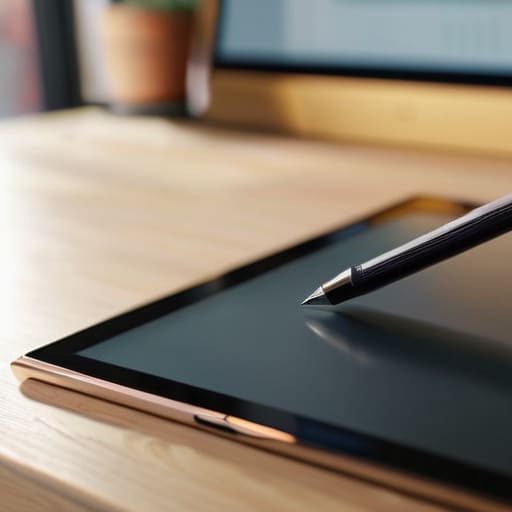
I was sitting at my workbench last Tuesday, trying to sketch out a schematic for a vintage Marantz receiver, when I realized I was about two seconds away from throwing my tablet across the room. I had spent sixty dollars on one of those “premium” digital pens, but the moment I tried to make a precise line, the tip skipped like a stone on a pond. It’s the same old story in this industry: companies wrap a piece of hollow, lightweight plastic in fancy marketing jargon and call it a professional tool. Most of these tablet stylus pens on the market today are nothing more than expensive toys designed to separate fools from their hard-earned money.
I’m not here to sell you on the latest gadget or read you a spec sheet written by a marketing intern. I’ve spent thirty years in systems engineering, and I know the difference between a tool that works and a piece of junk that’s destined for a landfill. In this guide, I’m going to cut through the noise and tell you which pens actually offer the precision and build quality you need. I’ll show you how to spot the flimsy hardware before you buy it, so you can invest in something that actually performs when you put it to work.
Table of Contents
Active vs Passive Styluses What Actually Matters
Most people walk into a shop and see a dozen different sticks and assume they’re all the same. They aren’t. You’ve got your passive styluses, which are essentially just fancy rubber-tipped sticks. They don’t have any internal circuitry, so they work like a finger but with a bit more precision. They’re fine if you just want to tap a button or scroll through a PDF, but if you’re trying to do anything meaningful, you’re going to find them frustratingly limited.
If you actually want to get work done, you need to look at active vs passive styluses from a functional standpoint. Active pens have their own power source and communicate directly with your tablet’s digitizer. This is where you get the real benefits, like pressure sensitivity levels that let you vary your line weight just like a real pencil. However, there’s a trade-off: you have to worry about stylus battery life and charging. I’ve seen too many folks buy a high-end tool only to realize it’s a paperweight halfway through a project because they forgot to plug it in. Choose based on what you’re actually doing, not just what looks sleek.
Dont Get Fooled by Fake Pressure Sensitivity Levels
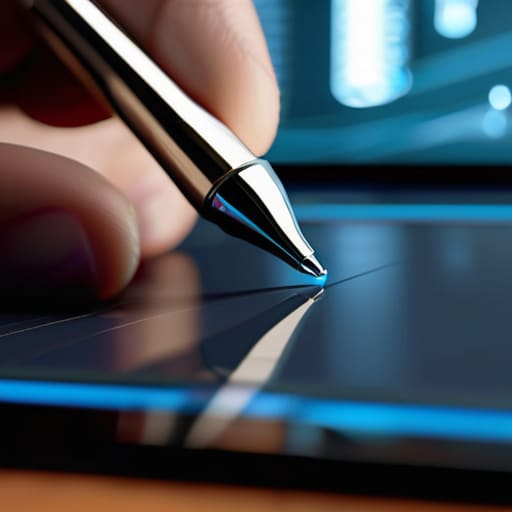
If you look at the spec sheets for these new pens, you’ll see numbers that look impressive on paper—4,096 levels of pressure sensitivity, or even 8,192. It sounds like high-end engineering, but here is the truth: most of that is marketing fluff designed to separate you from your hard-earned cash. In my experience, once you get past a basic threshold, the human hand can’t even tell the difference between a mid-range sensor and a professional-grade one. Don’t let a salesperson convince you that a higher number equates to better performance; what matters is the consistency of the response when you actually apply force.
I’ve seen too many people buy a “professional” tool only to find the software can’t even interpret the data the hardware is sending. If the device lacks reliable palm rejection technology, all those fancy pressure levels are useless because you’ll be fighting the screen just to keep your hand steady. You aren’t looking for a math equation; you’re looking for a tool that feels like an extension of your hand. Focus on how the stroke reacts in real-time rather than chasing inflated numbers that serve no practical purpose.
Five Things to Check Before You Open Your Wallet
- Look at the tip, not the box. If the stylus uses a hard plastic nib that feels like it’s going to scratch your screen, put it back. You want something with a bit of “give”—usually a soft rubber or a replaceable felt tip—that mimics the friction of a real pen.
- Check the charging method. I’ve seen too many gadgets that require a proprietary, flimsy cable that breaks if you look at it wrong. If you can find a stylus that charges via USB-C or attaches magnetically to the tablet, you’re saving yourself a massive headache down the road.
- Test the latency, not the marketing fluff. Companies love to throw around big numbers to sound impressive, but what matters is the lag between your hand moving and the line appearing on the screen. If there’s a noticeable delay, it’s nothing more than an expensive stick.
- Don’t ignore the ergonomics. I’ve spent enough time at a drafting table to know that a tool that’s too thin or too light will make your hand cramp after twenty minutes. If it feels like a cheap piece of hollow plastic, it’ll probably be uncomfortable to use for more than a few minutes.
- Verify the pairing process. If a stylus requires you to jump through five different software hoops or download a bloated app just to get it to work, it’s poorly engineered. A good tool should be “plug and play”—or in this case, “tap and go”—without needing a manual the size of a phone book.
The Bottom Line: Don't Buy the Hype
Stop looking at the number of “pressure levels” on the box; unless you’re a professional illustrator, a cheap stylus with decent palm rejection is more useful than an expensive one with fake specs.
If the pen feels like a hollow piece of plastic in your hand, it’s going to be a headache to use for more than ten minutes—prioritize weight and grip over flashy features.
Always verify compatibility with your specific tablet model before you pull out your wallet, because a “universal” stylus is often just a polite way of saying “it barely works.”
The Truth About the Tip
“I’ve spent enough time looking at blueprints to know that if the connection between the hand and the screen is interrupted by cheap, unresponsive plastic, the whole tool is useless. A stylus isn’t a toy; it’s a precision instrument, and it should act like one.”
Roland Delacroix
Bottom Line: Buy for Utility, Not Hype
At the end of the day, don’t let a flashy marketing campaign convince you that you need a thousand-dollar setup just to jot down a few notes or sketch a diagram. We’ve covered the ground here: understand the difference between an active sensor and a glorified piece of rubber, and for heaven’s sake, don’t fall for those inflated pressure sensitivity numbers that manufacturers love to throw around. If the stylus feels like a hollow, lightweight piece of junk in your hand, it’s going to perform like one too. Stick to the basics—look for solid build quality and reliable connectivity over bells and whistles that will likely be obsolete by next year.
I’ve spent enough years in manufacturing to know that the best tools aren’t the ones with the most features, but the ones that do exactly what they are supposed to do, every single time you pick them up. Technology moves fast, and it’s designed to make you feel like you’re constantly falling behind, but you don’t have to play that game. Find a tool that fits your hand, respects your budget, and actually works when you need it. Once you stop chasing the latest gimmick, you’ll find that reliable hardware is the only thing that actually helps you get the job done.
Frequently Asked Questions
Is it worth paying a premium for a brand-name stylus when a generic one seems to do the same thing?
Look, I’ve seen this a thousand times in manufacturing: the cheapest component usually fails when you need it most. If you’re just tapping icons or scrolling through PDFs, a generic stylus is fine. But if you’re actually drawing or taking notes, buy the brand name. You’re paying for the precision of the sensor and the reliability of the connection. Don’t come crying to me when that five-dollar plastic stick starts lagging mid-sentence.
How do I know if a stylus is actually compatible with my specific tablet before I pull the trigger on a purchase?
Look, don’t just trust the marketing fluff on the box. Before you spend a dime, check your tablet’s specific technical manual or the manufacturer’s website. You need to know if your screen uses capacitive technology or a dedicated digitizer layer. If it’s the latter, a generic stylus won’t do squat. I always write down my device’s model number in my notepad first; it saves me the headache of returning junk later.
Will using a stylus actually protect my screen, or am I just risking scratches from a hard tip?
Look, I’ve seen enough scratched-up displays in my time to know that a bad tool is worse than no tool at all. If you’re using a cheap, hard plastic tip, you’re essentially dragging a pebble across your glass. That’s a recipe for disaster. However, a high-quality stylus with a soft, engineered nib—or even a fine mesh tip—is designed to distribute pressure safely. Use the right one, and your screen stays pristine.