
I’ve spent most of my life looking at schematics and stress-testing components, so I have a low tolerance for hardware that feels like it was designed to break the moment the warranty expires. These days, it seems like every company is trying to sell you a piece of “innovation” that is really just a lightweight shell of cheap, hollow plastic held together by hope and a proprietary charging cable. If you’re hunting for the best wireless mice on the market, you aren’t just looking for a fancy sensor or some RGB lighting that glows like a disco ball; you’re looking for mechanical reliability and a connection that doesn’t drop the second you move your hand.
I’ve sat at my workbench and poked through the build quality of dozens of these devices, separating the engineering triumphs from the absolute junk. In this list, I’m cutting through the marketing fluff to show you five specific models that actually earn their keep. You’re going to learn which ones offer the sturdy ergonomics you need for long hours at a desk and which ones are worth every cent of your hard-earned money. Let’s get to work.
Table of Contents
- The Workhorse You Can Trust: Logitech MX Master 3S
- Built for Precision: Razer DeathAdder V3 Pro
- The Minimalist’s Reliable Companion: Logitech Anywhere 3S
- The Budget Option That Doesn't Feel Cheap: Microsoft Bluetooth Ergonomic Mouse
- For the Heavy-Duty User: Logitech G502 X Lightspeed
- Bottom Line: Don't Get Fooled by the Marketing
- The Real Test of a Mouse
- The Bottom Line
- Frequently Asked Questions
The Workhorse You Can Trust: Logitech MX Master 3S

I’ve seen enough cheap peripherals end up in the scrap heap to know that most “ergonomic” mice are just marketing fluff. However, the MX Master 3S actually earns its keep. The weight feels substantial in the hand, not like some hollow piece of junk, and the sculpted shape provides real support for your palm during a long day at the desk. It’s built for people who actually use their computers for work, not just for scrolling through social media.
Built for Precision: Razer DeathAdder V3 Pro
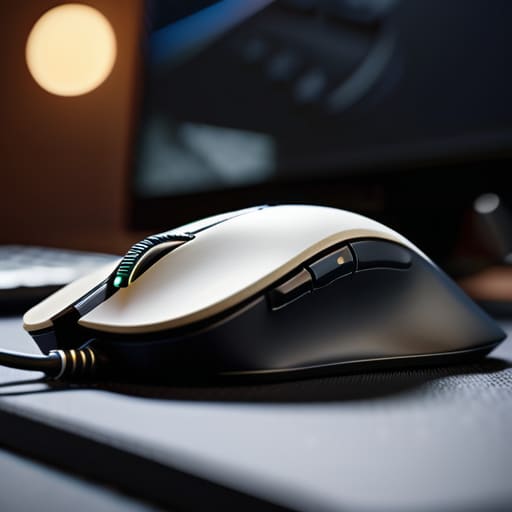
If you’re someone who needs absolute precision—whether you’re designing a CAD model or playing a fast-paced game—you can’t afford a sensor that jitters. The DeathAdder V3 Pro is a bit of a departure from my usual preference for heavy-duty builds because it’s incredibly light, but I can’t argue with the optical performance. The switch mechanism is crisp and responsive, lacking that mushy, cheap feeling you get with most consumer-grade plastic mice.
The Minimalist’s Reliable Companion: Logitech Anywhere 3S

Sometimes you just need something small that doesn’t feel like it’s going to snap in half when you toss it in your briefcase. The Anywhere 3S is a compact little unit, but I was pleasantly surprised by the build integrity. It doesn’t have that creaky, hollow sound that usually accompanies smaller mice, which tells me they didn’t skimp too heavily on the internal bracing.
The Budget Option That Doesn't Feel Cheap: Microsoft Bluetooth Ergonomic Mouse
I’m usually skeptical of anything positioned as a “budget” option because that’s often code for “disposable.” However, Microsoft has managed to produce a mouse that feels like a solid tool rather than a piece of landfill bait. The thumb rest is well-placed, and the overall geometry is sensible, making it a decent choice if you want to save some money without sacrificing your wrist health.
For the Heavy-Duty User: Logitech G502 X Lightspeed
This mouse is a bit of a beast, and I mean that in the best way possible. It has a complex layout with plenty of programmable buttons, which might seem overkill to some, but for a man who likes to optimize his workflow, it’s a dream. The weight is distributed well, so even though it’s a larger device, it doesn’t feel unbalanced or awkward when you’re trying to make fine adjustments.
Bottom Line: Don't Get Fooled by the Marketing
Stop chasing every flashy RGB light or “gaming” gimmick; focus on the weight, the sensor reliability, and whether the build feels solid in your hand.
Prioritize connection stability over everything else—if a mouse can’t maintain a steady signal without dropping out, it’s nothing more than a paperweight.
Look for hardware that offers real utility, like programmable buttons or long battery life, rather than paying a premium for a brand name on a piece of cheap plastic.
The Real Test of a Mouse
Most manufacturers spend their entire budget on flashy RGB lights and software that slows your computer down, but they forget the basics: a solid sensor and a build that doesn’t creak when you apply actual pressure. If it feels like a hollow eggshell in your hand, it’s not a tool—it’s a toy.
Roland Delacroix
The Bottom Line
Look, at the end of the day, you aren’t just buying a piece of hardware; you’re buying a tool that’s going to sit in your hand for eight hours a day. Whether you opted for the high-precision sensor of a gaming mouse or the ergonomic reliability of a productivity model, the goal remains the same: it needs to do its job without requiring a troubleshooting manual. I’ve seen too many people get blinded by flashy RGB lights and software suites that do nothing but hog your system resources. If you follow my advice, you’ve focused on the build quality and connectivity stability rather than the marketing fluff. Don’t let a company convince you that a lighter shell or a different shade of plastic is worth an extra hundred dollars.
I know it feels like every new gadget is designed to be obsolete by next Tuesday, but if you stick to these principles, you can actually find something that lasts. Don’t be afraid to be a little skeptical when you see a new product launch; ask yourself if it’s built to endure or just built to be sold. Invest in the hardware that respects your time and your wallet. Once you find that one device that just works—without the lag, without the dropped connections, and without the constant need for updates—you’ll realize that reliability is the ultimate luxury. Now, go get back to work.
Frequently Asked Questions
How do I know if a mouse is going to be a piece of junk after six months of heavy use?
Look for the weight and the “click.” If it feels light and hollow, like a cheap toy, it’s going to crack. Pick it up; if you can feel the internal components shifting, put it back. Check the switches—they should have a crisp, tactile snap, not a mushy, silent feel. Most importantly, look at the feet. If they’re cheap plastic instead of PTFE, they’ll grind down to nothing in months. Don’t settle for flimsy.
Is it actually worth paying a premium for a dedicated USB dongle, or is Bluetooth good enough for most people?
Look, if you’re just browsing the web or doing spreadsheets, Bluetooth is fine. It’s convenient. But if you’re doing precision work or gaming, don’t even bother. Bluetooth has latency—a tiny delay that’ll drive a systems engineer like me mad. That dedicated USB dongle provides a direct, stable connection that doesn’t drop out when your neighbor turns on their microwave. If you want reliability, pay the premium for the dongle. Otherwise, you’re just buying frustration.
What’s the real difference between a rechargeable battery and just swapping out AA batteries?
Look, it comes down to convenience versus reliability. Built-in rechargeable batteries are fine if you don’t mind the device becoming a paperweight the moment the cell fails. But with AA batteries? You’ve got control. If the power dies, you swap them out in ten seconds and get back to work. I’d rather have a mouse that accepts standard alkalines than one that relies on a cheap, integrated lithium cell that can’t be replaced once it degrades.
