Category: Reviews

  • Best Laptops for University Students

    Best Laptops for University Students

    I’ve spent thirty years in manufacturing, looking at stress points, tolerances, and material fatigue, so it kills me to see what’s happening in the consumer market today. Most kids heading off to college are being sold glorified paperweights—sleek, thin, and made of nothing but flimsy, overpriced plastic that’ll crack the moment it’s shoved into a crowded backpack. If you’re looking for a laptop for students, you shouldn’t be seduced by a flashy marketing campaign or a slim profile; you need to be looking at the hinge strength, the thermal management, and whether the keyboard can actually survive a semester of heavy typing.

    I’m not interested in the bells and whistles that won’t matter by midterms. In this list, I’ve stripped away the hype to bring you five machines that actually prioritize build quality and reliability. I’ve vetted these options based on how they handle real-world use, not just what a salesperson tells you. By the time you finish reading, you’ll know exactly which machines are worth your hard-earned tuition money and which ones are just expensive junk destined for a landfill.

    Table of Contents

    The Reliable Workhorse

    Lenovo ThinkPad: The Reliable Workhorse laptop.

    If you want a machine that won’t quit on you when you’re staring down a midnight deadline, you look at the Lenovo ThinkPad series. I’ve spent years looking at chassis designs, and there is something to be said for their legendary keyboard tactile feedback. Most modern laptops feel like you’re typing on a piece of damp cardboard, but these things actually feel like a tool designed for a human hand.

    The Polished Performer

    The Polished Performer MacBook Air laptop.

    Now, I’m not one for marketing hype, but I have to admit the MacBook Air is a feat of engineering. The way they’ve managed to pack that much processing power into a chassis without a single cooling fan is impressive, even to a skeptic like me. It’s quiet, it’s efficient, and you won’t be hunting for a power outlet every two hours because the battery management is top-notch.

    The All-Rounder for the Budget-Conscious

    The All-Rounder for the Budget-Conscious Acer Swift.

    Most students don’t have a bottomless pit of cash to throw at hardware, which is why the Acer Swift series catches my eye. It’s a decent middle ground for those who need something that functions without requiring a second mortgage. You aren’t getting the premium magnesium alloy of a high-end machine, but the spec-to-price ratio is hard to argue with if you’re just writing papers and browsing the web.

    The Heavy-Duty Powerhouse

    For the engineering or architecture students out there, a standard lightweight ultrabook is going to be about as useful as a screen door on a submarine. You need something with a dedicated GPU and enough thermal headroom to handle heavy rendering without melting. The Dell XPS line is usually the go-to here, offering a level of raw computational muscle that can actually keep up with complex CAD software.

    The Practical Tablet Hybrid

    I’ve always been a believer in the right tool for the right job, and sometimes that job requires a stylus rather than a keyboard. The Microsoft Surface Pro is a bit of a strange beast, but for taking handwritten notes in a lecture hall, it’s hard to beat. It’s essentially a high-powered tablet that doesn’t feel like a toy, provided you get the proper keyboard attachment.

    The Bottom Line: Don't Get Fooled by Marketing

    Stop chasing the thinnest, flashiest chassis; if it feels like a toy in your hands, it’s going to crack the moment it hits the bottom of a crowded backpack.

    Prioritize a solid build and a reliable keyboard over fancy bells and whistles that won’t matter once the battery starts dying after six months.

    Look past the spec sheet and check the actual construction—if you can’t see real metal or reinforced joints, you’re just paying for expensive plastic.

    ## The Real Cost of Cheap Hardware

    “A student doesn’t need a laptop with a fancy backlit keyboard or a chassis made of thin, hollow plastic; they need a machine that won’t give up the ghost the moment they’re staring down a midnight deadline. If you can’t feel the build quality in your hands, you’re just paying a premium for marketing instead of reliability.”

    Roland Delacroix

    Don't Get Sold a Lemon

    Look, I’ve seen enough “innovative” gadgets fail in the field to know that flashy marketing doesn’t mean a thing if the chassis snaps under a little pressure. When you’re picking out a machine for school, stop looking at the colorful advertisements and start looking at the specs that actually matter: build quality, battery longevity, and a keyboard that won’t fail you during a midnight study session. You don’t need a supercomputer to write a term paper, but you certainly need a machine that won’t die on you right when you’re hitting ‘save.’ Stick to the brands that prioritize reliable hardware over unnecessary gimmicks, and you’ll save yourself a massive headache down the road.

    At the end of the day, a laptop is just a tool meant to help you get your work done. It shouldn’t be the center of your life, and it definitely shouldn’t be a constant source of frustration. Buy something that works, treat it with a bit of respect, and focus your energy on your studies rather than troubleshooting a broken hinge or a dying battery. If you invest in a device built with proper engineering principles, you’ll spend less time at the repair shop and more time actually building your future. Now, go grab your notebook and make a smart choice.

    Frequently Asked Questions

    How much RAM do I actually need to keep this thing from lagging during a research session?

    Look, don’t let the marketing departments fool you with those “minimum requirements” listed on the box. If you’re running a dozen browser tabs, a PDF reader, and a word processor all at once, 8GB is going to choke. You’ll feel the lag, and it’ll drive you mad. Do yourself a favor: get 16GB. It’s the sweet spot for reliability. Anything less is just asking for a headache halfway through your research.

    Is it worth paying extra for a metal chassis, or is a high-quality plastic build actually going to hold up in a backpack?

    Look, I’ve seen enough cracked casings in my time to know that “high-quality plastic” is often just marketing speak for “slightly thicker junk.” If you’re tossing a laptop into a crowded backpack every day, a metal chassis isn’t a luxury; it’s structural integrity. Metal resists the torsional stress and pressure that eventually snaps plastic hinges or warps thin shells. If you want something that survives a semester of being shoved around, pay the premium for metal.

    What kind of battery life should I realistically expect when I'm stuck in a lecture hall without a power outlet?

    Look, don’t believe the marketing fluff on the box. If a manufacturer claims twelve hours, they’re testing it with the screen dimmed to nothing and the Wi-Fi turned off. In a real lecture hall—with your brightness up and a dozen browser tabs open—you’re lucky to get six or seven hours. If you can’t find a seat near a wall outlet, don’t buy anything that doesn’t realistically promise at least nine.

  • Setting Up Smart Light Bulbs for Your Home

    Setting Up Smart Light Bulbs for Your Home

    I was sitting in my workshop last Tuesday, trying to solder a connection on a 1970s Marantz receiver, when I realized I couldn’t even find the light switch because my neighbor had convinced me to install a “revolutionary” smart light bulb system. Within ten minutes, the damn thing decided it didn’t recognize my Wi-Fi, and I was left squinting in the dark like a fool. It’s the same story every time I see these gadgets hit the market: companies wrap a flimsy, over-engineered piece of junk in a shiny app and call it progress. If a light bulb requires a software update just to illuminate a room, it’s not a tool; it’s a headache.

    I’m not here to sell you on the magic of “connected living” or show you how to make your living room turn purple with a voice command. My goal is much simpler. I’ve spent the last few weeks tearing through the specs and testing the actual hardware of the most popular options on the market to see which ones are built to last and which ones are just expensive plastic. I’ll tell you exactly which brands offer reliable connectivity and which ones will leave you sitting in the dark when their servers inevitably go offline.
    Table of Contents

    Wifi vs Zigbee Smart Bulbs Which Actually Stays Connected

    Wifi vs Zigbee Smart Bulbs Which Actually Stays Connected

    I’ve seen it a hundred times: you install a dozen bulbs, and suddenly your router is gasping for air. This is the fundamental problem with wifi vs zigbee smart bulbs. When you go the Wi-Fi route, every single bulb is fighting for a direct connection to your router. It’s like trying to host a dinner party where every guest insists on using the same telephone line at once. If you’re planning on setting up automated lighting schedules for the whole house, you’ll eventually hit a bottleneck that leaves you sitting in the dark when you least expect it.

    Zigbee is a different beast entirely. Instead of clogging up your bandwidth, these bulbs create a mesh network, passing signals from one to the next. It’s a much more efficient way to handle smart home ecosystem integration because the heavy lifting is handled by a dedicated hub rather than your internet router. If you want a system that doesn’t require a technician every time you want to dim the lights, Zigbee is the professional choice. Wi-Fi might be easier for a single lamp, but for a reliable home, don’t rely on your router to do everything.

    The Truth About Dimmable Led Technology and Flickering Issues

    The Truth About Dimmable Led Technology and Flickering Issues

    If you’ve ever tried to dim a smart bulb only to have it start stuttering like a dying flashlight, you’ve run into the biggest headache in modern lighting. Most people assume that if a bulb says it’s dimmable, it’ll work with any old wall switch they have lying around. That’s a mistake. Most of these gadgets rely on internal drivers to manage dimmable LED technology, and if you try to pair them with a traditional analog dimmer switch, you’re asking for a fight. The conflict between the hardware’s power draw and the wall switch’s voltage modulation causes that annoying flicker, which is a total waste of your time and eyesight.

    I’ve seen too many folks spend a fortune on voice controlled lighting only to realize they can’t actually control the brightness without the light pulsing like a strobe lamp. If you want smooth transitions, you have to ditch the old-school dimmers entirely. Either use a dedicated smart switch or, better yet, rely on the software within your hub to handle the dimming. Don’t let a cheap circuit ruin a perfectly good setup; reliability starts at the switch.

    Five Rules for Buying Bulbs That Won't Leave You in the Dark

    • Check your physical switch first. If you buy a smart bulb but keep your wall switch in the ‘off’ position, you’ve just bought a very expensive paperweight. I always tell people to look for smart switches or remote dimmers if they want a setup that actually functions like a light.
    • Don’t fall for “feature creep.” You don’t need a bulb that changes to sixteen million colors if you’re just trying to read a book. Stick to high-quality white light with a high CRI (Color Rendering Index) rating; it’ll make your home look like a home, not a disco.
    • Look for metal components where it counts. A lot of these modern manufacturers are cutting corners with thin, cheap plastic housings that trap heat. Heat is the enemy of electronics, and if the bulb can’t dissipate heat, the driver will fry in six months.
    • Verify the lumen output, not just the wattage. These companies love to play games with numbers. Don’t look at how much power it pulls; look at how much actual light it puts out. If you’re replacing a standard 60W bulb, make sure you’re getting at least 800 lumens.
    • Avoid proprietary “hub-only” systems unless you have a specific reason to use them. I’ve seen too many people get locked into a single brand that goes out of business or stops updating their software, leaving you with a house full of useless, unprogrammable hardware.

    My Final Verdict Before You Open Your Wallet

    Stop buying bulbs that rely solely on your Wi-Fi if you want a stable setup; if you’re serious about reliability, invest in a Zigbee hub so your lights don’t go dark every time your router hiccups.

    Check the compatibility list twice—if a bulb claims to be dimmable but doesn’t explicitly state it works with your specific hardware, it’s going to flicker like a cheap neon sign.

    Don’t be fooled by flashy apps and “smart” features that require a dozen permissions; focus on the build quality and the connection protocol first, because a smart bulb is useless if you can’t turn it on when you walk into a room.

    The Reliability Test

    I don’t care how many colors a bulb can cycle through or how many fancy apps it claims to support; if I can’t turn it on with a standard wall switch without the whole system crashing, it isn’t a tool—it’s a toy.

    Roland Delacroix

    The Bottom Line on Smart Lighting

    The Bottom Line on Smart Lighting.

    At the end of the day, don’t let the marketing departments fool you into thinking every shiny new bulb is a revolution in home automation. We’ve looked at how Zigbee beats out Wi-Fi for stability and why you need to be damn careful with dimming compatibility to avoid that annoying flicker. If you buy a bulb that relies on a shaky cloud connection or uses cheap, non-dimmable drivers, you aren’t buying convenience—you’re buying a future headache. Stick to the protocols that work, check the specs on your dimmers, and always prioritize build quality over fancy app features. If it doesn’t do the one job it’s supposed to do—light up a room reliably—then it’s just more expensive plastic taking up space in your lamp.

    I know the tech world moves fast, and it feels like you have to buy everything the moment it hits the shelf. But I’ve learned over thirty years in engineering that the best tools are the ones that disappear into the background because they just work. You shouldn’t have to troubleshoot your lighting every time you want to read a book or watch a movie. Take your time, do your homework, and invest in hardware that is built to last. A well-chosen smart bulb should make your life easier, not turn your living room into a technical support ticket.

    Frequently Asked Questions

    How do I know if my existing dimmer switch will actually work with these bulbs, or am I just going to deal with constant buzzing and flickering?

    Here’s the hard truth: most old dimmers are designed to chop voltage for incandescent filaments, not manage the digital drivers inside an LED. If your switch is an older slider or knob type, it’s likely going to cause that annoying buzzing or flickering I mentioned. Before you buy a single bulb, check the switch. If it doesn’t explicitly say “LED Compatible” on the plate or manual, you’re better off replacing the switch entirely.

    Are these smart bulbs actually going to last more than a year, or is the internal electronics design just as flimsy as the housing?

    Look, most of these bulbs are built to be disposable. The LED diode itself might last years, but the cheap capacitors and driver circuitry inside are usually the first things to fail. Manufacturers prioritize a low price point over thermal management, and heat is what kills electronics. If the housing feels like thin, flimsy plastic rather than something with decent heat dissipation, don’t expect it to survive more than twelve months of daily use.

    If my internet goes down, am I going to be left sitting in the dark because the light switch won't work without a cloud connection?

    That’s the million-dollar question, and frankly, it’s where most manufacturers fail you. If you buy a bulb that relies entirely on a “cloud” connection, then yes—the moment your internet hiccups, you’re stuck in the dark. It’s ridiculous. Look for bulbs that support local control or protocols like Zigbee. You want hardware that respects the physical switch. If a simple internet outage turns your lights into useless glass, it’s just expensive plastic.

  • Choosing a Fitness Tracker for Health Goals

    Choosing a Fitness Tracker for Health Goals

    I was sitting at my workbench last Tuesday, cleaning the contact points on a 1970s Marantz receiver, when my nephew tried to show me his new “smart” watch. He spent twenty minutes scrolling through menus and syncing apps just to tell me he’d walked three thousand steps. It’s absurd. Most people buying a fitness tracker these days aren’t looking for a precision instrument; they’re being sold a glorified piece of expensive plastic that requires a software update every time you want to check your pulse. We’ve moved away from tools that simply work, and instead, we’ve embraced gadgets that demand constant attention just to perform basic functions.

    I’m not here to sell you on the latest shiny toy or some data-driven fantasy that promises to revolutionize your life. My goal is much simpler: I want to help you find a device that actually holds up to scrutiny. I’ve spent my career looking at how things are built, and I’m going to apply that same skepticism here. I’ll show you which trackers provide reliable, straightforward data and which ones are just overhyped junk designed to drain your wallet and your patience.

    Table of Contents

    The Truth About Wearable Fitness Technology

    The Truth About Wearable Fitness Technology analysis.

    Look, I’ve spent my career looking at schematics and stress-testing components, so I tend to look at these gadgets a bit differently than the marketing folks do. Most people see a shiny new gadget; I see a collection of sensors trying to make sense of your biology. The reality of wearable fitness technology is that it’s a bit of a mixed bag. On one hand, you have these impressive little machines capable of high-level biometric data tracking that would have been impossible a decade ago. On the other hand, a lot of this gear is built with the expectation that you’ll replace it in eighteen months when the casing cracks or the software becomes obsolete.

    The problem isn’t the science—it’s the execution. You’ll see companies touting advanced smartwatch health features, but if the sensor accuracy fluctuates every time you break a sweat, the data is useless. I don’t care how many colorful graphs an app shows me on my phone if the underlying hardware can’t provide a consistent reading. You need to look past the flashy interface and ask yourself if the device is actually built to endure daily use, or if it’s just another piece of expensive plastic destined for a junk drawer.

    Why Most Activity Monitoring Devices Fail You

    Why Most Activity Monitoring Devices Fail You

    The problem isn’t that the sensors don’t work; it’s that the engineers behind these gadgets often prioritize flashy software over actual hardware durability. I’ve seen too many people buy into the hype of smartwatch health features only to realize the device is a glorified paperweight after six months. Most of these activity monitoring devices are built with cheap, lightweight plastics that can’t handle a bit of sweat or a sudden rainstorm. If a piece of equipment isn’t rugged enough to survive a day of actual labor, it has no business claiming to track your health.

    Then there is the issue of data integrity. Many manufacturers promise high-end biometric data tracking, but once you get them on your wrist, the numbers start jumping around like a faulty needle on an old analog gauge. They claim to offer real-time physiological monitoring, but half the time, the algorithm is just making an educated guess. You aren’t paying for precision; you’re paying for a polished interface that masks mediocre engineering. If you can’t trust the reading, the whole device is nothing more than expensive junk.

    Five Things to Check Before You Open Your Wallet

    • Look for physical buttons over touchscreens. When you’re out for a walk or your hands are sweaty, a capacitive touchscreen is a nightmare to navigate; a tactile button actually gives you feedback.
    • Demand battery longevity that makes sense. If a device needs to be tethered to a wall charger every single night, it’s not a tool—it’s a chore that you’ll eventually stop wearing.
    • Check the sensor housing for build quality. I’ve seen too many of these flimsy things where the plastic casing around the heart rate sensor is so thin it cracks within a month of regular use.
    • Ignore the “AI-driven” marketing fluff. If the manufacturer can’t explain exactly how they’re measuring your metrics without using buzzwords, they’re likely just selling you a glorified pedometer with a high markup.
    • Verify the data sync reliability. A tracker is useless if the software is a buggy mess that fails to upload your stats to your phone; if the connection is unreliable, the data is worthless.

    My Bottom Line on Buying a Tracker

    Stop chasing the fancy touchscreen gimmicks and look at the sensor quality; if the device can’t provide consistent data, it’s just a glorified bracelet.

    Prioritize battery life and build durability over app features, because a tracker is useless if it’s sitting on a charger half the time or breaks after a week of real use.

    Don’t let marketing jargon fool you—if you can’t understand the data without a PhD, you’re better off sticking to a simple, reliable tool that does exactly what it says on the box.

    The Reliability Gap

    I’ve spent my career looking at tolerances and build quality, and frankly, most of these trackers are built like toys. If a device can’t survive a week of real-world use without needing a software update or a proprietary charger, it isn’t a tool—it’s just another piece of expensive plastic cluttering up your nightstand.

    Roland Delacroix

    The Bottom Line

    The Bottom Line: reliable tracker fundamentals.

    Look, I’ve spent enough time looking at schematics to know when a product is built to last and when it’s just designed to end up in a landfill in eighteen months. If you’re shopping for a tracker, stop looking at the flashy color displays and start looking at the sensor accuracy and the battery life. You don’t need a device that requires a software update every time you want to go for a walk, nor do you need one that breaks the moment you sweat through a shirt. Focus on the fundamentals: reliable data, a sturdy build, and a simple interface that doesn’t require a PhD to navigate. If it can’t do the basic job of tracking your movement without constant troubleshooting, it isn’t a tool—it’s a distraction.

    At the end of the day, remember that no piece of silicon or cheap plastic can actually do the heavy lifting for you. A fitness tracker is meant to be a gauge, much like a pressure gauge on an old steam engine; it tells you what’s happening under the hood, but it doesn’t drive the machine. Use the data to stay informed, but don’t let the numbers dictate your worth or your progress. Find a device that stays out of your way so you can focus on the actual work of staying healthy. Buy something that works, keep it simple, and get back to moving.

    Frequently Asked Questions

    How much of this data is actually accurate, or am I just looking at glorified guesswork?

    Look, I’ll give it to you straight: most of it is glorified guesswork. These sensors use light to estimate blood flow, and they aren’t perfect. If you’re looking for medical-grade precision, put the tracker away and see a doctor. For most consumer gadgets, you’re looking at trends rather than hard facts. Use them to see if you’re moving more than yesterday, but don’t bet your health on a decimal point.

    Are these things built to last, or will the battery and strap fail after six months of regular use?

    Look, I’ve seen this pattern a thousand times in manufacturing. Most of these trackers are built with planned obsolescence in mind. The silicone straps are cheap enough to snap or irritate your skin within months, and those lithium-ion batteries? They’re non-replaceable. Once the capacity drops, you’re left with a paperweight. If you want something that lasts, look for reinforced materials and avoid anything where the battery is permanently sealed behind a glued-shut chassis.

    Do I really need a subscription service just to see the basic numbers I've already paid for?

    No, and frankly, it’s a racket. When you buy a piece of hardware, you should own the data it collects. Period. I’ve seen too many companies build decent sensors into a device, only to lock your own heart rate or sleep trends behind a monthly paywall. It’s poor engineering and even worse business. If you’re paying upfront, you shouldn’t have to rent your own information. Look for devices that offer local data storage without the recurring fees.

  • Best Gaming Headsets for Clear Communication

    Best Gaming Headsets for Clear Communication

    I was sitting at my workbench last Tuesday, tinkering with a 1970s Marantz receiver, when I saw an ad for a new “pro-grade” gaming headset. It was glowing with RGB lights and promised “spatial immersion” for three hundred dollars. I nearly laughed out loud. In my thirty years as a systems engineer, I learned one thing: if a company spends more on the flashing lights than they do on the actual driver housing and wiring, you’re being sold expensive plastic. Most of these modern gaming headset options on the market today are designed to look good in a social media thumbnail, but they fall apart the moment you actually put them under a bit of daily stress.

    I’m not here to sell you on the latest flashy gimmick or some software-heavy nonsense that requires a constant internet connection just to adjust the volume. My goal is to cut through the marketing fluff and look at the build quality and actual acoustic reliability. I’ll be breaking down which models are built with components that last and which ones are destined for the junk drawer by next Christmas. I promise you straightforward, honest advice based on how these things are actually engineered, not how they’re advertised.

    Table of Contents

    Why Driver Size and Frequency Response Actually Matter

    Why Driver Size and Frequency Response Actually Matter

    Most manufacturers will try to sell you on fancy RGB lights or “pro-grade” marketing jargon, but if you want to know what’s actually happening inside the earcups, you need to look at the drivers. In my years of engineering, I learned that the driver is the heart of the machine. A larger driver—usually measured in millimeters—typically allows for better air displacement. This means you get punchier, more controlled bass without that muddy, distorted sound that plagues cheap, flimsy units. When you’re looking at driver size and frequency response, don’t just look for the highest numbers; look for a balanced range that doesn’t sacrifice clarity just to boost the low end.

    It isn’t just about volume, either. The frequency response tells you the spectrum of sound the hardware can actually reproduce. If a company won’t list the specific range, they’re likely hiding a product that sounds like it’s coming through a tin can. You want a wide, flat response so you can hear everything from the subtle footsteps of an enemy to the roar of an explosion. A well-tuned driver ensures a consistent, immersive soundstage that makes the difference between being distracted by noise and actually being in the game.

    The Truth About Ergonomic Headset Design and Long Term Comfort

    The Truth About Ergonomic Headset Design and Long Term Comfort

    Most manufacturers will try to sell you on fancy RGB lighting or software-driven surround sound gaming experience, but they’re usually just masking poor physical construction. I’ve seen too many people drop a hundred dollars on a piece of gear only to find that after two hours, the clamping force feels like a vice grip on their skull. If the headband doesn’t distribute weight evenly, you aren’t going to enjoy your downtime; you’re just going to end up with a headache. You need to look for high-density memory foam and a frame that actually has some structural integrity rather than just being held together by cheap tension clips.

    I also can’t stress enough how much the weight distribution matters when you’re deciding between wireless vs wired gaming audio. A wireless unit carries the extra burden of a battery, which can make the unit top-heavy if the engineers weren’t careful. If the center of gravity is off, that headset is going to slide or pull on your neck constantly. Don’t be fooled by “soft-touch” plastics that feel nice for five minutes; look for properly balanced weight distribution and breathable ear cushions that won’t turn your ears into a sauna.

    Five Things to Check Before You Pull the Trigger

    • Look at the cable, not just the wireless specs. I’ve seen too many “high-end” headsets where the cord feels like a piece of cheap twine; if it’s thin and flimsy, it’s going to fray at the jack within six months.
    • Demand physical controls. If a company tells you that you have to navigate three different software menus on your PC just to adjust the volume, walk away. I want a tactile dial or a slider that I can feel without looking.
    • Check the weight distribution, not just the total ounces. A headset might be light, but if all that mass is concentrated on the top of your head rather than the earcups, you’ll be nursing a headache before your first match is even over.
    • Don’t fall for the “7.1 Surround Sound” marketing trap. Most of that is just cheap software processing that muddies the audio; you’re better off with a solid stereo driver that actually provides a clean, accurate soundstage.
    • Inspect the hinge construction. If the adjustment sliders are made of thin, brittle plastic instead of reinforced metal or high-density polymer, that’s where the headset will snap the first time you toss it on your desk.

    Roland’s Bottom Line: Don't Get Fooled by the Box

    Ignore the flashy marketing about “7.1 Surround Sound” if the headset feels like it’s made of cheap, hollow plastic; a solid build and decent drivers will always beat a gimmick.

    Prioritize physical comfort and driver quality over software bells and whistles, because no amount of RGB lighting will make a heavy, poorly balanced headset feel better after two hours.

    Look for hardware that offers plug-and-play simplicity; if you need a PhD and a dozen drivers just to hear your game, the engineering has failed.

    The Real Test of a Good Headset

    I don’t care how many RGB lights they slap on the side or what kind of marketing jargon they use to describe the ‘spatial immersion’; if the headband feels like cheap tin and the drivers rattle after a month of use, you aren’t buying a piece of gear—you’re buying a future trip to the landfill.

    Roland Delacroix

    Don't Get Swept Up in the Hype

    Don't Get Swept Up in the Hype.

    At the end of the day, choosing a headset isn’t about which box has the most flashing RGB lights or the loudest marketing campaign. It’s about understanding the mechanics of what you’re putting on your head. You need to look past the flashy packaging and focus on the actual build quality—the driver size that delivers clear audio without distortion, and an ergonomic design that doesn’t leave you with a headache after an hour of use. If a company can’t tell you the specifics of their frequency response or the materials used in the headband, they’re likely just selling you expensive plastic wrapped in clever branding.

    I’ve spent enough years in manufacturing to know that if something is built poorly, it doesn’t matter how many features it claims to have; it’s going to fail you when you need it most. Don’t let the industry trick you into thinking that “new” always means “better.” Take your time, do your homework, and look for the hardware that prioritizes reliability over gimmicks. When you finally find that piece of gear that works the second you plug it in and stays comfortable through a long session, you’ll know you didn’t just buy a gadget—you bought a tool that actually earns its keep.

    Frequently Asked Questions

    Is a wireless connection actually reliable enough for serious gaming, or am I going to deal with lag and battery failure?

    Look, if you’re playing competitive shooters, stay away from standard Bluetooth. The latency will drive you mad. You need a headset with a dedicated 2.4GHz USB dongle; that’s the only way to get near-instant response times. As for the battery, that’s where the “expensive plastic” problem kicks in. Don’t buy something that can’t be charged while you’re using it, or you’ll be stuck with a very expensive headband halfway through a session.

    How much of that "7.1 Surround Sound" marketing is just software gimmicks instead of actual hardware capability?

    Most of it is pure marketing fluff. Real surround sound requires multiple physical drivers positioned around your ears, but most “7.1” headsets are just standard stereo units using software tricks to mess with your timing and volume. They use digital signal processing to trick your brain into thinking a sound is behind you. It’s clever, sure, but it’s a software gimmick, not a hardware reality. If you want true spatial accuracy, don’t rely on a marketing sticker.

    Are these braided cables actually more durable, or are they just a way for companies to charge more for the same old wire?

    Look, I’ve seen enough thin, rubberized cables fray and snap after six months to know a good thing when I see it. A braided sleeve isn’t just marketing fluff; it provides much-needed structural reinforcement against kinking and tension. It protects the internal copper from the constant tugging and twisting that kills cheap gear. If the price jump is reasonable, go for the braid. It’s a mechanical safeguard, not just an aesthetic choice.

  • Using Smart Plugs to Automate Your Home

    Using Smart Plugs to Automate Your Home

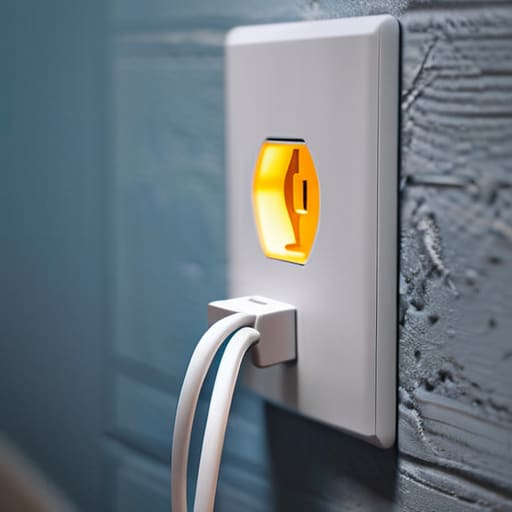
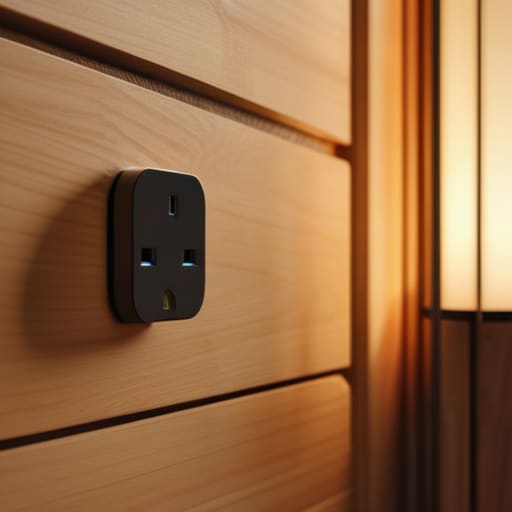
    I was sitting in my workshop last Tuesday, trying to get the signal path right on a 1974 Marantz receiver, when I realized I’d spent forty minutes fighting with a cheap smart plug I’d bought online. The thing had disconnected from my Wi-Fi for the third time that hour, leaving my workbench in the dark. It’s the same story I see everywhere now: companies are slapping a microchip into a casing of flimsy, recycled plastic and charging you a premium for the privilege of troubleshooting it every single morning. We used to build things to last, but today’s “smart” tech seems designed to fail the moment you stop looking at the app.

    I’m not here to sell you on a lifestyle of automated curtains or voice-activated coffee makers that require a software update just to function. My goal is much simpler. I’ve spent the last few months putting these devices through the ringer to find the ones that actually hold a connection and don’t overheat under a standard load. I’m going to show you which models are built with actual integrity and which ones are just expensive paperweights waiting to break.

    Table of Contents

    The Truth About Iot Device Connectivity and Signal Drops

    The Truth About Iot Device Connectivity and Signal Drops.

    The truth about IoT device connectivity is that most manufacturers prioritize a flashy app over a stable radio signal. I’ve spent enough time with a multimeter and an oscilloscope to know that a connection isn’t just a line of code; it’s a physical handshake that can be easily broken by a thick wall or a microwave oven. You’ll see plenty of these little gadgets advertised with seamless smart home ecosystem integration, but in my experience, that often means they work perfectly right next to the router and fail miserably once you move them to the guest bedroom.

    When a wifi enabled power outlet loses its handshake with your network, it becomes nothing more than an expensive, non-functional paperweight. I’ve seen too many people get frustrated because their automated scheduling features fail halfway through the week simply because the device decided to go “offline” for no reason. If you can’t trust the hardware to maintain a steady signal, you can’t trust it to run your home. Reliability is non-negotiable when you’re relying on these things to manage your daily routines.

    Why Wifi Enabled Power Outlet Reliability Actually Matters

    Why Wifi Enabled Power Outlet Reliability Actually Matters

    Look, I’ve spent enough time in manufacturing plants to know that if a single relay fails on a production line, the whole system grinds to a halt. Your home is no different. When you invest in a wifi enabled power outlet, you aren’t just buying a gadget; you’re adding a component to your home’s infrastructure. If that component fails to trigger a lamp or a heater because of a software glitch, it’s not just an inconvenience—it’s a failure of the tool to do its job.

    I’ve seen too many people get caught up in the hype of smart home ecosystem integration, thinking they need every single feature under the sun. But here’s the reality: if the hardware can’t maintain a stable connection, all those fancy automated scheduling features are completely useless. You don’t need a device that promises to talk to your fridge, your lights, and your thermostat if it can’t even reliably toggle a simple timer. I want gear that stays connected so I can set it and forget it, without having to troubleshoot my living room every Tuesday night.

    Five Things to Check Before You Waste Your Money

    • Look for a physical override switch. If the software glitches or your internet goes down, I don’t want to be left sitting in the dark because a piece of code decided my lamp shouldn’t work. A real tool always has a manual way to operate.
    • Demand a dedicated local control option. If the plug requires a constant handshake with a server halfway across the country just to turn on a coffee maker, it’s a liability. You want devices that work on your local network, even when the cloud decides to take a nap.
    • Check the amperage rating twice. Most of these cheap plastic units are rated for basic lamps, but if you’re planning to plug in a space heater or a heavy-duty tool, you need something with beefy internal components that won’t melt under a real load.
    • Avoid “ecosystem lock-in” where possible. Don’t buy a plug that only works with one specific, proprietary app. If that company goes belly-up in three years, your expensive hardware becomes nothing more than a paperweight.
    • Inspect the build quality of the casing. If the plastic feels thin and hollow, the internal relays are likely cheap, too. I prefer a plug that has some heft to it; it usually means the electrical contacts are built to last more than a single season.

    My Rules for Not Wasting Your Money

    Check the build quality before you click buy; if the casing feels like thin, lightweight plastic, it’s likely going to overheat or fail when you actually put a decent load on it.

    Prioritize devices that offer local control options, because if your smart plug requires a constant handshake with a cloud server just to turn on a lamp, you’ve bought a headache, not a tool.

    Look for a dedicated physical override button on the unit itself—if you can’t operate the device manually when the software inevitably glitches, it’s useless.

    The Real Cost of Cheap Components

    I’ve spent enough time looking at circuit boards to know that when a manufacturer slashes the price of a smart plug, they aren’t doing it out of the goodness of their hearts—they’re swapping out quality capacitors for cheap, flimsy alternatives that’ll fail the moment your Wi-Fi hiccups.

    Roland Delacroix

    Don't Let the Marketing Fool You

    Don't Let the Marketing Fool You.

    At the end of the day, a smart plug isn’t just another gadget to clutter your countertop; it’s a component in your home’s electrical infrastructure. If you can’t trust it to stay connected to your network or handle the rated amperage without overheating, then it’s nothing more than expensive, glorified plastic. We’ve looked at why signal stability is the real bottleneck and why the build quality of the internal relays determines whether your device lasts two years or two months. Don’t get distracted by flashy apps or colorful LED rings. Look for the mechanical integrity and the technical specifications that actually matter for long-term use.

    I know the tech industry wants you to believe that everything needs to be “smart” to be useful, but I’m telling you to hold them to a higher standard. You deserve tools that work the first time you tap a button and stay working when you aren’t looking. Stop settling for flimsy, unproven hardware just because it’s the cheapest option on the shelf. Invest in reliability over novelty, and you’ll find that smart home technology actually makes your life easier instead of becoming just another chore on your to-do list. Buy it once, buy it right, and then get back to enjoying your home.

    Frequently Asked Questions

    How do I know if a smart plug can actually handle the electrical load of my heavy appliances without overheating?

    Look, don’t just trust the shiny packaging. You need to check the amperage rating on the back of the unit, not just the marketing fluff. If you’re plugging in a space heater or a heavy-duty pump, you need a plug rated for at least 15 amps. I always grab my notepad and check the thermal specs; if the casing feels flimsy or lightweight, it’s probably going to melt under a real load. Check the math before you plug it in.

    Is it worth buying a dedicated smart hub, or am I just adding another layer of unnecessary complexity to my home network?

    Look, if you’ve got five smart plugs, stick to WiFi. But once you start adding lights, sensors, and locks, your router is going to choke. That’s where a dedicated hub comes in. It offloads the heavy lifting from your main internet connection to a specialized frequency like Zigbee or Z-Wave. It’s not just “complexity”—it’s about building a stable foundation so your devices actually talk to each other instead of just dropping offline.

    What's the real-world difference between a cheap generic plug and a reputable brand when it comes to long-term durability?

    It comes down to the components inside that casing. Those cheap, generic plugs are built with the thinnest possible relays and low-grade capacitors—parts that’ll bake themselves after a few months of steady load. A reputable brand uses beefier internal switching mechanisms and better thermal management. I’ve seen too many “bargain” plugs char at the terminals because they couldn’t handle a basic heater. If you want something that lasts years, not weeks, pay for the engineering.

  • Best Drones for Beginner Pilots

    Best Drones for Beginner Pilots

    I was out in the backyard last Saturday, watching my grandson try to pilot one of those “entry-level” gadgets he bought online, when I heard that sickening crack of cheap polycarbonate hitting a tree branch. It’s the same story every time: some marketing department wraps a handful of flimsy sensors in a shiny shell and calls it a high-tech marvel. Most people looking for a drone for beginners end up buying a glorified paperweight that’s too sensitive to fly in a light breeze and too fragile to survive a single mistake. I’ve spent thirty years looking at mechanical tolerances and build quality, and frankly, most of this modern tech is built to fail.

    I’m not here to sell you on the latest flashy trend or some overhyped piece of junk that requires a computer science degree just to get off the ground. My goal is simple: I want to help you find a machine that actually stays in the air and survives the learning curve. I’m going to walk you through the specs that actually matter—from motor durability to battery reliability—so you can spend your hard-earned money on something that works.

    Table of Contents

    The Truth About Best Budget Drones for New Pilots

    The Truth About Best Budget Drones for New Pilots.

    Look, I see these colorful boxes in every big-box retailer, promising “professional aerial photography” for under a hundred bucks. Let me save you the heartache: most of them are nothing more than glorified paperweights. When you’re looking for the best budget drones for new pilots, you shouldn’t be looking at the flashy marketing; you need to look at the build. Most of these cheap units use lightweight, brittle plastics that can’t handle even a light breeze, let alone a real flight session. If you want to actually learn the mechanics of flight without breaking your bank account, you need something with a decent stabilizer, not just a toy that drifts aimlessly.

    When you’re figuring out how to choose your first drone, don’t get blinded by a high megapixel count on a cheap sensor. A high number on a spec sheet means nothing if the gimbal is non-existent and the image looks like a blurry mess. I always tell people to prioritize flight stability and control responsiveness over a fancy camera. You can’t take a good photo if you can’t keep the damn thing steady in the air. Stick to brands that actually support their hardware, or you’ll be left holding a useless piece of junk the first time you hit a gust of wind.

    Dont Get Fooled by a Fake Drone Camera Quality Guide

    Dont Get Fooled by a Fake Drone Camera Quality Guide

    You’ll see these marketing sheets everywhere, boasting about “4K resolution” and “ultra-high definition” in bright, neon lettering. Most of the time, it’s nothing more than a clever way to sell you a glorified webcam. I’ve seen plenty of these cheap units that claim 4K on the box, but once you actually pull the footage onto a real monitor, it looks like a grainy mess from a 1990s home movie. If you’re looking for a legitimate drone camera quality guide, stop looking at the megapixel count and start looking at the sensor size and the bit rate. A high megapixel count on a tiny, cheap sensor is just a way to manufacture fake detail that disappears the moment the sun goes behind a cloud.

    Don’t let the spec sheet bully you. When you’re learning how to choose your first drone, you need to realize that a high resolution doesn’t matter if the gimbal is non-existent. Without a mechanical stabilizer, every single vibration from the motors is going to make your video look like it was filmed during an earthquake. Invest in stability, not just numbers.

    Five Things They Won't Tell You in the Sales Brochure

    • Check the build material before you click ‘buy.’ If the frame feels like a cheap toy from a cereal box, it’s going to snap the first time you catch a gust of wind. Look for reinforced plastics or carbon fiber components; you want something that can take a minor bump without turning into scrap metal.
    • Stop obsessing over the megapixel count on the box. A 4K camera is useless if the gimbal—the little motorized stabilizer—is made of junk. If the gimbal is flimsy, your footage will look like a shaky mess, no matter how many megapixels the sensor claims to have.
    • Don’t ignore the battery life specs. Manufacturers love to quote “30 minutes of flight time,” but that’s under perfect laboratory conditions with zero wind. In the real world, you’re lucky to get twenty. Always plan to have at least three batteries on hand, or you’ll spend more time staring at a charging cable than actually flying.
    • Buy a drone that has replaceable parts available. I’ve seen too many guys throw away a perfectly good machine just because they cracked a single propeller or a landing gear strut. If you can’t find spare parts on a basic website, you aren’t buying a tool; you’re buying a disposable paperweight.
    • Learn the manual controls before you rely on “Auto-Pilot” features. These gadgets are getting smarter, but software fails, and sensors get confused by sunlight or trees. You need to know how to override the computer and bring that machine home manually if the smart features decide to take a nap.

    The Bottom Line: What to Look for Before You Buy

    Prioritize flight stability and GPS over fancy software features; if the hardware can’t hold a steady hover in a light breeze, the most expensive camera in the world won’t save your footage.

    Ignore the marketing jargon about “4K resolution” on cheap models—most of those budget drones are just upscaling low-quality sensors, so check the actual sensor size and bit rate if you care about clarity.

    Invest in a controller that feels solid in your hands and has a decent range, because there’s nothing more frustrating than a flimsy piece of plastic that loses connection the moment you fly fifty feet away.

    The Engineering Reality of Your First Flight

    Before you look at the resolution of the camera or the flashy lights on the casing, look at the build quality; a beginner doesn’t need a cinematic masterpiece, they need a machine that won’t shatter into a hundred pieces of useless plastic the first time they hit a slight breeze.

    Roland Delacroix

    Bottom Line: Don't Get Swept Up in the Hype

    Bottom Line: Don't Get Swept Up in the Hype.

    Look, I’ve seen enough “cutting-edge” gadgets turn into paperweights within six months to know that you shouldn’t take every marketing claim at face value. If you’ve followed my notes, you know the drill: ignore the inflated megapixel counts that don’t mean a thing without a decent sensor, and stay far away from those bottom-of-the-barrel “toy” drones that lack any real stabilization. Focus on the build quality and the actual flight stability rather than the flashy box art. You want a machine that can handle a bit of wind and won’t fall apart the first time you land it on a patch of gravel. Stick to brands that offer reliable hardware and serviceable parts, because when something inevitably breaks, you’ll want to fix it, not throw it in the bin.

    At the end of the day, getting into drone flying should be about the view from above, not the stress of managing a piece of junk. Don’t let the fear of making a “wrong” choice keep you on the sidelines, but don’t let your wallet dictate a bad decision either. Buy something that offers genuine utility and enough durability to survive your learning curve. Once you get a solid machine in the air, you’ll realize that the real joy isn’t in the specs on a spreadsheet—it’s in the steady flight and the perspective it gives you. Now, grab your gear, get outside, and see what you can do.

    Frequently Asked Questions

    How much battery life am I actually going to get before I'm stuck walking back to my starting point?

    Here’s the reality: if the box says 30 minutes, you’re going to get about 22, tops. Between fighting a headwind and the power draw from the camera, that number drops fast. I always tell people to plan for a 25% buffer. If you fly until the low-battery alarm screams, you aren’t flying—you’re panic-landing. Don’t trust the marketing specs; trust the math. Buy an extra battery so you aren’t walking home.

    Do I really need to spend hundreds more for GPS stabilization, or can I fly a basic model without crashing immediately?

    Listen, I’ve seen enough hobbyists lose a hundred-dollar investment in thirty seconds to give you a straight answer: Get the GPS. Without it, you’re essentially trying to balance a spinning plate on a toothpick during a breeze. A basic model without GPS relies on “optical flow” or nothing at all, meaning the moment a gust hits, your drone is gone. Pay the extra bit for stabilization; it’s much cheaper than buying a replacement.

    Is there a way to tell if a drone is built with actual components or if it's just a glorified toy made of cheap, brittle plastic?

    Look at the weight and the joints. If it feels light as a feather and the casing flexes when you squeeze it, walk away. You want to see screws, not just plastic tabs snapped together; those tabs will crack the first time you land a bit hard. Check the motor housings, too. Real components have some heft and solid mounting. If it feels like a glorified toy, it’s going to fly like one.

  • Finding the Best Portable Bluetooth Speaker

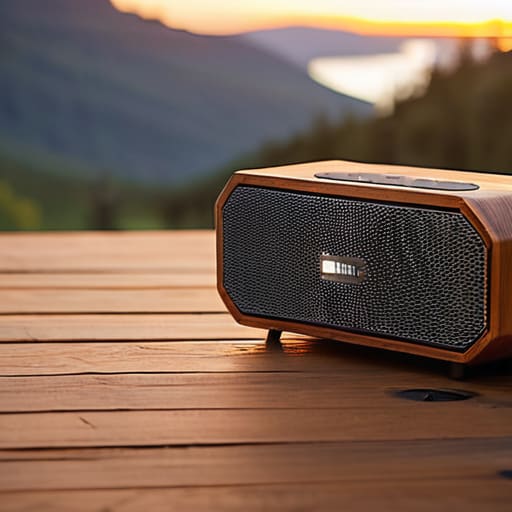
    Finding the Best Portable Bluetooth Speaker

    I was sitting in my workshop last Tuesday, tinkering with a 1970s Marantz receiver, when I realized just how far we’ve drifted from quality engineering. I picked up one of those trendy, palm-sized bluetooth speaker units my grandson insisted was “state-of-the-art,” and within ten minutes, the casing felt like cheap, hollowed-out toy plastic and the connection dropped twice. It’s infuriating. These companies are selling you a glorified paperweight wrapped in flashy marketing, betting that you won’t notice the lack of actual build integrity until the battery dies six months down the line.

    I’m not here to read you a spec sheet or repeat the marketing fluff you’ve already seen on a dozen glossy websites. My goal is simple: I want to help you find gear that actually holds up. I’ve spent my life looking at how things are put together, from heavy machinery to high-fidelity audio, and I’m going to apply that same scrutiny here. I’ll show you which models offer real acoustic performance and which ones are just expensive junk designed to end up in a landfill.

    Table of Contents

    Why High Fidelity Wireless Sound Is Often a Marketing Lie

    Why High Fidelity Wireless Sound Is Often a Marketing Lie

    Every time I flip through a catalog, I see the same phrase plastered across the box: “High Fidelity Wireless Sound.” It’s enough to make a man roll his eyes. In my engineering days, hi-fi meant something specific—it meant a signal that was clean, uncompressed, and faithful to the original source. But in the world of modern consumer electronics, companies use that term as a catch-all marketing buzzword to justify a higher price tag. The reality is that wireless audio connectivity, by its very nature, involves compression. You’re taking a rich, complex audio signal and squeezing it through a tiny digital pipe just to get it from your phone to the device.

    Most of these gadgets are more about convenience than actual acoustic accuracy. They prioritize a compact speaker design so they can slap a “portable” label on them, but you can’t cheat the laws of physics; a tiny driver simply cannot move enough air to produce true high-fidelity depth. You aren’t getting a concert hall; you’re getting a processed, compressed version of a song designed to sound “punchy” rather than accurate. Don’t let the fancy packaging fool you—if the specs don’t mention the codec or the driver material, it’s just expensive plastic.

    The Real Cost of Poor Wireless Audio Connectivity

    The Real Cost of Poor Wireless Audio Connectivity

    When you buy a cheap device, you aren’t just losing money upfront; you’re paying for it in frustration. I’ve seen it a dozen times: you get a gadget that looks sleek on a shelf, but the second you step into the next room, the signal drops or the audio stutters. This isn’t just a minor annoyance; it’s a failure of engineering. Poor wireless audio connectivity means you spend more time fighting with your phone than actually listening to your music. If the connection isn’t rock-solid, the device is nothing more than an expensive paperweight.

    Then there is the issue of longevity. Manufacturers love to brag about features, but they rarely talk about how the hardware holds up under real-world stress. I often see people hunting for the best bluetooth speakers for hiking, only to find that the unit dies halfway up the trail because the internal power management is garbage. A device that can’t maintain its battery life for portable speakers under moderate use is a failure of design. You want something that works when you need it, not something that requires a constant tether to a wall outlet.

    Five Things to Check Before You Open the Box

    • Look for a rubberized chassis or heavy-duty casing. If the device feels light and hollow in your hands, it’s just cheap plastic that’ll crack the first time it bumps against a table. I want something with some actual heft to it.
    • Stop obsessing over “Watts” on the box. Manufacturers love to throw big numbers at you to hide mediocre components. Instead, look for the driver size and the material—paper cones or Kevlar are much better than those flimsy, thin membranes you see in budget models.
    • Check the port selection. A speaker that only has a charging port is a closed system that’s going to become obsolete in three years. Make sure there’s at least a 3.5mm auxiliary input so you can bypass the Bluetooth headache entirely if the wireless chip decides to act up.
    • Verify the battery’s real-world rating, not the laboratory estimate. Most of these companies test their batteries in a vacuum with the volume at ten percent. If you want a speaker that actually lasts through a weekend, look for models that mention “capacity in mAh” rather than just “hours of playtime.”
    • Demand physical buttons. I don’t care how sleek a touch-sensitive panel looks; it’s useless when your hands are damp or you’re trying to adjust the volume in the dark. Give me a tactile click every single time so I know the command actually registered.

    My Bottom Line for Your Wallet

    Stop paying the “brand tax” for fancy aesthetics; look for heavy-duty drivers and solid casing that won’t crack the first time you bump it.

    Prioritize connection stability over flashy software features—if the Bluetooth drops every time you walk into the next room, the speaker is junk.

    Check the build quality before you check the specs; a device that feels like a cheap toy will never deliver the consistent sound you’re paying for.

    ## The Truth About Modern Audio

    “Most of these companies are selling you a flashy LED display and a fancy app, but they’ve skimped on the actual drivers and the casing. I’d rather have a heavy, well-built box with decent components than a lightweight piece of junk that sounds like a tin can and breaks the moment you drop it on the patio.”

    Roland Delacroix

    The Bottom Line

    The Bottom Line: Focus on build quality.

    Look, I’m not interested in chasing every shiny new model that hits the shelves every six months. If you take anything away from my ramblings today, let it be this: stop letting marketing departments dictate your budget. We’ve seen how the industry tries to mask mediocre drivers with flashy LED lights and “smart” app integrations that nobody actually needs. When you’re shopping, look past the glossy packaging and focus on the build quality and the actual hardware specifications. A speaker with a solid chassis and a reliable connection will serve you far better than a lightweight, hollow piece of junk that loses signal the moment you walk into the next room. Don’t let them sell you expensive plastic disguised as high-end audio.

    At the end of the day, music is supposed to be an experience, not a technical headache. You shouldn’t have to fight with a device just to hear your favorite album. Invest in equipment that respects your time and your ears—tools that are built to last and designed with common sense at the forefront. Buy once, buy right, and stop settling for the disposable culture that’s currently choking the tech industry. You deserve gear that actually performs the job it was engineered to do.

    Frequently Asked Questions

    How can I tell if a speaker is built with actual components or just cheap, hollow plastic?

    Pick it up. If it feels like a toy, it’s a toy. A quality speaker should have some heft to it; mass helps dampen vibrations that ruin your sound. I always check the driver housing—if the plastic feels thin enough to flex with your thumb, stay away. Look for reinforced seams and solid mounting points for the drivers. If the casing rattles when you tap it, it’s just expensive-looking junk.

    Is there a way to check the battery life without relying on the manufacturer's exaggerated claims?

    Don’t believe the box. If a manufacturer claims “24 hours of playtime,” they usually mean that with the volume turned down to a whisper in a silent room. To get the truth, run a real-world test: crank the volume to 70%, play a consistent track, and time it with a stopwatch. I always jot these actual numbers down in my notepad. That’s the only way to know when the battery will actually quit on you.

    Does the Bluetooth version actually matter for sound quality, or is it just another way to hike up the price?

    Look, don’t let the sales reps pull the wool over your eyes. A higher Bluetooth version doesn’t magically turn a cheap driver into a studio monitor. What it does do is improve the stability of the connection and the efficiency of the data transfer. If you’re jumping from 4.2 to 5.3, you’ll notice fewer dropouts and better range, but the actual “fidelity” is mostly down to the codecs being used. Don’t pay a premium just for a version number.

  • Exploring the Benefits of Smart Rings

    Exploring the Benefits of Smart Rings

    I was sitting at my workbench yesterday, cleaning the contacts on a 1974 Marantz receiver, when I saw another advertisement for a “revolutionary” smart ring. These companies want you to believe that strapping a miniature, unrepairable computer to your finger is the only way to understand your own body. They wrap these gadgets in glossy marketing speak about “biometric optimization,” but let’s call it what it actually is: expensive plastic designed to fail the moment you hit a certain depth in a pool or drop it on a concrete floor. I’ve spent thirty years looking at tolerances and material durability, and frankly, most of these rings look like they’d struggle to survive a week in a real workshop.

    I’m not here to sell you on the latest Silicon Valley fever dream. My goal is to cut through the noise and tell you which of these devices actually hold up to a bit of scrutiny and which ones are just overhyped junk. I’ll be looking at the build quality, the sensor accuracy, and whether the battery life is actually worth the headache of charging it every other night. If you want the truth about whether a smart ring is a legitimate tool or just a distraction, you’ve come to the right place.

    Table of Contents

    Smart Ring vs Fitness Tracker Which Actually Works

    Smart Ring vs Fitness Tracker Which Actually Works

    When you look at a smart ring vs fitness tracker, you’re really looking at a trade-off between data density and sheer convenience. I’ve spent years looking at sensor arrays in industrial machinery, and I know that more sensors don’t always mean better results—it just means more points of failure. A fitness tracker on your wrist is great if you want a screen that screams at you every time you sit too long, but that constant light and vibration can be a nuisance. If your primary goal is finding the best smart rings for sleep monitoring, the ring wins by a landslide. You don’t want a glowing piece of plastic strapped to your wrist when you’re trying to drift off; you want something unobtrusive that sits quietly against your skin.

    However, don’t expect a ring to replace a dedicated sports watch if you’re training for a marathon. The contact surface area on a finger is much smaller than a wrist, which can mess with the accuracy of high-intensity movement tracking. If you want a device that survives a heavy workout and gives you real-time feedback, stick to the wrist. But if you’re tired of charging another gadget every night and just want reliable health data without the distraction, the ring is the smarter engineering choice.

    Wearable Technology Trends 2024 Cutting Through the Hype

    Every year, the tech industry throws a new wave of “revolutionary” gadgets at us, and frankly, it’s getting exhausting. Looking at the wearable technology trends 2024 is a bit like looking at a pile of blueprints that haven’t been stress-tested. You see these companies promising seamless integration and life-changing data, but they often forget the most basic requirement: durability. We’re seeing a massive push toward miniaturization, where everything is being squeezed into a tiny form factor, but in my experience, smaller often means more points of failure.

    The current hype is leaning heavily into specialized use cases, like contactless payment smart rings or devices specifically marketed as health monitoring rings for women. While the idea of paying for a coffee with a tap of your finger sounds convenient on paper, I find myself questioning the long-term reliability of the NFC chips in such a small housing. It’s easy to design something that works in a controlled lab setting, but it’s a different story once you’re actually using it in the real world. I’m more interested in whether these devices can survive a week of heavy use without needing a constant charge or a software patch.

    The Truth About Smart Ring Battery Life and Reliability

    The Truth About Smart Ring Battery Life and Reliability

    Let’s talk about the elephant in the room: how long these things actually stay powered. Manufacturers love to boast about “days of battery life,” but they never mention how quickly that number drops once you actually start using the sensors. In my experience, a device is useless if it’s sitting on a charging puck instead of on your finger. When looking at smart ring battery life, you have to account for the reality of daily use. If you’re using it for heavy sleep tracking or constant heart rate monitoring, don’t expect those marketing claims to hold up under pressure.

    Then there is the matter of build quality. I’ve spent enough time around mechanical systems to know that miniaturization is a double-edged sword. When you cram all that circuitry into a tiny band, you sacrifice durability. I’ve seen too many of these gadgets fail because a simple seal gave way, letting moisture in. If you are looking for the best smart rings for sleep monitoring, you need something that feels substantial, not like a hollow piece of tin. If it can’t survive a shower or a bit of sweat, it’s not a tool—it’s a toy.

    Don't Get Fooled: 5 Things to Check Before You Buy

    • Look past the marketing fluff and check the sensor placement. If the ring doesn’t have a solid, contoured interior to keep those sensors pressed firmly against your skin, you’re just buying a very expensive piece of jewelry that won’t give you a single accurate reading.
    • Verify the data ownership. I’ve seen too many companies hide their best features behind a monthly subscription fee. You pay a premium for the hardware; don’t let them nickel-and-dime you every month just to see your own heart rate data.
    • Test the durability of the casing. I don’t care if it’s “water-resistant”—I want to know if it can handle a bit of grit, some soap, or a bump against a workbench without the finish peeling off like cheap paint.
    • Check the app’s complexity. If the software requires a twenty-minute tutorial just to show you your step count, it’s poorly designed. A good tool should be intuitive; you shouldn’t need a manual to understand your own health metrics.
    • Prioritize charging reliability. If the ring uses a proprietary, finicky charging cradle that’s easy to lose or breaks after three months, walk away. I want something that stays powered and stays out of my way.

    The Bottom Line: What You’re Actually Buying

    Don’t get blinded by the marketing; if you need constant, real-time data for a high-intensity workout, stick to a dedicated fitness tracker. A smart ring is a passive tool for long-term trends, not a high-performance sports instrument.

    Prioritize build quality over sensor count. A ring that feels like a cheap toy will likely fail you within six months, so check the materials—titanium or ceramic is worth the extra scratch if it means the device actually lasts.

    Always factor in the “subscription trap.” Before you hand over your cash, make sure the device’s core functions aren’t locked behind a monthly fee, or you’ll end up owning a very expensive piece of useless metal.

    The Real Test of a Wearable

    “I’ve spent my career looking at tolerances and build quality, and frankly, I’m tired of seeing companies charge a premium for gadgets that feel like toys. If a smart ring can’t survive a week of actual life without needing a charger or a software patch, it isn’t a tool—it’s a distraction.”

    Roland Delacroix

    The Bottom Line on Smart Rings

    Look, I’ve spent enough time looking at schematics to know that more features don’t always mean better performance. We’ve covered a lot of ground here—from the reality of battery life to whether these rings actually hold up against a traditional fitness tracker. If you’re looking for a device that provides constant, granular data and a screen to stare at, a ring might leave you frustrated. But, if you want something that stays out of your way and offers reliable, passive monitoring without the constant need to charge a bulky watch, there is real value here. Just make sure you aren’t paying a premium for unnecessary software bloat that won’t be supported in two years.

    At the end of the day, don’t let the marketing departments convince you that you need every new gadget just to stay healthy. Technology should serve you, not the other way around. Whether you decide to invest in a smart ring or stick to the tried-and-true methods, make sure the tool you choose is built to last and perform the way you need it to. Don’t settle for expensive plastic just because it’s the latest trend. Buy something that works, keep your expectations grounded, and get back to living your life.

    Frequently Asked Questions

    Can these rings actually survive a shower or a swim, or am I going to be worrying about water damage every single morning?

    Look, I’ve seen too many “water-resistant” gadgets die the first time they hit a sink. Most of these rings claim an IP68 rating, which sounds impressive on a spec sheet, but that doesn’t account for soap, shampoo, or chlorine. If you’re swimming in a pool, don’t just toss it on. I’d recommend rinsing it with fresh water afterward. If it can’t handle a basic shower without you panicking, it’s not a tool; it’s a liability.

    How much of the "health data" is actually accurate, and how much of it is just a software algorithm guessing what my body is doing?

    Look, I’ve spent my career looking at sensor tolerances, and here’s the hard truth: most of these rings are making educated guesses. They use photoplethysmography—basically shining lights through your skin—to estimate heart rate and oxygen. It’s decent for trends, but don’t treat it like medical-grade equipment. A lot of that “deep sleep” data is just a software algorithm smoothing out the bumps to give you a pretty graph. It’s estimation, not precision.

    Is it worth the high price tag if I have to pay a monthly subscription fee just to see my own basic stats?

    Let me be blunt: if you have to pay a monthly fee just to view the data your own body produced, you’re being nickel-and-dimed. In my day, when you bought a tool, you owned it. Period. These subscription models are a racket designed to turn a one-time purchase into a lifelong drain on your wallet. If a company won’t give you access to your own basic stats without a recurring charge, walk away. It’s just more expensive plastic.

  • Best Action Cameras for Outdoor Adventures

    Best Action Cameras for Outdoor Adventures

    I was out in the garage last weekend, tinkering with an old Marantz receiver, when I realized just how much the tech industry has shifted toward selling “features” instead of actual durability. I saw a kid at the local park trying to film a mountain bike run with a brand-new, high-end action camera that looked like it was made of nothing but glorified LEGO bricks. The second he hit a bump, the mounting bracket snapped, and he was left staring at a pile of expensive, useless plastic. It’s infuriating. We’ve reached a point where companies expect you to pay a premium for software gimmicks while the physical build quality is being stripped away to save a few cents on the assembly line.

    I’m not here to read you a spec sheet or parrot the marketing fluff you’ll find on a flashy website. My goal is simple: I want to help you find a piece of gear that actually survives the environment it’s meant for. I’ll be looking at the seals, the housing, and the mounting points to tell you which devices are built to last and which ones are just destined for a junk drawer.

    Table of Contents

    Dont Get Fooled by 4k Video Resolution Action Cams

    Dont Get Fooled by 4k Video Resolution Action Cams.

    Marketing departments love to throw around big numbers like “4K” to justify a premium price tag, but they rarely tell you the catch. In my experience, a high pixel count means nothing if the sensor is tiny and the bit rate is garbage. You’ll see plenty of 4K video resolution action cams claiming to be professional grade, but once you try to use them in anything other than perfect, midday sunlight, the image turns into a grainy, digital mess. It’s a classic case of selling a spec instead of a result.

    What actually matters more than raw resolution is how the device handles motion. If you’re looking at the best action cameras for extreme sports, you need to prioritize how the software manages shake. A 4K file that looks like it was filmed during an earthquake is useless. I’d much rather have a crisp 1080p shot that stays steady than a high-resolution disaster that makes my stomach churn. Don’t let a fancy number on the box trick you into buying a piece of hardware that lacks the mechanical stability to do the job.

    Why Rugged Camera Housing Is Your Only Real Defense

    Why Rugged Camera Housing Is Your Only Real Defense

    Look, I’ve seen enough equipment fail in the field to know that a spec sheet doesn’t mean a lick of difference if the casing cracks under pressure. Most of these modern gadgets are built like toys—lots of shiny finishes but very little structural integrity. If you’re actually out there using these for anything serious, you need to look past the marketing fluff and check the seals. A high-quality rugged camera housing isn’t just an optional accessory; it is the only thing standing between your expensive electronics and a sudden trip to the repair shop.

    When you’re out in the elements, moisture and impact are your primary enemies. I’ve spent many afternoons tinkering with gear that died simply because a cheap rubber gasket failed. If you are looking for the best action cameras for extreme sports, don’t just ask about the frame rate. Ask about the ingress protection rating and the thickness of the chassis. You want something that feels substantial in your hand, not something that feels like it’s made of recycled soda bottles. If it feels flimsy on my workbench, it’s definitely going to fail you on the trail.

    Five Things to Check Before You Hand Over Your Hard-Earned Cash

    • Look for physical buttons, not just touchscreens. If you’re wearing gloves or your hands are wet from a hike, a capacitive touchscreen is about as useful as a screen door on a submarine. You need tactile feedback so you know the device is actually responding.
    • Check the battery replacement process. Most of these modern gadgets are sealed shut like a tomb. If the battery dies in the middle of a trip, you’re stuck. I prefer anything that lets me swap a fresh cell in under thirty seconds without needing a specialized toolkit.
    • Don’t trust the “waterproof” rating blindly. A rating on a box is just a suggestion until you’ve tested the seals yourself. Make sure the mounting points are reinforced; if the screw threads are made of cheap, soft plastic, they’ll strip the first time you tighten them down.
    • Verify the mounting ecosystem. There is nothing more frustrating than buying a solid camera only to find out you need five different $20 plastic adapters just to get it onto your bike or helmet. Stick to brands that use standardized, metal-reinforced mounts.
    • Demand a real warranty, not a “limited” one. These devices live in high-impact environments. If a company won’t stand behind their build quality with a straightforward replacement policy, it’s a sign they know their hardware is built to fail.

    My Bottom Line on Buying an Action Cam

    Stop obsessing over megapixels and 4K marketing jargon; a high resolution doesn’t matter if the sensor can’t handle the light or the footage is too shaky to watch.

    If the device doesn’t have a reinforced, weather-sealed housing, you aren’t buying a tool—you’re buying a piece of disposable plastic that will fail you when things get messy.

    Look for mechanical durability and battery reliability over fancy software features; you need a camera that works every time you press the button, not one that requires a firmware update in the middle of the woods.

    The Truth About Specs

    “I don’t care if the marketing brochure promises 8K resolution or a thousand different software filters; if the mounting bracket is made of cheap, brittle plastic that snaps the moment you tighten it, you haven’t bought a camera—you’ve bought an expensive paperweight.”

    Roland Delacroix

    Bottom Line: Buy for Durability, Not Hype

    Bottom Line: Buy for Durability, Not Hype.

    At the end of the day, don’t let a glossy marketing brochure convince you that a gadget is worth its weight in gold. We’ve covered why you shouldn’t get distracted by inflated 4K claims that fall apart the moment the light fades, and why a flimsy chassis is a recipe for a paperweight. If you want a camera that actually records your life instead of just collecting scratches, you have to prioritize build quality and physical protection above every other spec on that box. I’ve seen enough “revolutionary” tech end up in the scrap heap because it couldn’t handle a bit of dust or a minor bump. Stick to the hardware that feels substantial in your hand and has a proven track record of surviving the real world.

    My advice is simple: stop chasing the newest, shiniest thing just because it has a high price tag. A tool is meant to serve you, not the other way around, and you shouldn’t be worried about a device failing right when the moment matters most. Invest in something that is built to last, something that respects your hard-earned money, and something that will still be working ten years from now. Go out there, get your hands dirty, and capture the memories without worrying about whether your gear is going to snap in two. Life is too short to spend it babysitting expensive plastic junk.

    Frequently Asked Questions

    How can I tell if a camera's waterproof rating is actually reliable or just marketing fluff?

    Look at the seals, not just the box. If a manufacturer just shouts “waterproof” without citing an IP rating—like IP68—they’re selling you marketing fluff. I always check the physical gaskets and battery door latches. If the plastic feels thin or the threading on the lens cap is cheap, that seal isn’t going to hold under pressure. Don’t trust a sticker; trust the build quality of the actual enclosure.

    Is it worth paying extra for a brand name, or can I get better build quality from a cheaper alternative?

    Look, I’ve seen this pattern a thousand times in manufacturing: you pay for the logo, or you pay for the engineering. With action cams, the “big names” aren’t just charging for the brand; they’re charging for the thermal management and the seal integrity. A cheap knockoff might boast the same specs on the box, but it’ll overheat or leak the moment things get real. Buy the brand if you want reliability; buy the cheap one if you’re okay with disposables.

    What kind of mounting hardware should I look for to ensure the camera doesn't shake itself loose mid-use?

    Look, if you’re relying on those flimsy plastic thumb screws that come in the box, you’re asking for trouble. I’ve seen too many expensive units end up at the bottom of a lake because a cheap clip snapped. You want stainless steel mounting bolts and heavy-duty, aluminum alloy clamps. If the hardware feels light or hollow in your hand, don’t buy it. Stick to mechanical fasteners that actually bite into the mount.

  • Choosing a Wireless Charger for Your Desk

    Choosing a Wireless Charger for Your Desk

    I was sitting at my workbench last Tuesday, surrounded by the smell of solder and old capacitors, when I realized I’d spent twenty minutes fighting with a brand-new, “premium” wireless charger. It was one of those sleek, minimalist slabs that looks great in a catalog but lacks any actual engineering substance. I had to nudge my phone a fraction of a millimeter to the left just to get the induction to kick in, and even then, the thing was running hot enough to fry an egg. It’s the same old story: companies are slapping a fancy finish on mediocre circuitry and calling it innovation, when in reality, most of these gadgets are just expensive plastic that fails the moment you actually need it.

    I’m not here to sell you on the latest marketing buzzwords or tell you that you need a $100 pad to juice up your device. My goal is to cut through the nonsense and tell you which wireless charger is actually worth your hard-earned money based on build quality and reliability. I’ve spent enough years in systems engineering to know the difference between a well-designed tool and a gimmick, and I’m going to share that perspective with you.

    Table of Contents

    Inductive Charging Technology Real Power or Just Marketing Fluff

    Inductive Charging Technology Real Power or Just Marketing Fluff

    Now, let’s get into the actual physics of the thing. Most of these gadgets rely on inductive charging technology, which is essentially just using an electromagnetic field to transfer energy through a coil. In theory, it’s a clean, elegant way to power your gear without the constant wear and tear of a physical port. But in practice? It’s often inefficient. I’ve seen too many manufacturers slap a sleek design on a unit that loses half its energy to heat rather than actually moving it into your battery.

    The real headache starts when you’re trying to figure out if a wireless charging pad vs stand setup is actually worth the premium. Stands are great for visibility, but if the alignment isn’t precise, you’re just wasting electricity. I’ve also noticed that many cheap models completely ignore overheating prevention in wireless chargers. If a device gets too hot while sitting on that coil, it’s not just a nuisance—it’s actively killing your battery’s lifespan. If the engineering isn’t sound, it’s nothing more than a glorified paperweight.

    Magnetic Wireless Charging Is It Actually Reliable

    Magnetic Wireless Charging Is It Actually Reliable?

    Now, let’s talk about the magnetic approach. You’ve likely seen the marketing push for magnetic wireless charging, promising a seamless connection that just “snaps” into place. From an engineering standpoint, I can see the logic; it solves the alignment issue that plagues standard inductive charging technology. When you use a basic pad, if your phone is off by even a few millimeters, you aren’t charging—you’re just generating heat. The magnets ensure the coils are perfectly centered, which is a massive win for efficiency.

    However, don’t let the convenience fool you into thinking it’s a magic bullet. I’ve seen plenty of these magnetic setups fail because the magnets are too weak or the casing on the phone is too thick. If the connection isn’t rock-solid, you’ll end up with a device that’s warm to the touch but hasn’t gained a single percentage point of battery life. When you’re shopping, look for mechanical precision in the magnet array. If it feels flimsy or the snap is weak, it’s going to cause more headaches than it’s worth.

    Five Things to Check Before You Waste Your Money

    • Stop using thick, heavy-duty cases. I’ve seen too many people buy a high-end charger only to realize their ruggedized phone case is acting like a lead shield, blocking the induction entirely. If it’s more than a few millimeters thick, don’t bother.
    • Watch out for the “fast charging” claims. Most of these cheap pads won’t actually hit the speeds promised on the box unless you’re using a high-wattage wall brick that matches the charger’s requirements. If you plug a fast charger into an old, weak power adapter, you’re just wasting time.
    • Placement is everything. Unlike a cable where you just plug it in and forget it, wireless charging requires precision. If you have to fiddle with the phone for thirty seconds to get the light to turn green, the internal coils aren’t aligned well enough, and you’re just generating heat instead of power.
    • Check the heat dissipation. If the charging pad feels hot to the touch after twenty minutes, that’s a red flag. Excessive heat is the fastest way to kill a lithium-ion battery, and a poorly engineered charger will cook your phone just to get a few extra milliamps.
    • Don’t trust the cheapest option on the shelf. I’ve opened up plenty of these “bargain” units, and they’re nothing but flimsy plastic housings with subpar copper coils. Spend the extra ten dollars on a brand with actual safety certifications; it’s cheaper than replacing a fried smartphone.

    The Bottom Line: What to Look for Before You Buy

    Don’t get blinded by the “fast charging” labels on the box; if the charger doesn’t have a stable, well-built induction coil, it’s just going to overheat your phone and waste your time.

    If you’re tired of your phone sliding off the pad every time you bump the desk, invest in a magnetic system—it’s the only way to ensure the alignment is precise enough to actually transfer power.

    Look for build quality over aesthetics; a heavy, non-slip base is worth much more than a thin, flashy piece of plastic that shifts around every time you try to pick up your device.

    The Real Test of a Charger

    I don’t care how many lumens or “fast-charge” buzzwords they slap on the box; if I have to wiggle my phone around for five minutes just to get a connection, that device has failed its primary job. A charger should be a tool, not a puzzle.

    Roland Delacroix

    The Bottom Line

    The Bottom Line on choosing chargers.

    At the end of the day, don’t let the glossy marketing brochures fool you. We’ve looked at how inductive charging can be finicky if your alignment is off by a fraction of an inch, and we’ve seen how magnetic systems—while much more convenient—can sometimes feel like a gimmick if the magnets aren’t properly shielded. My advice is simple: stop chasing every new “ultra-fast” label you see on a box. Look for a charger that prioritizes consistent thermal management and a solid, weighted base. If a device feels like a hollow piece of cheap junk in your hand, it’s going to perform like one too. You want a tool that does its job without requiring a manual every time you set your phone down.

    I know it feels like we’re living in an era where everything is designed to be replaced rather than repaired, but you can still make smart, durable choices. Don’t just buy the most expensive option or the cheapest one you find at the grocery store checkout. Take a moment to check the build quality and the technical specs. When you find a charger that actually stays cool and holds its connection without a fight, you’ve found a piece of gear worth keeping. Invest in reliability over hype, and you won’t find yourself hunting for a replacement six months from now.

    Frequently Asked Questions

    Will using one of these pads every night actually kill my phone's battery life faster than a real cable?

    Here’s the truth: it’s not the wireless pad itself that’s the killer, it’s the heat. Induction is inherently less efficient than a direct copper-to-copper connection via a cable, and that lost energy turns into heat. If your charger turns your phone into a hand warmer every night, you’re cooking your battery cells. Use a cable if you want maximum longevity, but if you go wireless, make sure the pad isn’t a cheap, overheating brick.

    I’ve got a thick protective case on my phone; is it going to work, or am I just going to be staring at a blinking error light?

    Here’s the short answer: it depends on the thickness, but don’t count on it. Most wireless chargers struggle once you go past 3 or 5 millimeters of material. If that case is a heavy-duty rugged model, you’re likely going to be staring at that blinking error light all night. I’ve seen too many people buy a premium charger only to realize their case is basically a brick blocking the induction. Check the millimeter spec before you get frustrated.

    Why does my phone get so hot when it's sitting on the charger, and is that something I should be worried about?

    Look, I’ve seen this a dozen times. Heat is the natural enemy of any circuit, and wireless charging is notoriously inefficient—a lot of that energy is lost as heat instead of going into your battery. If it’s just warm, don’t sweat it. But if it’s hot enough to make you uncomfortable to touch, stop. That’s not “efficient charging”; that’s a sign of poor thermal management or a cheap, low-quality coil.