Blog

  • How to Pick an Action Camera for Travel

    How to Pick an Action Camera for Travel

    I was out on the lake last weekend when my nephew’s brand-new, high-end gadget took a single, unceremonious dive into the silt, and by the time we fished it out, the casing was already hairline-fractured. It’s the same story I see every time I look at the current market for action cameras: companies are selling you a dream wrapped in flimsy, overpriced plastic and calling it “rugged.” They want you to believe that if you spend five hundred dollars, you’re buying durability, but most of these devices are built with the structural integrity of a child’s toy.

    I’m not here to read you a spec sheet or parrot the marketing fluff you’ll find on a glossy box. My goal is to strip away the hype and tell you which models are actually built to withstand a real beating and which ones are just expensive paperweights waiting to fail you. I’ve spent my career looking at how things are put together, and I’m going to apply that same scrutiny here. I’ll show you exactly what to look for so you can invest in gear that actually works when you need it most.

    Table of Contents

    Real Rugged Camera Housing vs Marketing Fluff

    Real Rugged Camera Housing vs Marketing Fluff

    Most manufacturers will try to sell you on a “waterproof” rating that’s really just a suggestion. They slap a sticker on a piece of flimsy, injection-molded plastic and call it a day. But if you’ve ever worked with heavy machinery, you know that true durability isn’t about a marketing claim; it’s about the integrity of the seals and the thickness of the casing. A real rugged camera housing shouldn’t feel like a toy. It needs to have tactile, mechanical buttons that you can actually operate when your hands are cold or wet, not some capacitive touch panel that fails the moment a single drop of saltwater hits it.

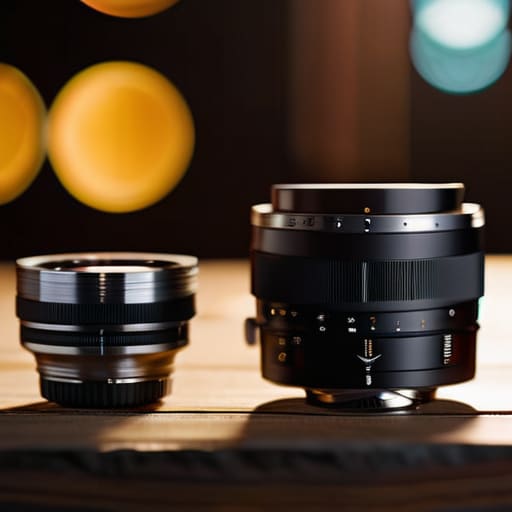
    When I’m looking at gear for extreme sports videography, I look for structural rigidity. I want to see metal reinforcement around the mounting points and glass that won’t scratch if it gets tossed in a gear bag. If the device relies on a cheap, thin lens cover, your wide angle lens performance is going to suffer the moment you get even a hint of grit or sand on the surface. Don’t let them talk you into buying a gadget that’s designed to be replaced in six months. Buy something that’s built to last.

    Wide Angle Lens Performance You Can Trust

    Wide Angle Lens Performance You Can Trust

    Most manufacturers will try to sell you on a massive field of view, but they often forget to mention the distortion that comes with it. I’ve seen plenty of these little devices produce footage that looks like you’re staring through a fishbowl. When you’re looking for reliable wide angle lens performance, you want a lens that captures the scale of the landscape without turning every straight line into a curve. If the glass is cheap, you’ll see chromatic aberration—those annoying purple fringes around the edges—the moment the sun hits the frame. A well-engineered lens should provide clarity from edge to edge, not just in the center.

    Furthermore, don’t get blinded by a high megapixel count if the sensor can’t handle the light. For serious extreme sports videography, you need a lens assembly that remains sharp even when you’re moving at high speeds. I always check the lens coating; if it doesn’t repel water and fingerprints effectively, you’re going to spend half your trip cleaning smudges off the glass instead of actually enjoying the outdoors. Don’t settle for soft edges just because the box says it’s “ultra-wide.”

    Five Things to Check Before You Hand Over Your Hard-Earned Cash

    • Don’t get blinded by the resolution numbers. A camera claiming 8K is useless if the sensor is so small that everything looks like a grainy mess the second the sun goes down. I’d much rather have a solid 4K image with decent bitrates than a high-resolution file that falls apart in real-world lighting.
    • Check the battery situation—and I mean the actual physical battery, not just the “estimated runtime” on the box. If the camera doesn’t allow for quick-swapping or if the battery compartment feels flimsy, you’re going to be stuck staring at a dead device right when things get interesting.
    • Look at the mounting points. If the camera only relies on those cheap, proprietary plastic clips, run the other way. You want something with a standard, sturdy screw-in thread or a mounting system that feels like it was engineered, not just molded in a rush.
    • Test the interface before you buy. If you have to navigate through five sub-menus just to change the frame rate, the designers failed. A good tool should be intuitive; you should be able to make adjustments with gloves on or while you’re actually moving.
    • Verify the water resistance yourself. “Waterproof” is a dangerous word in marketing. I want to see an actual IP rating and a build that feels sealed tight. If the rubber gaskets look thin or uneven, that camera isn’t going near a lake, no matter what the glossy brochure says.

    Roland’s Bottom Line on Action Cameras

    Stop looking at the spec sheet for “megapixels” and start looking at the chassis; if the housing feels like a toy in your hand, it’s going to crack the first time you drop it on a trail.

    Don’t get blinded by wide-angle marketing; if the lens distorts the image so much that you can’t tell what’s happening in the frame, the camera is useless regardless of how much it cost.

    Prioritize mechanical reliability over software bells and whistles—a camera that requires a dozen menu swipes just to change a setting is a camera that will fail you when you’re actually out in the field.

    The Truth About Durability

    I’ve spent enough time looking at blueprints to know the difference between a reinforced chassis and a thin layer of textured plastic meant to trick you into thinking it’s tough; if you can’t feel the weight of the build, you’re just paying for a fancy paperweight that’ll crack the first time it hits the dirt.

    Roland Delacroix

    The Bottom Line

    The Bottom Line: Prioritize hardware durability.

    At the end of the day, don’t let a shiny marketing campaign blind you to the actual build quality of these devices. We’ve looked at why a flimsy, unsealed plastic shell is a recipe for disaster and why a distorted, cheap wide-angle lens will only leave you with footage that looks like it was shot through a fishbowl. If you’re going to invest your hard-earned money, make sure you are paying for mechanical integrity and optical clarity, not just a brand name and a fancy app. Look for the seals, check the lens coatings, and ask yourself if the hardware can actually handle the environment you’re throwing it into. Buy for durability, not for hype.

    I’ve spent enough years in manufacturing to know that when things are built poorly, they fail exactly when you need them most. An action camera isn’t just a gadget; it’s a tool meant to capture a moment that might never happen again. Don’t let a piece of junk fail you right when the light hits the water or the trail gets steep. Choose a camera that respects your budget by actually performing its primary function without requiring constant maintenance or a replacement every six months. Get out there, use the gear you’ve chosen, and focus on the experience rather than troubleshooting a piece of overpriced plastic.

    Frequently Asked Questions

    How do I know if the battery is actually going to last through a full day of use, or if it's just another piece of junk that dies after twenty minutes?

    Don’t trust the “up to 90 minutes” claim on the box; that’s marketing math, not real-world physics. To find the truth, look for the mAh rating in the fine print and check if the camera supports external power via USB-C. If you’re out in the field, you need a model that can run off a power bank while recording. If the manufacturer won’t tell you the capacity, they’re hiding a weak cell.

    Is the waterproof rating actually legitimate, or am I going to be staring at a fogged-up lens the second I hit the water?

    Here’s the truth: a waterproof rating is just a number on a spec sheet until you test the seals. Most of these cheap units use thin rubber gaskets that perish the moment they hit salt water. If the manufacturer doesn’t explicitly mention double-sealed ports or high-grade silicone O-rings, assume it’s marketing fluff. I’ve seen too many “submersible” cameras end up with fogged lenses because the thermal expansion wasn’t accounted for. Check the seals before you dive.

    Do I really need to buy all those extra mounting accessories, or can I get by with the basic kit that comes in the box?

    Look, the “starter kit” in the box is usually just enough to get you through the first ten minutes of frustration. Most of those included mounts are flimsy plastic that’ll snap the moment you hit a bump. If you’re serious about not losing a thousand-dollar camera in a creek, invest in a solid, metal-reinforced suction cup or a heavy-duty chest mount. Don’t skimp on the hardware that actually holds the device.


  • Choosing the Best Computer Monitors for Coding

    Choosing the Best Computer Monitors for Coding

    I spent thirty years in manufacturing, where if a component wasn’t built to spec, the whole line ground to a halt. Nowadays, I see people spending a fortune on high-end gaming rigs or flashy, curved displays that look great in a showroom but fail miserably when you’re actually trying to sit down for an eight-hour shift. If you’re staring at lines of syntax all day, you don’t need RGB lights or gimmicky refresh rates; you need visual clarity and stability. Finding the best monitors for coding shouldn’t feel like a guessing game played by marketing departments, yet most people end up with nothing but eye strain and a heavy case of buyer’s remorse.

    I’ve sat down with my notepad and gone through the specs on dozens of these units to separate the engineering marvels from the expensive plastic. In this list, I’m cutting through the nonsense to show you five specific models that actually hold up under pressure. I’ll tell you exactly which ones offer the text sharpness you need to keep your eyes from burning and which ones provide the workspace real efficiency requires. No fluff, no marketing jargon—just the hardware that earns its place on your desk.

    Table of Contents

    The Workhorse: Dell UltraSharp U2723QE

    The Workhorse: Dell UltraSharp U2723QE monitor.

    I’ve spent a lot of time looking at panels, and this Dell unit is about as close to a solid engineering choice as you’ll find in the consumer market. It uses an IPS Black panel, which finally addresses that annoying gray, washed-out look you get with cheaper screens when you’re staring at lines of white text on a dark background. For a coder, contrast is everything because you don’t want your eyes straining to distinguish a semicolon from a colon at 2:00 AM.

    The Space Saver: LG DualUp 28MQ780-B

    The Space Saver: LG DualUp 28MQ780-B monitor.

    Most people think they need a massive, wide-screen monitor to get things done, but they often end up with a screen that’s too wide to see the whole thing without turning their neck. This LG setup is a bit of an oddity—it’s essentially two 1440p monitors stacked on top of each other in a single chassis. It’s a highly unconventional layout, but for someone who keeps a terminal window open on one side and a heavy IDE on the other, it’s a revelation.

    The High-Resolution King: ASUS ProArt PA329CV

    The High-Resolution King: ASUS ProArt PA329CV monitor.

    If you’re the type of person who needs to see every single pixel with absolute clarity, this ProArt is the heavy hitter. At 32 inches, it provides a massive canvas, but it’s the color calibration that caught my eye. While most coders aren’t doing professional photo editing, having a screen that is factory-calibrated means you aren’t dealing with weird color shifts that can cause eye fatigue over a long workday.

    The Budget Reliable: BenQ PD2700Q

    Not everyone wants to drop a month’s rent on a single piece of glass, and frankly, I don’t blame them. The BenQ PD2700Q is what I call a “no-nonsense” monitor. It doesn’t have a fancy curved screen or a built-in smart TV interface, and thank goodness for that. It focuses on the basics: a decent 1440p resolution and a stable, flicker-free display that won’t give you a headache by lunchtime.

    The Ultrawide Solution: Dell UltraSharp U3423WE

    Sometimes, you just need to throw the whole single-monitor philosophy out the window and go wide. This 34-inch ultrawide is for the person who refuses to deal with bezels in the middle of their field of view. Instead of two separate screens, you get one continuous expanse of workspace. It’s perfect for having your code, your documentation, and your browser all visible at once without the constant task of switching windows.

    Bottom Line: Don't Get Fooled by the Spec Sheet

    Stop chasing the highest refresh rates or flashy RGB lighting; if you’re writing code, you need pixel density and text clarity, not a gaming rig that’s built to break in two years.

    Prioritize ergonomics and build quality—a monitor with a flimsy plastic stand is a waste of money if it wobbles every time you type.

    Always check the panel type before you pull the trigger; if the contrast is poor, you’ll be squinting at your syntax all day, and that’s a recipe for a headache.

    The Engineer's Bottom Line

    Stop looking at the marketing brochures filled with bright colors and fancy buzzwords; when you’re staring at lines of code for eight hours a day, you don’t need a spectacle, you need a reliable piece of hardware that offers sharp text and won’t give you a headache by lunchtime.

    Roland Delacroix

    The Bottom Line

    Look, I’ve seen enough hardware go into landfills to know that you shouldn’t just buy whatever has the brightest marketing campaign. If you’re looking for pure screen real estate and color accuracy, go with the high-end professional models we discussed. If you’re working on a tighter budget, just make sure you prioritize a panel that won’t give you a headache after four hours of staring at lines of syntax. At the end of the day, you need a display that provides reliable text clarity and a stand that doesn’t wobble every time you bump your desk. Don’t get distracted by the bells and whistles; focus on the build quality and how the panel actually treats your eyes during a long shift.

    Investing in a good monitor isn’t about showing off a fancy desk setup for a video call; it’s about respecting your own time and your own eyesight. You spend more hours looking at this screen than you do looking at your family or your dinner, so stop settling for cheap, flickering plastic that makes your job harder than it needs to be. Buy something that is built to last, something that stays out of your way, and something that actually works the moment you flip the switch. A solid tool shouldn’t be a source of frustration—it should be the foundation that lets you get your work done and then get on with your life.

    Frequently Asked Questions

    Is it actually worth paying the premium for a 4K resolution, or can I get by with a standard 1440p setup without straining my eyes?

    Look, if you’re staring at lines of code for eight hours a day, those extra pixels matter. I’ve spent enough time under a microscope to know that clarity isn’t just a luxury; it’s about reducing eye strain. A 1440p setup is fine for general tasks, but 4K makes text look like it was printed on paper rather than rendered by a chip. If your budget allows, pay the premium for the sharpness. Your eyes will thank you.

    How much do these fancy "blue light filters" actually do, and will they mess with the color accuracy I need for my work?

    Look, I’ve seen enough “eye-care” marketing to know most of it is fluff. A software-based blue light filter is just a digital overlay that turns your screen a muddy shade of orange. It might ease the strain during a late-night session, but it’ll absolutely wreck your color accuracy. If you’re doing precise work, don’t rely on those settings. Just dim the brightness and keep a decent lamp on in the room. Simple is better.

    Do I really need a curved screen for coding, or is that just another marketing gimmick to get more money out of us?

    Look, I’ve seen plenty of “revolutionary” features in my time that turned out to be nothing more than clever sales tactics. For coding, a curve isn’t a necessity—it’s a luxury. If you’re working on a standard 27-inch screen, a flat panel is perfectly fine. However, if you’re stepping up to an ultrawide, that slight curve helps keep the edges in your peripheral vision without straining your neck. Don’t pay extra for it unless you’re going big.

  • How to Choose a Mirrorless Camera

    How to Choose a Mirrorless Camera

    I was sitting at my workbench last Tuesday, cleaning the dust out of an old Nikon SLR, when I realized just how much the industry has changed—and how much it’s gone to hell in the process. You go online looking for a decent mirrorless camera guide, and instead, you’re met with a mountain of marketing jargon and influencers telling you that you need a $4,000 setup just to take a decent photo of your grandkids. It’s all nonsense. Most of these new systems are built like toys, prioritizing flashy software features over the actual mechanical integrity and tactile reliability that a serious tool requires.

    I’m not here to sell you on the latest trend or help you chase specs that won’t matter the second you step out of your living room. My goal is simple: I’m going to give you a straight-shooting mirrorless camera guide based on what actually holds up under pressure. I’ll show you how to distinguish between a high-performance machine and a piece of overpriced plastic. We’re going to focus on build quality, ease of use, and whether that device is actually worth the dent it’s going to make in your retirement fund.

    Table of Contents

    Mirrorless vs Dslr Comparison Cutting Through the Marketing Hype

    Mirrorless vs Dslr Comparison Cutting Through the Marketing Hype

    Look, I’ve spent enough time around heavy-duty machinery to know that “smaller” doesn’t always mean “better.” When you look at a mirrorless vs DSLR comparison, the marketing departments will tell you that mirrorless is the undisputed king because it’s lighter. That’s a half-truth. While you’ll certainly save some weight on your neck, you’re often trading away that solid, tactile camera body ergonomics that makes a DSLR feel like a real tool in your hands. A DSLR has a physical mirror flipping inside; it’s mechanical, it’s predictable, and it’s rugged. Mirrorless systems rely on an electronic viewfinder, which is fine until your battery decides to quit on you mid-shoot.

    That said, I can’t deny the engineering behind modern autofocus performance. The way these newer mirrorless sensors track an eye or a moving object is frankly impressive compared to the old mechanical limiters I grew up with. But don’t get distracted by the flashy specs. A lot of these compact bodies are built with thin plastics that won’t survive a drop in a workshop or a dusty hiking trail. If you’re buying, look past the digital bells and whistles and check the build quality of the chassis first.

    Full Frame vs Aps C Sensor What You Actually Need

    Full Frame vs Aps C Sensor What You Actually Need

    Now, let’s get into the real meat of the matter: the sensor. You’ll see manufacturers throwing around terms like “Full Frame” and “APS-C” like they’re selling magic beans, but it really comes down to physics and your wallet. A full frame sensor is larger, which means it captures more light and provides that shallow depth-of-field look people crave. If you’re planning on shooting professional portraits or working in dim lighting, it’s hard to beat. However, there is a catch: the gear is heavier, more expensive, and frankly, a bit of a chore to lug around.

    On the flip side, an APS-C sensor is smaller, which makes the overall kit much more compact. For most people, the full frame vs APS-C sensor debate isn’t about which is “better,” but about what’s practical for your specific use case. If you’re just starting out, an APS-C setup offers better value for your money without sacrificing much in the way of modern autofocus performance. Don’t let a salesperson convince you that you need a massive, heavy rig just to take decent photos of your grandkids or a landscape on vacation.

    Five Things to Check Before You Hand Over Your Hard-Earned Cash

    • Don’t get blinded by the megapixel count on the box. A high resolution doesn’t mean a damn thing if the sensor is small and the lens mount feels like it’s made of cheap toys. Focus on the sensor size and the build quality of the body first.
    • Test the ergonomics before you buy. I’ve seen plenty of “sleek” modern designs that are a nightmare to hold for more than ten minutes. If the buttons aren’t where your fingers naturally rest, you’re going to hate using it by the end of the first week.
    • Look past the fancy autofocus claims and check the battery life specs. These mirrorless bodies eat through power like a hungry teenager. If you can’t find a way to carry two extra batteries or a reliable external charger, you’re going to end up with a very expensive paperweight halfway through your shoot.
    • Verify the lens ecosystem. A camera is just a box without glass, and if the manufacturer makes it impossible or overpriced to find decent lenses, you’re stuck in a dead-end system. Check if there’s a wide range of third-party options available before you commit.
    • Inspect the weather sealing. If you plan on taking this thing anywhere that isn’t a climate-controlled living room, you need to know if it can actually handle a bit of dust or a light drizzle. If the manufacturer is vague about it, assume it’s not there.

    The Bottom Line: Don't Get Sold a Lemon

    Stop chasing the highest megapixel count on the spec sheet; if the build quality is flimsy and the lens mount feels like cheap toy plastic, your photos won’t be any better for it.

    Don’t overspend on a Full Frame sensor unless you’re actually shooting in low light or doing professional-grade work; for most people, an APS-C setup is more than enough and much easier on the wallet.

    Prioritize ergonomics and physical controls over fancy touchscreen menus—if you can’t adjust your settings by feel without staring at a screen, the camera is going to get in the way of your shot.

    The Truth About Modern Gear

    “Don’t get blinded by a high megapixel count or a fancy touchscreen if the build quality feels like a toy; I’d rather have a camera that survives a drop on a concrete floor than one that looks pretty in a catalog but breaks the moment you actually take it to work.”

    Roland Delacroix

    Bottom Line: Don't Let the Spec Sheet Decide for You

    Bottom Line: Don't Let the Spec Sheet Decide for You

    At the end of the day, choosing a camera isn’t about finding the one with the most bells and whistles or the highest price tag. We’ve looked at how mirrorless systems offer speed and portability, and we’ve weighed the actual practical differences between a full-frame sensor and a more compact APS-C setup. My advice remains the same: don’t get blinded by the marketing gloss. Look for build quality that feels substantial in your hands and a menu system that doesn’t require a PhD to navigate. If the body feels like a cheap toy and the software is prone to lagging when you need it most, it doesn’t matter how many megapixels the box claims to have—it’s just expensive plastic that’s going to fail you when the light gets low.

    Once you’ve done the legwork and picked a reliable piece of kit, stop worrying about the gear and start looking through the viewfinder. A camera is a tool, plain and simple, and like any good tool in a workshop, its value is determined by the work you do with it. Don’t let the pursuit of the “perfect” setup keep you from actually taking pictures. Buy something that works, keep it well-maintained, and get out there and shoot. The best camera in the world is useless if it stays sitting on your shelf because you were too busy reading reviews.

    Frequently Asked Questions

    Are these new mirrorless lenses actually built to last, or am I just paying a premium for more electronic components that'll fail in five years?

    Look, I’ve spent enough time with mechanical assemblies to know that more moving parts usually means more points of failure. With these new mirrorless lenses, you’re paying for sophisticated autofocus motors and weather sealing, which is fine, but you’re also paying for a lot of delicate electronics. If you buy the high-end glass with proper metal mounts, they’ll hold up. But if you go cheap, you’re just buying an expensive plastic toy that’ll quit on you.

    If I switch from a DSLR to mirrorless, am I going to be forced into buying a whole new set of expensive glass, or can I use what I already have?

    Not necessarily, but don’t expect it to be a seamless transition. If you’re moving from a Nikon or Canon DSLR, you can usually use your old lenses by picking up a mount adapter. It’s a solid way to save a few hundred bucks and keep your heavy glass. Just keep in mind that while the adapter works, you might lose some of that lightning-fast autofocus precision you’re used to. Check the specs before you buy.

    How much does battery life actually matter in the real world, and am I going to be stuck carrying three spares just to get through a single afternoon?

    Look, if you’re planning a day of hiking or shooting a wedding, don’t trust the manufacturer’s “up to 500 shots” claim. That’s lab math, not real-world physics. Mirrorless cameras are essentially small computers, and those electronic viewfinders are power hogs. If you’re shooting high frame rates or video, you’ll burn through a cell faster than a cheap capacitor. Pack at least two spares. It’s better to have them and not need them than to be left holding a paperweight.

  • Selecting the Best E-reader for Book Lovers

    Selecting the Best E-reader for Book Lovers

    I remember when a book meant the smell of paper and the weight of a spine in your hand. Nowadays, everyone is trying to sell you a digital slab that feels like little more than a glorified smartphone. I’ve spent the last few months tearing through the latest releases, and frankly, most of them are just overpriced plastic designed to fail the moment you take them out of the box. If you’re looking for the best e-readers on the market, you shouldn’t be looking at the flashy marketing gimmicks or the fancy touchscreens that lag every time you turn a page. You need to look at the build quality and the actual utility of the device.

    I’m not here to give you a sales pitch; I’m here to give you the truth. In this list, I’ve narrowed it down to five specific models that actually meet my standards for durability and ease of use. I’ll show you which ones are worth your hard-earned money and which ones are just expensive distractions that will end up in a junk drawer by next Christmas. Let’s get into it.

    Table of Contents

    The Gold Standard for Reliability

    Kindle Paperwhite: The Gold Standard for Reliability.

    If you want a device that just works without a fuss, the Kindle Paperwhite is the one I keep on my nightstand. I’ve spent enough time looking at manufacturing tolerances to appreciate how well Amazon has nailed the build quality on this thing. The screen is crisp, the battery life is actually impressive, and it doesn’t feel like a cheap toy when you pick it up.

    The Premium Choice for Serious Readers

    The Premium Choice for Serious Readers Kindle.

    Now, if you have the budget and you want something that feels a bit more substantial, the Kindle Oasis is a different beast entirely. The aluminum chassis gives it a weight and a structural integrity that most modern tablets lack. It’s got a physical page-turn button, which might sound old-fashioned to some, but as an engineer, I tell you: tactile feedback is king.

    The Open System Alternative

    Kobo Libra 2: The Open System Alternative.

    For those of you who hate being locked into a single manufacturer’s walled garden, the Kobo Libra 2 is your best bet. I’ve always preferred systems that allow for a bit more user control, and Kobo handles file management much more gracefully than Amazon does. You can drop your own files onto it without having to jump through a dozen digital hoops.

    The High-End Specialist

    The Onyx Boox series is a bit of a curveball, but it’s worth mentioning if you need more than just a book reader. These are essentially Android tablets with E-ink screens, which makes them incredibly powerful but also a bit more complicated than I usually like. If you need to run specific apps or want a device that functions like a mini-computer, this is the heavy-duty option.

    The Budget-Friendly Workhorse

    Finally, we have the basic Kindle, often referred to as the entry-level model. It’s mostly plastic, and it doesn’t have all the bells and whistles of the more expensive units, but it serves its purpose. If you just want something to throw in a bag and read without worrying about whether it’s going to break, this is a functional tool that gets the job done.

    Bottom Line: Don't Get Fooled by the Marketing

    Stop looking at the flashy color screens or the fancy app stores; if the battery life is garbage and the interface lags, it’s just a glorified paperweight.

    Prioritize build quality and screen clarity over extra features you’ll never use—a good e-reader should feel like a tool, not a fragile toy.

    Buy for the long haul by choosing a device with a proven track record of reliability, rather than chasing the latest trend that’ll be obsolete in twelve months.

    The Bottom Line on E-Readers

    “I don’t care how many pixels they cram onto a screen or how many ‘smart’ features they tack on; if the chassis feels like a cheap toy and the battery dies before you finish a chapter, it’s nothing more than an expensive paperweight.”

    Roland Delacroix

    The Bottom Line

    Look, I didn’t spend thirty years in manufacturing to tell you that every gadget on the shelf is worth your hard-earned cash. Most of these devices are just more clutter, but if you pick the right one, you’re getting a tool that actually serves a purpose. Whether you decide to go with the seamless ecosystem of a Kindle or the open, flexible nature of a Kobo, the goal remains the same: you want a device that stays out of your way so you can actually focus on the words. Don’t get distracted by the flashy marketing or the extra features nobody uses; just focus on battery life and screen clarity. If the hardware feels like it’s going to snap in your hands after six months, walk away.

    At the end of the day, an e-reader isn’t supposed to be a status symbol or a piece of high-tech-eye-candy. It’s a gateway to a book, and it should be as reliable as a well-built wrench. I’ve seen enough flimsy consumer electronics come and go to know that simplicity is usually where the real value lies. Buy something that works, treat it with a bit of respect, and then get back to what actually matters: reading. Stop overthinking the specs and just get a device that works when you sit down in your favorite chair.

    Frequently Asked Questions

    How long can I actually expect the battery to last before I'm tethered to a wall outlet again?

    Look, I’m not interested in marketing fluff about “weeks of battery life.” In the real world, it depends on how much you tinker with the backlight and Wi-Fi. If you’re just reading a book in a well-lit room with the settings dialed in, you can easily go three or four weeks without hunting for a cable. But if you’re cranking that brightness up to max, don’t expect it to last much longer.

    Is it worth paying the premium for a waterproof model, or is that just more unnecessary tech?

    Look, I’ve seen enough “durable” gear fail because of a single drop of moisture to know that waterproofing isn’t just marketing fluff. If you’re the type who reads in the bath or by the pool, pay the premium. It’s not about luxury; it’s about the seal integrity. If you’re just reading in a dry armchair, skip it. But for most, that extra bit of protection is the difference between a tool and a paperweight.

    Can I actually transfer my own files to these things, or am I stuck using whatever proprietary store they want to sell me?

    Look, I’ve seen this pattern a thousand times: companies try to build a “walled garden” to keep you paying their subscription fees. The good news is that most decent e-readers still allow for side-loading. If you’ve got a library of EPUBs or PDFs on your hard drive, you can usually just plug the device in via USB and drag your files over like it’s a thumb drive. Just check the specs first to ensure they aren’t being overly restrictive.

  • Understanding the Difference Between Ultrabooks and Standard Laptops

    Understanding the Difference Between Ultrabooks and Standard Laptops

    I was sitting at my workbench last week, cleaning the contacts on a vintage Marantz receiver, when my nephew came over asking for help picking out a new computer. He was staring at a dozen different spec sheets, completely lost in a sea of marketing jargon about “ultra-slim profiles” and “cloud integration.” It’s the same old story: everyone wants something that looks good on a coffee shop table, but nobody asks how it’s actually going to hold up after a year of real-world use. When you’re staring down the choice between an ultrabook vs laptop, it’s easy to get blinded by how thin a device is and forget that thinness often comes at the expense of substance.

    I’m not here to recite a brochure or tell you which device has the prettiest LED backlight. My goal is to strip away the fluff and look at the actual engineering behind these machines. I’m going to break down the real-world trade-offs of the ultrabook vs laptop debate, focusing on thermal management, port availability, and build integrity. I’ll tell you exactly when that lightweight design is a smart investment and when you’re just paying a premium for expensive plastic that won’t survive a single drop.

    Table of Contents

    The Ultrabook

    Slim and portable The Ultrabook computer.

    An ultrabook is a high-end, ultra-portable personal computer designed with a focus on extreme thinness and long battery life. These machines utilize highly integrated components to maintain a slim profile, aiming to provide a seamless mobile experience for users who are constantly on the move.

    I’ve spent a lot of time looking at these things through my magnifying glass, and I’ll tell you right now: they are a marvel of miniaturization, but they come with a trade-off. When you’re sitting in a coffee shop or a cramped airplane seat, having a device that doesn’t feel like a brick in your briefcase is a genuine luxury. However, you have to ask yourself if that slight reduction in weight is worth the fact that you can’t easily upgrade the internals once they’re soldered shut. It’s a trade-off between convenience and long-term utility.

    The Standard Laptop

    A robust hardware architecture, The Standard Laptop.

    A standard laptop is a versatile, all-purpose computing machine built to balance processing power, storage capacity, and physical durability. Unlike more specialized devices, these machines prioritize a robust hardware architecture that allows for a wider variety of ports, cooling systems, and internal expansion options.

    In my years of engineering, I learned that if you want something to last, you need room for it to breathe and space for parts to be replaced. A standard laptop might be a bit more cumbersome to lug around, but it offers a level of mechanical reliability that these ultra-thin gadgets often lack. You aren’t just buying a screen and a keyboard; you’re buying a tool that can actually handle a heavy workload without overheating or becoming obsolete the moment a single chip fails.

    Comparison of Ultrabooks vs. Standard Laptops

    Feature Ultrabook Standard Laptop
    Primary Focus Portability and Slim Design Versatility and Performance
    Weight Ultra-lightweight Moderate to Heavy
    Battery Life Long-lasting Variable
    Performance Optimized for efficiency High-end/Gaming capability
    Port Selection Limited (USB-C/Thunderbolt) Extensive (HDMI, USB-A, SD)
    Price Premium/High Budget to Mid-range
    Best For Frequent travelers and students Gamers, creators, and power users

    The Truth About Ultrabook Performance vs Standard Laptop Reality

    The Truth About Ultrabook Performance vs Standard Laptop Reality.

    Look, it’s easy to get blinded by a benchmark score on a glossy spec sheet, but you need to understand that performance isn’t just about how fast a chip can cycle; it’s about how long it can actually sustain that speed. When you’re choosing between an ultrabook and a standard laptop, you aren’t just buying raw power—you’re buying how that power manages heat and energy over a long afternoon of work.

    In my experience, ultrabooks are built for the sprint. They use low-voltage processors designed to keep things thin and quiet, which is fine for checking emails or writing a report, but the moment you push them, they hit a thermal ceiling. They start to throttle performance to prevent the chassis from melting in your hands. A standard laptop, on the other hand, has the physical volume to house better cooling systems and higher-wattage components. It’s bulkier, sure, but it doesn’t quit when the workload gets heavy.

    If you need a machine that can handle heavy multitasking or sustained processing without slowing to a crawl, the standard laptop is the clear winner. Don’t let the slim profile of an ultrabook fool you into thinking it can do the heavy lifting.

    Laptop Portability vs Power What Actually Works in the Field

    Here’s the thing about the portability versus power debate: it’s a trade-off that most marketing departments try to hide behind glossy adjectives. In my years of engineering, I learned that you can’t cheat the laws of physics. You either want a machine that can handle a heavy workload without overheating, or you want something that won’t break your back when you’re moving from the office to the kitchen table. You rarely get both in one chassis, and if a salesperson tells you otherwise, keep your wallet closed.

    When you take an ultrabook into the field, you’re betting on convenience. They are light, sure, but that thin profile means they have almost no thermal headroom. If you try to run something intensive, they’ll throttle their speed just to keep from melting the casing. A standard laptop, on the other hand, is a different beast entirely. It’s heavier and bulkier, but that extra volume allows for better cooling and more robust components. It’s the difference between a lightweight commuter car and a workhorse diesel truck; one is easy to park, but the other actually moves the load.

    If you’re just browsing the web or checking emails on the go, the ultrabook wins for ease of use. But if you actually need to get work done without the machine choking on its own heat, the standard laptop is the only reliable choice.

    The Bottom Line: Don't Buy the Hype

    If you’re someone who actually works on the move or needs to plug in multiple peripherals without carrying a bag full of dongles, stick with a standard laptop; those ultrabooks trade essential connectivity for a slim profile that usually ends up being more trouble than it’s worth.

    Don’t mistake “thin” for “high-performance.” An ultrabook is designed for browsing and light office tasks, but if you try to run heavy software or demanding calculations, you’ll hit a thermal ceiling that no amount of marketing can fix.

    Before you swipe your card, decide what you value more: the convenience of a lightweight machine for coffee shop trips, or the long-term reliability and raw power of a machine built to actually handle a heavy workload.

    The Real Cost of Thinness

    “Marketing departments will try to sell you on how thin and light a device is, but as an engineer, I’ll tell you the truth: you’re usually paying a premium to trade away thermal headroom and repairability for a bit of aesthetic flair.”

    Roland Delacroix

    Making the Right Call for Your Wallet

    At the end of the day, choosing between an ultrabook and a standard laptop comes down to what you actually intend to do with the machine. If you are someone who is constantly on the move and only needs to handle emails, web browsing, or light document editing, the slim profile of an ultrabook is a reasonable trade-off. However, if you are looking for a machine that can handle heavy lifting—like video editing, complex spreadsheets, or long-term thermal stability—you are going to find those thin ultrabooks frustratingly limited. Don’t let the sleek aesthetics distract you from the fact that standard laptops offer the thermal headroom and port selection you actually need for serious work. I’ve seen too many people buy into the “thinner is better” myth only to realize they’ve bought a glorified tablet that throttles its own speed the moment things get difficult.

    My advice is simple: stop looking at the marketing brochures and start looking at the build specifications. A tool is only useful if it meets the demands of the job without failing you when the pressure is on. Whether you choose the portability of an ultrabook or the brute force of a traditional laptop, make sure you are buying for reliability and longevity rather than just chasing the latest trend. Invest in hardware that feels solid in your hands and performs consistently over the years. You worked hard for your money; don’t spend it on expensive plastic that won’t be worth anything in twenty-four months.

    Frequently Asked Questions

    If I go with an ultrabook to save weight, am I going to regret it when I can't plug in my external hard drives or a standard mouse?

    You’re hitting on the exact problem with this “thin-and-light” trend. If you go with an ultrabook, you’re almost certainly going to regret the lack of ports. Most of them have stripped everything down to just one or two USB-C slots. You’ll end up carrying a “dongle bag”—a collection of plastic adapters just to plug in a simple mouse or a hard drive. It defeats the whole purpose of being portable if you’re lugging extra gear.

    Are these thin-and-light models actually going to overheat and throttle my speed when I'm actually trying to get work done?

    Here’s the short answer: Yes, they absolutely can. When you shrink a machine down to the size of a notepad, you’re fighting the laws of thermodynamics. Those thin ultrabooks lack the physical volume for decent heat sinks and fans. If you start running heavy computations or long video renders, the system will throttle the CPU just to keep from melting the internal components. If your work demands sustained power, don’t let that slim profile fool you.

    How much more am I realistically paying for the "slim" design versus getting a machine that's built to actually last five or ten years?

    You’re paying a “thinness tax,” and it’s steeper than the sticker price suggests. When you buy an ultrabook, you aren’t just paying for a slimmer chassis; you’re paying for miniaturized, integrated components that are nearly impossible to repair. A standard laptop gives you modularity—swappable RAM or easy SSD access. With an ultrabook, once a single soldered chip fails in five years, the whole machine becomes expensive scrap metal. Stick to the bulk if you want longevity.

  • Finding a Quality Budget Smartphone

    Finding a Quality Budget Smartphone

    I was sitting at my workbench last Tuesday, tinkering with a 1970s Marantz receiver, when my nephew tried to convince me that he needed a thousand-dollar handset just to check his email and take a few photos. It’s the same old story I see every time I walk into a retail store: salespeople trying to bury you under a mountain of technical jargon and marketing fluff to justify a price tag that’s frankly insulting. Most people think they need the latest flagship to stay connected, but they’re really just paying a premium for overpriced glass and marketing. I’ve spent my career looking at how things are actually built, and if you follow this budget smartphone guide, you’ll see that you don’t need to go broke just to get a device that functions reliably.

    I’m not here to show you flashy renders or talk about theoretical processing speeds that won’t matter in six months. My goal is to cut through the nonsense and show you which devices have the build quality to survive a drop and the battery life to actually last a full day. I’ll be looking at the specs with a critical eye—focusing on what actually matters to a person using a tool—so you can stop wasting your hard-earned money on expensive plastic.

    Table of Contents

    Identifying the Best Value Smartphones 2024

    Identifying the Best Value Smartphones 2024 specs.

    When you’re looking for the best value smartphones 2024 has to offer, you have to stop looking at the shiny marketing brochures and start looking at the guts of the machine. Most people make the mistake of chasing a brand name, but I want you to look at the specs. I always grab my notepad and jot down the processor and RAM specs first. You don’t need the fastest chip on the planet, but if the mid-range phone performance is sluggish, you’re just buying a paperweight that’ll be obsolete by next Christmas.

    I also tell my friends to pay close attention to the build. A lot of these cheaper units feel like they’ll crack if you look at them wrong. Don’t just settle for a device that looks good in a commercial; check the battery longevity and the actual materials used in the casing. I’ve seen plenty of “deals” that fall apart after six months because the manufacturer cut corners on the internal soldering or the battery cells. You want a device that offers cost-effective mobile devices that actually hold a charge and stay upright on your desk without feeling like a toy.

    Why Processor Benchmarks for Cheap Phones Matter

    Why Processor Benchmarks for Cheap Phones Matter

    Now, I see people getting distracted by flashy screens or fancy camera lenses, but they’re missing the engine under the hood. When you’re looking at processor benchmarks for cheap phones, you aren’t just looking at numbers on a screen to impress some tech enthusiast; you’re looking at the longevity of the device. In my engineering days, we knew that if the core components couldn’t handle the load, the whole system would eventually fail. A weak processor might feel fine for the first week, but as soon as you try to run a basic update or open a few heavy apps, that “bargain” phone will start stuttering like an old diesel engine on cold weather.

    If you want real mid-range phone performance without paying a premium, you have to pay attention to how that chip manages heat and power. A cheap, inefficient processor will drain your battery faster than a leaky faucet, making your smartphone battery life comparison look grim regardless of how big the battery claims to be. Don’t let them sell you a device that’s basically a paperweight in eighteen months just because it looked pretty in the box.

    My Checklist for Avoiding the "Cheap Phone" Trap

    • Stop looking at the megapixels. A 100-megapixel camera on a budget sensor is just marketing fluff; focus on whether the phone actually has decent optical image stabilization so your photos aren’t a blurry mess.
    • Check the build materials before you swipe your card. If it feels like a hollow toy in your hand, it’s going to crack the first time you set it down on a granite countertop. Look for reinforced plastics or decent grip.
    • Don’t get seduced by massive storage numbers if the RAM is garbage. I’ve seen plenty of phones with 256GB of space that crawl to a halt because they only have 3GB of RAM to actually run the software.
    • Demand at least four years of security updates. There is no point in buying a device if the manufacturer is going to abandon it in twelve months, leaving your personal data exposed to every script kiddie on the internet.
    • Inspect the charging port and jack. In an era where everything is “wireless,” I still want a device that has a reliable, physical connection that doesn’t wiggle loose after a month of heavy use.

    My Bottom Line on Budget Phones

    Stop chasing high numbers on a spec sheet; a fast processor is useless if the manufacturer built the phone out of cheap, flimsy plastic that cracks the first time you set it down.

    Prioritize the core components like the chipset and battery life over flashy gimmicks like extra camera lenses that you’ll never actually use.

    Look for hardware that feels substantial in your hand—if a device feels like a toy, it’s going to break, and you’ll end up spending more money replacing it than you saved upfront.

    The Real Cost of a Bargain

    I’ve seen enough cheap components in my time to know that a low price tag usually means someone cut corners on the internal circuitry. When you’re looking at a budget phone, don’t just look at the shiny screen; look for the hardware that’s actually going to keep that screen running two years from now.

    Roland Delacroix

    The Bottom Line

    The Bottom Line: choosing budget smartphones.

    At the end of the day, finding a decent budget smartphone isn’t about chasing every shiny new feature advertised on a billboard. It comes down to the fundamentals we’ve discussed: finding a processor that won’t choke the moment you open three apps, ensuring the build quality isn’t just flimsy, hollow plastic, and making sure the battery can actually survive a full day of real-world use. I’ve spent enough time looking at schematics to know that if a manufacturer skimps on the internal components to save a few cents, you’re the one who pays the price when the device starts lagging or overheating six months down the line. Don’t let the marketing departments distract you; stick to the specs that actually impact your daily life.

    My advice is simple: buy for utility, not for status. You don’t need to spend a thousand dollars to stay connected, and you certainly don’t need a device that requires a manual the size of a phone book just to send a text. A tool is meant to serve you, not the other way around. If you find a device that is reliable, easy to operate, and holds up under pressure, then you’ve won the game. Stop chasing the hype and start looking for durability and honest value. That is how you keep your hard-earned money in your pocket where it belongs.

    Frequently Asked Questions

    Is it actually worth spending an extra fifty bucks to get a slightly better processor, or is that just marketing fluff?

    Look, I’ve spent enough time looking at schematics to know that fifty bucks isn’t much, but it’s not nothing either. If that extra bit of money moves you from a bottom-shelf chip to something mid-range, take the deal. A weak processor is the first thing to fail when you’re multitasking, and once it starts lagging, the whole device becomes a paperweight. Don’t let them sell you on “speed” as fluff; in a budget phone, a better chip is about longevity, not just vanity.

    How can I tell if a phone is built to last or if it's just going to fall apart in six months?

    Look at the seams. If you see gaps between the screen and the frame, or if the back panel feels like a cheap toy, put it back on the shelf. I always check the weight, too; if it feels hollow, it probably is. Look for reinforced corners and a decent weight distribution. You want something that feels like a solid tool, not a piece of disposable junk that’ll crack the first time it slips off your nightstand.

    Will a cheaper phone still get the necessary security updates, or am I buying a security risk?

    Here’s the truth: most budget manufacturers treat security updates like an afterthought. They’ll sell you the hardware, but they won’t bother maintaining the software. If you buy a no-name brand just to save fifty bucks, you’re likely buying a ticking time bomb for your personal data. Before you pull the trigger, check the manufacturer’s specific policy on security patches. If they don’t promise at least two or three years of updates, walk away.

  • Selecting a Gaming Mouse for Competitive Play

    Selecting a Gaming Mouse for Competitive Play

    I was sitting at my workbench last Tuesday, cleaning the oxidation off some old vacuum tubes, when I saw an advertisement for a new “ultra-responsive” gaming mouse. It was covered in RGB lights that looked like a cheap carnival attraction and cost more than my first car. Honestly, it makes my blood boil. These companies want you to believe that you need twenty programmable buttons and a sensor designed for a lunar landing just to click on a target. Most of what you see on the market today is nothing more than overpriced, hollow plastic wrapped in neon lights to distract you from the fact that the build quality is absolute garbage.

    I’m not here to sell you on the latest flashy gimmick or some marketing jargon that sounds like it was written by a teenager. My goal is to cut through the noise and tell you which hardware actually holds up under pressure. I’m going to look at the switches, the weight distribution, and the sensor reliability—the stuff that actually matters. By the time we’re done, you’ll know how to pick a gaming mouse that feels like a precision tool rather than a disposable toy.

    Table of Contents

    Mechanical vs Optical Switches Reliability Over Marketing Hype

    Mechanical vs Optical Switches Reliability Over Marketing Hype

    Now, let’s get into the guts of the thing. When you’re looking at a spec sheet, you’ll see a lot of talk about mechanical vs optical switches, but most of it is just marketing noise. In my day, we built things to last through physical contact. Mechanical switches work on that same principle—a metal contact that completes a circuit. They feel great, they have a tactile “click” that tells your brain the job is done, but they have a weakness: oxidation and physical wear. Eventually, that metal fatigues, and you get “double-clicking” issues that drive you mad.

    Optical switches, on the other hand, use a beam of light to register a click. There’s no physical contact to wear down, which theoretically means they last longer and offer a faster response time. If you’re worried about latency or consistency during a high-stakes match, the optical route is often the smarter bet. I don’t care how many LEDs they flash on the side; if the switch underneath is unreliable, the whole device is just an expensive paperweight. Stick to what is proven, not just what looks flashy on a box.

    Why Mouse Weight for Esports Actually Matters to Your Wrist

    Why Mouse Weight for Esports Actually Matters to Your Wrist

    I’ve seen too many people get caught up in the “more is better” trap when it comes to hardware. They buy these heavy, brick-like peripherals thinking the extra heft equates to premium quality. In my engineering days, we knew that mass equals inertia, and in the context of mouse weight for esports, inertia is your enemy. If you’re trying to make a micro-adjustment during a high-stakes match, a heavy device forces your wrist to work harder to overcome that initial resistance. Over a few hours of play, that extra strain isn’t just annoying; it’s a recipe for repetitive strain injuries.

    You want something that moves when you tell it to, not something you have to fight. I generally recommend looking for a lightweight build that doesn’t feel like a hollow toy. It’s about finding that sweet spot where the device feels substantial enough to control, but light enough that your movements remain fluid. Don’t let a manufacturer convince you that weight equals durability. If the internal components are poorly balanced, a lighter shell will actually help you maintain better precision without taxing your tendons.

    Five Things to Check Before You Pull the Trigger

    • Look at the cable, not just the sensor. If the cord feels like a stiff, braided mess that fights your hand every time you move, you’ll hate using it within a week. You want something flexible, almost like a piece of silk, so it doesn’t drag or snag on your desk.
    • Don’t get distracted by the RGB lights. All those flashing colors don’t make the sensor more accurate; they just make the mouse more expensive and drain your power if it’s wireless. Focus on the build quality of the shell instead of how much it glows.
    • Check the feet. Most manufacturers use cheap, hard plastic glides that feel like sandpaper on a mousepad. Look for mice that use PTFE (Teflon) feet; they should feel smooth, like the mouse is gliding on a thin layer of oil.
    • Test the button tension. A good mouse shouldn’t feel mushy or require a heavy stomp to register a click. If the buttons feel inconsistent or “spongy,” it’s a sign of poor internal construction, and it’ll likely fail you when you need it most.
    • Avoid the “one size fits all” trap. Your hand isn’t the same size as a professional esports player’s, so don’t buy a mouse just because a reviewer said it’s “top tier.” If it doesn’t fit your grip naturally, you’re just asking for carpal tunnel.

    The Bottom Line: What to Look for Before You Buy

    Stop chasing the RGB lights and fancy software; focus on the build quality and whether the switches feel solid, not hollow.

    Don’t let a manufacturer convince you that “more features” equals better; if the weight makes your wrist ache after an hour, it’s a bad tool.

    Check the sensor specs, but more importantly, make sure the feet glide smoothly without catching—if it doesn’t feel precise in your hand, it’s just expensive plastic.

    ## The Real Cost of "Gamer" Aesthetics

    I’ve seen enough over-engineered, RGB-lit junk to know that a flashing light doesn’t make a sensor more accurate, and a hollow shell doesn’t make a mouse faster; if the build quality doesn’t feel solid in your hand, you’re just paying a premium for a glorified paperweight.

    Roland Delacroix

    Bottom Line: Don't Get Sold a Lemon

    Bottom Line: Don't Get Sold a Lemon.

    At the end of the day, picking out a gaming mouse shouldn’t feel like you’re trying to solve a calculus equation just to get through a match. We’ve looked at why you need to prioritize switch reliability over flashy RGB lights and why the weight of the device is a matter of long-term joint health, not just some pro-player gimmick. If the build quality feels hollow or the sensor skips when things get intense, it doesn’t matter how many “extra buttons” it boasts—it’s just a glorified paperweight. Stick to the specs that actually affect your performance: mechanical integrity, sensor precision, and ergonomic weight.

    I’ve spent enough years in manufacturing to know that the most expensive item in the box isn’t always the best one. Sometimes, the most reliable tool is the one that does exactly what it’s supposed to do without requiring a firmware update every Tuesday. Don’t let the marketing departments at these big tech firms talk you into buying into the hype. Buy something that feels solid in your hand, works consistently, and actually lasts longer than a single season. Invest in gear that respects your wallet and your hardware, and you won’t find yourself back in the store six months from now looking for a replacement.

    Frequently Asked Questions

    How do I know if the sensor is actually high-quality or just some cheap component wrapped in fancy software?

    Look, don’t get blinded by the RGB lighting and the “Pro-Gamer” labels on the box. Most of that software is just window dressing. To tell if a sensor is legitimate, look for “IPS” (inches per second) and “Acceleration” specs in the technical manual. If the manufacturer is too vague to list them, they’re hiding a cheap component. A real sensor shouldn’t spin out or jitter when you make a fast, decisive movement.

    Are those heavy, RGB-lit mice actually worth the extra cost, or am I just paying for lights?

    Look, if you’re paying a premium for a rainbow of flashing lights, you’re being taken for a ride. RGB doesn’t improve sensor accuracy or click latency; it just drains your battery and looks gaudy. As for the weight, extra heft isn’t a sign of “premium” build quality anymore—it’s often just cheap filler to make a hollow shell feel substantial. If the extra cost isn’t going into the sensor or the switch durability, it’s just expensive plastic.

    What should I look for in a cable to make sure it doesn't get tangled or drag across my desk like a piece of wet rope?

    Look, if you’re still fighting a cable that feels like a heavy, stiff garden hose, you’re doing it wrong. You want a “paracord” style cable. These use a soft, braided outer jacket that’s incredibly flexible, almost like silk. It eliminates that annoying drag and won’t fight your movements. Avoid those thick, rubberized cables they bundle with cheap mice; they’re built for durability in a factory, not for smooth movement on your desk.

  • Choosing Between External Hard Drives and Ssd Storage

    Choosing Between External Hard Drives and Ssd Storage

    I was sitting at my workbench last Tuesday, surrounded by the warm hum of a vintage Marantz receiver, when I realized just how much the industry has changed for the worse. I watched a neighbor struggle with a brand-new, sleek-looking gadget that promised the world, only to have it fail because the internal components were nothing more than cheap, lightweight junk. It’s the same story every time you go shopping for external hard drives these days; companies wrap mediocre hardware in shiny, polished shells and charge you a premium for the privilege. They want you to believe that more gigabytes and prettier lights matter, but as an engineer, I know that build quality is everything.

    I’m not here to sell you on the latest marketing gimmick or some overpriced cloud subscription that’ll lock your data behind a paywall. My goal is simple: I want to help you identify which drives are built with actual integrity and which ones are just expensive plastic bricks waiting to fail. I’ve spent my life studying how machines work—and how they break—so I’m going to give you the straight truth on what’s worth your hard-earned money.

    Table of Contents

    The Real Cost of Terabyte Capacity Comparison

    The Real Cost of Terabyte Capacity Comparison.

    When you’re looking at a spec sheet, it’s easy to get tunnel vision on that big, shiny number at the top. Marketing departments love to scream about how many terabytes you’re getting for fifty bucks, but they aren’t telling you the full story. A terabyte capacity comparison is useless if you don’t account for the actual utility of the drive. I’ve seen plenty of people buy a massive 8TB unit thinking they’re being savvy, only to realize the read and write speeds are so sluggish that moving a single high-resolution video file feels like watching paint dry.

    You also have to consider what you’re actually paying for. Is that extra space coming at the expense of build quality? I’d rather have a reliable 2TB drive encased in real metal than a 5TB “bargain” that’s nothing more than a thin, hollow shell. If you’re choosing between massive capacity and something that can actually survive being bumped on a desk, choose the durability every single time. High capacity is a vanity metric if the hardware isn’t robust enough to keep your data safe when things go wrong.

    Why Read and Write Speeds Actually Matter

    Why Read and Write Speeds Actually Matter

    Most people walk into a store, look at the number of terabytes on the box, and call it a day. That’s a mistake. It’s like buying a truck based solely on the size of the bed without checking if the engine has enough torque to actually pull a load. If you’re just archiving old family photos that you rarely look at, maybe you don’t need the fastest tech on the market. But if you’re working with high-resolution video or large backups, slow read and write speeds will turn a simple task into a test of your patience.

    I’ve seen too many folks get frustrated because their files take twenty minutes to move when they should have taken twenty seconds. This is where you need to look closely at the interface. If you want to avoid bottlenecks, you need to prioritize USB-C connectivity benefits, which allow for much higher data transfer rates than those old, flimsy USB-A connections. Don’t let a manufacturer hide a slow internal component behind a fancy-looking shell; if the speed isn’t there, the drive is nothing more than a very expensive paperweight.

    Five Things They Won't Tell You on the Retail Box

    • Stop obsessing over the capacity and start looking at the connection. If you’re buying a high-speed drive but plugging it into an old USB 2.0 port, you’re essentially trying to push a fire hose through a drinking straw. Make sure the drive and your computer actually speak the same language—look for USB 3.2 or Thunderbolt if you want real performance.
    • Watch out for those “slim” drives that feel like they’re made of nothing but thin-gauge aluminum and hope. As an engineer, I can tell you that vibration is the enemy of a spinning platter. If a drive feels flimsy in your hand, it’s going to rattle and fail the moment it hits a desk too hard. Look for something with actual heft and solid housing.
    • Don’t treat your external drive like a permanent closet. These things are meant for transport or backup, not for running your entire life off of 24/7. If you need something to stay plugged in all day, every day, you shouldn’t be looking at a portable drive; you should be looking at a dedicated desktop drive with its own power supply.
    • Redundancy isn’t a suggestion; it’s a requirement. I don’t care how many “cloud backup” promises a company makes you—if your data only exists in one physical location, you don’t actually own that data. Keep your files on the drive, and keep a second copy somewhere else. It’s basic systems engineering.
    • Check the warranty, but don’t expect it to save you from stupidity. A five-year warranty is great, but read the fine print. Most of them won’t cover you if you drop the drive on your kitchen tile. Buy a ruggedized model if you’re prone to being clumsy; it’s much cheaper than trying to recover corrupted data from a shattered circuit board.

    Roland’s Bottom Line: What to Look For

    Don’t get blinded by the number of terabytes on the box; I’ve seen plenty of high-capacity drives that use cheap, unreliable components that’ll fail you when you’re in a pinch.

    Prioritize sustained read/write speeds over those “peak” numbers they put on the packaging, because a drive that’s fast for five seconds but chokes during a real transfer is a waste of your hard-earned money.

    Look for build quality and physical durability—if the casing feels like a flimsy toy, the internal hardware probably isn’t much better, and you’ll end up replacing it sooner than you should.

    ## The Reliability Metric

    “I’ve seen enough ‘cutting-edge’ gadgets end up in the scrap heap to know that a drive’s most important spec isn’t the number on the box, but whether or not it’s still spinning five years from now when you actually need your data.”

    Roland Delacroix

    The Bottom Line

    Reliable drive build quality: The Bottom Line.

    Look, I’ve spent enough time looking at blueprints to know that if the foundation is weak, the whole structure is going to fail. When it comes to your data, that foundation is the drive itself. Don’t get blinded by a massive terabyte count if the manufacturer is cutting corners on the internal components, and for heaven’s sake, don’t ignore those read/write speeds just to save a few bucks at the checkout counter. You need to balance capacity, speed, and, most importantly, build quality. If you’re buying a drive that feels like a cheap toy in your hand, it’s probably going to act like one when you’re trying to back up important family photos or critical work files. Buy for reliability, not for marketing hype.

    At the end of the day, an external hard drive isn’t a luxury; it’s a digital insurance policy. You aren’t just buying a piece of hardware; you are buying the peace of mind that comes with knowing your information is actually safe. I’ve seen too many people lose years of memories because they thought they could save a little money by picking the flashiest, most fragile option on the shelf. Take my advice: do your homework, check the specs, and invest in something that feels like it was built to last. It’s much cheaper to spend a little more now than to try and recover lost data from a dead piece of plastic later.

    Frequently Asked Questions

    Should I be buying an SSD or a traditional HDD if I want my data to actually last ten years?

    If you’re looking for a ten-year horizon, don’t get blinded by the speed of an SSD. While SSDs are faster, they’re finicky; if they sit unpowered on a shelf for too long, they can actually lose data. For long-term, “cold” storage where you just want to tuck files away and forget them, a high-quality HDD is still the better bet. Just keep it in a climate-controlled spot and don’t drop it.

    Is that fancy "ruggedized" casing worth the extra fifty bucks, or is it just marketing fluff?

    Look, I’ve seen enough “military-grade” gear fail in a dusty workshop to know better than to trust a sticker. If you’re a photographer trekking through a rainforest, pay the extra fifty bucks for the rubberized housing and the IP rating. But if this drive is just sitting on your desk next to your monitor, it’s pure marketing fluff. Don’t pay a premium for armor you’re never going to use.

    How do I know if the cable they included is actually going to give me the speeds they promised on the box?

    Look, don’t just assume the cable in the box is up to snuff. I’ve seen plenty of manufacturers cut corners here to save a few cents. Check the packaging for the specific standard—USB 3.2 Gen 2, Thunderbolt 4, you name it. If the cable doesn’t explicitly list those specs, it’s likely a bottleneck. If you’re buying a high-speed drive, I always recommend grabbing a certified, shielded cable from a brand that actually lists its data transfer ratings.

  • Buying Advice for Mirrorless Cameras

    Buying Advice for Mirrorless Cameras

    I spent three decades in manufacturing, where if a component wasn’t built to spec, the whole line ground to a halt. I carry that same mindset when I look at the current market for photography gear. Nowadays, it feels like every manufacturer is more interested in selling you a subscription to a cloud service or a body made of flimsy, hollow plastic than they are in actual build quality. You walk into a store looking for the best mirrorless cameras, and you’re met with a mountain of marketing jargon that tells you nothing about how the device will actually hold up in the field or how intuitive the controls are when you’re trying to capture a fleeting moment.

    I’m not here to recite a spec sheet that you can find on any retail website. I’ve sat down with my notepad and looked past the shiny bells and whistles to find the machines that actually offer mechanical reliability and meaningful performance. In the following list, I’m going to walk you through five specific models that earn my respect. You’ll learn which cameras are worth your hard-earned money and which ones are just overhyped gadgets destined to end up in a junk drawer by next year.

    Table of Contents

    The Workhorse You Can Trust: Fujifilm X-T5

    The Workhorse You Can Trust: Fujifilm X-T5

    I’ve spent enough time around assembly lines to know that if a machine isn’t built for heavy use, it’s just a toy. The Fujifilm X-T5 feels like a piece of properly engineered equipment. It’s got those tactile, physical dials on top that let you adjust your settings without diving into a digital menu that looks like it was designed by a teenager. When you’re out in the field, you want to feel the click of the shutter and the turn of the dial, not hunt for a touch-screen icon.

    Built for the Professionals: Sony A7 IV

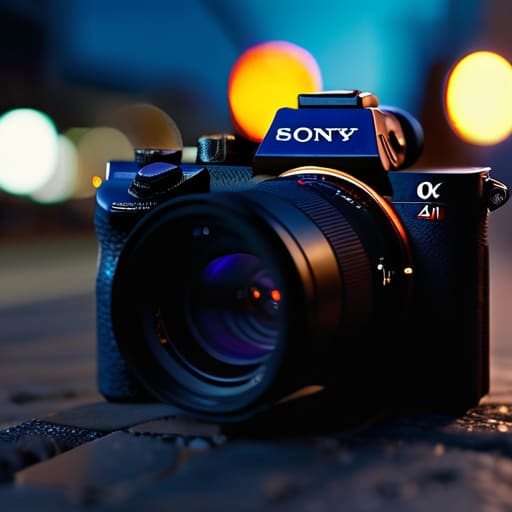
    Built for the Professionals: Sony A7 IV.

    Now, if you’re looking to step up into a more serious ecosystem, the Sony A7 IV is hard to ignore. It’s the kind of tool that prioritizes technical precision above all else. The autofocus system is incredibly snappy, which is vital because half the time, the most important moment happens before you can even react. In my engineering days, we called that “response time,” and in photography, it’s the difference between a keeper and a wasted shot.

    The Compact Reliable: Ricoh GR III

    The Compact Reliable: Ricoh GR III camera.

    Sometimes, you don’t need a massive rig that requires a dedicated carrying case and a prayer. The Ricoh GR III is what I call a “specialist tool.” It’s small enough to fit in a jacket pocket, but don’t let the size fool you into thinking it’s a cheap plastic trinket. It packs a punch that most of these oversized mirrorless setups can’t match when it comes to pure portability.

    The All-Rounder: Canon EOS R6 Mark II

    Canon has a knack for making gear that feels intuitive, and the R6 Mark II is a prime example of that philosophy. It’s a very balanced machine—not too heavy, but not so light that it feels like a child’s plaything. The ergonomics are excellent; the grip is deep enough that your hand won’t cramp up after twenty minutes of shooting, which is a design detail many manufacturers seem to forget these days.

    The Budget-Conscious Choice: Nikon Z5

    Not everyone wants to drop a month’s mortgage on a piece of electronics, and frankly, I don’t blame them. The Nikon Z5 is a great example of getting honest value for your money. It doesn’t have all the bells and whistles of the high-end professional models, but it handles the fundamentals—exposure, focus, and build—with more grace than most of the “budget” cameras I see in big-box stores.

    Bottom Line: Don't Buy the Hype

    Stop chasing every single megapixel listed on the box; if the build quality is flimsy and the ergonomics are garbage, you won’t enjoy using it, no matter how high the resolution is.

    Look for weather sealing and solid metal mounts—you want a tool that can survive a bit of dust or a sudden drizzle, not a piece of tech that dies the moment it leaves the air-conditioned living room.

    Prioritize a camera with intuitive controls that you can operate by feel, because if you have to dive into three sub-menus just to change your shutter speed, the engineering has failed you.

    The Bottom Line on Gear

    I don’t care how many megapixels a manufacturer throws at you in a glossy brochure; if the build quality is flimsy and the menu system is a labyrinth, you aren’t owning a tool—you’re owning a headache. Buy for the reliability of the sensor and the durability of the chassis, not the hype.

    Roland Delacroix

    The Bottom Line

    Look, I’ve spent enough time looking at spec sheets to know that a higher megapixel count doesn’t always mean a better photo. Whether you decide to go with a high-end professional body or something more compact for travel, the goal remains the same: you need a tool that responds when you press the shutter. Don’t let the marketing departments fool you into thinking you need every single bell and whistle available on the market. Focus on finding a camera with reliable autofocus and a build quality that won’t crumble the first time you set it down on a dusty workbench. If the ergonomics feel wrong in your hands, it doesn’t matter how many features it has; you won’t use it.

    At the end of the day, a camera is just a piece of hardware designed to capture a moment. It is a means to an end, not the end itself. I’ve seen too many people get caught up in the “gear treadmill,” constantly upgrading to the latest shiny gadget only to realize they haven’t actually learned how to compose a decent shot. Buy something solid, learn the manual settings, and then get out there and use it. The best camera in the world is useless if it’s sitting in a padded bag on your shelf. Stop worrying about the tech and start focusing on the image.

    Frequently Asked Questions

    Is it worth spending the extra money on a more expensive lens, or can I get away with the basic kit lens for a while?

    Look, I’ve seen enough cheap components fail to know that you get what you pay for. The kit lens is fine for learning the basics of exposure and composition, but it’s usually just a collection of mediocre glass held together by plastic. If you find yourself getting frustrated by blurry edges or poor low-light performance, stop fighting the gear and invest in a decent prime lens. It’s better to own one solid tool than three mediocre ones.

    How do I know if a camera body is actually built to last, or if it's just going to fail on me after a year of heavy use?

    Look, don’t just trust the glossy brochure. You need to get your hands on the thing. If the dials feel mushy or the buttons click like a cheap toy, walk away. I look for magnesium alloy chassis instead of polycarbonate, and I check the weather sealing—look for those rubber gaskets around the ports. If it feels balanced and the build has some weight to it, it’s likely built to endure, not just to look pretty on a shelf.

    Do I really need all these advanced digital features, or should I stick to something simpler that focuses on solid mechanics and ease of use?

    Look, I get the temptation to strip it all back, but you have to find a middle ground. You don’t need a camera that requires a software update just to change the ISO, but you also shouldn’t ignore modern autofocus. If the electronics are too complex, they become a distraction. My advice? Look for a body with tactile, physical dials. If you can control the exposure with your fingers without staring at a screen, you’ve found a winner.

  • Choosing a Mirrorless Camera for Photography and Video

    Choosing a Mirrorless Camera for Photography and Video

    I was sitting at my workbench last Tuesday, cleaning the dust out of a vintage Marantz receiver, when I saw another advertisement for a high-end mirrorless camera. The glossy spread was filled with tech-jargon about “computational photography” and “AI-driven autofocus,” but all I could see was a mountain of overpriced plastic. It seems like every manufacturer today thinks they can hide mediocre build quality behind a few lines of clever code. They want you to believe that a device is superior just because it has a faster processor, but in my thirty years of systems engineering, I’ve learned that a chip can’t compensate for a chassis that feels like a toy.

    I’m not here to sell you on the latest marketing fever dream or help you chase specs that you’ll never actually use in the field. My goal is simple: I want to help you find a tool that actually lasts. Over the next few sections, I’m going to strip away the hype and look at these machines through the lens of reliability and real-world utility. We are going to focus on what matters—build integrity, tactile controls, and whether that mirrorless camera is worth your hard-earned money or just a fancy way to waste it.

    Table of Contents

    Mirrorless vs Dslr Comparison Cutting Through the Hype

    Mirrorless vs Dslr Comparison Cutting Through the Hype

    Look, I’ve spent enough time with a heavy DSLR slung around my neck to know that there’s a certain comfort in that mechanical click of a mirror flipping up. It feels substantial. But when you get into a real mirrorless vs DSLR comparison, you have to look past the tactile sensation and focus on the engineering. The biggest shift isn’t just the size; it’s how the light actually reaches the sensor. In a DSLR, you’re looking through a series of mirrors and prisms. In a mirrorless setup, you’re looking at the digital reality in real-time.

    That leads to a massive leap in mirrorless camera autofocus technology. Because the sensor is constantly “seeing” the scene without a mirror in the way, the computer can track a subject’s eye or a moving car with a precision that older optical systems just can’t match. Some folks worry that losing the optical viewfinder makes the experience less “real,” but I say if the machine can lock onto a subject faster and more reliably than my eyes can, it’s doing its job. Don’t let the marketing jargon fool you; it’s about efficiency and accuracy, not just thinner bodies.

    Interchangeable Lens Systems That Actually Deliver Results

    Interchangeable Lens Systems That Actually Deliver Results

    When you start looking at interchangeable lens systems, you’ll quickly realize that the body is only half the battle. I’ve seen too many folks drop a fortune on a high-end chassis only to realize they’re stuck with a handful of mediocre glass options. If you want longevity, you need to look at the mount ecosystem. A system is only as good as the lenses available to support it; otherwise, you’re just buying a very expensive paperweight once you outgrow the kit lens.

    You also need to make a hard decision early on regarding the full frame vs APS-C sensor debate. Now, don’t let the marketing departments convince you that you need a massive sensor for everything. If you’re just starting out, an APS-C setup is often more practical—it’s lighter, more durable for travel, and generally easier on your wallet. However, if you’re planning on heavy low-light work or professional portraiture, that extra sensor real estate becomes a necessity, not a luxury. Just make sure you’re investing in optical quality rather than just chasing the highest megapixel count on the box.

    Five Things to Check Before You Hand Over Your Hard-Earned Cash

    • Stop obsessing over megapixels. A high megapixel count doesn’t mean a damn thing if the sensor is small and the autofocus is hunting like a lost dog in the woods. Look for sensor size and pixel pitch if you actually want usable images.
    • Test the build quality with your own hands. These things are getting smaller and lighter, which is fine for travel, but don’t let them turn into glorified toys. If the dials feel like they’re made of cheap, hollow plastic, they won’t survive a season of real work.
    • Check the lens availability before you commit to a brand. Buying a camera body is the easy part; it’s the glass that matters. If the manufacturer doesn’t have a solid lineup of reliable, well-built lenses, you’re just buying an expensive paperweight that you’ll eventually have to replace.
    • Don’t ignore the battery life. Mirrorless cameras rely heavily on electronic viewfinders and constant sensor use, which eats through juice faster than a hungry teenager. If you’re heading out for a day of shooting, make sure you have at least two spares in your bag.
    • Look for tactile controls, not just touchscreens. I don’t care how “intuitive” a touchscreen claims to be; when you’re trying to adjust settings in the field, you need physical dials and buttons you can feel without looking. If you have to menu-dive for every single adjustment, you’ve already lost the shot.

    The Bottom Line: What to Look for Before You Buy

    Don’t get blinded by the megapixels; focus on the build quality and the weather sealing, because a high-resolution sensor is useless if the body fails the moment you step outside.

    Invest in a solid lens ecosystem rather than the cheapest camera body you can find; you can always upgrade a camera later, but a mediocre lens will ruin your shots forever.

    Avoid the “gadget trap” of unnecessary features that add weight and complexity; if you can’t find the manual controls easily, the camera is designed for marketing, not for photographers.

    The Real Cost of Compactness

    “Don’t let the sleek, lightweight design fool you into thinking you’re getting a better tool; a camera is only as good as the heat dissipation and the build quality behind that glass, and half these new mirrorless models feel like they’d crack if you even looked at them sideways.”

    Roland Delacroix

    The Bottom Line: Don't Buy Into the Hype

    The Bottom Line: Don't Buy Into the Hype.

    At the end of the day, choosing a mirrorless camera isn’t about chasing the highest megapixel count or the flashiest marketing jargon. I’ve spent enough time looking at schematics to know that a spec sheet doesn’t tell you how a tool feels in your hand or how it holds up when you’re out in the field. You need to weigh the benefits of that lighter, more agile body against the reality of battery life and the reliability of the autofocus system. If the build quality feels like a cheap toy and the menu system requires a PhD just to change your ISO, you’re better off sticking with a proven DSLR or saving your hard-earned money. Focus on the lens ecosystem and physical durability rather than the shiny promises of the latest tech cycle.

    Don’t let the industry overwhelm you with endless upgrades and “must-have” gadgets. A camera is a tool meant to serve your vision, not a master that dictates how you work. Once you find a system that feels solid and intuitive, stop looking at the reviews and start actually shooting. The best gear in the world is useless if it stays in the bag because it’s too complicated to use. Buy something that works, invest in quality glass, and get to work.

    Frequently Asked Questions

    Will a mirrorless system actually hold up in the field, or are the sensors too delicate compared to the old DSLRs?

    Look, I get the concern. I used to build machines meant to survive a factory floor, and these new mirrorless bodies feel like toys by comparison. But here’s the truth: the sensor isn’t the weak link; it’s the lack of a physical mirror box. If you get a weather-sealed model with decent build quality, it’ll handle a bit of dust or a drizzle just fine. Just don’t expect a piece of high-end electronics to behave like a tank.

    How much am I really going to spend on lenses before I realize the body was the cheap part?

    Look, I’ve seen this mistake a dozen times. You’ll spend $1,500 on a sleek new body, thinking you’re set, only to realize your kit lens produces images that look like they were shot through a screen door. Once you start chasing sharpness and decent low-light performance, you’ll easily drop another $2,000 or $3,000 on glass. In my experience, the body is just the engine; the lenses are the actual wheels. Don’t skimp on the glass.

    Is the battery life on these newer models actually usable, or am I going to be tethered to a wall halfway through a shoot?

    Let’s be blunt: for most mirrorless setups, you’re going to be carrying spares. When you strip away the optical viewfinder of a DSLR, you’re left with a constant power drain from that electronic screen. If you’re shooting high-resolution video or constantly using autofocus, a single battery won’t last a full afternoon. Don’t trust the manufacturer’s “best-case scenario” numbers. Buy two extra batteries for every body, or you’ll spend your shoot hunting for an outlet.