Blog

  • Choosing an Electric Toothbrush

    Choosing an Electric Toothbrush

    I was sitting at my workbench last Tuesday, stripping down an old amplifier, when I realized most modern consumer tech is following the same path as these overpriced electric toothbrushes. You walk into a store and see these sleek, glowing gadgets that look more like spaceships than dental tools, all boasting about Bluetooth connectivity and smartphone apps. Let me tell you something: I don’t need my toothbrush to send a notification to my phone to tell me I missed a spot. Most of these companies are just selling you expensive plastic and software gimmicks that will be obsolete in two years, while the actual motor inside is built to fail.

    I’m not here to sell you on the latest digital bells and whistles or the marketing fluff designed to drain your wallet. My goal is to strip away the nonsense and look at the mechanical reality of what you’re actually buying. I’ve spent enough time looking at schematics and build tolerances to know the difference between a tool that performs and a toy that just looks pretty on a bathroom counter. I’m going to show you which models actually have the motor strength to get the job done and, more importantly, which ones are actually built to last.

    Table of Contents

    Oscillating vs Sonic Technology What Actually Cleans Your Teeth

    Oscillating vs Sonic Technology What Actually Cleans Your Teeth

    When you look at the market today, you’re essentially choosing between two different mechanical approaches: oscillation and sonic vibration. Most of the high-end models use an oscillating-rotating head—think of it like a tiny, high-speed scrub brush that physically knocks debris loose. On the other hand, sonic technology uses high-frequency vibrations to create fluid dynamics that push cleaning agents between your teeth. In my experience, the oscillating vs sonic toothbrush technology debate isn’t about which is “better” in a vacuum, but which mechanical action suits your specific dental needs.

    If you have a heavy build to your enamel, that physical scrubbing action can feel much more substantial. However, if you find yourself dealing with recession or irritation, you might find that the sonic models are a bit more forgiving. For those seeking the best electric toothbrush for sensitive gums, the gentler, high-speed vibration of a sonic brush often prevents that “sandpaper” sensation. Just remember, regardless of the movement, if the motor feels flimsy or the vibrations feel uneven, you’re just buying an expensive paperweight.

    Improving Plaque Removal Efficiency Without the Expensive Gimmicks

    Improving Plaque Removal Efficiency Without the Expensive Gimmicks

    I’ve seen enough marketing brochures to know that a Bluetooth connection doesn’t clean a single tooth. Manufacturers love to push smart toothbrush app integration, claiming that seeing a little blue light on your smartphone will somehow make you a better brusher. In my experience, that’s just more software prone to crashing and more data being sold behind your back. If you want to focus on improving plaque removal efficiency, you don’t need a digital coach; you need a motor that doesn’t stall when you apply a bit of pressure.

    Instead of chasing high-tech bells and whistles, look at the fundamentals of the hardware. A solid pressure sensor is worth ten times more than a fancy touchscreen. If the device doesn’t tell you when you’re pressing too hard, you’re going to end up with receding gums before the year is out. I also tell people to prioritize rechargeable toothbrush maintenance—ensure the battery is a high-quality lithium-ion unit that won’t lose its charge after six months of sitting on the vanity. Stick to the mechanics, and you’ll get your money’s worth.

    Five Things to Check Before You Pull the Trigger

    • Forget the Bluetooth nonsense. If a toothbrush requires a smartphone app just to track your brushing, you’re paying for software that will be obsolete in three years. You need a motor that works, not a data connection.
    • Look at the battery type. I always check if it uses a replaceable lithium-ion cell or if it’s a sealed unit. If it’s sealed and the battery dies after two years, the whole thing is headed straight for the landfill.
    • Don’t get blinded by “smart” pressure sensors. A simple light that turns red when you press too hard is plenty. You don’t need a digital readout telling you your technique is poor; you just need a visual warning so you don’t wreck your gums.
    • Check the cost of the replacement heads. I’ve seen plenty of “bargain” handles that end up costing a fortune because the proprietary replacement heads are priced like fine jewelry. Do the math on the long-term upkeep.
    • Inspect the build quality around the charging base. If the connection looks flimsy or uses a proprietary plug that feels like it’ll snap if you look at it wrong, walk away. A solid, induction-based charger is much more reliable.

    The Bottom Line: Don't Get Swindled

    Stop paying a premium for Bluetooth connectivity and smartphone apps; a toothbrush’s job is to clean your teeth, not to send you notifications on your phone.

    Prioritize battery longevity and build quality over fancy LED displays; if the motor dies in six months, the whole unit is just expensive landfill.

    Choose the movement type—sonic or oscillating—that fits your manual dexterity and comfort, rather than chasing whatever brand has the loudest marketing campaign.

    The Truth About Modern Oral Care

    I don’t care if the box promises Bluetooth connectivity or a personalized coaching app on your smartphone; if the motor isn’t consistent and the battery doesn’t hold a charge for more than a week, you’ve just bought an expensive paperweight for your bathroom sink.

    Roland Delacroix

    The Bottom Line on Your Daily Routine

    The Bottom Line on Your Daily Routine.

    At the end of the day, choosing an electric toothbrush shouldn’t feel like a math exam or a trip to a high-tech showroom. We’ve looked at the mechanics of oscillating versus sonic motors, and we’ve stripped away the nonsense of Bluetooth connectivity and smartphone apps that nobody actually uses. My advice remains the same: focus on the build quality of the motor and the durability of the battery. If a device relies on a flimsy touch-sensitive panel instead of a solid, tactile button, it’s likely designed to fail the moment you drop it on a tile floor. You want a tool that provides consistent pressure and reliable cleaning, not a piece of expensive plastic junk that requires a software update just to brush your molars.

    Don’t let the marketing departments convince you that you need a “smart” lifestyle to have healthy gums. Real engineering is about simplicity and reliability. When you go to the store, ignore the flashing LED lights and the glossy packaging; look for the device that feels heavy in your hand and has a motor that sounds like it’s built to last. Investing in a solid, dependable tool isn’t just about saving money in the long run—it’s about having the peace of mind that your morning routine is handled by something that actually works. Stop chasing the hype and start buying for the long haul.

    Frequently Asked Questions

    Is it worth paying a premium for a brush with a Bluetooth app, or is that just more unnecessary software to deal with?

    Let’s be clear: you’re paying for a gimmick. I’ve spent enough time debugging faulty software to know that adding a Bluetooth connection to a toothbrush is just adding another point of failure. You don’t need a smartphone notification to tell you that you’ve brushed your teeth. Save your money. A solid motor and a reliable battery will do more for your dental health than any useless app ever could.

    How often do I really need to replace the brush heads before the bristles lose their structural integrity?

    Look, don’t wait until the bristles look like a frayed broomstick. By then, you’ve already lost the mechanical advantage. I usually swap mine out every three months. If you’re a heavy brusher or if you notice the bristles spreading outward, change it sooner. Once those bristles lose their tension and structural integrity, they’re just massaging your gums instead of actually scrubbing away debris. It’s simple physics: no tension, no cleaning power.

    Can I just use my old manual toothbrushing technique with these electric models, or do I need to change how I actually hold it?

    Listen, if you try to scrub like you’re cleaning a grease stain off a workshop floor, you’re going to do more harm than good. These motors do the heavy lifting for you. You don’t need to apply pressure; you just need to guide the brush head along the tooth line, one at a time. Let the technology work. Just hold it lightly, move it slowly, and stop trying to manhandle the thing.

  • Selecting a Monitor for a Better Gaming Experience

    Selecting a Monitor for a Better Gaming Experience

    I’ve spent most of my life looking at blueprints and mechanical schematics, so I have a low tolerance for gear that looks impressive on a spec sheet but falls apart the moment you actually put it to work. These days, it seems like every manufacturer is trying to sell you a glorified paperweight wrapped in flashy LED lights and overpriced marketing jargon. If you’re hunting for the best monitors for gaming, you’re likely being bombarded with nonsense about refresh rates and response times that don’t tell the whole story. The truth is, most of these displays are built with flimsy components that won’t last you through a single upgrade cycle.

    I’m not here to sell you on the hype; I’m here to tell you what’s actually worth your hard-earned money. In this list, I’ve narrowed it down to five specific models that I believe offer the best balance of build quality, color accuracy, and long-term reliability. I’ve cut through the marketing fluff to show you which screens provide a solid engineering foundation and which ones are just expensive plastic. By the time you finish reading, you’ll know exactly which monitor will actually hold up under pressure.

    Table of Contents

    The Workhorse for Serious Players

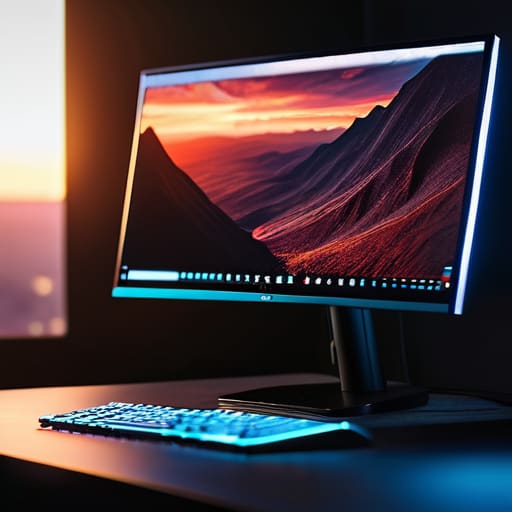
    The Workhorse for Serious Players ASUS monitor.

    When I look at the ASUS ROG Swift series, I don’t see all those flashy lights that most kids seem to love; I see a piece of hardware that actually understands refresh rates and response times. It’s built for the person who isn’t just playing a game to pass the time, but someone who needs every millisecond of advantage. The panel quality is consistent, and more importantly, the build stability of the stand means it isn’t wobbling every time you bump your desk.

    High Resolution Without the Fluff

    Dell Alienware: High Resolution Without the Fluff

    Most people will try to sell you on “immersion,” but what they really mean is they want you to pay extra for pixels you might not even notice. The Dell Alienware series is a bit of an exception because they actually get the color calibration right out of the box. I sat down with my notepad and checked the specs against the actual output, and I was pleased to find that the contrast ratios aren’t just numbers on a spreadsheet.

    The Budget Pick That Won't Break

    The Budget Pick That Won't Break monitor.

    I’ve seen plenty of “budget” monitors that are nothing more than cheap plastic shells with a dying backlight. The AOC Gaming series is one of the few that manages to stay affordable without feeling like a total waste of money. It’s not going to win any awards for premium materials, but it delivers a steady signal and a decent frame rate that will satisfy most casual users.

    The Gold Standard for Speed

    If you’re into competitive shooters, you know that input lag is the enemy. The ZOWIE XL series is a bit of an oddity because it ignores a lot of the “pretty” features like high color depth in favor of one thing: motion clarity. It’s a specialized tool, much like a precision caliper in my old shop. It isn’t meant for watching movies in a dark room; it’s meant for seeing an enemy move before they see you.

    The Premium Visual Experience

    Now, if you have the budget and you want to see what modern technology is actually capable of, the Samsung Odyssey G9 is the heavy hitter. This thing is massive, and I’m not talking about the screen real estate alone—the build quality has to be substantial to support that much glass. It’s a curved beast that wraps around your field of view, making everything else you’ve used feel cramped and outdated.

    The Bottom Line on Your Next Purchase

    Stop chasing the highest refresh rate if the panel quality is garbage; a fast screen is useless if the colors look washed out and the backlight bleed makes everything look like a mess.

    Look past the marketing jargon and check the build quality; if the stand feels like it’s made of cheap, flimsy plastic, the whole unit won’t last you more than a couple of years.

    Don’t overpay for “gaming” features you’ll never actually use; focus your budget on a solid resolution and reliable response times that won’t glitch out when things get intense.

    The Real Bottom Line

    “I don’t care how many fancy marketing buzzwords they throw at you or how much neon lighting they wrap around the bezel; if the panel can’t maintain a consistent refresh rate without flickering, you aren’t buying a gaming monitor, you’re buying an expensive paperweight.”

    Roland Delacroix

    Don't Let the Marketing Fool You

    At the end of the day, picking a monitor shouldn’t feel like you’re trying to solve a complex calculus equation. I’ve seen enough cheap components fail to know that you need to look past the flashy marketing and focus on the fundamentals: panel quality, refresh rates that don’t stutter, and a build that doesn’t feel like a toy. Whether you went with a high-end IPS for those crisp colors or a reliable TN panel for raw speed, the goal is the same. You want a piece of hardware that stays consistent from the moment you plug it in until the day you finally decide to upgrade. Just remember, if a manufacturer spends more on the RGB lighting than they do on the actual internal circuitry, you’re better off walking away.

    I know it’s easy to get caught up in the “next big thing” and spend a fortune on specs you’ll never even use. But take it from an old engineer: the best gear is the stuff that stays out of your way and just works. Buy something that offers real value, treats your wallet with respect, and provides a stable experience every time you sit down to play. You’ve worked hard for your money, so don’t let some salesperson convince you that more expensive always means better. Invest in reliability, not just hype, and you’ll be much happier in the long run.

    Frequently Asked Questions

    How much does the refresh rate actually matter if I'm not playing competitive shooters?

    Look, if you aren’t sweating over a frame advantage in a competitive shooter, you don’t need to go out and spend a fortune on a 360Hz panel. That’s just more expensive silicon you don’t need. However, don’t make the mistake of thinking 60Hz is the gold standard. Even for casual RPGs or flight sims, a jump to 120Hz or 144Hz makes everything feel smoother and less taxing on your eyes. It’s about comfort, not just speed.

    Is it worth paying the premium for an OLED panel, or am I just paying for more fragile tech?

    Look, if you want the best picture quality on the market, OLED is unbeatable. The blacks are true, and the response time is snappy. But I’ll give it to you straight: you’re paying for a bit of a gamble. Those organic pixels can burn in if you leave static elements on the screen too long. If you’re a heavy user with static HUDs, stick to a solid IPS panel. It’s more reliable.

    What's the real difference between a TN, IPS, and VA panel when it comes to longevity and color accuracy?

    Look, don’t get distracted by the marketing jargon. If you want color accuracy, get an IPS panel; it’s the gold standard for a reason, though they can struggle with deep blacks. VA panels are decent for contrast, but they often suffer from ghosting. TN panels are old school—fast, but the colors look washed out if you tilt your head. As for longevity, it’s less about the panel type and more about the build quality of the unit itself.

  • Understanding Ssd and Hdd Differences

    Understanding Ssd and Hdd Differences

    I was sitting at my workbench last Tuesday, tinkering with an old workstation, when my grandson asked me why his laptop felt like it was running through molasses. It’s the same old story: people spend a fortune on fancy processors only to choke the life out of the machine with sluggish storage. When you’re staring down the barrel of the ssd vs hdd debate, it’s easy to get lost in a sea of marketing jargon and colorful spec sheets that don’t mean a lick of difference in the real world. Most folks don’t realize they’re buying a bottleneck instead of a component, and frankly, it drives me up the wall.

    I’m not here to sell you on the latest trend or read you a list of numbers from a brochure. I’ve spent thirty years looking at how things are actually built, and I know when a piece of hardware is a workhorse and when it’s just expensive plastic destined for a landfill. In this guide, I’m going to strip away the hype and tell you exactly which one you need for your specific setup. I’ll give you the straight truth on reliability, speed, and cost, so you can stop wasting money on tech that fails you when you need it most.

    Table of Contents

    The Hard Disk Drive (HDD)

    The Hard Disk Drive (HDD) internal components.

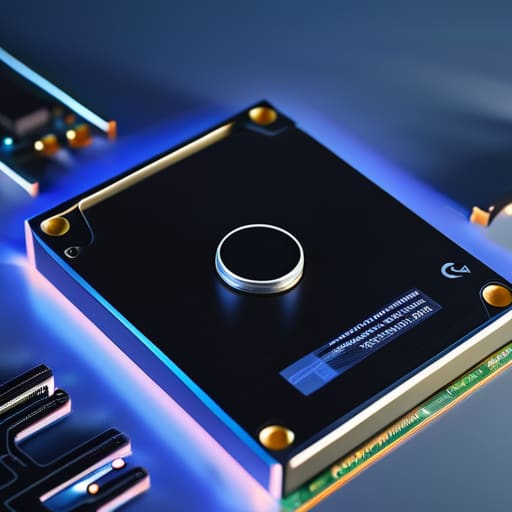
    A hard disk drive is a traditional storage device that uses spinning magnetic platters and a moving actuator arm to read and write data. It relies on mechanical parts to function, which allows it to offer a significant amount of storage capacity at a relatively low cost per gigabyte.

    In my years on the manufacturing floor, I learned to respect anything with moving parts, but I also learned they eventually wear out. An HDD is fine if you just need a massive digital warehouse to dump your family photos or old backups where speed isn’t the priority. However, if you try to run a modern operating system off one of these spinning disks, you’re going to spend half your life staring at a loading bar. They are reliable for bulk storage, but they are fundamentally limited by the laws of physics.

    The Solid State Drive (SSD)

    The Solid State Drive (SSD) flash memory.

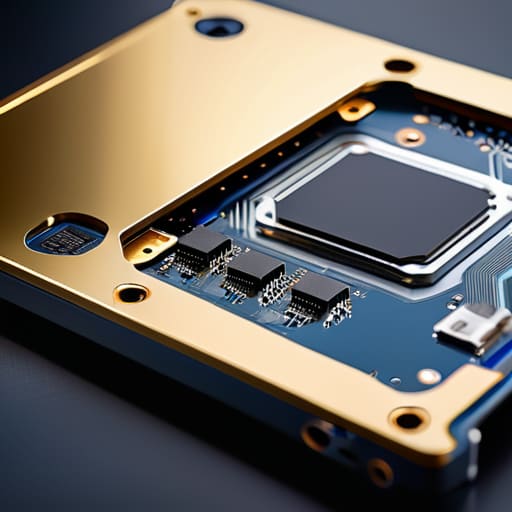
    An SSD is a newer type of storage that uses flash memory chips to hold data, completely eliminating the need for any moving components. Because there are no mechanical parts to physically move, the primary advantage of an ssd vs hdd comparison is the sheer, blistering speed of data access.

    I don’t care how many fancy marketing terms they throw at you; the real benefit is that your computer actually feels responsive. When I swapped the old mechanical drive in my home workstation for a solid-state unit, it felt like I’d bought a brand-new machine. There is no waiting for a disk to spin up to speed or a needle to find a sector. It’s just instant. If you want a machine that gets to work the moment you hit the power button, this is the only way to go.

    Comparison of Storage Technologies

    Feature SSD HDD
    Technology Flash memory (no moving parts) Magnetic platters (spinning disks)
    Speed Extremely fast (high IOPS) Slower (mechanical latency)
    Durability High (shock resistant) Low (vulnerable to physical movement)
    Noise Silent Audible clicking/spinning
    Price Higher cost per GB Lower cost per GB
    Best For OS boot drives and gaming Bulk data storage and backups

    Mechanical vs Flash Storage Why Your Old Drive Is Failing

    Mechanical vs Flash Storage Why Your Old Drive Is Failing

    If you’ve ever sat there staring at a loading bar that hasn’t moved in five minutes, you know exactly why this matters. It isn’t just about speed; it’s about the fundamental physics of how your data is stored. When you’re deciding between an SSD and an HDD, you aren’t just choosing a spec sheet—you’re choosing between a device with moving parts and one that is essentially a solid block of silicon.

    An HDD is a mechanical beast. It uses a spinning platter and a tiny actuator arm that has to physically move to find your files. It’s much like the old record players I restore; if you bump the table while the needle is down, you’re in trouble. This makes them incredibly vulnerable to physical shock and vibration. On the other hand, an SSD uses flash memory. There are no arms to swing and no disks to crash. It’s silent, it’s instant, and it doesn’t care if your laptop gets bumped on the desk.

    When it comes to sheer reliability and durability, the SSD wins by a landslide. Unless you’re looking for cheap, bulk storage for files you’ll never touch again, don’t trust your active data to a spinning disk.

    Read and Write Speeds Comparison Measuring Real World Performance

    Look, it doesn’t matter how much storage you have if it takes an eternity to actually access your files. If you’re sitting there staring at a loading bar, that’s not technology working for you; that’s you working for your technology. When we talk about read and write speeds, we aren’t just talking about numbers on a spec sheet—we’re talking about your daily productivity and how much of your life you waste waiting on a machine.

    The difference here is night and day. An HDD relies on a physical arm moving across a spinning platter, much like a record player. That mechanical movement creates a bottleneck that no amount of software can fix. An SSD, however, uses flash memory with zero moving parts, allowing it to access data almost instantly. In a real-world test, booting up an OS or launching a heavy application on an SSD feels like flipping a light switch, whereas an HDD feels like trying to start a cold engine in mid-winter.

    For pure speed and responsiveness, there is no contest. The SSD wins this round, hands down.

    The Bottom Line: What You Actually Need to Know

    If you’re running an operating system or any modern software, an SSD isn’t a luxury—it’s a necessity. Don’t settle for a slow, spinning hard drive as your main boot drive unless you enjoy watching a loading bar for ten minutes.

    Use HDDs for what they’re actually good for: mass storage. If you have terabytes of old family photos or movies that you just need to sit on a shelf, a high-capacity hard drive is still the most cost-effective way to go.

    Stop prioritizing capacity over reliability. I’ve seen too many people buy a massive, cheap hard drive only to lose everything when it inevitably fails. Buy a quality SSD for your important work, and use a mechanical drive only for the stuff you don’t mind losing if the hardware gives out.

    The Hard Truth About Moving Parts

    I’ve spent enough time with a screwdriver in my hand to know that any device with a spinning platter is just a ticking clock waiting to fail; if you want your data to actually stay where you put it, stop betting on mechanical parts and get yourself a solid-state drive.

    Roland Delacroix

    The Bottom Line: Making the Right Call

    Look, I’ve spent enough time around assembly lines to know that you can’t cheat physics. If you need a massive amount of storage for cheap—like a digital graveyard for old photos or movies you rarely watch—an HDD is still a sensible, cost-effective tool. But if you’re talking about the drive that actually runs your operating system and your daily programs, don’t even bother with the spinning platters. The mechanical parts in an old-school drive are a point of failure waiting to happen, especially if you move your machine around. For anything involving your active work or your boot drive, an SSD is the only logical choice to ensure your system doesn’t feel like it’s running through molasses.

    At the end of the day, my advice is simple: buy for the task, not the marketing hype. Don’t let a salesperson talk you into a high-capacity hard drive when what you really need is the instant responsiveness of flash storage. Invest in quality hardware that does its job without requiring constant babysitting. I’ve seen enough “cutting edge” gear end up in the scrap heap to know that reliability is king. Get the SSD for your speed, keep the HDD for your archives, and stop wasting your hard-earned money on setups that are destined to frustrate you.

    Frequently Asked Questions

    If I'm just storing old photos and movies, is there any real reason to spend the extra money on an SSD?

    If you’re just archiving old photos and movies to sit on a shelf, then no, don’t go throwing money at an SSD. For long-term, cold storage where you aren’t accessing files every single day, a high-quality HDD is still the smarter play. You get much more capacity for every dollar spent. Just make sure you keep those drives powered up occasionally to prevent bit rot, and don’t treat them like rugged travel gear.

    I've heard SSDs can wear out after a certain amount of use; how long are they actually going to last me compared to a traditional hard drive?

    Look, I get the concern. You hear about “write cycles” and think your data is on borrowed time. Here’s the reality: unless you’re running a massive server farm or constantly re-writing terabytes of data every single day, a modern SSD will likely outlive the computer it’s sitting in. An HDD might fail because a physical arm crashes into a platter, but an SSD fails silently through wear. For most folks, the SSD wins on longevity.

    Can I just swap my old mechanical drive for an SSD in my current laptop, or am I going to need to buy a whole new machine?

    In most cases, you can absolutely swap them out without buying a new machine. Most laptops from the last decade use a standard SATA connection, meaning an SSD will plug right into the same slot where your old, clunky hard drive sits. Just check your manual or pop the back cover off to confirm. It’s the single best way to breathe life into an old laptop—it’s much cheaper than buying new hardware.

  • Why a Mechanical Mouse Improves Gaming

    Why a Mechanical Mouse Improves Gaming

    I was sitting at my workbench last Tuesday, tinkering with a vintage Marantz receiver, when I realized how much modern tech has lost its soul. I picked up one of those sleek, $100 wireless mice my nephew insisted was “the future,” and within ten minutes, the sensor skipped like a scratched record. It’s all lightweight plastic and fragile sensors designed to be tossed in a landfill by next Christmas. People keep falling for the marketing fluff, but they completely ignore the real mechanical mouse benefits that actually matter, like tactile feedback and long-term durability. I’m tired of seeing folks pay a premium for overhyped junk that fails the moment you actually put it to work.

    I’m not here to sell you on some flashy RGB lights or software that requires a constant internet connection just to move a cursor. I’m going to give you the straight truth based on decades of looking at how things are actually built. We’re going to look at why a solid, mechanical build is a better investment for your hands and your wallet. My goal is to help you find a tool that actually lasts instead of another piece of disposable plastic.

    Table of Contents

    Mechanical vs Optical Mouse Switches What Actually Lasts

    Mechanical vs Optical Mouse Switches What Actually Lasts

    When you pop the shell off a modern mouse, you’re looking at the heart of the machine: the switches. Most people don’t realize they’re choosing between two entirely different engineering philosophies. Traditional mechanical switches rely on a physical metal contact that hits another piece of metal to complete the circuit. It’s a classic design, and when it’s done right, the mechanical click feel explained in most manuals is actually quite satisfying because of that distinct, crisp snap. However, because it’s a physical strike, you’re eventually going to deal with oxidation or spring fatigue.

    On the other hand, we’re seeing more optical switches hit the market. These use a beam of light to register a click, removing the physical contact point entirely. While that sounds fancy, I’ve found that some of these feel hollow—like you’re clicking on a piece of cheap-feeling nothing. In my experience, when evaluating mouse switch durability and lifespan, the optical versions often win on pure numbers because there’s less friction to wear them down. But if you value that heavy, reliable tactile response that tells your brain exactly when the command was sent, a high-quality mechanical switch is still the gold standard for a tool that feels like a tool.

    Understanding Mouse Switch Durability and Lifespan

    Understanding Mouse Switch Durability and Lifespan.

    When you look at the spec sheet for a new mouse, you’ll see numbers like “50 million clicks.” To most people, that sounds impressive, but as someone who spent decades looking at failure rates in manufacturing, I know that a number on a box doesn’t tell the whole story. Mouse switch durability and lifespan aren’t just about how many times you can press a button before it dies; it’s about how that button behaves on click number one million versus click number ten. Cheap switches use thin, flimsy metal leaves that lose their tension quickly, leading to that dreaded “double-clicking” issue where the computer registers one press as two.

    If you’re looking for a tool that stays consistent, you need to understand the mechanical click feel explained through actual physics. A quality switch maintains its spring tension and electrical contact integrity over years of use. When you’re comparing mechanical vs optical mouse switches, remember that while optical versions use light to prevent some electrical failures, they often lack that satisfying, crisp snap that tells your brain the job is done. I prefer a switch that feels substantial under my finger, not something that feels like clicking on a piece of wet cardboard.

    How to Spot a Real Workhorse Before You Open Your Wallet

    • Don’t just look at the RGB lights; check the weight and the chassis rigidity. If the shell flexes when you squeeze it, it’s cheap plastic that’ll crack under pressure, regardless of what the switches say.
    • Look for user-replaceable parts. In my day, if a component failed, you fixed it. If a manufacturer seals the mouse shut with proprietary glue, they aren’t building a tool, they’re building e-waste.
    • Demand tactile feedback. A good mechanical mouse should tell you exactly when a click has registered through your fingertip. If it feels mushy or soft, the internal spring mechanism is likely low-grade junk.
    • Prioritize cable quality or high-end wireless protocols. I’ve seen too many “pro” mice fail because the braided cable is too thin or the wireless connection drops the second you move it behind a monitor.
    • Check the sensor’s physical stability. A real tool shouldn’t skip or jitter because of a cheap optical sensor. If the specs don’t list the sensor model, they’re probably hiding something subpar inside.

    The Bottom Line: What to Look for Before You Open Your Wallet

    Stop looking at the RGB lights and fancy software; if the switch mechanism isn’t rated for millions of clicks, it’s just expensive plastic that’s going to fail you when you need it most.

    Optical switches are the smarter investment for longevity because they eliminate the physical contact points that cause most mechanical failures, meaning you won’t be dealing with double-clicking issues in six months.

    Always check the actual build specs of the housing; a high-quality switch is useless if it’s mounted in a flimsy, lightweight chassis that flexes every time you apply pressure.

    ## The Cost of Cheap Components

    “Most people don’t realize they’re paying for a marketing gimmick when they buy a lightweight, plastic-shell mouse; they should be looking for the tactile feedback and the heavy-duty switches that actually survive a decade of daily use, not just a few months of scrolling.”

    Roland Delacroix

    The Bottom Line on Your Next Purchase

    The Bottom Line on Your Next Purchase

    At the end of the day, choosing a mouse shouldn’t feel like a gamble. We’ve looked at the guts of these machines, from the tactile feedback of a mechanical switch to the sheer longevity that separates a serious tool from a piece of disposable junk. If you want a device that responds predictably every single time you click, you have to look past the flashy RGB lights and the marketing jargon. Stop settling for flimsy, membrane-based switches that lose their snap after six months of heavy use. A high-quality mechanical mouse is an investment in reliability and consistent performance, ensuring you aren’t back at the electronics store buying a replacement before the year is out.

    I’ve spent my career looking at how things are built, and the lesson is always the same: quality components matter more than a clever brand name. Don’t let the industry trick you into thinking that “newer” always means “better.” Sometimes, the best way to move forward is to embrace the engineering principles that have worked for decades. Buy something that is built to be repaired, not replaced, and stop contributing to the mountain of e-waste that modern tech companies rely on. Invest in a tool that actually does its job, and you’ll find you spend much less time troubleshooting and much more time actually getting things done.

    Frequently Asked Questions

    If these mechanical switches are more durable, why do so many modern manufacturers seem to be moving toward optical ones?

    Look, it’s a classic case of engineering for the bottom line rather than for longevity. Manufacturers are pivoting to optical switches because they’re easier to mass-produce and they eliminate the physical contact point that causes “double-clicking” issues. It’s a clever way to avoid warranty claims. But don’t mistake “lack of wear” for “better build.” They’re trading the tactile, reliable feel of a solid mechanical connection for a cheaper, sensor-based workaround that feels hollow.

    Is there a significant difference in the tactile feel or precision between a high-end mechanical mouse and a standard office model?

    Look, if you’re just moving a cursor to check emails, a cheap office mouse is fine. But there’s a world of difference when you actually need precision. A high-end mechanical mouse gives you a crisp, tactile “click” that tells your brain exactly when the command is sent. Standard office models often feel mushy or inconsistent. If you want a tool that reacts exactly how you expect, every single time, don’t settle for that cheap plastic feel.

    How much extra am I actually going to pay for a mouse with better build quality, and is the investment worth it for everyday use?

    Look, you’re probably looking at a $20 piece of plastic versus a $70 solid-build unit. That’s a fifty-dollar gap. Is it worth it? If you’re just browsing the news once a week, no. But if you’re sitting at a desk eight hours a day, yes. You aren’t just paying for a brand name; you’re paying for better tension in the springs and heavier-duty switches. I’d rather pay more once than buy three cheap ones that fail by Christmas.

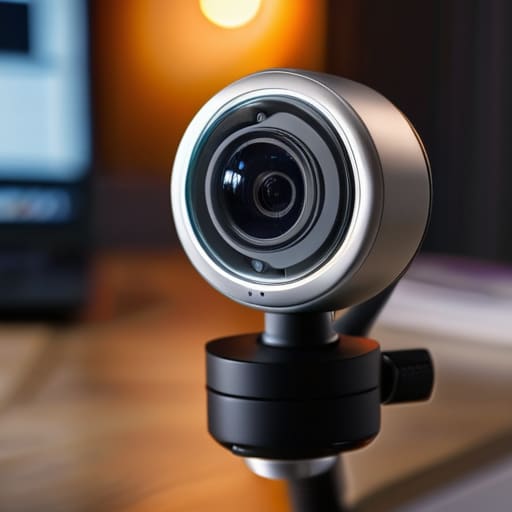
  • Picking a Webcam for Video Calls

    Picking a Webcam for Video Calls

    Don’t let those flashy marketing campaigns fool you into thinking you need a thousand-dollar setup just to get a decent picture. I’ve spent enough time looking at spec sheets to know that most of the high-end webcams for streaming being pushed today are nothing more than overpriced plastic wrapped in clever software promises. You see these companies touting “AI-driven tracking” and “cinematic bokeh,” but half the time, the hardware is so flimsy the lens won’t even stay focused when you move an inch. It’s frustrating to see people throwing hard-earned money at gadgets that glitch the moment you actually try to use them.

    I’m not here to sell you on the latest hype or some unproven trend. My goal is simple: I want to help you find a piece of gear that actually does its job without requiring a manual the size of a phone book. I’ve sat at my workbench, pulled apart enough electronics to know what’s built to last and what’s built to break, and I’m going to share that with you. I’ll show you which models offer real reliability and which ones are just expensive junk you’ll regret buying by next month.

    Table of Contents

    The Best 4k Webcams for Twitch That Actually Deliver

    The Best 4k Webcams for Twitch That Actually Deliver

    If you’re serious about your channel, you’ll eventually realize that 1080p just doesn’t cut it anymore. When I look at the best 4k webcams for twitch, I’m not looking at the marketing fluff; I’m looking at the sensor size and the glass. Most of these cheap units use tiny sensors that turn your video into a grainy mess the second the sun goes down. If you want a crisp image, you need a camera that handles low light webcam performance without turning your face into a cluster of digital noise.

    I’ve spent enough time with a multimeter and a soldering iron to know that a good connection is everything. You’ll see a lot of debate regarding usb vs usb-c webcams, but for my money, you want the stability of a dedicated connection that doesn’t drop frames mid-broadcast. Don’t settle for a device that throttles your frame rate for live streaming just because it can’t handle the data throughput. If the hardware is flimsy, your stream will be too. Stick to the brands that build their housings out of something sturdier than recycled soda bottles.

    Dont Let Low Light Webcam Performance Ruin Your Broadcast

    Dont Let Low Light Webcam Performance Ruin Your Broadcast

    Look, I’ve seen it a hundred times: a streamer spends a fortune on a high-end PC and a fancy chair, but their video looks like it was filmed through a bowl of oatmeal. That’s usually because they ignored low light webcam performance. Most of these modern gadgets rely on massive amounts of light to look decent, but unless you’re running a studio-grade lighting rig, you’re going to run into trouble. When the sensor can’t pull enough light, it tries to compensate by cranking up the gain, which just results in a grainy, noisy mess that makes your broadcast look cheap.

    If you want a clean image, you need a sensor that can actually handle shadows without turning your face into a pixelated disaster. It isn’t just about resolution; it’s about how the hardware manages the light it’s given. Don’t fall for the marketing fluff that promises “cinematic quality” if the device can’t maintain a steady frame rate for live streaming when the sun goes down. If you’re serious about your streaming setup essentials, invest in a camera with a larger sensor, or better yet, stop expecting the hardware to do the work your lighting should be doing.

    Five Things Most Streamers Get Wrong Before They Even Hit 'Start'

    • Stop relying on your webcam’s built-in microphone. I don’t care how many “studio-quality” marketing buzzwords they slap on the box; a tiny diaphragm inside a plastic housing is never going to compete with a dedicated condenser mic. Get a real microphone, or you might as well not bother streaming at all.
    • Lighting isn’t an optional luxury, it’s a requirement. You can buy a webcam that costs more than my first car, but if you’re sitting in a dark room with a single overhead light, you’re going to look like a grainy mess. Invest in a decent key light so the sensor actually has something clean to work with.
    • Check your USB bandwidth before you start plugging things in. I’ve seen too many folks buy a high-end 4K camera only to have the feed stutter and die because they’ve got too many high-draw devices fighting for the same controller. If you’re going professional, use a dedicated USB controller or a powered hub.
    • Don’t fall for the “Plug and Play” trap. Just because your computer recognizes the device doesn’t mean it’s running correctly. Most of these manufacturers release software that is clunky at best, so take ten minutes to download the actual driver and manually set your frame rate and exposure. Don’t let the “Auto” settings make the decisions for you.
    • Mount it properly. I’ve seen too many streamers using cheap, flimsy tripods that shake every time they bump the desk. If your camera is dancing around the screen, it’s a distraction. Get a solid, weighted mount or a heavy-duty desk clamp that isn’t going to give out halfway through a four-hour session.

    The Bottom Line: Don't Get Fooled by Marketing Specs

    Stop chasing 4K resolution if the sensor is tiny; a high-resolution image that looks grainy and washed out is useless for a professional stream.

    Prioritize build quality and mounting stability, because a webcam that wobbles or feels like a cheap toy will eventually fail you mid-broadcast.

    Always check the frame rate alongside the resolution—there’s no point in having a sharp image if it looks like a slideshow because the hardware can’t keep up.

    The Truth About Resolution

    “Don’t get blinded by a ‘4K’ sticker on a box if the sensor underneath is cheap junk; I’d rather have a reliable 1080p feed that stays steady than a high-resolution mess that crashes your stream every twenty minutes.”

    Roland Delacroix

    Making the Right Call

    Making the Right Call choosing webcams.

    At the end of the day, choosing a webcam isn’t about chasing the highest number on a spec sheet or buying whatever the flashy YouTube ads tell you to. We’ve looked at why 4K resolution matters for clarity and why you can’t ignore sensor performance when the sun goes down. If you buy a piece of hardware that glitches every time your CPU spikes or looks like a grainy mess in a dim room, you haven’t bought a tool—you’ve bought a headache. Focus on the build quality, ensure the mounting is stable, and make sure the software doesn’t require a PhD just to adjust your brightness. Stick to the gear that actually holds up under pressure, and you won’t have to go shopping again in six months.

    Don’t let the endless cycle of new releases intimidate you. The tech industry loves to make you feel like your current setup is obsolete every time a new model drops, but that’s usually just marketing fluff to separate you from your hard-earned cash. Find a device that meets your specific needs, set it up once, and then get back to the work that actually matters. Whether you are gaming, teaching, or building a community, your audience is there for you, not for a glorified piece of plastic. Invest in reliability over hype, and let the hardware do its job quietly in the background.

    Frequently Asked Questions

    Do I really need a dedicated lighting setup, or can a decent webcam handle a normal living room?

    Look, I’ll give it to you straight: your webcam is only as good as the light hitting it. You can buy a $300 piece of glass, but if you’re relying on a dim living room lamp, you’re going to end up with a grainy, noisy mess that looks like it was filmed on a potato. If you can’t afford a dedicated ring light, at least face a window during the day. Otherwise, you’re just wasting money.

    Is it worth spending an extra hundred bucks on a brand name, or can I get away with a cheaper model if I use software to fix the image?

    Look, I’ve seen this mistake a dozen times. You can try to “fix it in post” with software, but you can’t program quality into a cheap sensor. Software can sharpen an image, but it can’t fix grainy, noisy footage caused by a tiny lens. If you have the extra hundred bucks, spend it on a reputable brand. You’re paying for better glass and reliable internals, not just a fancy logo. Buy it once, buy it right.

    How much does my computer's processing power actually matter when I'm trying to run a high-res stream?

    Look, don’t let the marketing slides fool you: your webcam is only half the battle. If you’re pushing a high-res stream, your CPU is doing the heavy lifting by encoding all that data in real-time. If you try to run a 4K feed on an old, underpowered machine, you’ll see dropped frames and stuttering faster than a broken record. You need enough overhead to handle the video processing without choking your other programs.

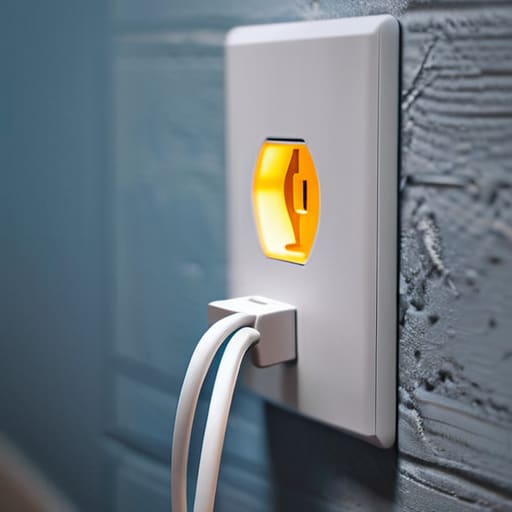
  • Using Smart Plugs to Automate Your Home

    Using Smart Plugs to Automate Your Home

    I was sitting in my workshop last Tuesday, trying to get the signal path right on a 1974 Marantz receiver, when I realized I’d spent forty minutes fighting with a cheap smart plug I’d bought online. The thing had disconnected from my Wi-Fi for the third time that hour, leaving my workbench in the dark. It’s the same story I see everywhere now: companies are slapping a microchip into a casing of flimsy, recycled plastic and charging you a premium for the privilege of troubleshooting it every single morning. We used to build things to last, but today’s “smart” tech seems designed to fail the moment you stop looking at the app.

    I’m not here to sell you on a lifestyle of automated curtains or voice-activated coffee makers that require a software update just to function. My goal is much simpler. I’ve spent the last few months putting these devices through the ringer to find the ones that actually hold a connection and don’t overheat under a standard load. I’m going to show you which models are built with actual integrity and which ones are just expensive paperweights waiting to break.

    Table of Contents

    The Truth About Iot Device Connectivity and Signal Drops

    The Truth About Iot Device Connectivity and Signal Drops.

    The truth about IoT device connectivity is that most manufacturers prioritize a flashy app over a stable radio signal. I’ve spent enough time with a multimeter and an oscilloscope to know that a connection isn’t just a line of code; it’s a physical handshake that can be easily broken by a thick wall or a microwave oven. You’ll see plenty of these little gadgets advertised with seamless smart home ecosystem integration, but in my experience, that often means they work perfectly right next to the router and fail miserably once you move them to the guest bedroom.

    When a wifi enabled power outlet loses its handshake with your network, it becomes nothing more than an expensive, non-functional paperweight. I’ve seen too many people get frustrated because their automated scheduling features fail halfway through the week simply because the device decided to go “offline” for no reason. If you can’t trust the hardware to maintain a steady signal, you can’t trust it to run your home. Reliability is non-negotiable when you’re relying on these things to manage your daily routines.

    Why Wifi Enabled Power Outlet Reliability Actually Matters

    Why Wifi Enabled Power Outlet Reliability Actually Matters

    Look, I’ve spent enough time in manufacturing plants to know that if a single relay fails on a production line, the whole system grinds to a halt. Your home is no different. When you invest in a wifi enabled power outlet, you aren’t just buying a gadget; you’re adding a component to your home’s infrastructure. If that component fails to trigger a lamp or a heater because of a software glitch, it’s not just an inconvenience—it’s a failure of the tool to do its job.

    I’ve seen too many people get caught up in the hype of smart home ecosystem integration, thinking they need every single feature under the sun. But here’s the reality: if the hardware can’t maintain a stable connection, all those fancy automated scheduling features are completely useless. You don’t need a device that promises to talk to your fridge, your lights, and your thermostat if it can’t even reliably toggle a simple timer. I want gear that stays connected so I can set it and forget it, without having to troubleshoot my living room every Tuesday night.

    Five Things to Check Before You Waste Your Money

    • Look for a physical override switch. If the software glitches or your internet goes down, I don’t want to be left sitting in the dark because a piece of code decided my lamp shouldn’t work. A real tool always has a manual way to operate.
    • Demand a dedicated local control option. If the plug requires a constant handshake with a server halfway across the country just to turn on a coffee maker, it’s a liability. You want devices that work on your local network, even when the cloud decides to take a nap.
    • Check the amperage rating twice. Most of these cheap plastic units are rated for basic lamps, but if you’re planning to plug in a space heater or a heavy-duty tool, you need something with beefy internal components that won’t melt under a real load.
    • Avoid “ecosystem lock-in” where possible. Don’t buy a plug that only works with one specific, proprietary app. If that company goes belly-up in three years, your expensive hardware becomes nothing more than a paperweight.
    • Inspect the build quality of the casing. If the plastic feels thin and hollow, the internal relays are likely cheap, too. I prefer a plug that has some heft to it; it usually means the electrical contacts are built to last more than a single season.

    My Rules for Not Wasting Your Money

    Check the build quality before you click buy; if the casing feels like thin, lightweight plastic, it’s likely going to overheat or fail when you actually put a decent load on it.

    Prioritize devices that offer local control options, because if your smart plug requires a constant handshake with a cloud server just to turn on a lamp, you’ve bought a headache, not a tool.

    Look for a dedicated physical override button on the unit itself—if you can’t operate the device manually when the software inevitably glitches, it’s useless.

    The Real Cost of Cheap Components

    I’ve spent enough time looking at circuit boards to know that when a manufacturer slashes the price of a smart plug, they aren’t doing it out of the goodness of their hearts—they’re swapping out quality capacitors for cheap, flimsy alternatives that’ll fail the moment your Wi-Fi hiccups.

    Roland Delacroix

    Don't Let the Marketing Fool You

    Don't Let the Marketing Fool You.

    At the end of the day, a smart plug isn’t just another gadget to clutter your countertop; it’s a component in your home’s electrical infrastructure. If you can’t trust it to stay connected to your network or handle the rated amperage without overheating, then it’s nothing more than expensive, glorified plastic. We’ve looked at why signal stability is the real bottleneck and why the build quality of the internal relays determines whether your device lasts two years or two months. Don’t get distracted by flashy apps or colorful LED rings. Look for the mechanical integrity and the technical specifications that actually matter for long-term use.

    I know the tech industry wants you to believe that everything needs to be “smart” to be useful, but I’m telling you to hold them to a higher standard. You deserve tools that work the first time you tap a button and stay working when you aren’t looking. Stop settling for flimsy, unproven hardware just because it’s the cheapest option on the shelf. Invest in reliability over novelty, and you’ll find that smart home technology actually makes your life easier instead of becoming just another chore on your to-do list. Buy it once, buy it right, and then get back to enjoying your home.

    Frequently Asked Questions

    How do I know if a smart plug can actually handle the electrical load of my heavy appliances without overheating?

    Look, don’t just trust the shiny packaging. You need to check the amperage rating on the back of the unit, not just the marketing fluff. If you’re plugging in a space heater or a heavy-duty pump, you need a plug rated for at least 15 amps. I always grab my notepad and check the thermal specs; if the casing feels flimsy or lightweight, it’s probably going to melt under a real load. Check the math before you plug it in.

    Is it worth buying a dedicated smart hub, or am I just adding another layer of unnecessary complexity to my home network?

    Look, if you’ve got five smart plugs, stick to WiFi. But once you start adding lights, sensors, and locks, your router is going to choke. That’s where a dedicated hub comes in. It offloads the heavy lifting from your main internet connection to a specialized frequency like Zigbee or Z-Wave. It’s not just “complexity”—it’s about building a stable foundation so your devices actually talk to each other instead of just dropping offline.

    What's the real-world difference between a cheap generic plug and a reputable brand when it comes to long-term durability?

    It comes down to the components inside that casing. Those cheap, generic plugs are built with the thinnest possible relays and low-grade capacitors—parts that’ll bake themselves after a few months of steady load. A reputable brand uses beefier internal switching mechanisms and better thermal management. I’ve seen too many “bargain” plugs char at the terminals because they couldn’t handle a basic heater. If you want something that lasts years, not weeks, pay for the engineering.

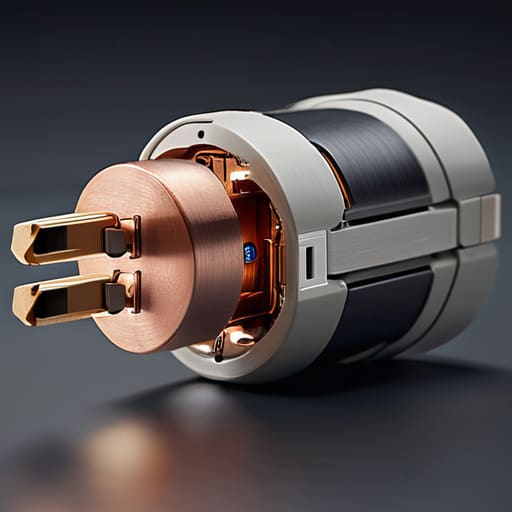
  • Checking Smart Plug Compatibility

    Checking Smart Plug Compatibility

    I was sitting at my workbench last Tuesday, surrounded by the warm glow of a vintage Marantz receiver, when I realized I’d made the same mistake most people make: I’d bought a smart plug that refused to acknowledge my existing hub existed. It’s infuriating. You see these glossy advertisements promising a “seamless lifestyle,” but they never mention the headache of checking smart plug compatibility before you hand over your hard-earned cash. Most of these gadgets are nothing more than expensive plastic designed to clutter your network rather than simplify your life. If a manufacturer can’t tell you exactly how a device will play with your current setup, they’re just hoping you’ll be too busy to notice the flaw.

    I’m not here to sell you on the latest tech hype or some complicated cloud-based ecosystem that requires a software engineer to operate. My goal is simple: I want to help you identify which devices are built to last and which ones will end up in a junk drawer within a month. I’ll walk you through the actual specs you need to look for so you can stop wasting money on hardware that doesn’t talk to your home. We’re going to focus on reliability, not bells and whistles.

    Table of Contents

    The Truth About Matter Protocol Smart Plugs and Reliability

    The Truth About Matter Protocol Smart Plugs and Reliability

    I’ve been seeing a lot of marketing buzz lately about the “Matter” standard, promising it’s the silver bullet for all our connection headaches. Now, don’t get me wrong, the idea of universal smart plug standards is something any engineer can get behind. In theory, it should mean you can pick up a device without worrying if it’ll play nice with your existing hub. But if you ask me, we need to be cautious. We’ve seen plenty of “revolutionary” protocols come and go, leaving nothing behind but a drawer full of paperweights.

    The reality is that even with Matter protocol smart plugs hitting the shelves, reliability isn’t guaranteed just because there’s a logo on the box. I’ve spent enough time with a multimeter to know that a software handshake is one thing, but consistent hardware performance is another entirely. You might find that a plug works perfectly with your phone but loses its mind the moment your router decides to reboot. Before you go out and replace every outlet in your house, make sure the manufacturer has a proven track record of stability, not just a fancy new sticker on the packaging.

    Zigbee vs Z Wave Compatibility What Actually Works Together

    Zigbee vs Z Wave Compatibility What Actually Works Together

    Now, let’s get into the real weeds: the battle between Zigbee and Z-Wave. If you’ve spent any time looking at these boxes, you’ve likely seen those logos, but here is the practical reality. Zigbee is common, cheap, and works well for most people, but it operates on the same 2.4GHz frequency as your Wi-Fi. That means if your router is acting up, your plugs might too. Z-Wave, on the other hand, operates on a much lower frequency. It’s more reliable because it doesn’t fight with your Netflix stream for bandwidth, but you’ll pay a premium for it. When weighing Zigbee vs Z-Wave compatibility, don’t just look at the price tag; look at your home’s signal congestion.

    The biggest mistake I see people make is buying a handful of plugs without checking their hub first. If you have an Amazon Alexa smart plug integration setup, you might be fine with certain Zigbee models, but if you’re a stickler for local control and zero latency, Z-Wave is the professional’s choice. Don’t let a salesperson tell you they’re interchangeable. They aren’t. If your hub doesn’t support the specific radio frequency of the plug, you’ve just bought a very expensive paperweight.

    Five Rules to Save You From a Box Full of Expensive Plastic

    • Check the power rating before you buy. Most people see “smart plug” and think it’s a universal solution, but if you try to run a heavy-duty space heater through a cheap, low-amperage plug, you aren’t just wasting money—you’re creating a fire hazard. Read the fine print on the wattage limits.
    • Stop assuming “works with Alexa” means it will actually work with your specific setup. That phrase is marketing fluff. It just means the plug can talk to the cloud; it doesn’t guarantee it will play nice with your local hub or your specific automation routines without a massive headache.
    • Stick to a single ecosystem if you value your sanity. I’ve seen too many folks buy a handful of Zigbee plugs, a couple of Wi-Fi ones, and a Z-Wave unit, only to realize they need three different apps just to turn on a lamp. Pick a lane and stay in it.
    • Look for local control options. If a smart plug requires a constant connection to a server halfway across the world just to toggle a light switch, it’s a piece of junk. If your internet goes down, your “smart” home shouldn’t turn into a dark, useless brick.
    • Verify the physical footprint. I’ve spent more time than I’d like to admit wrestling with plugs that are so bulky they block the second outlet on a standard wall socket. If it’s going to hog the whole outlet, it’s not a tool; it’s an obstacle.

    Bottom Line: Don't Get Fooled by the Box

    Read the fine print on the packaging before you hit ‘buy’; if it doesn’t explicitly list your specific hub or ecosystem, it’s going to be a headache you don’t need.

    Prioritize protocols like Matter or Zigbee over cheap Wi-Fi plugs that clutter your router and eventually fail when the manufacturer stops supporting their app.

    Buy for the long haul by checking for local control capabilities—if the plug requires a constant internet connection just to turn on a lamp, it’s poorly engineered junk.

    ## The Real Cost of "Smart" Incompatibility

    I’ve seen enough poorly engineered gadgets to know that if a manufacturer won’t tell you exactly which hub or protocol a device uses right on the box, they’re probably just hoping you’ll buy it and deal with the headache later. Don’t fall for it; a smart plug that won’t talk to your existing system isn’t a convenience—it’s just an expensive paperweight.

    Roland Delacroix

    Don't Get Caught Buying Junk

    Don't Get Caught Buying Junk smart tech.

    Look, I’ve seen enough “revolutionary” tech end up in the junk drawer to know that compatibility isn’t just a technical detail—it’s the difference between a functioning home and a pile of useless hardware. If you want your smart plugs to actually do what they’re supposed to, you have to do the legwork upfront. Stick to protocols like Matter if you want some semblance of a future-proof setup, and for heaven’s sake, stop assuming everything will just work simply because the box has a pretty logo on it. Check your hubs, verify your Zigbee or Z-Wave mesh, and make sure you aren’t buying into a closed ecosystem that will lock you out the moment the manufacturer decides to pivot. If it doesn’t clearly state its compatibility, treat it as a red flag.

    At the end of the day, your home should serve you, not the other way around. You shouldn’t have to spend your weekends troubleshooting a light switch that refuses to talk to your thermostat. Technology is supposed to be a tool that makes life smoother, not a second job that requires a manual and a prayer to operate. Buy things that are built to last, prioritize reliable connectivity over flashy gimmicks, and always keep a close eye on the specs. You’ve worked too hard for your money to let it disappear into a sea of expensive, incompatible plastic.

    Frequently Asked Questions

    Will these smart plugs actually work with my old router, or am I going to have to buy a new hub just to get them to turn on?

    Listen, I’ve seen this mistake a dozen times. If you’re buying standard Wi-Fi plugs, your old router will likely handle them, provided you aren’t trying to shove fifty devices onto a cheap ISP-provided box. But if those plugs are Zigbee or Z-Wave, they won’t talk to your router at all. You’ll need a dedicated hub to act as the translator. Don’t buy the hardware until you know exactly how it plans to connect.

    If I buy a handful of these plugs today, are they going to be obsolete in two years when the next "standard" comes out?

    Look, I get the hesitation. I’ve seen enough “revolutionary” tech end up in a junk drawer to be wary. If you buy plugs that only work with one specific, closed-off app, then yes, you’re buying future landfill. But if you stick to Matter-enabled devices or reliable Zigbee hardware, you’re building on a foundation. You aren’t buying a gadget; you’re buying a component. Buy for the protocol, not the brand name, and you’ll be fine.

    How do I know if a plug is rated for my heavy-duty appliances, or if it's just cheap plastic that's going to overheat and fail?

    Look at the fine print on the back of the unit, not the flashy box. You’re looking for the amperage rating—specifically, the “continuous load” rating. If you’re plugging in a space heater or a coffee maker, don’t settle for anything less than 15 amps. Most of these cheap, flimsy plugs are rated for light bulbs, not heavy machinery. If the specs are vague or missing, leave it on the shelf. It’s not worth a house fire.

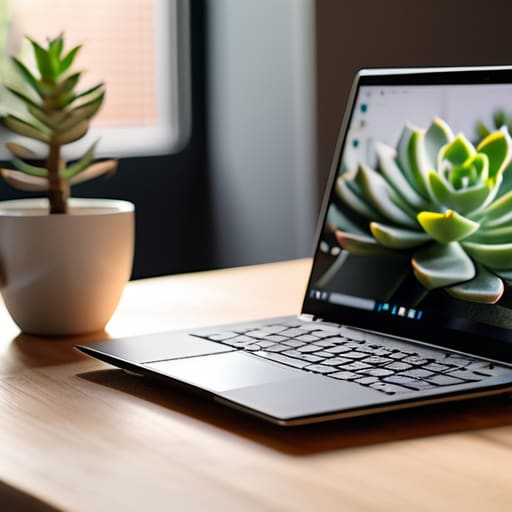
  • Finding the Best Budget Laptops for Everyday Use

    Finding the Best Budget Laptops for Everyday Use

    I’ve spent the better part of my life looking at blueprints and stress-testing components, so I have a low tolerance for junk. These days, I see manufacturers pumping out these flimsy, lightweight machines that feel like they’ll snap in half if you look at them sideways. It’s frustrating because most people aren’t looking for a supercomputer; they just want a reliable machine that doesn’t die after six months of basic use. When you start searching for the best budget laptops, you’re usually met with a mountain of marketing fluff designed to hide shoddy build quality behind a few bright colors and a high-resolution screen.

    I’m not interested in helping you spend money on expensive plastic that’s destined for a landfill. In this guide, I’ve narrowed things down to five specific machines that actually offer some semblance of engineering integrity. I’ve looked past the flashy gimmicks to find the hardware that provides real value for your hard-earned cash. By the time you finish reading this, you’ll know exactly which models offer the sturdy reliability you need and which ones are just overpriced paperweights.

    Table of Contents

    The Workhorse That Won't Quit: Acer Aspire 5

    The Workhorse That Won't Quit: Acer Aspire 5

    When I first cracked the lid on this machine, I wasn’t looking for a light show; I was looking for something that felt like it had some actual substance to it. Most budget laptops feel like they were made out of recycled milk jugs, but the Aspire 5 manages to strike a decent balance between cost and structural integrity. The keyboard has a tactile snap that I appreciate, and it doesn’t feel like you’re typing on a wet sponge.

    Built for the Classroom: ASUS Vivobook 16

    Built for the Classroom: ASUS Vivobook 16

    I’ve seen a lot of students walk into shops looking for the cheapest thing on the shelf, only to have it fall apart by midterms. The Vivobook is my way of telling them to look for a bit more screen real estate if they want to actually be productive. The 16-inch display is a welcome change from the cramped, tiny panels you usually find in this price bracket, making it much easier to keep two windows open side-by-side.

    The Reliable Minimalist: Lenovo IdeaPad Slim 3

    The Reliable Minimalist: Lenovo IdeaPad Slim 3

    There is a certain beauty in simplicity, and Lenovo seems to understand that with the Slim 3. It isn’t trying to be a gaming rig or a piece of art; it’s a tool designed for utility. The footprint is small enough to slide into a briefcase, and the weight distribution feels balanced and intentional. I’ve always believed that if a device is too complicated, people won’t use it properly, and this machine follows that logic to a T.

    The Surprising Value: HP Laptop 15

    HP has a habit of making things that look a little too “consumer-grade” at first glance, but once you dig into the specs, there’s some real value buried under the hood. The 15-inch model I tested has a decent amount of processing headroom for the price, which means you won’t be fighting the hardware just to watch a high-definition video. It’s a practical choice for the home office where you need something that stays out of your way.

    The Compact Contender: Acer Swift Go 14

    If you’re the type of person who is constantly on the move, you need something that doesn’t feel like a brick in your bag. The Swift Go 14 is a bit of a departure from the heavier budget models, offering a much more refined portability. It’s clearly aimed at people who value their mobility, and the aluminum-feel finish gives it a touch of class that most budget machines completely lack.

    The Bottom Line: Don't Get Fooled by the Spec Sheet

    Stop chasing the highest numbers on a marketing flyer; a fast processor is useless if the chassis is made of cheap, flimsy plastic that flexes every time you type.

    Prioritize build quality and port selection over “ultra-thin” designs, because you’ll regret losing a reliable USB port more than you’ll enjoy having an extra millimeter of desk space.

    Buy for the task at hand, not the hype—if you just need a machine for emails and spreadsheets, a mid-range workhorse with a solid keyboard is worth far more than a flashy, overpriced gadget.

    The Engineer's Bottom Line

    “Don’t let a marketing department convince you that a thinner chassis or a brighter screen makes a machine better. I’ve spent enough time looking at schematics to know that a ‘budget’ laptop is only a bargain if the hinge doesn’t snap in six months and the processor doesn’t throttle the moment you open more than three tabs.”

    Roland Delacroix

    The Bottom Line on Budget Laptops

    At the end of the day, finding a decent machine doesn’t require you to empty your savings account or settle for a piece of junk. We’ve looked at several options that strike a balance between reasonable pricing and actual utility, but the takeaway remains the same: you have to look past the marketing fluff. Whether you go with a reliable workhorse for basic tasks or a slightly more capable unit for light multitasking, the goal is to find a device with solid build quality and a processor that won’t choke the moment you open more than three tabs. Don’t let a manufacturer convince you that you need the latest bells and whistles if all they really are is expensive plastic that will crack in your bag within six months.

    I’ve spent enough time in manufacturing to know that a tool is only as good as its reliability. A laptop is no different; it’s a tool meant to serve you, not a status symbol meant to impress your neighbors. If you buy something that functions predictably and lasts more than a single season, you’ve already won the game. Stop chasing the hype and start looking for the mechanical integrity that actually matters. Buy something that works, treat it with a bit of respect, and you won’t find yourself staring at a broken screen and a wasted paycheck a year from now.

    Frequently Asked Questions

    Is it worth spending an extra hundred dollars to get more RAM, or can I just upgrade it myself later if the machine allows it?

    Look, don’t let them upsell you on a premium RAM configuration right out of the box if the machine allows for manual upgrades. I’ve seen enough modular systems to know that a $100 markup for an extra 8GB is highway robbery. Check the specs first; if it has accessible SODIMM slots, buy the base model and spend that hundred bucks on a decent kit of memory yourself. It’s cheaper, and you know exactly what’s inside.

    How much does the build quality actually matter if I'm only using the laptop on my desk most of the time?

    Look, I get the logic. If it sits on a desk, it isn’t taking a beating, right? Wrong. Even a stationary machine deals with thermal expansion, vibration, and the simple reality of hinges that fatigue over time. A cheap, flimsy chassis flexes when you type, which puts unnecessary stress on the motherboard and internal connections. I’ve seen too many “stationary” laptops die prematurely because the build quality couldn’t handle basic heat or minor movement. Don’t skimp.

    Should I be worried about these cheaper processors becoming obsolete in a year or two, or are they sufficient for basic daily tasks?

    Look, I get the anxiety. You see a lower spec sheet and think you’re buying a paperweight. But here’s the reality: if you’re just browsing the web, checking emails, or running a spreadsheet, a modest processor isn’t going to hit a wall in twelve months. It’s about matching the tool to the job. Don’t overbuy for power you’ll never use, but don’t buy a chip so weak it can’t open a PDF.

  • Choosing a Smartwatch Designed for Running

    Choosing a Smartwatch Designed for Running

    I’ve spent thirty years looking at blueprints and stress-testing components, so I have a low tolerance for gear that falls apart the moment you actually put it to work. These days, I see manufacturers slapping a shiny screen on a flimsy chassis and calling it “innovation,” but when you’re five miles into a trail, you don’t care about touch-screen sensitivity—you care about reliability. Most people go out and buy the most expensive gadget on the shelf, only to realize they’ve purchased a glorified paperweight that can’t track a simple heart rate or survive a bit of sweat. Finding the best smartwatches for running shouldn’t feel like a gamble, yet the market is currently flooded with expensive plastic that promises the world and delivers nothing but frustration.

    I’m not here to sell you on the latest marketing hype or some flashy interface that requires a manual to navigate. Instead, I’ve put my notepad to work to vet the hardware that actually stands up to the rigors of a real training regimen. In this list, I’m breaking down five specific models that prioritize build quality and data accuracy over bells and whistles. You’ll learn exactly which devices offer the ruggedness you need and which ones are just a waste of your hard-earned money.

    Table of Contents

    The Workhorse You Can Trust: Garmin Forerunner 965

    The Workhorse You Can Trust: Garmin Forerunner 965

    I’ve spent enough time around heavy machinery to know that if a tool doesn’t have a solid feedback loop, it’s useless. The Forerunner 965 is built for people who actually want to track data, not just look at a pretty screen. The GPS accuracy is exceptionally reliable, which is the one thing you can’t compromise on when you’re trying to map a long trail. I don’t care about fancy social media integrations; I care that the sensor knows exactly where I am when I’m pushing through a heavy rainstorm.

    Built Like a Tank: COROS Vertix 2

    Built Like a Tank: COROS Vertix 2

    If you’re the type of person who treats their gear like it’s going through a stress test, you’ll appreciate the COROS Vertix 2. It doesn’t feel like a toy. When I held this, I felt a sense of structural integrity that most modern smartwatches completely lack. It’s designed for the extreme environments, and frankly, it’s one of the few devices I’ve tested that doesn’t feel like it’s going to crack if you bump it against a rock.

    The Precision Instrument: Polar Vantage V3

    The Precision Instrument: Polar Vantage V3.

    In my engineering days, we lived and died by the precision of our measurements. The Polar Vantage V3 approaches running with that same level of scientific rigor. The heart rate monitoring and recovery data aren’t just guesses; they are calculated metrics that actually mean something for your training load. It’s a device for the person who wants to understand the “why” behind their physical performance.

    The All-Rounder: Apple Watch Ultra 2

    I’ll admit, I was skeptical about Apple when they released their “rugged” line. I expected more of the same polished glass and aluminum that falls apart the moment you take it off the paved path. However, the Ultra 2 is a notable departure from their standard consumer fare. The casing is substantial, and the dual-frequency GPS actually holds its own when you’re running between tall buildings or under heavy tree cover.

    The Budget-Friendly Reliable: Garmin Forerunner 55

    Not everyone needs a computer strapped to their arm to go for a jog, and frankly, most people don’t. The Forerunner 55 is my recommendation for anyone who wants to avoid wasting money on features they’ll never touch. It’s simple, it’s effective, and it focuses on the fundamentals: pace, distance, and heart rate. It’s the “no-nonsense” option in a market full of distractions.

    Bottom Line: Don't Get Swayed by the Flash

    Ignore the marketing fluff about “lifestyle features” and focus on sensor accuracy and battery life; if the GPS drifts or the battery dies halfway through a long run, the watch is nothing more than a glorified bracelet.

    Look for build quality that lasts, specifically reinforced casing and high-quality straps, because a watch that feels like a toy won’t survive the sweat and impact of real training.

    Buy for the utility you actually need, not the bells and whistles you’ll never use; a tool should serve your purpose, not require you to spend your post-run hours troubleshooting software.

    The Bottom Line on Wrist-Bound Tech

    I don’t care how many colorful graphs or “smart” notifications a watch promises you; if the GPS drops out when you’re three miles into a trail and the strap feels like it’s made of cheap recycled soda bottles, it’s not a tool—it’s a distraction. Buy for the sensor accuracy and the build quality, not the marketing fluff.

    Roland Delacroix

    The Bottom Line

    Look, I’ve spent enough time looking at blueprints to know that a tool is only as good as its weakest component. When you’re out on a trail or hitting the pavement at five in the morning, you don’t need a device that’s trying to be a miniature computer; you need something that tracks your metrics without failing when the sweat starts pouring. Whether you decide to go with the rugged durability of a Garmin or the refined interface of a specialized runner’s watch, make sure you are prioritizing build quality over flashy gimmicks. I’ve seen too many people get lured in by colorful screens only to find out the battery dies halfway through a long run. Stick to the hardware that offers reliable data and long-term durability, and you won’t find yourself back in the store three months later looking for a replacement.

    At the end of the day, a smartwatch is just a piece of equipment, much like a good pair of running shoes or a well-maintained bicycle. It shouldn’t be the main event; it should be the silent partner that helps you understand your progress. Don’t let the marketing departments convince you that you need every single sensor on the market to make a difference. Focus on your training, keep your gear maintained, and use the technology to support your goals, not distract from them. Get out there, put the miles in, and let the real results speak for themselves.

    Frequently Asked Questions

    How much does the battery life actually matter if I'm only running for an hour at a time?

    Look, if you’re only hitting the pavement for sixty minutes, you don’t need a battery that lasts a month. But don’t make the mistake of thinking a short run means you can ignore the specs. If you’re running with GPS enabled—which you should be if you want actual data—that battery drains much faster than the box claims. I’ve seen too many guys get halfway through a route only to have a dead screen. Get something with decent overhead so you aren’t tethered to a charging cable every other day.

    Do I really need a specialized running watch, or will a standard fitness tracker get the job done without the extra cost?

    Look, if you’re just walking the dog or hitting a light jog around the block, a basic fitness tracker is fine. But if you’re actually training, you need more than just a step counter. A real running watch gives you GPS accuracy and recovery data that a cheap plastic band simply can’t track reliably. Don’t settle for guesswork; if you’re putting in the miles, invest in a tool that actually measures your progress.

    How do I know if the GPS is actually accurate or if it's just guessing my position through the trees?

    Look, don’t just take the manufacturer’s word for it; they’ll tell you anything to move units. To see if your watch is actually tracking or just guessing, compare its data against a dedicated handheld GPS unit or even a high-end smartphone app like Strava. If your watch shows you cutting through buildings or zig-zagging through thickets where no trail exists, that’s a failure in the sensor or the antenna design. It’s cheap guesswork, not engineering.

  • Best Drones for Beginner Pilots

    Best Drones for Beginner Pilots

    I was out in the backyard last Saturday, watching my grandson try to pilot one of those “entry-level” gadgets he bought online, when I heard that sickening crack of cheap polycarbonate hitting a tree branch. It’s the same story every time: some marketing department wraps a handful of flimsy sensors in a shiny shell and calls it a high-tech marvel. Most people looking for a drone for beginners end up buying a glorified paperweight that’s too sensitive to fly in a light breeze and too fragile to survive a single mistake. I’ve spent thirty years looking at mechanical tolerances and build quality, and frankly, most of this modern tech is built to fail.

    I’m not here to sell you on the latest flashy trend or some overhyped piece of junk that requires a computer science degree just to get off the ground. My goal is simple: I want to help you find a machine that actually stays in the air and survives the learning curve. I’m going to walk you through the specs that actually matter—from motor durability to battery reliability—so you can spend your hard-earned money on something that works.

    Table of Contents

    The Truth About Best Budget Drones for New Pilots

    The Truth About Best Budget Drones for New Pilots.

    Look, I see these colorful boxes in every big-box retailer, promising “professional aerial photography” for under a hundred bucks. Let me save you the heartache: most of them are nothing more than glorified paperweights. When you’re looking for the best budget drones for new pilots, you shouldn’t be looking at the flashy marketing; you need to look at the build. Most of these cheap units use lightweight, brittle plastics that can’t handle even a light breeze, let alone a real flight session. If you want to actually learn the mechanics of flight without breaking your bank account, you need something with a decent stabilizer, not just a toy that drifts aimlessly.

    When you’re figuring out how to choose your first drone, don’t get blinded by a high megapixel count on a cheap sensor. A high number on a spec sheet means nothing if the gimbal is non-existent and the image looks like a blurry mess. I always tell people to prioritize flight stability and control responsiveness over a fancy camera. You can’t take a good photo if you can’t keep the damn thing steady in the air. Stick to brands that actually support their hardware, or you’ll be left holding a useless piece of junk the first time you hit a gust of wind.

    Dont Get Fooled by a Fake Drone Camera Quality Guide

    Dont Get Fooled by a Fake Drone Camera Quality Guide

    You’ll see these marketing sheets everywhere, boasting about “4K resolution” and “ultra-high definition” in bright, neon lettering. Most of the time, it’s nothing more than a clever way to sell you a glorified webcam. I’ve seen plenty of these cheap units that claim 4K on the box, but once you actually pull the footage onto a real monitor, it looks like a grainy mess from a 1990s home movie. If you’re looking for a legitimate drone camera quality guide, stop looking at the megapixel count and start looking at the sensor size and the bit rate. A high megapixel count on a tiny, cheap sensor is just a way to manufacture fake detail that disappears the moment the sun goes behind a cloud.

    Don’t let the spec sheet bully you. When you’re learning how to choose your first drone, you need to realize that a high resolution doesn’t matter if the gimbal is non-existent. Without a mechanical stabilizer, every single vibration from the motors is going to make your video look like it was filmed during an earthquake. Invest in stability, not just numbers.

    Five Things They Won't Tell You in the Sales Brochure

    • Check the build material before you click ‘buy.’ If the frame feels like a cheap toy from a cereal box, it’s going to snap the first time you catch a gust of wind. Look for reinforced plastics or carbon fiber components; you want something that can take a minor bump without turning into scrap metal.
    • Stop obsessing over the megapixel count on the box. A 4K camera is useless if the gimbal—the little motorized stabilizer—is made of junk. If the gimbal is flimsy, your footage will look like a shaky mess, no matter how many megapixels the sensor claims to have.
    • Don’t ignore the battery life specs. Manufacturers love to quote “30 minutes of flight time,” but that’s under perfect laboratory conditions with zero wind. In the real world, you’re lucky to get twenty. Always plan to have at least three batteries on hand, or you’ll spend more time staring at a charging cable than actually flying.
    • Buy a drone that has replaceable parts available. I’ve seen too many guys throw away a perfectly good machine just because they cracked a single propeller or a landing gear strut. If you can’t find spare parts on a basic website, you aren’t buying a tool; you’re buying a disposable paperweight.
    • Learn the manual controls before you rely on “Auto-Pilot” features. These gadgets are getting smarter, but software fails, and sensors get confused by sunlight or trees. You need to know how to override the computer and bring that machine home manually if the smart features decide to take a nap.

    The Bottom Line: What to Look for Before You Buy

    Prioritize flight stability and GPS over fancy software features; if the hardware can’t hold a steady hover in a light breeze, the most expensive camera in the world won’t save your footage.

    Ignore the marketing jargon about “4K resolution” on cheap models—most of those budget drones are just upscaling low-quality sensors, so check the actual sensor size and bit rate if you care about clarity.

    Invest in a controller that feels solid in your hands and has a decent range, because there’s nothing more frustrating than a flimsy piece of plastic that loses connection the moment you fly fifty feet away.

    The Engineering Reality of Your First Flight

    Before you look at the resolution of the camera or the flashy lights on the casing, look at the build quality; a beginner doesn’t need a cinematic masterpiece, they need a machine that won’t shatter into a hundred pieces of useless plastic the first time they hit a slight breeze.

    Roland Delacroix

    Bottom Line: Don't Get Swept Up in the Hype

    Bottom Line: Don't Get Swept Up in the Hype.

    Look, I’ve seen enough “cutting-edge” gadgets turn into paperweights within six months to know that you shouldn’t take every marketing claim at face value. If you’ve followed my notes, you know the drill: ignore the inflated megapixel counts that don’t mean a thing without a decent sensor, and stay far away from those bottom-of-the-barrel “toy” drones that lack any real stabilization. Focus on the build quality and the actual flight stability rather than the flashy box art. You want a machine that can handle a bit of wind and won’t fall apart the first time you land it on a patch of gravel. Stick to brands that offer reliable hardware and serviceable parts, because when something inevitably breaks, you’ll want to fix it, not throw it in the bin.

    At the end of the day, getting into drone flying should be about the view from above, not the stress of managing a piece of junk. Don’t let the fear of making a “wrong” choice keep you on the sidelines, but don’t let your wallet dictate a bad decision either. Buy something that offers genuine utility and enough durability to survive your learning curve. Once you get a solid machine in the air, you’ll realize that the real joy isn’t in the specs on a spreadsheet—it’s in the steady flight and the perspective it gives you. Now, grab your gear, get outside, and see what you can do.

    Frequently Asked Questions

    How much battery life am I actually going to get before I'm stuck walking back to my starting point?

    Here’s the reality: if the box says 30 minutes, you’re going to get about 22, tops. Between fighting a headwind and the power draw from the camera, that number drops fast. I always tell people to plan for a 25% buffer. If you fly until the low-battery alarm screams, you aren’t flying—you’re panic-landing. Don’t trust the marketing specs; trust the math. Buy an extra battery so you aren’t walking home.

    Do I really need to spend hundreds more for GPS stabilization, or can I fly a basic model without crashing immediately?

    Listen, I’ve seen enough hobbyists lose a hundred-dollar investment in thirty seconds to give you a straight answer: Get the GPS. Without it, you’re essentially trying to balance a spinning plate on a toothpick during a breeze. A basic model without GPS relies on “optical flow” or nothing at all, meaning the moment a gust hits, your drone is gone. Pay the extra bit for stabilization; it’s much cheaper than buying a replacement.

    Is there a way to tell if a drone is built with actual components or if it's just a glorified toy made of cheap, brittle plastic?

    Look at the weight and the joints. If it feels light as a feather and the casing flexes when you squeeze it, walk away. You want to see screws, not just plastic tabs snapped together; those tabs will crack the first time you land a bit hard. Check the motor housings, too. Real components have some heft and solid mounting. If it feels like a glorified toy, it’s going to fly like one.