I was sitting at my workbench last Tuesday, tinkering with an old workstation, when my grandson asked me why his laptop felt like it was running through molasses. It’s the same old story: people spend a fortune on fancy processors only to choke the life out of the machine with sluggish storage. When you’re staring down the barrel of the ssd vs hdd debate, it’s easy to get lost in a sea of marketing jargon and colorful spec sheets that don’t mean a lick of difference in the real world. Most folks don’t realize they’re buying a bottleneck instead of a component, and frankly, it drives me up the wall.
I’m not here to sell you on the latest trend or read you a list of numbers from a brochure. I’ve spent thirty years looking at how things are actually built, and I know when a piece of hardware is a workhorse and when it’s just expensive plastic destined for a landfill. In this guide, I’m going to strip away the hype and tell you exactly which one you need for your specific setup. I’ll give you the straight truth on reliability, speed, and cost, so you can stop wasting money on tech that fails you when you need it most.
Table of Contents
- The Hard Disk Drive (HDD)
- The Solid State Drive (SSD)
- Mechanical vs Flash Storage Why Your Old Drive Is Failing
- Read and Write Speeds Comparison Measuring Real World Performance
- The Bottom Line: What You Actually Need to Know
- The Hard Truth About Moving Parts
- The Bottom Line: Making the Right Call
- Frequently Asked Questions
The Hard Disk Drive (HDD)
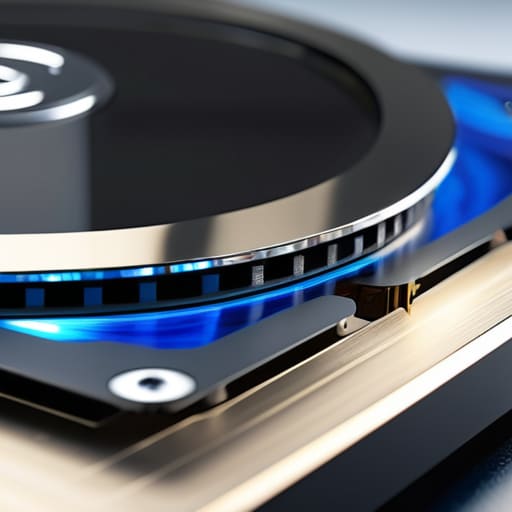
A hard disk drive is a traditional storage device that uses spinning magnetic platters and a moving actuator arm to read and write data. It relies on mechanical parts to function, which allows it to offer a significant amount of storage capacity at a relatively low cost per gigabyte.
In my years on the manufacturing floor, I learned to respect anything with moving parts, but I also learned they eventually wear out. An HDD is fine if you just need a massive digital warehouse to dump your family photos or old backups where speed isn’t the priority. However, if you try to run a modern operating system off one of these spinning disks, you’re going to spend half your life staring at a loading bar. They are reliable for bulk storage, but they are fundamentally limited by the laws of physics.
The Solid State Drive (SSD)
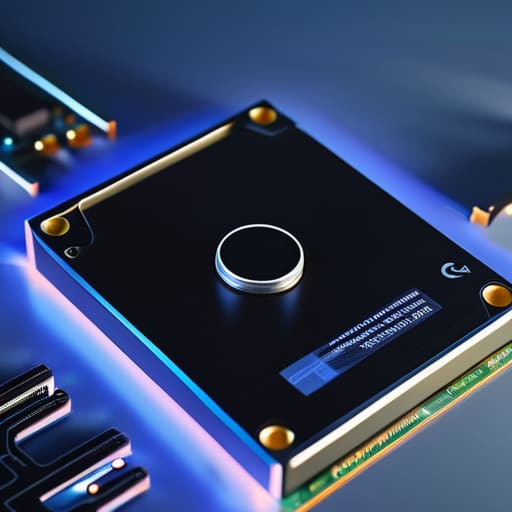
An SSD is a newer type of storage that uses flash memory chips to hold data, completely eliminating the need for any moving components. Because there are no mechanical parts to physically move, the primary advantage of an ssd vs hdd comparison is the sheer, blistering speed of data access.
I don’t care how many fancy marketing terms they throw at you; the real benefit is that your computer actually feels responsive. When I swapped the old mechanical drive in my home workstation for a solid-state unit, it felt like I’d bought a brand-new machine. There is no waiting for a disk to spin up to speed or a needle to find a sector. It’s just instant. If you want a machine that gets to work the moment you hit the power button, this is the only way to go.
Comparison of Storage Technologies
| Feature | SSD | HDD |
|---|---|---|
| Technology | Flash memory (no moving parts) | Magnetic platters (spinning disks) |
| Speed | Extremely fast (high IOPS) | Slower (mechanical latency) |
| Durability | High (shock resistant) | Low (vulnerable to physical movement) |
| Noise | Silent | Audible clicking/spinning |
| Price | Higher cost per GB | Lower cost per GB |
| Best For | OS boot drives and gaming | Bulk data storage and backups |
Mechanical vs Flash Storage Why Your Old Drive Is Failing

If you’ve ever sat there staring at a loading bar that hasn’t moved in five minutes, you know exactly why this matters. It isn’t just about speed; it’s about the fundamental physics of how your data is stored. When you’re deciding between an SSD and an HDD, you aren’t just choosing a spec sheet—you’re choosing between a device with moving parts and one that is essentially a solid block of silicon.
An HDD is a mechanical beast. It uses a spinning platter and a tiny actuator arm that has to physically move to find your files. It’s much like the old record players I restore; if you bump the table while the needle is down, you’re in trouble. This makes them incredibly vulnerable to physical shock and vibration. On the other hand, an SSD uses flash memory. There are no arms to swing and no disks to crash. It’s silent, it’s instant, and it doesn’t care if your laptop gets bumped on the desk.
When it comes to sheer reliability and durability, the SSD wins by a landslide. Unless you’re looking for cheap, bulk storage for files you’ll never touch again, don’t trust your active data to a spinning disk.
Read and Write Speeds Comparison Measuring Real World Performance
Look, it doesn’t matter how much storage you have if it takes an eternity to actually access your files. If you’re sitting there staring at a loading bar, that’s not technology working for you; that’s you working for your technology. When we talk about read and write speeds, we aren’t just talking about numbers on a spec sheet—we’re talking about your daily productivity and how much of your life you waste waiting on a machine.
The difference here is night and day. An HDD relies on a physical arm moving across a spinning platter, much like a record player. That mechanical movement creates a bottleneck that no amount of software can fix. An SSD, however, uses flash memory with zero moving parts, allowing it to access data almost instantly. In a real-world test, booting up an OS or launching a heavy application on an SSD feels like flipping a light switch, whereas an HDD feels like trying to start a cold engine in mid-winter.
For pure speed and responsiveness, there is no contest. The SSD wins this round, hands down.
The Bottom Line: What You Actually Need to Know
If you’re running an operating system or any modern software, an SSD isn’t a luxury—it’s a necessity. Don’t settle for a slow, spinning hard drive as your main boot drive unless you enjoy watching a loading bar for ten minutes.
Use HDDs for what they’re actually good for: mass storage. If you have terabytes of old family photos or movies that you just need to sit on a shelf, a high-capacity hard drive is still the most cost-effective way to go.
Stop prioritizing capacity over reliability. I’ve seen too many people buy a massive, cheap hard drive only to lose everything when it inevitably fails. Buy a quality SSD for your important work, and use a mechanical drive only for the stuff you don’t mind losing if the hardware gives out.
The Hard Truth About Moving Parts
I’ve spent enough time with a screwdriver in my hand to know that any device with a spinning platter is just a ticking clock waiting to fail; if you want your data to actually stay where you put it, stop betting on mechanical parts and get yourself a solid-state drive.
Roland Delacroix
The Bottom Line: Making the Right Call
Look, I’ve spent enough time around assembly lines to know that you can’t cheat physics. If you need a massive amount of storage for cheap—like a digital graveyard for old photos or movies you rarely watch—an HDD is still a sensible, cost-effective tool. But if you’re talking about the drive that actually runs your operating system and your daily programs, don’t even bother with the spinning platters. The mechanical parts in an old-school drive are a point of failure waiting to happen, especially if you move your machine around. For anything involving your active work or your boot drive, an SSD is the only logical choice to ensure your system doesn’t feel like it’s running through molasses.
At the end of the day, my advice is simple: buy for the task, not the marketing hype. Don’t let a salesperson talk you into a high-capacity hard drive when what you really need is the instant responsiveness of flash storage. Invest in quality hardware that does its job without requiring constant babysitting. I’ve seen enough “cutting edge” gear end up in the scrap heap to know that reliability is king. Get the SSD for your speed, keep the HDD for your archives, and stop wasting your hard-earned money on setups that are destined to frustrate you.
Frequently Asked Questions
If I'm just storing old photos and movies, is there any real reason to spend the extra money on an SSD?
If you’re just archiving old photos and movies to sit on a shelf, then no, don’t go throwing money at an SSD. For long-term, cold storage where you aren’t accessing files every single day, a high-quality HDD is still the smarter play. You get much more capacity for every dollar spent. Just make sure you keep those drives powered up occasionally to prevent bit rot, and don’t treat them like rugged travel gear.
I've heard SSDs can wear out after a certain amount of use; how long are they actually going to last me compared to a traditional hard drive?
Look, I get the concern. You hear about “write cycles” and think your data is on borrowed time. Here’s the reality: unless you’re running a massive server farm or constantly re-writing terabytes of data every single day, a modern SSD will likely outlive the computer it’s sitting in. An HDD might fail because a physical arm crashes into a platter, but an SSD fails silently through wear. For most folks, the SSD wins on longevity.
Can I just swap my old mechanical drive for an SSD in my current laptop, or am I going to need to buy a whole new machine?
In most cases, you can absolutely swap them out without buying a new machine. Most laptops from the last decade use a standard SATA connection, meaning an SSD will plug right into the same slot where your old, clunky hard drive sits. Just check your manual or pop the back cover off to confirm. It’s the single best way to breathe life into an old laptop—it’s much cheaper than buying new hardware.
