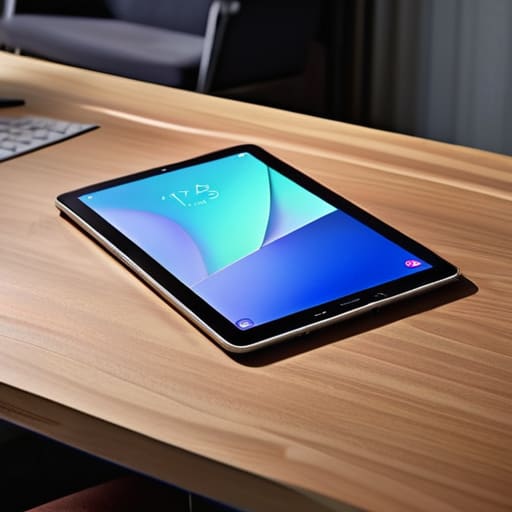
Blog

  • Selecting a Laptop for Professional Use

    Selecting a Laptop for Professional Use

    I’ve spent thirty years in manufacturing, looking at blueprints and stress-testing components, so I know exactly what happens when a machine is built to fail. These days, I see people walking into electronics stores and getting blinded by glowing screens and sleek, thin designs that are nothing more than expensive plastic. They walk out with a device that looks great on a coffee table but chokes the second you open more than three tabs in a browser. Finding the best laptop for work shouldn’t feel like a gamble where you’re betting your hard-earned paycheck against a marketing department’s lies. You need a tool that actually holds up under a real workload, not something that requires a software update every time you want to type a memo.

    In this guide, I’ve cut through the marketing fluff to bring you five machines that actually earn their keep. I’m not interested in how many megapixels the webcam has or how many RGB lights are flashing on the keyboard; I care about build quality, thermal management, and reliability. I’ve narrowed this list down to five specific options that offer the best balance of durability and performance. By the time you finish reading, you’ll know exactly which hardware is worth your investment and which ones you should steer clear of at all costs.

    Table of Contents

    The Reliable Workhorse: Lenovo ThinkPad X1 Carbon

    The Reliable Workhorse: Lenovo ThinkPad X1 Carbon

    I’ve spent enough time on manufacturing floors to know that if a tool isn’t built to withstand a bit of a beating, it’s useless. The ThinkPad series has always been my go-to because they don’t skimp on the chassis. While other companies are moving toward thin, flimsy aluminum that bends if you look at it wrong, these machines feel like they were actually engineered to last. The keyboard has a tactile snap that makes typing long reports feel like a breeze rather than a chore.

    The Smooth Operator: MacBook Air (M2/M3 Chips)

    The Smooth Operator: MacBook Air (M2/M3 Chips)

    Now, I usually have a healthy skepticism toward anything that uses a “closed ecosystem,” but I can’t deny the sheer efficiency of Apple’s silicon. I sat down with the MacBook Air recently, and the first thing I noticed wasn’t the screen—it was the lack of a fan. Most laptops sound like a jet engine taking off the moment you start a video call, but this thing stays dead silent. For a guy who appreciates well-built machinery, that kind of thermal management is impressive.

    The Professional Standard: Dell Latitude Series

    The Professional Standard: Dell Latitude Series.

    If you’re looking for something that feels like it belongs in a serious office environment, the Latitude is a sensible bet. I’ve seen these used in everything from engineering firms to logistics hubs, and they rarely seem to die on me. They aren’t the prettiest machines on the shelf, but they aren’t trying to be. They are built for utility and uptime, which is exactly what you want when you’re on a deadline.

    The Powerhouse: ASUS ROG Zephyrus G14

    I know what you’re thinking: “Roland, why are you looking at a gaming laptop for work?” Well, because sometimes “work” involves heavy lifting like CAD software or video rendering that would make a standard office laptop choke. The Zephyrus isn’t just about flashing lights and games; it’s about having the raw horsepower to handle intensive tasks without crashing. The internals are beefy, and the build feels much more substantial than your average consumer plastic.

    The Budget-Conscious Choice: Acer Swift Go

    Not everyone has a massive corporate budget, and I understand that. If you just need something to handle emails, basic documents, and the occasional web search, the Acer Swift Go is a decent way to save some cash without buying total junk. It’s lightweight, which is great for travel, and the display is actually quite sharp for the price point. It’s a practical middle ground for those who don’t need a supercomputer.

    The Bottom Line Before You Reach for Your Credit Card

    Stop chasing the highest numbers on a spec sheet; a faster processor won’t save you if the chassis is made of cheap, flimsy plastic that flexes every time you type.

    Prioritize build quality and thermal management over flashy aesthetics—if a machine can’t handle the heat of a real workday, it’s nothing more than an expensive paperweight.

    Buy for the task at hand, not the marketing hype; if you don’t need a high-end graphics card for your spreadsheets, don’t pay the premium for one.

    The Bottom Line on Performance

    Don’t let a marketing department convince you that a thinner chassis or a brighter screen makes for a better tool. A real work laptop is measured by its thermal management, its keyboard tactile response, and whether it’s still running smoothly after twelve hours of heavy lifting—not by how much it glitters on a showroom floor.

    Roland Delacroix

    The Bottom Line

    Look, I’ve spent enough time in manufacturing plants to know that if a machine isn’t built to handle a real workload, it’s just a paperweight. When you’re picking between these five models, stop getting distracted by the fancy backlit keyboards or the ultra-thin chassis that feels like it might snap in your briefcase. You need to focus on the fundamentals: thermal management, keyboard tactile feedback, and a build that doesn’t flex when you type. Whether you go with the rugged reliability of a ThinkPad or the polished performance of a MacBook, make sure you are buying for long-term durability rather than just chasing the latest marketing buzzword. If the specs don’t match the price tag, walk away.

    At the end of the day, a laptop is a tool, not a trophy. It shouldn’t be the center of your attention; it should be the silent partner that lets you get your job done so you can actually close the lid and enjoy your evening. Don’t let the tech industry convince you that you need a supercomputer just to manage a spreadsheet and some emails. Buy something built to last, treat it with a bit of respect, and it will serve you well for years to come. Now, if you’ll excuse me, I’ve got a vintage Marantz receiver on my workbench that actually requires some real engineering to fix.

    Frequently Asked Questions

    How much RAM do I actually need to prevent the machine from stuttering when I have twenty tabs and a spreadsheet open?

    Look, if you’re running twenty browser tabs alongside a heavy spreadsheet, don’t even bother looking at anything with 8GB of RAM. That’s just asking for a bottleneck. In my experience, 16GB is the baseline for staying productive without that infuriating stuttering. If you’re doing more complex data work, grab 32GB. It’s better to overspend slightly on memory now than to buy a machine that becomes a paperweight in two years.

    Is it worth paying the premium for a touchscreen, or is it just another fragile component that’ll fail in two years?

    Look, I’ve seen enough failed components in my time to know that every extra feature is just another point of failure. A touchscreen adds a layer of glass that’s prone to smudges, scratches, and eventually, digitizer failure. Unless your workflow absolutely demands it—like signing documents or precise design work—it’s usually a waste of money. Most people just end up with a more expensive, more fragile screen that’s harder to repair when it inevitably breaks.

    Should I be looking at a lightweight ultrabook for travel, or do I need something with more heft and better cooling for heavy workloads?

    Look, there’s no one-size-fits-all answer, but don’t let marketing fool you. If you’re just answering emails and spreadsheets on a plane, grab the ultrabook; you’ll thank me when your back isn’t aching. But if you’re running heavy CAD software or rendering video, that thin chassis is just a heat trap. You need thermal headroom. A thin laptop that throttles its speed because it can’t breathe is just an expensive paperweight.

  • Best Tablets for Digital Illustration and Design

    Best Tablets for Digital Illustration and Design

    I was sitting at my workbench last Tuesday, tinkering with a vintage Marantz receiver, when I realized how much the tech industry has changed for the worse. Nowadays, you walk into a store to find a tablet for artists, and you’re met with a wall of glossy marketing jargon and “revolutionary” features that mean absolutely nothing once you actually try to use them. Most of these devices are nothing more than overpriced glass slabs wrapped in flimsy aluminum, designed to fail the moment the warranty expires. I’ve spent thirty years looking at how things are built, and frankly, I’m tired of seeing people throw their hard-earned money at gadgets that prioritize flashy screens over actual, reliable performance.

    I’m not here to sell you on the latest trend or some overpriced brand name that’s mostly hype. My goal is to cut through the noise and tell you which hardware actually has the build quality to survive a real workday. I’ll be looking at pressure sensitivity, stylus latency, and structural integrity—the stuff that actually matters when you’re in the middle of a project. I promise to give you the straight truth on what’s a solid tool and what’s just expensive plastic.

    Table of Contents

    Graphics Tablet vs Pen Display What Actually Matters

    Graphics Tablet vs Pen Display What Actually Matters

    Now, before you go dropping a month’s worth of savings on a new setup, you need to understand the fundamental difference between a graphics tablet and a pen display. I see people making this mistake all the time: they buy a screen-based display thinking it’s inherently “better,” but they end up with a device that’s a nightmare to calibrate. A standard graphics tablet—the kind without a screen—relies on your hand-eye coordination, much like using a mouse but with much more nuance. Because there’s no monitor built into the unit, you’re usually looking at a more robust, reliable piece of hardware that won’t overheat or fail just because a backlight died.

    On the other hand, a pen display lets you draw directly on the screen, which feels more natural, but you’re paying a premium for that convenience. When you’re weighing the pros and cons of a graphics tablet vs pen display, don’t just look at the price. You need to look at the technical reality of stylus latency and precision. If there is even a millisecond of lag between your hand moving and the line appearing on the screen, you’re going to find the whole experience frustrating. It’s not about the flashiness; it’s about whether the tool actually follows your lead.

    Why High Pressure Sensitivity Levels Are Non Negotiable

    Why High Pressure Sensitivity Levels Are Non Negotiable

    When you’re looking at spec sheets, you’re going to see numbers like 4,096 or even 8,192 thrown around like they’re magic spells. Don’t let the marketing jargon confuse you. In my experience, these pressure sensitivity levels aren’t just arbitrary digits; they dictate how much control you actually have over your line weight. If the sensor is garbage, you’ll find yourself fighting the tool rather than using it. You want a device that responds to a feather-light touch just as reliably as a heavy stroke, otherwise, you’re just fighting a digital ghost.

    If you’re coming from a traditional background, you know that the nuance of a pencil stroke is everything. A low-quality sensor creates a “stair-step” effect where the line jumps from thin to thick in jarring increments. To get a natural feel, you need high-grade stylus latency and precision that mimics real-world physics. Anything less is just a glorified mouse, and quite frankly, it’s a waste of your hard-earned money. If the hardware can’t handle the pressure, the most expensive software in the world won’t save your art.

    Five Things to Check Before You Open Your Wallet

    • Don’t get blinded by the screen resolution. A 4K display looks pretty in a brochure, but if the parallax is off and there’s a massive gap between your pen tip and the actual cursor, you’re going to be fighting the hardware all day. Look for a device that actually feels like the ink is hitting the surface.
    • Check the build quality of the stylus. I’ve seen too many “pro” tablets come with pens that feel like cheap, hollow pieces of injection-molded plastic. If it doesn’t have some decent weight and a balanced center of gravity, your hand is going to cramp up after twenty minutes of actual work.
    • Look at the connection ports, not just the wireless specs. Bluetooth is convenient until it drops a signal mid-stroke. I always prefer a reliable, physical connection. If the tablet relies entirely on a finicky wireless chip to function, you’re asking for a headache when you’re in the middle of a deadline.
    • Watch out for “proprietary” nonsense. If a manufacturer forces you to use their specific, overpriced replacement nibs or a closed-loop software system that won’t talk to your existing programs, walk away. A good tool should play well with others, not hold your workflow hostage.
    • Test the surface texture. If the screen is as smooth as a pane of glass, you’re going to find it impossible to control your lines. You want something with a bit of “tooth” to it—a slight friction that mimics the feel of paper. Anything less is just a slippery, frustrating mess.

    The Bottom Line Before You Open Your Wallet

    Don’t get blinded by the marketing fluff about “millions of levels of pressure”; focus on how the pen actually feels in your hand and whether the nibs feel like real tools or cheap bits of plastic.

    Decide if you actually need a screen on the tablet or if a standard graphics tablet will do, because paying for a built-in display often means paying for more points of failure and more heat.

    Prioritize build quality over flashy software bundles; a tablet with a solid, weighted chassis will outlast a lightweight, flimsy model that’s designed to be replaced in two years.

    The Truth About Pressure Sensitivity

    Don’t get distracted by a marketing department’s claims about thousands of levels of pressure; what you actually need to look for is how the sensor handles a light touch without jittering like a cheap toy. If the hardware can’t translate your hand’s intent into a steady line, all those extra specs are just numbers on a box meant to drain your wallet.

    Roland Delacroix

    Don't Get Sold a Lemon

    Don't Get Sold a Lemon: Reliable tablets.

    Look, I’ve seen enough “revolutionary” gadgets turn into paperweights to know that you need to keep your guard up. When you’re picking out a tablet, don’t get distracted by the flashy marketing or the sleek, thin chassis that feels like it might snap in half if you look at it wrong. You need to prioritize the fundamentals: decide whether a pen display is worth the extra desk space, ensure the pressure sensitivity isn’t just a marketing gimmick, and for heaven’s sake, check the build quality of the stylus. If the hardware feels flimsy in your hand, it’s going to fail you when you’re in the middle of a deadline. Invest in reliability, not just a pretty screen.

    At the end of the day, a tablet is just a tool, no different from a well-made wrench or a reliable soldering iron. It’s there to serve your vision, not to become a source of constant frustration. Don’t let the tech industry make you feel like you need the most expensive, over-engineered setup just to be a “real” artist. Find something that works, something that feels solid, and something that stays out of your way so you can actually do the work. Once you find that right piece of gear, stop worrying about the specs and just start creating.

    Frequently Asked Questions

    I’ve seen these "pro" tablets that cost a fortune—is the extra money actually going into better hardware, or am I just paying for a brand name?

    Look, I’ve seen this play out in manufacturing a thousand times: you pay for the badge, not the build. With these tablets, a portion of that “pro” price tag is definitely going toward marketing and brand prestige. However, there is a line where the money actually buys better components—specifically more stable digitizer chips and better color accuracy in the display. If you’re just sketching, stay away from the premium brands. Only pay the markup if you need professional-grade color calibration.

    How much does the surface texture of the tablet actually matter for drawing, or is it all just marketing fluff?

    It’s not just marketing fluff, but don’t expect a miracle. If the surface is as slick as a sheet of glass, your pen will skate around like a puck on ice, making precise lines nearly impossible. You want a bit of “tooth”—that slight friction that mimics paper. It gives you the control you need for fine detail. Just watch out for overly textured surfaces; they can wear down your nibs faster than a sandpaper block.

    Do I really need to worry about the connection type, or will a cheap USB cable get the job done without causing lag?

    Listen, don’t go thinking a five-dollar gas station cable is going to cut it. I’ve seen enough signal interference to know that a flimsy, unshielded wire is a recipe for disaster. If that connection drops or introduces even a millisecond of lag, your line work will look like a jagged mess. Stick to the high-quality, shielded cable that came in the box, or invest in a reputable brand. Don’t cheap out on the one thing connecting your hand to the machine.

  • Deciding Between a Tablet and a Laptop

    Deciding Between a Tablet and a Laptop

    I was sitting at my workbench last Tuesday, trying to cross-reference some old schematics for a 1970s Marantz receiver, when I realized I was fighting my own gear. I had a brand-new tablet in one hand and a standard laptop in the other, and frankly, I couldn’t decide which one was actually going to help me finish the job. It’s the same headache I see everyone running into lately: the endless debate of tablet vs laptop. Most folks walk into a store thinking they want the sleek, lightweight convenience of a tablet, only to realize three weeks later that they can’t actually get any real work done without a proper keyboard and a file system that makes sense.

    Look, I’m not here to recite a list of colorful marketing buzzwords or tell you which device has the prettiest screen. I spent thirty years in systems engineering; I care about build quality and utility. In this guide, I’m going to strip away the hype and tell you exactly which machine is a reliable tool and which one is just expensive plastic destined for a junk drawer. I’ll help you decide where to put your hard-earned money so you don’t end up frustrated by a device that fails the moment things get serious.

    Table of Contents

    The Tablet

    A person using The Tablet device.

    A tablet is essentially a handheld computer centered around a high-resolution touchscreen interface, designed primarily for portable media consumption and light interaction. Instead of relying on a physical keyboard, these devices use capacitive touch sensors to let you navigate through apps, browse the web, or watch videos with just a swipe of your finger. The main selling point is the sheer simplicity and the lack of weight, making them the ultimate device for when you want to sit in a chair and just consume content without any fuss.

    In my experience, the problem is that people often mistake convenience for capability. I’ve seen plenty of folks buy a high-end tablet thinking it’ll replace their workstation, only to realize that trying to type a serious email or manage a spreadsheet on a piece of glass is a recipe for frustration. It’s a fine tool for reading the news or showing photos to the grandkids, but if you’re looking for something that can actually handle a heavy workload, you might find yourself reaching for something more substantial.

    The Laptop

    A portable computer, The Laptop.

    A laptop is a fully integrated portable computer that combines a screen, a physical keyboard, and a precision pointing device into a single, folding chassis. Unlike its lighter counterparts, a laptop is built around the necessity of active input, providing the processing power and the tactile feedback required for real productivity. The core objective of this machine is to give you a complete computing environment that you can fold up and toss into a bag, whether you’re at a desk or on a train.

    When I look at a laptop, I look at the build quality and the way the components work together to get a job done. There is a certain reliability in a physical keyboard that a touchscreen simply cannot replicate; you know exactly where your fingers are, and you don’t have to squint at a tiny icon to make a change. If you actually have work to do—real work, not just scrolling through social media—you need a machine that responds to your commands without making you feel like you’re playing a game.

    Comparison of Tablet vs Laptop

    Feature Tablet Laptop
    Form Factor Touchscreen/Handheld Clamshell/Keyboard-based
    Portability Extremely High Moderate
    Primary Input Touch & Stylus Keyboard & Trackpad
    Performance Mobile-optimized Desktop-class
    Software App-centric (OS) Full Desktop Applications
    Battery Life Generally Long Variable
    Best For Media & Light Tasks Productivity & Heavy Workloads

    Hardware Performance Comparison Real Power vs Pretty Displays

    Hardware Performance Comparison Real Power vs Pretty Displays

    Look, don’t let a high-resolution screen fool you. Manufacturers love to throw a bright, colorful display in your face to distract you from the fact that there’s nothing substantial driving the hardware underneath. If you’re buying a device based solely on how pretty the icons look, you’re going to be frustrated the moment you actually try to run a heavy program.

    Laptops are built for the long haul; they have the thermal headroom and the dedicated processors to handle multitasking without breaking a sweat. When I’m running diagnostic software or heavy spreadsheets, I need a machine that won’t throttle its speed the second it gets warm. Tablets, on the other hand, are often little more than glorified media players. They use mobile chips designed for efficiency and scrolling, not for sustained, heavy-duty workloads. You might get a snappy feeling for ten minutes, but once you push the limits, that “pretty” device will start to lag.

    If you need raw, reliable horsepower to get actual work done, the laptop wins every single time. Don’t trade utility for a shiny screen.

    Portability vs Power Finding What Actually Works

    Here is the problem with how these things are marketed today: they want you to believe you can have it all, but physics doesn’t care about your marketing budget. When you’re deciding between a tablet and a laptop, you’re essentially making a trade-off between convenience and capability. If you pick something too light, you’ll likely find yourself frustrated when it can’t handle a heavy workload; if you go too heavy, you’ll end up leaving it on your desk because it’s a chore to carry.

    A tablet is undeniably easy to toss in a bag, and for reading or checking emails on a plane, it’s hard to beat. But let’s be honest—the moment you try to multitask or manage a complex file system, that “convenience” turns into a massive headache. A laptop, on the other hand, might weigh a few extra pounds, but it provides a stable platform that actually stays out of your way. You get a real keyboard, a decent cooling system, and the ability to actually finish a task without fighting the interface.

    If you’re just consuming media, the tablet wins. But if you actually intend to get work done, the laptop is the only reliable choice.

    The Bottom Line: Stop Overthinking and Start Choosing

    If your daily tasks involve more than just scrolling through news feeds or checking email, buy a laptop; don’t let a sleek tablet screen trick you into thinking you’re actually being productive.

    Match the tool to the job, not the marketing hype—a tablet is a luxury for media consumption, but a laptop is a reliable workhorse for anyone who needs to get things done without fighting the interface.

    Prioritize build quality and input reliability over “thinness”—I’ve seen enough flimsy, overpriced plastic in my time to know that if you can’t type comfortably or plug in a standard peripheral, the device is more of a headache than a help.

    The Bottom Line on Utility

    “Stop looking at the glossy advertisements and start looking at the interface. If you’re just consuming content, a tablet is fine; but the moment you need to actually build, organize, or create something substantial, that tablet becomes nothing more than an expensive, glorified paperweight compared to a real laptop.”

    Roland Delacroix

    The Bottom Line: Stop Guessing and Start Choosing

    Look, I’ve seen enough “revolutionary” gadgets come and go to know that there is no such thing as a perfect device—only the right tool for the job you’re actually doing. If you need to crunch heavy spreadsheets, run specialized software, or just want a machine that won’t fail you when you’re halfway through a project, buy a sturdy laptop. Don’t let a sleek marketing campaign convince you otherwise. On the flip side, if your life revolves around consuming media, reading, or light browsing while sitting on the porch, a tablet is a fine choice, provided you aren’t expecting it to replace a real computer. Just remember that once you start pushing a tablet too hard, you’ll find it’s nothing more than expensive plastic that can’t keep up.

    At the end of the day, don’t let the tech industry make you feel like you’re behind the curve just because you want something that works reliably. Whether you reach for a keyboard or a touchscreen, make sure your decision is based on your actual daily needs rather than what looks good in a showroom window. Invest your hard-earned money in build quality and utility rather than flashy gimmicks. A tool is only worth what it can actually do for you when you need it most. Buy something that lasts, and you won’t find yourself back in the electronics aisle every twelve months.

    Frequently Asked Questions

    If I'm mostly just browsing the web and checking emails, is there any real point in spending the extra money on a laptop?

    Look, if your world consists of nothing but reading news and clearing out an inbox, a laptop is likely just a way to burn money. For those basic tasks, a tablet with a decent keyboard attachment is more than enough. Don’t let the sales pitch convince you that you need a high-performance processor just to check your email. Save your cash, buy a reliable tablet, and stop paying for power you’ll never actually use.

    I've seen those high-end tablets that claim to replace computers, but how do they actually handle multitasking without freezing up?

    Look, those marketing brochures love to talk about “computer replacement,” but let’s get real. When you start juggling a spreadsheet, a dozen browser tabs, and a video call, those tablets start sweating. Most of them rely on mobile-first processors that just aren’t built for heavy lifting. They’ll swap apps or freeze the moment the RAM gets crowded. If you need to do more than one thing at once, stick to a laptop with actual thermal management.

    Which one of these is going to actually last me five years without the battery dying or the hardware becoming obsolete?

    If you’re looking for a five-year stretch, buy the laptop. Period. Tablets are designed for the “now”—they’re thin, they’re sleek, and their batteries start degrading the moment you unbox them. Once the software updates get heavier, that tablet will feel like a paperweight. A decent laptop with a solid processor and replaceable components has the staying power you need. Don’t let a pretty screen trick you into buying something disposable.

  • Selecting the Ideal Tablet for Student Life

    Selecting the Ideal Tablet for Student Life

    I was sitting in my workshop last week, cleaning the dust out of an old Marantz receiver, when my grandson came in complaining that his brand-new, high-priced device wouldn’t even hold a charge through his afternoon seminar. It’s the same old story: manufacturers are selling kids a shiny, overpriced piece of glass and calling it a tool. Most of the marketing out there for a tablet for students is nothing more than expensive plastic wrapped in clever advertising designed to drain a parent’s bank account. They promise “limitless creativity,” but they don’t mention the flimsy build quality or the software that lags the second you try to open a heavy PDF.

    I’m not here to sell you on the latest bells and whistles or some flashy ecosystem that requires a monthly subscription just to function. My goal is simple: I want to help you find a device that actually works when you need it to. I’ve spent my career looking at how things are built, and I’m going to apply that same scrutiny here. I’ll show you which models have the battery life to survive a full day of lectures and which ones are just overhyped junk waiting to fail you mid-exam.

    Table of Contents

    Best Budget Tablets for College That Wont Break the Bank

    Best Budget Tablets for College That Wont Break the Bank

    If you’re looking for the best budget tablets for college, my advice is to stop looking at the flashy advertisements and start looking at the spec sheets. You don’t need a thousand-dollar machine to get through a semester of lectures; you just need something that won’t die halfway through a chemistry seminar. I’ve seen too many kids drop a fortune on a high-end device only to realize they’re paying for a fancy camera they’ll never use. Look for something mid-range that prioritizes tablet battery life for long lectures over sheer processing power.

    When I’m evaluating these cheaper models, I check the build quality first. If it feels like a toy, it’s going to break in a backpack by midterms. You want something with decent stylus compatibility for students so you can actually use digital note-taking apps without the pen lagging like a piece of junk. If the device can handle a PDF and a basic stylus without overheating, you’ve found a winner. Don’t let the marketing fool you—focus on the hardware that actually serves your coursework, not the bells and whistles.

    Why Tablet Battery Life for Long Lectures Actually Matters

    Why Tablet Battery Life for Long Lectures Actually Matters

    Look, I’ve seen plenty of engineers walk into a meeting with a high-spec laptop only to spend the first twenty minutes hunting for a wall outlet. It’s embarrassing, and it’s a waste of time. When you’re sitting in a lecture hall that’s packed like a tin can, finding an available power socket is a losing battle. If you’re relying on tablet battery life for long lectures to get you through a three-hour seminar, you can’t afford to be playing a game of “percentage chicken” with your device.

    A tablet is supposed to be a tool, not a tethered appliance. If you’re using various digital note taking apps to scribble down diagrams or annotate slides, your screen is constantly active, which drains the cells faster than you’d think. I don’t care how many gigabytes of RAM a device has if it dies halfway through a chemistry lecture. You need a machine that stays reliable from the first bell to the last, or you might as well just stick to a paper notebook and a pencil.

    Five Hard Truths Before You Swipe Your Credit Card

    • Stop obsessing over screen resolution and start looking at the chassis. If the casing feels like a cheap toy, it’s going to crack the first time it slides into a crowded backpack. Look for reinforced edges and a build that doesn’t flex when you apply pressure.
    • Don’t get blinded by “stylus compatibility” marketing. A pen is useless if the digitizer has lag. If you’re taking handwritten notes, test the latency; there is nothing more frustrating than your digital ink trailing three inches behind your actual hand movement.
    • Check the port situation before you buy. I’ve seen too many “sleek” designs that omit a standard USB-C port or a headphone jack, forcing you to carry a bag full of dongles just to plug in a thumb drive or a pair of reliable wired earbuds.
    • Ignore the “all-day battery” claims on the box. Manufacturers test those in a vacuum with the screen brightness turned all the way down. In the real world, with Wi-Fi on and a PDF open, that battery life will drop significantly faster. Aim for a spec that’s higher than what you think you need.
    • Make sure the operating system isn’t a walled garden. You need a device that lets you move files between your laptop and your tablet without needing three different proprietary apps and a prayer. If it’s too complicated to move a simple spreadsheet, it’s a bad tool.

    The Bottom Line: What You’re Actually Paying For

    Don’t get blinded by a high price tag; a tablet’s worth is measured by its ability to run your essential software without lagging or overheating halfway through a study session.

    Prioritize build quality and battery endurance over flashy gimmicks—if you can’t rely on the device to last through a three-hour lecture, it’s just an expensive paperweight.

    Read the fine print on accessories; many manufacturers charge a premium for styluses and keyboards that feel like cheap toys, so factor those real-world costs into your budget from the start.

    ## The Real Cost of Cheap Hardware

    “I’ve seen enough flimsy, ‘bargain-bin’ electronics to know that if you’re saving fifty bucks today on a tablet with a cheap chassis and a mediocre processor, you’ll be spending two hundred more on a replacement by midterms when the thing inevitably gives up the ghost.”

    Roland Delacroix

    Making the Right Call

    Making the Right Call: Choosing school tablets.

    At the end of the day, choosing a tablet for school isn’t about finding the device with the most bells and whistles or the prettiest marketing campaign. It’s about finding a piece of hardware that serves its purpose without requiring a constant tether to a wall outlet or a repair shop. We’ve talked about why you shouldn’t overspend on flashy, fragile models and why battery longevity is the real metric of success during a twelve-hour day on campus. If you prioritize build quality and reliable performance over brand prestige, you’ll end up with a tool that actually assists your studies rather than becoming another expensive distraction sitting in your backpack.

    I know the tech industry loves to make you feel like you’re falling behind if you don’t own the latest, most expensive model on the market, but don’t fall for it. Your education is the investment here, not the gadget in your hand. Use these specs to find something that works as hard as you do, and then get back to the actual work of learning. A good tool should be invisible—it should just work every time you pick it up so you can focus on what really matters. Buy something sturdy, buy something reliable, and stop worrying about the hype.

    Frequently Asked Questions

    Is it actually worth spending the extra money on a stylus, or is that just another way to upsell me on more plastic?

    Look, I’ve seen enough “revolutionary” accessories end up in the junk drawer to be wary. If you’re just scrolling through PDFs or checking emails, skip the stylus; it’s an expensive piece of plastic you don’t need. But, if you’re actually taking handwritten notes in a lecture, a decent stylus is a tool, not a gimmick. It turns a media player into a digital notepad. Just make sure it has actual pressure sensitivity before you open your wallet.

    Can these tablets actually handle running heavy software like CAD or specialized engineering programs, or are they just for taking notes?

    Look, let’s be clear: most of these tablets are glorified digital notebooks. If you’re trying to run heavy CAD software or complex simulations, you’re going to run into a wall. These mobile processors just aren’t built for that kind of sustained computational load. Don’t let a salesperson tell you otherwise. For real engineering work, you still need a dedicated workstation with actual thermal management. Use the tablet for your notes, but keep your laptop for the heavy lifting.

    How much of a difference does screen glare really make when I'm trying to study in a bright library or a lecture hall?

    It makes a massive difference. I’ve spent enough time under fluorescent lights to know that a cheap, glossy screen is a recipe for a headache. If you’re sitting near a window in a lecture hall, you’ll spend half your time tilting the device just to see your notes through the reflection. Look for a matte finish or an anti-reflective coating; otherwise, you’re just staring at your own tired face instead of your textbook.

  • What to Look for When Buying a Gaming Laptop

    What to Look for When Buying a Gaming Laptop

    I was sitting at my workbench last Tuesday, cleaning the dust out of a vintage Marantz receiver, when I saw another ad for a “next-gen” gaming rig that cost more than my first car. It was covered in flashing lights and promised “unparalleled immersion,” but the chassis looked like it was made of nothing but recycled soda bottles. This is the problem with most gaming laptop advice you’ll find online today; it’s all focused on flashy RGB lighting and marketing buzzwords that mean absolutely nothing once the thermal throttling kicks in. If the engineers didn’t prioritize the heat dissipation and the hinge integrity, you aren’t buying a powerhouse—you’re buying a very expensive, very loud space heater.

    I’m not here to sell you on the latest hype or tell you that you need a liquid-cooled beast just to play a few rounds of a shooter. My goal is to give you the straight truth based on how these machines are actually built. I’m going to cut through the nonsense and show you how to spot a machine with real structural integrity and a cooling system that won’t fail you in six months. Consider this your manual for finding hardware that actually lasts.

    Table of Contents

    The Cpu vs Gpu Trap Where Your Money Actually Goes

    The Cpu vs Gpu Trap Where Your Money Actually Goes

    When you’re looking at spec sheets, the marketing departments want to pull your eyes toward the highest number possible. They’ll brag about a top-tier processor, but here is the reality: in a chassis that thin, a high-end CPU often becomes a liability. I’ve seen too many folks fall into the cpu vs gpu for gaming debate without realizing that a massive processor is useless if the laptop can’t vent the heat. If the manufacturer didn’t prioritize gaming laptop thermal management, that expensive chip will just throttle itself down to a crawl within ten minutes of play.

    You have to look at the balance of the machine. It is much better to have a mid-range processor paired with a solid, dedicated graphics card than a flagship CPU paired with a weak GPU. Most modern titles rely heavily on the graphics card to do the heavy lifting. Don’t let them sell you a powerhouse engine inside a car with no radiator. If you’re hunting for the best budget gaming laptops 2024 has to offer, look for that equilibrium. You want a machine that stays cool and keeps the frame rates steady, not one that looks good on paper but fails in practice.

    Dont Settle for Dim Screens Choosing Gaming Laptop Screen Resolution

    Dont Settle for Dim Screens Choosing Gaming Laptop Screen Resolution

    Manufacturers love to hide behind high refresh rates to distract you from a mediocre panel. They’ll tell you that 144Hz is the gold standard, but if that screen is a low-quality 1080p panel with washed-out colors, you’re essentially looking at a blurry mess. I’ve seen too many people fall for the marketing hype only to realize their expensive machine looks like a cheap office monitor. When you’re looking at gaming laptop screen resolution, you need to balance clarity with the actual power of your hardware.

    If you opt for a 4K display, you better be prepared for the consequences. Pushing that many pixels requires massive amounts of power, which will absolutely tank your gaming laptop battery life expectations and put an immense strain on your components. In my experience, a crisp 1440p resolution is the “sweet spot” for most serious users. It provides enough detail to actually see what’s happening in a game without turning your laptop into a glorified space heater that struggles to maintain a steady frame rate.

    Five Things the Salesman Won't Tell You About Build Quality

    • Check the hinge tension and chassis rigidity before you swipe your card. If the keyboard deck flexes when you press a key, or if the screen wobbles like a leaf in a breeze, that machine is held together by cheap glue and prayer. You want something that feels solid, not a hollow shell.
    • Don’t get blinded by “RGB” marketing. A glowing keyboard looks great in a showroom, but it doesn’t mean a thing for performance. I’d much rather see a manufacturer spend that budget on better heat pipes and larger fans than on a light show that does nothing but drain your battery.
    • Look closely at the ports. In my day, we built things to last, and a machine should have a proper selection of I/O. If a laptop only has two USB-C ports and nothing else, you’re going to end up drowning in a mess of dongles just to plug in a mouse and a headset. That’s poor engineering.
    • Thermal management is everything. A high-end GPU is useless if the laptop throttles down to half speed because it can’t breathe. Look for reviews that specifically mention fan noise and heat soak; if the chassis gets hot enough to cook an egg, you’re buying a paperweight.
    • Verify the upgradeability. I hate seeing RAM soldered directly to the motherboard these days. It’s a lazy way to force you into buying a more expensive model. If you can’t pop the back off and add a stick of memory or a second SSD when you need to, you’re being short-changed.

    The Bottom Line: What to Look for Before You Swipe Your Card

    Prioritize the GPU over a fancy CPU; a top-tier processor won’t save a weak graphics card from choking on a modern game.

    Don’t get blinded by high refresh rates if the color accuracy and brightness are garbage—a fast screen is useless if you can’t actually see what’s happening on it.

    Demand better thermal design; if the manufacturer doesn’t clearly explain the cooling system, they’re likely hiding a chassis that’s going to throttle and fail under pressure.

    ## Build Quality Over Flashy Lights

    “I’ve seen enough ‘cutting-edge’ gear fail because the manufacturer prioritized a glowing keyboard over a decent thermal solution; remember, a high frame rate doesn’t mean much if the chassis is warping from the heat two months down the line.”

    Roland Delacroix

    The Bottom Line

    The Bottom Line: Prioritize gaming laptop fundamentals.

    At the end of the day, buying a gaming laptop isn’t about chasing every shiny new spec on a marketing flyer. I’ve seen too many folks walk into a store and drop two grand on a machine that has a top-tier GPU but a cooling system made of nothing but flimsy, cheap plastic. Remember what we talked about: prioritize the internals that actually drive performance, like a balanced CPU and GPU pairing, and don’t let a mediocre screen ruin the whole experience. If the build quality feels like a toy, it’s going to perform like one once the heat starts climbing. Focus on the fundamentals—thermal management, screen clarity, and actual component value—rather than the flashy RGB lights that do nothing for your frame rates.

    Look, I know the tech industry wants you to feel like you’re already behind the curve, constantly needing the “next big thing” just to stay relevant. But don’t let them rush your decision. Take your time, read the actual spec sheets, and trust your gut when a device feels poorly constructed. You aren’t just buying a gadget; you’re investing in a tool that’s supposed to work for you, not against you. Buy something that’s built to last, and you won’t find yourself back in the electronics aisle in twelve months wondering where your money went. Buy smart, buy solid.

    Frequently Asked Questions

    Should I prioritize a higher refresh rate or a higher resolution if I'm on a tight budget?

    Look, if you’re watching your wallet, don’t get caught in a tug-of-war between pixels and speed. If you’re playing fast-paced shooters, grab the higher refresh rate. A smooth 144Hz screen makes a world of difference in how the machine actually feels under pressure. If you chase 4K resolution on a budget, you’ll just end up with a beautiful, high-resolution slideshow because your hardware can’t keep up. Prioritize the refresh rate; fluidity beats pretty pictures every time.

    How can I tell if the cooling system is actually robust enough, or if it's just marketing fluff?

    Look, don’t just trust the glossy renders of glowing fans in the brochure. I want to see the internals. If the manufacturer won’t show you a clear diagram of the heat pipes and vent placement, they’re hiding something. Check the vent surface area; if they’re tiny, you’re in trouble. Also, look for heavy-duty exhaust ports. If the chassis feels thin and light, that’s usually a red flag that the thermal management is an afterthought.

    Is it worth paying the premium for more RAM, or can I just upgrade it myself later without voiding the warranty?

    Here’s the truth: don’t pay the manufacturer’s inflated markup for extra RAM. It’s one of the biggest ripoffs in the industry. Most decent laptops still use standard SODIMM slots that are easy to access. I’ve swapped out modules on dozens of machines with nothing more than a screwdriver. Just check the fine print first—some brands are getting sneaky about “warranty void if seal is broken” stickers, though most reputable ones let you tinker.

  • Finding the Right Portable Power Bank for Travel

    Finding the Right Portable Power Bank for Travel

    I was out in the garage last weekend, tinkering with an old Marantz receiver, when my phone let out that dreaded low-battery chirp just as I was looking up a wiring diagram. I reached for the last “high-capacity” portable power bank I’d bought online—a sleek, silver thing that looked great in the product photos—only to find it was nothing more than a glorified paperweight that couldn’t even hold a charge for twenty minutes. It’s the same story I see every week: manufacturers are slapping shiny finishes on flimsy, unreliable circuitry and charging you a premium for the privilege of being disappointed.

    I’m not here to sell you on some “revolutionary” tech that requires a software update just to charge your phone. My goal is simple: I want to help you distinguish between a piece of solid engineering and the expensive plastic junk that will leave you stranded when you actually need it. I’ve spent my career looking at how things are built, and I’m going to tell you exactly what to look for in a power bank so you can spend your hard-earned money on something that actually works.

    Table of Contents

    The Truth About Mah vs Wh Explained

    The Truth About Mah vs Wh Explained

    Most manufacturers will scream about a massive milliamp-hour (mAh) rating right on the front of the box to grab your attention. It’s a clever marketing trick, but it’s technically incomplete. When we’re talking about mAh vs Wh explained, the real metric you need to care about is Watt-hours (Wh). Think of it like this: mAh tells you the capacity of the internal cells, but Wh tells you the actual total energy stored. If you’re looking for a reliable power bank for long flights, the airlines actually care about the Wh rating because that’s what determines if the battery is safe to bring into the cabin.

    I’ve seen too many people buy a high-capacity unit only to realize it’s useless because the voltage conversion is inefficient. A high mAh number doesn’t mean much if the device can’t push that energy to your phone effectively. You need to look at the math. If you want compact power solutions that actually hold up, stop squinting at those big, flashy mAh numbers and start looking at the energy density. It’s the only way to know if you’re buying a real tool or just a heavy brick of expensive plastic.

    Why Lithium Ion Battery Safety Actually Matters

    Why Lithium Ion Battery Safety Actually Matters

    Now, let’s get serious for a minute. I’ve seen enough cheap, unbranded electronics go up in smoke to know that lithium ion battery safety isn’t just some marketing buzzword—it’s a necessity. When you’re shoving one of these things into a crowded backpack or, heaven forbid, a carry-on, you’re essentially carrying a small chemical reactor. If the manufacturer decided to cut corners on the internal protection circuits just to save a few cents on the production line, you’re looking at a potential fire hazard in your pocket.

    I don’t care how many bells and whistles a device has or how many dual usb ports efficiency claims they throw at you in the fine print. If the unit lacks proper thermal management or a reliable Battery Management System (BMS), it’s a ticking time bomb. You want something that manages heat properly, especially when you’re using fast charging technology that pushes high current through the cells. Don’t let a manufacturer trick you into buying a brick of “convenience” that might decide to melt your smartphone or your luggage while you’re sleeping.

    How to Spot a Reliable Power Bank Before You Hand Over Your Cash

    • Stop looking at the mAh number first. A high capacity doesn’t mean a damn thing if the internal circuitry is cheap junk that can’t handle the heat. Look for a brand that lists its actual Watt-hour (Wh) rating; if they’re hiding that, they’re likely hiding something else.
    • Check the ports, not just the capacity. I’ve seen too many “high-speed” chargers that use flimsy, loose USB-A ports that wiggle if you even look at them wrong. You want solid, reinforced connections—preferably USB-C PD (Power Delivery)—that won’t fail the first time you toss the thing in a bag.
    • Feel the weight. This isn’t a bad thing here. Physics doesn’t lie: a decent amount of energy density requires actual mass. If a “20,000mAh” brick feels as light as a plastic toy, it’s probably empty marketing and low-grade cells that will die on you in six months.
    • Demand built-in protection. Any decent unit should have overcharge, over-discharge, and short-circuit protection. If the spec sheet doesn’t explicitly mention these safety protocols, leave it on the shelf. I didn’t spend thirty years in engineering to watch a cheap battery swell up and ruin my gear.
    • Avoid the “all-in-one” gimmick traps. Some manufacturers try to cram integrated cables, flashlights, and solar panels into one tiny unit. In my experience, those extra features are always the first things to break, and they usually compromise the build quality of the battery itself. Stick to a solid battery with a reliable input/output.

    The Bottom Line: What to Look for Before You Open Your Wallet

    Stop obsessing over the biggest mAh number on the box; look for the Watt-hour (Wh) rating instead, because that’s the only way to know if the unit actually has the juice to charge your gear.

    If a power bank feels like a hollow piece of cheap plastic and lacks any decent heat dissipation, put it back on the shelf—it’s a fire hazard waiting to happen.

    Don’t get blinded by fancy LED screens or unnecessary features; you want a unit with solid connection ports and a build quality that suggests it was designed by an engineer, not a marketing team.

    Don't Let a Spec Sheet Fool You

    Most people see a high mAh number on a box and think they’re getting a bargain, but if the manufacturer won’t tell you the actual Watt-hour rating or the quality of the internal cells, you aren’t buying a power source—you’re buying a ticking time bomb wrapped in cheap, lightweight plastic.

    Roland Delacroix

    The Bottom Line

    Focus on battery capacity: The Bottom Line.

    At the end of the day, don’t let the marketing departments fool you with flashy LED displays and oversized numbers that don’t mean a lick of difference in the real world. We’ve covered enough ground to know that you need to look past the marketing fluff and focus on the actual capacity—the Wh and the mAh—and, more importantly, the integrity of the cells inside. If a manufacturer is being stingy with the technical specs or won’t tell you what kind of protection circuitry they’re using, they’re likely hiding a cheap, flimsy build under a layer of polished polycarbonate. Stick to the brands that prioritize safety and thermal management over how many USB ports they can cram onto a single chassis.

    I’ve spent enough time in machine shops and labs to know that anything built poorly is eventually going to fail you when you need it most. A power bank isn’t just a gadget; it’s your lifeline when you’re miles from an outlet or stuck in a storm. Don’t settle for the cheapest option just to save a few bucks, because you’ll end up paying for it tenfold when that “bargain” unit bricks your phone or, worse, fails to hold a charge when it matters. Invest in reliable hardware that does exactly what it says on the box. Do it right the first time, and you won’t have to worry about it later.

    Frequently Asked Questions

    How do I know if the charging cables I already own are actually fast enough to use these high-capacity banks?

    Don’t just grab whatever cable is lying around your junk drawer. If you’re using an old, thin cord from a decade ago, you’re essentially trying to push a fire hose worth of power through a drinking straw. Look for “USB-C to USB-C” cables rated for at least 60W or 100W. If the cable feels flimsy or doesn’t explicitly mention high-speed data or power delivery, it’s just going to bottleneck your expensive new bank.

    Is it actually going to damage my phone's battery if I leave it plugged into a power bank overnight?

    Look, I get why you’re worried. We’ve all seen those headlines. The short answer is: no, a decent power bank won’t cook your phone overnight. Modern devices are smart enough to trickle-charge and cut the flow once they hit 100%. However, if you’re using a cheap, unbranded brick that runs hot to the touch, that heat is what kills your battery life, not the electricity itself. If it feels warm, unplug it.

    Why does the weight of the unit matter so much if the capacity is the same?

    If two power banks claim the same capacity but one feels like a brick and the other feels like a toy, pay attention. In my engineering days, mass meant something. If a unit is suspiciously light, they’re likely cutting corners on cell density or, worse, using cheap, thin casing to save a buck. A heavier unit often indicates higher-quality internal components and better heat dissipation. Don’t let them sell you lightweight junk that dies after three cycles.

  • Finding High Quality Budget Smartphones

    Finding High Quality Budget Smartphones

    I spent three decades in manufacturing, where if a component wasn’t built to spec, it didn’t leave the floor. Nowadays, I look at the tech market and honestly, it makes my blood pressure rise. Every time I walk into a store, I see manufacturers trying to sell you a shiny, overpriced piece of glass that’ll be obsolete in eighteen months. People think they need to drop a thousand dollars to stay connected, but that’s just marketing nonsense. You shouldn’t have to sacrifice durability and reliability just because you aren’t looking to buy the latest flagship. I’ve spent the last few weeks digging through the specs and testing the build quality of the best budget smartphones currently on the market to see which ones are actual tools and which ones are just expensive plastic.

    In the following list, I’m cutting through the hype to show you five devices that actually earn their keep. I won’t waste your time with fluff about “lifestyle integration” or “ecosystems”; instead, I’ll focus on what matters: battery life, processor stability, and how the damn thing feels in your hand. By the end of this, you’ll know exactly which models offer the best bang for your buck without falling for the flashy, useless gimmicks.

    Table of Contents

    The Reliable Workhorse: Samsung Galaxy A54

    The Reliable Workhorse: Samsung Galaxy A54.

    I’ve spent enough time in manufacturing to know that a good design is about consistency, not just flashy gimmicks. The Galaxy A54 is a solid example of a device that doesn’t try to reinvent the wheel but actually delivers on its promises. The screen is bright enough to read even when you’re out in the sun, and the software feels stable enough that you won’t be fighting the interface every five minutes. It’s built with a level of build quality that makes it feel like more than just a disposable gadget.

    Built to Last: Google Pixel 7a

    Built to Last: Google Pixel 7a hardware.

    Most budget phones feel like they’re made of recycled milk jugs, but the Pixel 7a has a certain weight and substance to it that I respect. Google has optimized the software so well that the hardware doesn’t have to work nearly as hard to keep up. It’s a clean experience, free from the bloated “junkware” that most manufacturers try to shove into their operating systems just to pad the price.

    The Value King: Motorola Moto G Stylus

    The Value King: Motorola Moto G Stylus.

    I’ve always had a soft spot for tools that serve a specific purpose, and the inclusion of a stylus on this Motorola makes it more of a tool than a toy. It’s not meant for professional illustrators, but for jotting down a quick note or signing a digital document, it’s incredibly practical. The design is straightforward, and I find the interface to be refreshingly simple for anyone who doesn’t want to spend an afternoon reading a manual.

    Pure Efficiency: Nothing Phone (2a)

    Now, I’m usually skeptical of anything that looks like it’s trying too hard to be “cool,” but there is some actual engineering logic behind the Nothing Phone (2a). The way they’ve streamlined the software to keep things running smoothly is impressive for a mid-range device. It avoids the typical heat issues I see when budget processors are pushed too hard, which tells me they actually thought about the thermal management during the design phase.

    The Budget Standard: Xiaomi Redmi Note 13

    If you are looking to spend as little as possible without buying something that will break in a month, the Redmi Note 13 is your best bet. It’s a high-volume producer, and you can tell they’ve optimized their supply chain to keep costs down without completely sacrificing the essential components. The screen is surprisingly sharp for the price, which is a rarity in this segment of the market.

    The Bottom Line on Buying Cheap

    Stop chasing high-resolution camera specs on a budget; you’re usually just paying for a sensor wrapped in cheap, fragile housing that won’t survive a drop.

    Prioritize battery capacity and build materials over flashy software gimmicks—a phone that dies by noon is nothing more than an expensive paperweight.

    Look for brands that offer consistent software updates, because a device is useless if it becomes a security liability or runs like sludge after six months.

    ## The Real Cost of Cheap Tech

    “I’ve spent enough years on manufacturing floors to know that if a company isn’t charging you for build quality, they’re charging you for a marketing budget. A budget smartphone shouldn’t be a gamble on how many months it takes for the battery to swell or the screen to delaminate; it should just be a reliable tool that does its job without requiring a service contract.”

    Roland Delacroix

    The Bottom Line

    At the end of the day, choosing a budget smartphone isn’t about finding the most bells and whistles; it’s about finding the right balance between cost and operational reliability. We’ve looked at several options that manage to avoid the common pitfall of being nothing more than overpriced, fragile glass. Whether you prioritize a battery that won’t die on you by noon or a processor that doesn’t lag the moment you open a simple map, the goal remains the same: getting functional value for every dollar spent. Don’t let a marketing department convince you that you need a thousand-dollar device just to make a phone call or check your email.

    I’ve spent most of my life looking at schematics and build tolerances, and I can tell you that the trend toward “disposable tech” is a mistake. When you buy one of these devices, you are looking for a tool that integrates into your life without causing a headache. Stop chasing the latest trends and start looking for the solid engineering underneath the plastic casing. If you buy something that is built to last and does exactly what it says on the box, you’ve already won the game. Now, put down the catalog, pick the one that makes sense for your actual needs, and stop overpaying for prestige.

    Frequently Asked Questions

    Is it worth spending an extra fifty bucks for a brand name, or can I trust these budget models to actually hold up over a few years?

    Look, I’ve seen enough planned obsolescence in my time to know the score. If that extra fifty bucks gets you a name brand with a proven track record of software updates and better thermal management, take the deal. But if you’re just paying for a logo on a piece of cheap housing, don’t. I’d rather have a reliable, no-frills budget model that’s built with decent internals than a “premium” phone that bricks itself in eighteen months.

    How much does a cheaper processor actually matter for daily tasks, or is it all just marketing fluff?

    Look, I’ve seen enough engineers try to sell “peak performance” to know when you’re being sold a bill of goods. For scrolling through news or checking emails, a top-tier processor is pure vanity. You don’t need a racing engine to drive to the grocery store. However, don’t go too cheap; if the chip is bottom-shelf, you’ll deal with lag and heat. Find the middle ground—enough power to be snappy, but not a penny more.

    Can I actually get decent battery life out of these lower-priced units, or am I going to be tethered to a wall outlet by noon?

    Look, I’ve seen this pattern before. Manufacturers often cut corners on the processor to save a buck, and a weak chip is a power hog. However, if you pick a model with a high-capacity cell and a screen that isn’t unnecessarily bright, you won’t be hunting for an outlet by lunchtime. Just check the milliampere-hour (mAh) rating before you buy. Don’t let them sell you a “slim design” if it means a tiny battery.

  • Essential Considerations When Buying a Gaming Laptop

    Essential Considerations When Buying a Gaming Laptop

    I was sitting at my workbench last Tuesday, tinkering with a 1970s Marantz receiver, when I saw another ad for a “cutting-edge” portable rig that looked more like a neon-lit toy than a piece of serious machinery. It’s the same old story: manufacturers wrap mediocre components in flashy RGB lighting and expect you to ignore the fact that the chassis feels like it was molded from recycled milk jugs. Most people looking for a gaming laptop guide end up drowning in a sea of marketing jargon and inflated benchmark scores that don’t account for how the machine actually behaves after three hours of heavy use. If you aren’t careful, you aren’t buying a computer; you’re just buying expensive plastic that’s destined for a landfill.

    I’m not here to sell you on the latest hype or tell you that more gigahertz always equals a better experience. My goal is to cut through the noise and give you a practical, engineering-focused gaming laptop guide that prioritizes thermal management, build integrity, and real-world longevity. I’ll show you how to spot the hidden flaws in a spec sheet before you open your wallet, ensuring you invest in a tool that actually performs when the pressure is on.

    Table of Contents

    Dont Get Tricked by Dedicated vs Integrated Graphics

    Dont Get Tricked by Dedicated vs Integrated Graphics

    Now, let’s talk about the engine under the hood, because this is where most folks blow their entire budget. You’ll see marketing teams throwing around big numbers, but you need to understand the fundamental difference between dedicated vs integrated graphics. An integrated chip is built right into your processor; it’s fine for checking emails or watching a movie, but it’ll choke the second you try to run a modern game. If you’re serious about gaming, you need a dedicated GPU—a separate piece of hardware with its own memory. It’s the difference between a reliable diesel engine and a lawnmower motor.

    However, don’t just chase the highest number on the spec sheet without thinking. I’ve seen plenty of “high-end” machines that look great on paper but fail in practice because they can’t handle the heat. If the manufacturer didn’t invest in decent thermal management in laptops, that expensive chip is going to throttle its speed just to keep from melting. You’ll end up with all the cost of a premium card but the performance of a budget model because the cooling system is nothing but cheap, thin heat pipes.

    The Best Gpu for Gaming Laptops That Actually Delivers

    The Best Gpu for Gaming Laptops That Actually Delivers

    Now, let’s talk about the heart of the machine: the graphics processing unit. When you’re scanning spec sheets, you’ll see a laundry list of numbers designed to make your head spin. But here’s the truth—the best gpu for gaming laptops isn’t just about the highest model number on the sticker; it’s about whether the chassis can actually handle the heat that comes with it. I’ve seen plenty of high-end cards throttled down to half their power because the manufacturer decided to save a few dollars on the heat pipes.

    If you’re looking at a mid-range card, pay close attention to the thermal management in laptops. A powerful chip is useless if the cooling system is a joke. You can buy the most expensive silicon on the market, but if the fans sound like a jet engine and the deck gets hot enough to fry an egg, you’ve bought yourself a very expensive paperweight. Don’t just chase the raw numbers; look for a build that prioritizes airflow and solid laptop cooling solutions. If they didn’t spend the money on the internals, they definitely didn’t spend it on the cooling.

    Five Things the Salesman Won't Tell You Before You Swipe Your Card

    • Check the thermal design, not just the clock speed. I’ve seen plenty of high-end chips throttled to a crawl because the manufacturer decided to save a few cents on copper heat pipes and fan housing. If the vents look like an afterthought, that laptop is a ticking time bomb of heat.
    • Demand a high-refresh-rate screen, but don’t get distracted by color accuracy alone. A smooth 144Hz refresh rate makes a massive difference in how responsive the machine feels, and if you’re stuck with a sluggish 60Hz panel, all that processing power in the back is essentially wasted.
    • Look for upgradeability. Most of these modern “ultrabooks” have the RAM soldered directly to the motherboard, which is a nightmare for anyone who actually wants their machine to last more than two years. If you can’t pop the back off and add a stick of memory or a second SSD, you’re buying a disposable toy.
    • Test the keyboard’s physical travel. I don’t care how many RGB lights are pulsing under the keys; if the switches feel mushy and lack tactile feedback, you’re going to hate using it. A decent machine should have enough key travel to feel substantial, not like you’re tapping on a piece of glass.
    • Don’t trust the “battery life” claims on the box. No gaming laptop is a marathon runner. If you’re planning to play anything intensive, you’ll be tethered to a wall outlet anyway. Instead, check the wattage of the power brick—if it’s undersized, your performance will tank the moment you unplug.

    The Bottom Line Before You Open Your Wallet

    Don’t let a high-end GPU go to waste; if you pair a powerful graphics card with a cheap, underpowered processor, you’re just buying expensive scrap metal that can’t keep up.

    Prioritize thermal management over flashy aesthetics, because a laptop that can’t vent heat properly will throttle its performance and burn out its components long before you’re done with it.

    Check the build quality of the chassis and the cooling vents before you buy; if the manufacturer cut corners on the physical construction to save a buck, that high-end hardware won’t stay stable for long.

    ## The Real Cost of Cutting Corners

    “When you’re looking at a spec sheet, don’t just look at the numbers on the screen; look at the chassis underneath them. A high-end processor is useless if the manufacturer paired it with a cheap, flimsy cooling system that’s going to throttle your performance the moment things get serious.”

    Roland Delacroix

    The Bottom Line

    The Bottom Line: prioritize hardware build quality.

    Look, I’ve spent enough time looking at schematics to know that you can’t cheat physics. If you ignore the thermal constraints or settle for a bottom-tier GPU just because the chassis looks sleek, you’re going to regret it within six months. We’ve covered the essentials: don’t let the marketing departments fool you about integrated graphics, and make sure you’re picking a GPU that actually has the raw horsepower to sustain your frame rates. Most importantly, keep an eye on that build quality. If the hinge feels flimsy or the cooling vents are choked by cheap plastic, it doesn’t matter how fast the processor is—that machine is a ticking time bomb for hardware failure.

    At the end of the day, a gaming laptop should be a tool that serves you, not a piece of junk that forces you to constantly troubleshoot. I know it’s easy to get swept up in the flashy RGB lights and the endless list of “next-gen” buzzwords, but I want you to buy for longevity. Take my advice: do your homework, check the cooling specs, and don’t be afraid to walk away from a deal that feels too good to be true. Spend your hard-earned money on something that is built to last, and you won’t find yourself back in the electronics aisle looking for a replacement before the year is out.

    Frequently Asked Questions

    How much weight and bulk should I realistically expect if I actually want to carry this thing around?

    Look, if you’re expecting a thin, lightweight machine that fits in a standard briefcase, you’re dreaming. To get decent cooling and a real GPU, you’re looking at a beast. Most solid gaming laptops weigh between 5 and 7 pounds. Add a bulky power brick—and you’ll need a big one—and you’re pushing 9 or 10 pounds total. If it feels light, it’s probably underpowered and prone to overheating. Plan for the bulk.

    Is it worth paying the extra premium for a higher refresh rate screen, or is that just more marketing fluff?

    Look, if you’re just browsing spreadsheets, a standard 60Hz screen is fine. But if you’re actually gaming, that extra refresh rate isn’t just marketing fluff—it’s about responsiveness. A 144Hz panel makes motion look fluid instead of a stuttering mess. I’ve seen too many folks buy a powerhouse rig only to be bottlenecked by a sluggish display. If the budget allows, pay the premium. It’s the difference between a smooth tool and a frustrating one.

    How do I tell if the cooling system is actually built to last, or if it's just going to choke on dust in six months?

    Look, don’t just trust the marketing fluff about “advanced thermal management.” Open the chassis if you can, or look closely at the vent design. You’re looking for thick copper heat pipes and substantial fans, not tiny, flimsy blades. If the vents are choked with tiny, restrictive slits, that machine is a death trap for dust. If you can’t see clear airflow paths, you’re buying a glorified space heater that’ll throttle itself to death by next summer.

  • What to Look for in a Gaming Mouse

    What to Look for in a Gaming Mouse

    I was sitting at my workbench last Tuesday, cleaning the oxidation off some vintage vacuum tubes, when I saw another advertisement for a “professional-grade” peripheral that cost more than my first car. It was covered in enough neon lights to signal a landing strip, yet the actual build quality looked like it would snap if you breathed on it too hard. It’s the same story every single year: companies try to bury you under a mountain of useless gaming mouse features just to justify a premium price tag. They’ll talk your ear off about proprietary software and millisecond polling rates, but they rarely mention if the plastic feels cheap or if the switches will fail after three months of heavy use.

    I’m not here to sell you on the latest neon-soaked gimmick or help you chase numbers that don’t actually translate to better performance. My goal is to strip away the marketing fluff and look at the mechanical reality of what you’re holding in your hand. I’m going to break down which features actually improve your precision and which ones are just expensive plastic designed to drain your wallet. If it doesn’t improve reliability or ergonomics, I’ll tell you straight.

    Table of Contents

    Optical vs Laser Sensors Dont Get Tricked by Marketing

    Optical vs Laser Sensors Dont Get Tricked by Marketing

    When you’re scrolling through a product page, you’ll see manufacturers throwing around terms like “high-precision laser” as if it’s the gold standard. Don’t fall for it. In my experience, most of that is just window dressing to justify a higher price tag. In the real world, the debate of optical vs laser sensors usually comes down to one thing: reliability. Laser sensors are designed to work on almost any surface, including glass, which sounds great on paper. However, they are notoriously prone to “jitter”—tiny, unpredictable movements that can ruin your precision when you’re trying to do something delicate.

    I’ve always preferred a high-quality optical sensor. They might require a decent mousepad to perform their best, but the tracking is consistent and predictable. You want a sensor that follows your hand exactly, not one that tries to be “smart” and ends up overshooting the mark. If a company won’t tell you the specific sensor model they’re using, they’re likely hiding a mediocre component behind a flashy marketing campaign. Stick to optical if you actually care about how the tool performs under pressure.

    Mechanical vs Optical Switches Finding Real Reliability

    Mechanical vs Optical Switches Finding Real Reliability

    Now, let’s talk about what’s happening under the hood, specifically the switches. In my engineering days, we lived and died by the reliability of a physical connection. For years, that meant mechanical switches—little metal contacts that physically touch to complete a circuit. They feel great, but they have a fatal flaw: oxidation and debris. Eventually, you’ll get a “double-click” issue where the mouse registers two presses instead of one. It’s a design flaw that turns a perfectly good piece of gear into an expensive paperweight.

    This is where the debate of mechanical vs optical switches becomes critical for your wallet. Optical switches don’t rely on physical contact; they use a beam of light to register a click. Because there’s no metal hitting metal, there’s no wear and tear from friction or electrical arcing. If you want a device that lasts more than a year of heavy use, go with the optical option. It might feel slightly different at first, but I’d rather have a tool that works consistently than one that relies on a finicky piece of copper.

    5 Things to Look for Before You Open Your Wallet

    • Check the cable flexibility. I’ve seen too many “pro” mice with cables as stiff as a piece of rebar; you want a braided cable that feels supple, otherwise, you’ll be fighting the wire more than your opponent.
    • Ignore the DPI numbers on the box. Any marketing department can claim a million DPI, but that’s nonsense. Focus on whether the sensor is consistent and if the weight feels balanced in your hand, not how high the number goes.
    • Test the button tension. A mouse shouldn’t feel like you’re clicking through a bowl of oatmeal, nor should it require a sledgehammer to actuate. It needs to be crisp and repeatable every single time.
    • Look for real weight control, not just “lightweight” gimmicks. If a mouse is too light, it feels like a cheap toy; if it’s too heavy, it’s a workout. Ideally, you want something with a solid internal build that doesn’t creak when you squeeze it.
    • Avoid software-heavy nonsense. If a mouse requires a bloated, 500MB background program just to change your sensitivity, it’s poorly designed. You want “plug and play” reliability, not a digital headache.

    The Bottom Line on Building Quality

    Stop chasing high DPI numbers that you’ll never actually use; a stable, reliable sensor is worth more than a hundred extra points of marketing fluff.

    Prioritize switch longevity and tactile feedback over flashy lights, because a mouse that double-clicks after three months is just a paperweight.

    Look past the software and the RGB; if the build feels flimsy or the cable is stiff, it’s going to fail you when you need it most.

    ## The Truth About Modern Peripherals

    “I don’t care if a mouse has sixteen programmable buttons and a rainbow light show; if the sensor jitters when you move fast and the plastic feels like it’ll snap under pressure, you haven’t bought a tool—you’ve bought an expensive paperweight.”

    Roland Delacroix

    Cutting Through the Noise

    Cutting Through the Noise: Gaming Mouse Guide

    At the end of the day, picking a gaming mouse shouldn’t feel like you’re trying to decode a classified engineering manual. We’ve looked at why you should prioritize a solid optical sensor over a flashy laser one, and why those mechanical switches might actually be a liability if you want something that lasts more than six months. Stop letting the marketing departments convince you that more buttons or more colors equals better performance. Focus on the build quality and the sensor accuracy. If the weight feels off in your hand or the materials feel like cheap, hollow plastic, it doesn’t matter how many “extra features” they claim to have—it’s a bad investment.

    My advice is simple: buy for reliability, not for the hype. You want a tool that works the same way on day one thousand as it did on day one. Don’t let the industry trick you into thinking you need the most expensive, over-engineered gadget on the shelf just to get an edge. A well-built, straightforward mouse that fits your grip and responds predictably will serve you far better than any light show. Invest your hard-earned money in hardware that respects your intelligence and your wallet. Now, go find something that actually works.

    Frequently Asked Questions

    How much do those fancy weight-tuning systems actually matter, or is it just more unnecessary complexity?

    Look, I’ve spent enough time looking at blueprints to know that more moving parts usually means more points of failure. Most of these weight-tuning systems are just extra plastic shells and little metal slugs that end up rattling around inside your mouse. Unless you’re a professional player who needs to shave off every milligram, it’s overkill. I’d rather have a solid, fixed-weight mouse that feels substantial than a complicated mess that feels hollow.

    Are programmable side buttons actually useful, or are they just extra points of failure waiting to happen?

    Look, I’ve seen enough “innovative” designs fail because they added complexity without purpose. If you’re just clicking left and right, side buttons are nothing more than extra points of failure—more plastic to snap or get gummed up with dust. But, if you actually map them to essential commands, they can save your hand from repetitive strain. My advice? Only buy a mouse with them if you have a specific use for them. Otherwise, you’re just paying for clutter.

    Does a higher DPI rating actually translate to better precision, or is it just a number they throw on the box to justify a higher price tag?

    Look, let me save you some money right now: most of that high DPI number on the box is nothing but marketing fluff. If a manufacturer tells you they need 25,000 DPI to win, they’re selling you snake oil. For most people, anything over 1,600 or 3,200 is overkill. A higher number doesn’t mean more precision; it just means the sensor is more sensitive to tiny, jittery movements. Stick to what’s practical.

  • How to Select a Reliable Portable Power Bank

    How to Select a Reliable Portable Power Bank

    I was out in the garage last weekend, working on a vintage Marantz receiver, when my phone gave that dreaded low-battery chirp. I reached for the “high-capacity” brick I’d bought online last month, only to find the casing felt like a cheap toy and the charge had evaporated into thin air. It’s the same story every time I look at the market for portable power banks these days; manufacturers are slapping “ultra-fast” labels on what is essentially overpriced junk held together by hope and thin plastic. They promise you the world in a glossy advertisement, but they don’t tell you that the internal cells will degrade before you even finish your first road trip.

    I’m not here to sell you on the latest marketing gimmick or some gadget that requires a software update just to juice up your flashlight. My goal is simple: I want to help you find hardware that actually does its job when you’re miles from an outlet. I’ve spent the last few weeks putting these units through the ringer, checking the actual discharge rates and the build integrity of the ports. I’ll tell you exactly which models are worth your hard-earned money and which ones are just expensive paperweights waiting to fail you.

    Table of Contents

    Why Mah Capacity Explained Matters for Your Wallet

    Why Mah Capacity Explained Matters for Your Wallet

    Look, I see it all the time in the aisles: a shiny new unit with a massive number printed on the box, and people grab it thinking they’ve found a bargain. But here’s the thing they don’t tell you in the flashy advertisements—mAh capacity explained is about more than just a big number. It’s about the actual usable energy. Most of these manufacturers use the total capacity of the internal cells, but once you factor in the voltage conversion required to actually charge your phone, you’re going to lose a chunk of that power to heat and efficiency loss. If you don’t account for that, you’re essentially paying for electricity that just vanishes into thin air.

    Don’t let a high rating fool you into thinking you’re getting a heavy-duty emergency backup battery. If the internal components are cheap, that capacity won’t matter because the unit will struggle to maintain a steady flow. You want to look for something that respects the physics of the task. I’ve seen enough poorly designed circuits to know that a lower-rated, well-built unit often outperforms a high-capacity piece of junk that can’t handle a real load.

    The Best Power Banks for Smartphones That Actually Last

    The Best Power Banks for Smartphones That Actually Last

    If you’re looking for the best power banks for smartphones, stop looking at the flashy LED displays and start looking at the internal components. Most of the cheap junk you see in big-box stores uses bottom-tier cells that lose their ability to hold a charge after just a few dozen cycles. I’ve seen it time and again: a device that works perfectly in the store but becomes a paperweight six months later. You want something built with high-quality lithium ion battery safety standards in mind, ensuring the unit doesn’t overheat while you’re trying to get a quick charge in your pocket.

    For everyday use, I recommend looking for models that support Power Delivery technology. If you aren’t using PD, you’re essentially trying to fill a swimming pool with a straw; it’s slow, inefficient, and puts unnecessary strain on the hardware. A solid unit should be able to top off your phone quickly without turning it into a heating element. Don’t settle for a device that just “works”—get something with a rugged casing and reliable circuitry that acts as a true emergency backup battery when you actually need it most.

    Five Things to Check Before You Open Your Wallet

    • Stop looking at the mAh number in a vacuum. A massive capacity rating doesn’t mean a thing if the internal cells are cheap junk that can’t handle a high discharge rate. You want to see a brand that actually lists their cell type, not just a big number plastered on a shiny box.
    • Check the ports, and I mean really check them. If a power bank only has one output, it’s a paperweight the moment you need to charge a phone and a tablet at the same time. Look for solid, reinforced USB-C ports; if they feel loose or wobbly when you plug a cable in, walk away.
    • Don’t get blinded by “Fast Charging” labels. Every manufacturer claims they have it, but you need to verify the actual wattage output. If you’re trying to juice up a modern smartphone and the bank is only pushing out 5 or 10 watts, you’re basically trying to fill a swimming pool with a squirt gun.
    • Feel the weight and the casing. I’ve learned over the years that if a high-capacity unit feels suspiciously light, it’s because they’ve skimped on the battery density or the protective housing. You want something with a bit of heft and a matte, non-slip finish—not a slippery piece of polished plastic that’ll slide off your nightstand.
    • Look for built-in surge and short-circuit protection. It sounds like an afterthought, but I’ve seen enough fried circuit boards to know that a cheap power bank can easily kill an expensive phone. If the specs don’t explicitly mention safety protocols, it’s not a tool; it’s a liability.

    The Bottom Line: What to Look for Before You Buy

    Stop chasing the highest mAh number on the box without checking the actual output specs; a massive capacity is useless if the device can’t push enough wattage to actually charge your gear efficiently.

    Prioritize build quality over flashy marketing; look for reinforced casing and solid connection ports, because a power bank is a piece of hardware, not a disposable toy.

    Match the bank to the job instead of buying one “do-it-all” unit that fails at everything; get a compact, reliable model for your pocket and a rugged, high-capacity unit for the heavy lifting.

    The Real Cost of Cheap Capacity

    “Don’t let a flashy marketing spec sheet fool you; I’ve seen more ‘high-capacity’ bricks fail in a month than I saw in thirty years of manufacturing. If a company won’t tell you about the quality of the lithium cells inside, they’re just selling you an expensive paperweight that’ll quit on you when you actually need it.”

    Roland Delacroix

    Don't Get Short-Changed by the Spec Sheet

    Don't Get Short-Changed by the Spec Sheet.

    Look, I’ve seen enough “revolutionary” gadgets end up in my junk drawer to know that a shiny box doesn’t mean a thing if the internals are garbage. When you’re out there shopping, remember what we talked about: stop getting blinded by massive mAh numbers that turn out to be nothing more than marketing fluff. You need to look at the actual delivery speed and the build quality of the casing. If it feels like a hollow toy in your hand, it’s going to fail you when you actually need it most. Stick to the brands that prioritize reliable power delivery and solid construction over flashy LED displays that serve no real purpose.

    At the end of the day, a power bank is a tool, plain and simple. It’s there to do a job, and it should do it without requiring you to troubleshoot a software update just to get a few percentage points of charge. Don’t let the industry convince you that you need the most expensive, over-engineered brick on the market just to keep your phone alive. Buy something that is built to last, something that feels like it was engineered by people who actually understand electricity. Invest in durability over hype, and you won’t find yourself stranded with a dead device and a heavy pocket full of useless plastic.

    Frequently Asked Questions

    How do I know if a power bank's advertised capacity is actually real or just some marketing lie?

    Look, manufacturers love to play games with numbers. They’ll slap “20,000mAh” on a box, but that’s the capacity of the internal cells, not what you actually get at your phone’s charging port. Between voltage conversion and heat loss, you’re always going to lose about 20% to 30% of that energy. If the math doesn’t add up once you start plugging things in, don’t be surprised—it’s just bad engineering and clever marketing.

    Is it going to damage my phone's battery if I use a high-speed charger every single time?

    Look, I get the anxiety. You see these massive wattage numbers on the boxes and worry you’re frying your expensive hardware. Here’s the reality: your phone is smarter than the charger. It has internal circuitry designed to negotiate exactly how much power it can handle. Using a high-speed brick won’t cook your battery, provided you’re using a decent, name-brand cable. Just don’t leave it under a pillow while it’s charging; heat is the real killer.

    What's the deal with those tiny, cheap ones—are they actually worth the risk of failing when I need them?

    Look, I’ve seen enough failed components in my time to know that you get exactly what you pay for. Those tiny, cheap units are usually built with bottom-shelf lithium cells and thin circuit boards that can’t handle a heat spike. They might work fine on your desk, but the moment you’re out in the field or traveling, they’ll fail you. Save your money; a cheap power bank is just an expensive paperweight when you’re stranded.