Author: Roland Delacroix

  • Differences Between Fitness Trackers and Smartwatches

    Differences Between Fitness Trackers and Smartwatches

    I was sitting in my workshop last Tuesday, cleaning the dust off an old Marantz receiver, when my grandson tried to show me his latest gadget. He was hovering over some complex menu, scrolling through notifications that looked more like a miniature telephone than a tool. It got me thinking about the massive amount of money people throw away when they can’t tell the difference between fitness trackers vs smartwatches. Most folks walk into a store thinking they need every bell and whistle available, only to realize they’ve bought a glorified, expensive paperweight that requires charging every six hours.

    I’m not here to sell you on the latest shiny trend or some marketing gimmick designed to drain your bank account. My goal is simple: I want to help you figure out which device actually serves a purpose in your daily life. I’ve spent enough years looking at schematics and build quality to know when a product is built to last and when it’s just overpriced plastic. In the following breakdown, I’ll strip away the hype and tell you exactly what you’re paying for, so you can buy something that actually works.

    Table of Contents

    Fitness Trackers

    Simple fitness trackers monitoring daily activity.

    A fitness tracker is a streamlined wearable device designed primarily to monitor your physical activity through built-in sensors like accelerometers. These gadgets focus on a single objective: capturing data points such as step counts, heart rate, and sleep patterns to give you a snapshot of your daily movement. When you are looking at fitness trackers vs smartwatches, it is important to remember that these are built for efficiency and simplicity rather than complex computing.

    I’ve spent enough time around manufacturing lines to know that sometimes, less is more. You don’t need a computer strapped to your wrist just to know if you hit your ten thousand steps today. If you just want a reliable piece of hardware that tracks your progress without requiring a daily charge or a software update every Tuesday, these are for you. They serve a purpose without the unnecessary bells and whistles that usually just end up breaking or draining your patience.

    Smartwatches

    Advanced smartwatches acting as digital hubs.

    A smartwatch is essentially a miniaturized computer worn on the wrist, capable of running various applications and connecting deeply to your smartphone’s ecosystem. Beyond just counting steps, these devices aim to act as a centralized hub for notifications, calls, music control, and even mobile payments. They represent the high-end end of the spectrum in the debate of fitness trackers vs smartwatches, offering a level of digital integration that goes far beyond basic biometrics.

    Now, I’ll be the first to admit that the connectivity can be impressive, but I also see a lot of expensive plastic being sold as “innovation.” From my perspective, a smartwatch is a tool for someone who wants their entire digital life summarized in a glance. If you find yourself constantly checking your phone for messages or needing to manage your calendar on the fly, the utility is there. Just make sure you aren’t paying a premium for features that will be obsolete in eighteen months.

    Comparison of Fitness Trackers vs. Smartwatches

    Feature Fitness Trackers Smartwatches
    Primary Focus Health & Activity Monitoring General Connectivity & Lifestyle
    Key Features Step counting, sleep tracking, heart rate Apps, calls, texting, NFC payments
    Battery Life Long (7–14+ days) Short (1–3 days)
    Form Factor Slim, lightweight band Larger, watch-style display
    Price Budget-friendly to Mid-range Mid-range to Premium
    Best For Athletes and data-focused users Tech enthusiasts and multitaskers

    Biometric Data Sensors and Heart Rate Monitoring Accuracy

    Biometric Data Sensors and Heart Rate Monitoring Accuracy.

    Look, if you’re buying these gadgets to monitor your health, the numbers they spit out actually have to mean something. It doesn’t matter how many fancy notifications pop up on your wrist if the sensor is giving you garbage data while you’re actually pushing yourself. If the heart rate reading is off by twenty beats per minute during a climb, you aren’t tracking fitness; you’re just playing a guessing game with expensive plastic.

    In my experience, smartwatches generally take the lead here because they have the physical real estate for better sensor arrays. They usually pack multiple light-emitting diodes to get a cleaner reading through the skin. Fitness trackers, being much smaller and thinner, often struggle with signal interference when you move your arm too much. They’re fine for checking your pulse while sitting on the sofa, but they tend to lose the plot once you start breaking a sweat.

    If you want a device that acts like a legitimate piece of diagnostic equipment, the smartwatch is the clear winner. Don’t settle for a tracker if you actually need reliable biometric accuracy.

    Smartwatch Features vs Fitness Bands and Battery Life Comparison

    Here is the problem with most modern gadgets: they are useless if they are sitting on a charger instead of your wrist. When you’re out on a trail or halfway through a workday, you don’t want to be playing “guess the percentage” with a device that dies before sunset. Choosing between a smartwatch and a tracker often comes down to a trade-off between constant connectivity and actual endurance.

    Smartwatches are essentially miniature computers strapped to your arm. They’ll show you your emails, take calls, and run GPS maps, but that processing power is a massive drain on the battery. You’ll likely be looking for a power outlet every single night. On the other hand, fitness bands are stripped-down tools. They don’t try to do everything, which means they can often run for a week or more on a single charge.

    If you need a device that acts as a secondary phone, you’ll have to accept the nightly charging ritual. But if you just want a reliable tool that tracks your movement without constant babysitting, the fitness band wins. For pure, unadulterated reliability and uptime, the fitness tracker takes this round.

    The Bottom Line: Don't Buy the Hype

    If you just want to know if you’re hitting your step goal or sleeping well, buy a dedicated fitness tracker; don’t pay a premium for a miniature computer on your wrist that you’ll have to charge every single night.

    Smartwatches are fine if you need them for calls and texts, but remember that every extra “feature” is just another potential point of failure and another reason for the battery to die when you actually need it.

    Before you swipe your card, ask yourself if you’re buying a tool for a specific job or just buying an expensive piece of plastic because it looks shiny.

    ## The Real Cost of Complexity

    “Most people don’t need a miniature computer strapped to their wrist that requires a daily charge and a software update; they just need a reliable piece of hardware that tracks their movement without becoming a glorified, expensive paperweight by Tuesday.”

    Roland Delacroix

    Making the Right Call

    Look, I’ve spent enough time looking at schematics to know that more features don’t always mean better performance. If you just want to track your steps and check your heart rate without being tethered to a charging cable every night, buy a fitness tracker. It’s a tool designed for a specific job, and it does it without the unnecessary bloat. On the other hand, if you need a miniature computer on your wrist that handles calls, texts, and complex apps, then you’ll have to accept the trade-off of a shorter battery life and a higher price tag. Don’t let a marketing department convince you that you need a smartwatch just to count your calories; if the extra sensors and software won’t actually improve your health, they’re just expensive distractions.

    At the end of the day, the best piece of technology is the one that actually gets used. I see people buying these high-end smartwatches, letting them sit in a drawer after a week because they’re too complicated or too fragile to wear every day. Don’t fall into that trap. Buy something that fits your actual lifestyle, not the lifestyle you think you should have. Whether it’s a simple band or a robust watch, make sure it is a reliable tool that serves you, rather than a gadget that requires you to serve it. Stick to what works.

    Frequently Asked Questions

    If I’m only interested in tracking my sleep and steps, am I really overpaying by getting a smartwatch?

    If you just want to know how many steps you took and if you slept through the night, then yes, you’re paying for a lot of silicon you don’t need. A smartwatch is a miniature computer strapped to your wrist; it’s overkill for basic metrics. Buy a dedicated fitness tracker instead. It’ll do the job, the battery will last longer, and you won’t be throwing money away on features that just end up distracting you.

    How much can I actually trust these sensors to give me accurate medical-grade data?

    Look, let’s be clear: neither of these is a medical device. If you’re looking for something to replace a doctor’s diagnostic equipment, stop right there. These sensors are fine for spotting trends—like if your resting heart rate is climbing over a week—but they aren’t precision instruments. They’re prone to “noise” from movement or even how tight the strap sits. Use them for general guidance, but never bet your health on a piece of consumer plastic.

    Is the extra battery life on a basic tracker worth the trade-off of losing all the smart notifications?

    Look, if you’re the type who gets a twitch every time your wrist buzzes with a junk email or a social media notification, go with the tracker. I value reliability, and nothing is more annoying than a device that demands a charger every single night. But if you actually use your phone for navigation or quick replies, that extra battery life won’t matter much when you’re left staring at a dead screen. Decide what you actually use.


  • Choosing a Compact Camera for Travel

    Choosing a Compact Camera for Travel

    I spent thirty years in manufacturing, where if a part didn’t meet the tolerance specs, it went straight into the scrap bin. Nowadays, I look at the consumer tech market and it feels like everything is built to be thrown away. You go to a shop, see a shiny new gadget, and realize it’s nothing more than overpriced, flimsy plastic that’ll fail you the moment you actually need it. This is especially true when you’re hunting for the best compact cameras on the market. Most people think a smartphone is enough, but if you want a tool that captures a real moment without the digital mush, you need something with actual optical integrity and a chassis that won’t crack in your pocket.

    I’ve spent the last few weeks putting these units through their paces, checking the build quality and the sensor response times like I used to check turbine tolerances. In this list, I’m cutting through the marketing fluff to show you five specific models that are actually worth your hard-earned money. I’ll tell you exactly which ones offer reliable performance and which ones are just clever ways to drain your bank account.

    Table of Contents

    The Workhorse for Serious Photographers

    The Workhorse for Serious Photographers, Fujifilm X100VI.

    I’ve spent enough time around manufacturing lines to know the difference between a tool built for precision and a toy built for a showroom. The Fujifilm X100VI is the closest thing to a real instrument I’ve seen in the compact category lately. It doesn’t rely on flimsy, touch-only menus that fail when your fingers are cold; instead, it uses physical dials that give you tactile feedback. When you turn a dial to adjust your shutter speed, you actually feel the mechanism engaging, which is a far cry from the mushy buttons on most modern gadgets.

    Rugged Reliability for the Elements

    Rugged Reliability for the Elements TG-7 camera.

    Most people think “waterproof” just means it can survive a light drizzle, but I look for gear that can actually take a beating. The OM System Tough TG-7 is built like a piece of industrial equipment. I’ve seen plenty of expensive electronics die because a bit of grit got into the seam, but this unit is sealed tight against the elements. It’s designed for people who actually go outside, rather than those who just want to take photos of their lunch in a brightly lit cafe.

    The Pocket-Sized Professional

    The Pocket-Sized Professional Ricoh GR III camera.

    If you want something that won’t weigh down your jacket pocket but still delivers a decent image, the Ricoh GR III is a fascinating piece of engineering. It’s a tiny package, but the way they’ve managed to fit a large sensor into such a small footprint is impressive. I appreciate that it doesn’t try to be everything to everyone; it’s a dedicated tool for street photography that prioritizes speed and simplicity over a dozen useless features.

    The Best All-Rounder for Travelers

    When you’re traveling, you don’t want to be lugging around a bag full of heavy glass and specialized lenses. The Sony RX100 VII manages to strike a decent balance between size and capability. It’s a highly automated machine, which I usually find suspicious, but the autofocus system is undeniably efficient. It tracks subjects with a level of precision that makes it very hard to miss a shot, even if you aren’t a professional.

    High-End Quality for the Purist

    The Leica Q3 is, frankly, an expensive way to take a photograph, but I can’t deny the engineering behind it. When you hold a Leica, you aren’t holding a consumer gadget; you’re holding a piece of precision instrumentation. The lens is the star of the show here—it’s a masterclass in optical design. Every adjustment feels deliberate, and the build is so solid it puts most of the “pro” gear I see today to shame.

    The Bottom Line on Buying a Compact Camera

    Stop chasing the highest megapixel count on a spec sheet; if the lens is made of cheap plastic and the sensor is tiny, those numbers won’t save a blurry photo.

    Prioritize tactile controls and build quality, because a camera that’s a nightmare to navigate in the dark is just a paperweight in your pocket.

    Buy for the use case, not the hype—if you want something that lasts, look for metal chassis and reliable weather sealing rather than the latest “smart” features you’ll never use.

    The Engineering Truth

    Most of these new manufacturers are so obsessed with making a camera thin enough to fit in a pocket that they’ve forgotten how to make one that actually lasts. If a device feels like a toy in your hand, don’t expect it to capture anything more substantial than a memory of how much money you just wasted.

    Roland Delacroix

    The Bottom Line

    Look, I didn’t spend thirty years in systems engineering to tell you that every shiny new gadget is a winner. If you’ve followed my notes, you know the drill: don’t buy into the marketing fluff. Whether you opted for the rugged reliability of a dedicated enthusiast model or a streamlined point-and-shoot for travel, the goal remains the same. You want a tool that responds when you pull the trigger, not a piece of software disguised as a camera. Focus on the build quality and the ergonomics rather than how many megapixels a salesperson tries to cram into a spec sheet. If the buttons feel mushy and the casing feels like a cheap toy, walk away. You aren’t just buying a lens; you’re buying the assurance that the device will actually be there when the moment happens.

    At the end of the day, a camera is just a tool to capture a memory, and the best tool is the one you actually bother to carry with you. I’ve seen too many people leave their expensive gear in a drawer because it was too complicated or too fragile to handle a bit of real-world use. Don’t let that be you. Stop worrying about whether you have the “professional” setup and just focus on getting the shot. Once you have a reliable piece of hardware in your hand, the technical hurdles disappear, and you can finally get back to what actually matters: seeing the world through a lens.

    Frequently Asked Questions

    How much do I really need to worry about sensor size when I'm just trying to take decent snapshots of my grandkids?

    Look, if you’re just snapping quick shots of the grandkids, you don’t need a massive, heavy sensor that requires a tripod and a prayer. However, don’t fall into the trap of thinking a tiny sensor in a cheap smartphone is enough. A slightly larger sensor—like a 1-inch type—handles the indoor lighting of a living room much better without turning your grandkids into a blurry mess of digital noise. Get something reliable, not just something small.

    Are these modern, tiny lenses actually going to hold up, or am I looking at a piece of junk that'll fail after a year of heavy use?

    Look, I’ve spent enough time around assembly lines to know when a manufacturer is cutting corners. Most of these tiny lenses are built with a “disposable” mindset—lots of plastic, minimal weather sealing, and delicate internal motors. If you’re just taking snapshots on vacation, you’ll be fine. But if you’re out in the elements or handling it daily, don’t expect it to last a decade like the gear I used to build. Check the build material before you buy.

    Is it worth paying a premium for a brand name, or can I find a reliable workhorse without getting fleeced by the marketing departments?

    Look, I’ve seen this play out in manufacturing for decades. You aren’t paying for better engineering when you buy a big name; you’re paying for their massive advertising budget. A brand name doesn’t guarantee a sensor won’t fail or a lens won’t jam. Don’t get fleeced. Look past the logo and check the build materials and the service history. If it feels like a toy, it’s a toy, regardless of what’s printed on the box.

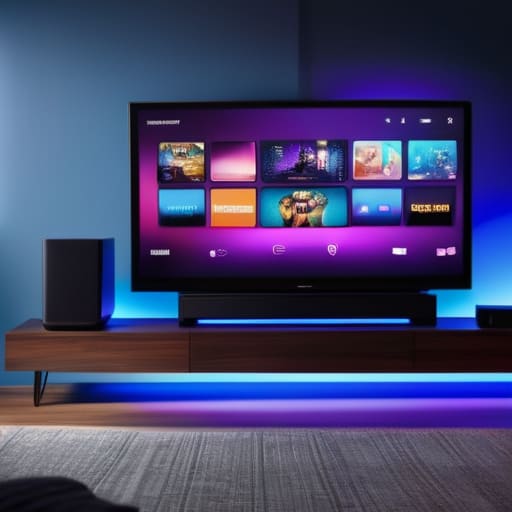
  • Comparing Different Streaming Devices

    Comparing Different Streaming Devices

    I was sitting in my workshop last Tuesday, tinkering with a Marantz receiver from 1974, when I realized how much the industry has changed for the worse. Back then, if you bought a piece of gear, it was built to last decades, not just until the next software update. Now, you walk into a big-box store and see a wall of colorful boxes, all promising the same thing, but half of them are just overpriced junk wrapped in cheap plastic. Trying to navigate a modern streaming device comparison feels less like shopping and more like trying to decipher a manual written in a language no one actually speaks. You’re told these little gadgets are the future, but most of them just end up sitting in a drawer because they’re too complicated or they freeze the moment you try to load a movie.

    I’m not here to sell you on the latest flashy marketing gimmick or some high-priced subscription service you don’t need. My goal is simple: I’m going to cut through the noise and tell you which of these units actually have the build quality and reliability to stay plugged into your TV without giving you a headache. I’ve put these devices through my own testing to see which ones deliver a steady signal and which ones are just expensive plastic masquerading as innovation. Stick with me, and I’ll help you find a tool that actually works.

    Table of Contents

    The Roku Streaming Stick

    The Roku Streaming Stick in HDMI port.

    A streaming stick is a compact hardware component that plugs directly into your TV’s HDMI port to provide access to internet-based media services. This specific streaming device comparison focuses on how these small, efficient units use a dedicated operating system to bypass your cable box and pull video data directly from the web. The main selling point here is simplicity; they are designed to be “set it and forget it” tools that don’t require a complex setup or a mountain of tangled wires behind your cabinet.

    Now, I’ve seen enough “innovative” gadgets fail because they were too complicated for their own good, but there is something to be said for the Roku approach. When you’re sitting down after a long day, the last thing you want to do is navigate a menu that feels like a flight simulator. You just want to hit a button and see your show. In my experience, these sticks offer a reliable interface that doesn’t get in your own way, which is a rare commodity in today’s market of over-engineered junk.

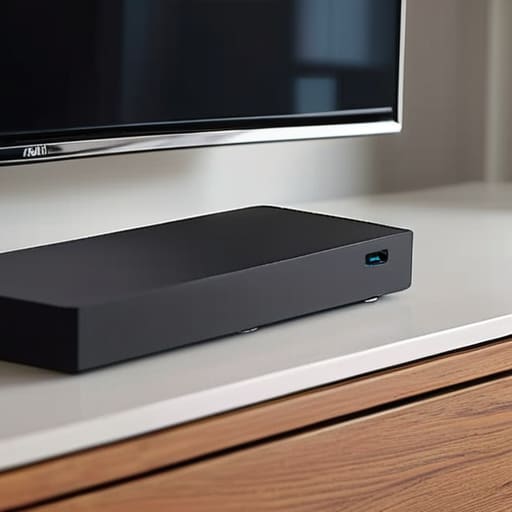
    The Apple TV 4K

    The Apple TV 4K media player.

    The Apple TV 4K is a high-performance media player that connects to your home network to stream high-definition content through a centralized, polished ecosystem. Unlike the smaller sticks, this is a dedicated set-top box designed to handle heavy processing tasks and deliver high-bitrate video with minimal latency. Its primary objective is to provide a premium user experience by leveraging powerful internal hardware to ensure that every transition and application launch is instantaneous and fluid.

    From an engineering standpoint, you can tell this isn’t just another piece of cheap plastic. The build quality is solid, and the processing power ensures that the device won’t stutter or freeze when you’re trying to watch a high-resolution film. If you already use an iPhone or a Mac, the integration is seamless, but even if you don’t, the sheer stability of the hardware is hard to ignore. It’s an investment, certainly, but it’s one made for people who value performance over a bargain-bin price tag.

    Streaming Device Comparison

    Feature Apple TV 4K Roku Streaming Stick 4K Amazon Fire TV Stick 4K Max
    Price High Low Moderate
    Operating System tvOS Roku OS Fire OS
    Best For Ecosystem Users Ease of Use Amazon Prime Users
    Performance Ultra-Smooth Efficient Fast
    Smart Home Integration Apple HomeKit Limited Alexa
    Remote Control Siri Remote Simple Remote Alexa Voice Remote

    Smart Tv vs External Streaming Stick Dont Get Fooled

    Smart Tv vs External Streaming Stick Dont Get Fooled

    Here is the fundamental problem most people overlook: they assume the software built into their television is as robust as the hardware itself. It isn’t. When you’re deciding on your setup, the choice between using the built-in smart interface or plugging in an external stick isn’t just about convenience; it’s about long-term reliability. I’ve seen too many “smart” TVs become nothing more than expensive paperweights because their internal processors couldn’t keep up with a simple software update two years down the line.

    The built-in smart TV interface is often a masterclass in planned obsolescence. Manufacturers prioritize thin profiles and flashy menus over the actual processing power needed to run modern apps smoothly. You’ll find yourself staring at a spinning loading icon just trying to open Netflix. On the other hand, an external streaming stick—like a Roku or an Apple TV—is a dedicated piece of hardware. These devices are built with a single purpose: to process video data efficiently, and they generally receive regular performance updates long after your TV’s internal software has been abandoned.

    If you want a system that won’t leave you frustrated every time you sit down to relax, the winner is clear: get an external streaming device. Don’t trust your entire entertainment experience to a cheap chip soldered onto a TV motherboard.

    Best 4k Streaming Hardware 2024 Power Over Plastic

    Here is the problem most people overlook: they see a pretty interface and assume the hardware is up to the task. When you’re pushing 4K video, you aren’t just moving pictures; you are moving massive amounts of data that require sustained processing power. If the chipset is cheap, you’ll deal with stuttering, dropped frames, and a device that runs hot enough to fry an egg.

    When I look under the hood, the difference is night and day. The high-end sticks, like the Apple TV 4K or the Nvidia Shield, use processors that actually have the headroom to handle complex codecs without breaking a sweat. On the other hand, the budget-friendly “no-name” sticks often use bottom-tier silicon that works fine for a week, but starts lagging the moment you try to load a high-bitrate movie. It’s the difference between a well-engineered engine and a lawnmower motor trying to pull a trailer.

    If you want a smooth experience that doesn’t make you want to throw the remote at the wall, don’t skimp here. For pure power, the Nvidia Shield remains the gold standard for anyone who actually cares about performance.

    My Final Verdict: What to Actually Buy

    Stop relying on your TV’s built-in software; it’s usually the first thing to lag or fail, so invest in a dedicated external device with decent processing power.

    Prioritize hardware longevity over flashy interfaces—if the remote feels like a cheap toy and the specs are vague, you’re just buying a future headache.

    Don’t get caught up in the 4K marketing hype unless you actually have the high-speed internet and the screen to back it up; otherwise, you’re just paying for headroom you’ll never use.

    The Bottom Line on Streaming Hardware

    “I don’t care how many flashy features they list on the box; if the processor can’t handle a simple menu scroll without stuttering, you aren’t buying a gadget—you’re buying a headache.”

    Roland Delacroix

    The Bottom Line

    At the end of the day, choosing a streaming device shouldn’t feel like a high-stakes engineering project. We’ve looked at the flimsy, built-in software on your Smart TV and compared it to the dedicated hardware that actually has the processing power to keep up. If you want a seamless experience, stop relying on that cheap processor inside your television and invest in a dedicated external stick or box. My advice is simple: prioritize reliable hardware over a flashy user interface. You want a device that boots up quickly and stays connected to your Wi-Fi without needing a reboot every Tuesday. Don’t let the marketing teams convince you that you need every single bells and whistles; just buy the machine that does its job without complaining.

    I’ve spent enough years in manufacturing to know that when you cut corners on the internal components, the whole system eventually fails. The same logic applies to your living room setup. You can spend a fortune on a premium subscription service, but if your playback is stuttering because of a low-grade chipset, you’re just throwing money down the drain. My goal here is to help you build a setup that is built to last. Buy something sturdy, set it up once, and then get back to actually enjoying your shows instead of troubleshooting your hardware. Stick to the specs, ignore the hype, and buy for longevity.

    Frequently Asked Questions

    Do I really need to upgrade my internet speed if I buy a high-end 4K streaming stick?

    Look, buying a high-end 4K stick without checking your bandwidth is like putting racing tires on a tractor. It won’t matter how much power is in that little device if your internet connection is a bottleneck. For smooth 4K playback without constant buffering, you really need at least 25 Mbps per stream. If your current speed is hovering around 10 or 15, you’re just buying expensive plastic that’ll frustrate you every single night.

    Will a more expensive device actually make my old TV look better, or is that just marketing talk?

    Look, let’s be clear: a streaming stick won’t turn a junk panel into a masterpiece. If your TV’s physical hardware is outdated, no amount of processing power is going to fix a bad backlight or low resolution. However, a high-quality device can provide a cleaner, more stable signal and better bitrates, which helps. Don’t buy the premium model expecting a miracle; buy it because you want the interface to actually respond when you press a button.

    Is it worth paying extra for a remote with voice control, or is that just another piece of tech that'll break in a year?

    Look, I’ll give it to you straight: voice control is a mixed bag. From a mechanical standpoint, a remote with a microphone is just another circuit board and a tiny membrane that can fail if you get too heavy-handed. However, if you’re tired of typing “The Great British Bake Off” using a directional pad and a prayer, the convenience is real. If the build quality feels solid, go for it. If it feels like a cheap toy, skip it.

  • Setting Up a Home Theater Projector

    Setting Up a Home Theater Projector

    I was sitting in my workshop last Tuesday, cleaning the dust out of an old Marantz receiver, when I realized how much the industry has changed for the worse. Nowadays, you walk into a big-box store and see these sleek, lightweight units being sold as the ultimate home theater projector, but all I see is a mountain of overpriced, flimsy plastic. They promise you a “cinematic experience” with a dozen different software settings that no sane person would ever touch, yet they can’t even guarantee the cooling fan won’t fail after six months of heavy use. It’s a disgrace to engineering when a device is designed to be replaced rather than maintained.

    I’m not here to sell you on some marketing gimmick or a gadget that requires a computer science degree just to dim the lights. My goal is simple: I want to help you find a piece of equipment that actually works and stays working. I’ve spent my life looking at builds, tolerances, and thermal management, so I’m going to tell you which models are built to last and which ones are just expensive paperweights. We’re going to focus on real reliability and actual brightness, not the flashy nonsense they put on the box.

    Table of Contents

    Dlp vs Lcd Projection Which Technology Actually Lasts

    Dlp vs Lcd Projection Which Technology Actually Lasts

    I’ve spent enough time with a multimeter and a screwdriver to know that how a machine handles heat determines how long it stays out of the scrap heap. When you’re looking at DLP vs LCD projection, you aren’t just choosing a picture; you’re choosing a mechanical architecture. DLP units use tiny mirrors on a chip, which generally offers better contrast and a sharper image, but they can sometimes suffer from the “rainbow effect” that some folks find distracting. On the other hand, LCD technology uses liquid crystal panels to filter light. They tend to produce more natural colors, but they can struggle with heat dissipation if the manufacturer cut corners on the cooling system.

    If you’re eyeing those flashy 4K UHD resolution projectors, don’t get blinded by the marketing jargon. A high pixel count means nothing if the internal components are built to fail after two years of heavy use. I always tell people to look past the brightness and check the build quality of the optical engine. You want something that maintains its calibration without needing a technician every six months. In my experience, a well-built DLP unit often holds its edge for long-term reliability, whereas a cheap LCD might wash out before you’ve even finished your first season of shows.

    The Truth About 4k Uhd Resolution Projectors and Real Value

    The Truth About 4k Uhd Resolution Projectors and Real Value

    Now, let’s talk about the marketing trap that most of these manufacturers set for you: 4K. Every salesperson will try to tell you that 4K UHD resolution projectors are the only way to go, but they aren’t telling you the whole story. In my experience, a high pixel count means nothing if the hardware behind it is poorly engineered. I’ve seen plenty of units that boast incredible resolution on paper, yet they struggle with brightness or heat dissipation. If you’re sitting at an optimal viewing distance, your eyes might not even register the jump from 1080p to 4K unless the lens quality is actually up to snuff.

    Don’t let the shiny specs distract you from the actual performance. You can have all the pixels in the world, but if the machine can’t compete with the light in your room, you’re just looking at a dim, washed-out image. It’s a common mistake to chase resolution while ignoring the balance of lumens vs contrast ratio. I’d rather have a rock-solid, bright 1080p machine that holds its color for five years than a “4K” piece of junk that looks like a blurry mess the moment you turn on a lamp.

    Five Things the Salesman Won't Tell You Before You Write the Check

    • Check the lamp life specs, but don’t take them at face value. Manufacturers love to quote numbers based on “Eco Mode,” which just means they dim the brightness to save the bulb. If you want a picture that actually holds up in a room with even a little bit of light, you’ll be running it at full power, which cuts that lifespan in half. Plan for it.
    • Stop obsessing over “Lumens” on a spec sheet. A lot of these cheap, off-brand units claim massive lumen counts that are nothing more than marketing fluff. I’ve seen projectors claim 5,000 lumens that struggle to fight a desk lamp. Look for tested ANSI lumens instead; it’s the only metric that actually tells you how much light is hitting the screen.
    • Don’t overlook the cooling system. I’ve seen too many sleek, “minimalist” designs that turn into a jet engine the moment you start a movie. If the fan noise is going to drown out your dialogue, the whole experience is ruined. A well-engineered unit might be a bit bulkier, but a quiet fan is worth the extra inch of shelf space.
    • Buy a proper screen, not just a white wall. You can spend five thousand dollars on a high-end projector, but if you’re bouncing that light off a textured drywall, you’re throwing money down the drain. A dedicated fixed-frame screen provides the tension and surface uniformity you need to actually see the detail you paid for.
    • Think about your connectivity before you mount it. It’s easy to get caught up in the picture quality and forget that you actually have to plug things in. Make sure the unit has the right ports—HDMI 2.1 is the standard now—and ensure you have a plan for cable management. There’s nothing more frustrating than a beautiful setup ruined by a mess of wires hanging off the ceiling.

    The Bottom Line: What to Look for Before You Open Your Wallet

    Don’t get blinded by the “4K” sticker on the box; if the brightness levels are low and the build quality feels like a cheap toy, you’re just paying for a higher pixel count that you won’t even be able to see clearly in a lit room.

    Prioritize lamp life and cooling systems over flashy software features, because a projector that requires a specialized technician every six months isn’t a home theater—it’s a liability.

    Stick to proven technologies like DLP or high-quality LCD that have a track record of longevity, rather than chasing every new, unproven gimmick that promises a “cinematic experience” but delivers nothing but heat and disappointment.

    The Real Measure of a Projector

    I don’t care how many lumens they boast on the glossy box or how many fancy apps it can stream; if the cooling system is an afterthought and the chassis feels like a cheap toy, you aren’t buying a cinema, you’re buying a future headache.

    Roland Delacroix

    The Bottom Line

    The Bottom Line: prioritize optical longevity.

    Look, I’ve spent enough time looking at spec sheets to know that a fancy marketing brochure won’t help you once the unit is sitting in your living room. We’ve covered a lot of ground here—from the mechanical differences between DLP and LCD to the reality that a “4K” label doesn’t always mean you’re getting a premium image. If you take nothing else away from this, remember that you need to prioritize optical longevity and actual brightness levels over flashy, hollow buzzwords. Don’t let a salesperson talk you into a high-resolution model that uses cheap, thermal-sensitive components that will fail in two years. You want a machine that delivers a consistent, reliable image every single time you hit play.

    At the end of the day, a home theater shouldn’t be a source of frustration or a constant cycle of technical troubleshooting. You deserve a system that works as hard as the engineers who designed it, allowing you to actually sit back and enjoy the film rather than fiddling with settings or worrying about a dying bulb. Buy something built with integrity and solid engineering, and you won’t have to replace it every time the next shiny gadget hits the market. Invest in quality hardware that respects your time and your wallet, and you’ll have a cinema experience that actually lasts.

    Frequently Asked Questions

    How much do I actually need to spend on a high-quality screen to stop wasting money on a mediocre projector?

    Look, I’ve seen folks drop five grand on a high-end projector only to throw the image against a painted drywall. That’s a massive waste of capital. If you want to actually see what you paid for, don’t go cheap. I’d say budget at least $500 to $800 for a decent fixed-frame screen with proper gain. Anything less is just a glorified sheet, and you’ll end up fighting glare instead of enjoying the movie.

    What’s the real-world difference between a lamp-based projector and the new laser models when it comes to long-term reliability?

    Look, here’s the bottom line: lamp-based projectors are a maintenance headache. You’re basically buying a ticking clock; those bulbs dim every few hundred hours and eventually just quit on you. It’s an extra expense and a chore. Laser models, on the other hand, are built for the long haul. They offer much more consistent brightness and won’t require you to play technician every year. If you want reliability, go laser.

    How do I figure out if my current room lighting is going to turn a decent projector into an expensive paperweight?

    Before you drop a grand on a new unit, look at your windows. If you’ve got sunlight pouring in during the day, you’re fighting a losing battle. I’ve seen too many folks buy a high-end projector only to realize they can’t see a thing unless they’re sitting in a pitch-black cave. If you can’t control the light with blackout curtains, you don’t need a better projector—you need a better room.

  • How Robot Vacuums Clean Your Home

    How Robot Vacuums Clean Your Home

    I was sitting in my workshop last Tuesday, cleaning the dust out of a 1974 Marantz receiver, when I saw my neighbor struggling with one of those new-fangled robot vacuums. He was hunched over his smartphone, frantically tapping at a screen just to get the damn thing to navigate around a single chair leg. It struck me then: we’ve reached a point where we’re paying a premium for technology that actually makes our lives more complicated instead of simpler. Most of these machines on the market today are nothing more than expensive, glorified pucks of plastic that spend more time getting stuck under the sofa than they do actually picking up dirt.

    I’m not here to sell you on the latest flashy app or a model that promises to “revolutionize your lifestyle” with a subscription service. I’ve spent my career looking at how things are actually built, and I’m going to tell you which of these robot vacuums are worth your hard-earned money and which ones are just overhyped junk. I’ll be looking at suction power, battery reliability, and—most importantly—whether the thing can actually finish a job without needing you to babysit it. Let’s cut through the marketing nonsense and find you a tool that actually works.

    Table of Contents

    Dont Let Lidar Navigation Systems Fool You

    Dont Let Lidar Navigation Systems Fool You.

    Now, let’s talk about the marketing hype surrounding LiDAR navigation systems. If you look at the spec sheets, every manufacturer will tell you that laser-based mapping is the holy grail of automated floor maintenance. On paper, it sounds impressive—a little spinning turret on top of the machine that scans your living room like a surveyor. And sure, for a high-end unit, it helps the machine avoid a collision with the coffee table. But don’t let the fancy terminology distract you from the actual mechanics of the machine.

    I’ve seen too many people pay a premium for these sensors only to find out the device still struggles with basic obstacle avoidance. A sensor is just another point of failure; if that little laser gets obscured by a layer of dust or a stray hair, the whole “smart” system goes haywire. You need to look past the tech specs and ask yourself if the device actually handles the transition between hardwood vs carpet cleaning robots without getting stuck every ten minutes. A high-tech map is useless if the machine lacks the mechanical grit to actually clean the floor.

    Why Robotic Vacuum Suction Power Actually Matters

    Why Robotic Vacuum Suction Power Actually Matters

    Most manufacturers love to throw around big numbers like “Pascals” to make their machines sound impressive, but don’t get blinded by the marketing fluff. In my experience, raw suction is meaningless if the brush roll design is garbage or if the airflow is poorly engineered. You need to look at how that power is actually applied to the surface. If you’re mostly dealing with hardwood vs carpet cleaning robots, you’ll notice a massive difference in how the machine handles debris. A high-end motor is useless if it can’t maintain consistent pressure when it hits a thick rug.

    I’ve seen plenty of these gadgets spin their wheels without actually lifting a single grain of sand from a floor crack. Real robotic vacuum suction power isn’t just about how loud the motor screams; it’s about the efficiency of the vacuum seal and the ability to pull dirt from deep within carpet fibers. If you’re investing in automated floor maintenance, make sure the machine has the mechanical grit to handle real-world messes, rather than just swirling dust around the room like a glorified fan.

    Five Things to Check Before You Hand Over Your Credit Card

    • Look for replaceable parts, not proprietary ones. If you can’t find a standard replacement brush or a decent filter at a local shop in two years, that machine is nothing more than a very expensive paperweight.
    • Check the height of the unit against your furniture. I’ve seen too many people buy a high-tech marvel only to realize it can’t even slide under their sofa to get the dust bunnies hiding underneath.
    • Avoid the “App-Only” trap. If a vacuum requires a stable Wi-Fi connection and a constant smartphone update just to start a cleaning cycle, you’re going to regret it the first time your router decides to act up.
    • Inspect the build quality of the bin and the brushes. If the plastic feels thin and brittle, it won’t survive a single bump against a heavy table leg. You want something that feels like it was engineered, not just molded.
    • Test the dock’s footprint. People forget that the “home base” needs its own dedicated real estate. Make sure you actually have a permanent spot for it that isn’t going to be tripped over every single day.

    The Bottom Line Before You Open Your Wallet

    Stop getting distracted by flashy LiDAR sensors and high-tech mapping if the machine can’t actually pull dirt out of a rug; prioritize raw suction and brush design over fancy software.

    Look for physical build quality—if the chassis feels like a cheap toy and the dustbin latches feel flimsy, it won’t survive a year of regular use in a real home.

    Avoid the “subscription trap” where you’re forced to buy proprietary, overpriced replacement parts just to keep the machine running; buy something that’s built to be maintained, not replaced.

    The Real Test of a Machine

    “I don’t care how many fancy sensors or smartphone apps a vacuum boasts; if the build quality is cheap plastic and it can’t handle a simple rug without stalling, it’s not a tool—it’s a toy.”

    Roland Delacroix

    The Bottom Line

    The Bottom Line on vacuum build quality.

    Look, I’m not here to sell you on the latest shiny gadget or some subscription service that promises to clean your house while you sleep. We’ve covered the ground: stop getting distracted by fancy LiDAR sensors that add cost without adding real-world value, and stop falling for marketing fluff about suction power if the machine doesn’t have the build quality to actually sustain it. You need to look past the sleek, white plastic shells and check the brushes, the battery housing, and the ease of maintenance. If you can’t reach the hair tangled in the rollers without a specialized toolkit, you haven’t bought a convenience; you’ve bought a maintenance nightmare.

    At the end of the day, a robot vacuum should be a tool, not a hobby. I spent my career designing systems that were meant to last, and I think you should apply that same logic to your home appliances. Don’t let the tech companies convince you that “smart” always means “better.” A smart vacuum is one that cleans your floors reliably every single time you press start, without needing a software update to navigate around a chair leg. Buy something with substance over style, and you won’t find yourself replacing a piece of junk in twelve months. Stick to the specs, trust your gut, and buy for reliability.

    Frequently Asked Questions

    How long can I actually expect these things to last before the battery or the motor gives out?

    Look, I’ll give it to you straight: most of these units are built to be replaced, not repaired. If you get a decent model with modular parts, you might squeeze three to five years out of it. But realistically? Expect the lithium-ion battery to start losing its charge after about 18 to 24 months of heavy use. Once that motor starts whining or the battery won’t hold a full cycle, you’re usually looking at a paperweight.

    Is it worth paying a premium for a self-emptying base, or is that just more expensive plastic that's going to break in a year?

    Look, I’ve seen enough mechanical failures to know that every extra moving part is just another way for a machine to die. A self-emptying base adds a motor, a seal, and a suction path that can clog or fail. If you’re someone who doesn’t mind a thirty-second chore every few days, skip the premium. But if you want convenience and can afford to replace a component down the line, it’s useful—just don’t expect it to last forever.

    Can these machines actually handle thick carpets, or are they only good for hard floors and thin rugs?

    Look, if you’ve got wall-to-wall high-pile carpeting, don’t expect a miracle. Most of these lightweight gadgets are built for hardwood and thin rugs; they just don’t have the torque. If you try to force a low-end model onto a thick carpet, you’ll likely just burn out the motor or have it stall every five minutes. If carpets are your priority, look for something with heavy-duty brushes and actual climbing capability, not just a flashy app.

  • Using Smart Water Monitors to Prevent Leaks

    Using Smart Water Monitors to Prevent Leaks

    I was elbow-deep in a damp crawlspace last Tuesday, staring at a hairline fracture in a copper pipe that had been weeping for months without a single sound. It’s a mess that could have been avoided if I’d had a decent sensor installed, but it also reminded me why I’m so skeptical of the current market. Most of these smart water monitors being pushed by big-box retailers today are nothing more than glorified, overpriced toys designed to ping your smartphone with useless notifications. You don’t need a complex cloud-based subscription or a degree in software engineering just to know if your washing machine is leaking; you just need hardware that actually works when the pressure drops.

    I’m not here to sell you on the latest “connected home” fantasy or some flashy app that requires a monthly fee. My goal is to cut through the marketing fluff and look at the build quality, the installation logic, and the actual reliability of these devices. I’m going to tell you which units are built like the heavy-duty components I used to spec in manufacturing, and which ones are just expensive plastic destined for a landfill.

    Table of Contents

    Real Time Water Usage Tracking That Actually Matters

    Real Time Water Usage Tracking That Actually Matters

    Most of these gadgets promise you a digital breakdown of every drop you use, but let’s be honest: most people don’t need a spreadsheet to tell them they took a long shower. What I actually care about is real-time water usage tracking that flags an anomaly the second it happens. If a pipe bursts behind a wall while you’re at work, a notification on your phone is fine, but it’s not a solution. You need a system that doesn’t just watch the disaster unfold, but actually intervenes.

    That’s where the real value lies—not in the pretty graphs, but in the hardware’s ability to interface with automatic water shut-off valves. I’ve seen too many “smart” setups that are nothing more than glorified thermometers; they tell you there’s a problem, but leave you to deal with the soaked carpet. If you’re going to invest in these IoT water management systems, make sure they have the mechanical teeth to actually kill the flow. Otherwise, you’re just paying for a front-row seat to your own plumbing failure.

    Preventing Water Damage Before Your Basement Floods

    Preventing water damage before your basement floods.

    Now, tracking your usage is fine for your wallet, but the real reason you should be looking at these devices is preventing water damage before it becomes a catastrophe. In my engineering days, we lived by the principle of fail-safes. A simple sensor that sends a notification to your phone is a start, but it’s not a complete solution. If you’re sitting in the backyard or sleeping through the night, a notification doesn’t stop the water from flowing; it just tells you that your basement is currently turning into a swimming pool.

    If you want actual peace of mind, you need to look for systems that include automatic water shut-off valves. These are the heavy hitters. When the sensor detects a spike in pressure or a continuous flow that shouldn’t be there—like a burst pipe or a failed washing machine hose—the system physically closes the main valve. It’s a mechanical intervention that takes the guesswork out of the equation. Don’t settle for a gadget that just watches your house drown; get something that has the guts to actually stop the leak.

    Five Things to Check Before You Hand Over Your Credit Card

    • Look for a shut-off valve that actually works. A monitor that just sends a notification to your phone is useless if you’re at work and your basement is turning into a swimming pool. You want a system that can physically turn the water off automatically when it detects a burst pipe.
    • Don’t get blinded by the app features. I don’t care if the software has fancy animations or social sharing options. I care about the sensor accuracy and how fast it triggers an alert. If the interface is too complicated for a person to navigate during an emergency, it’s poorly designed.
    • Check the installation requirements. Some of these units require you to cut into your main line, which means calling a plumber and spending more money. Others just strap onto the outside. Decide if you’re ready for a permanent hardware installation or if you want something less invasive.
    • Verify the battery life or power source. If the device relies on a battery that dies every six months, you’re going to forget to change it, and then you have zero protection. A reliable piece of equipment should be as “set it and forget it” as possible.
    • Read the fine print on the connectivity. If the monitor requires a constant, high-speed Wi-Fi connection right next to your water meter—which is often in a basement or a garage—it’s probably going to fail you. Make sure it has a stable way to talk to your home network without dropping out.

    The Bottom Line on Smart Water Monitors

    Don’t buy a device just because it has a flashy app; make sure it has a physical shut-off valve that actually works when the power goes out.

    Look for sensors that detect pinhole leaks, not just massive bursts, because a slow drip behind a wall is what really kills your foundation.

    Avoid the cheap, battery-only clip-on models if you want real security; if you’re serious about protecting your home, get a system that integrates directly with your main water line.

    ## The Bottom Line on Leak Detection

    “I’ve spent enough time looking at blueprints to know that a single hairline fracture in a pipe can do more damage than a sledgehammer. A smart monitor isn’t about seeing your daily usage numbers for the sake of a graph; it’s about having a reliable sensor that actually shuts the valve before you’re staring at a ruined subfloor and a massive repair bill.”

    Roland Delacroix

    The Bottom Line

    Reliable smart water monitors: The Bottom Line.

    Look, I’m not here to tell you that every gadget with a Wi-Fi chip is a necessity. Most of the junk on the market is just a way to clutter your smartphone with useless notifications. But if you’re looking at these devices for the right reasons—specifically to catch a hairline fracture in a pipe or a silent leak under a sink—then a solid smart monitor is a sound investment. You want something with a reliable shut-off valve and a sensor that doesn’t lose connection the moment your router hiccups. Don’t get distracted by the fancy apps or the colorful graphs; focus on the mechanical reliability and the accuracy of the shut-off trigger. That is what actually saves your house.

    At the end of the day, technology should serve you, not the other way around. I’ve spent my career looking at how systems fail, and I can tell you that water is one of the most unforgiving forces in your home. You don’t need a high-tech laboratory setup to protect your property, you just need a tool that does its job without requiring a software update every Tuesday. Buy something built to last, install it right, and then get back to living your life. A good tool stays in the background, working quietly so you never have to think about it until it’s time to prevent a disaster.

    Frequently Asked Questions

    Do these sensors actually work if my Wi-Fi drops out, or am I left unprotected?

    That’s the right question to ask. If a device relies entirely on a cloud connection to function, you’re essentially trusting your home’s safety to your ISP. I don’t care how many bells and whistles a sensor has; if the Wi-Fi drops, the sensor is just a paperweight. Look for systems with local processing and a dedicated hub. You want a setup that triggers a shut-off valve locally, even if your internet is down.

    Is it worth the money to install a whole-house shutoff valve, or is a simple leak alarm enough?

    Look, if you’re just worried about a puddle under the sink, a simple leak alarm is fine. But if you’re asking me if a whole-house shutoff is worth the investment? Absolutely. An alarm just screams at you while your basement turns into a swimming pool. A shutoff valve actually stops the bleeding. It’s the difference between knowing you have a problem and actually fixing it before the drywall gets ruined.

    How much maintenance do I really have to do to keep these things from giving me false alarms?

    Look, I don’t like gadgets that require a part-time job just to stay functional. To keep those false alarms at bay, you can’t just “set it and forget it.” Every few months, I recommend checking the sensors for any mineral buildup or debris—especially if you have hard water. Also, make sure the battery levels are solid. A dying battery can cause all sorts of erratic signals that’ll wake you up for no reason.

  • Understanding Mechanical Keyboard Switches

    Understanding Mechanical Keyboard Switches

    I was sitting at my workbench last Tuesday, cleaning the contacts on a 1970s Marantz receiver, when I saw another ad for a “premium” gaming keyboard. They were charging a fortune for what amounted to a glorified piece of colorful plastic, claiming their proprietary mechanical switches would somehow change your life. It’s the same old story in this industry: marketing departments using big words to hide the fact that the build quality is absolute garbage. I’ve spent thirty years in manufacturing, and I can tell you right now, if the internal components feel flimsy under your thumb, no amount of RGB lighting is going to save that device from the landfill in six months.

    I’m not here to sell you on the latest trend or help you join a cult of expensive peripherals. My goal is to strip away the jargon and tell you exactly what you’re getting when you press a key. I’m going to break down which mechanical switches are built with actual precision and which ones are just overpriced junk designed to separate fools from their hard-earned money. Grab a coffee, and let’s look at the specs that actually matter.

    Table of Contents

    Clicky vs Tactile vs Linear Finding Real Reliability

    Clicky vs Tactile vs Linear Finding Real Reliability

    When you sit down to look at the different mechanical keyboard switch types, you’ll quickly realize that most of the marketing fluff is just noise. At the end of the day, it comes down to how the mechanism actually feels when you apply pressure. You have three main contenders: clicky, tactile, and linear. If you’re like me and value a bit of feedback, you’ll probably lean toward tactile. These give you a subtle bump when the key registers, letting you know the job is done without the obnoxious, high-pitched screeching found in some of the cheaper models.

    Then you have the clicky variety, which is essentially tactile feedback paired with a loud, sharp sound. They can be satisfying for a bit, but if you’re working in a shared office or a quiet house, you’re going to be the most hated person in the room. On the other end of the spectrum, you have linear switches. These are smooth from top to bottom with no bump at all. While some people swear by them for speed, I often find they lack the physical confirmation I need to know I haven’t just bottomed out on a piece of hollow plastic.

    Cherry Mx vs Custom Switches Which Actually Lasts

    Cherry Mx vs Custom Switches Which Actually Lasts

    Now, let’s talk about the actual hardware. You’ll see a lot of folks getting caught up in the hype of boutique, boutique-brand custom switches, but as someone who spent decades looking at manufacturing tolerances, I want you to look closer. The debate of cherry mx vs custom switches usually boils down to one thing: consistency. Cherry MX has been the industry standard for a reason; their manufacturing process is disciplined. When you buy a pack, you know exactly what you’re getting. Many of these high-end custom options feel great out of the box, but they can be finicky if the housing isn’t perfectly symmetrical.

    If you’re looking for longevity, don’t just chase the “smoothness” marketed by influencers. A lot of those fancy custom options rely heavily on factory lube to hide subpar tolerances. If you aren’t prepared to follow a rigorous switch lubrication guide yourself, you might find those expensive switches feeling scratchy after just a few months of heavy use. For most people, I’d rather have a reliable, standardized component that I can replace easily than a temperamental piece of “premium” plastic that fails because the spring tension was inconsistent.

    Five Things to Check Before You Open Your Wallet

    • Stop buying pre-built keyboards with “hot-swappable” sockets if they feel flimsy. Check the PCB quality first; if the solder joints look like a mess of blobs, those switches are going to pop out the moment you try to replace a dead one.
    • Don’t get blinded by the marketing hype around “gaming” switches. Most of that is just flashy colors and loud noises. Look for consistent actuation force—if the pressure required to press the key varies from one switch to the next, the whole board is junk.
    • Get yourself a small bottle of high-quality synthetic lubricant. I’ve seen too many people complain about “scratchy” switches, but half the time, it’s just a lack of proper lubrication on the stem. It makes a world of difference in how the hardware actually feels.
    • Watch out for those ultra-thin, lightweight aluminum plates. They might look sleek, but they offer zero structural integrity. You want something with enough mass to dampen the vibration, or you’ll be dealing with a keyboard that rattles like a tin can every time you type.
    • Always check the stem material. If the manufacturer isn’t telling you whether they use POM or nylon, they’re likely cutting corners with cheap, low-grade plastics that will wear down and feel mushy within six months. If they won’t give you the specs, walk away.

    The Bottom Line: Don't Get Fooled by Marketing

    Stop chasing the “clicky” trend if you want longevity; those loud, cheap-feeling switches are often just a way to mask poor build quality and tend to wear out faster.

    If you’re looking for a tool that will still work five years from now, stick to established brands like Cherry MX or high-end custom housings rather than the unbranded junk flooding the market.

    Always prioritize the physical feel and the weight of the spring over flashy RGB lighting; a keyboard is a piece of hardware, not a disco ball, and the tactile response is what actually matters for long-term use.

    The Truth About the Feel

    “I don’t care how many RGB lights they slap on the casing; if the switch feels mushy or starts rattling after six months of hard use, it’s nothing more than overpriced junk. You want a switch that provides a crisp, consistent actuation every single time you press it—that’s the difference between a real tool and a toy.”

    Roland Delacroix

    The Bottom Line on Your Next Keyboard

    The Bottom Line on Your Next Keyboard.

    Look, at the end of the day, choosing a switch isn’t about chasing some internet trend or buying the most expensive option on the shelf. It’s about understanding what you’re actually doing with your hands. If you’ve spent time reading this, you know the drill: don’t get distracted by flashy marketing. Whether you decide on a tactile bump for precision or a smooth linear path for speed, make sure the build quality matches your needs. I’ve seen too many people blow a paycheck on “boutique” switches only to realize they’ve bought a handful of glorified plastic that feels hollow after three months. Stick to the proven standards like Cherry MX if you want longevity, or do your homework on custom builds if you’re willing to put in the effort. Just remember: reliability is king.

    I know the modern tech market makes it feel like you need a PhD just to pick out a simple peripheral, but don’t let the noise get to you. You don’t need the most complex setup to have a tool that works. You just need something that feels solid, performs consistently, and doesn’t fall apart the moment you put it to real work. Buy something that is built to last, not something designed to be replaced in a year. Once you find that perfect match, you’ll realize that true quality doesn’t need to shout to be heard. Now, quit overthinking it and go get something that actually works.

    Frequently Asked Questions

    How much does the actual build quality of the housing matter compared to the switch itself?

    Look, you can buy the finest internal components in the world, but if they’re housed in a flimsy, thin-walled shell, you’re just buying a headache. A cheap housing flexes under pressure, which ruins the consistency of your keystrokes. I’ve seen it time and again: if the housing isn’t made of high-density, rigid plastic, it’ll wobble and feel mushy within six months. Don’t ignore the casing; a solid housing is what keeps the switch stable.

    Are these fancy "hot-swappable" boards actually durable, or are they just another way to make things easier to break?

    Look, I’ll give it to you straight: hot-swappable boards are a double-edged sword. On one hand, if a switch fails, you aren’t tossing the whole keyboard in the bin—you just swap the part. That’s good engineering. But the trade-off is the PCB. Every time you pull a switch, you’re stressing those tiny metal sockets. If the manufacturer used cheap, thin plating, those sockets will loosen up and lose connection. If you’re going to go this route, buy a board with a heavy, solid build. Don’t settle for a hollow plastic shell just because it lets you swap colors.

    Do I really need to spend a premium on boutique brands, or can I get the same reliability from the standard stuff?

    Look, I’ve seen enough “boutique” gear to know that a fancy name doesn’t always mean better engineering. If you’re chasing a specific sound profile or a custom spring weight, sure, pay the premium. But if you just want a keyboard that doesn’t fail you in two years, stick to the established standards. Most of these high-end brands are just selling aesthetics. Don’t pay extra for a logo when the standard stuff gets the job done.

  • What to Consider When Buying a Gaming Chair

    What to Consider When Buying a Gaming Chair

    I was sitting in my workshop last Tuesday, tinkering with an old Marantz receiver, when I felt that familiar, dull ache in my lower back. It hit me right then: I’d spent the last three hours hunched over a desk in a seat that was marketed as “ergonomic” but felt more like sitting on a bucket of bolts. Most of these companies have turned gaming chair comfort into a marketing gimmick, slapping some neon trim and a “racing” aesthetic on what is essentially just overpriced, thin foam and cheap imitation leather. They want you to believe that if it looks like it belongs in a cockpit, it’ll support your spine, but as a man who spent thirty years looking at mechanical tolerances, I know junk is junk regardless of the branding.

    I’m not here to sell you on the latest flashy model or read you a spec sheet written by a PR firm. My goal is to strip away the nonsense and tell you what actually holds up under real-world use. I’m going to show you how to spot the difference between genuine structural support and a pile of flimsy plastic that will fail you in six months. We’re going to look at build quality, density, and actual mechanics so you can stop wasting your hard-earned money.

    Table of Contents

    Why High Density Foam Cushioning Actually Matters

    Why High Density Foam Cushioning Actually Matters

    When you sit down in one of these chairs, you aren’t just sitting on a piece of furniture; you’re sitting on a piece of engineering. Most manufacturers will try to sell you on “plushness,” but in my experience, soft is often a trap. If the seat feels like a cloud the second you sit down, it’s likely low-grade sponge that will bottom out within three months. Once that foam compresses to the metal base, you’re essentially sitting on a hard plate, which is a fast track to preventing back pain during gaming—or rather, the exact opposite.

    That’s why you need to look for high-density foam cushioning. I always check the density specs if they’re available. High-density foam has a higher cell count, meaning it provides actual structural support that pushes back against your weight. It maintains its shape over years of use rather than sagging into a useless crater. If you want a chair that actually aids in posture correction for gamers rather than one that forces you into a slouch, don’t settle for anything less than a solid, resilient core.

    Breathable Mesh vs Leather Which Wont Leave You Sweating

    Breathable Mesh vs Leather Which Wont Leave You Sweating

    Now, let’s talk about the material itself, because this is where most manufacturers try to pull a fast one on you. You’ll see these flashy, faux-leather chairs everywhere—they look great in a showroom, sure—but they’re essentially heat traps. If you’re sitting in a room without industrial-grade climate control, that “premium” leather is just going to bake you. I’ve seen too many people spend a fortune on a chair only to find themselves constantly shifting around because they’re uncomfortably damp. It’s a design flaw disguised as luxury.

    If you want to actually stay cool, you need to look at breathable mesh vs leather through the lens of heat dissipation. A high-quality mesh back allows for actual airflow, which is vital if you’re planning on long sessions. However, don’t go cheap on the mesh; if the tension is weak, it’ll sag within six months. My advice? Look for a hybrid setup. Get a solid, high-density foam base for support, but ensure the backrest is mesh. It’s the only way to manage temperature without sacrificing the structural integrity you need for preventing back pain during gaming.

    Five Things to Check Before You Swipe Your Credit Card

    • Test the armrests for wobble. If they feel loose or flimsy when you lean on them, they’ll never provide the stability you need during a long session; look for heavy-duty, multi-directional adjustments that actually lock into place.
    • Don’t get fooled by “plushness.” A chair that feels like a soft cloud the second you sit down is usually just low-grade foam that will bottom out in three months; you want firm, high-density support that holds its shape.
    • Check the base material. Avoid those cheap, thin plastic five-star bases that look like they might snap under pressure; stick to reinforced nylon or, better yet, a heavy-duty aluminum base that won’t creak every time you shift your weight.
    • Look for real lumbar adjustment, not just a little pillow. Those cheap memory foam cushions they toss in the box are a band-aid fix; you want a chair with an integrated mechanism that actually lets you control the depth and height of the support.
    • Inspect the tilt tension. A decent chair should allow you to adjust the resistance of the recline so it doesn’t feel like you’re falling backward or fighting a heavy spring; it should feel like a controlled, mechanical movement, not a guessing game.

    Roland’s Bottom Line: What to Look For Before You Swipe Your Card

    Don’t get seduced by flashy LED lights and “racing” aesthetics; if the foam feels like a cheap sponge when you first sit down, it’ll be flat and useless within six months.

    Choose mesh if you live in a warm climate or tend to run hot, because no amount of “premium leather” can compensate for a lack of airflow once you start sweating.

    Check the base and the adjustment levers—if the hardware feels light or plays up when you move, it’s just more expensive plastic that won’t hold up to daily use.

    ## The Real Cost of Cheap Padding

    “I’ve spent enough time looking at schematics to know that if the foundation is weak, the whole system fails. It’s the same with these chairs; if they skimp on the internal foam density to save a few cents on the manufacturing line, you aren’t buying a seat—you’re buying a countdown to a backache.”

    Roland Delacroix

    The Bottom Line on Your Back

    The Bottom Line on Your Back.

    Look, I’ve spent enough time looking at blueprints and stress-test reports to know when a product is built to last and when it’s built to fail. If you’re shopping for a chair, stop looking at the RGB lights and start looking at the guts of the thing. You need high-density foam that won’t flatten into a pancake after three months of use, and you need to decide if you’d rather deal with the durability of leather or the airflow of a decent mesh. Don’t get distracted by flashy marketing or “pro-gamer” branding; focus on the mechanical integrity of the support systems. If the lumbar feels like a cheap piece of spring steel and the cushion feels like a sponge, walk away from the sale.

    At the end of the day, a chair isn’t just a piece of furniture; it’s a piece of equipment you use for hours every single day. You wouldn’t use a poorly calibrated micrometer in my old shop, so don’t settle for a seating solution that’s going to leave you with a sore back and a wasted paycheck. Buy something that respects your spine and your wallet. Invest in quality over hype, and you won’t find yourself hunting for a replacement in a year’s time. Do your homework, check the specs, and buy a tool that actually does its job.

    Frequently Asked Questions

    How long will the foam actually hold its shape before it starts feeling like I'm sitting on a piece of plywood?

    Look, if you’re buying a cheap chair with low-density foam, you’ll be sitting on plywood in six months. I’ve seen it a thousand times. A quality, high-density cold-cured foam should maintain its structural integrity for three to five years of daily use. If the manufacturer can’t tell you the density rating, walk away. You want something that pushes back when you sit, not something that collapses under your weight after a single season.
    Is there any real difference between a chair with adjustable armrests and one where they're just bolted in place?

    Look, if you’re sitting at a desk for more than twenty minutes, those bolted-on armrests are a mistake. They force your shoulders into a fixed position, and after a few hours, your neck will be screaming at you. Adjustable armrests—specifically ones that move up, down, and side-to-side—let you actually align your elbows with your desk. It’s about ergonomics, not luxury. If the arms don’t move, you’re just paying for more useless plastic.

    Are these "ergonomic" designs actually built for real bodies, or are they just marketing fluff to justify a higher price tag?

    Look, I’ve seen this trick a thousand times in manufacturing. Companies slap an “ergonomic” sticker on a product to justify a 30% markup, but the engineering usually isn’t there. A real ergonomic design should offer adjustable lumbar tension and seat depth that actually accommodates different heights. If the “adjustments” are just flimsy plastic levers that wiggle when you touch them, it’s marketing fluff. Don’t pay for a label; pay for mechanical stability.

  • Choosing the Right Power Bank

    Choosing the Right Power Bank

    I was out in the garage last weekend, tinkering with an old Marantz receiver, when my phone gave that dreaded low-battery chirp. I reached for the “high-capacity” brick I’d bought online last month—the one boasting a massive number on the box—only to watch it sputter and die before it could even give my phone a meaningful charge. It’s the same old story: manufacturers love to throw around huge numbers to hide the fact that their hardware is junk. They want you to believe that power bank capacity is a simple math problem, but anyone who has actually worked with a circuit knows that a number on a sticker doesn’t mean a damn thing if the efficiency is garbage.

    I’m not here to sell you on the latest shiny gadget or repeat the marketing fluff you’ve already heard. My goal is to cut through the noise and tell you what actually happens when you pull those devices out of the box. I’m going to show you how to look past the inflated specs and identify the real-world performance you can actually rely on. We’re going to talk about conversion loss, cell quality, and why you should stop paying a premium for empty promises.

    Table of Contents

    Dont Get Fooled by Mah to Wh Conversion Lies

    Dont Get Fooled by Mah to Wh Conversion Lies

    Don’t Get Fooled by mAh to Wh Conversion Lies

    Here’s where the marketing departments really start playing games with you. Most manufacturers will scream about a massive milliampere-hour (mAh) rating on the front of the box, but they’re omitting the most important variable: voltage. As an engineer, I can tell you that mAh is a bit of a hollow metric if you don’t know the context. It only tells you how much charge is in the cell, not how much actual work—or energy—that charge can perform.

    To get the real story, you have to look at the mAh to Wh conversion. Watt-hours (Wh) represent the true measure of energy capacity because they account for the voltage. If you’re planning a trip, this is also the number that matters for power bank airline regulations. Most airlines cap you based on Wh, not mAh. If you rely solely on those big, flashy numbers on the packaging without checking the energy density explained in the fine print, you might end up with a brick that can’t actually charge your laptop, no matter how many “milliampere-hours” it claims to have.

    Energy Density Explained Why Bigger Isnt Always Better

    Energy Density Explained Why Bigger Isnt Always Better

    Look, I’ve seen this a thousand times in manufacturing: a company squeezes every last bit of performance out of a component until it’s practically paper-thin. That’s exactly what’s happening with modern portable chargers. When you hear people talking about energy density explained, they’re really talking about how much juice a manufacturer can cram into a specific volume. To get those ultra-slim, pocket-sized bricks, companies use high-density cells that are pushed right to the edge of their physical limits.

    Now, here’s the catch. While a high-density unit is convenient, there is a direct trade-off with long-term reliability. If a manufacturer prioritizes size over stability, you’re going to see a significant drop in lithium ion battery life after only a few months of use. In my experience, a slightly thicker, heavier unit often uses more stable chemistry that won’t degrade the moment it hits a warm car seat. Don’t let a sleek design trick you into buying something that’s destined for a landfill by next year.
    Five Ways to Spot a Power Bank That’s Actually Worth Your Money

    • Look for the Watt-hour (Wh) rating, not just the mAh. As I mentioned before, milliampere-hours are a marketing trick that ignores voltage; if you want to know how much actual work a battery can do, the Wh number is the only spec that doesn’t lie to you.
    • Check the conversion efficiency before you buy. Every time that energy moves from the power bank into your phone, you lose some to heat—if the manufacturer isn’t clear about their efficiency ratings, assume you’re losing 20-30% of that capacity to thin air.
    • Demand a rugged chassis over a plastic shell. A high capacity is useless if the casing cracks the first time it slips out of your pocket; I always look for reinforced edges and heat dissipation vents that suggest the engineers actually thought about thermal management.
    • Verify the discharge rate, or “C-rating.” A massive battery that trickles power out too slowly is just a heavy paperweight; make sure the output amperage is high enough to actually charge your modern device at a reasonable speed.
    • Ignore the “Ultra-Fast” labels and check the actual protocol support. Don’t let a shiny box fool you—if it doesn’t explicitly list PD (Power Delivery) or similar standards, that “huge capacity” won’t matter because it’ll take five hours just to get your phone to 50%.

    The Bottom Line on Buying Power

    Stop obsessing over the mAh number on the box; look for the Watt-hours (Wh) instead, because that’s the only number that tells you the actual energy you’re paying for.

    If a power bank feels suspiciously light for its claimed capacity, walk away—it’s likely a cheap cell that’ll drop voltage the second you plug in your phone.

    Always factor in efficiency loss; you’re never going to get 100% of that rated capacity into your device due to heat and voltage conversion.

    ## The Real Metric of Reliability

    “Stop staring at the mAh numbers on the box like they’re gospel; a massive capacity rating is just a marketing figure if the internal cells can’t handle the discharge rate without overheating or dropping voltage halfway through a charge.”

    Roland Delacroix

    The Bottom Line on Battery Life

    The Bottom Line on Battery Life.

    At the end of the day, don’t let a marketing department dazzle you with a massive milliampere-hour number on a shiny box. We’ve looked at why the conversion to Watt-hours is the only metric that actually tells you how much work a battery can do, and why energy density matters more than sheer bulk. If a manufacturer won’t give you the straight numbers on voltage and efficiency, they’re likely hiding something behind a layer of expensive plastic. I’ve spent enough years looking at schematics to know that real capacity is about usable energy, not just a theoretical number printed in a font too large to ignore.

    My advice is simple: stop shopping for gadgets and start looking for tools. You want something that performs predictably when you’re miles from a wall outlet, not something that looks good on a spec sheet but fails when the temperature drops. Take my notepad, check the fine print, and ask yourself if the build quality justifies the price tag. When you stop chasing the hype and start focusing on reliable engineering, you’ll stop wasting your hard-earned money. Buy something that actually works when you need it, and nothing more.

    Frequently Asked Questions

    If I see a 20,000mAh battery, why does it feel like it only charges my phone once instead of four times?

    It’s not your imagination, and your phone isn’t broken. Here’s the reality: that 20,000mAh rating is based on the internal battery cells, usually at 3.7 volts. But your phone needs 5 volts to actually charge. Once you factor in the energy lost as heat during the conversion and the efficiency drain of the circuitry, you’re lucky to get about 65% to 70% of that capacity out. You aren’t getting four charges; you’re getting one and a half.

    Does the charging speed (Watts) actually affect how much total energy I get out of the unit?

    Here’s the short answer: technically, no, but in the real world, yes. If you pull power out of a battery too fast, you run into heat issues and voltage drops. I’ve seen plenty of cheap units lose a chunk of their rated capacity just because they were pushed to their maximum wattage. It’s like redlining an engine; you might get the speed you want, but you’re burning through your efficiency and wearing the components down.

    Is it worth paying a premium for a heavier power bank, or am I just paying for extra weight?

    Look, I’ve seen enough lightweight gadgets fail in the field to know that weight isn’t always your enemy. If a power bank feels like an empty soda can, it probably is. A bit of heft usually means they aren’t cutting corners on the battery cells or the heat sinks. Don’t just chase “ultra-portable” nonsense; if it’s too light, you’re likely paying for fancy plastic instead of actual energy density.

  • Increasing Productivity With Portable Monitors

    Increasing Productivity With Portable Monitors

    I was sitting at my workbench last Tuesday, trying to calibrate an old Marantz receiver, when I realized just how much the tech industry has shifted toward selling us disposable junk. I saw an advertisement for one of those ultra-slim, high-end portable monitors, and frankly, it made my blood boil. They promise “seamless productivity” and “unmatched portability,” but all I saw was a glorified piece of glass held together by hopes and dreams. Most of these portable monitors on the market today are nothing more than overpriced plastic shells that will likely flicker out or snap at the hinge the moment you actually try to use them in the field.

    I’m not here to sell you on the latest flashy marketing gimmick or some “lifestyle” gadget that requires a software update just to turn on. My goal is simple: I’m going to show you which screens actually have the build quality to survive a trip in your laptop bag and which ones are a complete waste of your hard-earned money. I’ve spent enough time looking at schematics and stress-testing hardware to know the difference between a solid tool and a temporary distraction. Let’s get down to what actually works.

    Table of Contents

    Finding High Resolution Mobile Screens That Dont Fail

    Finding High Resolution Mobile Screens That Dont Fail

    When you’re looking at high resolution mobile screens, don’t let the marketing departments dazzle you with fancy pixel counts while ignoring the actual panel quality. I’ve seen too many people buy a device thinking they’re getting a crystal-clear image, only to realize the color accuracy is garbage and the brightness won’t even compete with a desk lamp. If you’re hunting for the best portable monitors for remote work, you need to look past the resolution numbers and check the panel type. An IPS panel is non-negotiable here; anything else will give you terrible viewing angles that make your eyes ache after an hour of actual work.

    Another thing most people overlook is how the power is handled. I don’t want a mess of wires tangling up my workspace like a bird’s nest. You should be looking for a reliable single cable monitor connection via USB-C. If a device claims to be “plug and play” but requires a separate power brick just to keep the screen from flickering, it’s a poorly engineered piece of junk. A solid piece of kit should draw its power directly from your laptop without a fuss.

    The Best Portable Monitors for Remote Work Efficiency

    The Best Portable Monitors for Remote Work Efficiency

    When you’re working from a kitchen table or a cramped hotel desk, you don’t need a complicated mess of wires fighting for space. I’ve seen too many people struggle with a dozen different adapters just to get a second screen to flicker to life. If you want real efficiency, you should look for a plug and play monitor setup that utilizes USB-C. I always check the specs for a single cable monitor connection; if you can power the device and send the video signal through one cord, you’ve saved yourself a massive headache and a lot of cable clutter.

    I’ve tested several models that claim to be the best portable monitors for remote work, but most of them feel like they’re made of thin, cheap shells. For a serious workstation, you need a portable monitor for laptop expansion that has a sturdy kickstand or a solid integrated cover. Don’t settle for something that wobbles every time you type. You want a piece of hardware that stays exactly where you put it, providing a stable, reliable extension of your primary machine without requiring a technician to get it running.

    Five Things to Check Before You Open Your Wallet

    • Look for metal casing, not just thin plastic. I’ve seen too many of these “ultra-slim” models that bend like a piece of cardboard the second you put them in a laptop bag. If it doesn’t feel substantial in your hands, it isn’t going to last through a year of commuting.
    • Check the connection ports twice. Don’t get stuck with a monitor that only has one way to plug in. You want something with reliable USB-C power delivery and a solid HDMI port, so you aren’t hunting for a dozen different dongles just to get a signal.
    • Don’t get blinded by “4K” marketing hype. Most of these portable screens are too small to actually benefit from 4K resolution, and you’ll end up paying a premium for pixels you can’t even see. A crisp 1080p or a high-quality QHD screen is much more practical for the price.
    • Inspect the stand mechanism. A lot of these manufacturers use those flimsy little “kickstands” that slip if you breathe on them too hard. Look for a built-in cover that doubles as a sturdy stand, or better yet, something with a hinge that actually holds its position.
    • Watch out for the “ghost” brightness issue. Many budget monitors claim to be bright, but once you sit near a window or in a coffee shop, they become useless. Check the nit rating; if it’s under 300, you’re going to be squinting at a dark mirror all day.

    Roland’s Rules for Not Getting Ripped Off

    Stop chasing the highest pixel count if the build quality is garbage; a 4K screen is useless if the hinge snaps or the casing flexes every time you touch it.

    Prioritize connection stability by looking for monitors with solid USB-C implementation rather than relying on a mess of flimsy adapters that will inevitably fail.

    Don’t let marketing jargon fool you—check the actual physical dimensions and weight to ensure the thing is actually portable, not just a glorified tablet that’s too heavy to carry.

    The Real Cost of Cheap Hardware

    I’ve spent enough years on manufacturing floors to know that when a company cuts corners on the internal housing and the connector ports, they aren’t saving you money—they’re just scheduling a trip to the landfill. If you’re buying a portable monitor, stop looking at the brightness specs for a second and start looking at the build quality; a pretty screen is useless if the cable wiggles loose every ten minutes.

    Roland Delacroix

    The Bottom Line

    Reliable manufacturing tools: The Bottom Line.

    Look, I’ve spent enough time in manufacturing to know that a spec sheet can lie to you, but the build quality won’t. If you’ve followed my advice, you know that a high resolution is useless if the connection ports are loose or the casing feels like a cheap toy. You need to prioritize a solid connection method, a screen that doesn’t flicker when you move it, and a brightness level that can actually handle a bit of sunlight. Don’t get distracted by the flashy marketing jargon; focus on the physical durability and the actual utility of the device. At the end of the day, you aren’t just buying a screen; you are buying a reliable tool that needs to perform every single time you plug it in.

    I know the tech market is designed to make you feel like you’re constantly falling behind, but don’t let the hype cycle dictate your wallet. You don’t need the most expensive, over-engineered gadget on the shelf to get your work done efficiently. You just need something that actually works and stays out of your way. Buy something built to last, treat it with a bit of respect, and it will serve you well for years. Now, go grab your gear and get to work—stop overthinking it and just get the right tool for the job.

    Frequently Asked Questions

    How do I know if my laptop actually has the power to run a second screen, or am I going to need to hunt for extra power bricks?

    Before you go buying more cables, check your laptop’s ports. If you see a USB-C port with a little lightning bolt next to it—that’s Thunderbolt—you’re in good shape; it can handle the video signal and power the monitor all through one cord. If it’s just a standard USB port, expect to hunt for a second power brick. Don’t get caught halfway through a project with a screen that refuses to wake up.

    Are these thin, lightweight screens actually durable enough to survive being shoved into a laptop bag every day?

    Look, I’ll give it to you straight: most of these ultra-thin panels are built like crackers. If you’re shoving one into a cramped laptop bag alongside a power brick and a charger, you’re asking for a cracked LCD. If you insist on going mobile, look for a model with a reinforced metal chassis or a hard-shell protective case. Don’t trust a piece of glass held together by nothing but hope and thin plastic.

    What’s the real difference between a cheap TN panel and an IPS panel when I'm actually sitting down to use it?

    Look, if you’re sitting in front of a cheap TN panel, you’re going to be constantly tilting your head just to see what’s on the screen. The colors shift and wash out the second you move an inch. It’s frustrating. With an IPS panel, the image stays consistent and the colors actually look like they should. If you’re doing real work, don’t settle for TN; it’s just a recipe for eye strain.