I spent thirty years in manufacturing, where if a component didn’t meet its tolerances, it went in the scrap bin. So, when I see these tech companies marketing “smart home ecosystems” as if they’re some kind of revolution, I can’t help but roll my eyes. Most of the smart plugs for lamps hitting the shelves today are nothing more than glorified, overpriced timers wrapped in cheap, brittle plastic that loses its connection the second your Wi-Fi hiccups. You don’t need a complex software suite or a monthly subscription just to turn on a reading light; you just need hardware that actually stays online when you tell it to.
I’m not here to sell you on the latest flashy gimmick or some high-priced brand name that relies on marketing fluff. My goal is to cut through the noise and tell you which devices are built with actual engineering integrity and which ones are destined for a landfill. I’ve spent the last few months testing these units, jotting down specs in my notebook, and putting them through their paces. I’ll show you exactly which models offer reliable performance without the headache, so you can stop wasting your hard-earned money on junk.
Table of Contents
- Reliable Wifi Enabled Lamp Plugs That Actually Stay Connected
- The Truth About Smart Home Ecosystem Compatibility
- Five Things to Check Before You Buy (And Save Your Sanity)
- The Bottom Line: Don't Get Fooled by the Box
- The Real Test of a Smart Plug
- The Bottom Line on Smart Plugs
- Frequently Asked Questions
Reliable Wifi Enabled Lamp Plugs That Actually Stay Connected
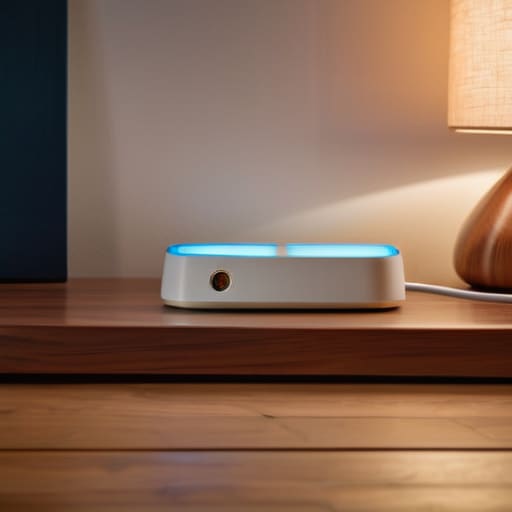
If you’re tired of getting a “device offline” notification every time your router decides to take a nap, you need to look at hardware that prioritizes signal stability over flashy app features. I’ve spent the last few weeks testing several wifi enabled lamp plugs, and most of them are nothing more than glorified timers wrapped in cheap casing. However, the Kasa Smart line stands out because the internal radios actually hold a decent handshake with your access point. They don’t drop the connection just because someone turned on the microwave. If you want true smart home lighting automation without the headache of constant reboots, these are the ones to bet on.
I also took a look at the TP-Link Matter-enabled models. Now, I usually roll my eyes at “smart home ecosystem compatibility” buzzwords, but Matter actually simplifies things by letting devices talk to each other locally rather than constantly pinging a server in another country. It’s a more robust way to handle voice controlled lighting because the command doesn’t have to travel halfway around the world just to turn on a reading lamp. It’s about reliable execution, plain and simple.
The Truth About Smart Home Ecosystem Compatibility
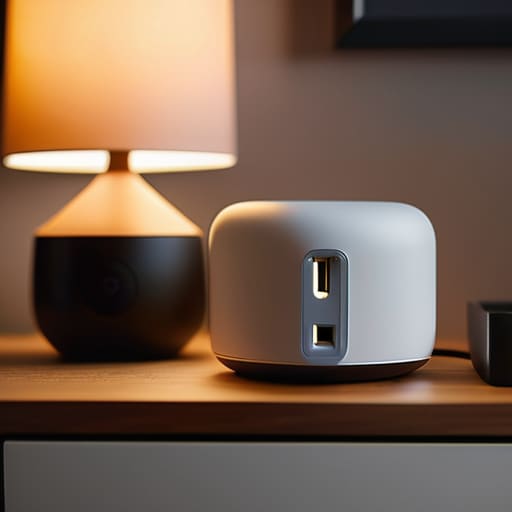
Now, here is where most people trip up and end up with a drawer full of useless junk. You’ll see these colorful boxes in the aisles, all promising the moon, but they won’t talk to each other. If you buy a plug that only works with one specific app, you’re essentially building a digital walled garden that’s going to feel very small, very fast. Before you pull the trigger, you need to look at the fine print regarding smart home ecosystem compatibility. If you already use an Amazon Echo or a Google Nest, make sure that plug is explicitly certified to work with them. There is nothing more frustrating than setting up a new device only to realize your existing setup won’t recognize it.
I’ve seen too many folks try to build complex smart home lighting automation routines, only to have the whole system crash because they mixed incompatible brands. It’s not just about turning a light on; it’s about making sure your voice controlled lighting actually responds when you ask it to. If the protocols don’t match, you’ll spend more time troubleshooting your phone than enjoying your evening. Stick to the major standards and don’t let the marketing fool you.
Five Things to Check Before You Buy (And Save Your Sanity)
- Check the physical switch on your lamp first. If your lamp has a mechanical toggle or a rotary dial that needs to stay in the “on” position to function, a smart plug will work fine. But if it’s a touch-sensitive base or a digital button, most smart plugs won’t be able to override that internal circuitry. Don’t buy a plug only to find out it can’t actually turn the light on.
- Look for a physical button on the plug itself. I don’t care how many “sleek” apps a company pushes; if your internet goes down or your phone dies, you need to be able to walk over to the lamp and press a button to turn it on manually. If it’s all software and no tactile feedback, it’s a paperweight when things go wrong.
- Verify the maximum amperage rating. Most lamps are low-draw, but if you’re planning to use these plugs for floor lamps with heavy-duty vintage bulbs or even small space heaters, you need to ensure the plug is rated for the load. Cheap, thin plastic housings are a fire hazard waiting to happen if you push too much current through them.
- Prioritize local control over cloud dependency. Some of these modern gadgets require a connection to a server halfway across the world just to turn on a light bulb. That’s bad engineering. Look for plugs that work on your local network so that when your internet service provider has an outage, you aren’t sitting in the dark.
- Avoid “proprietary” nonsense. If a company forces you to use their specific, clunky app and nothing else, walk away. You want something that plays well with others—whether that’s through Matter, Zigbee, or at least a standard protocol. You shouldn’t need ten different apps just to manage the lighting in your living room.
The Bottom Line: Don't Get Fooled by the Box
Prioritize connection stability over fancy app features; a smart plug is useless if it drops off your network every time the microwave runs.
Check your ecosystem before you buy, because nothing is more frustrating than owning a device that refuses to talk to the hub you already paid for.
Look for heavy-duty builds and physical overrides; if a device relies entirely on a cloud server to function, it’s just expensive plastic waiting to fail.
The Real Test of a Smart Plug
I don’t care how many fancy features a manufacturer lists on the box; if that plug can’t maintain a stable connection to your router without needing a manual reset every Tuesday, it’s nothing more than an expensive, glorified paperweight.
Roland Delacroix
The Bottom Line on Smart Plugs

At the end of the day, don’t let the flashy marketing fool you into thinking every smart plug is a masterpiece of engineering. We’ve covered the essentials: you need a device that maintains a stable connection without dropping off your network every time the microwave runs, and you absolutely must ensure it plays nice with the ecosystem you already have in your living room. If it’s built out of cheap, thin plastic and requires a convoluted setup process that takes forty minutes just to turn on a bedside lamp, it isn’t worth your time or your hard-earned money. Stick to the brands that prioritize reliable connectivity and straightforward hardware over fancy, unnecessary bells and whistles.
My advice is simple: buy for utility, not for the hype. A smart plug should be a tool that works silently in the background, making your life a little easier, not a piece of tech that requires constant troubleshooting and frustration. When you find that perfect balance of build quality and ease of use, you’ll realize that true innovation is often found in simplicity. Don’t be afraid to walk away from the “smart” gadgets that act more like headaches. Invest in the gear that actually does the job it was designed to do, and you won’t find yourself constantly searching for a workaround.
Frequently Asked Questions
Will these smart plugs actually work if my internet goes down, or will I be left sitting in the dark?
Look, this is where most of these manufacturers hide the fine print. If your internet goes down, most “smart” plugs become nothing more than expensive paperweights. You won’t be able to use your phone or voice commands to trigger them. However, if you use a plug with a physical override button or one that supports local control via a hub, you can still flip the switch manually. Don’t buy a device that leaves you helpless just because your ISP is having a bad day.
Do I really need to buy a dedicated hub, or can I just run everything through my existing router?
Look, if you’re only plugging in two or three lamps, your router can handle it just fine. Don’t let a salesperson talk you into a dedicated hub you don’t need. But here’s the catch: every smart device you add is another “client” fighting for bandwidth. If you start adding dozens of sensors and plugs, your router will choke, and you’ll be left sitting in the dark. For a small setup, skip the hub. For a real smart home, get one.
How do I know if the plug can handle the wattage of my heavier floor lamps without overheating or melting?
Look at the fine print on the box or the device itself. You aren’t looking for “smart features”; you’re looking for the maximum amperage and wattage rating. Most of these cheap plastic plugs are rated for 10 or 15 amps, but don’t take their word for it. Check the label for a “Max Load” spec. If you’re plugging in a heavy-duty floor lamp with an old-school incandescent bulb, make sure that rating exceeds your lamp’s total wattage by a healthy margin.
