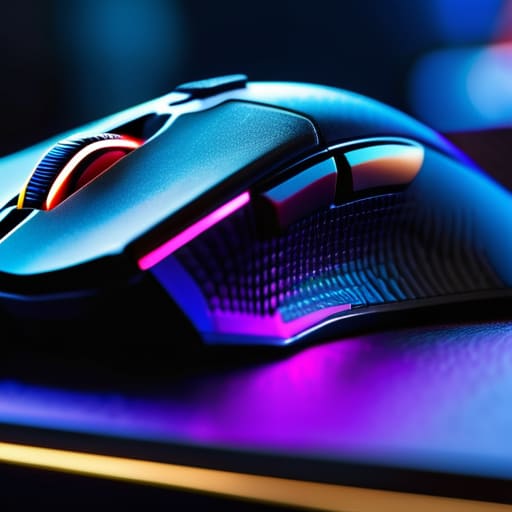
I was sitting at my workbench last Tuesday, cleaning the oxidation off some old vacuum tubes, when I saw an advertisement for a new “ultra-responsive” gaming mouse. It was covered in RGB lights that looked like a cheap carnival attraction and cost more than my first car. Honestly, it makes my blood boil. These companies want you to believe that you need twenty programmable buttons and a sensor designed for a lunar landing just to click on a target. Most of what you see on the market today is nothing more than overpriced, hollow plastic wrapped in neon lights to distract you from the fact that the build quality is absolute garbage.
I’m not here to sell you on the latest flashy gimmick or some marketing jargon that sounds like it was written by a teenager. My goal is to cut through the noise and tell you which hardware actually holds up under pressure. I’m going to look at the switches, the weight distribution, and the sensor reliability—the stuff that actually matters. By the time we’re done, you’ll know how to pick a gaming mouse that feels like a precision tool rather than a disposable toy.
Table of Contents
- Mechanical vs Optical Switches Reliability Over Marketing Hype
- Why Mouse Weight for Esports Actually Matters to Your Wrist
- Five Things to Check Before You Pull the Trigger
- The Bottom Line: What to Look for Before You Buy
- ## The Real Cost of "Gamer" Aesthetics
- Bottom Line: Don't Get Sold a Lemon
- Frequently Asked Questions
Mechanical vs Optical Switches Reliability Over Marketing Hype
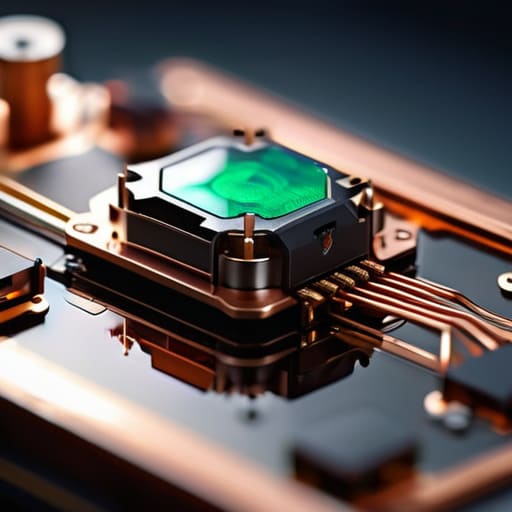
Now, let’s get into the guts of the thing. When you’re looking at a spec sheet, you’ll see a lot of talk about mechanical vs optical switches, but most of it is just marketing noise. In my day, we built things to last through physical contact. Mechanical switches work on that same principle—a metal contact that completes a circuit. They feel great, they have a tactile “click” that tells your brain the job is done, but they have a weakness: oxidation and physical wear. Eventually, that metal fatigues, and you get “double-clicking” issues that drive you mad.
Optical switches, on the other hand, use a beam of light to register a click. There’s no physical contact to wear down, which theoretically means they last longer and offer a faster response time. If you’re worried about latency or consistency during a high-stakes match, the optical route is often the smarter bet. I don’t care how many LEDs they flash on the side; if the switch underneath is unreliable, the whole device is just an expensive paperweight. Stick to what is proven, not just what looks flashy on a box.
Why Mouse Weight for Esports Actually Matters to Your Wrist
I’ve seen too many people get caught up in the “more is better” trap when it comes to hardware. They buy these heavy, brick-like peripherals thinking the extra heft equates to premium quality. In my engineering days, we knew that mass equals inertia, and in the context of mouse weight for esports, inertia is your enemy. If you’re trying to make a micro-adjustment during a high-stakes match, a heavy device forces your wrist to work harder to overcome that initial resistance. Over a few hours of play, that extra strain isn’t just annoying; it’s a recipe for repetitive strain injuries.
You want something that moves when you tell it to, not something you have to fight. I generally recommend looking for a lightweight build that doesn’t feel like a hollow toy. It’s about finding that sweet spot where the device feels substantial enough to control, but light enough that your movements remain fluid. Don’t let a manufacturer convince you that weight equals durability. If the internal components are poorly balanced, a lighter shell will actually help you maintain better precision without taxing your tendons.
Five Things to Check Before You Pull the Trigger
- Look at the cable, not just the sensor. If the cord feels like a stiff, braided mess that fights your hand every time you move, you’ll hate using it within a week. You want something flexible, almost like a piece of silk, so it doesn’t drag or snag on your desk.
- Don’t get distracted by the RGB lights. All those flashing colors don’t make the sensor more accurate; they just make the mouse more expensive and drain your power if it’s wireless. Focus on the build quality of the shell instead of how much it glows.
- Check the feet. Most manufacturers use cheap, hard plastic glides that feel like sandpaper on a mousepad. Look for mice that use PTFE (Teflon) feet; they should feel smooth, like the mouse is gliding on a thin layer of oil.
- Test the button tension. A good mouse shouldn’t feel mushy or require a heavy stomp to register a click. If the buttons feel inconsistent or “spongy,” it’s a sign of poor internal construction, and it’ll likely fail you when you need it most.
- Avoid the “one size fits all” trap. Your hand isn’t the same size as a professional esports player’s, so don’t buy a mouse just because a reviewer said it’s “top tier.” If it doesn’t fit your grip naturally, you’re just asking for carpal tunnel.
The Bottom Line: What to Look for Before You Buy
Stop chasing the RGB lights and fancy software; focus on the build quality and whether the switches feel solid, not hollow.
Don’t let a manufacturer convince you that “more features” equals better; if the weight makes your wrist ache after an hour, it’s a bad tool.
Check the sensor specs, but more importantly, make sure the feet glide smoothly without catching—if it doesn’t feel precise in your hand, it’s just expensive plastic.
## The Real Cost of "Gamer" Aesthetics
I’ve seen enough over-engineered, RGB-lit junk to know that a flashing light doesn’t make a sensor more accurate, and a hollow shell doesn’t make a mouse faster; if the build quality doesn’t feel solid in your hand, you’re just paying a premium for a glorified paperweight.
Roland Delacroix
Bottom Line: Don't Get Sold a Lemon
At the end of the day, picking out a gaming mouse shouldn’t feel like you’re trying to solve a calculus equation just to get through a match. We’ve looked at why you need to prioritize switch reliability over flashy RGB lights and why the weight of the device is a matter of long-term joint health, not just some pro-player gimmick. If the build quality feels hollow or the sensor skips when things get intense, it doesn’t matter how many “extra buttons” it boasts—it’s just a glorified paperweight. Stick to the specs that actually affect your performance: mechanical integrity, sensor precision, and ergonomic weight.
I’ve spent enough years in manufacturing to know that the most expensive item in the box isn’t always the best one. Sometimes, the most reliable tool is the one that does exactly what it’s supposed to do without requiring a firmware update every Tuesday. Don’t let the marketing departments at these big tech firms talk you into buying into the hype. Buy something that feels solid in your hand, works consistently, and actually lasts longer than a single season. Invest in gear that respects your wallet and your hardware, and you won’t find yourself back in the store six months from now looking for a replacement.
Frequently Asked Questions
How do I know if the sensor is actually high-quality or just some cheap component wrapped in fancy software?
Look, don’t get blinded by the RGB lighting and the “Pro-Gamer” labels on the box. Most of that software is just window dressing. To tell if a sensor is legitimate, look for “IPS” (inches per second) and “Acceleration” specs in the technical manual. If the manufacturer is too vague to list them, they’re hiding a cheap component. A real sensor shouldn’t spin out or jitter when you make a fast, decisive movement.
Are those heavy, RGB-lit mice actually worth the extra cost, or am I just paying for lights?
Look, if you’re paying a premium for a rainbow of flashing lights, you’re being taken for a ride. RGB doesn’t improve sensor accuracy or click latency; it just drains your battery and looks gaudy. As for the weight, extra heft isn’t a sign of “premium” build quality anymore—it’s often just cheap filler to make a hollow shell feel substantial. If the extra cost isn’t going into the sensor or the switch durability, it’s just expensive plastic.
What should I look for in a cable to make sure it doesn't get tangled or drag across my desk like a piece of wet rope?
Look, if you’re still fighting a cable that feels like a heavy, stiff garden hose, you’re doing it wrong. You want a “paracord” style cable. These use a soft, braided outer jacket that’s incredibly flexible, almost like silk. It eliminates that annoying drag and won’t fight your movements. Avoid those thick, rubberized cables they bundle with cheap mice; they’re built for durability in a factory, not for smooth movement on your desk.
