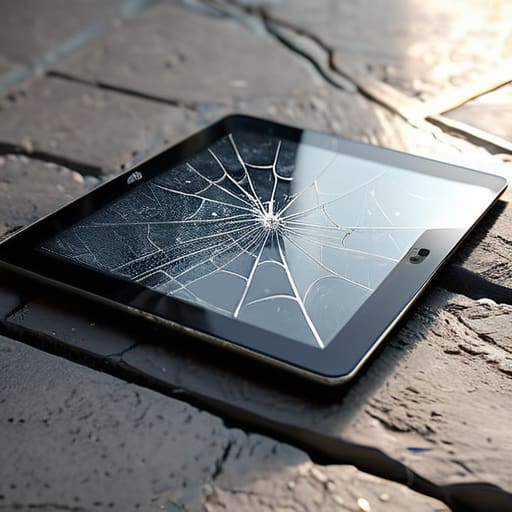
I was sitting at my workbench last Tuesday, tinkering with a vintage Marantz receiver, when I looked over at my tablet and saw a hairline fracture spiderwebbing across the glass. It wasn’t from a massive drop; it was just a bit of grit and a careless nudge against a metal tool. It reminded me how much money people throw away on those overpriced, “premium” tablet screen protectors that claim to use space-age technology but really just offer thin layers of glorified plastic. Most of these products are designed to separate you from your cash, not to actually defend your hardware against the rigors of real-world use.
I’m not here to sell you on some flashy marketing gimmick or a brand name that costs more than the tablet itself. My goal is to cut through the nonsense and tell you exactly what works based on actual build quality and durability. I’ve spent enough time looking at technical specs and testing materials to know the difference between a solid shield and a temporary bandage. I’m going to show you how to pick a protector that actually stays put and keeps your screen intact, so you can stop wasting money on junk that fails the moment you actually need it.
Table of Contents
- The Truth About Scratch Resistance for Tablets
- Impact Protection for Tablets Real Defense or Expensive Plastic
- Five Rules to Follow Before You Buy
- Roland’s Bottom Line: Don’t Get Fooled by the Packaging
- The Bottom Line on Screen Protection
- Bottom Line: Don't Get Swayed by the Hype
- Frequently Asked Questions
The Truth About Scratch Resistance for Tablets
Most manufacturers love to throw around terms like “9H hardness” to make you think their product is invincible. Let me tell you something from a guy who spent decades looking at material tolerances: a number on a box doesn’t mean a thing if the application is sloppy. When you’re looking at scratch resistance for tablets, you need to understand that most of these cheap tempered glass options are designed to sacrifice themselves to save the actual digitizer. That’s fine, provided the glass is thick enough to handle a set of keys in your bag without shattering instantly.
I’ve seen too many people get caught up in the debate of matte vs glossy screen protectors without realizing what they’re actually buying. A glossy finish looks beautiful in the showroom, but it’s a magnet for fingerprints and micro-abrasions. If you’re working in a shop or a garage, you might want that matte texture to cut down on reflections, but don’t expect it to feel as smooth as the original glass. Just remember, if the protector feels like sandpaper, it’s going to degrade your viewing experience faster than a rusted gear in a high-speed assembly line.
Impact Protection for Tablets Real Defense or Expensive Plastic
Most people think a thin sheet of tempered glass is going to save their device during a three-foot drop onto a concrete floor. I’ve seen enough structural failures in my time to know that’s a dangerous assumption. While a decent guard can certainly help with impact protection for tablets, it isn’t a magic shield. If you’re buying the cheapest, thinnest glass you can find online, you aren’t buying protection; you’re just buying a sacrificial layer of expensive plastic that will shatter the moment it hits something hard.
When I’m looking at these products, I look for the thickness and the edge reinforcement. A quality protector should have a slight bevel to dissipate energy, rather than just cracking instantly under pressure. I also see a lot of folks getting distracted by gimmicks like privacy screen protectors when what they actually need is something that won’t turn their screen into a spiderweb after one minor bump. If you want real defense, don’t just look at the marketing fluff—look at the actual material density. If it feels flimsy in your hand, it’s going to be flimsy on your tablet.
Five Rules to Follow Before You Buy
- Stop chasing the “ultra-thin” marketing fluff. If a protector feels like a thin layer of film, it’s not going to do a damn thing when your tablet hits a hardwood floor. Look for tempered glass with a decent thickness; you need actual mass to absorb an impact.
- Check the oleophobic coating quality. I’ve seen too many cheap protectors that turn into a fingerprint-smudged mess within a week. A good coating should make oils slide right off, not bake into the surface.
- Don’t get tricked by “privacy” filters unless you actually need them. Most of those dark, tinted screens ruin the color accuracy and make the display look washed out. If you’re using the tablet for design or media, you’re just paying to make your screen look worse.
- Buy a kit that includes an alignment jig. I don’t care how steady your hands are; if you’re off by a fraction of a millimeter, you’ll end up with a bubble or a piece of dust trapped underneath. Precision matters, and these kits take the guesswork out of it.
- Match the protector to your actual lifestyle. If you’re a tinkerer working in a garage or a workshop, go for the heavy-duty glass. If you’re just reading books on the couch, a simple, high-quality film is enough. Don’t pay for overkill you aren’t going to use.
Roland’s Bottom Line: Don’t Get Fooled by the Packaging
Stop chasing the highest “hardness” number on the box; a protector that stops scratches but shatters on the first drop is just as useless as no protection at all.
If the instructions require a specialized app or a degree in computer science just to align the glass, walk away—you want something that stays put without the headache.
Buy for the tool you actually use, not the one the marketing team says you need; if you aren’t throwing your tablet into a construction site, a thick, bulky case is just wasted money.
The Bottom Line on Screen Protection
“I’ve seen enough poorly engineered junk in my time to know that a screen protector isn’t about adding layers of plastic; it’s about ensuring the hardware you paid good money for doesn’t end up in a landfill because of a single careless drop.”
Roland Delacroix
Bottom Line: Don't Get Swayed by the Hype
At the end of the day, choosing a screen protector shouldn’t feel like a math problem. We’ve looked at the difference between simple scratch prevention and actual impact resistance, and the lesson is clear: you have to match the protector to how you actually use the device. If you’re just sitting on the couch reading, a basic tempered glass layer is plenty. But if you’re taking that tablet out to the job site or letting the grandkids play with it, don’t settle for some flimsy, cheap film that’ll crack the first time it hits the floor. Invest in a high-quality, thick tempered glass option that offers genuine structural integrity. It’s better to spend an extra ten dollars now than to be staring at a spiderweb of cracks on a thousand-dollar screen next week.
I’ve spent enough years in manufacturing to know that the cheapest component is often the most expensive mistake you’ll ever make. Technology is moving faster than ever, and companies are getting better at wrapping mediocre hardware in shiny, expensive packaging. Don’t let them fool you into thinking “more features” means “better protection.” Stick to the basics: look for material thickness, check the hardness rating, and trust your gut when a product feels like nothing more than overpriced plastic. Buy something that is built to last, and you won’t have to worry about your gear failing you when you need it most.
Frequently Asked Questions
Will a thick tempered glass protector make my touchscreen feel unresponsive or laggy?
Look, I’ve seen enough poorly engineered interfaces to know that a thick piece of glass shouldn’t ruin your experience, but it can. If you buy a cheap, thick tempered glass protector, you’re going to deal with “ghost touches” or a laggy response that’ll drive you mad. Stick to high-quality, thin tempered glass from a reputable brand. If it’s built right, the capacitive sensors will read your finger just fine without the extra bulk.
Is it actually worth paying a premium for "privacy" filters, or are they just a gimmick that ruins the display quality?
Look, I’ve spent enough time squinting at blueprints to know when a spec is just marketing fluff. Privacy filters aren’t a total gimmick, but they come with a heavy tax on your hardware. You’re essentially putting a veil over your screen. Yes, it keeps prying eyes away, but you’ll lose brightness and color accuracy in the process. If you value a crisp display, stick to a standard tempered glass. Don’t pay extra to make your own screen harder to see.
How do I get rid of those annoying air bubbles without wasting a whole new sheet of glass?
Look, I’ve seen plenty of folks toss a perfectly good tempered glass sheet in the bin just because of a few stubborn bubbles. Don’t do that. If it’s just a bit of trapped air, grab a credit card—wrap it in a thin microfiber cloth so you don’t scratch the surface—and firmly push the bubble toward the nearest edge. If there’s a speck of dust causing it, use a piece of Scotch tape to lift the glass, snag the dust, and lay it back down. It’s simple physics, not magic.
