
I was sitting at my workbench last Tuesday, tinkering with a 1970s Marantz receiver, when I saw another ad for a “cutting-edge” portable rig that looked more like a neon-lit toy than a piece of serious machinery. It’s the same old story: manufacturers wrap mediocre components in flashy RGB lighting and expect you to ignore the fact that the chassis feels like it was molded from recycled milk jugs. Most people looking for a gaming laptop guide end up drowning in a sea of marketing jargon and inflated benchmark scores that don’t account for how the machine actually behaves after three hours of heavy use. If you aren’t careful, you aren’t buying a computer; you’re just buying expensive plastic that’s destined for a landfill.
I’m not here to sell you on the latest hype or tell you that more gigahertz always equals a better experience. My goal is to cut through the noise and give you a practical, engineering-focused gaming laptop guide that prioritizes thermal management, build integrity, and real-world longevity. I’ll show you how to spot the hidden flaws in a spec sheet before you open your wallet, ensuring you invest in a tool that actually performs when the pressure is on.
Table of Contents
Dont Get Tricked by Dedicated vs Integrated Graphics

Now, let’s talk about the engine under the hood, because this is where most folks blow their entire budget. You’ll see marketing teams throwing around big numbers, but you need to understand the fundamental difference between dedicated vs integrated graphics. An integrated chip is built right into your processor; it’s fine for checking emails or watching a movie, but it’ll choke the second you try to run a modern game. If you’re serious about gaming, you need a dedicated GPU—a separate piece of hardware with its own memory. It’s the difference between a reliable diesel engine and a lawnmower motor.
However, don’t just chase the highest number on the spec sheet without thinking. I’ve seen plenty of “high-end” machines that look great on paper but fail in practice because they can’t handle the heat. If the manufacturer didn’t invest in decent thermal management in laptops, that expensive chip is going to throttle its speed just to keep from melting. You’ll end up with all the cost of a premium card but the performance of a budget model because the cooling system is nothing but cheap, thin heat pipes.
The Best Gpu for Gaming Laptops That Actually Delivers
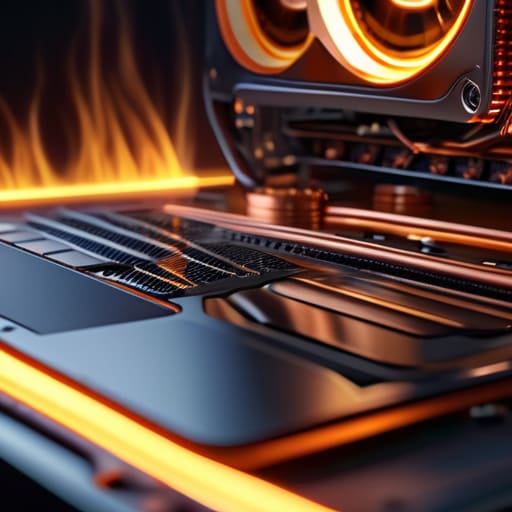
Now, let’s talk about the heart of the machine: the graphics processing unit. When you’re scanning spec sheets, you’ll see a laundry list of numbers designed to make your head spin. But here’s the truth—the best gpu for gaming laptops isn’t just about the highest model number on the sticker; it’s about whether the chassis can actually handle the heat that comes with it. I’ve seen plenty of high-end cards throttled down to half their power because the manufacturer decided to save a few dollars on the heat pipes.
If you’re looking at a mid-range card, pay close attention to the thermal management in laptops. A powerful chip is useless if the cooling system is a joke. You can buy the most expensive silicon on the market, but if the fans sound like a jet engine and the deck gets hot enough to fry an egg, you’ve bought yourself a very expensive paperweight. Don’t just chase the raw numbers; look for a build that prioritizes airflow and solid laptop cooling solutions. If they didn’t spend the money on the internals, they definitely didn’t spend it on the cooling.
Five Things the Salesman Won't Tell You Before You Swipe Your Card
- Check the thermal design, not just the clock speed. I’ve seen plenty of high-end chips throttled to a crawl because the manufacturer decided to save a few cents on copper heat pipes and fan housing. If the vents look like an afterthought, that laptop is a ticking time bomb of heat.
- Demand a high-refresh-rate screen, but don’t get distracted by color accuracy alone. A smooth 144Hz refresh rate makes a massive difference in how responsive the machine feels, and if you’re stuck with a sluggish 60Hz panel, all that processing power in the back is essentially wasted.
- Look for upgradeability. Most of these modern “ultrabooks” have the RAM soldered directly to the motherboard, which is a nightmare for anyone who actually wants their machine to last more than two years. If you can’t pop the back off and add a stick of memory or a second SSD, you’re buying a disposable toy.
- Test the keyboard’s physical travel. I don’t care how many RGB lights are pulsing under the keys; if the switches feel mushy and lack tactile feedback, you’re going to hate using it. A decent machine should have enough key travel to feel substantial, not like you’re tapping on a piece of glass.
- Don’t trust the “battery life” claims on the box. No gaming laptop is a marathon runner. If you’re planning to play anything intensive, you’ll be tethered to a wall outlet anyway. Instead, check the wattage of the power brick—if it’s undersized, your performance will tank the moment you unplug.
The Bottom Line Before You Open Your Wallet
Don’t let a high-end GPU go to waste; if you pair a powerful graphics card with a cheap, underpowered processor, you’re just buying expensive scrap metal that can’t keep up.
Prioritize thermal management over flashy aesthetics, because a laptop that can’t vent heat properly will throttle its performance and burn out its components long before you’re done with it.
Check the build quality of the chassis and the cooling vents before you buy; if the manufacturer cut corners on the physical construction to save a buck, that high-end hardware won’t stay stable for long.
## The Real Cost of Cutting Corners
“When you’re looking at a spec sheet, don’t just look at the numbers on the screen; look at the chassis underneath them. A high-end processor is useless if the manufacturer paired it with a cheap, flimsy cooling system that’s going to throttle your performance the moment things get serious.”
Roland Delacroix
The Bottom Line
Look, I’ve spent enough time looking at schematics to know that you can’t cheat physics. If you ignore the thermal constraints or settle for a bottom-tier GPU just because the chassis looks sleek, you’re going to regret it within six months. We’ve covered the essentials: don’t let the marketing departments fool you about integrated graphics, and make sure you’re picking a GPU that actually has the raw horsepower to sustain your frame rates. Most importantly, keep an eye on that build quality. If the hinge feels flimsy or the cooling vents are choked by cheap plastic, it doesn’t matter how fast the processor is—that machine is a ticking time bomb for hardware failure.
At the end of the day, a gaming laptop should be a tool that serves you, not a piece of junk that forces you to constantly troubleshoot. I know it’s easy to get swept up in the flashy RGB lights and the endless list of “next-gen” buzzwords, but I want you to buy for longevity. Take my advice: do your homework, check the cooling specs, and don’t be afraid to walk away from a deal that feels too good to be true. Spend your hard-earned money on something that is built to last, and you won’t find yourself back in the electronics aisle looking for a replacement before the year is out.
Frequently Asked Questions
How much weight and bulk should I realistically expect if I actually want to carry this thing around?
Look, if you’re expecting a thin, lightweight machine that fits in a standard briefcase, you’re dreaming. To get decent cooling and a real GPU, you’re looking at a beast. Most solid gaming laptops weigh between 5 and 7 pounds. Add a bulky power brick—and you’ll need a big one—and you’re pushing 9 or 10 pounds total. If it feels light, it’s probably underpowered and prone to overheating. Plan for the bulk.
Is it worth paying the extra premium for a higher refresh rate screen, or is that just more marketing fluff?
Look, if you’re just browsing spreadsheets, a standard 60Hz screen is fine. But if you’re actually gaming, that extra refresh rate isn’t just marketing fluff—it’s about responsiveness. A 144Hz panel makes motion look fluid instead of a stuttering mess. I’ve seen too many folks buy a powerhouse rig only to be bottlenecked by a sluggish display. If the budget allows, pay the premium. It’s the difference between a smooth tool and a frustrating one.
How do I tell if the cooling system is actually built to last, or if it's just going to choke on dust in six months?
Look, don’t just trust the marketing fluff about “advanced thermal management.” Open the chassis if you can, or look closely at the vent design. You’re looking for thick copper heat pipes and substantial fans, not tiny, flimsy blades. If the vents are choked with tiny, restrictive slits, that machine is a death trap for dust. If you can’t see clear airflow paths, you’re buying a glorified space heater that’ll throttle itself to death by next summer.
