I was sitting in my workshop last Tuesday, trying to calibrate an old Marantz receiver, when I realized I couldn’t even get my kitchen lights to turn on because the latest “revolutionary” smart lighting setup decided it didn’t like my router. It’s the same old story: companies are selling you a dream of effortless automation, but what they’re actually delivering is a mountain of software headaches and overpriced plastic that fails the moment your internet hiccups. I didn’t spend thirty years in systems engineering to spend my retirement fighting with a lightbulb just to read a schematic.
I’m not here to sell you on the latest flashy app or some ecosystem that requires a PhD to operate. My goal is to cut through the marketing garbage and show you how to build a reliable, functional system that actually stays connected. I’ll tell you which components are built to last and which ones are just expensive junk destined for a landfill. If you want a setup that works every single time you flip a switch—without the constant troubleshooting—then you’re in the right place.
Table of Contents
- Smart Home Lighting Compatibility Avoiding the Expensive Plastic Trap
- Essential Smart Lighting Hub Requirements for Real Reliability
- Five Rules for a Setup That Won't Leave You in the Dark
- Roland’s Bottom Line: What to Look For Before You Buy
- The Golden Rule of Smart Lighting
- The Bottom Line on Smart Lighting
- Frequently Asked Questions
Smart Home Lighting Compatibility Avoiding the Expensive Plastic Trap
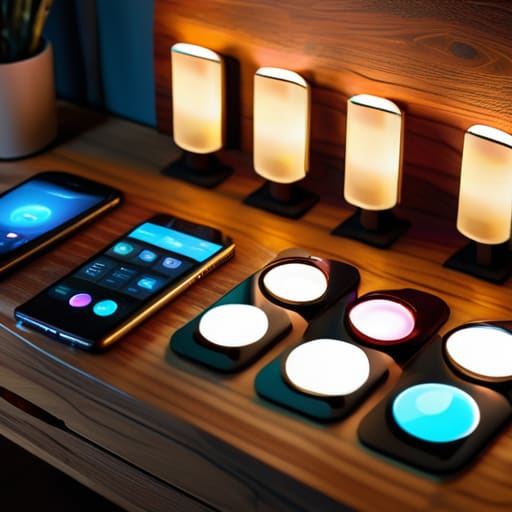
Before you go out and buy every gadget that looks shiny on a showroom shelf, you need to look at the fine print. Most people make the mistake of buying a handful of bulbs from one brand and a different set from another, only to realize a week later that they don’t talk to each other. This is where you run into real trouble with smart home lighting compatibility. If your devices aren’t using a unified protocol, you’ll end up with a dozen different apps on your phone just to turn on a lamp. That’s not a “smart” home; that’s a headache.
I always tell people to check the smart lighting hub requirements before they commit a single cent. Some systems are designed to work directly with your Wi-Fi, but in my experience, those are often the most prone to crashing when your network gets busy. I prefer systems that use a dedicated bridge or hub. It keeps the heavy lifting off your router and ensures your automated lighting schedules actually trigger when they’re supposed to, rather than failing because your phone decided to run a software update at sunset.
Essential Smart Lighting Hub Requirements for Real Reliability
If you’re going to do this, do it right. Most people make the mistake of thinking they can just buy a handful of bulbs and call it a day. That’s a recipe for a headache. If you want a system that doesn’t buckle the moment you try to run more than five devices, you need to look closely at the smart lighting hub requirements before you swipe your credit card. A decent hub acts as the central nervous system for your house; it shouldn’t be a flimsy little gadget that loses its connection every time the microwave is running.
I always tell people to look for a hub that supports local control rather than relying entirely on the “cloud.” If your internet goes down and your lights won’t turn on, you’ve bought a very expensive paperweight. You want a setup that handles automated lighting schedules locally on the hardware itself. This ensures your lights actually come on at sunset, regardless of whether your ISP is having a bad day. Don’t settle for anything less than a robust, dedicated controller if you actually want this technology to serve you, rather than the other way around.
Five Rules for a Setup That Won't Leave You in the Dark
- Stick to Zigbee or Thread protocols whenever possible. If you rely solely on Wi-Fi bulbs, you’re going to clog up your router until your whole network starts crawling, and frankly, I don’t trust a lightbulb to handle my internet traffic.
- Check your physical switch situation before you buy a single bulb. There is nothing more frustrating than a “smart” light that goes offline because someone flipped the manual wall switch; if you can’t bypass the switch, you’ve bought a paperweight.
- Prioritize dimming hardware that actually works. Most cheap smart bulbs have terrible dimming curves that flicker like a dying fluorescent tube; if the manufacturer doesn’t specify the dimming range, leave it on the shelf.
- Don’t ignore the importance of a local control option. You want a system that works even when your internet provider decides to take a nap; if the lights require a cloud connection just to turn on, they aren’t reliable enough for my house.
- Look for high-quality heat sinks in the bulb design. These things run hot, and if the engineering is shoddy, that heat will cook the internal electronics within a year, leaving you with a pile of useless, expensive plastic.
Roland’s Bottom Line: What to Look For Before You Buy
Check the protocol, not the packaging; avoid anything that relies solely on a proprietary app if you want it to actually work when your internet goes down.
Prioritize hardware with a dedicated hub rather than cheap Wi-Fi bulbs that clog up your router and die after six months of use.
Don’t get distracted by “smart” features that add complexity without adding utility; if it takes more than two steps to turn on a light, it’s a poorly designed tool.
The Golden Rule of Smart Lighting
If you can’t turn the light on with a physical switch without the whole system throwing a digital tantrum, you haven’t bought a lighting solution—you’ve bought an expensive headache.
Roland Delacroix
The Bottom Line on Smart Lighting
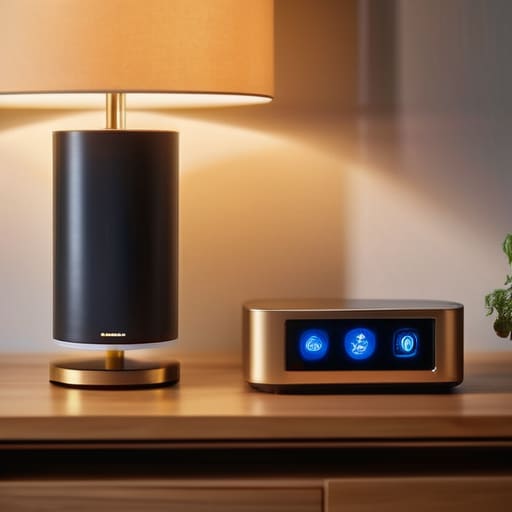
At the end of the day, setting up a smart lighting system shouldn’t feel like you’re trying to solve a calculus equation just to turn on a lamp. I’ve seen too many people throw money at flashy, brand-name starter kits only to realize they’ve bought into a closed ecosystem that breaks the moment the manufacturer pushes a buggy update. Remember: prioritize hardware compatibility over fancy app features, and never, ever skip on a reliable, dedicated hub. If the tech relies entirely on a shaky cloud connection to function, it’s not a tool—it’s a liability. Stick to protocols like Zigbee or Matter that keep your devices talking to each other locally, and you’ll avoid the headache of a house that goes dark every time your internet hiccups.
Look, I’m not saying you shouldn’t embrace the convenience of modern tech, but I am saying you should demand better build quality from the companies selling it to you. A well-designed smart home should work like a well-oiled machine: silent, dependable, and invisible. When you stop chasing the latest marketing gimmick and start focusing on robust, standardized hardware, you’ll build a system that actually serves you rather than one you have to constantly troubleshoot. Buy once, buy right, and make sure your tech is built to last longer than the next software cycle.
Frequently Asked Questions
Do I really need a dedicated hub, or can I just run everything through my Wi-Fi router and save some cash?
Look, I get the temptation to save a few bucks, but don’t let a cheap initial setup cost you a headache later. If you try to run twenty smart bulbs through your standard Wi-Fi router, you’re going to choke your bandwidth. Your router isn’t a specialized controller; it’s a generalist. Stick to a dedicated hub. It offloads the heavy lifting and keeps your network stable. Don’t trade long-term reliability for a handful of dollars today.
If I buy a bunch of different brands, is there any way to actually make them talk to each other without a headache?
Look, if you go out and buy five different brands of bulbs, you’re asking for a headache. You’ll end up with five different apps cluttering your phone, and none of them will play nice. If you want them to talk to each other without pulling your hair out, you need to stick to devices that support Matter or Thread. It’s a standard that actually forces different manufacturers to follow the same rules. Don’t buy into a closed ecosystem unless you want to be locked in.
How do I know if a smart bulb is going to last more than a year, or if it's just another piece of cheap junk destined for a landfill?
Look, don’t just trust the flashy box art. I always check the heat sink design first; if the bulb feels light and hollow, that heat is going to cook the internal driver in six months. Look for reputable brands that list their rated L70 lifespan and, more importantly, check if they use high-quality capacitors. If the manufacturer won’t give you technical specs beyond “color changing,” put it back on the shelf. It’s junk.
