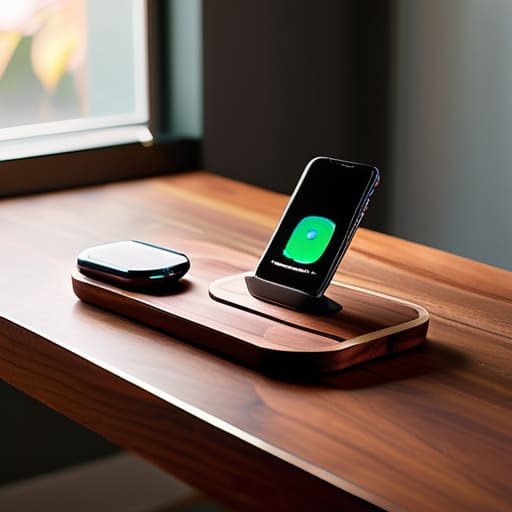
I was sitting at my workbench last Tuesday, surrounded by the smell of solder and old capacitors, when I realized I’d spent forty minutes wrestling with a piece of junk I bought online. I had tried to use one of those sleek, ultra-thin wireless charging docks that promised to revolutionize my nightstand, but the damn thing wouldn’t even align the coils properly unless I placed the phone with the precision of a surgeon. It’s the same old story: companies are slapping a high price tag on overpriced, flimsy plastic and calling it innovation, when in reality, they’ve just engineered a way to make your life more complicated.
I’m not here to sell you on the latest marketing buzzwords or tell you that you need a smart-home ecosystem just to juice up your phone. My goal is simple: I want to help you find hardware that actually does its job without failing the moment you look away. I’ve spent the last few weeks putting several models through the ringer to see which ones have the build quality to last and which ones belong in the scrap heap. I’ll give you the straight truth on what’s worth your hard-earned money and what is just expensive clutter.
Table of Contents
Why Qi Certified Charging Pads Actually Matter
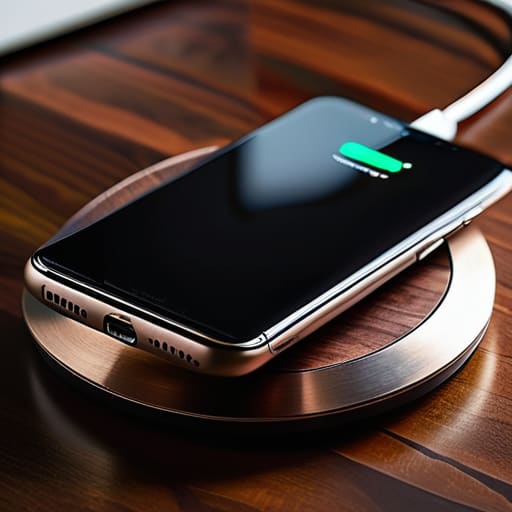
I’ve seen too many folks walk into a big-box store and pick up the cheapest slab of plastic they can find just because it looks sleek on the shelf. That’s a mistake that’ll cost you more than just a few bucks. When you’re looking at different smartphone charging solutions, you need to look for the label. I’m talking about Qi certified charging pads. That certification isn’t just some marketing fluff; it’s a standard that ensures the device actually communicates with your phone to manage heat and power delivery correctly. Without it, you’re essentially playing Russian roulette with your battery’s lifespan.
If you don’t get the certification right, you’re going to run into issues with inductive charging efficiency. I’ve tested plenty of these unbranded knock-offs, and half the time, you have to wiggle the phone around just to get a connection. It’s frustrating and, frankly, a waste of time. A proper, certified unit ensures that the energy transfer is stable, so you aren’t just wasting electricity and generating unnecessary heat. If you want a reliable setup, don’t settle for anything that hasn’t been vetted.
The Truth About Fast Wireless Charging Technology
Don’t let the marketing departments fool you with those flashy “Super-Fast” labels on the box. When you see a manufacturer promising lightning-fast speeds, I want you to look closer at the heat dissipation. The reality of fast wireless charging technology is that it generates a significant amount of thermal energy. If the dock is nothing more than a thin piece of molded plastic without any internal venting or heat management, that heat is going to bleed directly into your phone’s battery. In my experience, heat is the silent killer of lithium-ion cells, and a cheap dock that runs hot will shorten your device’s lifespan faster than a frayed cable.
You also need to understand that speed is a collaborative effort between the pad and the phone. You can buy the most expensive hub on the market, but if your smartphone doesn’t support the specific handshake protocols required for high-wattage delivery, you’re just paying for unrealized potential. I’ve seen plenty of guys waste money on high-end smartphone charging solutions only to find out their device is capped at a standard 5W rate. Always check your phone’s technical specs before you commit your hard-earned cash to a high-wattage setup.
Don't Get Fooled: 5 Things to Check Before You Pull the Trigger
- Watch out for the weight. If a charging dock feels light and hollow like a cheap toy, it’s going to slide around your nightstand every time you try to set your phone down. Look for something with a weighted base or some decent rubberized grip so it actually stays put.
- Check your heat dissipation. Wireless charging generates heat—that’s just physics. If the dock is a sealed piece of plastic with no ventilation, you’re going to cook your battery life. I want to see some airflow or a design that doesn’t trap heat against the coils.
- Verify the adapter requirements. A lot of these companies sell you a “fast charger” but don’t mention that you need to buy a separate, high-wattage wall brick to actually get the speeds promised on the box. Don’t get caught spending another twenty bucks because they omitted the fine print.
- Mind the alignment. I’ve seen too many “convenient” stands that only work if you place your phone within a millimeter of the sweet spot. If it doesn’t have magnets (like the MagSafe standard) or a very forgiving coil placement, you’ll spend your whole night wondering why your phone isn’t charging.
- Look for a physical indicator, not just an app. I don’t want to have to unlock my phone and check a software menu just to see if the connection is solid. A simple, reliable LED light that tells you “power is flowing” is much more useful than some flashy touchscreen nonsense.
The Bottom Line on Your Next Dock
Don’t let a fancy LED display or a sleek design fool you; if the unit isn’t Qi-certified, you’re likely buying a paperweight that will overheat your battery.
Ignore the marketing buzzwords about “ultra-fast” speeds unless you’ve verified the wattage matches your specific phone’s requirements—otherwise, you’re just paying for extra heat and zero extra speed.
Prioritize weight and build material; a dock that feels light and hollow in your hand is almost certainly going to slide off your nightstand every time you try to set your phone down.
## The Reliability Test
“I don’t care how many LED lights they flash or how sleek the design looks on a showroom floor; if the induction coil is housed in cheap, thin plastic that overheats the moment you set your phone down, it’s not a tool—it’s a paperweight.”
Roland Delacroix
Bottom Line: Don't Get Swindled
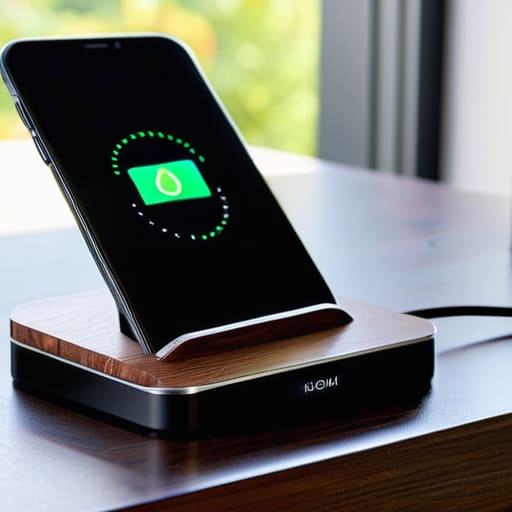
At the end of the day, choosing a wireless dock shouldn’t feel like a gamble. We’ve covered the essentials: stick to Qi-certified hardware to avoid frying your battery, and don’t let marketing jargon about “ultra-fast” speeds fool you if the unit lacks proper thermal management. Most of these cheap, unbranded pads you see in bargain bins are nothing more than overpriced, flimsy plastic that will likely fail or overheat within a few months. If you want something that actually works, look for a build that feels substantial and a charging standard that is clearly documented. A little bit of research now saves you the headache of buying the same damn thing twice when the cheap version inevitably dies on you.
I know it’s tempting to just click “buy” on the cheapest option that pops up in your search results, but I’m asking you to slow down. Technology is moving faster than ever, but the laws of physics and good engineering haven’t changed. Invest in a piece of equipment that respects your wallet and your hardware. When you buy something built with actual integrity, you aren’t just buying a charger; you’re buying the peace of mind that comes with knowing your gear is safe. Stop chasing the hype and start looking for reliability you can trust.
Frequently Asked Questions
Will these wireless pads actually overheat my phone or kill my battery life over time?
Look, I get the concern. I’ve seen enough heat-damaged components in my time to know that heat is the enemy of longevity. If you buy a cheap, uncertified piece of junk, yes, it’ll cook your battery. But if you stick to a quality, Qi-certified pad with decent thermal management, you’re fine. It’s not the wireless tech that’s the problem; it’s the shoddy engineering inside the bargain-bin chargers. Buy quality, and your battery will thank you.
Do I really need to buy a separate high-wattage wall adapter, or can I just use the old brick I have lying around?
Don’t just grab whatever old brick you find in the junk drawer. I’ve seen enough blown circuits to know that “old” doesn’t always mean “compatible.” If your wireless dock is rated for 15W or 20W and you plug it into an ancient 5W iPhone cube, you’re going to be waiting all day for a charge. Check the output specs on your adapter; if the wattage doesn’t match the dock’s requirements, you’re wasting your time.
How do I know if a dock is going to work through a thick protective case, or am I going to be constantly taking my phone in and out?
Here’s the reality: most manufacturers claim “case compatibility,” but that’s marketing fluff. If your case is thicker than 3mm or has a metal plate for a magnetic mount, forget it. You’ll be fighting with heat buildup and intermittent connection all day. Before you shell out your hard-earned cash, check the technical specs for the induction distance. If they don’t list it, assume it won’t work. Don’t settle for a dock that turns your phone into a paperweight.
