I spent thirty years in manufacturing, where if a component wasn’t built to spec, the whole assembly line ground to a halt. Nowadays, I see people dropping hundreds of dollars on these sleek, lightweight gadgets that feel like they’d crack if you even looked at them sideways. It’s frustrating to watch folks entrust their entire digital lives—family photos, tax documents, the works—to a piece of hardware that’s essentially just expensive plastic. When you’re looking for the best external hard drives, you shouldn’t be shopping for aesthetics or fancy LED lights; you should be looking for structural integrity and data reliability.
I’ve spent the last few weeks putting several models through their paces, checking everything from the casing thickness to the actual transfer stability. I’m not here to give you a marketing pitch; I’m here to tell you what actually survives a bump on the desk or a long day of heavy lifting. In this list, I’ve narrowed it down to five specific options that I believe offer the best bang for your buck without sacrificing the durability you need. By the time you finish reading, you’ll know exactly which drives are worth your hard-earned money and which ones are destined for the scrap heap.
Table of Contents
The Workhorse for Long-Term Storage

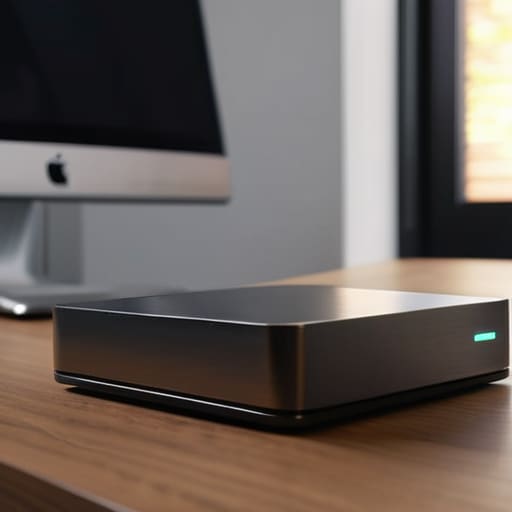
When I’m looking to back up my entire collection of hi-fi schematics and high-res audio files, I don’t want something that feels like a toy. The Western Digital Elements Desktop is what I call a no-nonsense solution. It’s a bulky, traditional mechanical drive that doesn’t try to be anything other than what it is: a reliable repository for your data. It lacks the flashy LED lights and useless buttons that modern manufacturers love to slap on, which means there’s less to go wrong.
Rugged Reliability for the Field
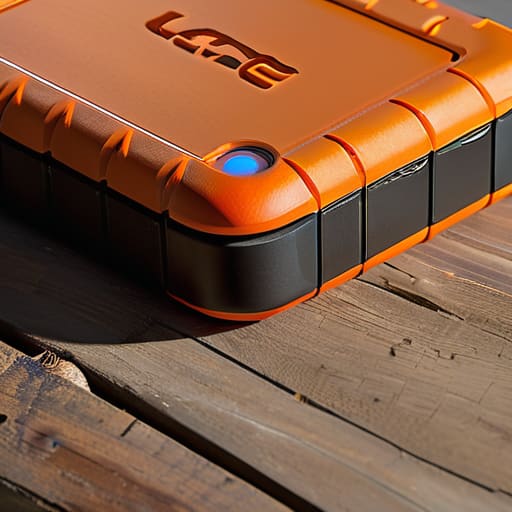
I’ve seen too many people drop a drive on a hardwood floor only to hear that sickening click-click-click of a dying head. If you’re someone who travels or works in a garage, you need the LaCie Rugged Mini. It’s got that distinctive orange rubber bumper that actually serves a purpose, providing a decent layer of shock absorption. It’s not indestructible, of course, but it’s a hell of a lot better than the thin plastic shells most companies are peddling these days.
Speed That Actually Matters
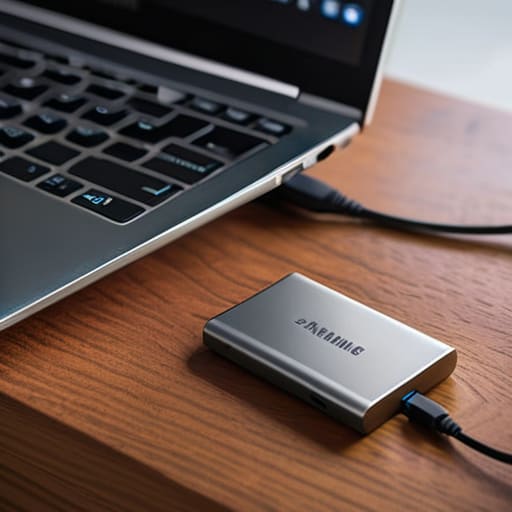
Sometimes, you don’t have the luxury of waiting twenty minutes for a file transfer to finish. That’s when you move away from spinning platters and look at Solid State Drives, specifically the Samsung T7. I’ve put this little thing through its paces, and the transfer speeds are remarkably consistent. It doesn’t throttle down the moment you start moving a large folder, which is a common flaw in cheaper SSDs that use low-grade flash memory.
The Professional's Choice for Redundancy
In my engineering days, we lived by the rule of redundancy. If you have data that you absolutely cannot afford to lose, a single drive—no matter how expensive—is a single point of failure. That’s why I always recommend a RAID-capable system like the SanDisk Professional G-DRIVE. These units are built with high-quality components designed for continuous operation, which is a far cry from the consumer-grade junk meant for occasional use.
The Budget-Friendly Backup Plan
I’m not a fan of “cheap” for the sake of being cheap, but sometimes you just need a secondary backup for files you don’t use every day. The Seagate Expansion is a decent middle ground. It isn’t going to win any awards for build quality, but it’s a functional tool that gets the job done without breaking the bank. It’s perfect for storing those old photos or documents that you want to keep safe but don’t need to access at lightning speeds.
The Bottom Line on Your Data
Stop chasing the lowest price per gigabyte; a cheap drive with a flimsy housing is just a ticking time bomb for your files.
Prioritize build quality and physical connection stability over flashy software features that you’ll never actually use.
Always buy a drive that feels substantial in your hand—if it feels like a hollow piece of junk, it’s going to fail you when you need it most.
The Bottom Line on Data Storage
I’ve seen enough cheap components fail in my time to know that a pretty LED light and a slim design don’t mean a thing if the internal drive can’t handle a little vibration or a bump on the desk. When you’re buying a drive, stop looking at the marketing fluff and start looking at the build quality; you aren’t just buying storage, you’re buying insurance for your digital life.
Roland Delacroix
Don't Get Fooled by the Packaging
At the end of the day, picking a drive isn’t about finding the one with the prettiest LED lights or the most aggressive marketing campaign. It’s about knowing whether you need the raw speed of an SSD for active projects or the sheer, reliable capacity of a ruggedized HDD for long-term backups. I’ve seen too many people buy a cheap, flimsy drive only to realize six months later that their data has vanished because the internal components were subpar. Whether you went with the high-performance option or the heavy-duty workhorse I mentioned, make sure you are prioritizing build quality over brand names. If the casing feels like a toy, it probably is.
I know it feels like every new gadget is designed to be obsolete within two years, but your data deserves better than that cycle of planned obsolescence. Invest in something that feels substantial in your hand and actually does the job it was engineered to do. Don’t just buy a device; buy the peace of mind that comes with knowing your files are tucked away safely behind solid engineering. Now, grab your notepad, write down the specs of the one you chose, and stop worrying about whether your tech is going to fail you when you need it most.
Frequently Asked Questions
Do I really need an SSD if I'm just backing up old family photos and documents?
Look, if you’re just archiving old photos and tax documents, you don’t need to drop a fortune on a high-speed SSD. An SSD is great for speed, but for long-term storage sitting in a drawer, a solid mechanical HDD is actually more cost-effective. Just don’t buy one of those cheap, flimsy drives. Get something with a decent build quality, plug it in, and for heaven’s sake, make sure you have a second copy somewhere else.
How much can I actually trust these portable drives if I'm traveling or moving them around frequently?
Look, if you’re tossing a drive into a backpack every day, you need to stop looking at spinning platters. Traditional HDDs have moving parts; one hard bump while that disk is spinning and you’ve got a paperweight. For travel, get an SSD. There’s nothing to break mechanically. If you absolutely must use a high-capacity HDD, make sure it’s in a ruggedized shell. Don’t trust a flimsy plastic casing to protect your data when life gets messy.
Is it worth paying the premium for a brand name, or can I get away with a cheaper drive as long as the specs look good on paper?
Look, I’ve seen enough “spec-heavy” junk fail in the field to know that numbers on a box don’t mean a thing if the controller chip is garbage. A cheap drive might boast high transfer speeds, but if it overheats or drops the connection mid-write, those specs are useless. I’d rather pay a bit more for a brand that actually builds reliable hardware than gamble my data on a bargain-bin plastic shell.
