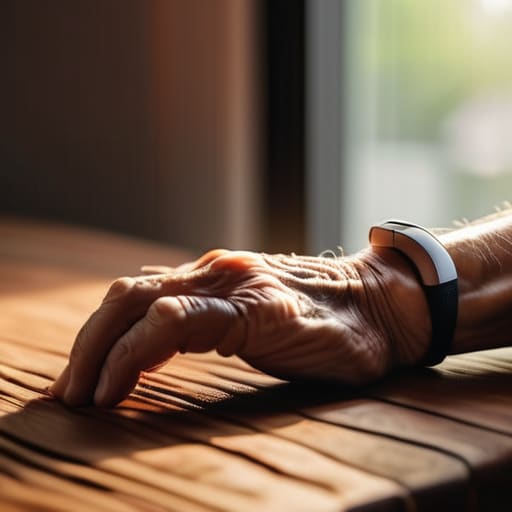
I spent thirty years in manufacturing, where if a part wasn’t built to spec, it was scrap. Nowadays, I look at the tech market and see a lot of junk that’s more “glitch” than “smart.” When it comes to finding smartwatches for seniors, the problem isn’t a lack of options; it’s that most of these devices are designed by twenty-somethings who think a complicated menu system is a feature rather than a massive headache. You shouldn’t have to fight with a piece of glass on your wrist just to check your heart rate or call for help.
In this list, I’ve cut through the marketing fluff to bring you five models that actually hold up to scrutiny. I’m not interested in which watch has the prettiest interface or the most social media notifications. Instead, I’m looking at battery life, button tactile feedback, and how reliable the emergency features really are when things go sideways. I’ll show you which of these are solid, dependable tools and which ones are just expensive plastic destined to end up in a junk drawer by next Christmas.
Table of Contents
- Apple Watch Series 9: The Gold Standard if You Can Handle the Tech
- Samsung Galaxy Watch 6: Solid Hardware for Android Users
- Fitbit Sense 2: Simple, Effective, and Less Distracting
- Garmin Venu 3: Built Like a Tank for the Active Senior
- Gabb Watch 3: Safety Without the Overwhelming Noise
- The Bottom Line: What to Look for Before You Buy
- The Bottom Line on Wearable Tech
- The Bottom Line
- Frequently Asked Questions
Apple Watch Series 9: The Gold Standard if You Can Handle the Tech
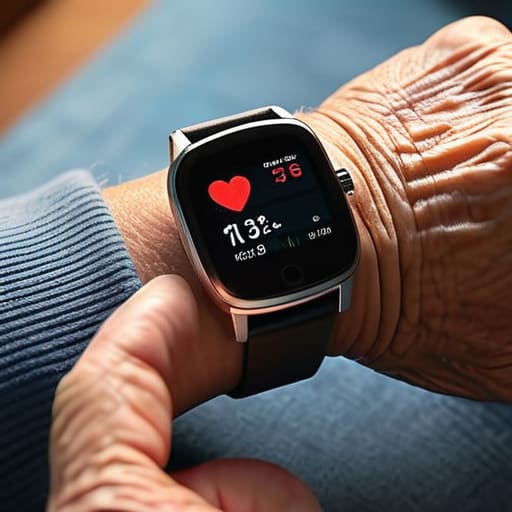
I’ll be the first to admit that I usually roll my eyes at how much these companies charge for a piece of silicon and glass. However, from a purely engineering standpoint, the sensor integration in the Apple Watch is hard to argue with. The fall detection is remarkably responsive, and the way it handles ECG readings is far more consistent than the cheap knock-offs you see flooding the market. If you’re looking for unmatched reliability in health monitoring, this is the one that actually delivers on its promises.
Samsung Galaxy Watch 6: Solid Hardware for Android Users
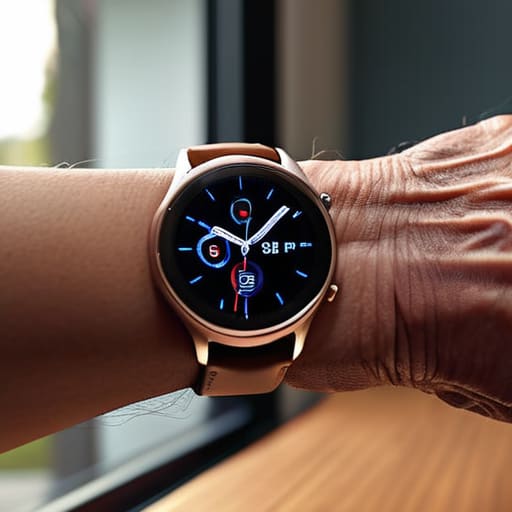
If you’ve already settled into the Android camp, the Galaxy Watch 6 is the most logical piece of kit on the table. I’ve spent a lot of time looking at the build quality of these wearables, and Samsung has done a decent job of making something that feels like it won’t shatter the moment you bump it against a doorframe. The interface is snappy, and the blood pressure monitoring features are a significant step up from the generic trackers I’ve tested in the past.
Fitbit Sense 2: Simple, Effective, and Less Distracting
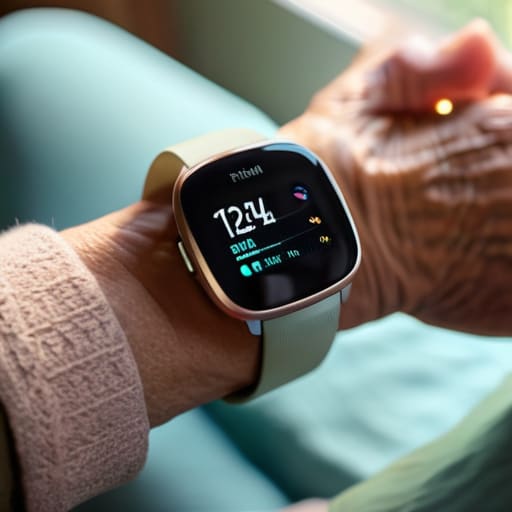
Sometimes, you don’t need a computer strapped to your wrist; you just need something that tells you how your heart is doing. That’s where the Fitbit Sense 2 comes in. It lacks the flashy, high-resolution bells and whistles of the Apple or Samsung models, but it excels at what it actually does. The interface is straightforward, and the focus on stress management and sleep tracking is handled with a level of simplicity that I find refreshing.
Garmin Venu 3: Built Like a Tank for the Active Senior
Now, if you’re the type of person who isn’t ready to sit in a recliner just because you’ve hit a certain age, you need to look at Garmin. I’ve always respected their engineering; they build things to endure. The Venu 3 is designed for people who actually move, and the GPS accuracy is far superior to the consumer-grade junk most companies are peddling. The battery life is also significantly better than the competition, often lasting a full week on a single charge.
Gabb Watch 3: Safety Without the Overwhelming Noise
I know what you’re thinking—this is a watch for kids. But hear me out. Sometimes, the best “smartwatch” for a senior who is struggling with cognitive decline or severe tech anxiety is one that has been stripped of all the useless fluff. The Gabb Watch is designed to be simple. It focuses on the essentials: communication and location tracking. There are no social media notifications or complex apps to get lost in, which prevents the user frustration that often leads to these devices being thrown in a drawer.
The Bottom Line: What to Look for Before You Buy
Don’t get blinded by the shiny marketing; focus on battery life and button layout, because a device is useless if it’s dead on your wrist or too finicky to operate.
Prioritize reliability over “smart” gimmicks—you want a watch that accurately detects a fall or a heart spike, not one that spends half its time trying to download a software update.
If the interface looks like a cluttered mess of tiny icons, put it back on the shelf; you need something straightforward that works the first time, every time.
The Bottom Line on Wearable Tech
At the end of the day, a smartwatch shouldn’t be another complicated chore on your to-do list; it should be a reliable tool that stays out of your way until the moment you actually need it to work.
Roland Delacroix
The Bottom Line
Look, I’ve spent enough time looking at schematics to know that more features don’t always mean a better product. When you’re picking out a device for yourself or a parent, don’t get distracted by the flashy marketing or the latest bells and whistles that nobody will ever use. Focus on the fundamentals: a battery that doesn’t die in the middle of the night, a screen you can actually read without a magnifying glass, and a fall detection system that is actually reliable. If the interface is a cluttered mess of icons, walk away. You want a tool that serves you, not a piece of high-tech jewelry that requires a computer science degree just to check the time.
At the end of the day, technology should be there to provide peace of mind, not to add more stress to your daily routine. We live in an era where everything is designed to be disposable, but choosing the right wearable is about finding something that offers genuine utility and security. Whether you’re looking to keep an eye on your heart rate or just want to ensure help is a button-press away, choose the device that fits your life, not the one that looks best in a commercial. Buy something that works, buy something that lasts, and stop paying extra for the expensive plastic.
Frequently Asked Questions
Do I really need to pay extra for a cellular connection, or can I just use the watch with my phone?
Look, if you’re always going to have your phone in your pocket or sitting on the kitchen counter, save your money. You don’t need the cellular subscription. But if you’re the type who goes for walks or heads to the garden without a phone, that cellular option isn’t just a luxury—it’s your lifeline. If the watch can’t call for help when you’re alone, it’s just a glorified pedometer.
How long do these batteries actually last before I'm stuck charging another piece of plastic every single night?
Look, this is where the marketing departments get you. They talk about “all-day battery life,” but that’s code for “you’ll be tethered to a wall by dinner.” If you’re looking at high-end smartwatches with bright, colorful screens, expect to charge them every single night. If you want something that actually lasts, look for specialized senior models or fitness trackers that prioritize efficiency over flashy graphics. Aim for at least five days, or don’t bother.
If someone actually falls, how reliable is the automatic detection—will it actually call for help or just send a useless notification?
Look, I’ll give it to you straight: it’s not a magic bullet. Most of these sensors use accelerometers to detect a sudden impact followed by inactivity, but they aren’t foolproof. If you trip slightly or even drop the watch on a nightstand, it might trigger a false alarm. However, if it’s a real fall, the tech is generally reliable at initiating the call. Just don’t trust it blindly; always make sure the cellular connection is solid.
