I was out in the garage last Tuesday, trying to calibrate an old Marantz receiver, when my phone started screaming at me with a notification for my “smart” security system. I checked the feed, only to find a gust of wind had knocked a stray branch against the lens, triggering a high-priority alert. It’s the same old story: companies are selling you a smart home security camera wrapped in a shiny marketing package, but underneath the hood, it’s just buggy software and cheap sensors that can’t tell the difference between a burglar and a tree. I’m tired of seeing people throw hundreds of dollars at overhyped plastic junk that fails the moment the Wi-Fi hiccups or a cloud server goes down.
I didn’t spend thirty years as a systems engineer to be fooled by flashy apps and subscription models. In this guide, I’m going to cut through the marketing nonsense and tell you which devices actually have the build quality to last and the reliability you need when it actually matters. I’ll show you how to spot the difference between a real tool and a glorified toy, so you can protect your home without wasting a dime on unreliable tech.
Table of Contents
- Dont Get Tricked by Fancy Wireless Video Doorbell Features
- Cloud Storage vs Local Recording Where Does Your Data Live
- Five Things to Check Before You Hand Over Your Credit Card
- The Bottom Line: What to Look for Before You Pull the Trigger
- ## The Real Test of a Camera
- Bottom Line: Don't Buy the Hype
- Frequently Asked Questions
Dont Get Tricked by Fancy Wireless Video Doorbell Features
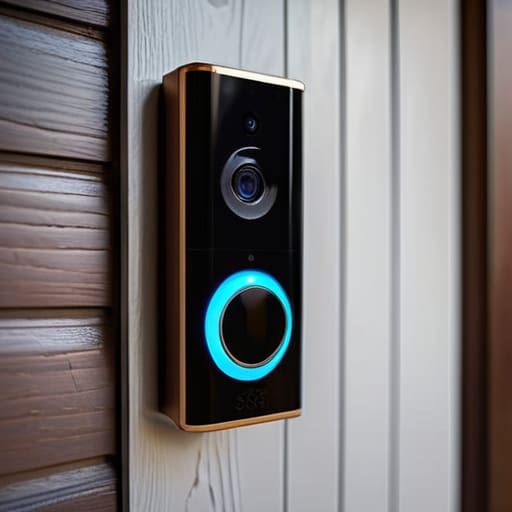
Don’t Get Tricked by Fancy Wireless Video Doorbell Features
I see it every time I walk into a big-box store: a glossy box promising the moon with a dozen different bells and whistles. Manufacturers love to bury you in a list of wireless video doorbell features that sound impressive on paper but offer zero real-world value. They’ll talk about AI that can supposedly tell the difference between a stray cat and your neighbor, but half the time, you’ll just end up with a phone that won’t stop buzzing every time a leaf blows past your porch. You don’t need a computer science degree to secure your front door; you need a device that actually triggers when it’s supposed to.
One of the biggest traps they set is the subscription model. They’ll sell you a sleek-looking unit for a bargain price, only to reveal later that you can’t even see your own footage without a monthly fee. This is where the debate over cloud storage vs local recording becomes vital. If you want true reliability, look for a system that allows you to save video directly to a microSD card or a home hub. Don’t let them lock your own data behind a paywall just because they used a bit of polished plastic instead of solid hardware.
Cloud Storage vs Local Recording Where Does Your Data Live
Now, let’s talk about where your footage actually goes, because this is where most people get caught in a subscription trap. You’ll see plenty of manufacturers pushing cloud storage vs local recording as if the cloud is the only way to fly. They want you to pay a monthly fee just to see what happened on your porch ten minutes ago. In my experience, relying solely on the cloud is a gamble; if your internet drops out right when someone is tampering with your gate, you’re left with nothing but a blank screen.
If you ask me, you want hardware that supports an SD card or a dedicated NVR. Local recording means you own your data, and more importantly, it works even when the Wi-Fi is acting up. I’ve seen too many “smart” setups fail because a server went down halfway across the country. If you can’t access your footage without a recurring monthly bill, you don’t truly own the device—you’re just renting it. Look for gear that offers a solid local option so you aren’t paying a “digital tax” just to keep your own files.
Five Things to Check Before You Hand Over Your Credit Card
- Look for a physical mounting bracket that actually feels solid. If the mounting hardware is made of that thin, brittle plastic, the first stiff breeze or heavy rain is going to knock your expensive investment right off the wall.
- Check the power source requirements before you commit. I’ve seen too many people buy a “wire-free” camera only to realize they’re spending half their life climbing a ladder to recharge a battery that dies every three days.
- Verify the field of view and avoid the “fisheye” trap. Some manufacturers use ultra-wide lenses that make everything look clear until you try to identify a face, at which point everything turns into a blurry, distorted mess.
- Demand a decent night vision range. A camera that looks great at noon is useless if its infrared sensors can’t see more than five feet into the darkness of your driveway.
- Make sure the setup isn’t a headache. If the instruction manual is just a QR code that leads to a bloated app, walk away. You want a system that connects to your network and stays connected without needing a software update every Tuesday.
The Bottom Line: What to Look for Before You Pull the Trigger
Prioritize local storage over monthly subscriptions; if you’re paying a fee just to view your own footage, you’ve been sold a lemon.
Check the build material—if it feels like a cheap toy in your hand, it won’t survive a single season of real weather.
Demand reliability over “smart” gimmicks; a camera that’s too complicated to set up is just a high-tech paperweight when you actually need it.
## The Real Test of a Camera
I don’t care how many megapixels a marketing brochure promises or how many “AI detection” bells and whistles they throw at you; if that camera can’t stay connected to your network when the weather turns sour, you haven’t bought a security tool, you’ve just bought an expensive piece of plastic for your porch.
Roland Delacroix
Bottom Line: Don't Buy the Hype
At the end of the day, choosing a security camera shouldn’t feel like you’re signing a contract with a tech company you don’t trust. We’ve looked at why those flashy doorbell gimmicks are often just distractions, and why relying solely on a cloud subscription is a recipe for a headache when your internet decides to act up. If you want real security, you need to prioritize hardware that offers local storage options and a build quality that can actually withstand a summer heatwave or a winter freeze. Stop looking at the marketing brochures and start looking at the technical specifications—specifically how the device handles data and how much “planned obsolescence” is baked into the plastic.
I know the sheer amount of options out there can be overwhelming, but don’t let the marketing departments bully you into buying something you don’t need. A security system is meant to give you peace of mind, not a second job managing notifications and troubleshooting software bugs. Buy something that is built to last, something that respects your privacy, and most importantly, something that actually works when the doorbell rings at 2:00 AM. Invest in reliability, not just the latest shiny gadget, and you won’t find yourself replacing the whole system again in eighteen months.
Frequently Asked Questions
If I go with a local storage setup, how hard is it to actually get my footage back when I need to see something?
Look, if you go local, you aren’t at the mercy of some company’s server going down. But don’t expect it to be “plug and play” like a smartphone. You’ll likely be plugging an SD card into your computer or accessing a hard drive via your network. It’s a bit more hands-on, sure, but once you’ve got the file path set up, you have total control. No subscriptions, no lag—just your footage, right where you left it.
Do these wireless models really hold up against bad weather, or is the casing going to crack after one winter?
That’s the million-dollar question. Most of these wireless units are built with thin, injection-molded plastic that’s fine for a sunny porch, but they’ll fail you when the temperature swings. If you’re looking at a model, don’t just look at the resolution; look for an IP65 or IP67 rating. If the casing feels light and hollow, it’s going to crack under UV exposure or freeze up during a hard frost. Buy hardware, not toys.
How much extra am I going to be paying in monthly subscription fees just to keep the basic features working?
That’s the real kicker, isn’t it? They sell you the hardware for a reasonable price, but then they hold your own footage hostage. Most of these companies charge anywhere from $4 to $15 a month just to let you see recorded clips or get decent motion alerts. Over three years, that “cheap” camera just became a recurring tax. If it doesn’t have a microSD slot for local storage, you’re just renting your own security.
