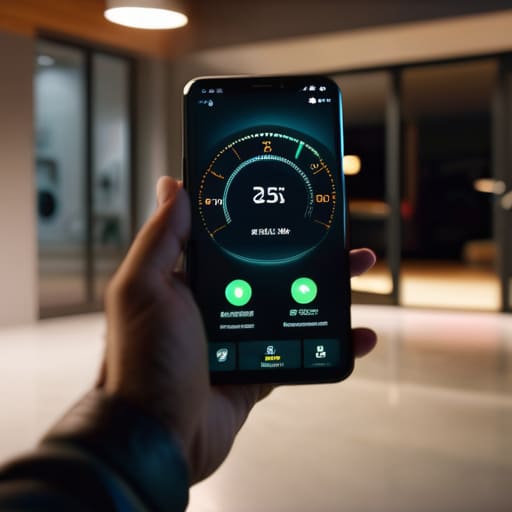
I was halfway to the hardware store yesterday when it hit me: I had no idea if I’d actually locked the garage. I spent ten minutes pacing my driveway, staring at that heavy door, wondering if I’d left it wide open after hauling the lawnmower out. It’s the exact kind of modern anxiety that makes me want to throw my phone into a lake. We’re told that smart garage door openers are going to make our lives seamless, but most of the junk on the market today is just overpriced plastic held together by buggy software and a cloud server that crashes the moment your Wi-Fi hiccups.
I’m not here to sell you on some shiny gadget that requires a firmware update just to let you into your own home. I’ve spent thirty years looking at how machines are actually built, and I know the difference between a reliable tool and a high-tech headache. In this guide, I’m going to cut through the marketing fluff and tell you which smart garage door openers actually offer real security and which ones are just expensive toys destined for your junk drawer.
Table of Contents
Real Remote Garage Monitoring vs Expensive Plastic Junk
I’ve seen it a dozen times: a company rolls out a shiny new kit, promises the moon with “seamless connectivity,” and then you realize the whole thing is held together by cheap solder and a prayer. Most of these wifi enabled garage door controllers on the market are built to be replaced, not repaired. They rely on a proprietary cloud server that, if it goes down, turns your expensive hardware into a paperweight. If you can’t check your door status without a high-speed connection and a dozen permission pop-ups, it isn’t a tool—it’s a liability.
When I look at actual remote garage monitoring, I’m looking for hardware that prioritizes local stability over flashy app animations. You want a system that provides clear, reliable data without needing a firmware update every Tuesday just to open the door. Real security means knowing, without a shadow of a doubt, that the latch is engaged. If the device’s primary selling point is how many colorful icons it has on your phone, you’re likely buying expensive plastic instead of a reliable piece of home infrastructure.
Reliable Wifi Enabled Garage Door Controllers You Can Trust
If you’re looking to upgrade, don’t just grab the first shiny box you see on a big-box retailer’s website. I’ve spent enough time looking at circuit boards to know that most of these gadgets are built to fail the moment the warranty expires. When I look at wifi enabled garage door controllers, I’m looking for two things: local control and hardware that doesn’t rely on a shaky cloud server to function. The Chamberlain MyQ series is the industry standard for a reason—it’s reliable—but even then, I prefer setups that allow for a bit more autonomy.
You want a system that offers robust garage door security features without making you jump through ten different hoops just to check if the door is shut. I’ve found that the Meross controllers are a solid middle ground for those who want decent smartphone controlled garage doors without paying a premium for a brand name that’s mostly marketing fluff. Just make sure the unit has a decent-sized capacitor and a housing that feels like it can actually withstand the temperature swings in a standard garage. If it feels like a toy in your hand, it’s going to act like one in your ceiling.
Five Rules for Not Getting Screwed by Smart Garage Tech
- Check for local control first. If a device requires a constant connection to a server in another country just to open your door, it’s a liability, not a tool. You want something that works even when your internet decides to take a nap.
- Look at the mounting hardware. If the installation kit is nothing but flimsy, thin-gauge plastic, walk away. I want to see heavy-duty brackets and steel components that can actually handle the vibration of a moving motor.
- Don’t ignore the power source. A “smart” controller that relies on a tiny, unreliable battery is just another thing for you to maintain. Stick to hardwired options or systems with a solid, dedicated power backup.
- Demand physical override capability. A smart opener is a convenience, but the mechanical lever and the manual release should always be your primary way in. If the tech fails and you can’t manually operate the door, the system is broken.
- Read the wiring specs before you buy. If the manual looks like a cryptic coding textbook, it’s designed to make you fail. You should be able to look at the terminal blocks and know exactly where your wires are going without a degree in electrical engineering.
The Bottom Line on Smart Garage Tech
Don’t get blinded by flashy apps; if a controller relies on a proprietary cloud server just to move a motor, it’s a liability, not a feature.
Prioritize hardware with physical override options and local connectivity so you aren’t locked out of your own garage when the internet goes down.
Look for solid build quality and standardized protocols rather than paying a premium for “smart” branding on a piece of cheap, thin plastic.
The Reliability Test
“If you can’t check if your garage is closed without troubleshooting a cloud server or fighting with a buggy app, then it isn’t a tool—it’s just another expensive way to fail at a simple task.”
Roland Delacroix
The Bottom Line on Smart Garage Access
At the end of the day, don’t let a slick marketing campaign convince you that you need a subscription service just to check if your garage is closed. We’ve looked at the difference between hardware that actually integrates with your existing setup and those flimsy, proprietary gadgets that fall apart the moment your internet hiccups. Stick to the controllers that prioritize local connectivity and robust build quality over fancy app animations. If a device feels like it was made out of cheap, recycled toy plastic, it’s probably going to fail you when it matters most. Remember: reliability is the only metric that counts when it comes to your home’s security.
I’ve spent enough time in manufacturing to know that true innovation isn’t about adding more bells and whistles; it’s about making a tool do its job without making your life harder. You deserve technology that works for you, not technology that requires you to work for it. Buy something that is built to last, install it once, and then get back to your actual life. Don’t settle for overpriced junk just because it has a shiny logo. Invest in hardware that respects your time and your wallet, and you won’t find yourself staring at a broken sensor in the middle of a rainstorm.
Frequently Asked Questions
Do I really need to replace my entire motor, or can I just add a controller to the unit I already have?
Listen, you don’t need to rip out a perfectly good motor just to get smartphone access. If your current unit still runs smooth and opens the door without a fight, don’t replace it. That’s just throwing money away. Look for a universal smart controller—something like a Meross or a Tailwind—that wires directly into your existing logic board. It’s a simple retrofit that gives you the tech you want without the massive headache of a full installation.
What happens to my garage door if the internet goes down or the manufacturer's server crashes?
That’s the million-dollar question, and it’s exactly why I’m skeptical of these “smart” setups. If your internet drops or the manufacturer’s server goes dark, your smartphone becomes a paperweight. You won’t be able to open the door via the app. However, a well-engineered system should still work via your physical remote or the wall button. If a device can’t function without a cloud connection, walk away. Don’t let a server crash lock you out of your own house.
How much of a security risk is it to have my garage door connected to my home Wi-Fi?
Look, I get the anxiety. You’re thinking, “I’m handing a digital key to my house to the internet.” It’s a valid concern. If you buy a cheap, no-name controller from a random site, you’re essentially inviting trouble. But if you stick to reputable brands with encrypted connections, the risk is minimal. Just don’t use “password123” for your Wi-Fi. Treat your network security like you’d treat a physical deadbolt: keep it sturdy and don’t leave it unlocked.
