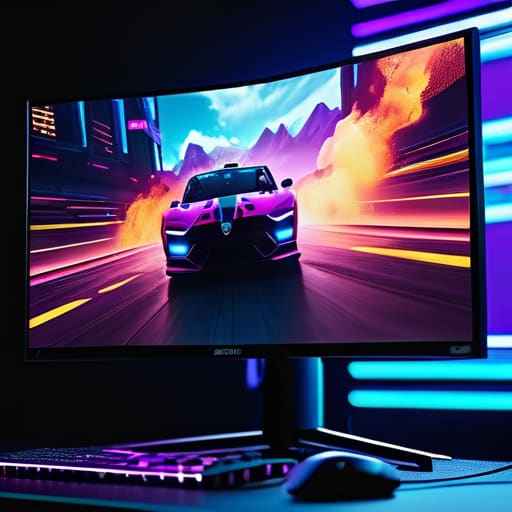
I was sitting in my workshop last Tuesday, tinkering with a 1970s Marantz receiver, when I realized how much the tech industry has changed for the worse. Nowadays, you walk into a store to look at gaming monitors and you aren’t met with technical specs; you’re met with a neon-colored circus of marketing jargon. They’ll try to sell you on “ultra-dynamic immersion” and “quantum-dot synergy,” but all I see is a mountain of overpriced, flimsy plastic designed to drain your bank account before you even get it home. It’s a far cry from the days when a piece of hardware was judged by its build quality and how it actually performed under a heavy load.
I’m not here to recite a brochure or hype up the latest shiny toy just because it has a high price tag. My goal is to cut through that noise and tell you which displays are actually built to last and which ones are just engineered to fail. I’ve spent my career looking at how things are put together, and I’m going to apply that same scrutiny here. I’ll give you the straight truth on what matters—like panel stability and real-world response times—so you can buy something that actually works.
Table of Contents
The Truth About Ips vs Tn vs Va Panels

Most manufacturers will try to bury you in a mountain of spec sheets, but if you want to know what you’re actually buying, you have to look at the panel type. It’s the heart of the machine. TN panels used to be the gold standard because they were fast, but let’s be honest: the colors look washed out and the viewing angles are terrible. If you’re looking for the best gaming monitor for esports, you might still find some value in their speed, but you’re sacrificing almost everything else for a few milliseconds of response time.
On the other end of the spectrum, you have VA panels. These are great if you want deep blacks and a decent HDR gaming experience, but they often suffer from “smearing” during fast movement. It’s a mechanical trade-off that most people don’t realize until they’ve already opened the box. Then there’s IPS. In my book, IPS is usually the most reliable middle ground. You get decent color accuracy and much better viewing angles without the ghosting issues. Just make sure you aren’t paying a massive premium for marketing fluff when a solid IPS setup will do the job just fine.
4k vs 1440p Gaming Is the Resolution Worth It

Now, let’s talk about the tug-of-war between pixel density and raw performance. You’ll see manufacturers pushing 4K like it’s the only way to fly, but as an engineer, I look at the math. Moving from 1440p to 4K looks sharp, sure, but it places a massive strain on your hardware. Unless you’re sitting on a top-of-the-line rig that can actually drive those extra pixels, you’re just going to end up with a stuttering mess. For most people, 1440p is the sweet spot where you get enough detail to enjoy the scenery without sacrificing the frame rates that actually make a game feel smooth.
If you’re looking for the best gaming monitor for esports, you shouldn’t even be looking at 4K. In competitive play, speed is king. I’d rather have a rock-solid 1440p screen with high refresh rates than a beautiful 4K panel that lags when the action gets intense. Don’t let the marketing departments convince you that more pixels automatically equal a better experience; sometimes, more data just leads to more bottlenecks. Stick to what your computer can actually handle.
Five Things the Salesman Won't Tell You Before You Swipe Your Card
- Check the stand, not just the screen. I’ve seen too many “high-end” monitors that come with a flimsy, plastic base that wobbles if you so much as sneeze near your desk. If the stand doesn’t offer height and tilt adjustment, you’re going to end up with a neck ache within a week.
- Don’t get blinded by the “Refresh Rate” hype if the response time is garbage. A 240Hz monitor sounds impressive on a spec sheet, but if the panel has terrible ghosting or motion blur, it’s just a fast way to see a blurry mess. Look for actual response time testing, not just the big numbers on the box.
- Verify the port selection before you commit. It sounds trivial, but I’ve seen people buy a top-tier display only to realize their current hardware can’t even output the bandwidth needed to run it properly. Make sure you have the right DisplayPort or HDMI version to actually utilize what you paid for.
- Beware of the “Curved Screen” gimmick. A curve can be useful for immersion in certain setups, but don’t let a manufacturer convince you it’s a necessity. Sometimes it’s just a way to hide poor viewing angles or to charge an extra fifty bucks for something that’s essentially a cosmetic choice.
- Test the build quality, specifically the bezel and casing. If the plastic feels thin and creaks when you move it, that monitor isn’t built to last. In my experience, if the housing is cheap, the internal components usually aren’t anything special either. Look for something that feels substantial in your hands.
The Bottom Line Before You Open Your Wallet
Don’t get blinded by the resolution numbers; if your hardware can’t push those pixels without stuttering, you’re just paying for a pretty picture you can’t actually use.
Pick your panel type based on how you actually sit in front of the screen—if you’re moving around, avoid TN panels like the plague, or you’ll be staring at washed-out colors.
Stop reading the marketing fluff about “ultra-fast” speeds and look at the actual build quality and input lag specs; a monitor is a piece of hardware, not a magic trick.
## Don't Get Blinded by the Spec Sheet
“I’ve seen enough ‘cutting-edge’ hardware end up in a landfill within two years to know that a flashy refresh rate doesn’t mean a thing if the panel’s build quality is garbage and the colors look like they were washed in grey paint.”
Roland Delacroix
Cutting Through the Marketing Noise

At the end of the day, picking a monitor isn’t about chasing every shiny new spec the marketing departments throw at you. We’ve looked at how panel types like IPS and VA change your viewing experience, and we’ve weighed whether that jump to 4K is actually worth the hit to your frame rates. My advice remains the same: don’t let a fancy box and a high price tag fool you into thinking you’re getting superior engineering. You need to match the hardware to your specific setup and your own eyes. Focus on the build quality and the actual panel performance rather than the glowing RGB lights that do nothing for your gameplay. If the specs don’t make sense for your hardware, it’s just expensive plastic.
I know it can feel like a minefield out there with all the jargon and the constant pressure to upgrade. But remember, a good tool is meant to serve you, not the other way around. You don’t need the most expensive setup on the market to have a great experience; you just need something that is reliable and does exactly what it says on the box. Stop chasing the hype and start looking for durability and honest performance. Once you find that piece of kit that actually holds up under pressure, you can finally stop worrying about the tech and just enjoy the damn game.
Frequently Asked Questions
How much does refresh rate actually matter if I'm not playing competitive shooters?
Look, if you aren’t sweating over a leaderboard in a competitive shooter, you don’t need to go broke chasing 360Hz. For cinematic RPGs or strategy games, a solid 144Hz is plenty. It makes everything feel smoother and less jarring on the eyes. Don’t let marketing departments convince you that higher is always better; once you hit a certain threshold, you’re just paying for specs you’ll never actually feel. Focus on color and build instead.
Are those curved screens actually better for immersion, or is it just a gimmick to charge more?
Look, I’ve seen plenty of “innovations” turn out to be nothing more than marketing fluff designed to pad a profit margin. With curved screens, it’s a bit of both. If you’re sitting in front of a massive ultrawide, that curve actually helps keep the edges in your peripheral vision, which can feel more natural. But on a standard 24-inch monitor? It’s a gimmick. Don’t pay a premium just for a bend you won’t even notice.
What kind of connections do I actually need so I'm not bottlenecking my graphics card?
Look, don’t let a cheap cable turn your expensive GPU into a paperweight. If you’re running high refresh rates or 4K, skip the old HDMI standards. You need DisplayPort—specifically 1.4 or the newer 2.1—to ensure you aren’t hitting a bottleneck. If you must use HDMI, make sure it’s version 2.1. I’ve seen too many folks buy a top-tier rig only to realize they’re choking their frame rates with a subpar connection.
