I was sitting at my workbench last Tuesday, working on a vintage Marantz receiver, when I heard that familiar, high-pitched whine coming from my nephew’s workstation. He’d just bought this top-of-the-line rig, but the moment he fired up a game, the fans started screaming like a jet engine about to lift off. It’s the same old story: manufacturers pack these machines with flashy RGB lights and overclocked processors, but they completely neglect the actual gaming laptop cooling requirements. They sell you a powerhouse on paper, but in reality, you’re just buying a very expensive, very hot paperweight that’s destined to throttle its own performance within twenty minutes.
I’m not here to sell you on some overpriced, glowing plastic stand that promises miracles but delivers nothing. My goal is to cut through the marketing fluff and look at the actual thermal dynamics of these machines. I’m going to show you what truly moves heat away from the components and what is just expensive nonsense. If you want to know how to keep your hardware running stable without wasting a dime on gimmicks, you’ve come to the right place.
Table of Contents
- Solving Airflow Obstruction Issues Without Breaking the Bank
- Why Heatsink Efficiency Matters More Than Flashy Lights
- Five Practical Ways to Keep Your Hardware from Melting
- The Bottom Line on Keeping Your Hardware Running
- The Truth About Thermal Throttling
- The Bottom Line on Keeping Things Cool
- Frequently Asked Questions
Solving Airflow Obstruction Issues Without Breaking the Bank
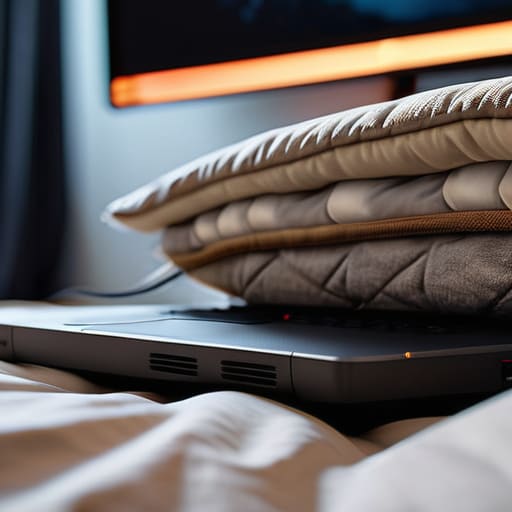
Most folks think they need to drop another two hundred dollars on a glorified plastic stand to fix their heat problems, but that’s usually just marketing fluff. Half the time, you’re dealing with basic airflow obstruction issues because you’re using the laptop on a soft surface like a bed or a couch. You’re essentially choking the intake vents. Before you go buying more gear, just get a simple, hard-surface riser—even a couple of sturdy books under the back edge will do—to ensure those intake fans actually have room to breathe.
If you’ve already cleared the path and things are still running hot, you might need to look at the internals. I’ve seen too many engineers overlook the fact that factory-applied thermal interface material is often subpar. While I’m generally wary of the mess involved with liquid metal thermal paste, a high-quality, standard non-conductive paste can make a world of difference in heatsink efficiency. It’s a bit of a chore to apply, but it beats replacing the whole machine when it starts slowing down mid-game.
Why Heatsink Efficiency Matters More Than Flashy Lights
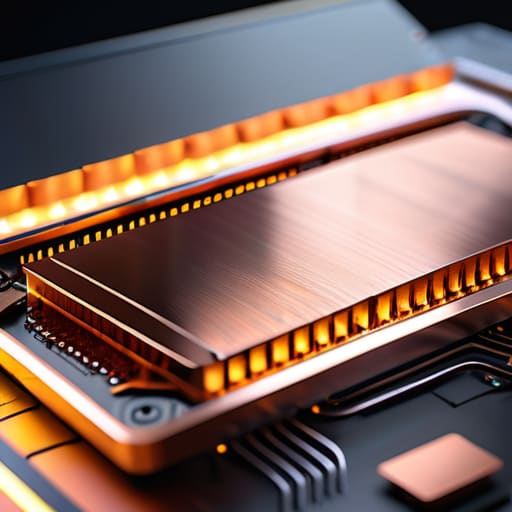
I’ve seen it a thousand times in my years of engineering: a company spends millions on RGB lighting and chassis aesthetics, but they skimp on the actual thermal architecture. It’s a shell game. They want you to think a machine is powerful because it glows in sixteen colors, but those lights won’t do a damn thing once the silicon starts baking. Real performance comes down to heatsink efficiency and how effectively that unit can pull heat away from the core. If the copper heat pipes are thin or the fin density is poorly designed, you’re just buying an expensive paperweight that’s going to struggle under any real load.
When that heat has nowhere to go, you hit the wall of thermal throttling prevention. The system intentionally slows itself down to keep from melting, which means you aren’t actually getting the frame rates you paid for. I’d much rather see a manufacturer invest in high-quality heat spreaders or even high-grade liquid metal thermal paste than a fancy backlit keyboard. At the end of the day, I want hardware that stays stable during a long session, not something that looks like a disco ball but dies halfway through a heavy render.
Five Practical Ways to Keep Your Hardware from Melting
- Stop using your laptop on a bed or a couch. I’ve seen enough thermal damage to know that soft surfaces act like a vacuum seal over your intake vents. If you aren’t using a hard, flat surface, you’re essentially suffocating the machine.
- Clean out the dust with compressed air every few months. It’s not rocket science; dust buildup acts like a thermal blanket inside your chassis, trapping heat exactly where it shouldn’t be. A five-minute cleaning job can save you from a thousand-dollar repair.
- Invest in a decent cooling pad, but look at the fan placement, not the RGB lighting. If the fans on the pad don’t line up with the intake vents on your laptop, you’re just blowing air at a plastic shell and wasting your money.
- Keep an eye on your ambient temperature. If your home office feels like a sauna, your laptop is going to struggle regardless of how much you spent on it. Sometimes the best “cooling solution” is simply a small desk fan pointed at your workspace.
- Don’t be afraid to undervolt if you’re comfortable with the software. If you can reduce the voltage to your CPU without losing stability, you’re reducing the heat at the source rather than just trying to move hot air around after the fact.
The Bottom Line on Keeping Your Hardware Running
Stop looking at the RGB lights; look at the vent placement and the thickness of the heat pipes, because that’s what actually moves heat away from your components.
Don’t fall for the “cooling pad” marketing trap—unless it actually provides a significant lift to improve airflow, you’re just buying an expensive, noisy desk fan.
If your laptop starts sounding like a vacuum cleaner after twenty minutes of use, it’s a sign of poor thermal design, not a need for more software tweaks.
The Truth About Thermal Throttling
I’ve seen enough cheap cooling pads with RGB lights to know they’re mostly just glorified paperweights; if you aren’t looking at the actual heat pipe diameter and the CFM of the fans, you’re just buying expensive plastic that won’t stop your CPU from choking when things get heavy.
Roland Delacroix
The Bottom Line on Keeping Things Cool
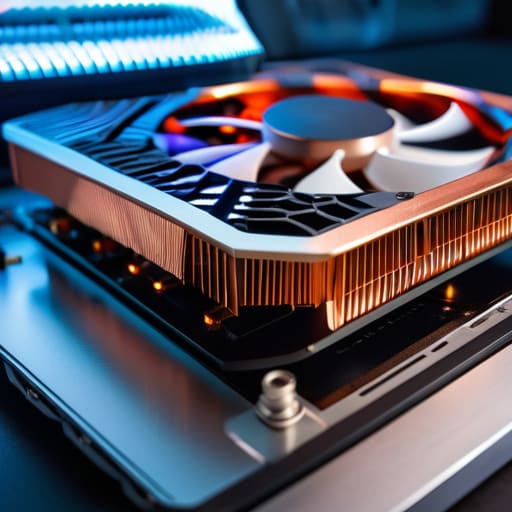
At the end of the day, don’t let the marketing departments fool you into thinking a laptop is just a collection of glowing lights and sleek curves. We’ve covered the essentials: stop choking your intake vents with blankets, prioritize actual heatsink surface area over RGB aesthetics, and understand that thermal management is a mechanical necessity, not an optional luxury. If you invest in a cooling pad, make sure it actually moves air where the chassis needs it most, rather than just blowing hot wind against a solid plastic plate. You want to focus on build quality and airflow physics, because once those internal components bake under constant high heat, no amount of software tweaking is going to save your hardware from premature failure.
I’ve spent enough time in manufacturing to know that things built to run hot eventually break. It’s a simple law of thermodynamics that applies just as much to your gaming rig as it did to the heavy machinery I used to oversee. Treat your gear with a bit of respect; keep it clean, keep it elevated, and don’t settle for flimsy, overpriced junk that promises the world but delivers nothing but heat. If you take the time to do it right, your machine will reward you with steady performance instead of stuttering and crashes. Buy tools that are built to last, and invest in reliability over hype.
Frequently Asked Questions
Are those cheap cooling pads with the built-in lights actually moving enough air to make a difference, or are they just glorified plastic stands?
Look, I’ve seen enough of these to know the truth. Most of those cheap pads are just glorified plastic stands with some LED strips glued on to trick you into thinking they’re high-tech. If the fans are tiny and the airflow is weak, they aren’t doing anything but making noise. Unless you’re actually seeing a drop in your thermal readings, you’re just paying extra for a light show you don’t need.
If my laptop is getting too hot, should I be looking at cleaning out the dust myself, or is it time to actually replace the thermal paste?
Look, don’t jump to conclusions. If your fans are screaming, start with the simplest fix: compressed air and a can of dust remover. Most of the time, it’s just a layer of lint choking the vents. If you clean it out and the temperatures are still climbing, then you’re looking at dried-out thermal paste. That’s a more involved job, but it’s worth the effort before you go throwing money at a new machine.
Can a cooling pad actually prevent my hardware from throttling, or is it just a temporary fix for a poorly designed chassis?
Look, I’ll give it to you straight: a cooling pad isn’t a miracle cure for a fundamentally flawed design. If the manufacturer built a laptop with zero clearance and tiny, choked-off intakes, you’re just blowing air at a brick wall. A good pad helps by providing a steady supply of fresh air, but it won’t fix a chassis that can’t move heat away from the components. It’s a supplement, not a structural repair.
