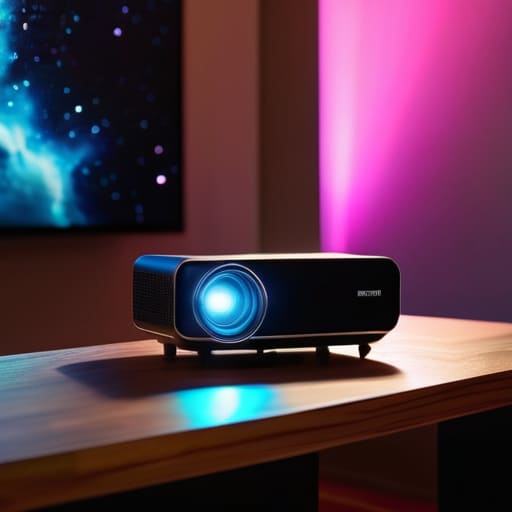
I was sitting in my den last Tuesday, staring at a sleek, $800 piece of hardware that promised a “cinematic revolution,” only to watch it freeze right as the opening credits rolled. It’s the same old story: manufacturers are slapping a “smart” label on cheap, lightweight components and expecting you to pay a premium for the privilege of troubleshooting their software. Most of these smart projectors on the market today aren’t actually tools for entertainment; they are just overpriced plastic shells held together by buggy operating systems that crash if you look at them sideways.
I’m not here to sell you on the flashy marketing or the impossible brightness claims found in glossy brochures. My goal is to help you cut through the noise and find hardware that actually stays connected and delivers a clear picture without requiring a computer science degree to operate. I’ve spent enough time with a notepad in hand to know the difference between a solid build and a temporary gimmick. I’m going to show you which units have the mechanical integrity to last and which ones are destined for your junk drawer by next year.
Table of Contents
- Dont Get Tricked by Fake 4k Resolution Smart Projectors
- The Truth About Projector Brightness Lumens and Real Value
- Five Things to Check Before You Hand Over Your Hard-Earned Cash
- The Bottom Line: What to Look for Before You Buy
- ## The Real Test of a Projector
- The Bottom Line on Your Home Setup
- Frequently Asked Questions
Dont Get Tricked by Fake 4k Resolution Smart Projectors
Don’t Get Tricked by Fake 4K Resolution Smart Projectors
I’ve seen it a dozen times in the spec sheets: a company slaps a “4K” sticker on a box, but when you actually look at the hardware, it’s nothing more than a 1080p unit using “pixel shifting” to cheat the system. They’ll claim they have 4K resolution smart projectors in their catalog, but what they’re really doing is upscaling a mediocre signal. In my experience, if the price seems too good to be true, it’s because the native resolution is a lie. You want a machine that actually produces a true 3840 x 2160 pixel grid, not some digital trickery that looks like a blurry mess once you hit a 100-inch screen.
It’s not just about the pixels, either. A lot of these budget models boast about their wireless connectivity features, but they lack the processing power to actually handle a high-bitrate stream without stuttering. I’ve sat there with my notepad, timing the lag between a command and the actual response, and it’s infuriating. If the internal chipset can’t keep up with the data, all that fancy marketing is just expensive plastic designed to separate you from your hard-earned money. Always check the native resolution, not the “supported” one.
The Truth About Projector Brightness Lumens and Real Value
Now, let’s talk about something that keeps me up at night: the absolute nonsense happening with how manufacturers label brightness. You’ll see a box boasting thousands of lumens, but when you actually get it running in a room with even a hint of sunlight, the image looks like a faded photograph. Most of these companies are using “marketing lumens” instead of ANSI lumens. If you aren’t looking for the ANSI rating, you’re essentially flying blind. In my experience, a high number on a glossy box means nothing if it isn’t backed by actual, measurable light output.
When you’re hunting for the right unit, don’t get distracted by flashy wireless connectivity features if the lamp itself is weak. I’ve seen plenty of high-end models that can stream a movie perfectly but can’t punch through a little ambient light. You need to decide if you’re building a dedicated, dark basement theater or if you need something versatile for the living room. If you want a clear picture during the day, you need to prioritize projector brightness lumens that are rated by ANSI, otherwise, you’re just buying an expensive way to watch shadows.
Five Things to Check Before You Hand Over Your Hard-Earned Cash
- Stop trusting the “Smart” label blindly. Half these projectors come with built-in software that’s buggy, slow, and outdated by the time you unbox it. If the interface lags every time you try to hit ‘play,’ you’re going to regret it. I’d much rather buy a reliable projector with a solid lens and a clean signal, then plug in a dedicated streaming stick myself. It’s more stable and much easier to fix when things go sideways.
- Check the cooling system and noise levels. I’ve seen too many manufacturers cram high-powered lamps into tiny, flimsy plastic housings. The result? A fan that sounds like a jet engine taking off right next to your ear. If you can’t hear the movie because the cooling fan is fighting for dominance, the device is a failure in my book.
- Look for actual connectivity, not just wireless promises. Bluetooth and Wi-Fi are great until they aren’t. Make sure the unit has a proper HDMI port that isn’t some proprietary, cheap-feeling socket. You want to be able to plug in your gaming console or your laptop without needing a dozen dongles just to get a signal.
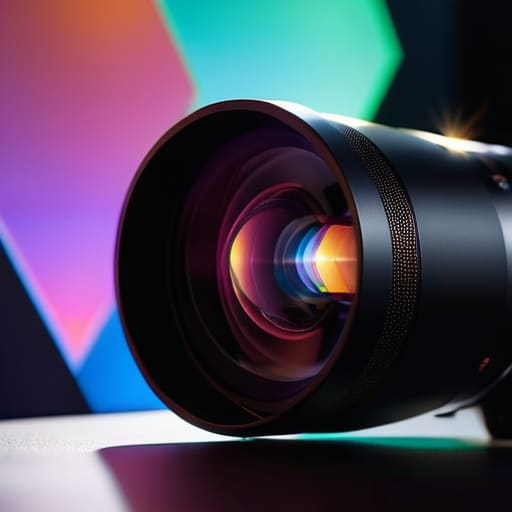
- Don’t ignore the lens quality. You can have all the digital processing in the world, but if the glass is cheap, your image is going to look like a muddy mess. I always look for the physical specs on the lens assembly. If they aren’t telling you anything about the glass or the optical engine, they’re probably hiding something behind a layer of digital sharpening.
- Test the keystone correction—the real kind. A lot of these modern gadgets use “digital” keystone correction to fix a crooked image, but all that does is throw away your resolution and make the picture look grainy. If you can’t physically level the projector or adjust the lens, you’re sacrificing image quality just to make it fit on your wall. Avoid it.
The Bottom Line: What to Look for Before You Buy
Ignore the flashy marketing about “4K support” if the native resolution is garbage; if it isn’t native, you’re just looking at a blurry mess.
Stop trusting manufacturer lumen claims that sound too good to be true; look for ANSI lumens, or you’ll be sitting in a dark room just to see a decent picture.
Prioritize build quality and cooling over “smart” gimmicks; a projector that overheats or loses connection mid-movie is just an expensive paperweight.
## The Real Test of a Projector
“I don’t care how many ‘smart’ features they cram into the software if the cooling fan sounds like a jet engine and the chassis feels like a cheap toy; a projector is meant to deliver an image, not a headache.”
Roland Delacroix
The Bottom Line on Your Home Setup
Look, I’ve seen enough “cutting-edge” gadgets end up in a junk drawer to know that most of what you see advertised is pure smoke and mirrors. If you take nothing else from my notes, remember this: ignore the marketing fluff about “4K support” if the native resolution is garbage, and never trust a lumen count that isn’t verified by a third party. You want a machine that actually delivers a clear image without requiring a blackout curtain and a prayer every time you hit play. Stick to the specs that actually matter—native resolution, real brightness, and build quality—rather than chasing the latest software bells and whistles that will be obsolete by next Christmas.
At the end of the day, a projector shouldn’t be a source of frustration or a constant technical headache. It’s supposed to be a tool for entertainment, a way to bring a bit of the cinema into your living room without the hassle. Don’t let the flashy advertisements bully you into buying a glorified paperweight. Invest in something that feels solid in your hands and performs consistently when the lights go down. Buy it once, buy it right, and spend your time actually watching the movie instead of troubleshooting the hardware.
Frequently Asked Questions
How much noise is the cooling fan actually going to make during a quiet movie scene?
Look, if you’re planning on watching a quiet, atmospheric film, a loud fan will ruin the whole experience. Most of these cheap units use tiny, high-RPM fans that sound like a miniature jet engine taking off right next to your ear. I’ve sat through enough screenings to know that a “whisper-quiet” claim on a box is usually marketing nonsense. If the specs don’t list a decibel rating, assume it’s going to be noisy.
Do I really need a dedicated screen, or can I just aim this thing at my living room wall?
Look, I get the temptation to save a few bucks and just point the lens at your drywall, but let’s be realistic. Unless you’ve spent a fortune on professional-grade, perfectly smooth plaster, your wall is going to eat your image quality for breakfast. Texture and unevenness create shadows that ruin the contrast. If you want a decent picture that doesn’t look like a grainy mess, buy a proper screen. It’s worth the investment.
Is the built-in software actually usable, or am I going to be fighting with a laggy interface every time I want to watch something?
Look, I’ll give it to you straight: most of the software built into these projectors is absolute junk. It’s usually some cheap, underpowered processor running a stripped-down version of Android that stutters the moment you try to navigate a menu. If you want to avoid the headache of a laggy interface, don’t rely on the built-in OS. Just plug in a dedicated streaming stick or a solid external media player. It’s more reliable and much less frustrating.
