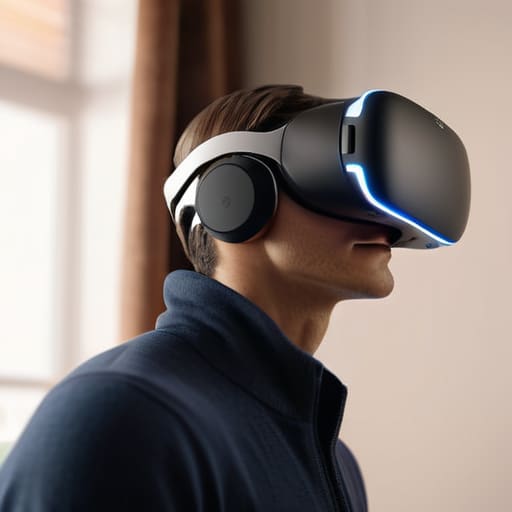
I was sitting in my workshop last Tuesday, mid-way through a teardown of a new consumer headset, when I felt that familiar, dull ache blooming across my cheekbones. It’s the same sensation you get when a piece of machinery is poorly balanced—it doesn’t matter how high the resolution is if the weight distribution is a disaster. Most of these manufacturers are so obsessed with flashy specs and pixel counts that they completely ignore the fundamental physics of vr headset comfort. They’ll sell you a thousand-dollar piece of kit that feels like a heavy brick strapped to your skull after only fifteen minutes of use, and then they have the audacity to call it “cutting edge.”
I’m not here to read you a spec sheet or parrot the marketing fluff you see on glossy websites. My goal is to help you look past the hype and evaluate these devices based on actual, long-term usability. I’m going to show you how to identify a well-engineered strap system versus a flimsy piece of junk, and how to ensure your gear stays on your face without causing a migraine. We’re going to focus on build quality and ergonomics, because at the end of the day, if you can’t wear it, it’s just expensive plastic.
Table of Contents
Mastering Weight Distribution in Vr Headsets

When I was designing mechanical systems, we always talked about the center of gravity. If the load isn’t balanced, the whole machine vibrates itself to pieces. It’s the exact same principle with your gear. Most manufacturers try to cram all the heavy components—the lenses, the processors, the batteries—right onto your face. This creates a massive downward force that pulls the device into your nose and cheekbones. You need to look closely at the weight distribution in vr headsets before you pull the trigger on a purchase. A well-designed unit should feel like it’s hugging your skull, not hanging off your nose.
If you find yourself fighting a front-heavy unit, don’t just grit your teeth and suffer through it. I’ve found that most of the battle is won or lost during your initial vr head strap adjustments. If the strap is just a simple elastic band, you’re asking for a headache. Look for a rigid halo-style strap that shifts the load toward the back of your head. If the balance is off, you aren’t just uncomfortable; you’re inviting unnecessary strain that’ll cut your session short.
Why Breathable Facial Padding for Vr Actually Matters
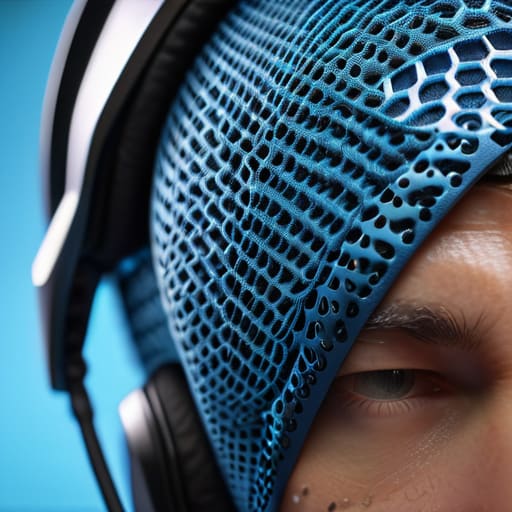
Look, I’ve spent enough time in machine shops to know that heat is the enemy of any system. It’s the same with your face. Most manufacturers want to save a few cents by using cheap, non-porous foam that traps heat against your skin like a plastic bag. Once that sweat starts building up, you aren’t just dealing with discomfort; you’re dealing with a mess that makes the lenses fog up and the whole experience feel sloppy. Investing in breathable facial padding for VR isn’t some luxury—it’s a basic requirement for any serious session.
Beyond the sweat, you have to consider the long-term impact on your skin. If you’re wearing a headset that doesn’t allow for airflow, you’re essentially creating a greenhouse on your face. I’ve seen guys try to push through a session only to end up with irritation that lasts for days. If the interface doesn’t allow for proper ventilation, you’re looking at a high risk of preventing VR headset pressure sores and skin breakouts. If the material feels like cheap, solid rubber, do yourself a favor and swap it out before you regret it.
Five Practical Ways to Stop the Ache Before It Starts
- Check the strap tension, not just the tightness. If you’re cranking the dial until your temples throb, you’ve already lost. A well-balanced headset should sit on your forehead and the back of your skull, not hang entirely off the bridge of your nose like a heavy pair of spectacles.
- Don’t settle for the stock foam. Most manufacturers use the cheapest, most sweat-absorbent sponge they can find to save a buck. I always recommend swapping out that factory face gasket for something with better density or even a silicone cover if you’re prone to overheating.
- Watch the center of gravity. If the front of the unit feels like it’s trying to pull your face toward the floor, you need a counterweight. I’ve found that adding a battery pack to the rear of the strap can balance the load, turning a front-heavy brick into something actually wearable.
- Give your face a break every thirty minutes. I don’t care how immersive the game is; if you ignore the pressure points, you’re going to end up with a headache that ruins the whole afternoon. Treat it like any other piece of heavy machinery—you don’t run it at redline indefinitely without a cooldown.
- Inspect the adjustment points for play or wobble. If the plastic adjustment sliders feel flimsy or “clicky” in a way that suggests they might snap, walk away. A headset that can’t maintain a consistent fit because of cheap plastic gears is nothing more than an expensive paperweight.
The Bottom Line: Don't Get Fooled by Marketing
Check the weight distribution before you buy; if all the heavy components are pulling on your forehead rather than being balanced around your head, you’re going to end up with a neck ache.
Demand better materials than cheap, non-breathable foam; if the padding doesn’t allow for airflow, you’ll be sweating through your session in less than fifteen minutes.
Look for adjustable straps that actually lock into place; flimsy velcro or flimsy plastic sliders are just shortcuts that lead to a headset sliding down your face the moment you move.
The Real Test of Hardware
I don’t care how many pixels they cram into the display if the chassis feels like a lead weight pulling at your neck; a piece of tech isn’t a breakthrough if you can’t wear it for more than twenty minutes without a headache.
Roland Delacroix
The Bottom Line on Comfort
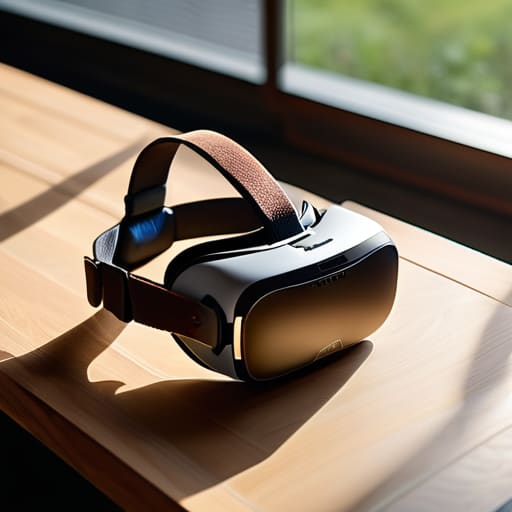
At the end of the day, don’t let the flashy marketing specs distract you from the physical reality of the device. I’ve seen enough poorly designed machinery in my career to know that if the foundation is flawed, the whole system fails. Whether you are looking at how the weight sits on your neck or how much sweat those foam pads are going to soak up, you have to look past the digital illusions. If a headset has poor weight distribution or uses cheap, non-breathable materials, it doesn’t matter how many pixels it packs—you won’t use it for more than fifteen minutes before you want to throw it across the room. Always prioritize build quality and ergonomics over a high-resolution screen; a beautiful image isn’t worth a splitting headache.
Technology should serve you, not the other way around. You shouldn’t have to endure physical discomfort just to experience the next big thing in digital entertainment. When you’re out there shopping, take your time, look at the construction, and don’t be afraid to ask the tough questions about how a piece of gear actually feels in your hands. Invest in tools that are built to last and designed for the human body. When you find that perfect balance of stability and airflow, you’ll realize that true immersion is only possible when you can completely forget you’re wearing the hardware in the first place.
Frequently Asked Questions
Is it worth spending the extra money on an aftermarket head strap, or is the one that comes in the box usually good enough?
Look, I’ve seen this pattern a thousand times: manufacturers cut corners on the accessories to pad their margins. Most stock straps are nothing more than a glorified elastic band—they pull on your forehead and leave you with a headache in twenty minutes. If you plan on using your kit for more than a quick session, spend the extra cash on a rigid, counterweighted strap. It’s not a luxury; it’s basic mechanical necessity.
How do I stop the lenses from fogging up every time I move around a bit too much?
Look, fogging is a classic heat management failure. When your body heat meets those cold lenses, you’ve got condensation on your hands. First, stop trying to “fix” it with software; it’s a physical problem. Use a small, battery-operated fan to keep air moving across your face, or better yet, swap out that cheap foam face gasket for one with better ventilation. If you can’t get airflow, you’re just staring at a blurry mess.
If I wear glasses, is there a way to make these headsets fit without them digging into my temples?
Look, I’ve spent half my life squinting at blueprints, so I know the frustration. If your frames are digging into your temples, you’re likely fighting a poorly designed facial interface. First, check if your headset has a dedicated “glasses spacer”—it’s a simple piece of plastic that adds just enough clearance. If not, look into third-party silicone covers or foam facial interfaces. They offer better compliance and distribute the pressure more evenly than that cheap, factory-standard padding.
