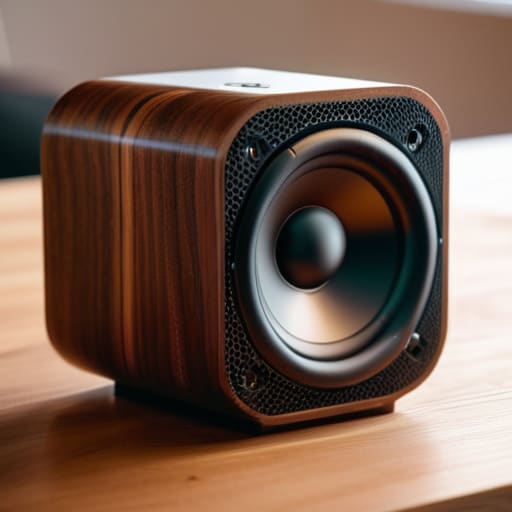
I was sitting in my workshop last Tuesday, trying to enjoy some jazz while cleaning the contacts on an old Marantz receiver, when my grandson brought over one of those trendy, palm-sized gadgets he calls a “smart speaker.” I turned it on, expecting a decent bit of music, but what I got was a thin, tinny mess that sounded like a mosquito trapped in a soda can. It’s the same story every time I walk into a big-box electronics store lately; companies are slapping massive marketing budgets behind colorful LED lights and “waterproof” ratings, while completely ignoring actual bluetooth speaker quality. They’re selling you a flashy light show wrapped in cheap, hollow plastic that won’t last a single summer.
I’m not here to talk about fancy apps or how many colors your speaker can flash. I’ve spent thirty years looking at how things are actually built, and I’m going to tell you what matters: the drivers, the enclosure, and the signal stability. My goal is to help you cut through the marketing garbage so you can find a device that actually delivers on its promise. I’ll show you how to spot a real piece of hardware before you waste your hard-earned money on a glorified paperweight.
Table of Contents
- Audio Fidelity and Frequency Response vs Marketing Lies
- Why Driver Size and Bass Performance Actually Matter
- Five Things to Check Before You Pull Out Your Wallet
- The Bottom Line: What to Look for Before You Reach for Your Wallet
- The Marketing Trap
- The Bottom Line on Bluetooth Audio
- Frequently Asked Questions
Audio Fidelity and Frequency Response vs Marketing Lies
When you’re browsing a website, you’ll see every manufacturer claiming their device delivers “studio-quality sound.” It’s a marketing tactic as old as time, and frankly, it’s nonsense. They use flashy adjectives to distract you from the actual physics of the device. If you want to know what you’re actually paying for, stop reading the slogans and look at the technical specs. You need to understand the relationship between driver size and bass performance; you can’t squeeze deep, resonant low-end out of a tiny, two-inch driver just by cranking the volume.
Real sound comes down to how a device handles the full spectrum of noise. Most of these cheap gadgets are “mid-range heavy,” meaning they sound tinny and thin because they lack a proper audio fidelity and frequency response profile. They might sound decent in a showroom, but once you get them home, you’ll realize the highs are piercing and the lows are non-existent. Don’t let them sell you on “loudness” when what you actually want is balance and clarity. If the specs don’t list the frequency range, they’re hiding something.
Why Driver Size and Bass Performance Actually Matter
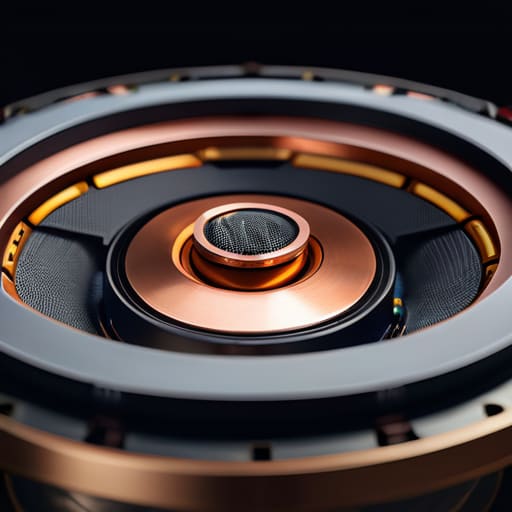
Look, marketing departments love to throw around flashy numbers, but if you want to know why a speaker sounds thin and tinny, you need to look at the hardware. You can’t cheat physics. A tiny, two-inch driver is never going to move enough air to give you that deep, resonant low end you expect. When I’m looking at a new unit, I’m checking the actual physical dimensions of the components. If the manufacturer is hiding the specs behind a wall of text, they’re likely trying to mask a lack of substance.
Real driver size and bass performance are directly linked to how much air that cone can actually displace. If you want a speaker that actually feels substantial in a room, you need a larger driver or a well-engineered passive radiator. Without that physical displacement, you’re just listening to a glorified tin can. Don’t let them fool you with “bass boost” buttons; those are usually just digital tricks that distort the signal. You want mechanical displacement, not a software patch trying to fix a hardware deficiency.
Five Things to Check Before You Pull Out Your Wallet
- Look for physical controls instead of touch-sensitive panels. If you have to fumble with a smartphone app just to turn the volume up or skip a track, the manufacturer is prioritizing aesthetics over usability. I want tactile buttons that give me feedback; it’s more reliable and much easier to use when you’re actually trying to enjoy your music.
- Inspect the housing material. If the speaker feels light and hollow, it’s going to rattle when the bass hits. You want something with some heft—ideally a dense polymer or metal casing—that can act as a stable foundation for the drivers. If it feels like a toy, it’s going to sound like one.
- Verify the Bluetooth codec support. Don’t just take their word that it “sounds great.” If you’re using a high-end source, you want to ensure the speaker supports AAC or aptX. If it’s stuck on the basic SBC codec, you’re losing detail, and you might as well be listening to a tinny radio from the 80s.
- Check the battery’s real-world specs, not the manufacturer’s “up to” claims. Those numbers are usually pulled from a lab setting with the volume at 10%. In my experience, you should assume you’ll get about 60% of what they promise once you actually turn the volume up to a decent level.
- Demand a standard charging port. I’m tired of seeing companies move to proprietary cables that make the device useless the moment you lose that one specific cord. If it doesn’t use USB-C, leave it on the shelf. A tool should be easy to maintain, not a headache to keep powered up.
The Bottom Line: What to Look for Before You Reach for Your Wallet
Stop reading the marketing fluff about “surround sound” and “studio quality” on the box; instead, look for the actual technical specs on driver diameter and frequency range to see if the hardware can actually back up the claims.
Prioritize build quality and physical components over flashy LED lights; a speaker with a heavy, stable chassis and decent driver materials will always outlast a lightweight piece of hollow plastic that rattles when the bass hits.
Don’t get blinded by brand names alone; a mid-range speaker with superior engineering and a solid connection will serve you far better than a premium-priced gadget that relies on software gimmicks to hide poor acoustic performance.
The Marketing Trap
I’ve spent enough time looking at spec sheets to know that a flashy LED display and a high price tag don’t mean a thing if the driver is rattling inside a hollow plastic shell. If they can’t tell you the actual frequency response, they’re just selling you a pretty paperweight.
Roland Delacroix
The Bottom Line on Bluetooth Audio
At the end of the day, don’t let a shiny LED display or a fancy app distract you from the actual hardware. We’ve covered why you need to look past the marketing fluff and focus on the physical realities of the device. Remember: driver size dictates your bass, frequency response determines if your music sounds like a tin can, and build quality is what keeps that speaker from falling apart after six months of use. If the specs don’t make sense on paper, no amount of clever advertising will make it sound good in your living room. Stop chasing the latest trend and start looking for substance over style.
I’ve spent enough time under the hood of complex systems to know that complexity isn’t the same thing as quality. You don’t need a smart speaker that tries to manage your calendar; you need a tool that plays your music reliably and lasts for years. When you find that piece of equipment that balances a sturdy chassis with honest acoustic performance, you’ll realize that true value isn’t found in a high price tag, but in the reliability of the engineering. Buy it once, buy it right, and stop wasting your hard-earned money on disposable junk.
Frequently Asked Questions
How do I tell if a speaker is actually using high-quality components or if they just slapped a fancy-looking grille over cheap drivers?
Look, don’t let a polished mesh grille fool you; that’s just window dressing. If you want to see what’s actually under the hood, check the weight. Cheap, hollow plastic feels light in your hand, and it sounds light, too. I always look for substantial magnets and a rigid chassis. If the manufacturer won’t list the driver material or the magnet type in the specs, they’re hiding something. If it feels like a toy, it’s a toy.
Is there a real difference in sound between a single large driver and multiple smaller ones, or is it all just marketing fluff?
It’s not just marketing fluff, but it isn’t a simple “bigger is better” equation either. A single large driver moves more air, which is essential for that deep, natural bass you want in a living room. However, if you’re looking for clarity in the mid-range, a multi-driver setup—using smaller drivers specifically for mids and highs—prevents that muddy, distorted sound when you crank the volume. If you want punch, go large; if you want detail, look for multiple drivers.
How much does the battery life actually impact the long-term reliability and build quality of these units?
Look, here’s the reality: a cheap, integrated lithium-ion battery is often the Achilles’ heel of these units. When manufacturers prioritize a slim, “sleek” plastic chassis, they cram in a battery that’s hard to service. Once those cells degrade after a year or two, the whole speaker becomes an expensive paperweight. If you want longevity, look for units with robust thermal management. If the device runs hot while charging, that battery’s lifespan is already halfway shot.
