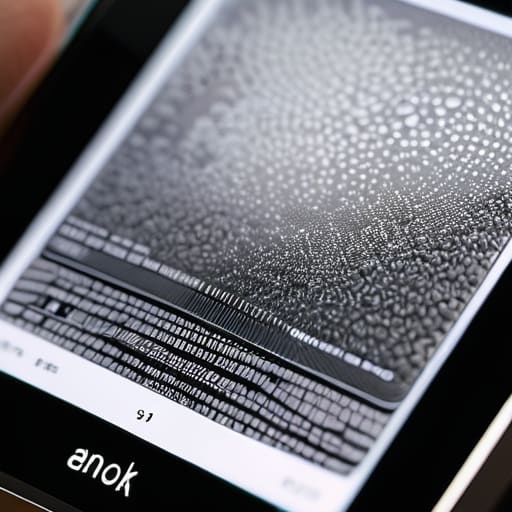
I was sitting in my workshop last Tuesday, cleaning the dust out of a 1970s Marantz receiver, when I realized how much I loathe the way modern tech companies sell us “innovation” that’s really just a distraction. Everyone is currently losing their minds over the latest tablets and high-refresh-rate screens, claiming they’re the future of everything. But if you’re actually trying to read a book without feeling like you’re staring into a high-voltage welding arc, those glowing LCDs are useless. I’ve spent the last month putting various e-ink displays through the ringer, stripping away the marketing fluff to see if they actually serve a purpose or if they’re just another way to drain your battery and your wallet.
I’m not here to read you a spec sheet or parrot what some influencer says in a polished video. I’m going to tell you what these devices actually feel like when you’re using them in real life—the lag, the build quality, and whether that “paper-like” claim is actually true. My goal is simple: I want to help you find a tool that actually works so you don’t end up with a drawer full of expensive, glorified plastic.
Table of Contents
The Truth About Electrophoretic Display Technology

Now, let’s get under the hood. Most people see a screen and think it’s just a piece of glass, but what’s happening inside an e-reader is a completely different beast than your smartphone. We are talking about electrophoretic display technology, which uses tiny microcapsules filled with charged pigment particles. When you apply an electric field, those particles move to the surface to create the text you see. It’s a mechanical process at a microscopic level, not a light-emitting one.
This is where the real distinction lies when you look at e-ink vs LCD technology. A standard tablet uses a transmissive display, meaning it’s basically a flashlight shining directly into your retinas. It’s exhausting for the eyes. An e-ink screen, however, is a reflective display. It relies on ambient light—the sun or a lamp—to bounce off those pigments. Because the image stays put even when the power is cut, you get those incredible low power consumption screens that can last weeks on a single charge. It’s not about being “high-tech” for the sake of it; it’s about using physics to do a job more efficiently.
E Ink vs Lcd Technology What Actually Matters

Look, I’ve spent enough time under the hood of industrial machinery to know that you can’t compare a steam engine to a combustion engine and expect the same results. The same goes for your screen. When you’re looking at an e-reader screen comparison, most people get bogged down in pixel density. That’s a mistake. The real difference lies in how these devices handle light. Your smartphone or tablet uses a transmissive display, meaning it’s essentially a tiny flashlight shining directly into your retinas. It’s fine for a quick video, but if you’re trying to read for two hours, you’re going to feel that strain.
E-ink, on the other hand, relies on reflective vs transmissive displays principles. Instead of blasting light at you, it uses ambient light to make the text visible, much like real ink on a piece of paper. This is where the low power consumption screens really shine; because they don’t need a constant backlight to fight your eyes, the battery lasts weeks instead of hours. If you want a device that acts as a tool rather than a distraction, you have to prioritize how the screen interacts with the world around it.
5 Things to Check Before You Hand Over Your Hard-Earned Cash
- Don’t get blinded by resolution numbers. A high PPI (pixels per inch) is fine, but if the contrast ratio is garbage, you’ll be squinting just as much as you would at a cheap tablet. Look for crisp blacks and clean whites, not just a high pixel count.
- Test the refresh rate with your own eyes. Manufacturers love to gloss over the “ghosting” effect. If the screen takes three seconds to settle after you turn a page, it’s going to drive you mad. A device should feel like a book, not a slow-motion slideshow.
- Check the build quality of the casing. I’ve seen too many of these “paper-thin” devices that feel like they’ll snap if you look at them wrong. If it feels like flimsy, hollow plastic, it won’t survive being tossed in a backpack. Look for something with some actual structural integrity.
- Verify the lighting system. If you’re buying this for reading in bed, you need adjustable color temperatures. Blue light is a thief that steals your sleep, and if the device doesn’t let you warm up the display, it’s a poorly designed tool.
- Look past the “ecosystem” marketing. A device is useless if it’s a walled garden that makes it a chore to load your own files. If you have to jump through five hoops just to get a PDF onto the screen, you’re buying a headache, not a reader.
The Bottom Line on E-Ink
Stop chasing refresh rates; e-ink is built for static reading, not scrolling through social media feeds or watching videos.
Prioritize build quality and screen coating over fancy software features—if the screen scratches easily, the device is junk.
Only buy an e-ink device if you actually need to read for hours without eye strain; otherwise, you’re just paying a premium for limited functionality.
The Bottom Line on E-Ink
“I don’t care how many megapixels a screen claims to have if the glare makes it unreadable in direct sunlight. A real tool should work where you need it, not just where the power outlet is.”
Roland Delacroix
The Bottom Line

At the end of the day, don’t let the marketing departments fool you into thinking every new tablet is a revolution. We’ve looked at the mechanics of electrophoretic tech and compared it to the high-refresh-rate LCDs that dominate the market. If you want a device for scrolling through endless social media feeds or watching videos, an e-ink screen will fail you every single time; it’s simply not built for that kind of high-speed data throughput. However, if your goal is to actually sit down and read without the eye strain or the constant distraction of blue light, e-ink remains the only reliable tool for the job. It’s about choosing the right instrument for the specific task at hand, rather than chasing every shiny new spec.
I’ve spent enough time around heavy machinery and precision instruments to know that longevity and purpose matter more than flashiness. When you go out to buy your next reader, stop looking at the glossy advertisements and start looking at the build quality and the actual utility of the screen. Don’t buy technology just because it’s new; buy it because it serves a function in your life without requiring constant troubleshooting. Invest in something that works the way it’s supposed to, and you won’t find yourself staring at a piece of expensive plastic six months down the road.
Frequently Asked Questions
Can I actually use an e-ink device for anything other than reading books, or is the lag too much for basic web browsing?
Look, if you’re expecting a seamless experience like your iPad, you’re going to be disappointed. For web browsing, the refresh rate is a real bottleneck; watching a page scroll feels like watching paint dry. You can use them for news or basic articles, but you have to be patient. If you need speed, stick to LCD. E-ink is a specialized tool for focused reading, not a high-speed workstation. Don’t let them sell you on multitasking.
How much of a difference does a color e-ink screen really make, and is it worth the extra cost if the colors look washed out?
Look, if you’re expecting a vibrant tablet experience, you’re going to be disappointed. Color e-ink is still a compromise; the colors are muted, almost like looking through a dusty window. If you need color for technical diagrams or high-fidelity art, stick to an iPad. But if you just want a bit of visual distinction for book covers or simple charts without the eye strain, it’s a decent luxury. Don’t pay a massive premium for it unless you have a specific use case.
Are these screens actually durable enough to survive being tossed in a bag, or is the glass as fragile as a modern smartphone?
Here’s the reality: E-ink screens are a different beast entirely. While they don’t suffer from the same “burn-in” issues as an LCD, the displays are often thinner and more prone to cracking under direct pressure. If you toss one in a crowded bag without a solid, rigid case, you’re asking for trouble. Don’t treat them like a ruggedized tablet; treat them like a piece of precision glass. Protect the casing, or you’ll be buying a replacement.
