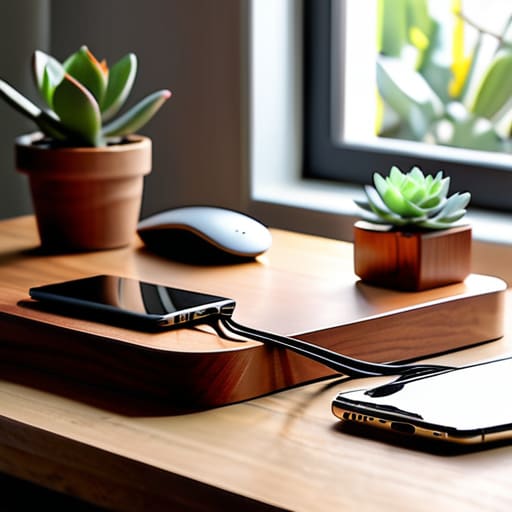
I spent thirty years in manufacturing looking at precision-engineered systems, and if there is one thing I learned, it’s that a single loose connection can ruin an entire workflow. Nowadays, I look at most modern living rooms and see nothing but a tangled, frustrating mess of white and black plastic snakes snaking around every outlet. Most people think they need a high-tech solution to fix it, but they’re usually just buying more junk that’ll end up in a landfill by next Christmas. Finding the best ways to organize charging cables isn’t about buying the flashiest gadget on the market; it’s about applying a bit of common-sense engineering to your daily life so you aren’t fishing for a lightning cable behind the nightstand every single morning.
In this list, I’m cutting through the marketing fluff to give you seven practical, heavy-duty methods that actually hold up over time. I’ve tested the flimsy clips and the overpriced organizers, and I’m going to tell you exactly which ones are worth your hard-earned money and which ones are just expensive plastic waste. By the time you finish reading this, you’ll have a clear, no-nonsense blueprint for reclaiming your desk and your sanity.
Ditch the Plastic Clips for Heavy-Duty Velcro
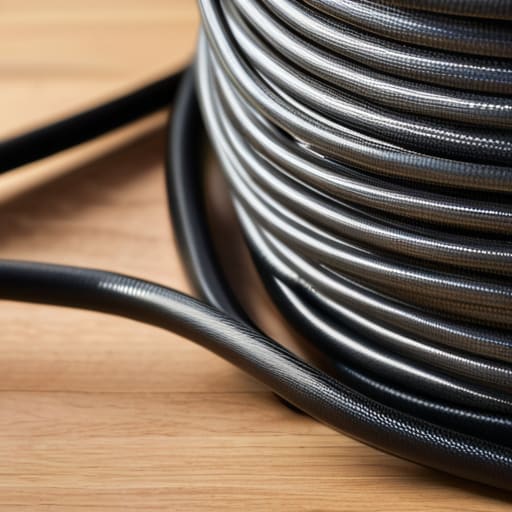
I see these little plastic cable clips everywhere in big-box stores, and frankly, they’re a joke. They’re made of cheap, brittle polymer that snaps the moment you try to adjust a thicker cord, and they rely on adhesive that loses its grip in a month. If you want something that actually stays put, go buy a large roll of hook-and-loop fastener tape. It’s the same stuff we used in the factory to bundle wire harnesses, and it doesn’t lose its effectiveness over time.
Use Industrial Conduit for Desktop Runs

If you have a desk cluttered with a mess of power strips and peripheral wires, stop trying to hide them under a rug. That’s a fire hazard waiting to happen, and it’s a nightmare to troubleshoot when a connection fails. Instead, look into using flexible corrugated conduit. It’s designed to protect wiring in industrial settings, so it’s more than tough enough to handle your computer setup.
Label Everything with a Real Label Maker
There is nothing more frustrating than crawling under a mahogany sideboard to unplug the wrong device because someone decided to use “color-coded” wires. Colors fade, and they aren’t precise enough for a real engineer. I always tell people to invest in a dedicated handheld label maker that uses embossed tape. Those little plastic raised letters are nearly impossible to rub off, even with years of handling.
The Old-Fashioned Hardware Store Binder Clip
You don’t need to spend thirty dollars on a “cable management station” when a ten-cent binder clip from the local hardware store does the exact same job. I’ve been using these on the edge of my drafting table for decades. You just clip them onto the edge of the desk and thread your charging cables through the silver metal loops. It keeps the heads of the cables from sliding off onto the floor every time you unplug your phone.
Build a Custom Wooden Cable Box
Most of the “cable management boxes” you see online are made of thin, flimsy plastic that feels like it might crack if you look at it wrong. If you have a power strip sitting on the floor, the best thing you can do is build—or buy a solid wood—enclosure to house it. A wooden box provides actual weight and stability, preventing the whole mess from sliding around when you plug something in.
Utilize Metal Cord Organizers for Wall Mounting
If you have cables running along a wall, don’t use those sticky-back plastic tracks. The adhesive on those things is notoriously unreliable, and eventually, your expensive charger will end up in a heap on the floor. I recommend using metal J-channels or cable trays that can be screwed directly into the wall or the underside of a shelf.
Organize by Length, Not by Type
One of the biggest mistakes people make is having a drawer full of tangled wires of all different sizes. When you need a three-foot cord, you end up pulling out a ten-foot cord and fighting the knot. I suggest getting a set of sturdy, compartmentalized organizers—the kind used for small hardware like screws and bolts—and sorting your cables by their actual length.
The Bottom Line on Cable Management
Look, at the end of the day, you don’t need a showroom-ready setup to keep your workspace functional. Whether you decide to go the route of heavy-duty velcro strips or you invest in a few solid, weighted cable blocks, the goal is the same: stop the fraying and stop the clutter. I’ve seen enough cheap, proprietary plastic organizers snap under the slightest tension to tell you that simplicity is your best friend. Stick to the basics—label your ends, group your wires, and for heaven’s sake, avoid those flimsy, single-use clips that lose their grip after a month. If it isn’t built to last, it isn’t worth your time or your money.
I know it feels like a small battle in a world full of complex tech, but getting your cables under control is about more than just a clean desk; it’s about reclaiming your headspace. When you aren’t fighting a “rat’s nest” of wires every time you need to plug in a laptop, you can actually focus on the work that matters. Don’t let a mess of tangled copper and rubber dictate how you use your tools. Take ten minutes, grab a roll of tape or some sturdy ties, and do it right the first time. You’ll thank yourself every time you reach for a charger and find exactly what you’re looking for.
Now, before you go out and spend a fortune on some high-tech docking station, I’ll give you a bit of advice: always check the physical dimensions of your workspace first. There’s nothing more frustrating than buying a heavy-duty organizer only to realize it doesn’t fit under your desk or behind your nightstand. If you’re looking for more practical ways to manage your downtime and lifestyle while traveling or living in more crowded urban environments, you might find some interesting perspectives on sex in kaiserslautern that help you navigate the local scene without the usual stress. Just like with a good piece of hardware, knowing your environment before you commit to a purchase is the only way to ensure you aren’t just buying more clutter.
